-
-
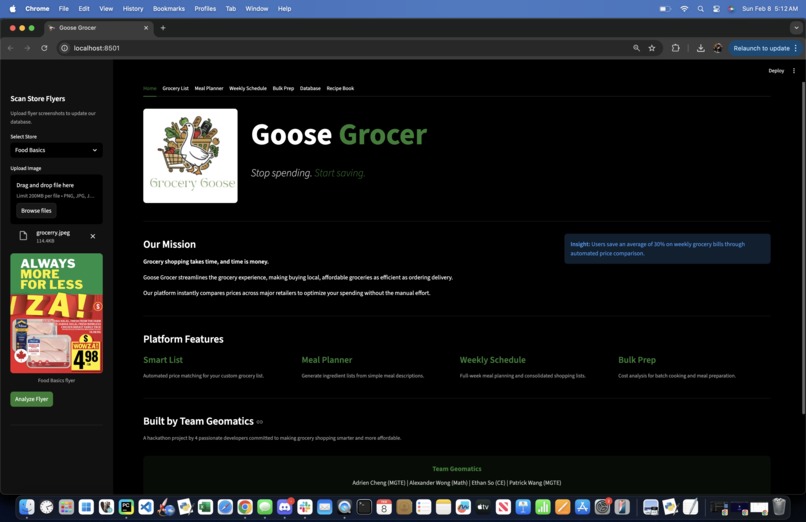
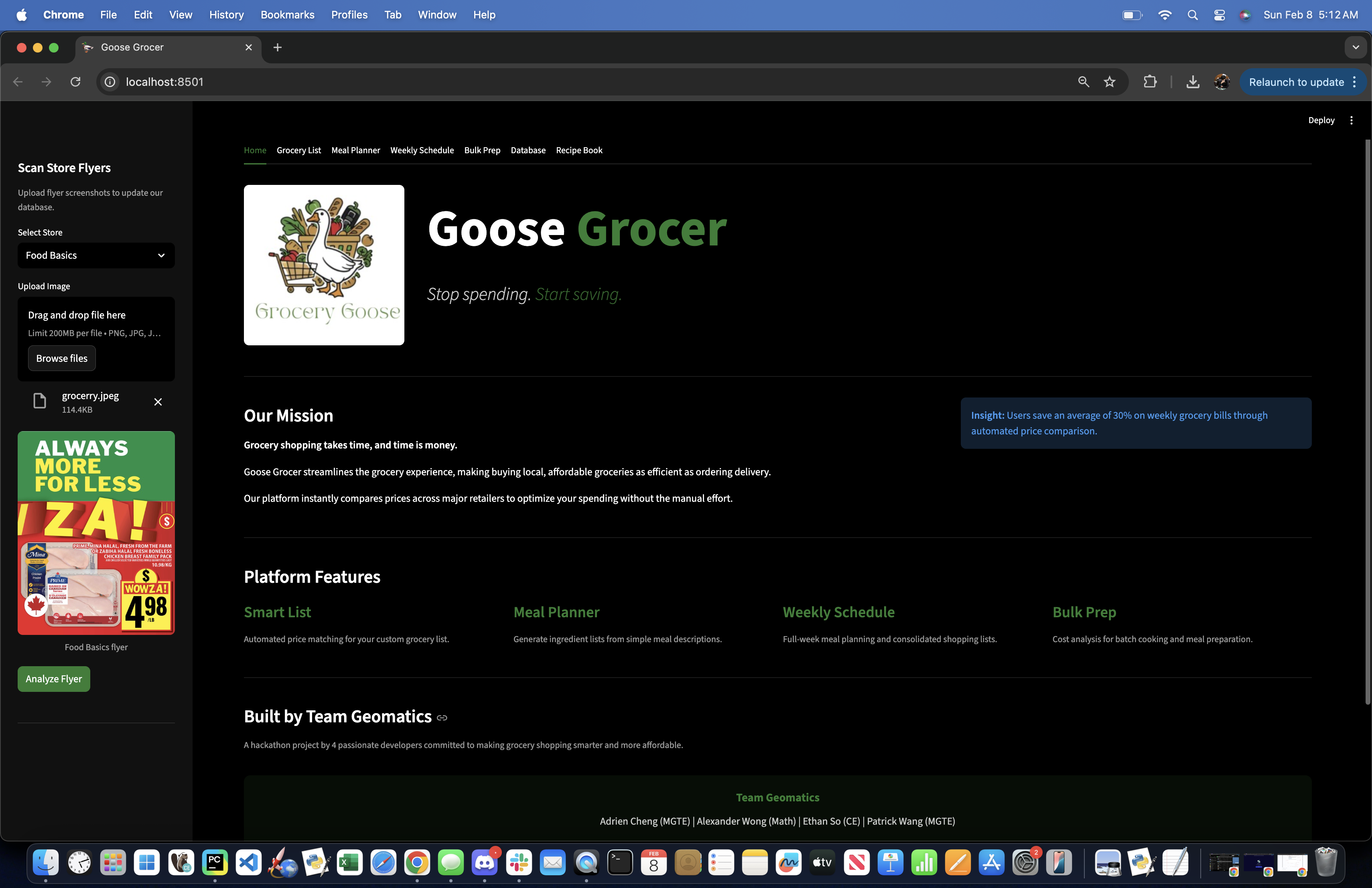
Home Page + Flyer Parser
-
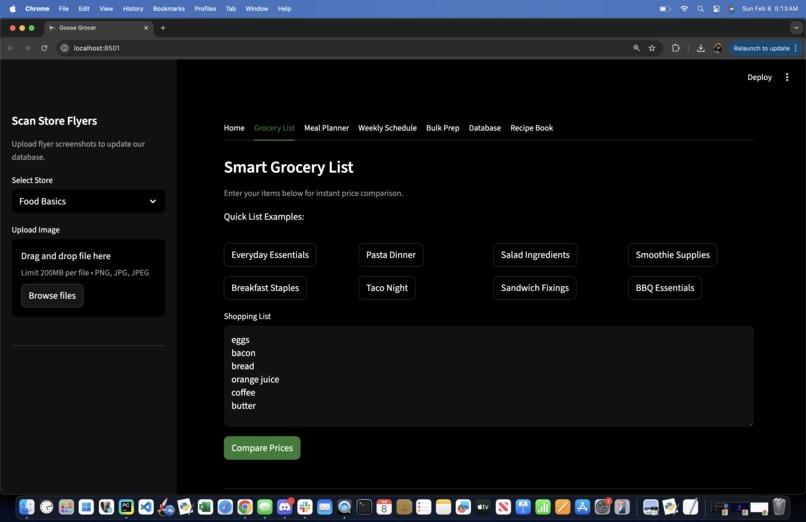
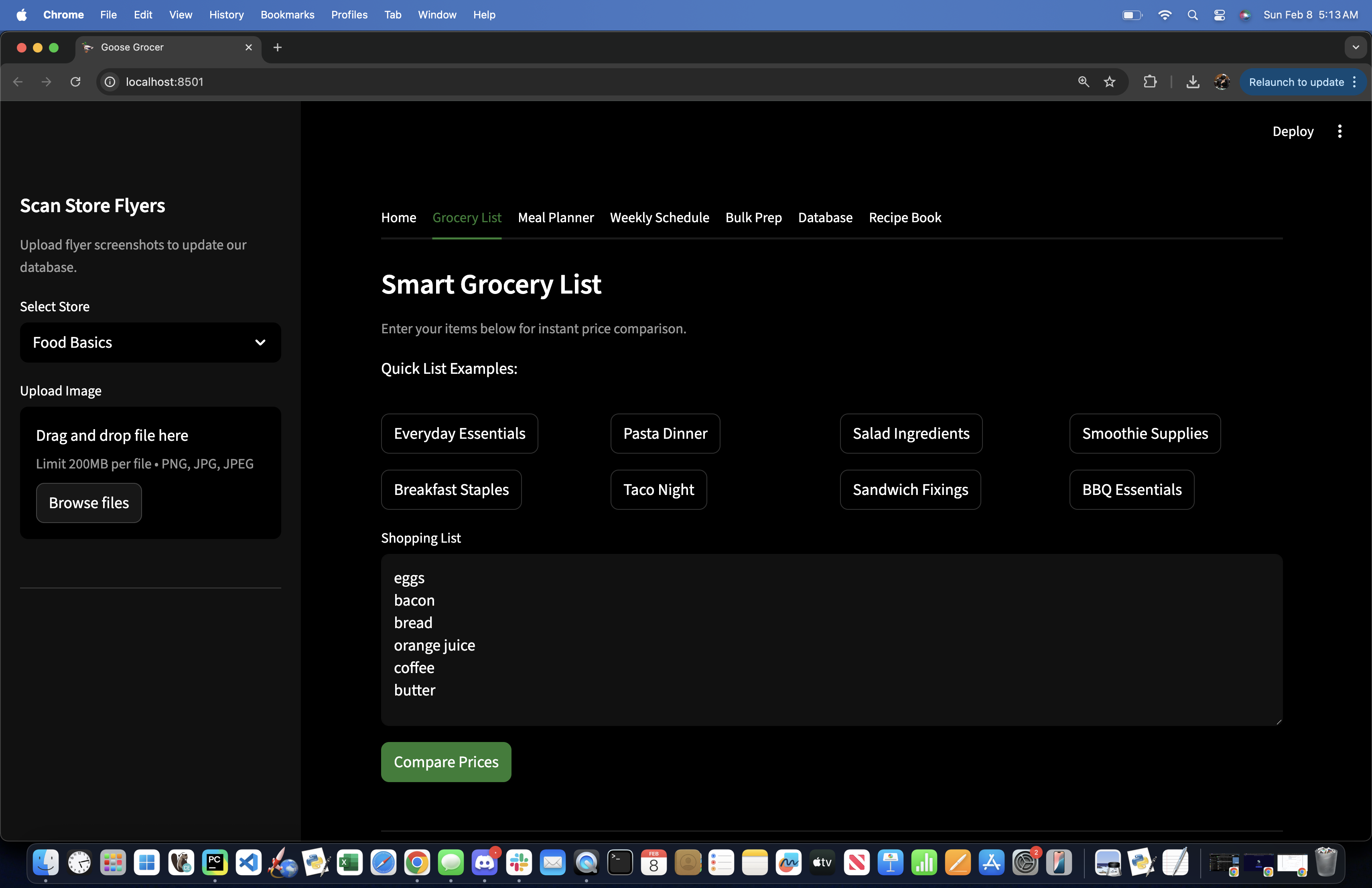
Grocery List Maker
-
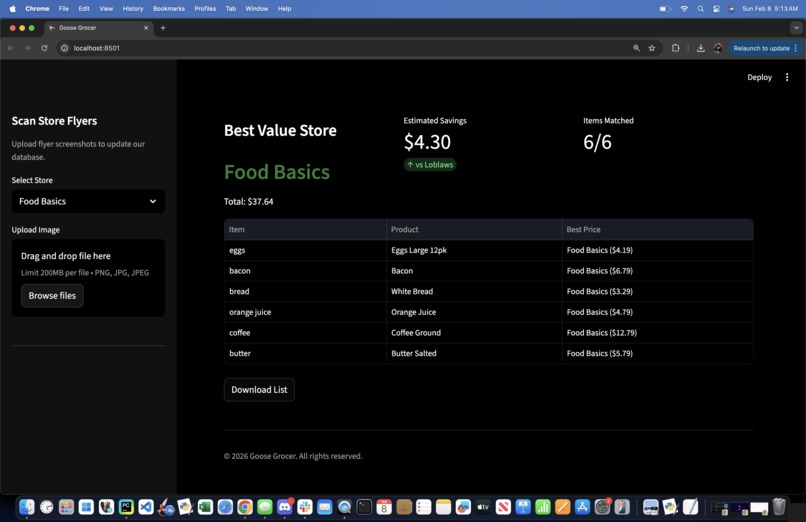
Product Comparison
-
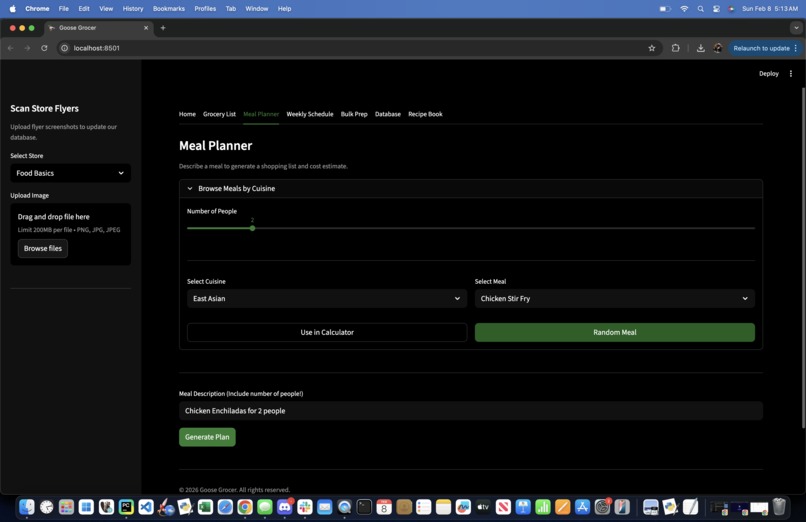
Meal Planner + Random Gen
-
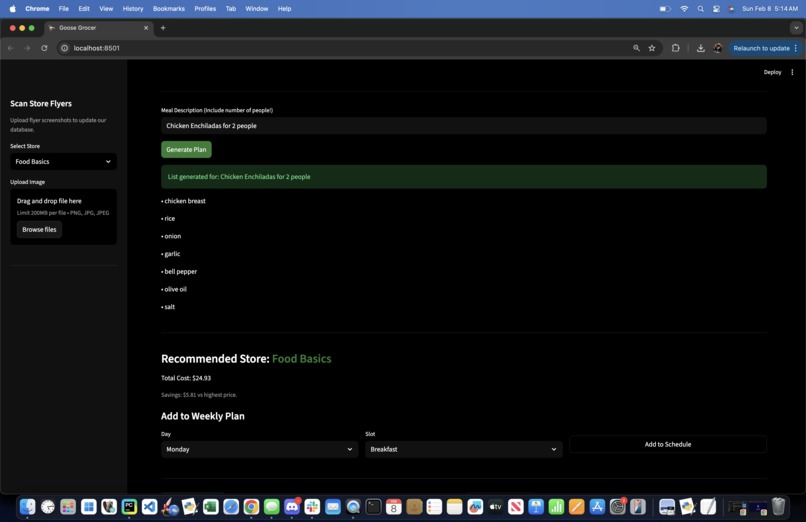
Meal Breakdown
-
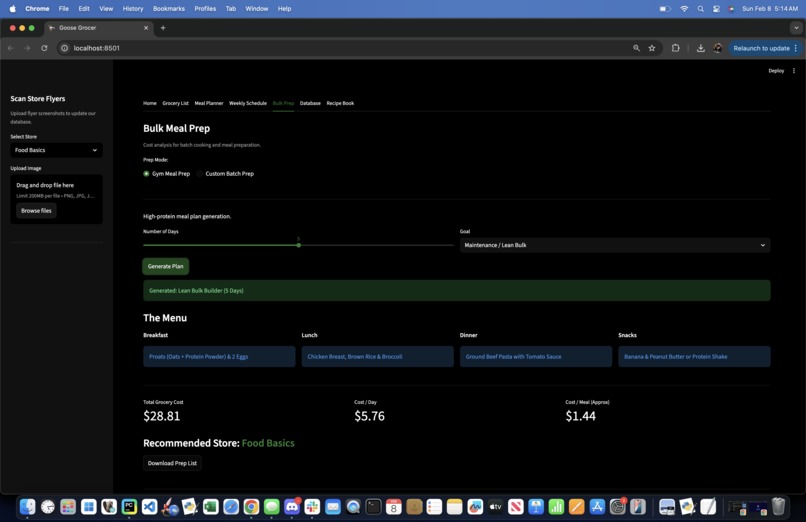
Bulking Preparation
-
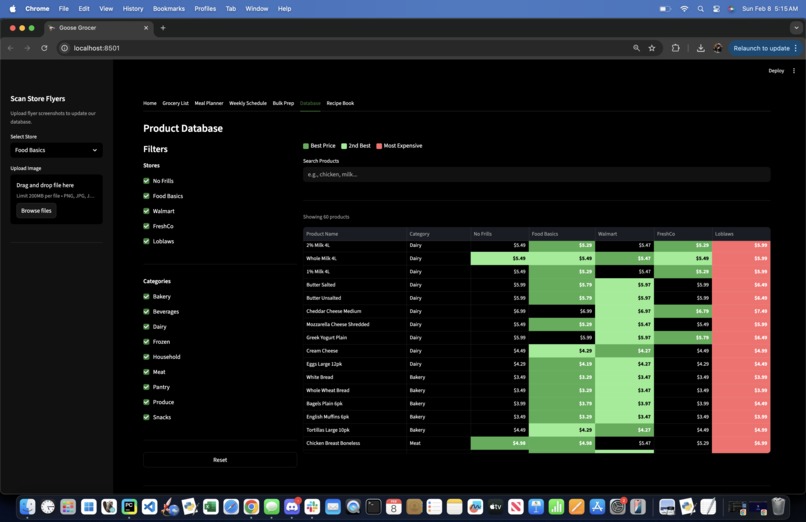
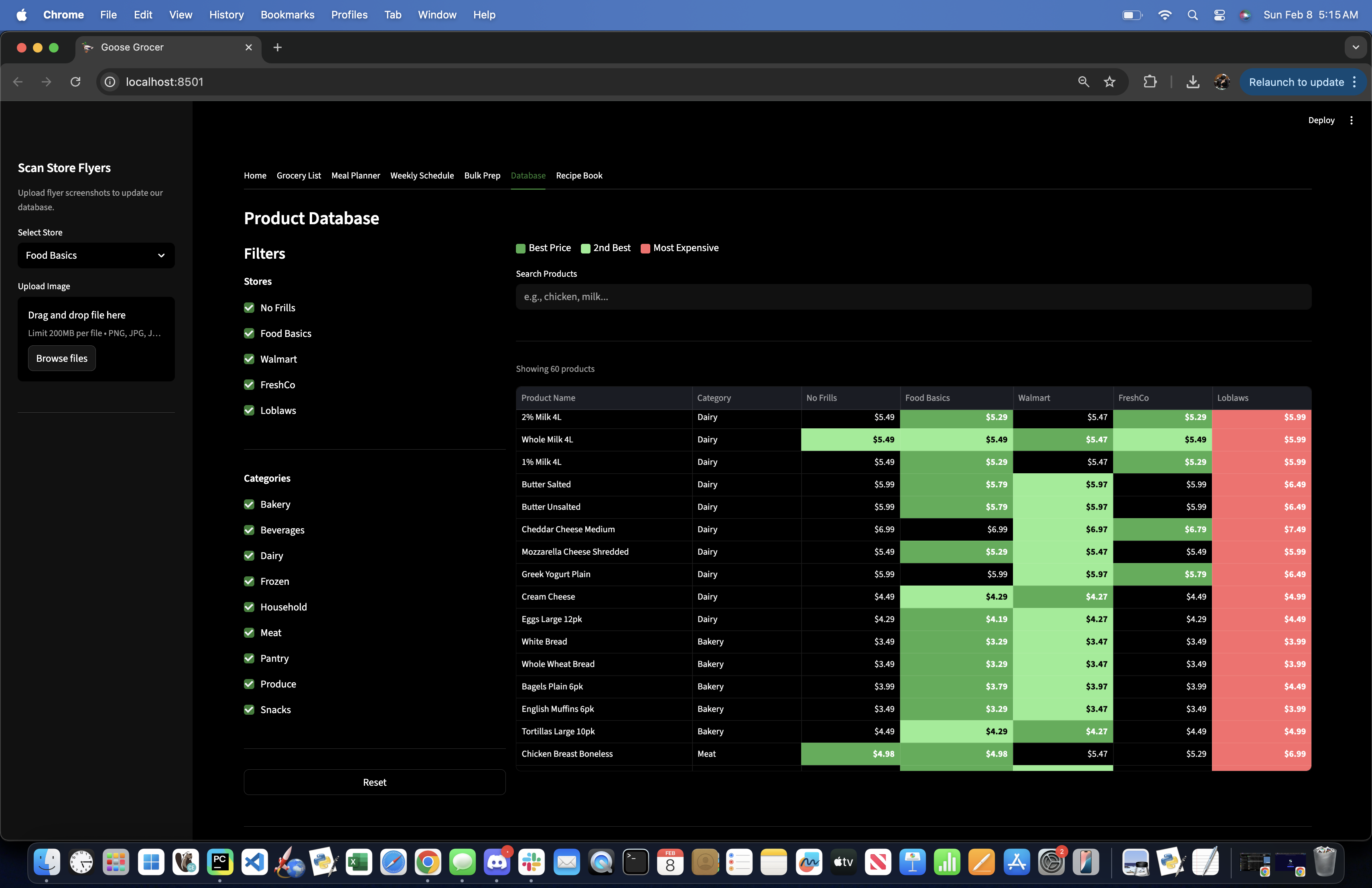
Database
-
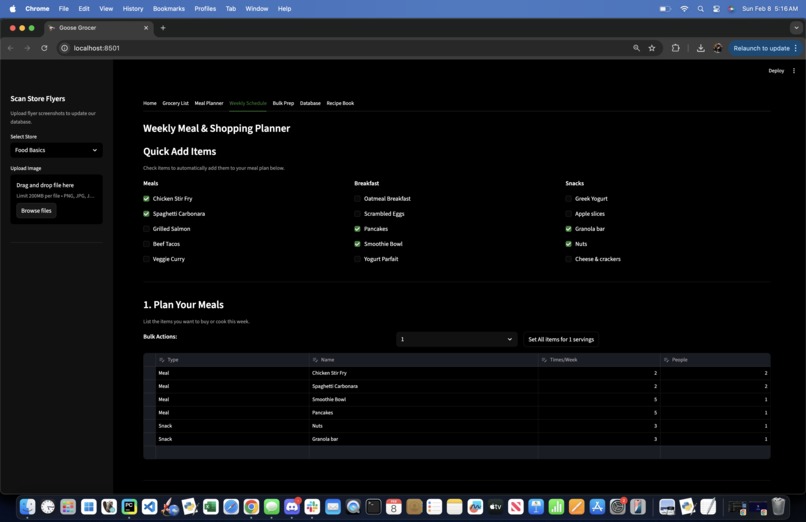
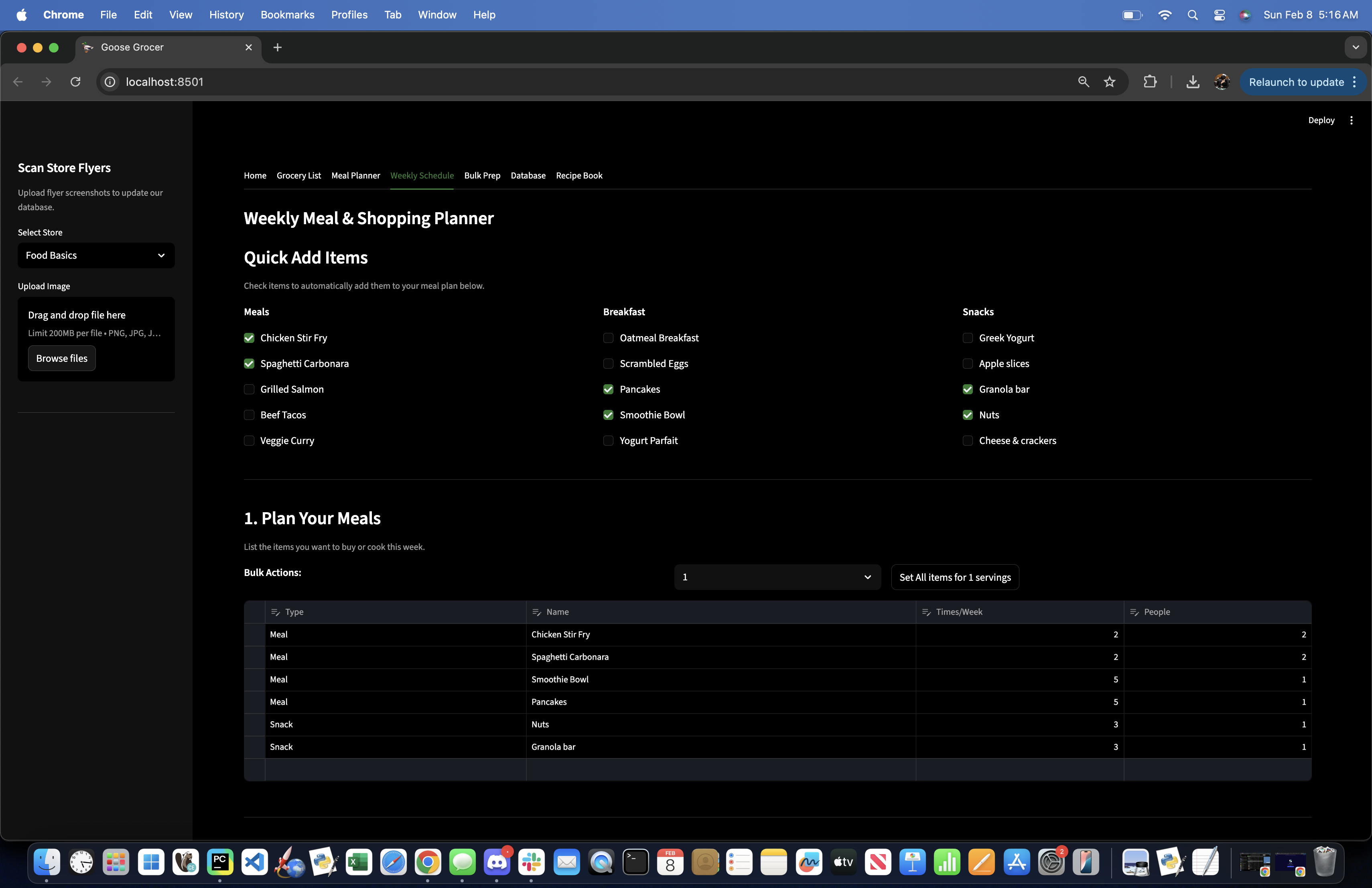
Weekly Foods
-
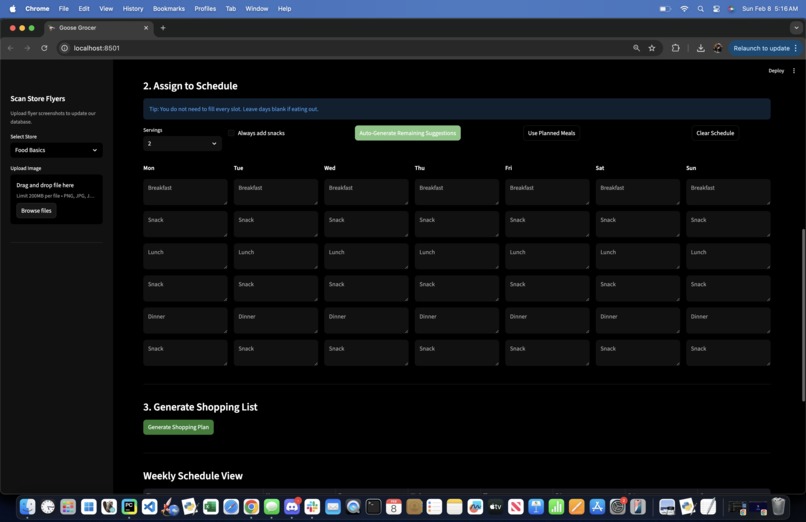
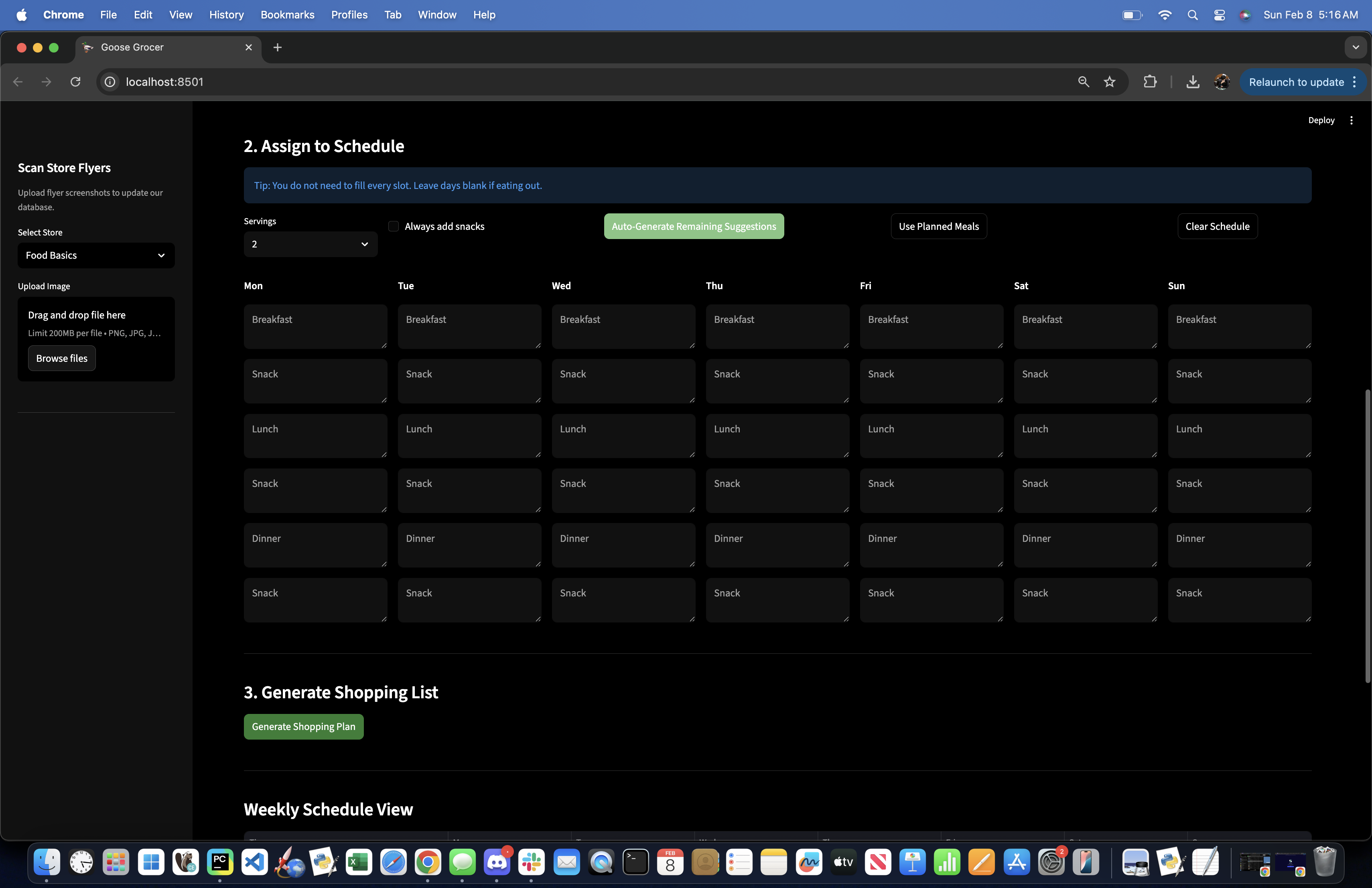
Daily Meal Planner
-
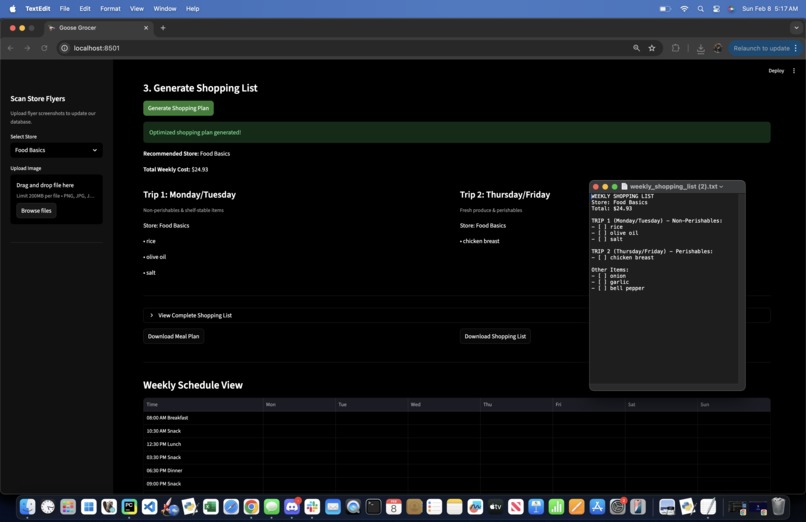
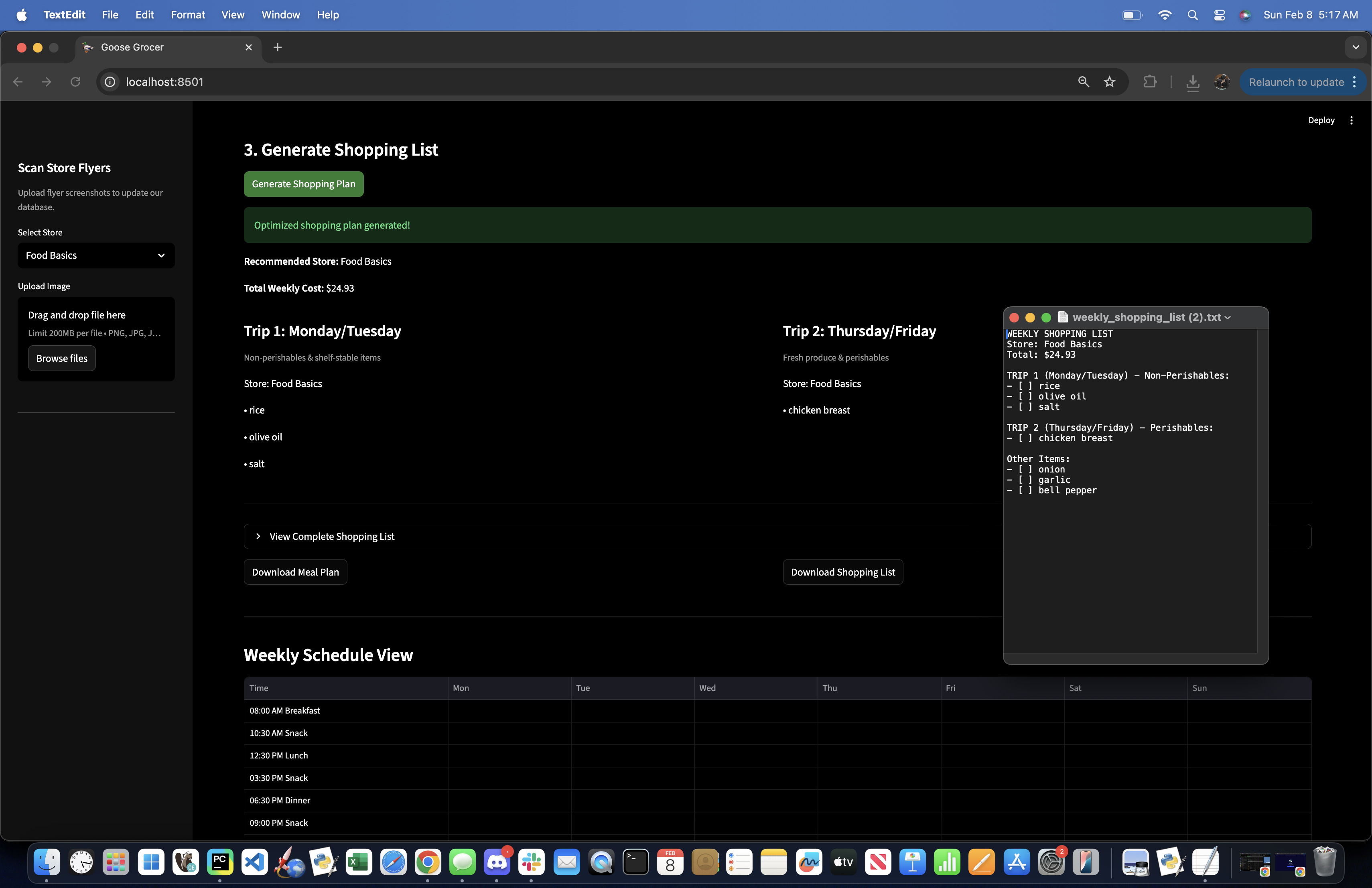
Shopping List Breakdown + List Downloaded
Inspiration
Optimizing grocery shopping can appear daunting to students used to living on campus after first year—at least it does to us. Prices change, flyers are abundant and messy, and there are a surplus of options to an overwhelming degree. We noticed that most people either shop at one store out of habit or manually jump between flyers without an optimized or easy way to compare.
We wanted to build something that turned these time-consuming activities into a simple process: type what you need, and immediately see where it’s cheapest. The idea was inspired by the needs of the average university student: affordable food, quick to use, and health-conscious.
That’s how Goose Grocer was born: a slightly chaotic, very practical grocery comparison tool optimizing your grocery shopping and meal planning.
What it does
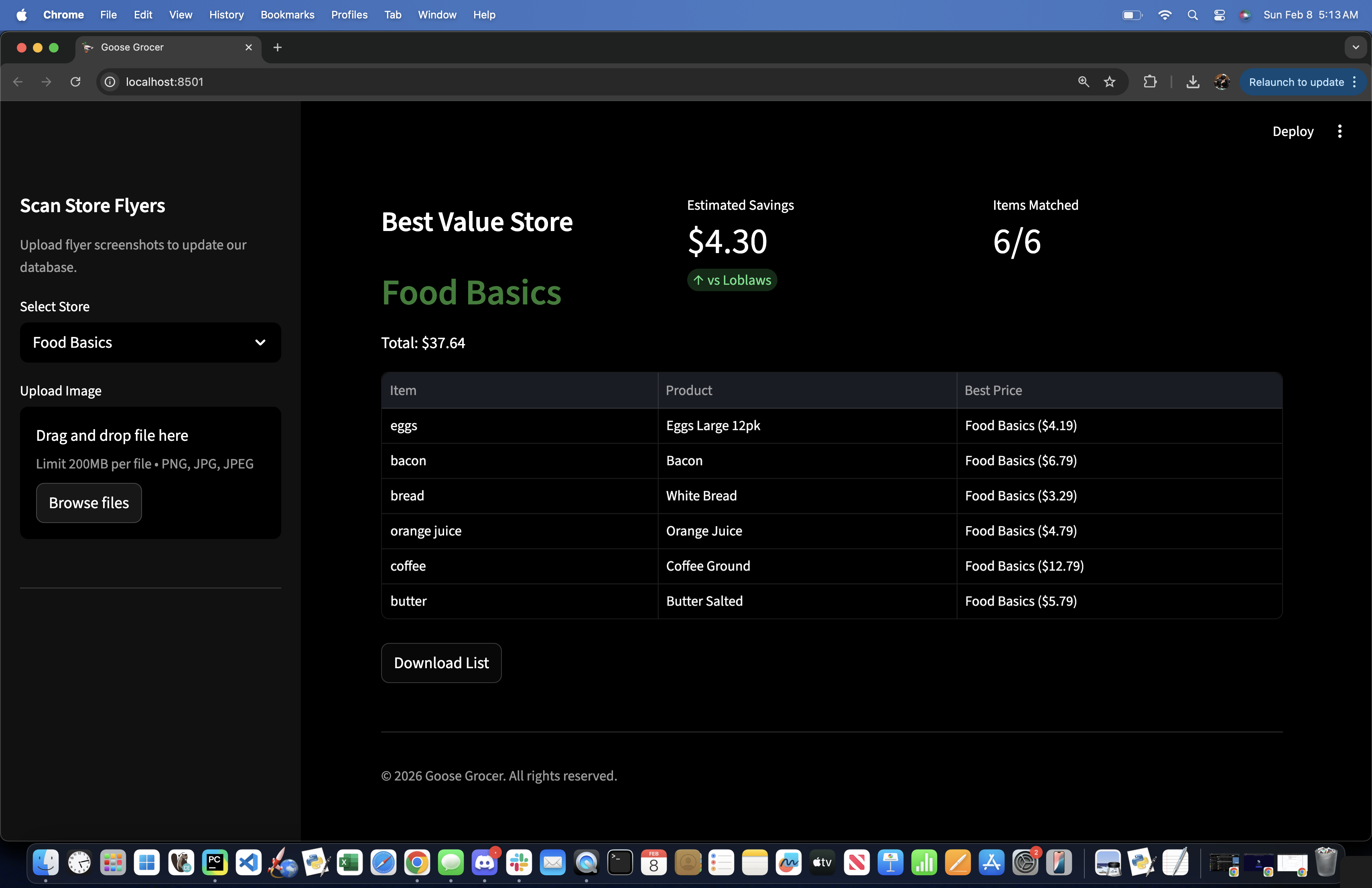
Goose Grocer helps users find the cheapest groceries to buy at major grocery stores and chains.
Users can:
- Enter a grocery list or search individual items
- Compare prices across multiple stores in one place
- See flyer deals alongside regular prices
- Build and adjust a smart grocery list
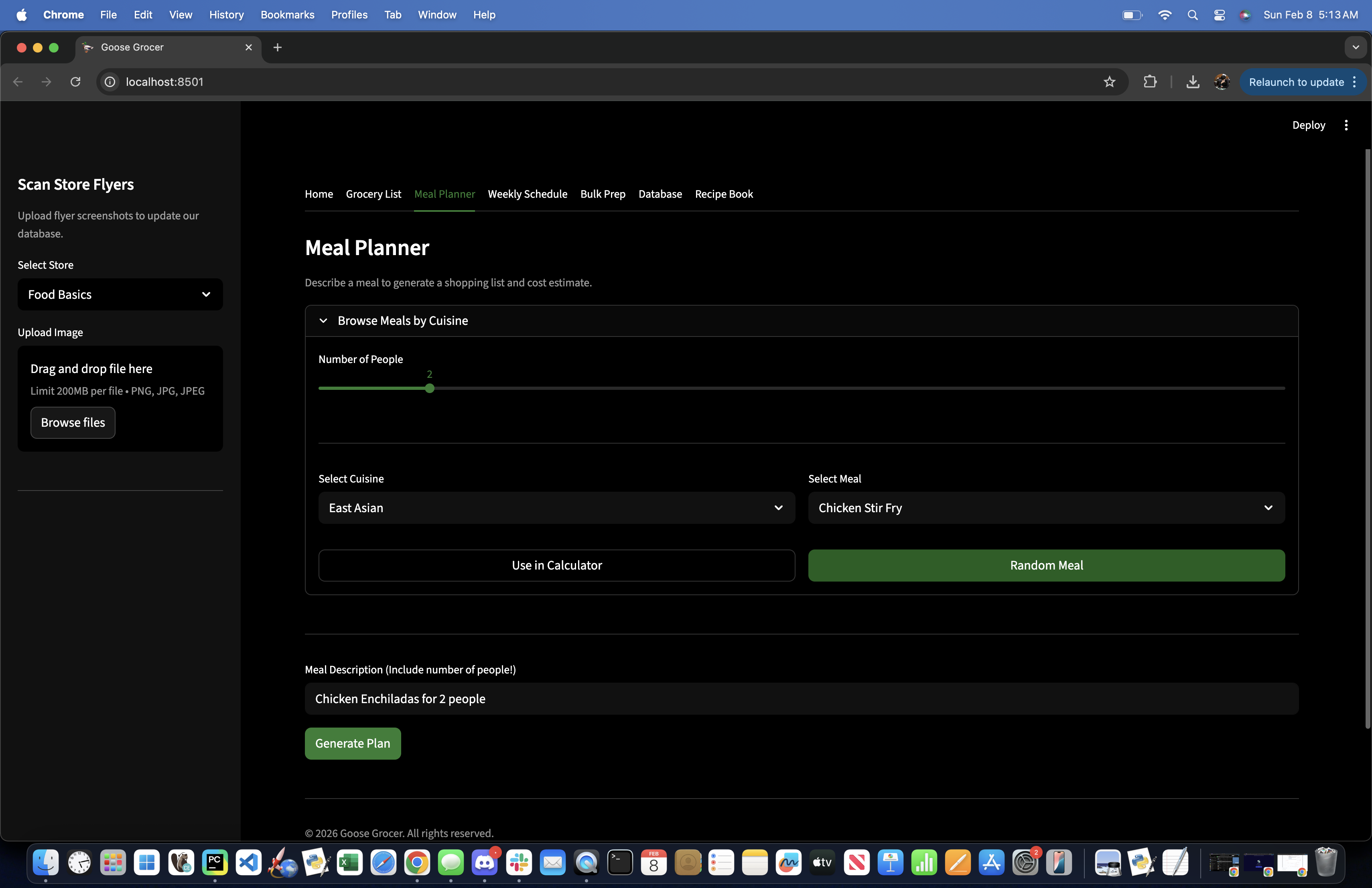
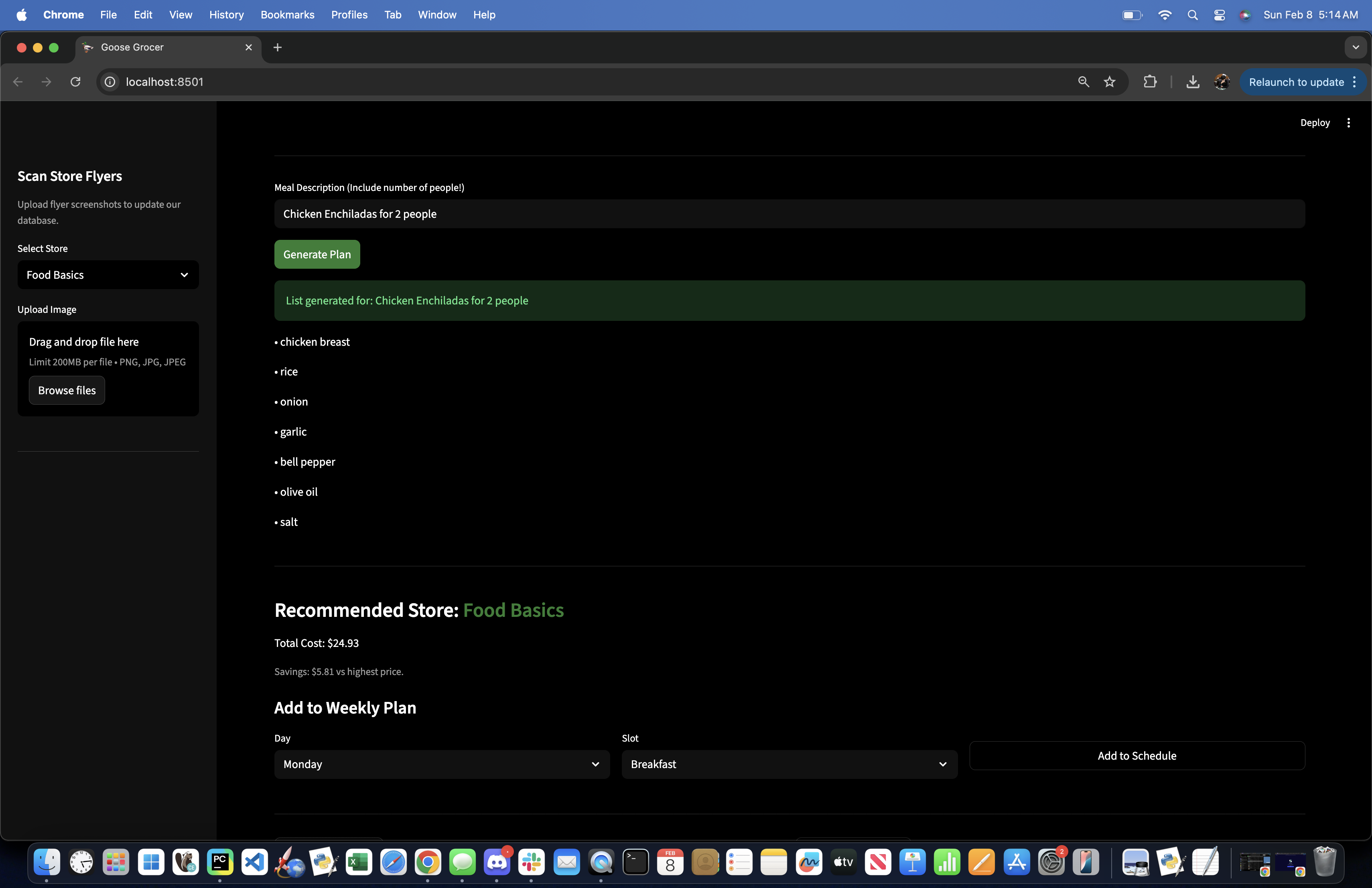
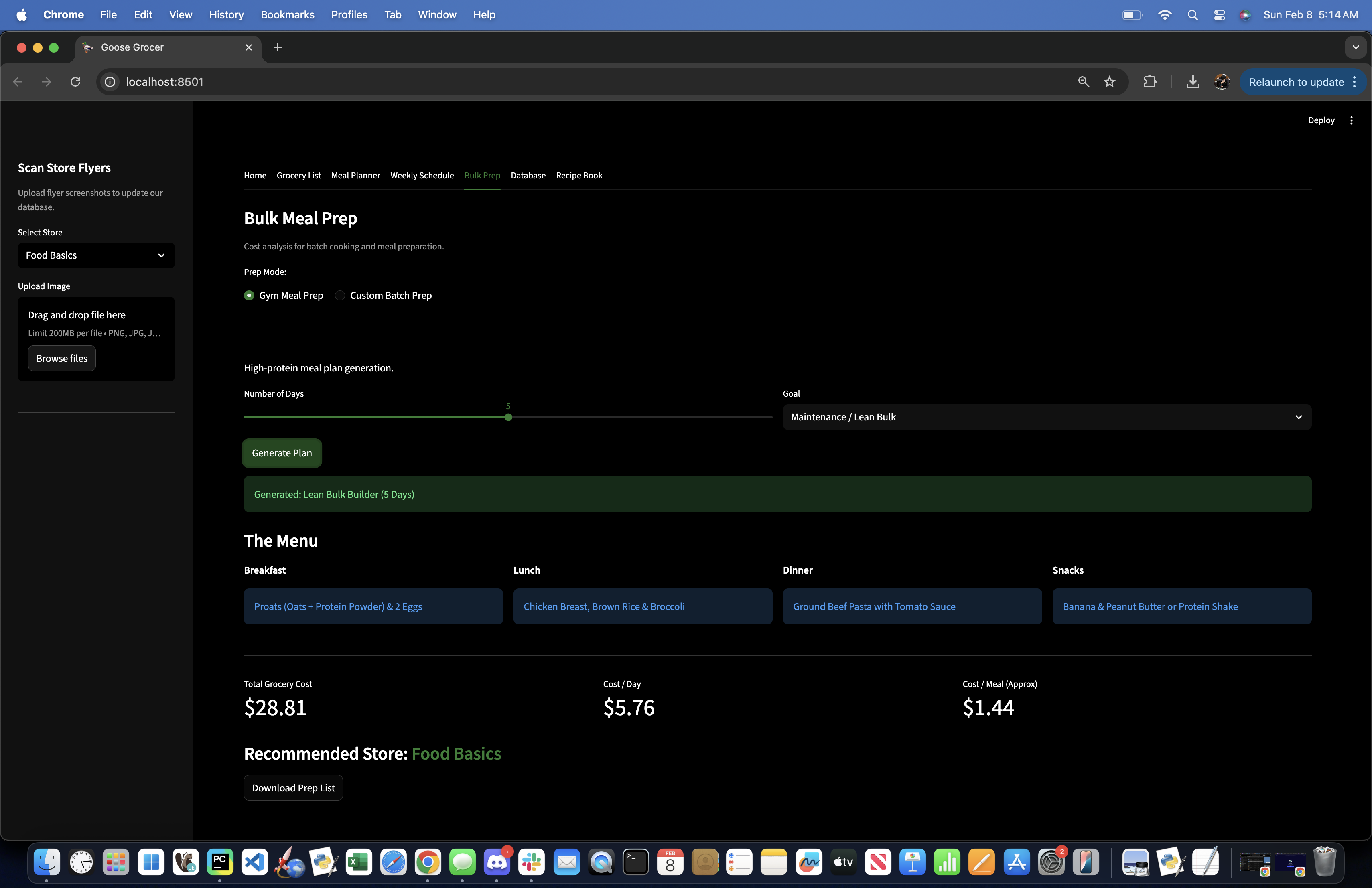
- Plan their meals across the week
- Generate recipes and estimated meal costs
The core idea is simple: an all-in-one app centered around students feeding themselves.
How we built it
We built Goose Grocer as a lightweight web app using:
- Python for data processing and business logic
- Streamlit for the frontend UI
- Pandas for cleaning, merging, and comparing price data while offering a clean display
- SQLite/MySQL-style database to store products, flyer deals, and saved user data
- Gemini AI for recipe creation and optimization tasks
The app structure separates concerns clearly:
- A database layer for products and parsed flyer data
- A comparison engine that normalizes prices and handles edge cases (missing data, multiple matches, unit differences)
- A Streamlit interface that keeps everything interactive and demo-friendly
We focused on shipping a working end-to-end flow first, then tightening logic and UX once the foundation was solid.
Challenges we ran into
- Data: Acquiring reliable data was difficult. We started with a seeded dataset generated by ClaudeAI, then manually scraped sites like Walmart to ensure accuracy.
- Merge errors: With four relatively new programmers collaborating, merge conflicts were common.
- Streamlit limitations: Simple UI tweaks sometimes required long workarounds. Streamlit was quick to start but tricky for complex UI.
- Debugging: Forced us to truly understand each other’s code and assumptions.
Accomplishments that we're proud of
- Building a fully functional grocery comparison engine from scratch
- Creating a method to account for flyers and receipt scans
- Designing an app that’s intuitive and demo-friendly
- Most importantly, solving a real problem we personally face
What we learned
This project taught us more than just tools and software:
- Clean data matters more than fancy features
- Small UX decisions can drastically change usability
- Writing modular code early saves massive debugging time later
- Shipping something imperfect beats planning something imaginary
- Greater confidence working with APIs and implementing AI in projects
What's next for Goose Grocer
Next steps include:
- User accounts and saved grocery lists via Auth0 (attempted but cut due to time)
- Recipe-based shopping with automatic ingredient expansion
- Location-based store recommendations and filtering
- Receipt comparison (scan + Gemini Vision) to suggest better stores next time
Long-term, Goose Grocer could evolve into a full student-focused grocery assistant—but only if it keeps doing one thing extremely well: making groceries cheaper with minimal effort.

Log in or sign up for Devpost to join the conversation.