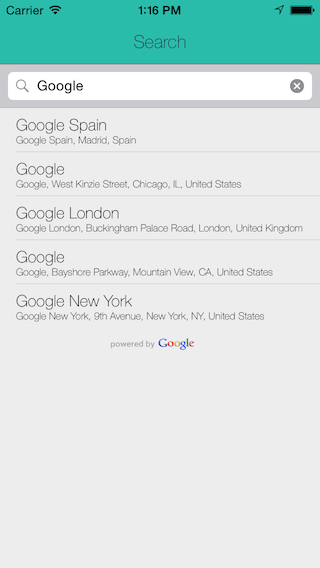
GooglePlacesAutocomplete
GooglePlacesAutocomplete is an easy to use location autocomplete feature that utilizes the Google Places API to suggest locations to the user.
To use GooglePlacesAutocomplete, please do the following:
Add the follwing files to your project:
    *SearchViewController.h
    *SearchViewController.m
    *SelectedLocation.h
    *SelectedLocation.m
Register for the Google Places API by following the linke provided below: https://code.google.com/apis/console
Copy the API key and paste it in the space provided on SearchViewController.m
*NSString *const apiKey = @"PASTE API KEY HERE";Create a ViewController and add a UITablView and UITableViewCell.
Add the delegate methods and make the approprate connections to the IBOutlets in the SearchViewController.m.
Create a segue that links the SearchViewController to the ViewController you want to have the selectedLocation information.
If you have any questions about the project, please don't hesitate to ask.
Enjoy! :)
Adam

Log in or sign up for Devpost to join the conversation.