Orchestrator Studio
Stop copy-pasting. Start orchestrating.
Inspiration
While building agentic AI applications, we kept running into the same bottleneck: the hard part was not asking one model to write code, it was coordinating many AI agents safely.
A multi-agent sprint usually turns into a terminal-tab tax. One developer opens separate sessions for frontend, backend, tests, docs, review, integration, and fixes. Every agent needs the right prompt, repo path, persona, allowed files, and context. When something fails, the developer has to manually inspect logs, copy output into a new chat, and restart a fragile patch ritual.
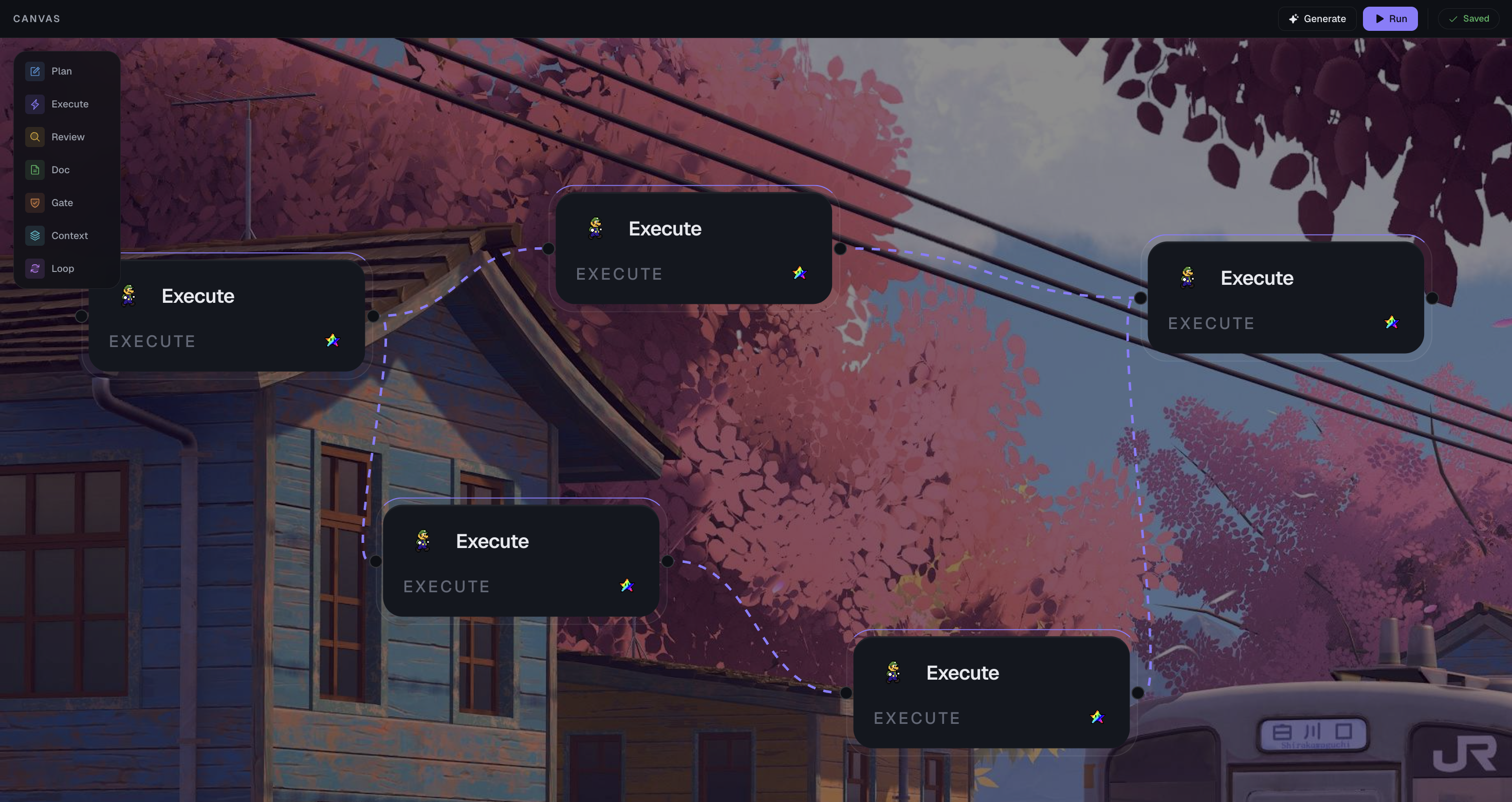
We wanted the visual workflow power of ComfyUI, but purpose-built for software engineering: a local canvas where AI agents are not just chat windows, but executable workflow nodes with isolated worktrees, live logs, structured outputs, merge review, and safe cleanup.
What it does
Orchestrator Studio is a local-first AI workflow orchestrator for software teams. It lets a developer design and run a multi-agent software workflow as a visual graph.
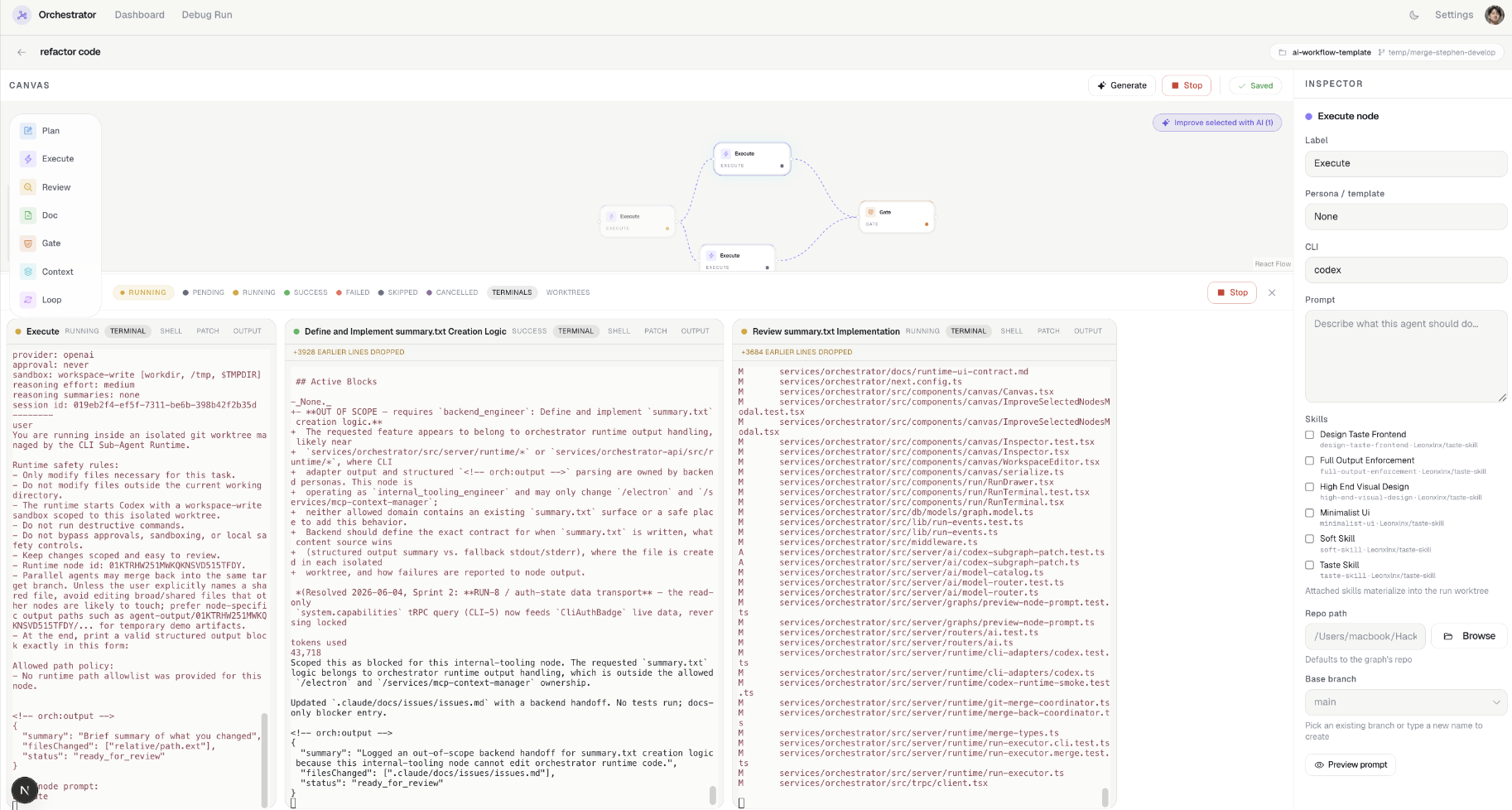
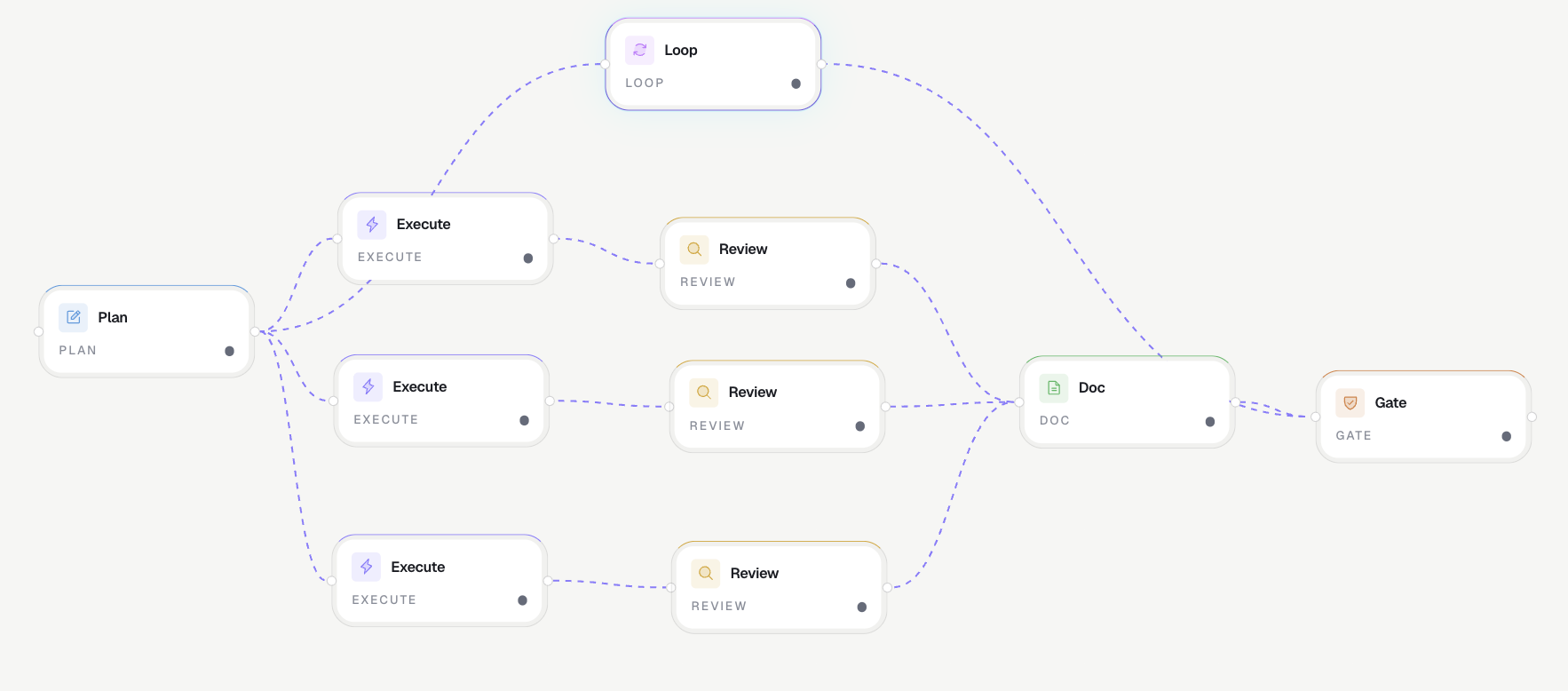
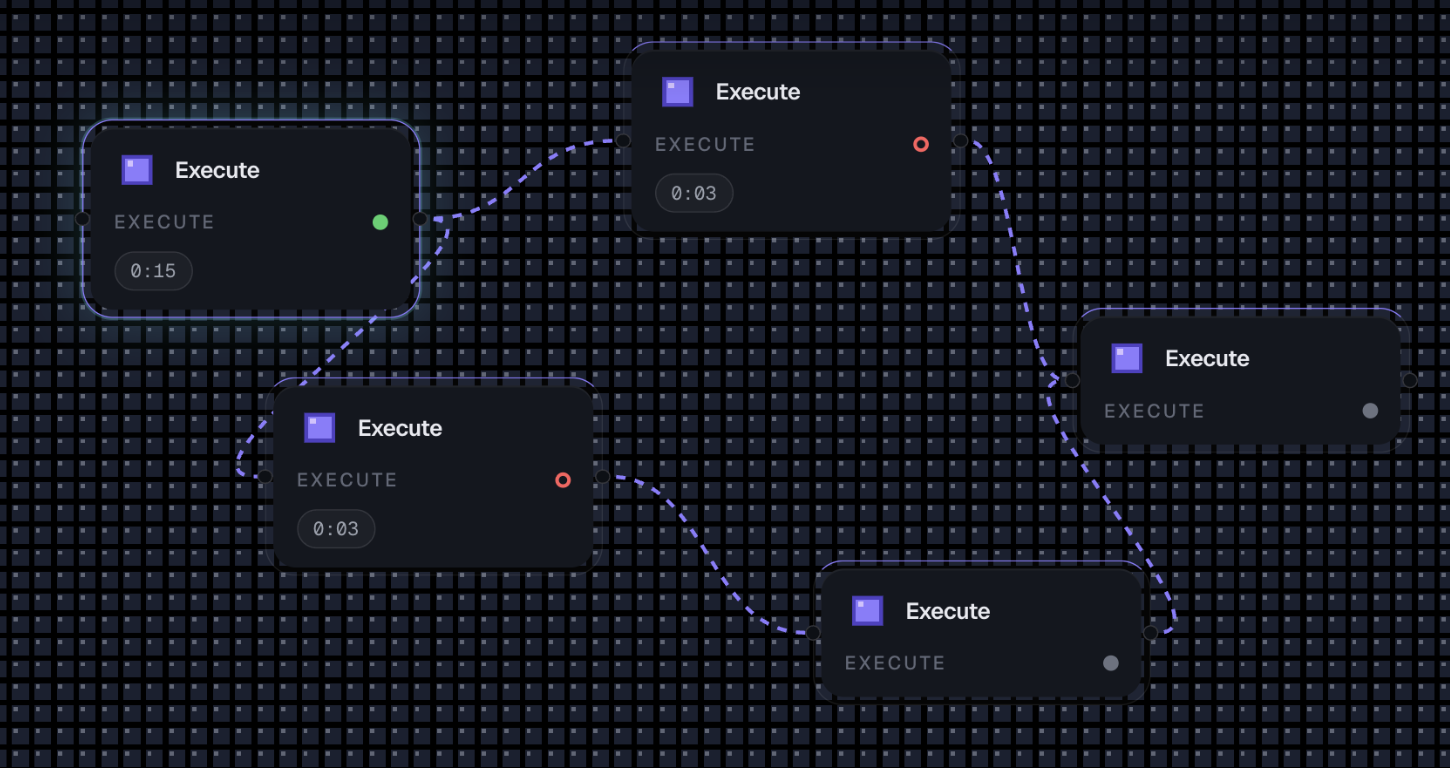
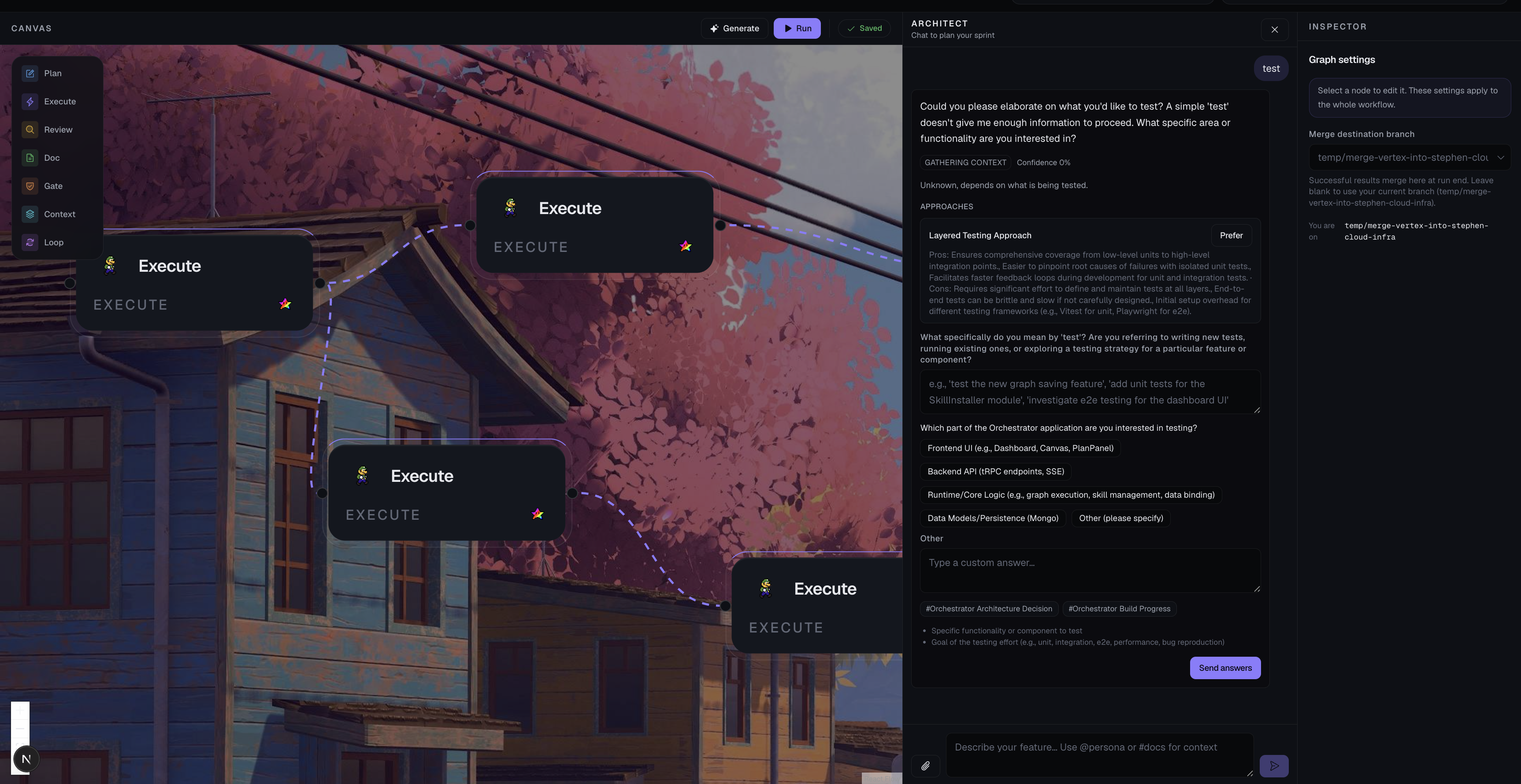
On the canvas, users can create Plan, Execute, Review, Doc, Gate, Context, and Loop nodes, connect them with flow edges, and run them as a DAG. Execute nodes can launch real local AI CLIs such as Codex, and every agent runs inside its own isolated Git worktree so parallel agents do not overwrite each other.
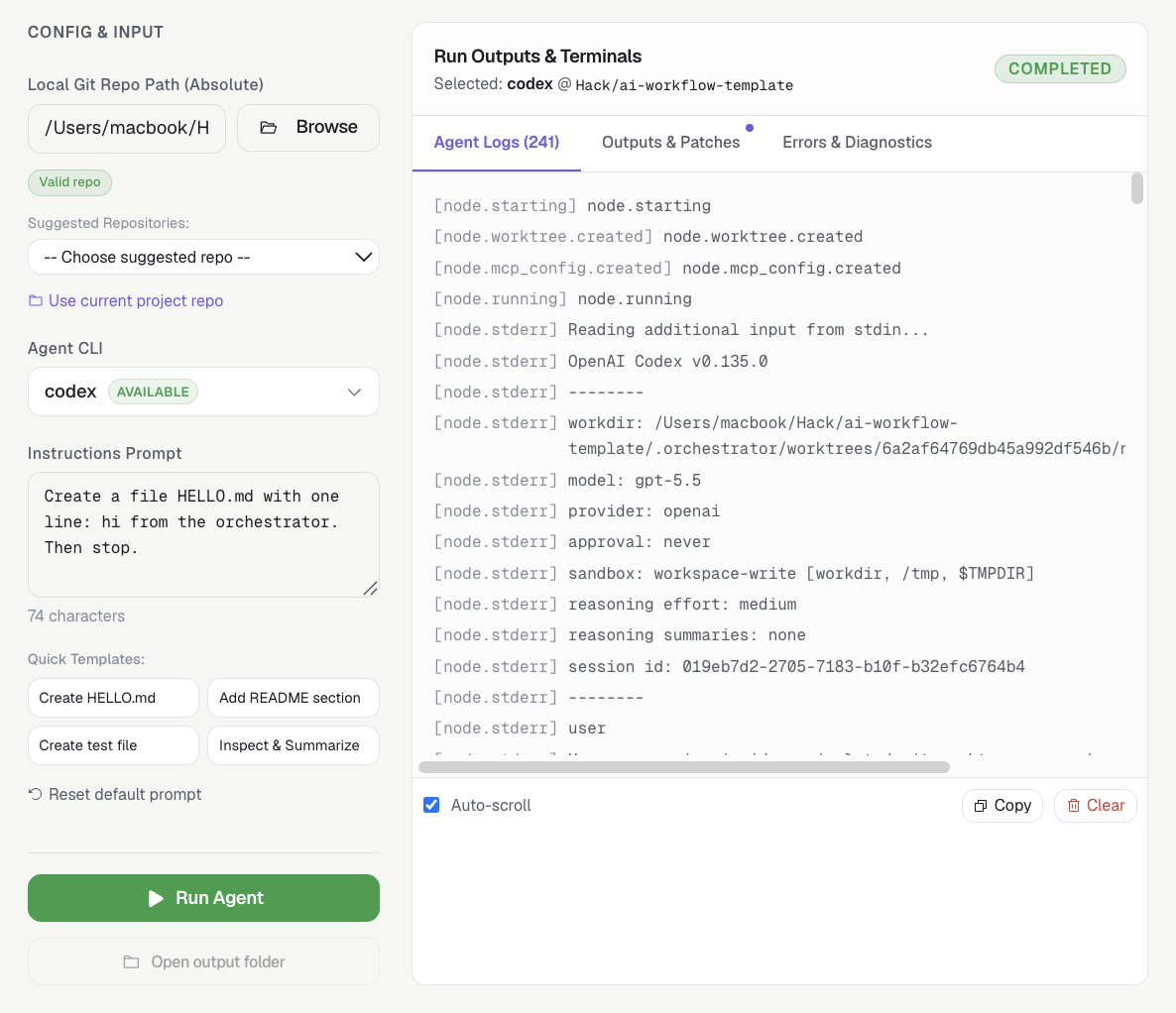
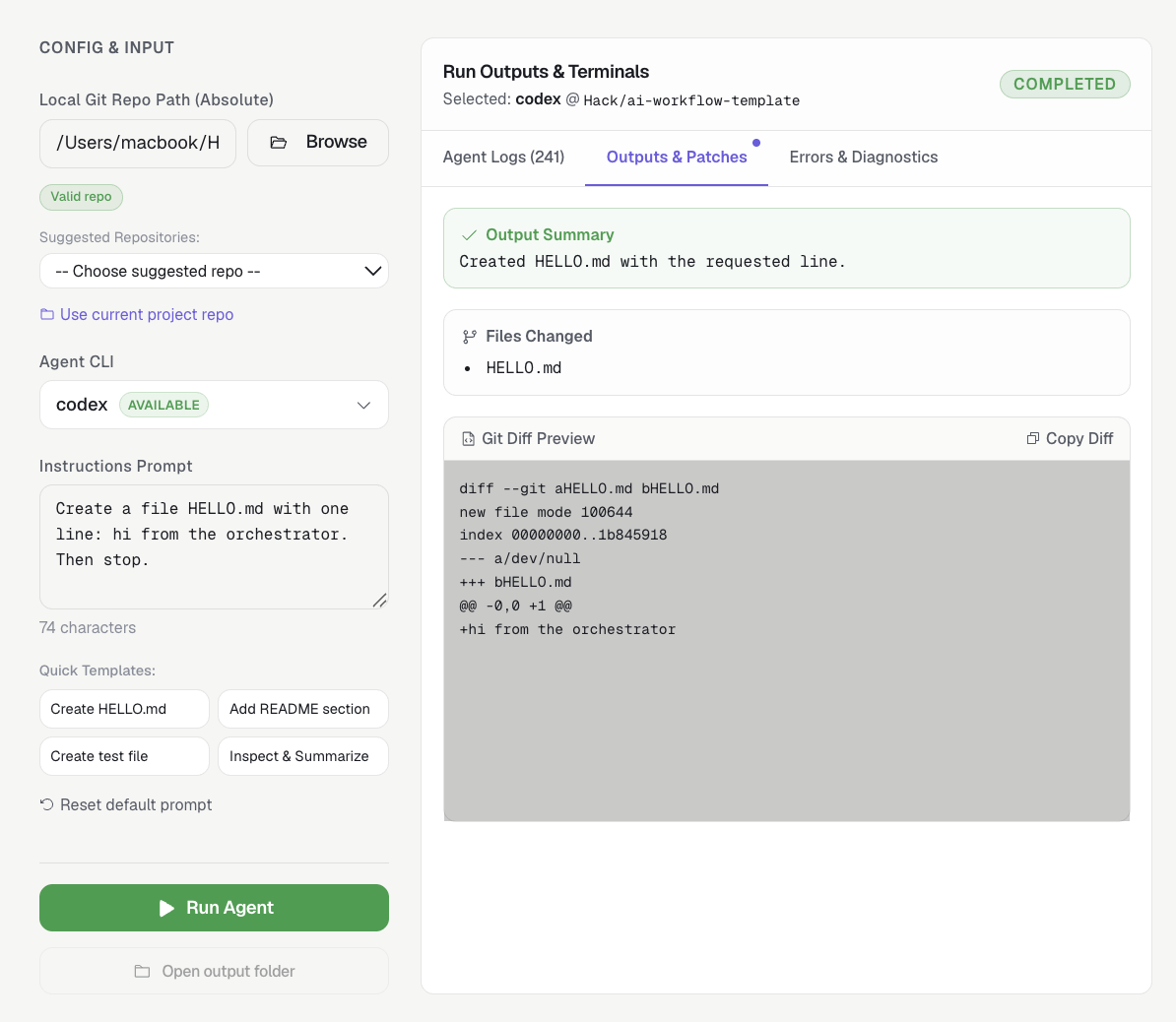
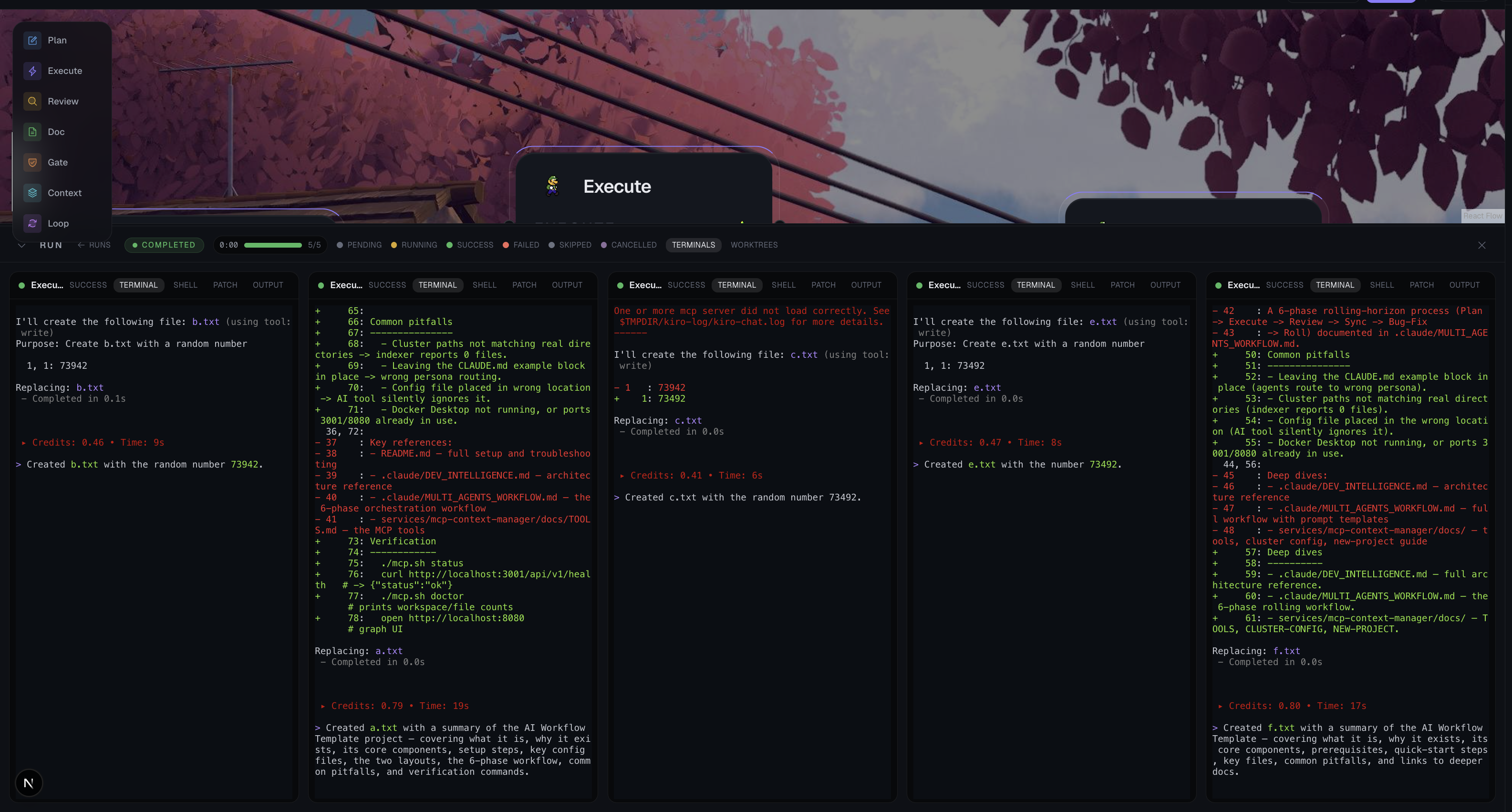
The app streams live runtime logs into the UI, captures patches and structured <!-- orch:output --> JSON, shows node status on the canvas, and provides merge review tools for promoting completed worktree output safely.
Key capabilities:
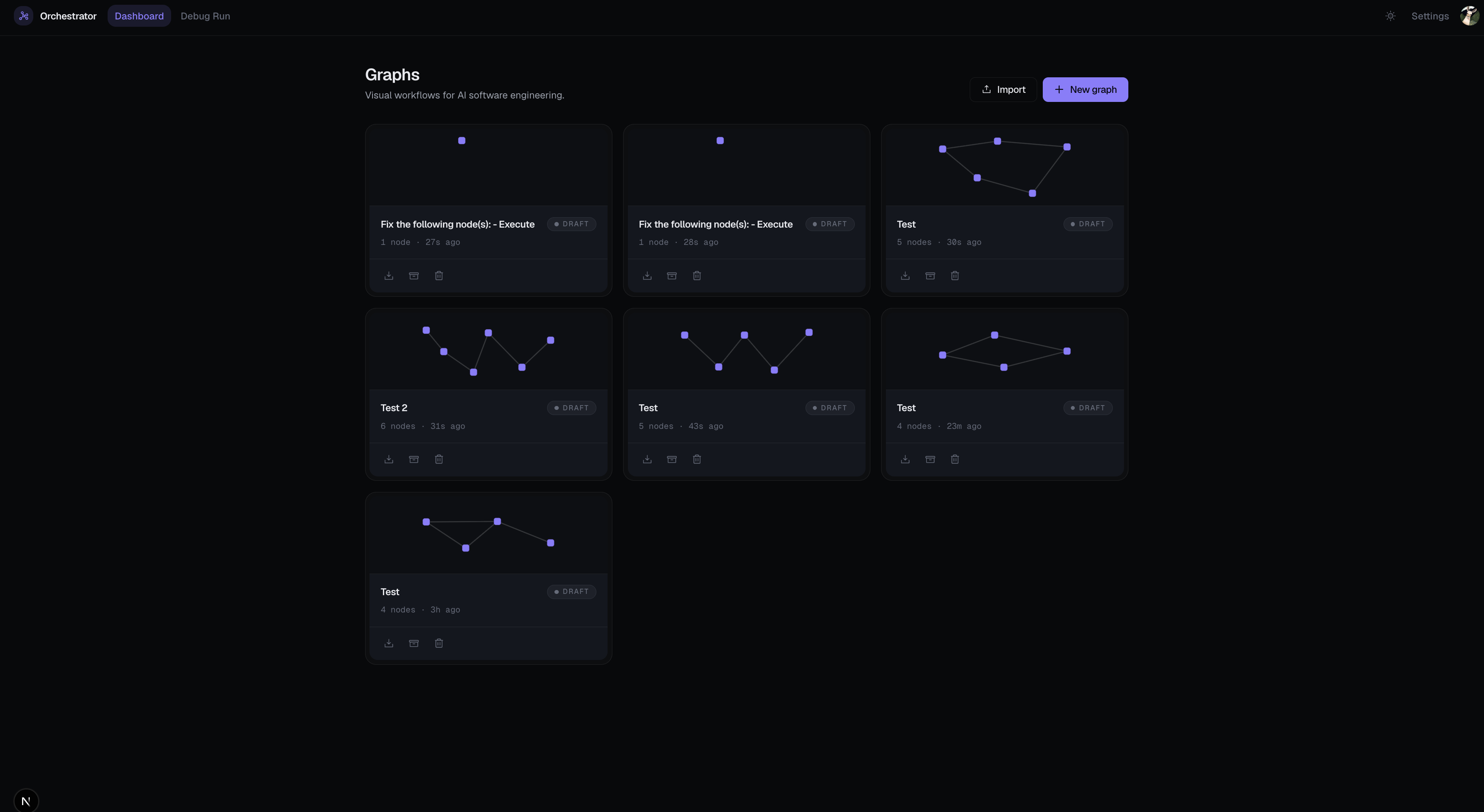
- Visual AI workflow canvas: Build, save, edit, and run AI software workflows with React Flow.
- Parallel isolated agents: Each runtime node gets its own
agent/<runId>/<nodeId>branch and.orchestrator/worktrees/<runId>/<nodeId>checkout. - Real CLI execution: Codex is wired as the stable real CLI path, with fake deterministic agents for safe demos and tests.
- Plan/Gate/Loop control nodes: Plan nodes generate proposals, Gate nodes enforce fan-in control, and Loop nodes run linked child graphs with iteration caps.
- Lasso and AI improvement flow: Select nodes on the canvas, ask AI to improve the selected subgraph, preview the patch, apply it, and undo from a local snapshot.
- Spawn-fixer workflow: Select failed nodes and create a child fixer graph grounded in run context.
- Merge coordinator: Preview and apply one-node worktree promotions through temporary merge worktrees, without modifying the main checkout directly.
- Runtime storage safety: Inspect
.orchestratorstorage pressure and clean derived runtime artifacts with explicit confirmation.
Tech Stack
| Layer | Technology | Why We Used It |
|---|---|---|
| App shell | Electron | Provides a desktop app while keeping the web app development model. |
| Web app | Next.js 15, React 19, TypeScript | Single shippable monolith for UI, tRPC APIs, SSE, Mongo models, and runtime server code. |
| Canvas | @xyflow/react / React Flow |
Node-based workflow editing, lasso selection, custom nodes, and flow edges. |
| API | tRPC, Zod, SuperJSON | End-to-end typed procedures for graphs, runs, runtime, AI, settings, and assets. |
| Live updates | Server-Sent Events | Streams run/node events into the run viewer without a separate websocket dependency for basic runtime logs. |
| Persistence | MongoDB Atlas, Mongoose | Stores graphs, run snapshots, node runs, events, secrets metadata, and settings. |
| Auth | Clerk + dev auth bypass | Cookie-based auth for the monolith, with local dev bypass for hackathon iteration. |
| Runtime | Node.js subprocesses, execFile, Git worktrees |
Runs local AI CLIs in isolated checkouts with no shell interpolation. |
| AI planning | services/llm, Vertex Gemini, structured schemas |
Generates graph plans and planning responses behind a service-token gate. |
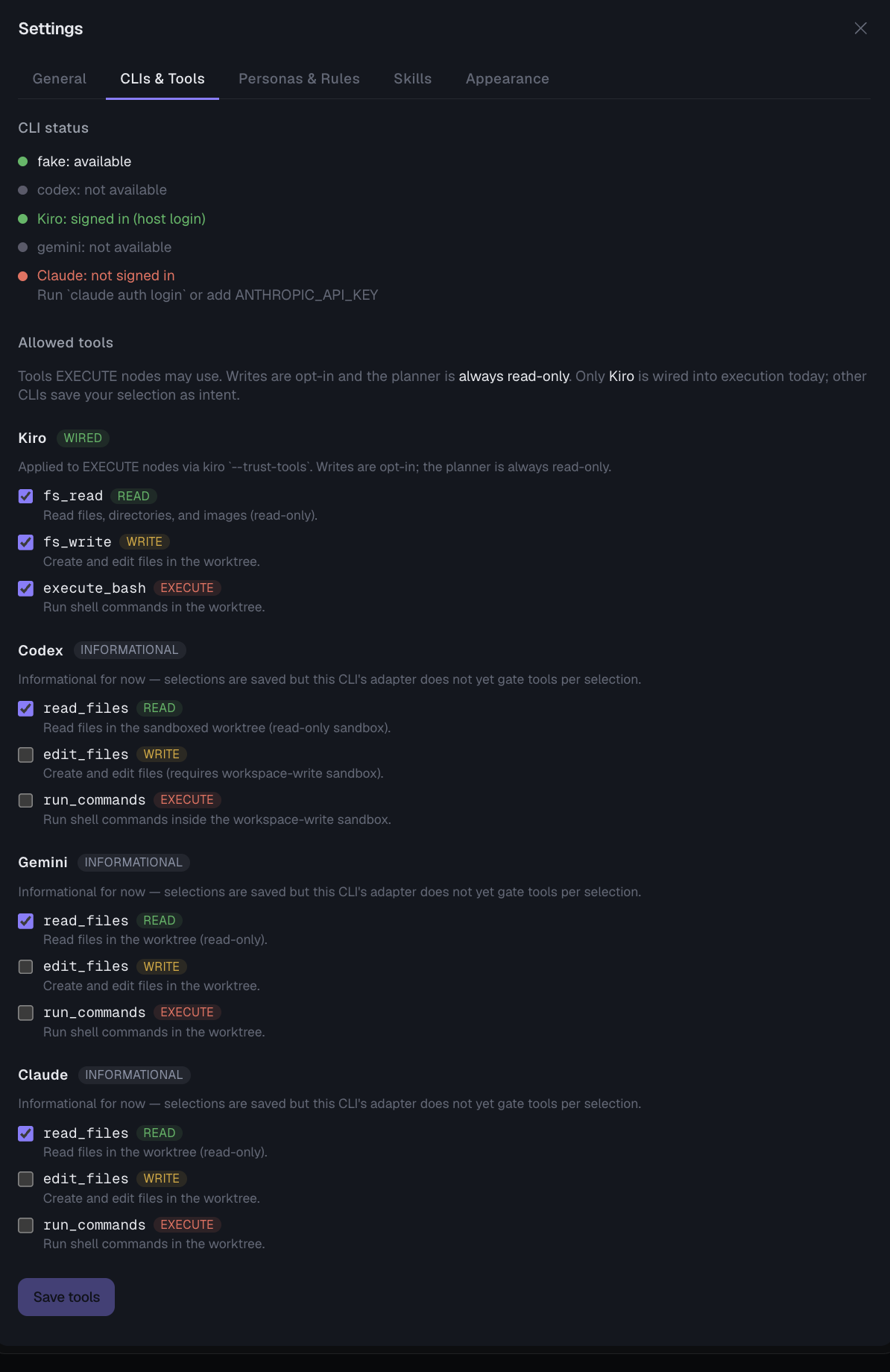
| CLI agents | Codex, Gemini/Kiro/Claude adapter scaffolding, deterministic fake adapter | Lets users run real local CLIs while keeping tests deterministic. |
| Context | MCP config builder, mcp-context-manager | Materializes codebase context configuration for runtime nodes. |
| Testing | Vitest, Testing Library, jsdom | Fast focused tests for runtime, routers, graph utilities, and UI behavior. |
Architecture
| Component | Location | Responsibility |
|---|---|---|
| Orchestrator monolith | services/orchestrator |
Dashboard, canvas, tRPC routers, SSE route, Mongo models, runtime, settings, and local packaging target. |
| Runtime engine | services/orchestrator/src/server/runtime |
Schedules graph nodes, creates worktrees, launches CLI subprocesses, captures patch/output, enforces limits, and coordinates merge/storage cleanup. |
| Canvas UI | services/orchestrator/src/components/canvas |
React Flow workspace, inspector, AI improve modal, graph patch preview, spawn-fixer, undo stack, and node visuals. |
| Run viewer | services/orchestrator/src/components/run |
Live run drawer, terminals, patch/output tabs, worktree map, progress, elapsed time, and node state rendering. |
| Architect API | services/llm |
Cloud-ready Gemini-backed planning service for ContextRequest and GraphSpec generation. |
| MCP context services | services/mcp-context-manager, services/mcp-context-ui |
AST/codebase graph indexing and visualization used for codebase awareness. |
| Desktop shell | electron |
Launches the local Next.js app in a desktop window and supports standalone packaging. |
How we built it
We built Orchestrator Studio as a Next.js monolith because the app needs tight coordination between UI state, authenticated API procedures, live run streams, Mongo-backed persistence, and local runtime execution. The monolith lives in services/orchestrator; Electron wraps the same app for desktop usage.
The canvas is powered by React Flow. Graphs are saved through tRPC and persisted in MongoDB. When the user starts a run, the app creates an immutable run snapshot, then the runtime executes that snapshot rather than reading the live draft graph.
The runtime is the core engineering piece. It treats each Execute node as a local subprocess job. Before launching a CLI, it creates a dedicated Git worktree:
<rootRepoPath>/.orchestrator/worktrees/<runId>/<nodeId>
agent/<runId>/<nodeId>
This gives every agent its own filesystem checkout and branch. Agents can run in parallel without writing into the same working directory. Runtime events are streamed through SSE and also batched into Mongo so the UI can recover state after reloads without writing to the database for every stdout line.
For planning, the app uses a separate services/llm Architect API that can return either a ContextRequest or a GraphSpec. The Plan Panel maps generated plans into canvas nodes and edges, while Plan runtime nodes generate proposal outputs that require explicit user approval before mutating the graph.
For merge review, we built a Git Merge Coordinator that previews and applies one completed node branch at a time in a temporary merge worktree:
<rootRepoPath>/.orchestrator/merge-worktrees/<runId>/<nodeId>/<timestamp>
merge/<runId>/<nodeId>/<timestamp>
That keeps the main checkout untouched while still giving the user a real Git merge result, conflict status, diff stat, and patch preview.
Challenges we ran into
The hardest problem was making parallel AI agents safe. Running multiple agents in one checkout creates race conditions and file collisions almost immediately. Git worktrees solved the isolation problem, but created a second challenge: we had to carefully manage branch naming, disk pressure, merge previews, cleanup, and active subprocess safety.
Another difficult piece was live state. CLI tools print different output formats, sometimes very large outputs, and sometimes fail without structured data. We added runtime event translation, redaction, output caps, and Mongo batching so the UI can show useful logs without leaking secrets or overwhelming the database.
Auth and local development also created subtle issues. tRPC can send dev auth headers, but browser EventSource cannot. We had to make SSE work correctly with same-origin cookies and a safe dev-only fallback so runs do not start without an event stream.
Finally, we had to be honest about automation boundaries. Automatically solving merge conflicts sounds great, but it is risky to overclaim. Our MVP detects and preserves conflicts safely, while explicit promotion and cleanup keep destructive Git operations under user control.
Accomplishments that we're proud of
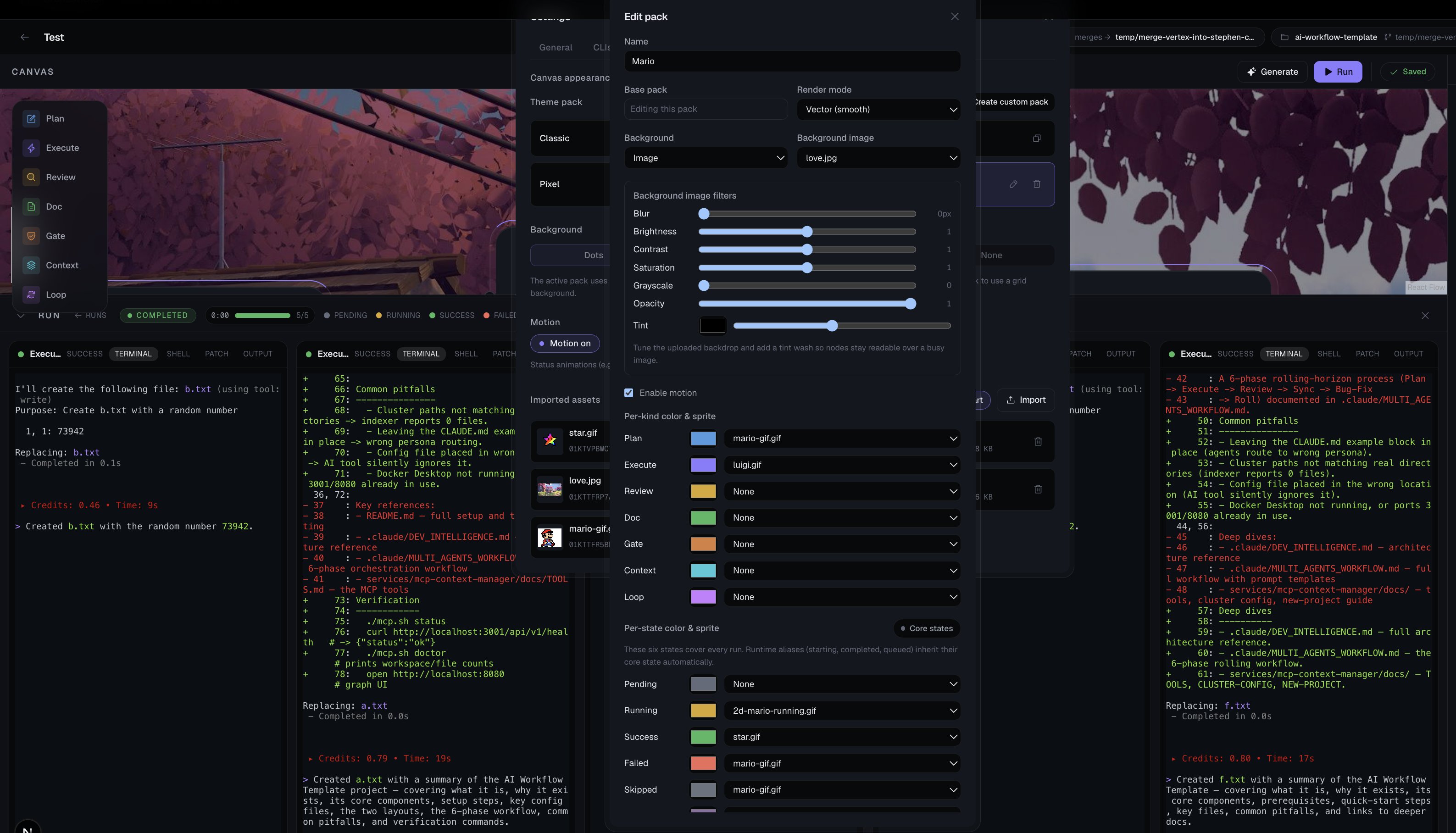
We are proud that Orchestrator Studio makes parallel AI development visible and controllable. Instead of invisible terminal chaos, users get a canvas, node statuses, live logs, runtime progress, per-node elapsed time, patch tabs, output tabs, worktree paths, and merge review.
We are also proud of the local-first runtime architecture. The user's source code and installed CLIs stay on their machine. The app can use cloud services for planning or database persistence, but the agent execution happens locally where the repository and CLI credentials already live.
Most importantly, we moved beyond a chatbot metaphor. In Orchestrator Studio, AI agents are workflow nodes with lifecycle, status, outputs, constraints, and merge paths.
What we learned
We learned that multi-agent AI software engineering needs more than prompts. It needs process isolation, event contracts, output schemas, storage management, branch lifecycle policies, and UX that exposes what each agent is doing.
We also learned that graph-based orchestration is a natural fit for AI workflows. A DAG makes dependencies explicit, lets independent work run in parallel, and gives reviewers a concrete place to inspect failures.
On the Git side, we gained a much deeper understanding of worktrees, temporary merge branches, squash vs no-ff verification, and why cleanup must be conservative by default.
What's next for Orchestrator Studio
Next, we want to make the merge and review experience more visual. The runtime already captures worktree paths, patch previews, and merge results; the next step is a richer side-by-side diff and conflict review UI inside the canvas.
We also want to harden multi-CLI demos beyond Codex, especially Gemini, Kiro, and Claude, once each local CLI path is installed and verified. Longer-term, the Plan/Gate/Loop system can evolve into a more complete workflow language with semantic loop break conditions, human approval gates, and resumable runs.
Finally, we want to add better observability: token/cost tracking per node, richer traces, and a storage dashboard that helps users understand exactly how much each run costs in time, disk, and model usage.
Built With
- ai-agent
- antigravity
- claude
- claude-hussenet-anagram
- clerk
- codex
- docker
- gemini
- model-context-protocol
- mongodb
- node.js
- react
- react-flow
- tailwindcss
- trpc
- typescript
- vertex-ai
- vite
- zod


Log in or sign up for Devpost to join the conversation.