-
-
Google Forms to Confluence Cloud
-
Link your Google Forms to your Confluence Cloud
-
Receive your Google Forms responses in your Confluence Cloud
Inspiration
It just made sense.
I was helping my friend with his startup. I was advising him on tech, and one of the topics we talked about was how to scale documentation and project management. Obviously, Jira and Confluence came up since they both have reasonable free tiers for small companies. He was hoarding all information inside his physical planner and I said that that's not going to help his other employees get information to do their work, so he's got to have a centralized place where all information is stored. I was showing him around Confluence and telling him about the gazillion add-ons that will improve his company's process and help him integrate with other systems like Google Calendar and Google Drive.
And then, he asked "well, I have this Google Forms that we use for hiring to screen potential candidates. Can we consolidate all those responses in here?". It was a valid question. There's a lot more room for collaboration if we can forward those responses to Confluence. It's visible for the whole company, and if limited access is desired, Confluence Cloud already provides that access control functionality. They can also use other helpful Confluence Cloud add-ons such as Comala Document Management or Page Approval to further improve their hiring process if those information are on Confluence.
It just made sense.
So I headed to the Atlassian Marketplace. I was confident that surely there'd be something like that (hey, there are addons for a bunch of other Google services, surely Google Forms would have one, too?). Google Forms is a common tool for form building and surveys, so surely there'd be a way to integrate it with Confluence. Lo' and behold, there's none. There is one addon that allows embedding the Google Forms form in a page but that's not as helpful.
So I got to work and took this hackathon as an opportunity to build this integration.
What it does
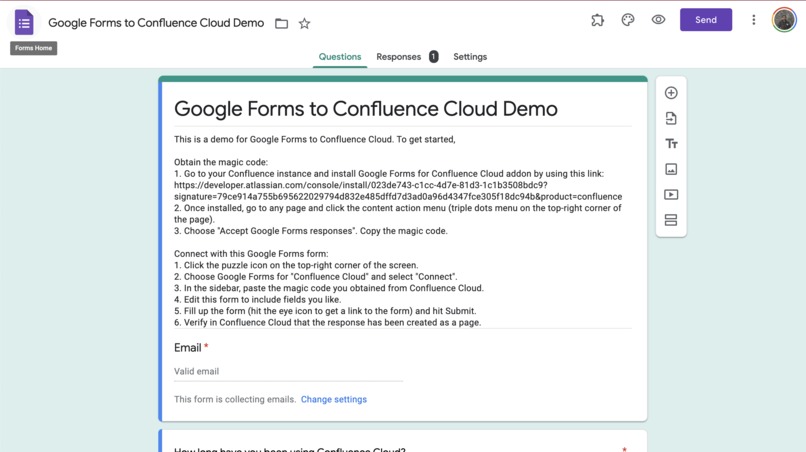
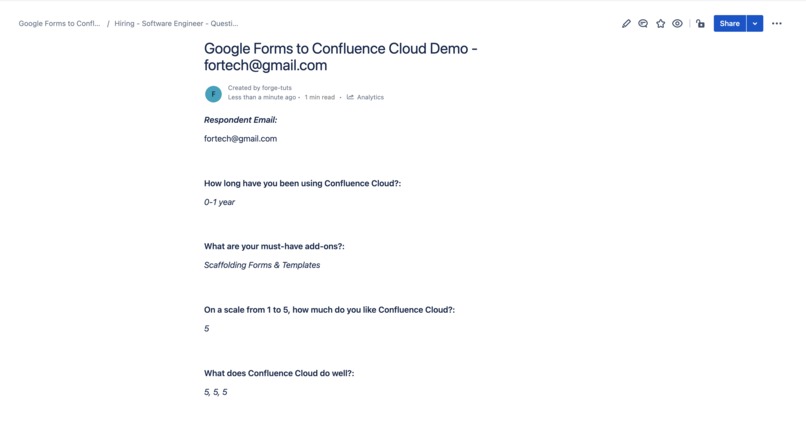
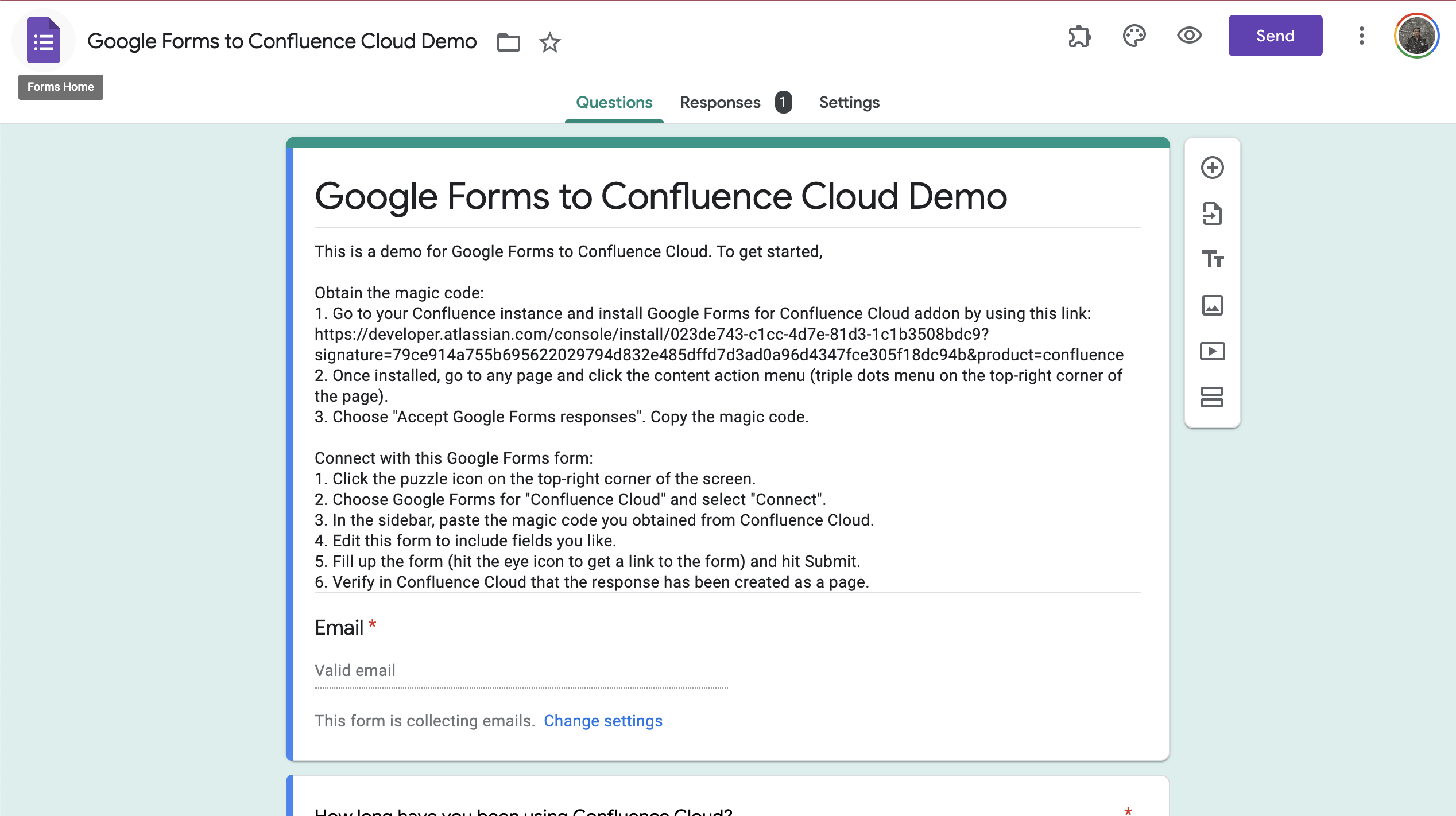
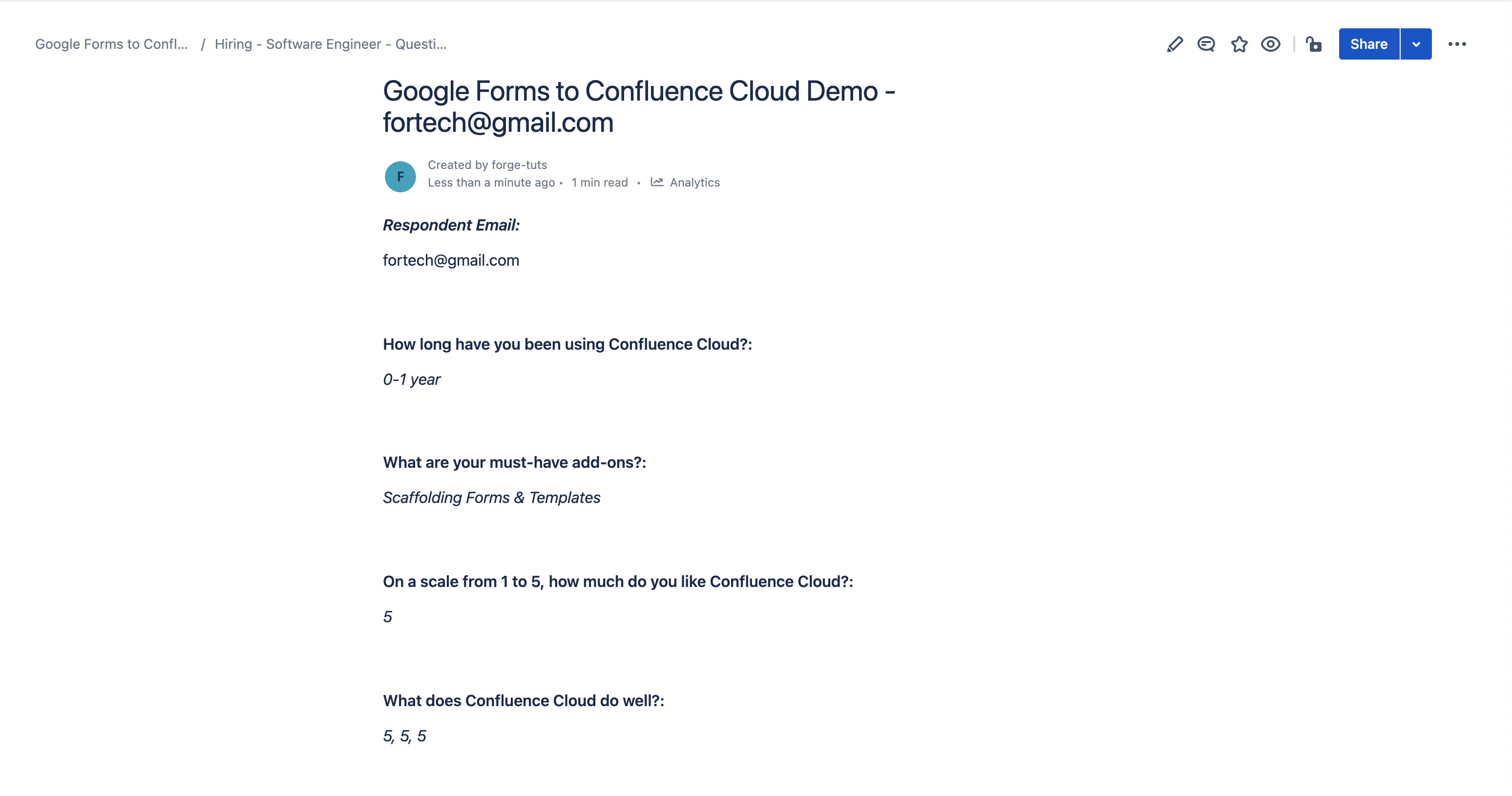
It forwards all new responses for a given Google Forms form to Confluence and creates them as a page. The user can choose which page to be designated as the parent page, and this add-on will create each new responses as a child page of that page.
How we built it
This add-on adds a new "Accept Google Forms responses" menu item under the content actions dropdown menu. Clicking the menu item will provide the user with a "magic" code. The user will then have to go to any Google Forms form they desire and install our Google Workspace add-on "Google Forms to Confluence Cloud" and provide the given magic code to this Google Workspace add-on. Then, the Confluence add-on will know how to talk to each other.
Challenges we ran into
The biggest hurdle I faced was building the Google Workspace add-on and publishing it to the Google Workspace Marketplace. It was not something I have dived into before, and I had to do this research early in the hackathon to ensure that the idea that I have is feasible, i.e. I can listen to when someone has submitted a response and I can send a request to Forge to create the page on the user's behalf, based on the form's responses. Took us a while but we managed to complete it.
Accomplishments that we're proud of
I am proud that we are able to learn and create this product quickly. This is my first time using Forge or building a Google Workspace add-on, and there were a lot of documentation, guides, and tutorials, to digest in order to be able to make this work. I'm just glad I managed to push through.
What we learned
The biggest thing I learnt about was Atlassian Forge and its ecosystem. There were a lot of things to learn but the good thing is it was built on top of familiar concepts (e.g. JSX for UI and Serverless for the platform), so it was not a big jump if you're already familiar with these web development topics.
What's next for Google Forms to Confluence Cloud
Winning the hackathon or not, I am definitely going to:
- Push this to Atlassian Marketplace and start accepting feedbacks.
- Work on publishing the Google Workspace add-on counterpart for this to make it available for the general public.
With regards to features, I have a few ideas in mind (e.g. having a template with placeholders for the add-on to use as a layout when forwarding the responses into a Confluence instance) but I would love to hear feedbacks from the early users first. I will definitely wait for number 1 and 2 to finish, start getting installs, and start hearing feedbacks.
Built With
- forge
- javascript
- web-trigger


Log in or sign up for Devpost to join the conversation.