-
-
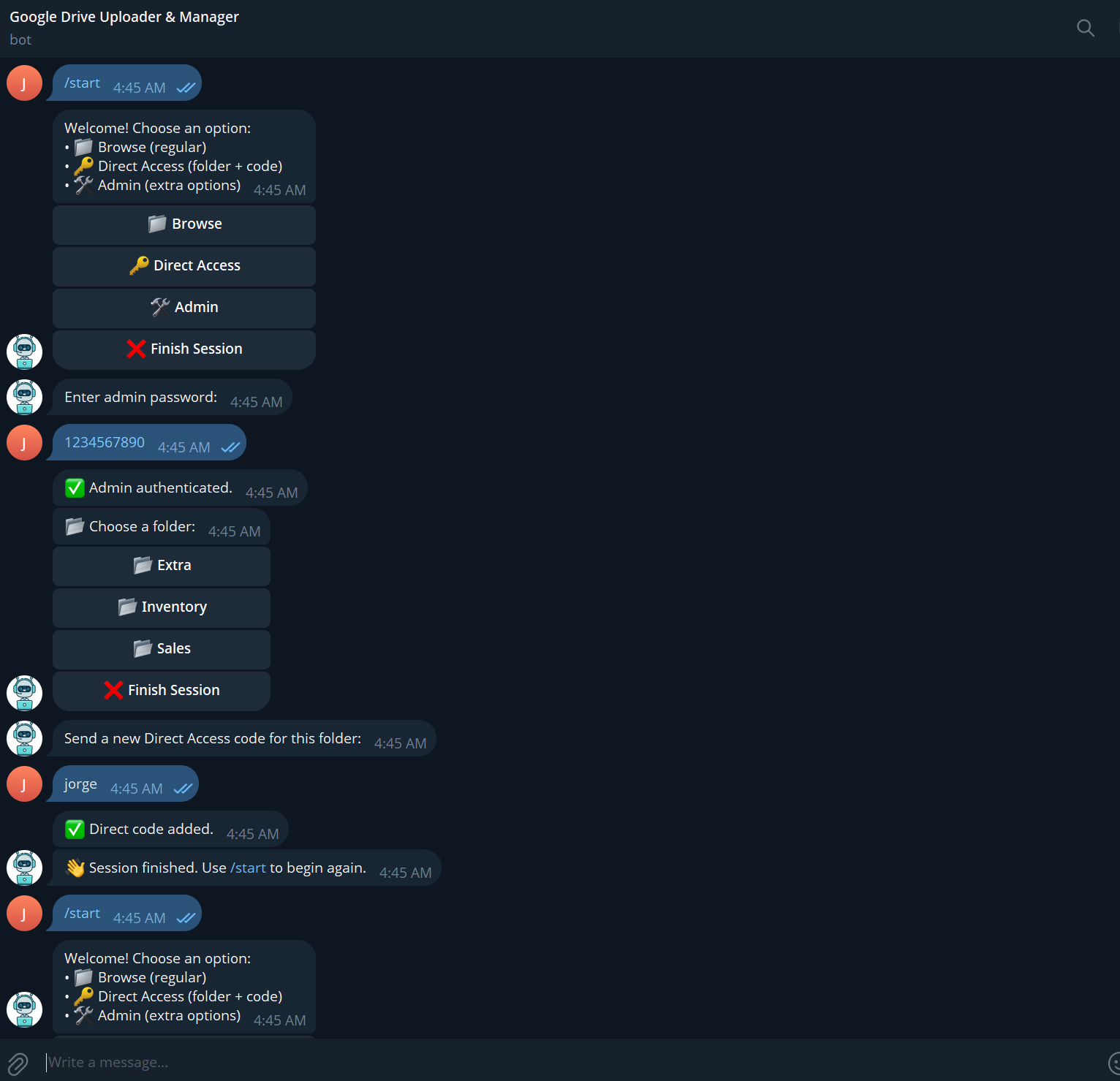
Bot Interaction 1
-
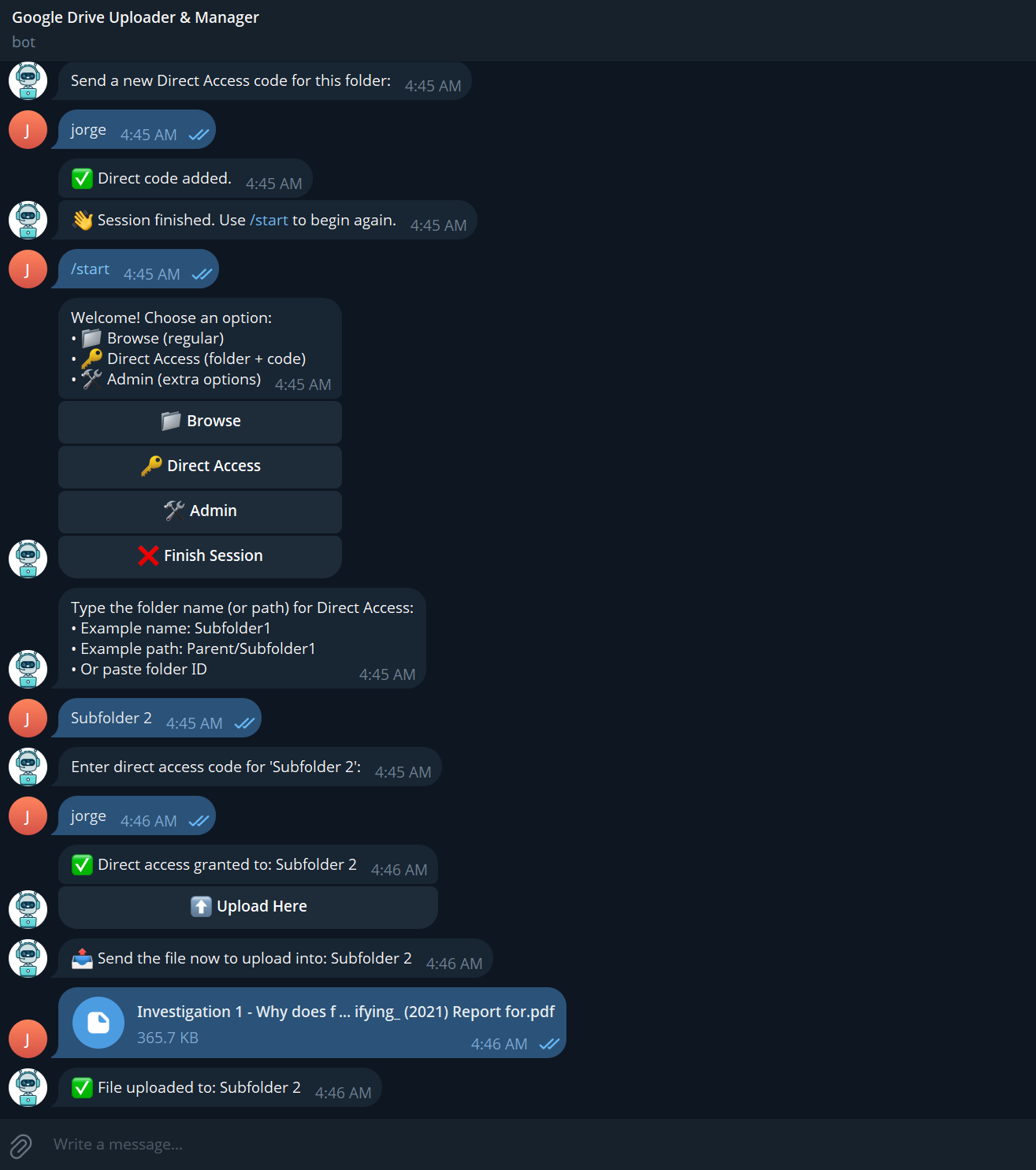
Bot Interaction 2
-
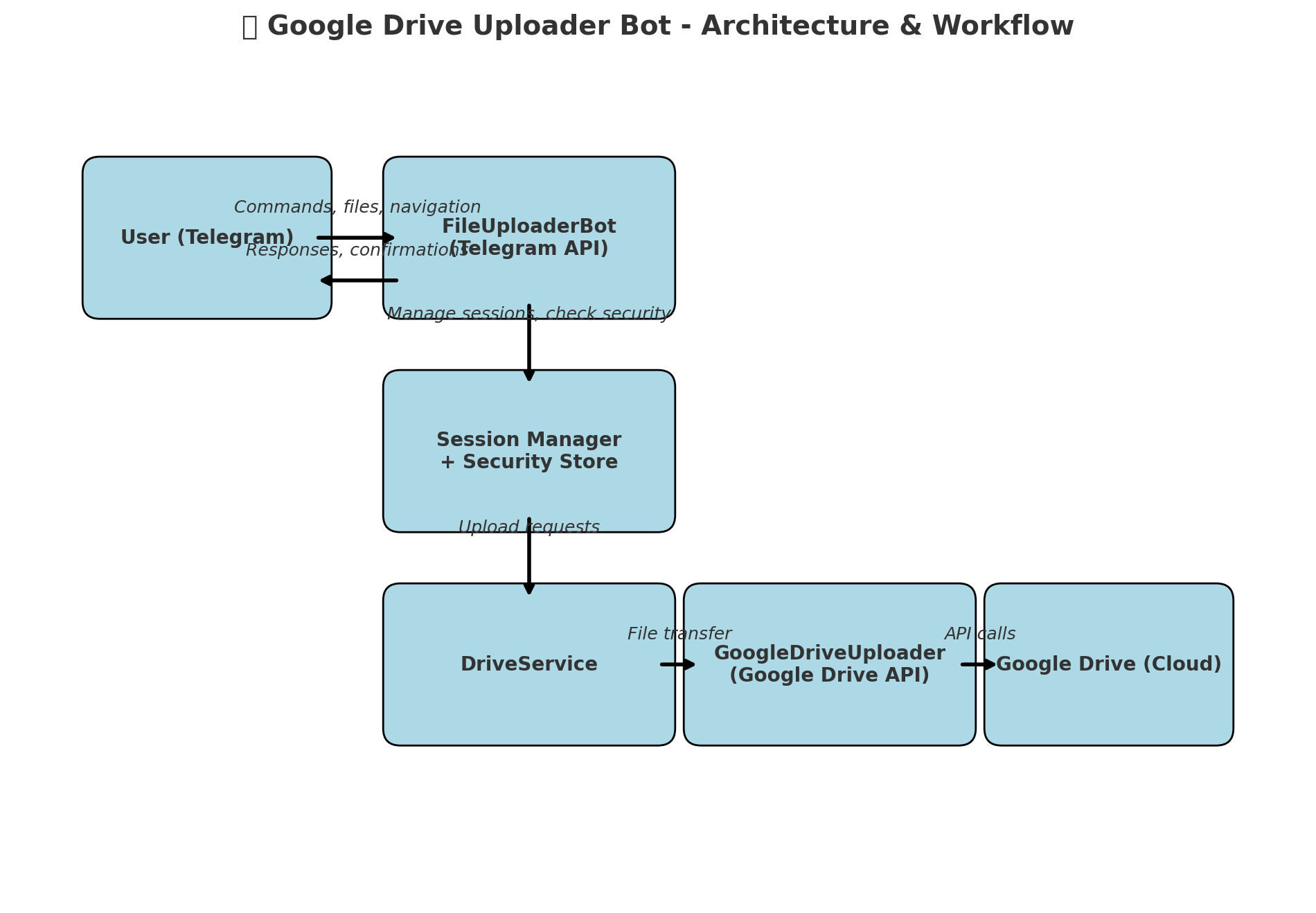
Workflow Diagram
-
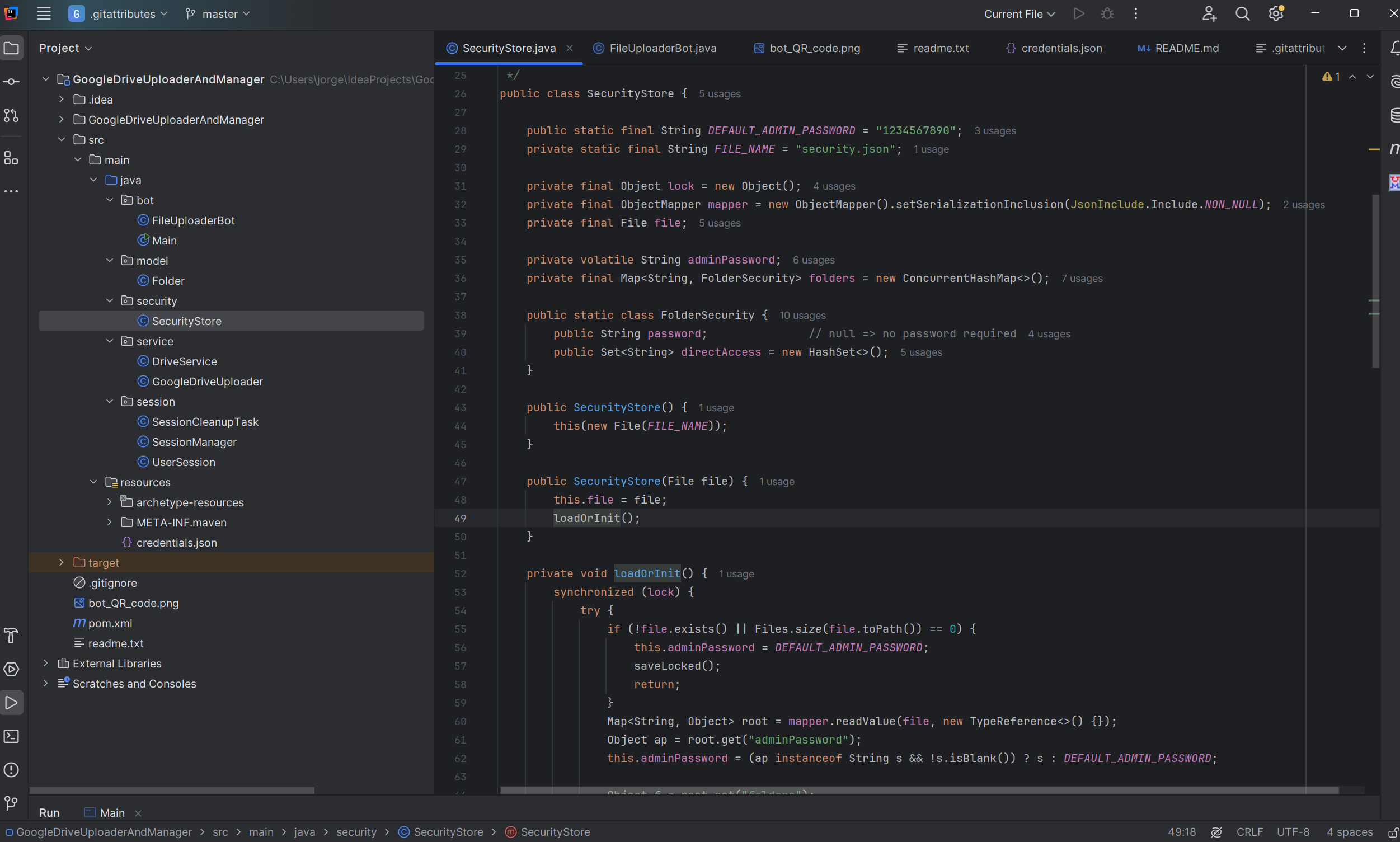
Some code of the bot
Inspiration
Last summer, I was working in my dad’s construction company as an IT assistant, and they were doing a project of rebuilding some schools in a municipality in Colombia. In that project, an important step was to have a record of the progress on those schools, so they opted to take pictures with the objective of uploading them to Google Drive. There was a great challenge when uploading the pictures, which was the permissions to access the Drive, because there were other sensitive documents, so not everybody could access the Drive. In that moment the engineer Kevin Gonzales gave a great idea, creating a bot in Telegram to upload the pictures to specific folders. I worked hard for 2 weeks, and finally I deployed the bot in a local server of the company. Now after having that experience, I wanted to create a bot that would be even better, which would not only upload pictures, but any type of file. Also, I wanted to create a password system for each folder in the Drive, so it increases security. The target audience would be small to medium enterprises, where this management system of a Drive would help them in their general operations and backup of data. The result of all these ideas is Google Drive Uploader & Manager.
What it does
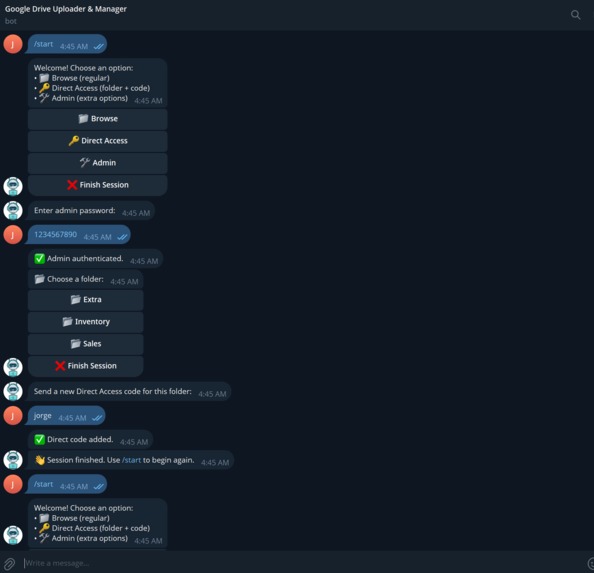
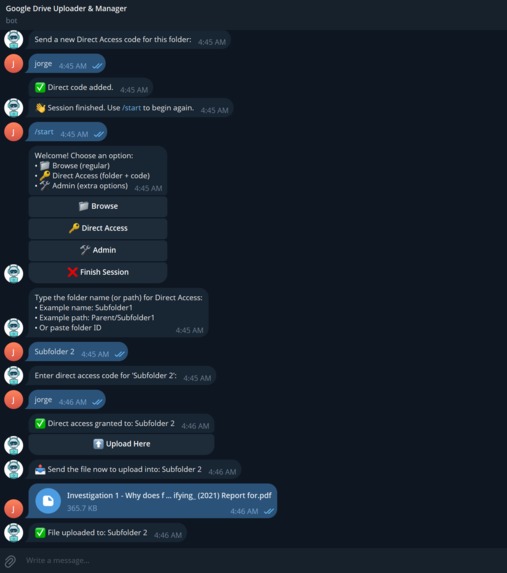
When the bot is initialized, it lets the user navigate with interactive buttons in a Telegram chat through the whole Drive without the need the email and password, or other regular methods to find a folder where it can upload a file. Also, there is a brand-new password system, where there is an admin user that has access to any folder, and can set passwords for folders, so a regular user must type the password when accessing the specified folder. Furthermore, the admin can create special keys named Direct Codes, which allow the regular users to access directly to a folder. As a result, this bot may be used in small and medium companies to set a hierarchy and track where each employee should upload his or her work. With the amazing password system, there are lots of possibilities for enterprises to manage their Drive without having to share the password or credentials of it.
How we built it
First, I had to set my audience, which would be small to medium enterprises, the objective would be to make the process of storing data in the cloud easier, as well as adding layers of security.
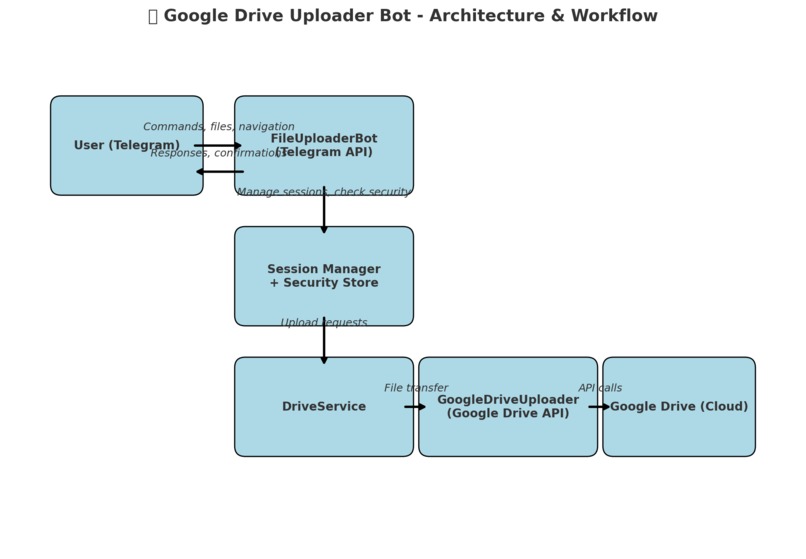
After that, I started to brainstorm how I would organize the project, the classes, and the implementations required.
The third step was coding. I went step by step, by first creating methods to get the top folders like the scanTopLevelFolders(), and then the subfolders to build a tree with buildFolderTree(Folder parentFolder).
I also made a Folder class to have Folder objects and get references of the subfolders for navigation. After that, I would implement the upload of files based on my previous bot.
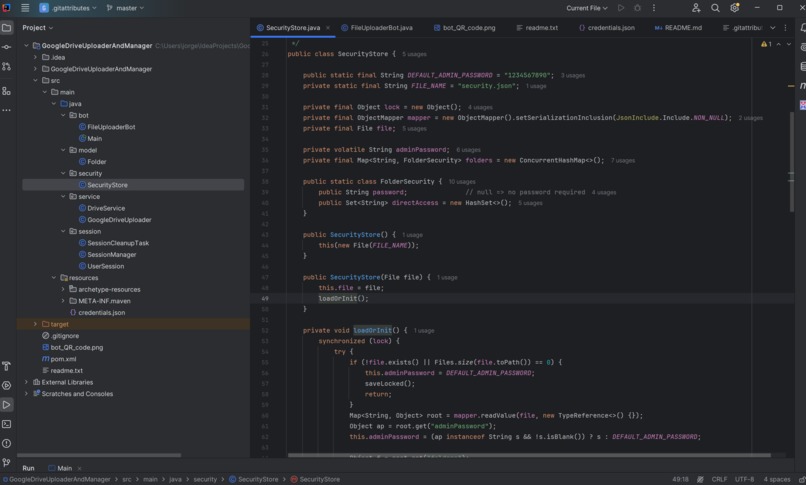
Then I tested, and the bot had functional navigation and uploading functionality. The next challenge was the password system. I created the SecurityStore class, where it would be created a security.json file with the passwords, direct codes, and other information of the bot. When a user types a possible password, and then the bot security.json file to see if the current folder’s password is correct, so it can let the user to access the specified folder.
Finally, at the welcome message, I added the option of the direct codes, where the user must type the folder’s name and code to access it directly, and skip navigation. This is possible because we get the folder ID in the link of each folder in Google Drive, and these are stored in security.json, so after correctly typing the Direct code, a tree is built from the specified folder to let the navigation to its subfolders(If these have password, the user must type it), and the upload of files.
Challenges we ran into
The main challenge was to implement the password system, because I already had experience creating bots that upload files to Google Drive, so I had to investigate methods, ask AI for brainstorming, and it helped me to implement this incredible password system.
Accomplishments that we're proud of
Having a functional bot with passwords and direct codes, so the navigation feels natural, and the admins have more control and security in the Drive, which would help them in their operations in some companies.
What we learned
I learned some ideas of cybersecurity, as well as an improvement of my knowledge of bots in Telegram, with new Inline Keyboard buttons, and an easier navigation, which makes it very user-friendly.
What's next for Google Drive Uploader & Manager
There are still functions that may be implemented, like the download of files, which is important for companies, and creating folders within the same drive. Maybe there can be implemented partial permissions for some users, like managing and setting passwords on the subfolders of their Direct Code.
Built With
- google-drive-api
- intellij-idea
- java
- maven
- telegram
- telegram-bot-api


Log in or sign up for Devpost to join the conversation.