-
-
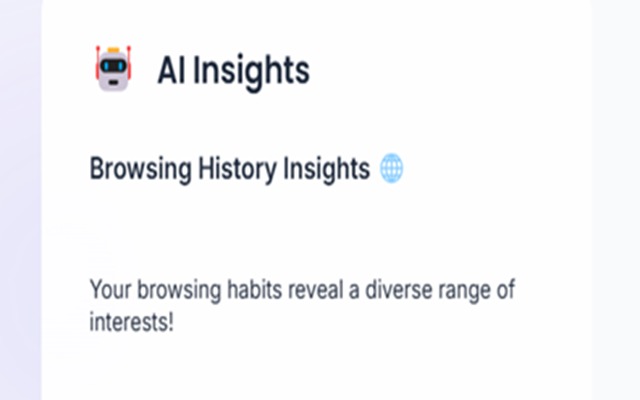
image 3
-

image 1
-
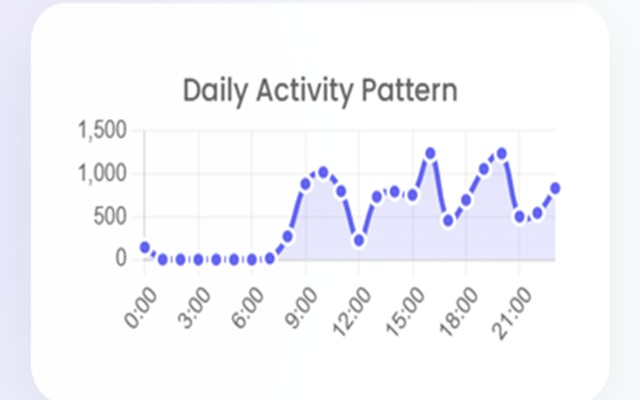
image 2

What it does
Google Chrome History Analyst is a Chrome extension designed to help users gain insights into their browsing habits. By analyzing browsing history, it provides AI-generated insights, visualizes activity patterns over different periods (week, month, year), and calculates a productivity score based on browsing behavior. Key features include:
- AI Insights: Get AI-generated insights about your browsing habits, productivity, and interests.
- Time Filters: Review browsing history for different time frames (week, month, year).
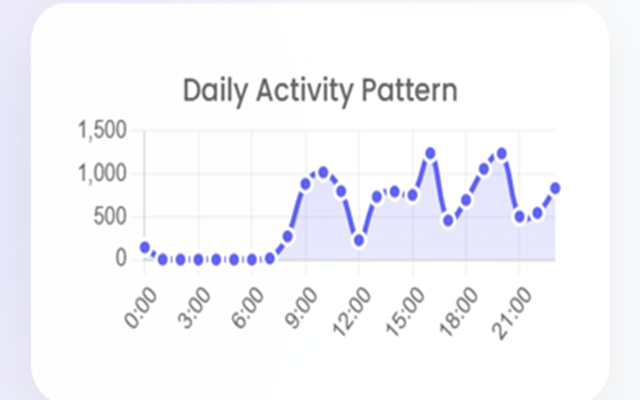
- Charts: Visualize activity patterns, top websites, and categories with interactive charts.
- Productivity Score: Calculate a productivity score based on browsing activity.
- Learning Hours: Track time spent on educational and learning websites.
- Share: Easily share insights with others.
How we built it
The project was developed using the following technologies:
- Chrome Extensions API: To access and interact with the user's browsing history.
- JavaScript: For the extension's logic, including data processing and AI interactions.
- Chart.js: For creating interactive and responsive data visualizations.
- AI Models: To generate meaningful insights from browsing history, including detecting productivity patterns.
- HTML/CSS: For designing the extension’s interface, ensuring ease of use.
The process involved integrating multiple data sources and building an efficient front-end that allows users to interact with their browsing data seamlessly. The AI insights were generated using an analysis of website categories and time spent, providing feedback on productivity and learning habits.
Challenges we ran into
- Data Privacy & API Limitations: Handling users' browsing history while maintaining privacy was a key concern. Chrome API limitations also made it difficult to access certain types of data.
- Processing Large Data Sets: As users accumulate large amounts of browsing history, processing this data efficiently and accurately was a significant challenge. It required optimizing the logic to avoid performance issues.
- AI Insights Accuracy: Generating AI-based insights was not always straightforward, especially in categorizing websites and identifying productivity trends. Training the AI to deliver relevant and precise feedback required significant tuning.
- UI/UX Balance: Designing an interface that presents data clearly without overwhelming the user was a challenge. Finding a balance between functionality and simplicity took several iterations.
Accomplishments that we're proud of
- AI Integration: We’re proud of how we incorporated AI to turn browsing data into actionable insights. This feature adds a layer of intelligence that makes the extension more than just a tool for browsing history review.
- Data Visualizations: The interactive charts and productivity scores make the data not only insightful but visually appealing. Users can clearly see patterns in their activity, which helps them make informed decisions.
- User-Friendliness: Despite the complex underlying technology, the extension is easy to use and provides valuable feedback with just a few clicks. We’re proud of how accessible and intuitive the interface is.
What we learned
- Chrome Extensions Development: This project deepened our understanding of how Chrome extensions work, including how to interact with APIs and handle user data securely.
- Data Visualization: We learned how to create interactive, user-friendly visualizations that present complex data in a digestible format.
- AI Integration: We gained experience in applying AI models to real-world data and fine-tuning them to offer valuable insights based on user behavior.
- Privacy & Ethics: Working with user data made us more mindful of privacy considerations, and we learned how to navigate the balance between useful data insights and user confidentiality.
What's next for Google Chrome History Analyst
- Enhanced AI Insights: We plan to expand the AI capabilities to provide even deeper analysis of browsing habits, such as recommending ways to improve productivity or offering suggestions for reducing distractions.
- User Customization: Future versions will allow users to customize how their browsing data is categorized and analyzed, tailoring the insights to their specific goals.
- Cross-Browser Support: While this project is currently built for Chrome, we are exploring how to expand it to other browsers like Firefox and Edge, allowing more users to benefit from the tool.
- Collaborations and Sharing Features: We aim to integrate features that allow users to collaborate and share insights, fostering a community of individuals looking to improve their productivity and learning habits.
Built With
- azure
- chat.js
- css
- html
- javascript


Log in or sign up for Devpost to join the conversation.