Inspiration
With the arrival of Gemini Nano and Chrome’s built-in AI capabilities, we were inspired to explore how developers can harness client-side AI to create smarter, privacy-preserving, and network-resilient web experiences. We wanted to build a project that not only demonstrates these APIs but also helps others understand their potential.
What it does
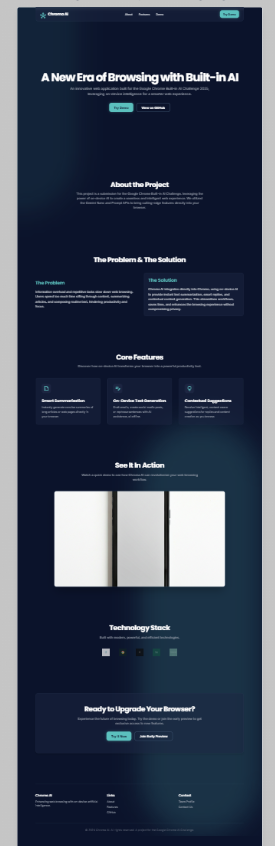
Chrome-Built-in-AI-Challenge-Website is an interactive showcase site built to demonstrate how Chrome’s on-device AI APIs — including the Prompt API, Summarizer API, Proofreader API, and Translator API — can work together to enhance web experiences.
The website allows users to:
- 🧠 Generate creative content using the Prompt API
- ✍️ Fix grammar and punctuation instantly via the Proofreader API
- 📄 Summarize long articles or pages using the Summarizer API
- 🌐 Translate content into multiple languages offline through the Translator API
It’s a fully client-side demo, built to inspire developers to imagine new ways AI can live directly in the browser — no server needed.
How we built it
We used:
- HTML, CSS, and JavaScript for the core frontend
- Chrome Built-in AI APIs for all on-device AI interactions
- Gemini Nano as the local AI model powering text generation and analysis
- Firebase Hosting for simple deployment
- GitHub Pages for open-source access
Each API was integrated with simple JavaScript hooks to showcase real-time text processing, summarization, and translation directly in the browser.
Challenges we ran into
- Understanding the differences between on-device and cloud-based AI models
- Managing browser permissions and API initialization for local inference
- Ensuring consistent performance across different Chrome builds
- Designing a UI that clearly explains AI results without overwhelming users
Accomplishments that we're proud of
- Successfully built a fully offline-capable AI demo using only client-side APIs
- Created a clean, modern UI that visually communicates Chrome’s AI features
- Helped demonstrate how privacy-first AI experiences can be built on the web
- Published an open-source example for other developers to learn from
What we learned
- How to integrate Gemini Nano and the Prompt API directly into a web project
- The importance of UX clarity when showing AI responses locally
- That client-side AI unlocks a new era of creativity without server limits or privacy risks
What's next for Google Chrome Built-in AI
Next, we plan to expand this project into an AI Developer Toolkit that includes live examples, tutorials, and customizable templates for Chrome’s AI APIs.
We aim to inspire more developers to create privacy-respecting, offline AI apps that work anywhere — even without the cloud.

Log in or sign up for Devpost to join the conversation.