-
-

The AI assistant name- Cherry Forge AI (logo for fun)
-
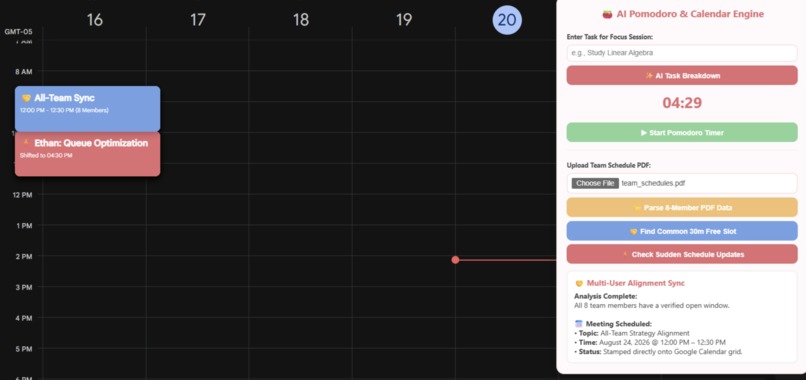
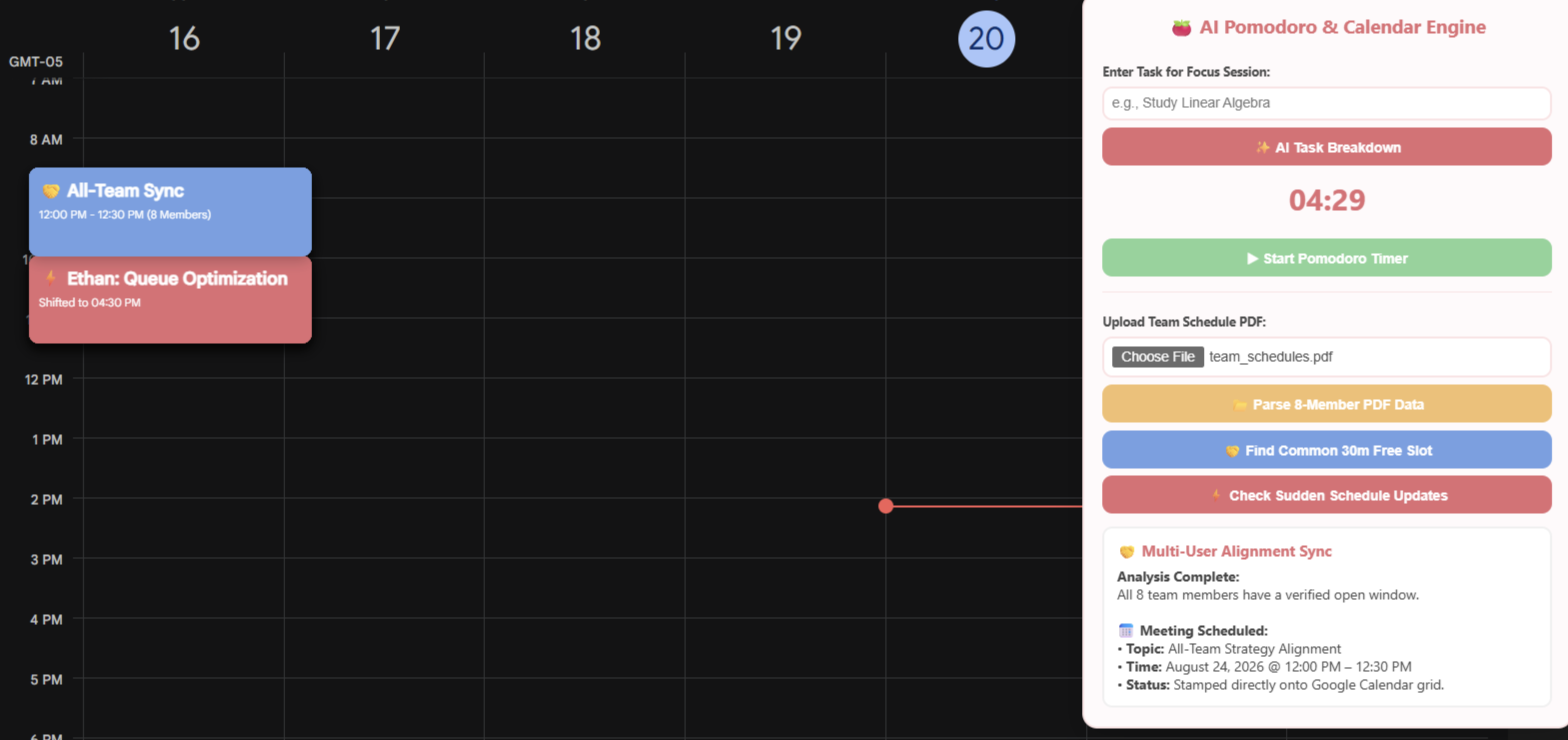
Before
-
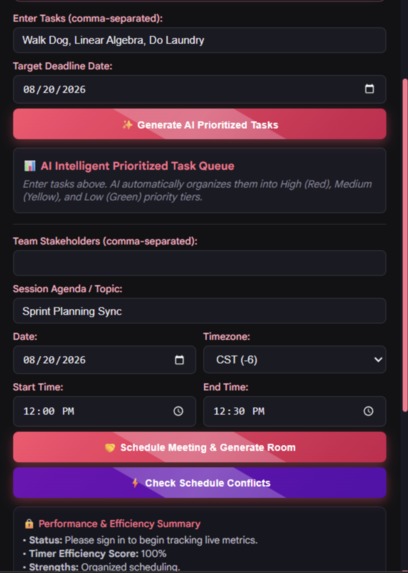
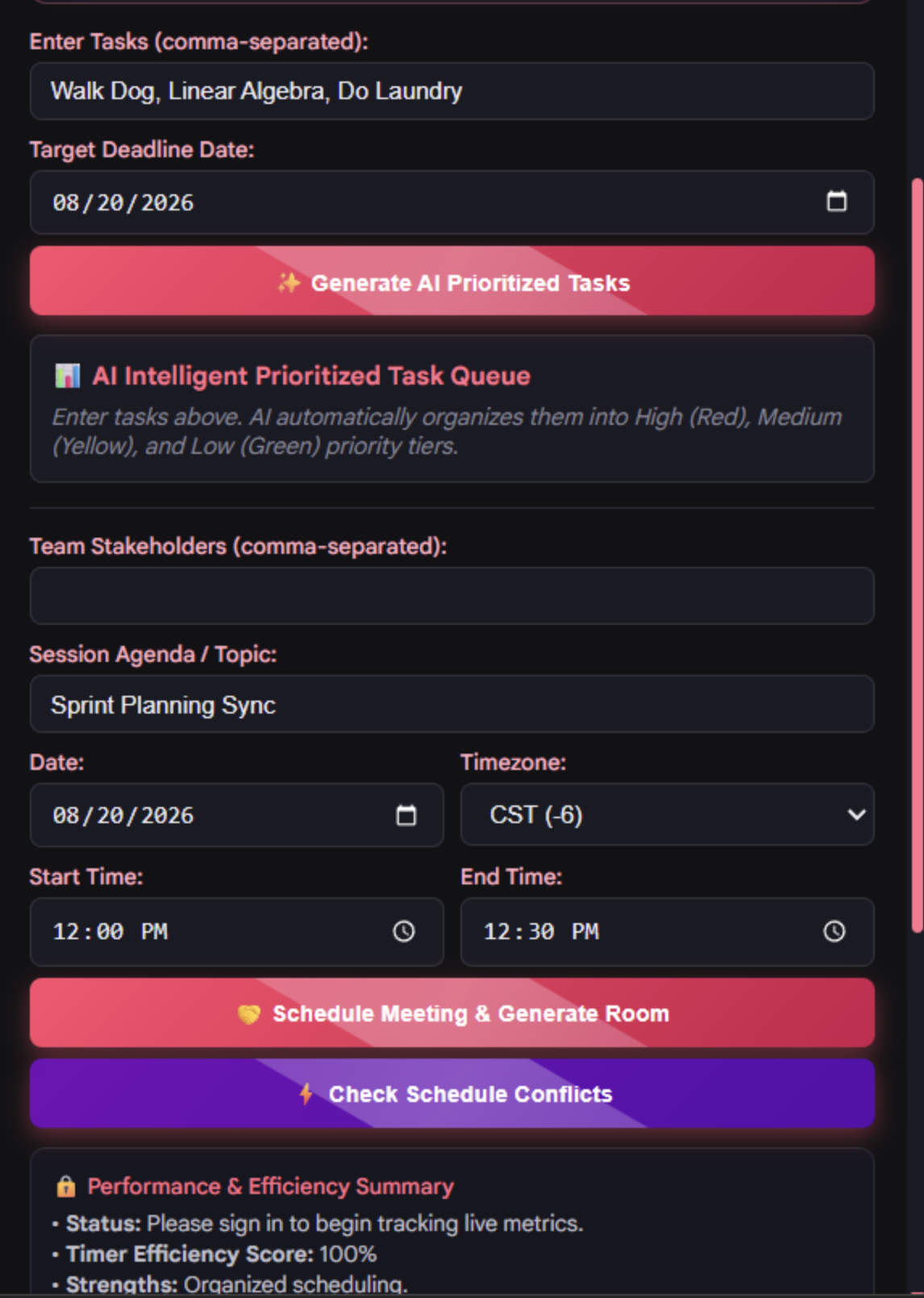
How it was going
-
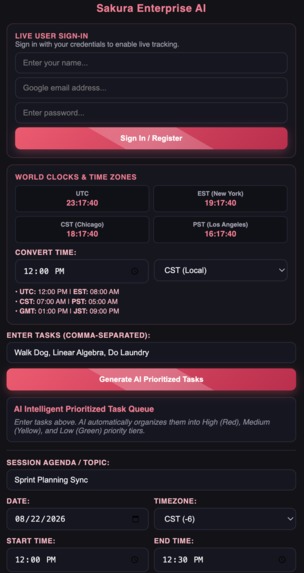
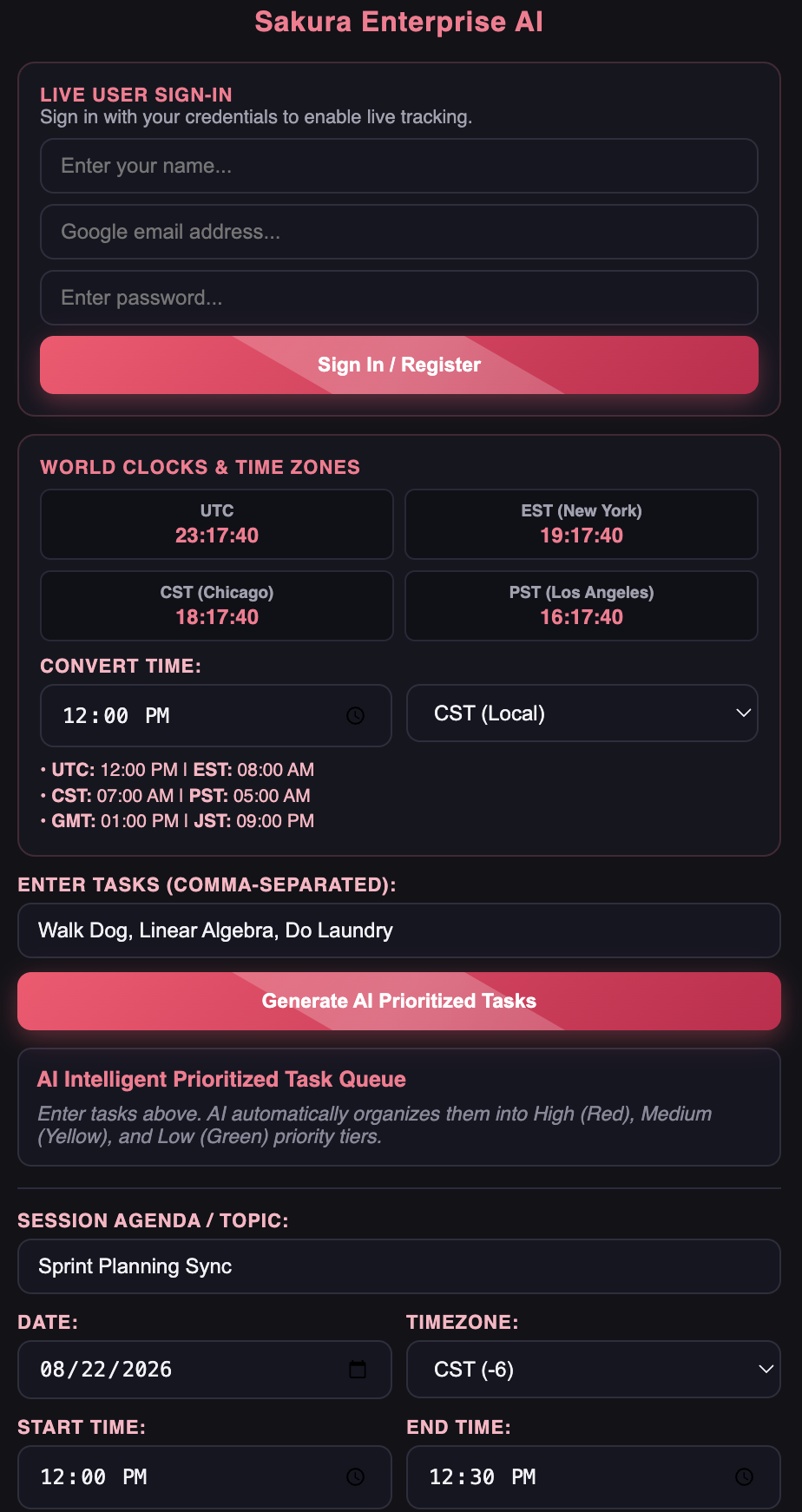
The result (part 1)
-
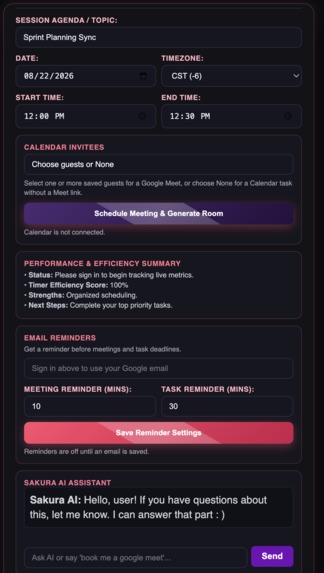
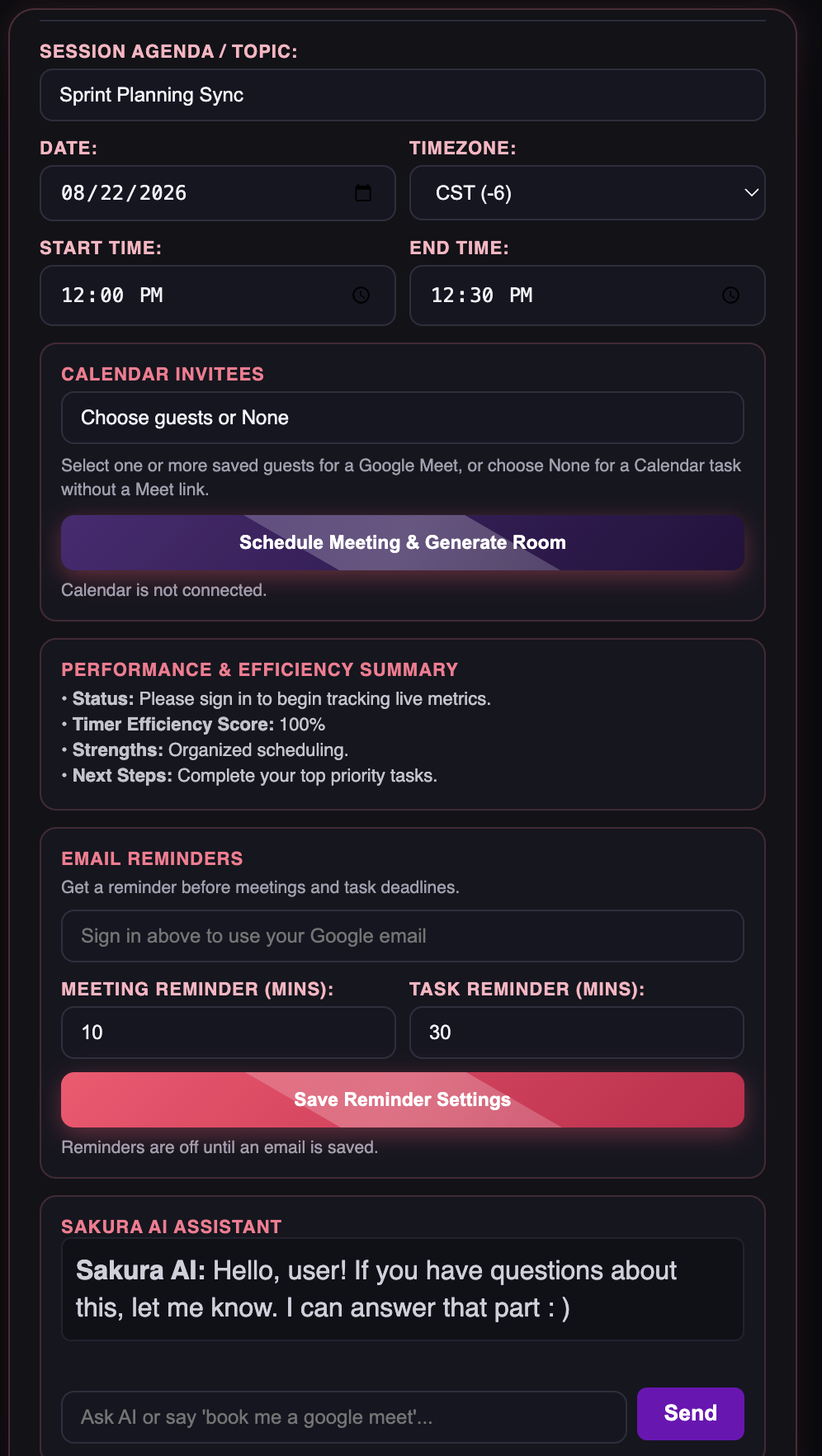
The result (part 2)

Inspiration
My partner and I got inspired in making a google calendar cause after experiencing how hard it is to manage tasks and meetings and stress about what do to what first. So we creates the web local browser AI chat bot to make scheduling easy.
What it does
This project is about scheduling out meetings or tasks and a attempt to make people lives easy with just chatting with the AI assistant. It has all of these time zones CST, UTC, EST, CET, to make it easy for the users and it uses pomodoro timer according to the user changing the settings in our chatbot/Ai assistant pop up that comes on your right hand side in laptop which goes in hand with your google calendar. Also it reminds the user after how ever many minutes before a task or meeting will start. Also It sends the email to other people the user picks.
How we built it
We built it by asking VSC chatbot how can we translate our ideas into working chatbot that connects with google calendar and google meet, where it make up its own google meet with a button and attach it to google calendar and also use email with the users email. And to make those work I have to add users into the OAuth client.
Challenges we ran into
- Finding errors in extension
- The text box was not visible at the beginning
- We have make sure the buttons worked like they are supposed to
- The tasks we entered in the focus section that it is all good in our priority section
- To just get the ideas in general to make it more work efficient, like adding timezones and more
- To make sure the application scrolls down properly
Accomplishments that we're proud of
- To make the application connect with google calendar
- Adding time zones and making it more efficient
- To able to figure out how a Google cloud project works
- Making it generate google meet when the user texts it to the chatbot
- Making it able to email the user and the guests they invited to a google meet in a link
What we learned
We learned how to give authorization to email addresses in Google cloud for free for by making a new project and then use the client ID in the code. But also how make a public link in OAuth client, so other peopel can use it. I also learned how to make a local website in my laptop with help of Google cloud.
What's next for Google calendar with timer
- To make this ai assistant application into a app, partnering with google calendar
- To have have a real app name to it
- Somehow to make this app public where people can download for free and maybe take the users comments and build it according to suggestions, now only the first 100 people can use this
Built With
- .txt
- cmd.exe
- css
- google-cloud
- google-meet
- html
- javascript
- vsc

Log in or sign up for Devpost to join the conversation.