-
-
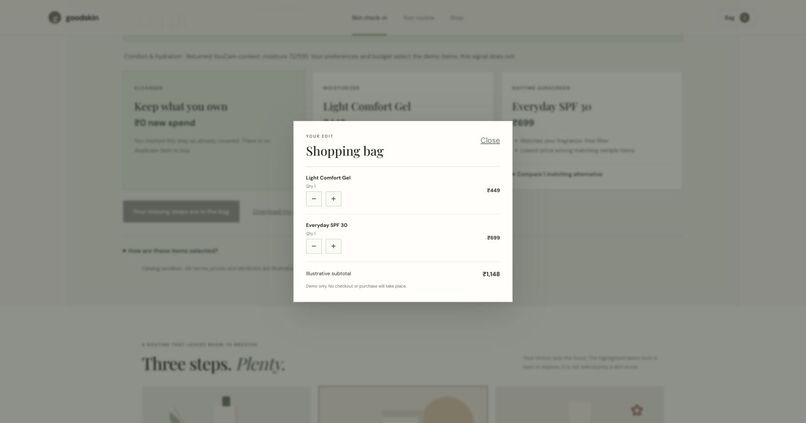
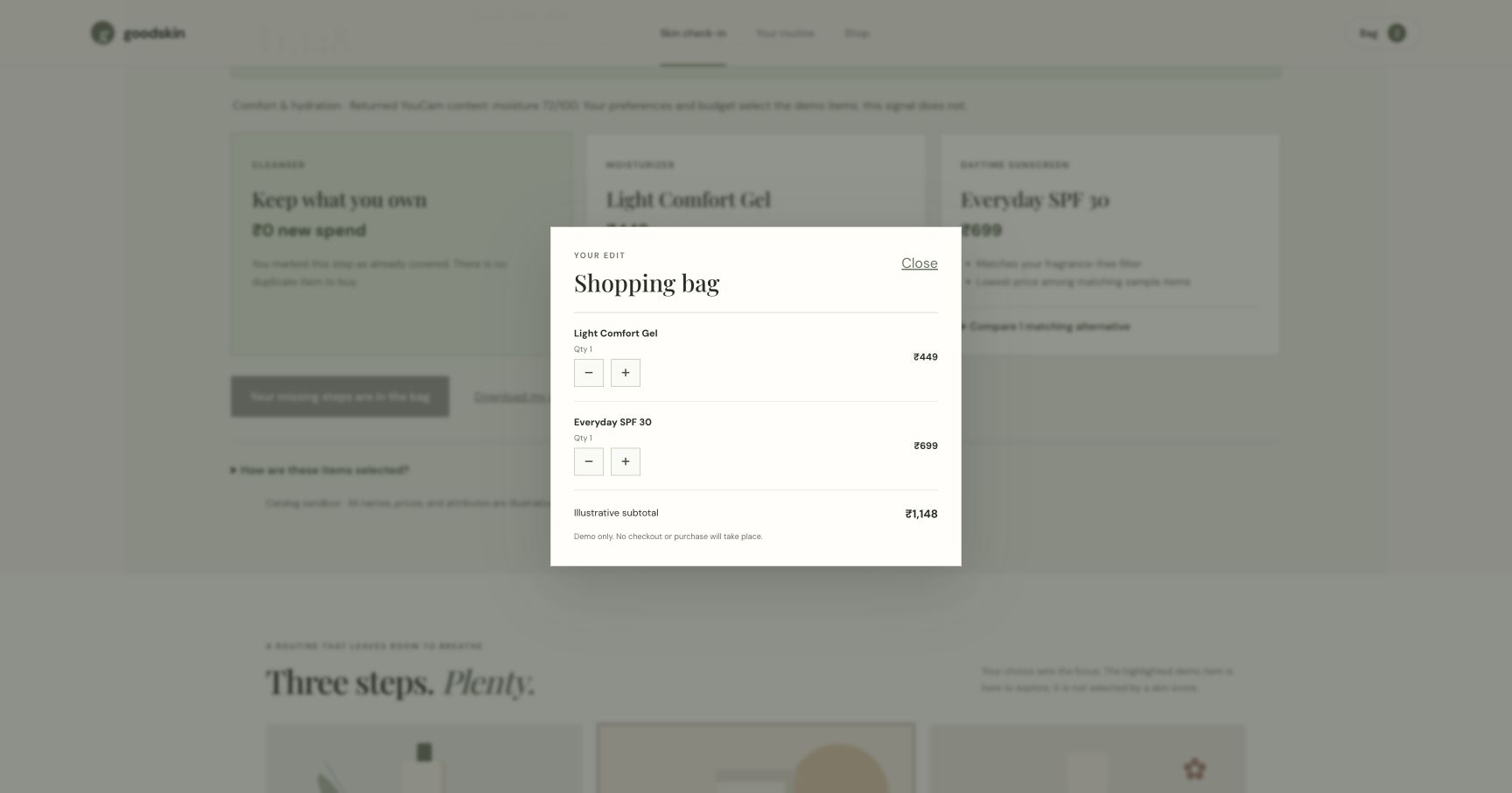
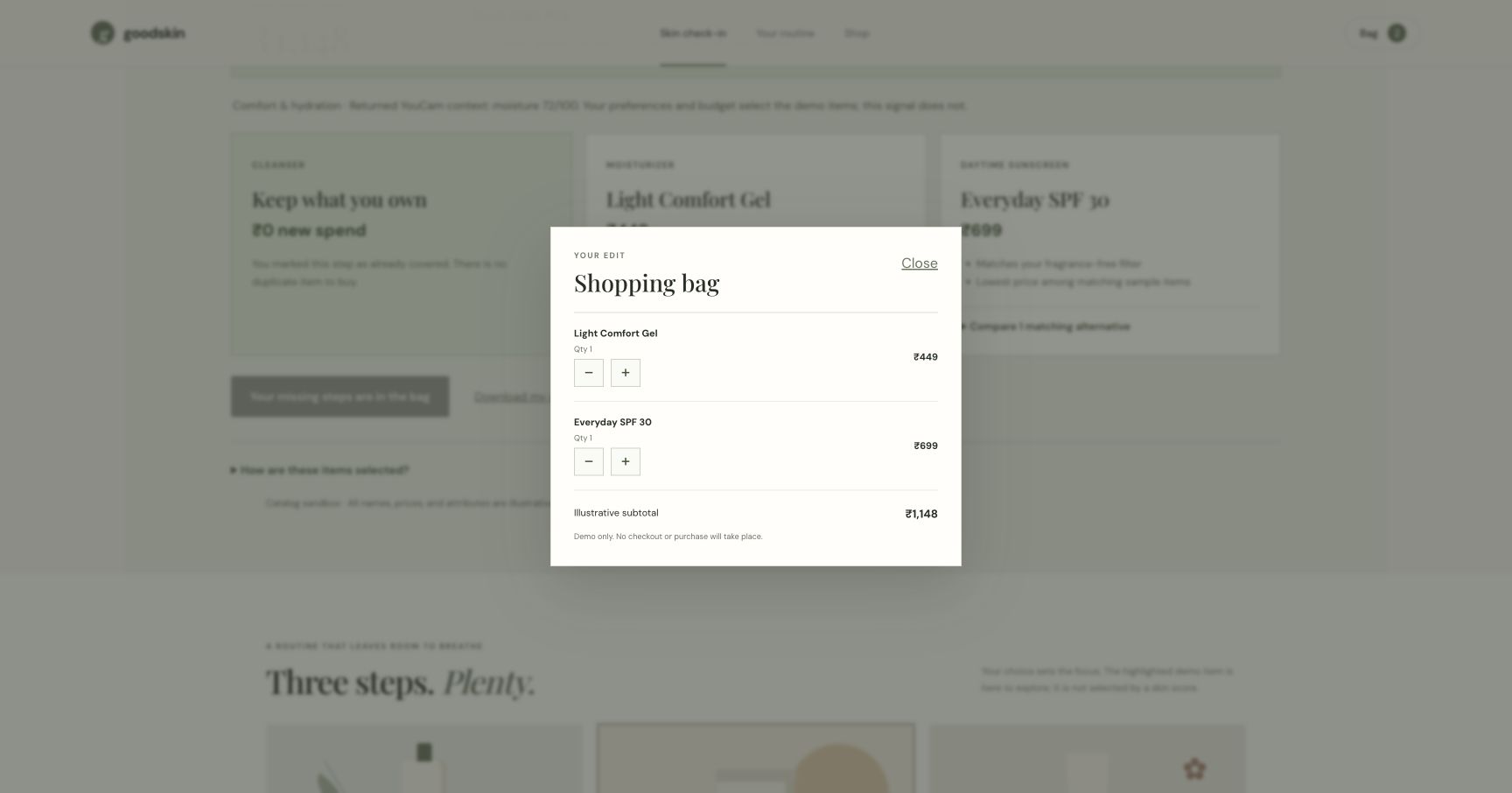
The bag contains only the two missing items, with a ₹1,148 subtotal. No checkout.
-
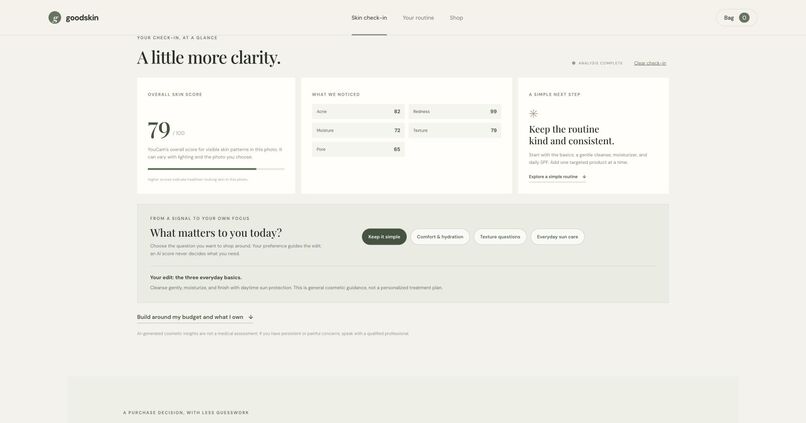
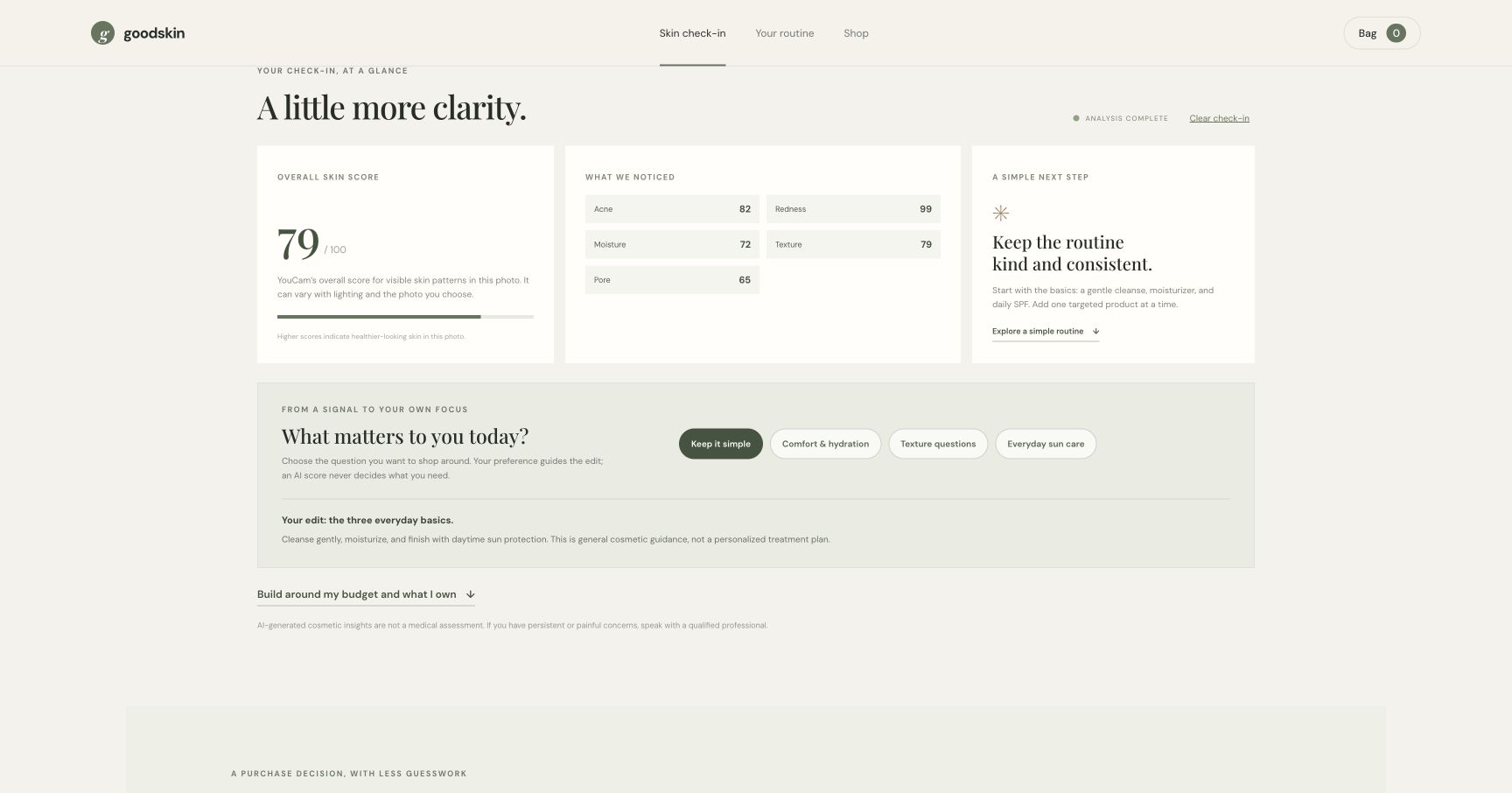
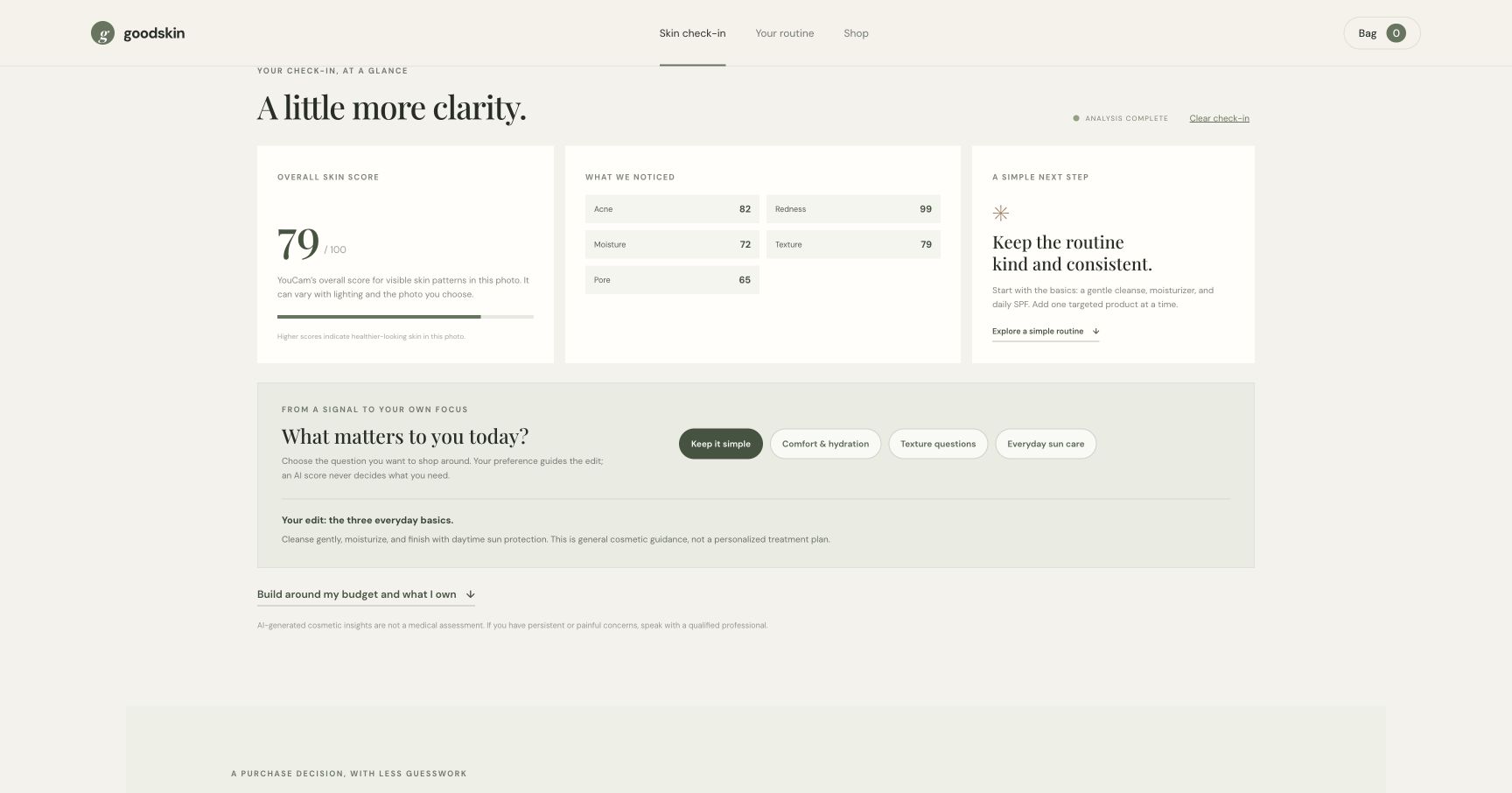
Fresh live YouCam result from the AI-generated sample; cosmetic observations, not a diagnosis.
-
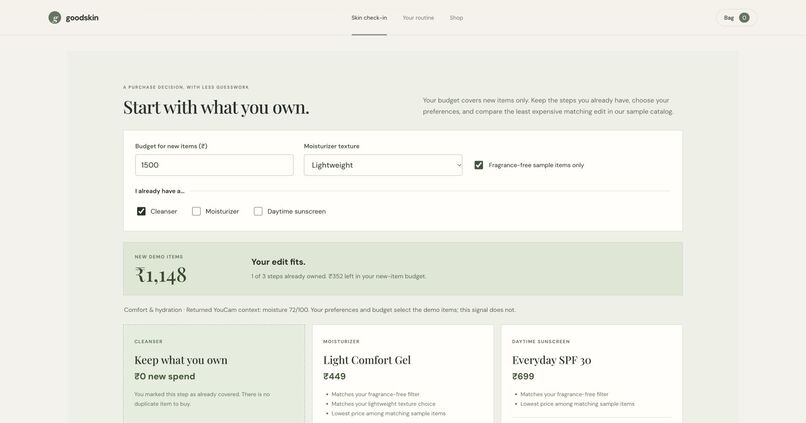
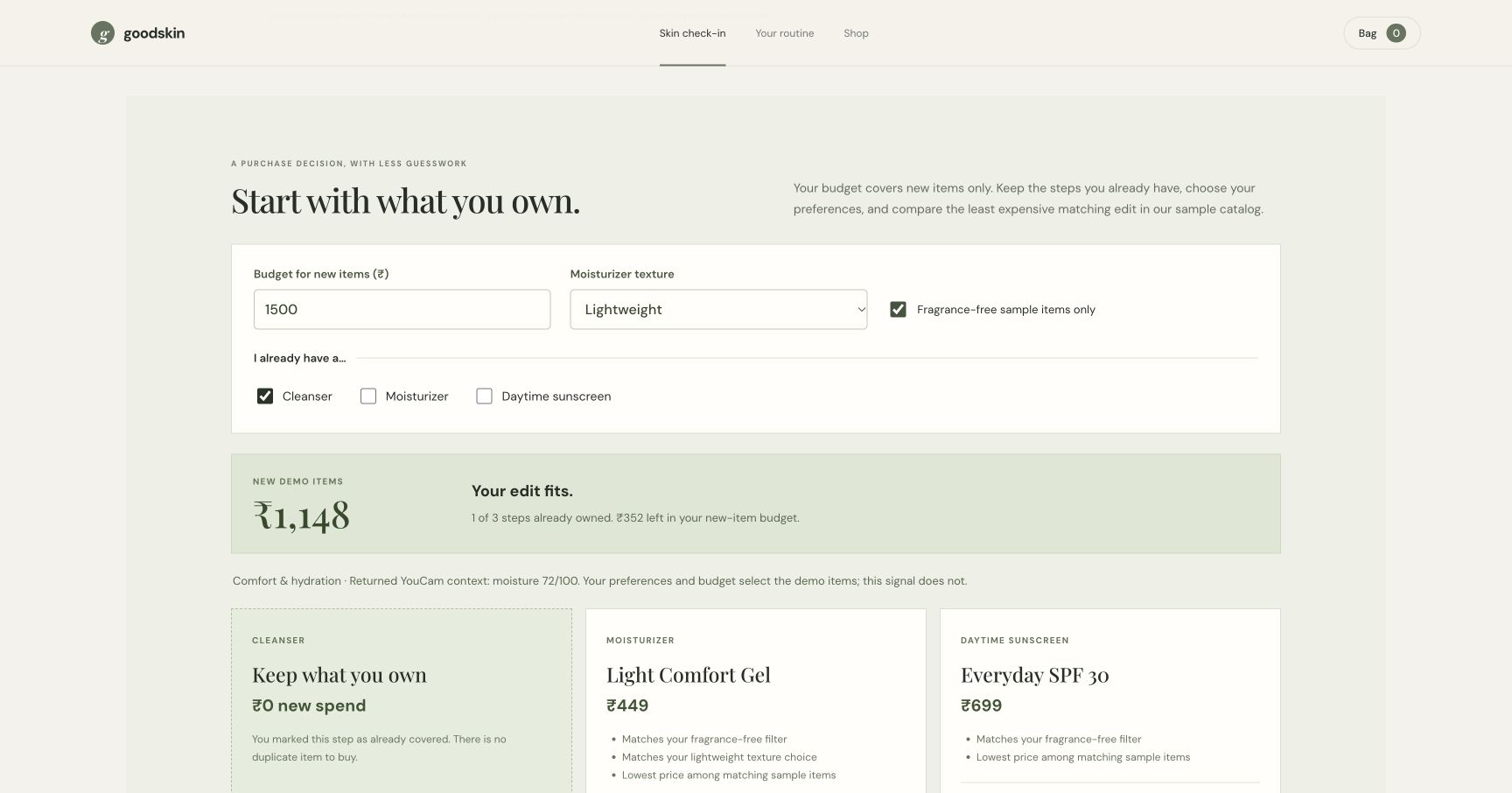
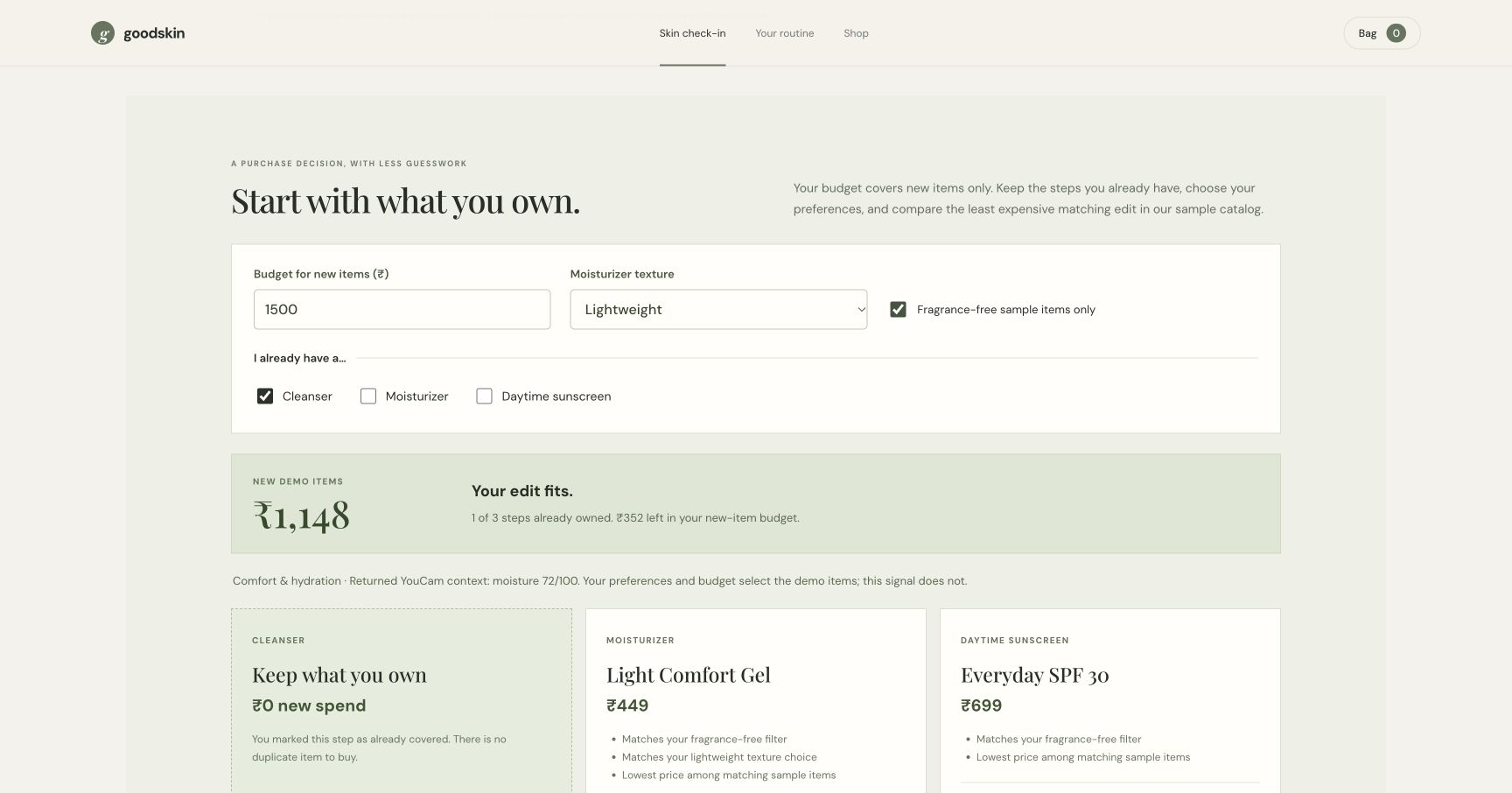
Keep an owned cleanser: two missing sample items cost ₹1,148 within a ₹1,500 budget.
-
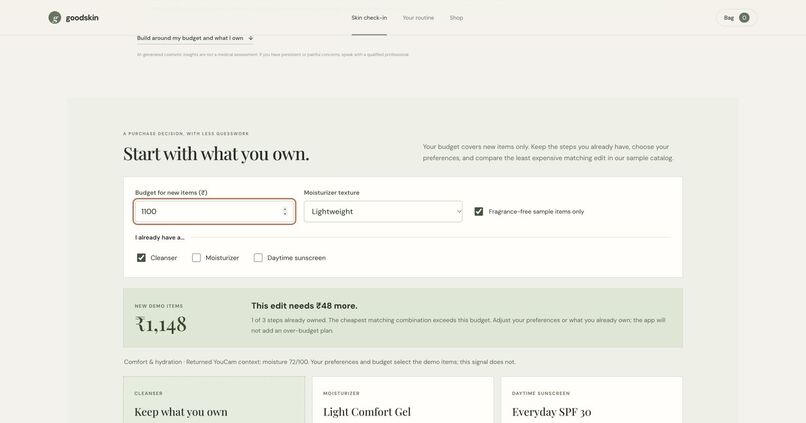
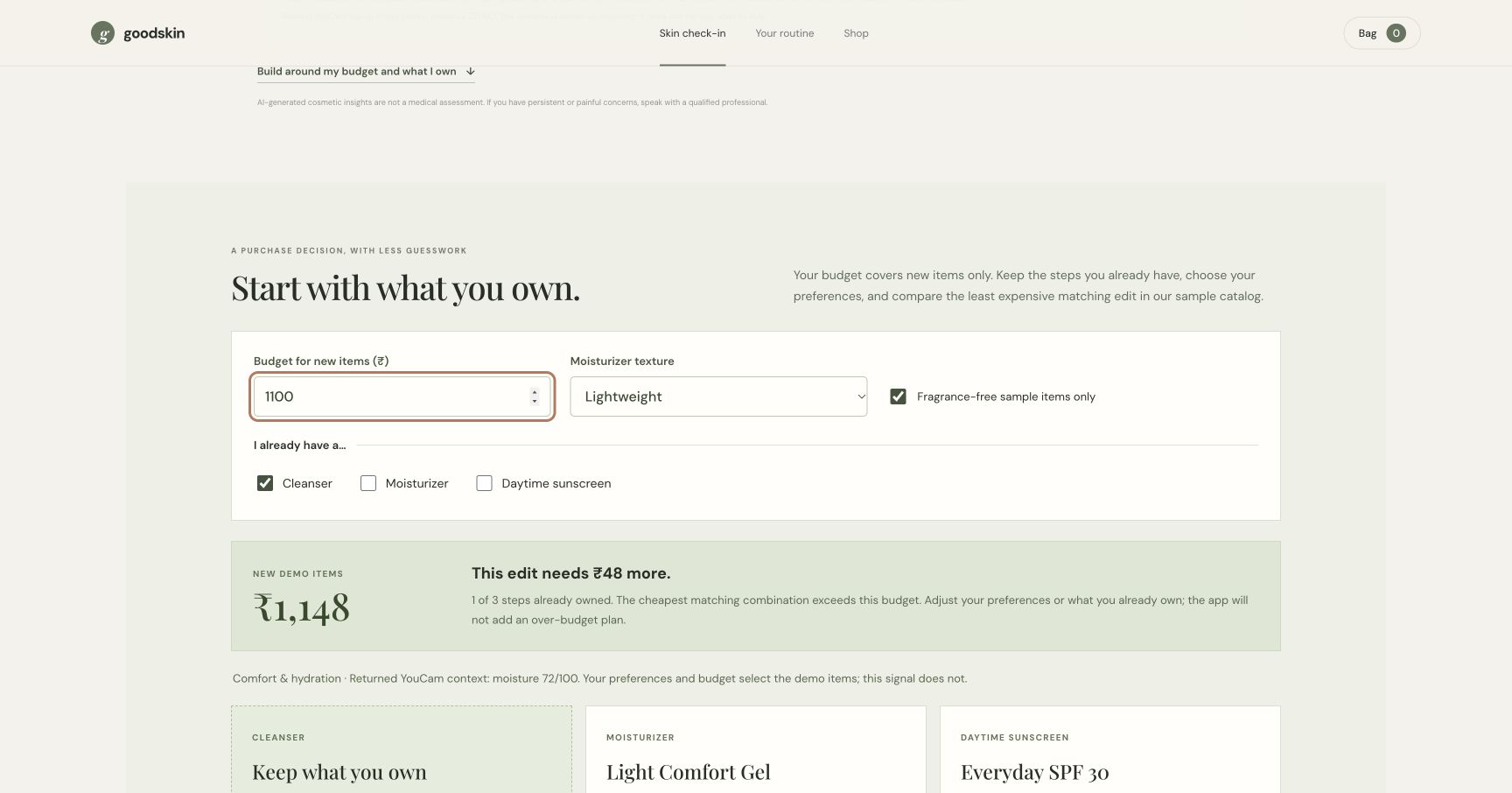
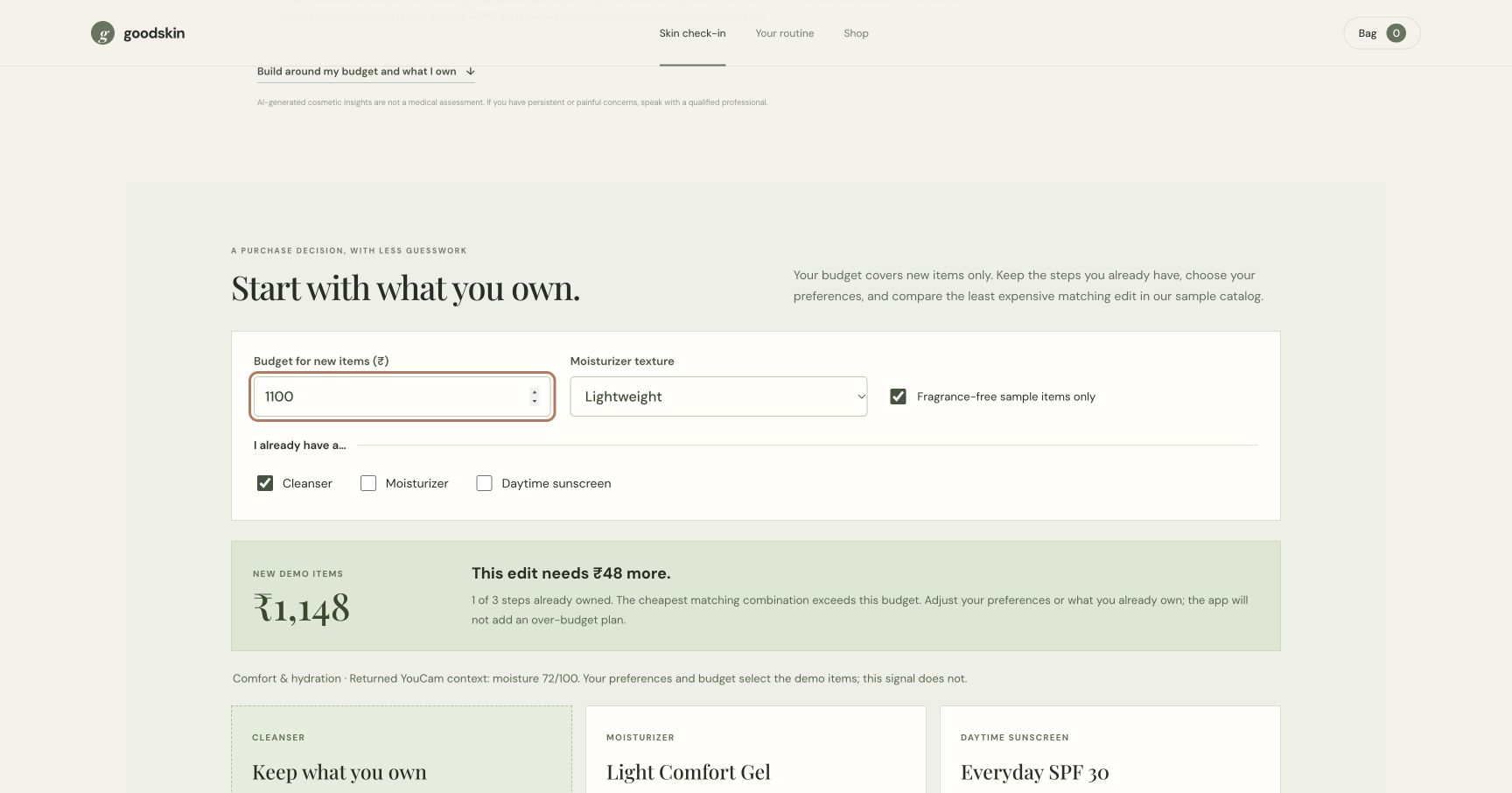
At ₹1,100, the planner shows a ₹48 shortfall and disables adding the plan.
Try the project
Open the public judging explorer · Three-minute evaluation guide · Watch the 2:41 live-integration demo
The public explorer runs the budget/reuse planner with clearly labeled recorded cosmetic values transcribed from the live synthetic-sample run on 21 October 2026. It accepts no personal photos and makes no live YouCam request. The linked Node source implements fresh analysis with a privately configured server-side key; the video shows that live integration and the upgraded app. These evaluation paths have different roles.
Inspiration
The moment before a skincare purchase is often more specific than “What is my skin score?” A shopper may already own a cleanser, have ₹1,500 for anything missing, and want to understand the trade-offs before adding more products. Goodskin explores that decision for first-time skincare shoppers in India: bring cosmetic context into view, keep what is already owned, and make the remaining cost understandable.
What it does
Goodskin connects a consent-based YouCam skin check-in to a budget-aware shopping edit.
- Select a photo or the bundled AI-generated synthetic portrait. Review the disclosure and give consent before sending the image to YouCam.
- Review only the cosmetic signals actually returned by YouCam. Choose a personal shopping focus, such as Comfort & hydration, and see the related returned signal as context.
- Set a budget for new items, mark the routine steps already owned, and choose texture and fragrance preferences.
- Compare the least expensive matching missing-step combination from the seven-item sample catalog. Each selection explains its price and preference match, and matching alternatives show their price differences.
- Add only the missing items to a removable shopping bag, or download a decision card. Clear check-in removes the photo preview and result from the page.
A concrete example: with an already-owned cleanser, a ₹1,500 new-item budget, and a lightweight / fragrance-free preference, the demo edit contains Light Comfort Gel (₹449) and Everyday SPF 30 (₹699). It totals ₹1,148, with ₹352 remaining. Lower the budget to ₹1,100 and the app shows the ₹48 gap and disables adding the plan. These are observable behaviors using illustrative catalog data, not claims about real product savings.
Actual project screenshots
The following screenshots are captured from the functioning app. The check-in uses the bundled synthetic portrait, not a real person's face.
How it was built
HTML, CSS, and browser JavaScript provide the interface. A Node.js service coordinates YouCam's File API and Skin Analysis task API: initialize a signed upload, upload the image, start the analysis task, poll for completion, and render the returned signals. The API key stays server-side. The application does not write uploaded photos to disk or save a profile or check-in history.
The planner is a separate, testable module. It retains owned steps, applies the shopper's catalog preferences, and minimizes the price of the missing steps. A skin score is not an input to that selection algorithm. This keeps the reason for an item inspectable: a shopper can distinguish what YouCam returned from what their own preferences and budget selected.
Challenges and learning
The asynchronous API flow required explicit waiting and error states. Our first synthetic portrait was framed too wide for YouCam's face-size check; a tighter AI-generated close-up passed, and live India-account runs populated the interface with the actual overall score and separate signals.
The product challenge was making the check-in useful beyond displaying a number. A static three-product shelf did not sufficiently explain a purchase decision. The budget/reuse planner now makes that decision observable, including the case where no matching combination fits. Browser testing also caught a bag issue: after removing an item, the shopper now can add it back without duplicating products still in the bag.
Validation and limitations
Eight automated planner tests cover minimum-cost selection against exhaustive eligible combinations, every owned-step subset, budget boundaries, invalid input, score-independent selection, receipts, and avoiding duplicate bag items. A fresh live YouCam check-in and the budget / bag interactions have also been exercised in the browser.
No external user study has yet been completed. The specific audience and retail value remain hypotheses to validate; no conversion, demand, clinical, or user-outcome results are claimed. The catalog names, prices, and attributes are illustrative. Texture and fragrance filters are sample catalog properties, not medical or allergy guarantees. YouCam's image-based observations are cosmetic context, not a diagnosis. There is no checkout or real retailer connection. The public source includes setup instructions; live analysis requires a developer-configured server-side API key.
Built With
- ai
- css
- html
- javascript
- node.js
- youcam


Log in or sign up for Devpost to join the conversation.