Inspiration
Most everyday questions have a right answer that is hard to find: what a taxi from the airport should cost, whether E471 is halal, the exact steps to cancel a subscription, whether a store will refund a price drop, which jobs are open nearby. Each of these deserves a small, honest tool, and a voice assistant is the most natural place to use them: you ask out loud, in the moment, and you want one clear sentence back. MCP is the open standard that powers Alexa+ integrations, so we built our tools to speak it.
What it does
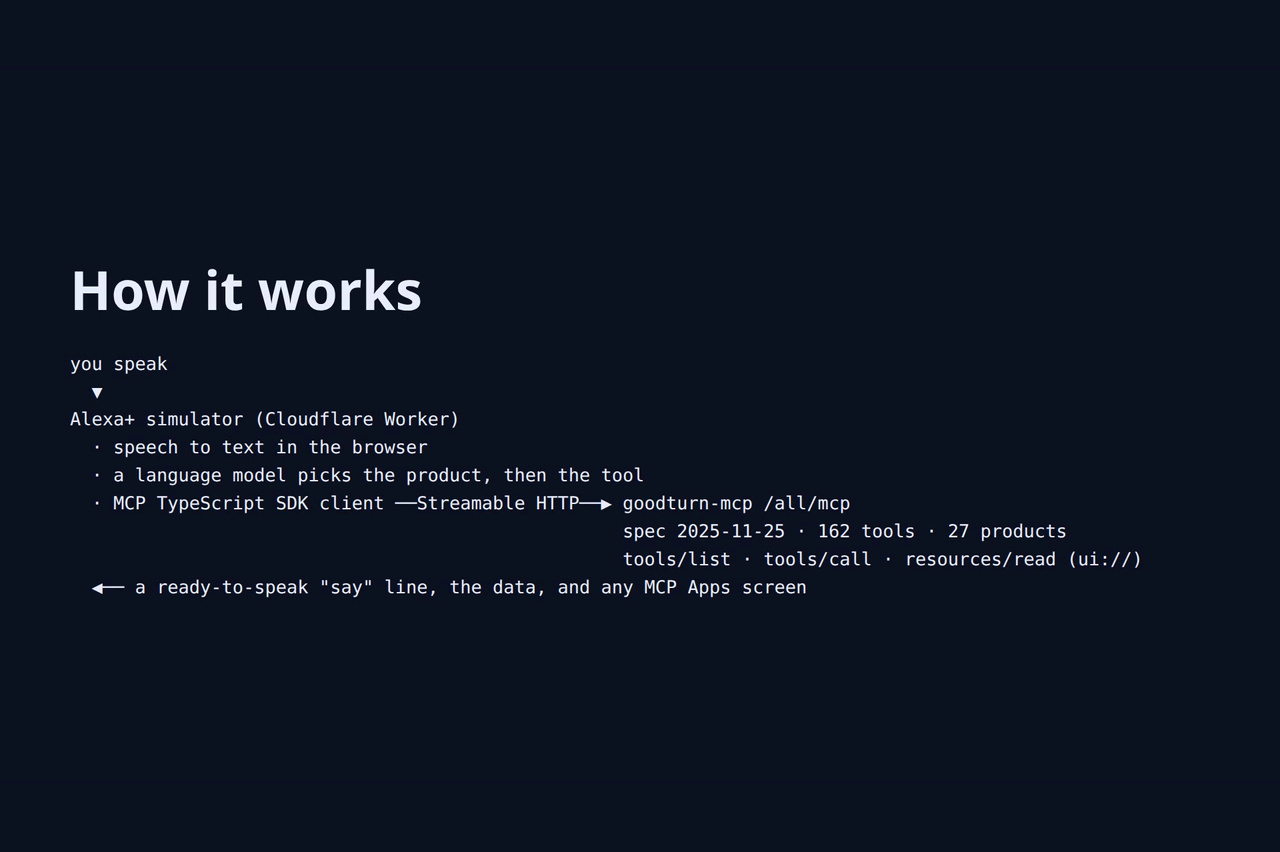
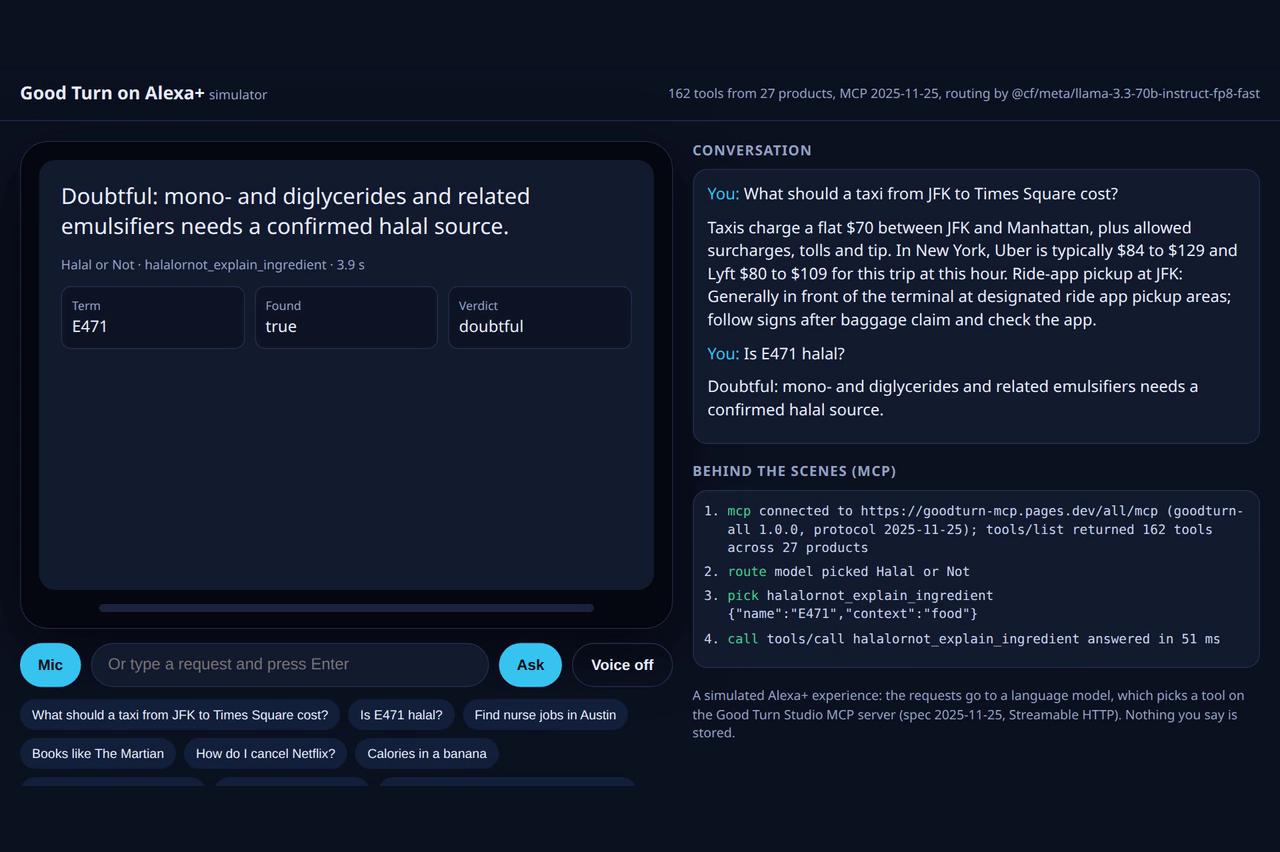
Good Turn on Alexa+ puts 27 everyday products behind one self-hosted MCP server: 162 read-only tools covering fares and travel, jobs, money and bills, shopping, food and fitness, books and football, halal checks, and daily readings from six traditions. The Alexa+ simulator listens to a spoken request, works out which product and tool can answer it, calls the tool over MCP, speaks the answer and shows it on a screen.
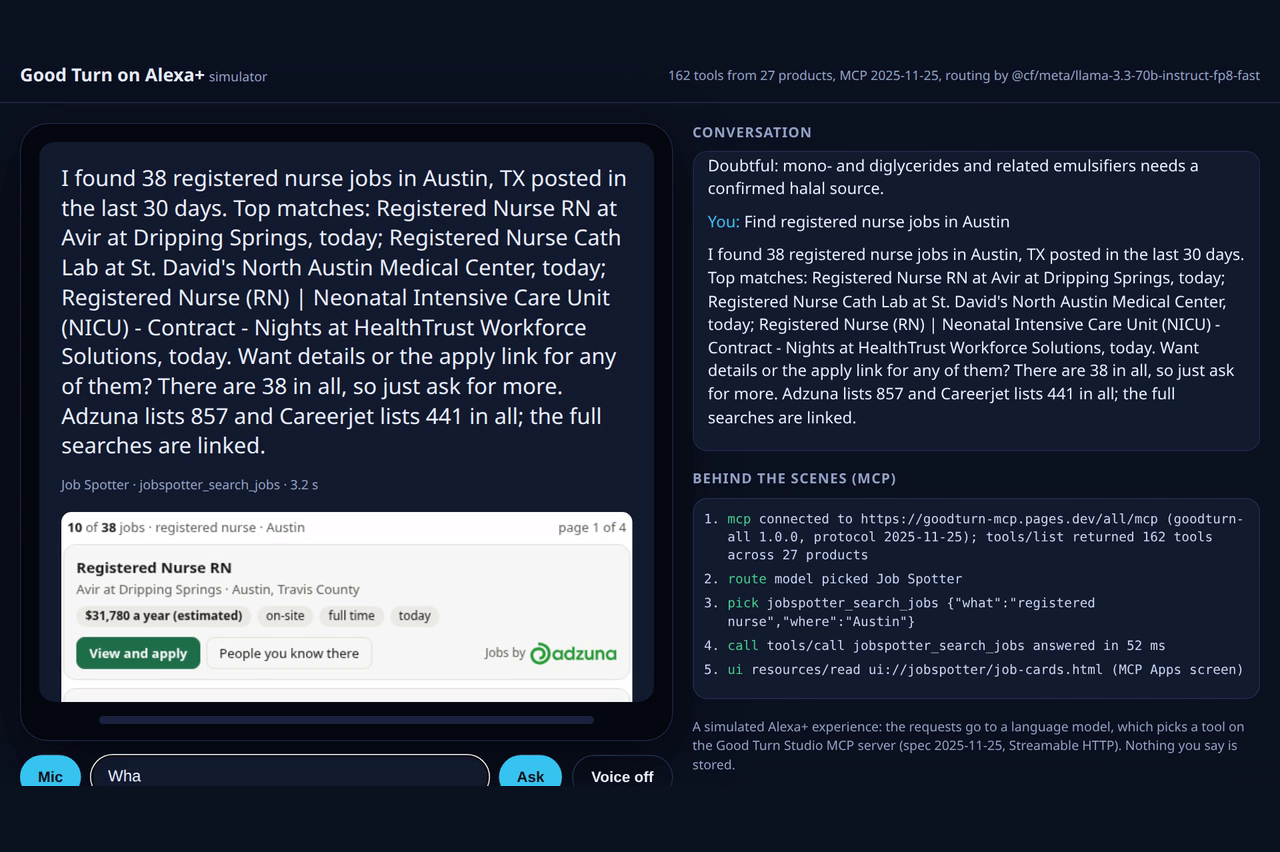
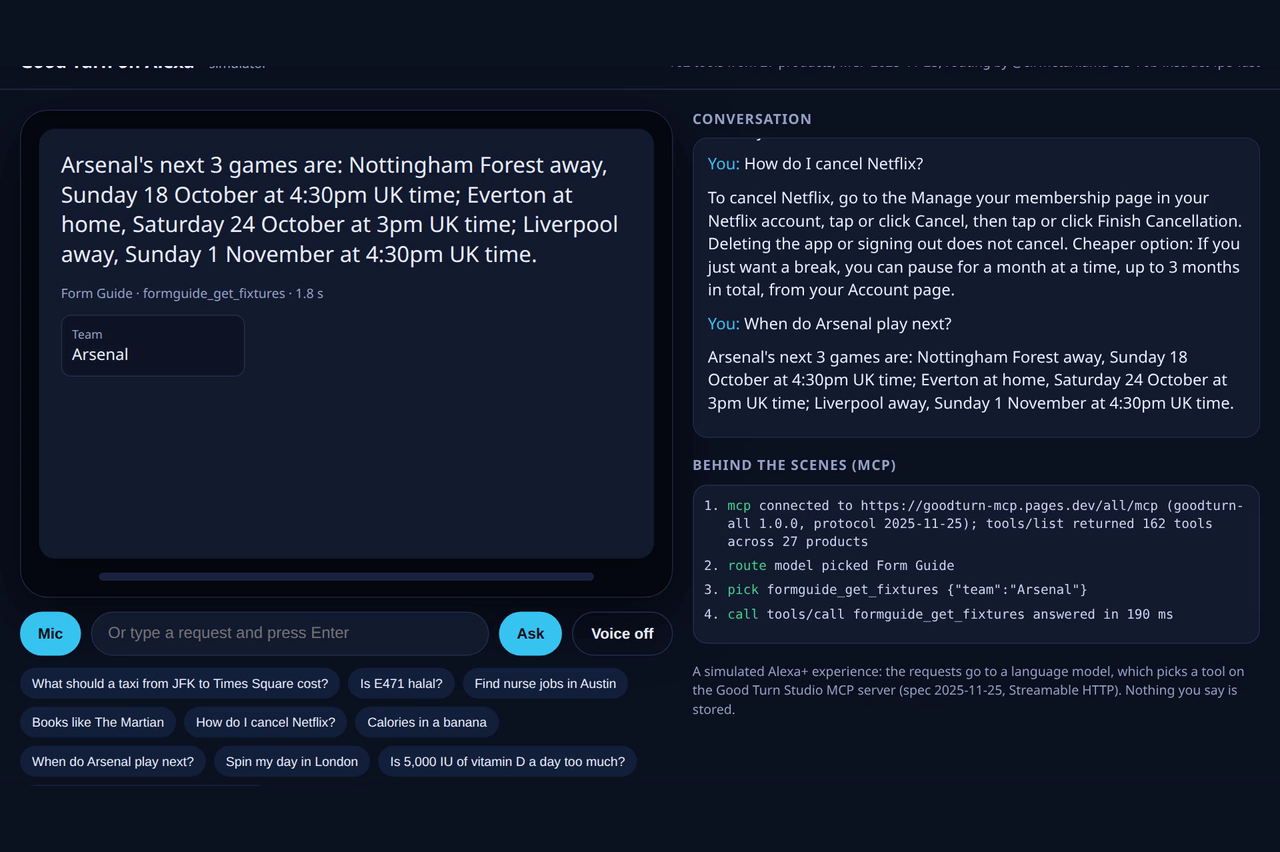
Things to try: "What should a taxi from JFK to Times Square cost?", "Is E471 halal?", "Find nurse jobs in Austin", "How do I cancel Netflix?", "Books like The Martian", "When do Arsenal play next?".
How we built it
- The MCP server (
mcp-server/) is a Cloudflare Pages worker that implements MCP spec 2025-11-25 over Streamable HTTP: stateless, JSON responses, no sign-in. A build script reads each product's OpenAPI description and turns every endpoint into an MCP tool with a plain title, a description written for assistants, an input schema and annotations (readOnlyHinttrue,destructiveHintfalse,openWorldHinttrue). It serves each product on its own path and everything together at/all/mcp, where tool names start with the product. - Voice-ready answers. Every product's API returns a
sayfield: one or two plain sentences meant to be read aloud. That is what makes the tools work on a voice device without the assistant reading out tables or links. - MCP Apps. Job Spotter's search tools declare
ui://jobspotter/job-cards.html, an MCP Apps resource (text/html;profile=mcp-app) that renders job cards with pay, work type and an apply button. - The Alexa+ simulator (
alexa-sim/) is a Cloudflare Worker with a voice page. The browser turns speech into text (Web Speech API). The Worker connects to the MCP server with the official MCP TypeScript SDK (ClientandStreamableHTTPClientTransport), lists the tools, and asks a language model (Workers AI, Llama 3.3 70B) two short questions: which product, then which tool with which arguments. Splitting the choice keeps a 162-tool catalogue manageable. Arguments are checked against the tool's schema, and if a required one is missing the model is asked once more with the right names, or the assistant asks the user. The Worker then calls the tool withtools/call, reads anyui://screen withresources/read, and returns thesayline, the data and the screen. The page speaks the answer, shows the key facts, and hosts MCP Apps screens in a sandboxed frame, answeringui/initializeand sending the tool result the way a screen device would. - Transparency. Under the device, the page lists each MCP step taken for the last answer, so anyone can see the server really being called.
What was built during the submission period
All of it. The submission period opened on 31 August 2026. The MCP server was built from 28 September; the simulator, its agent, its MCP Apps host and its tests were built in October. Most of the 27 products were built in September and October; a few began as websites earlier, and every product's MCP tools were added in the window. During the window we also added the say line to every product, MCP Apps job cards, tool annotations on every tool, and a usage and uptime monitor.
Challenges we ran into
- Reaching Alexa+. Connecting a self-hosted MCP server to a real Alexa+ device is open to brands in the Preview, so we built the simulated experience the rules describe and kept the server itself standard, so it can be connected unchanged when access opens.
- 162 tools for one voice request. Giving a model every tool at once made choices less reliable, so routing happens in two steps, and every tool title carries its product name.
- Speaking, not reading. Tool answers written for screens sound wrong out loud. Writing a dedicated
sayline for every answer of every product was the biggest single piece of work. - Hosting MCP Apps outside a chat window. The simulator had to act as an MCP Apps host on a device screen: answer the app's handshake, deliver the tool result and follow size changes, all inside a sandboxed frame.
Accomplishments we're proud of
- 27 products and 162 tools on one standard MCP server, all read-only, with nothing about the user stored.
- Every answer is ready to be spoken.
- The same server already powers listings in Claude's connector directory and ChatGPT, so this is real, used infrastructure: about 4,900 tool calls in the week to 12 October.
What we learned
- Voice changes how a tool should answer: one confident sentence with the key number beats a complete table.
- Good tool titles and descriptions matter more than model size for routing.
- MCP Apps work well beyond chat: a screen device can host the same UI.
What's next for Good Turn on Alexa+
- Connect the server to Alexa+ itself as soon as developer access allows.
- Location and time from the device in every call (the simulator already passes country and city).
- Follow-ups across products ("book me that day out, then check the taxi fare").
- More screens as MCP Apps: fare comparisons, workout plans, recipes and nutrition.
Links
- Demo video: https://youtu.be/F0jcDUMLVao
- Try the simulator: https://alexa.goodturnstudio.com
- MCP server (any MCP client): https://goodturn-mcp.pages.dev/all/mcp
Built With
- alexa
- cloudflare-pages
- cloudflare-workers
- javascript
- llama
- mcp
- mcp-apps
- model-context-protocol
- python
- web-speech-api
- workers-ai

Log in or sign up for Devpost to join the conversation.