-
-
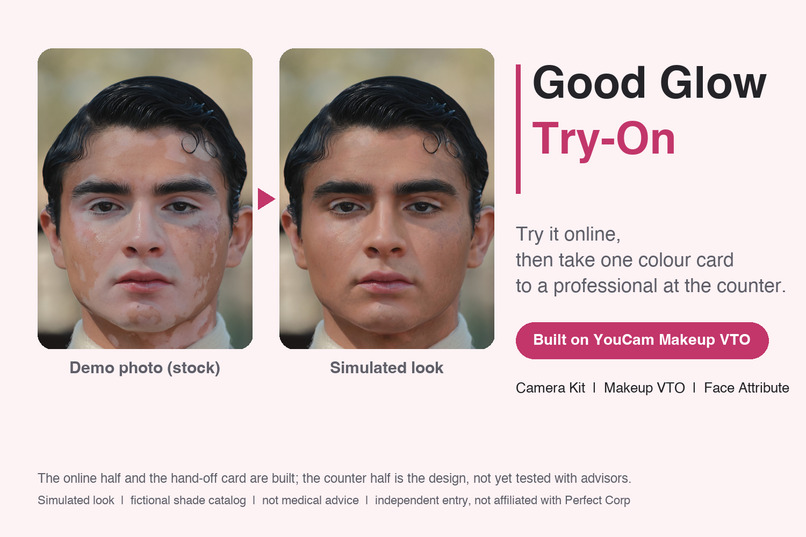
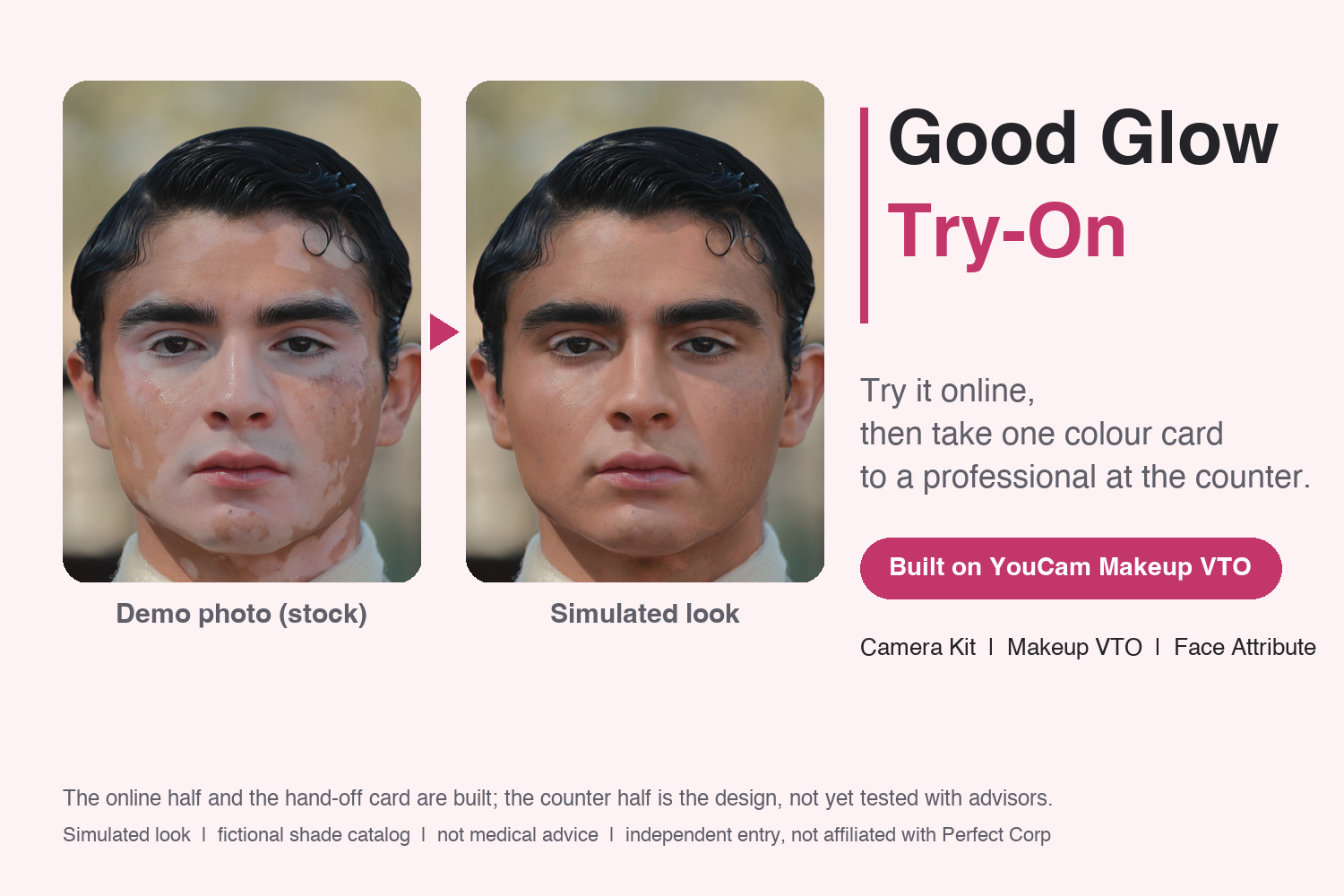
Good Glow Try-On: try it online, then take one color card to a professional at the counter.
-
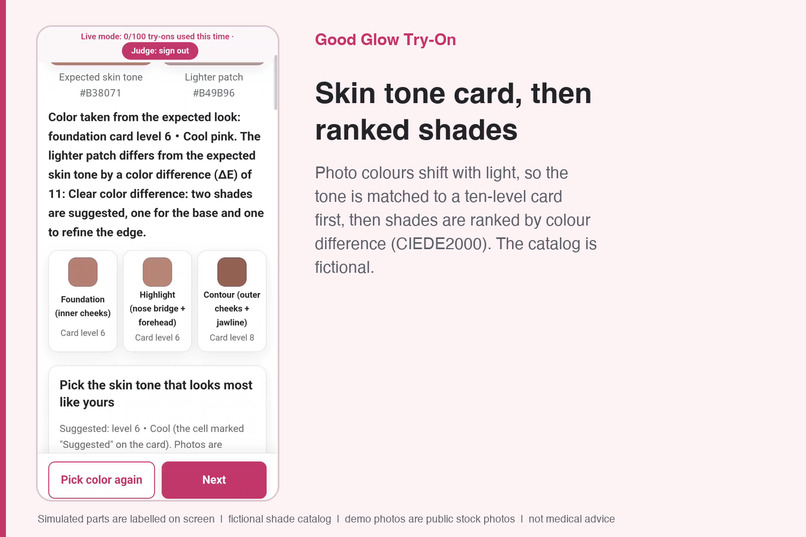
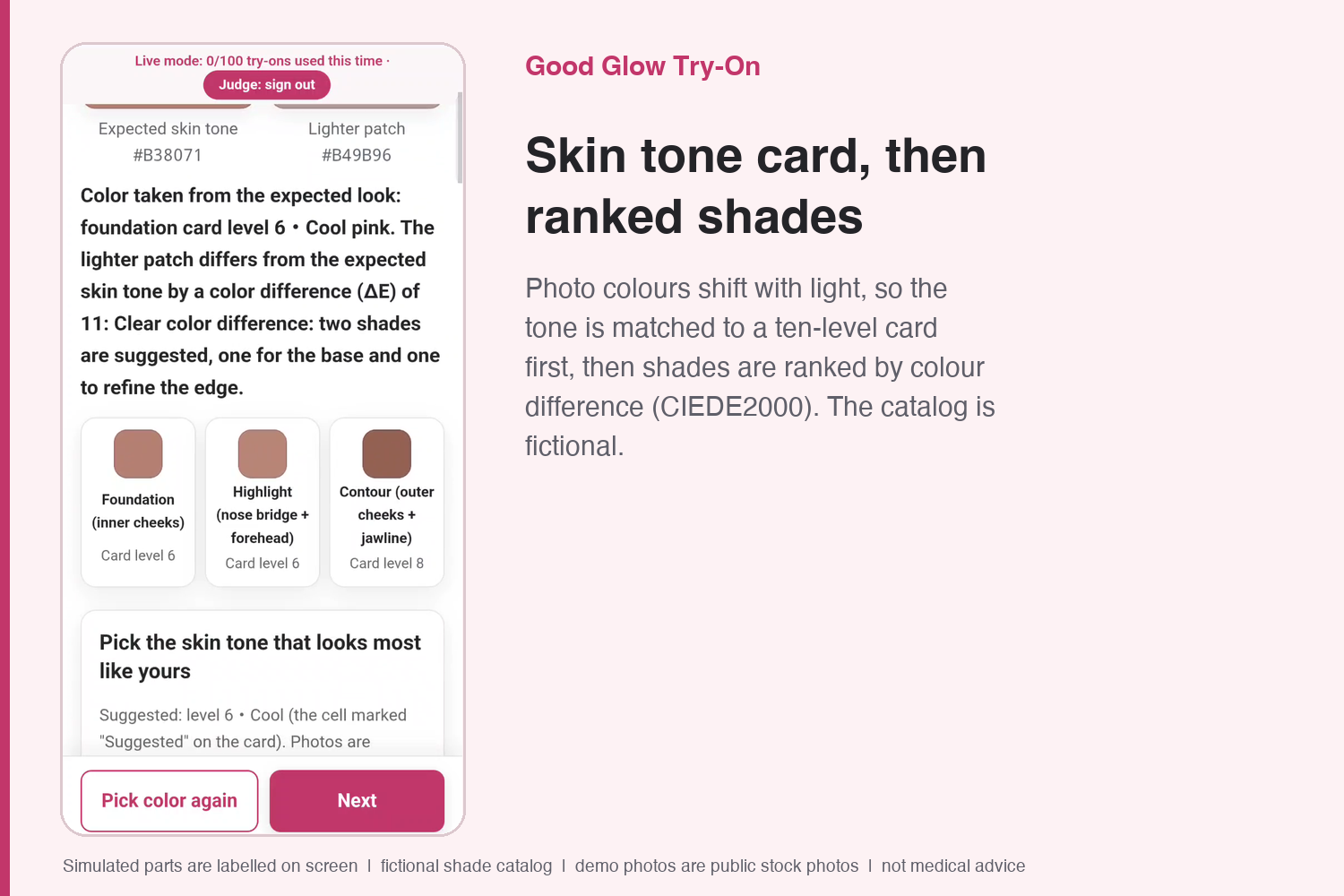
A ten-level skin tone card, then shades ranked by color difference (CIEDE2000); the shade catalog is fictional.
-
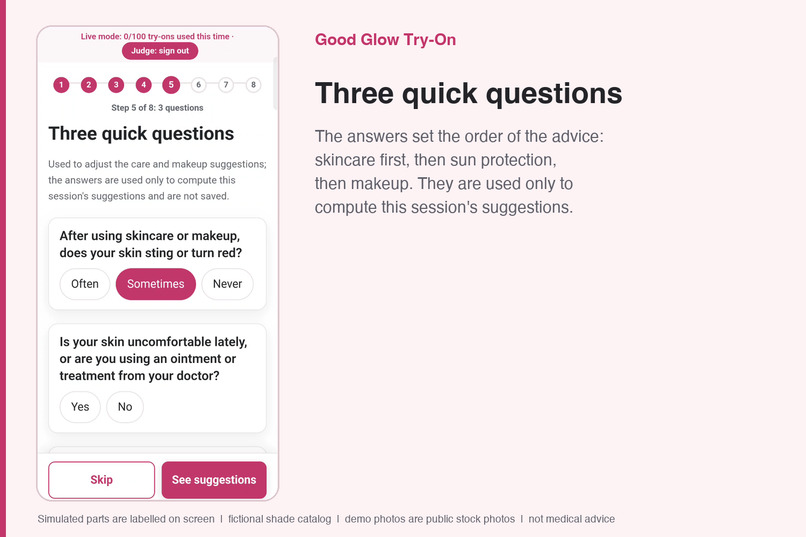
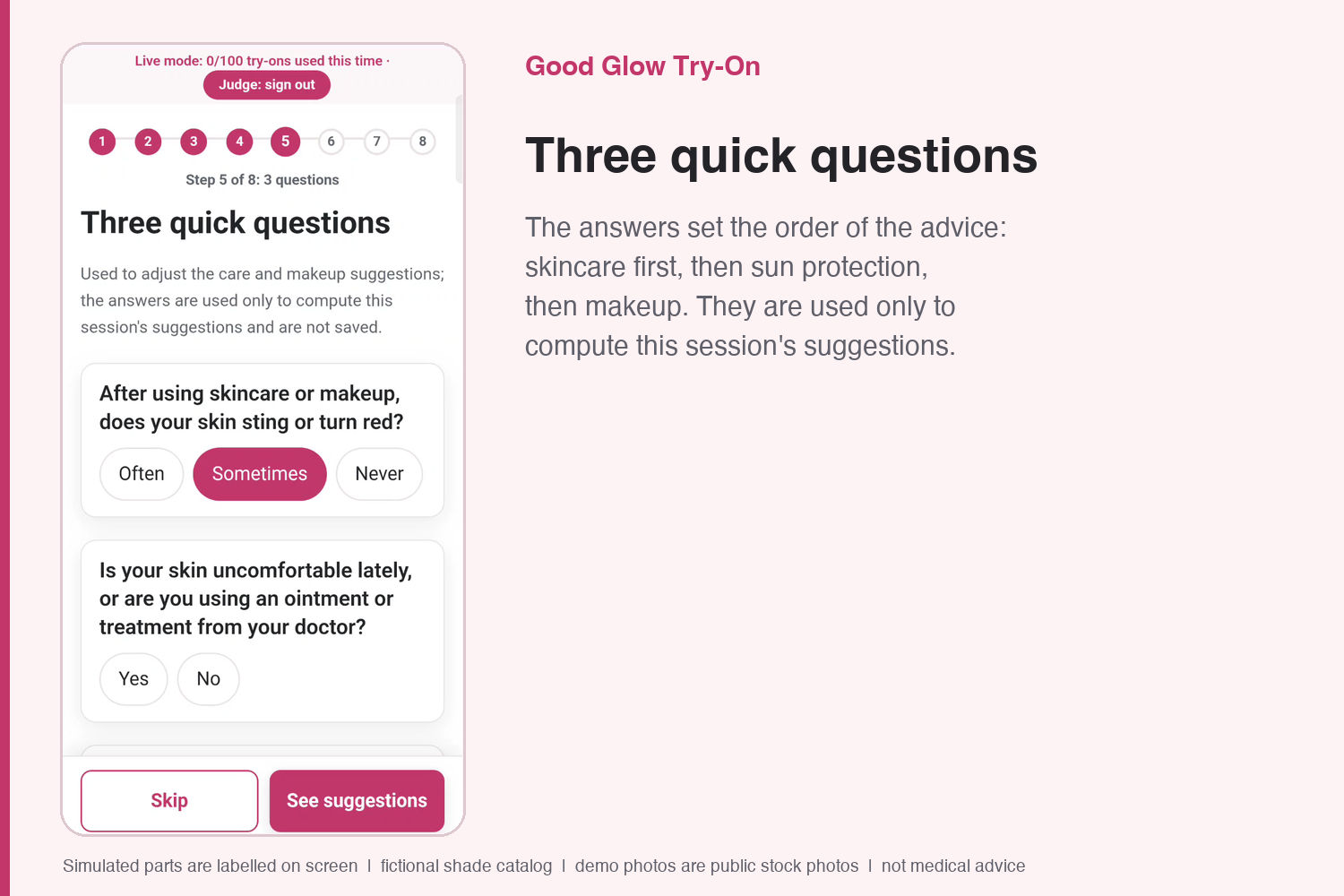
Three quick questions set the order of the advice: skincare, then sun protection, then makeup.
-
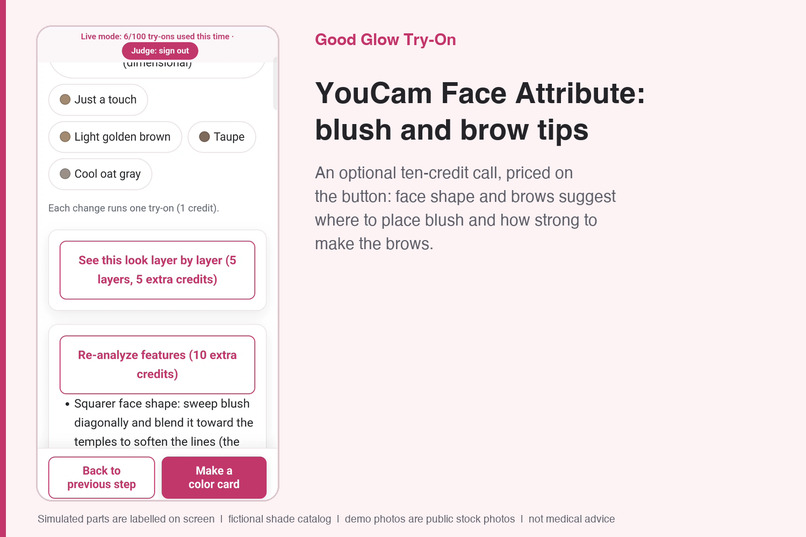
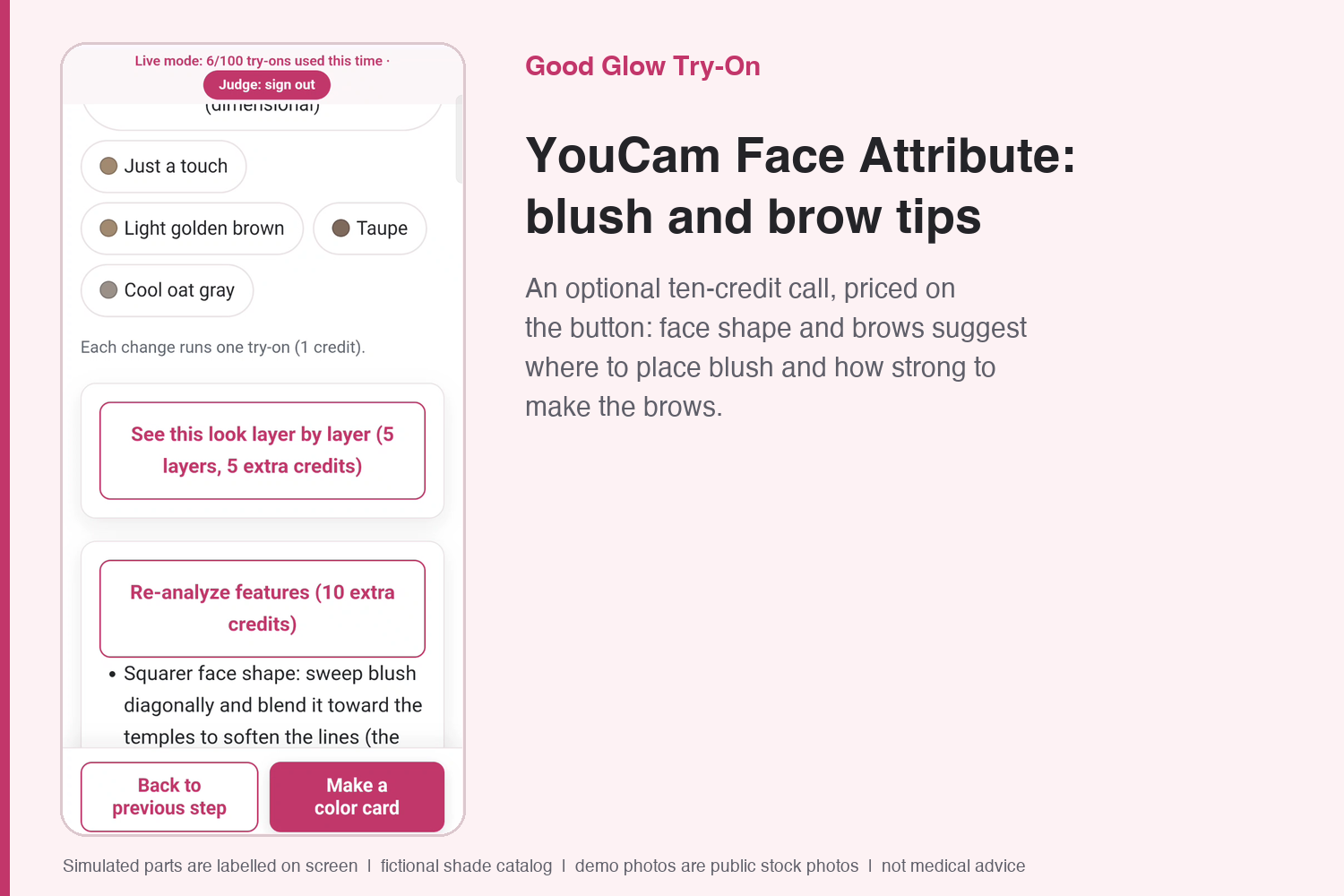
YouCam Face Attribute: an optional 10-credit call suggests blush placement and brow strength.
-
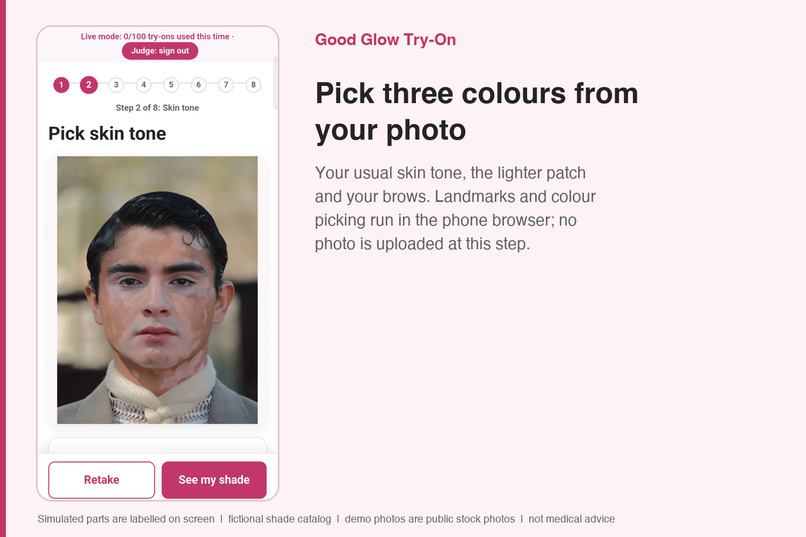
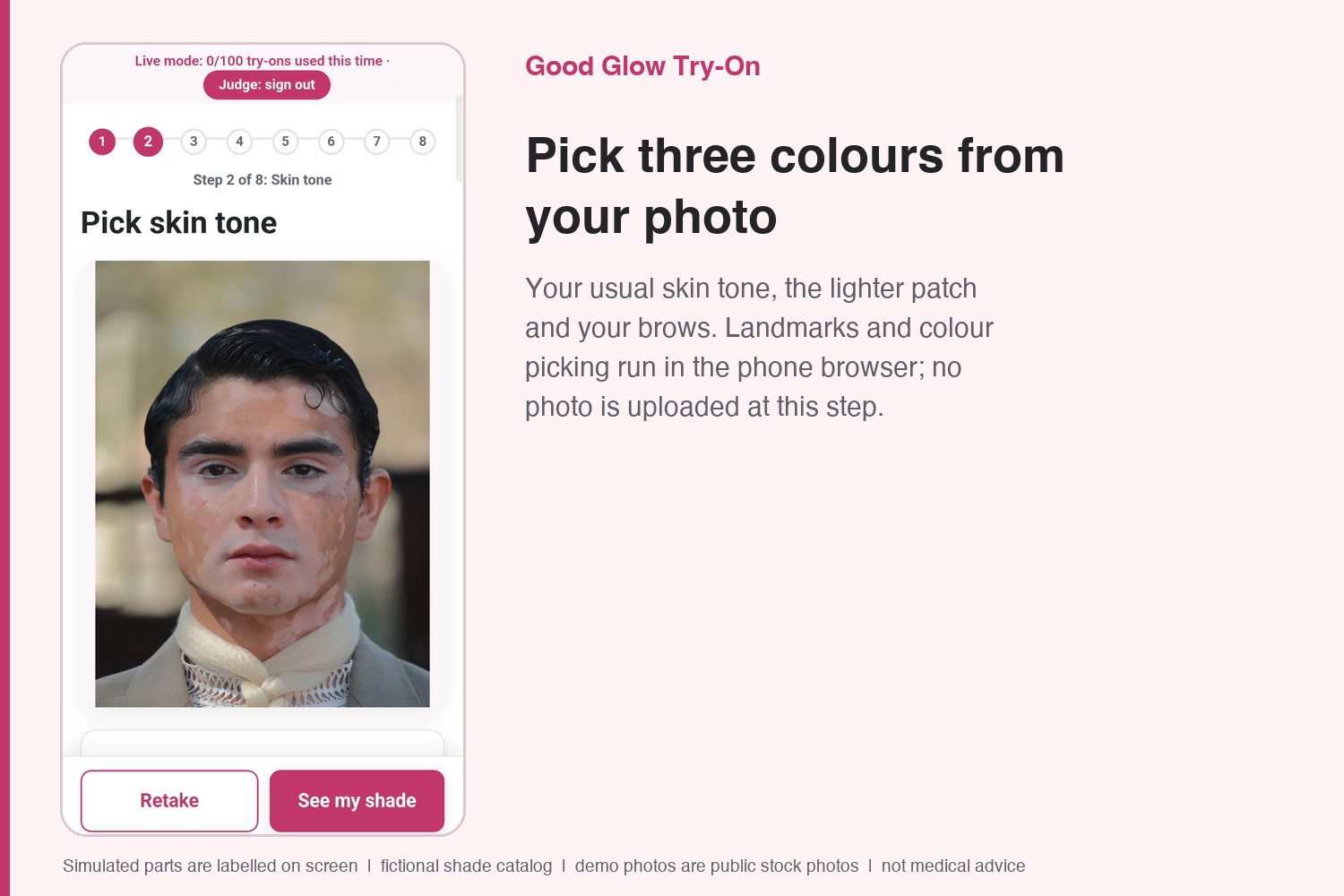
Pick three colors from your photo; landmarks and color picking run in the phone browser, nothing uploaded at this step.
-
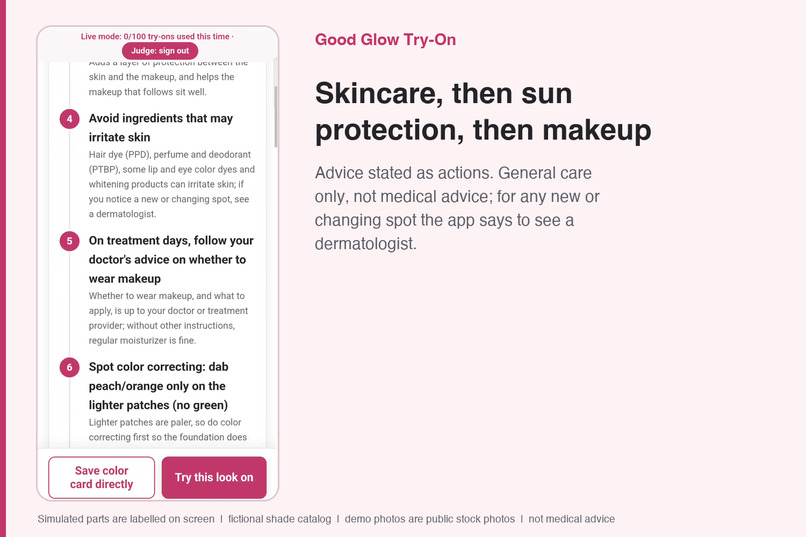
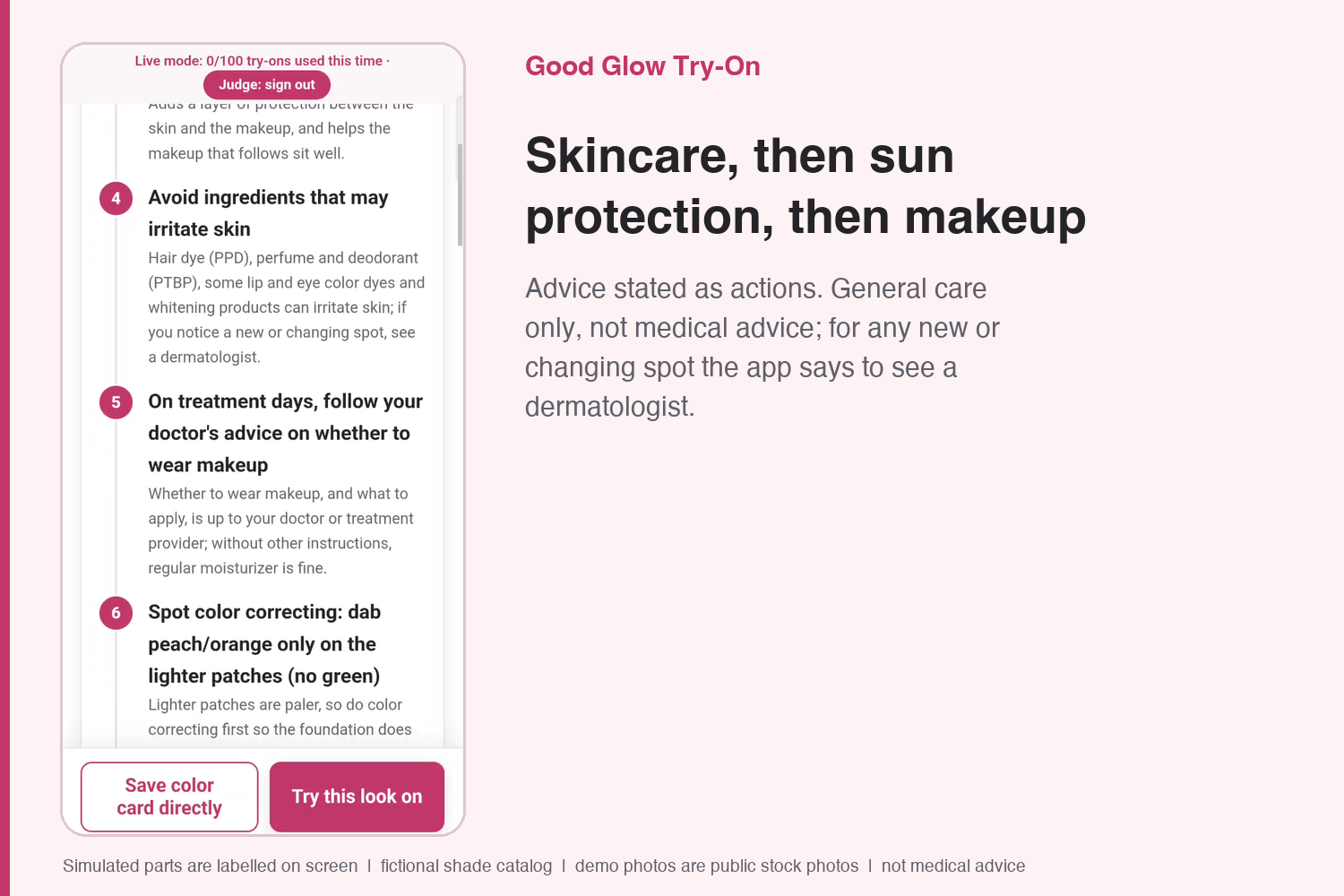
Advice stated as actions: gentle skincare, sunscreen, then makeup. General care, not medical advice.
-
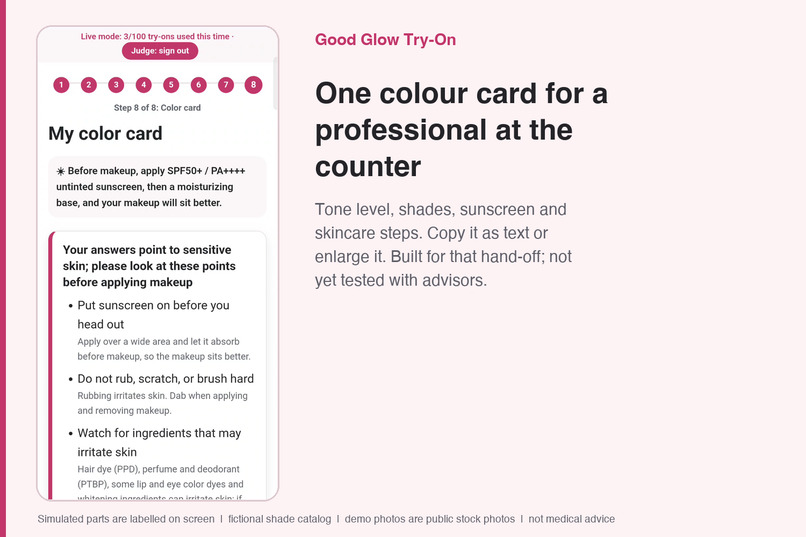
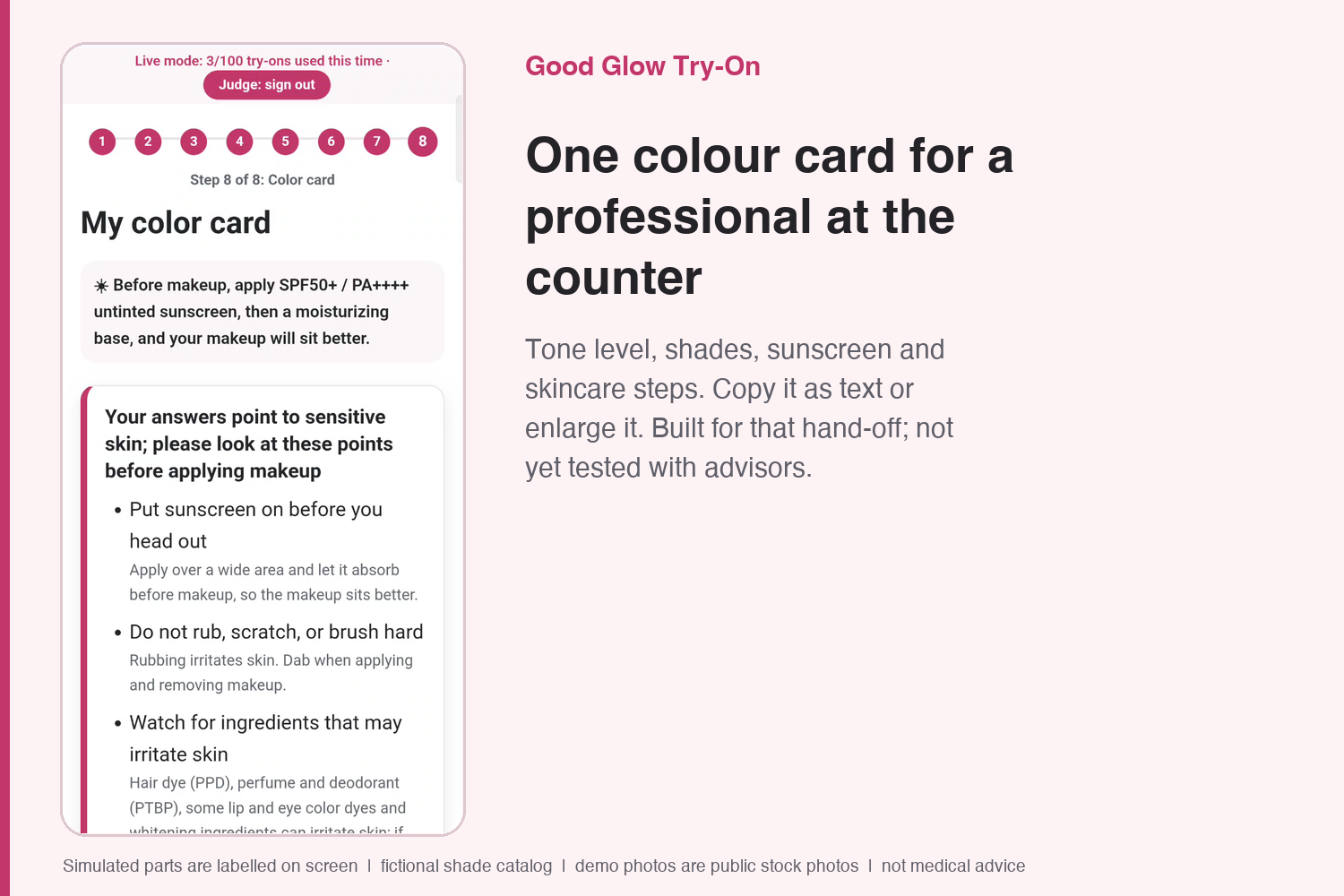
One color card to take to a professional at the counter; built for that hand-off, not yet tested with advisors.
-
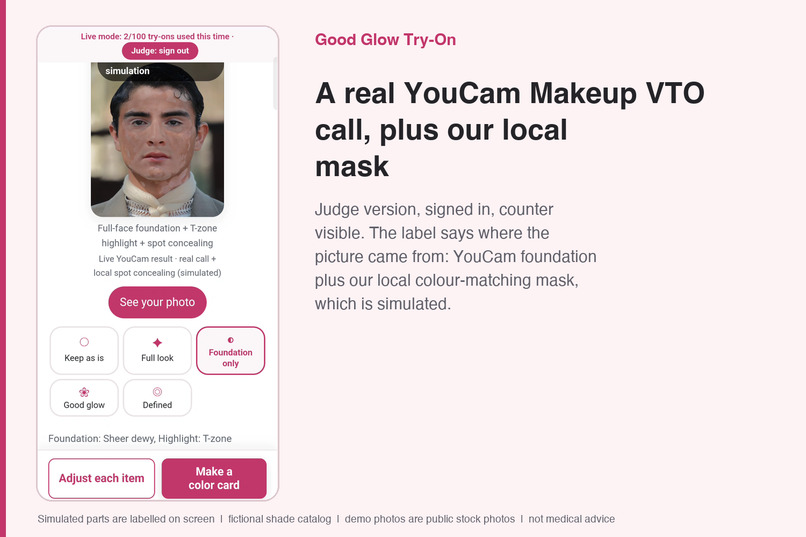
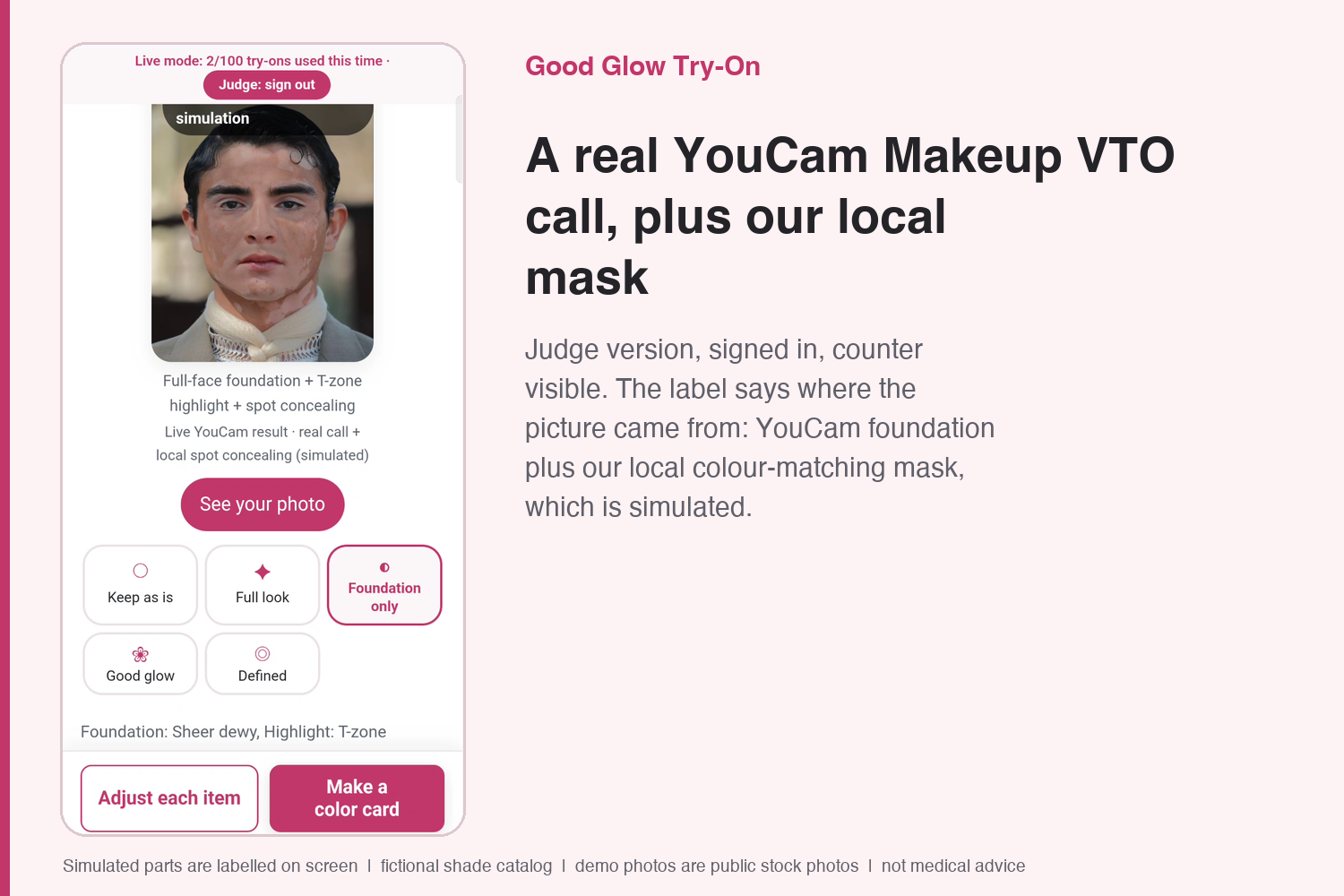
Judge version: a real YouCam Makeup VTO call plus our local mask; the label says which part is simulated.
-
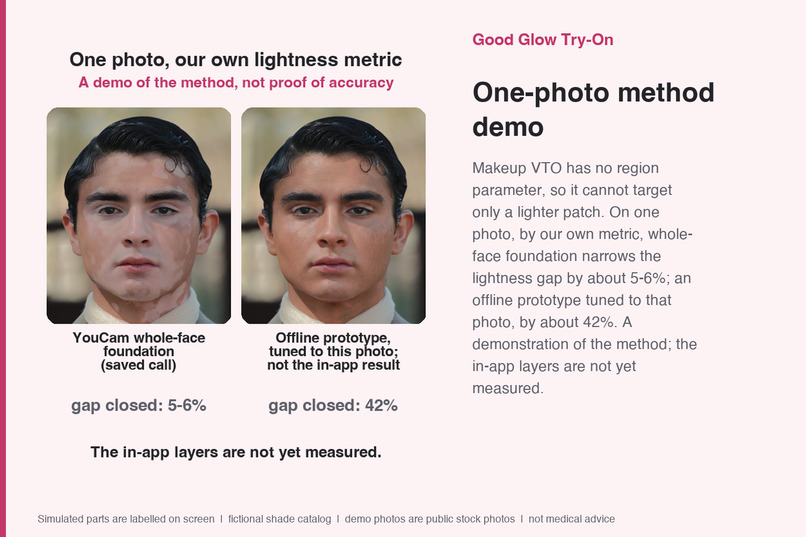
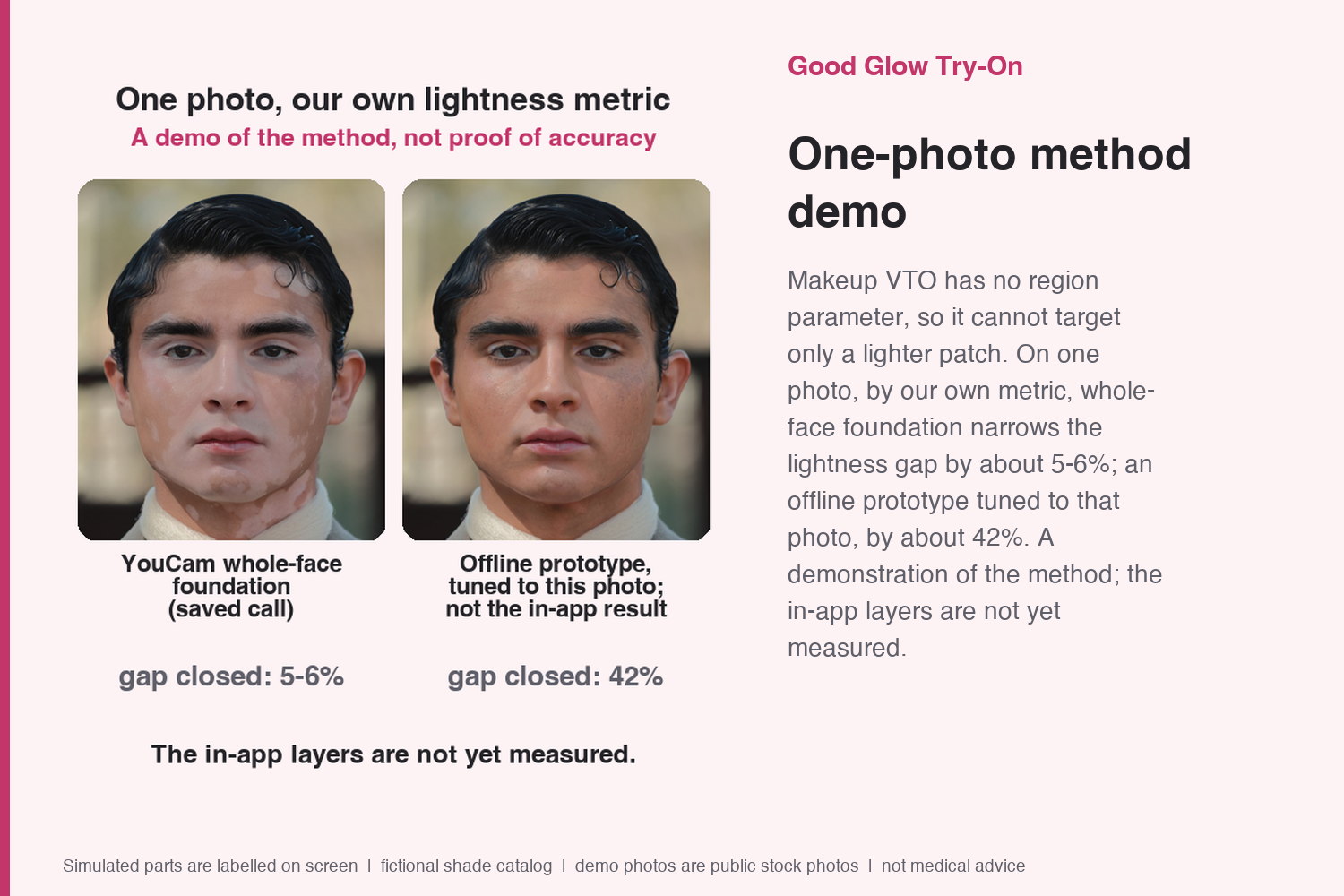
One photo, our own metric: whole-face foundation vs an offline prototype tuned to that photo; a method demo, not proof.
-
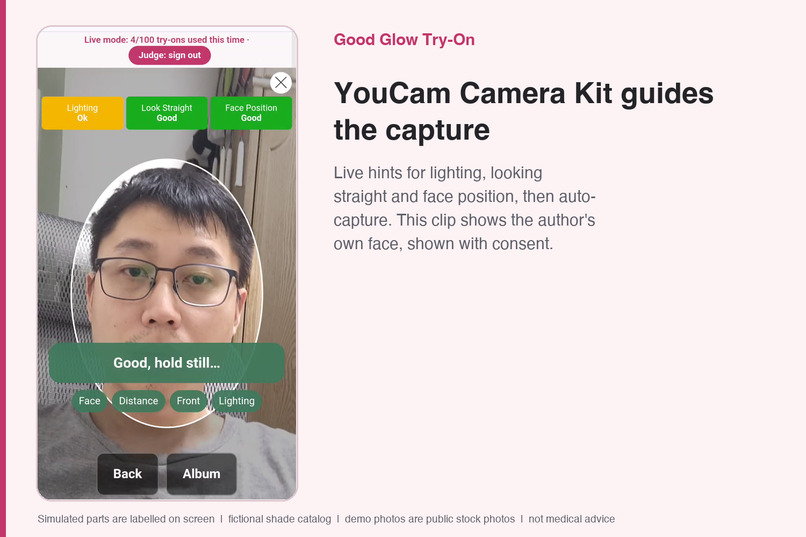
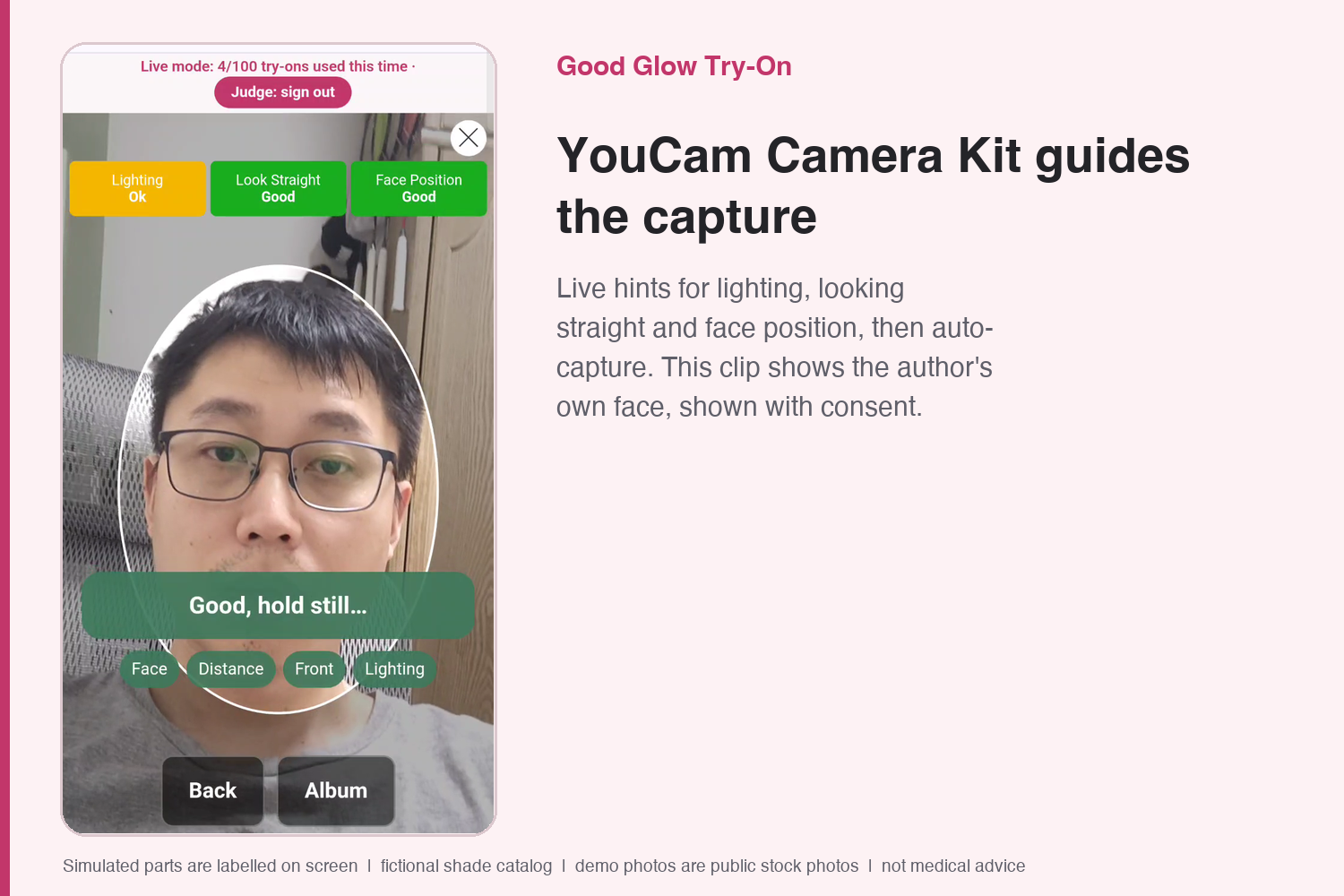
YouCam Camera Kit guides the capture with live hints (the author's own face, shown with consent).
Inspiration
I wanted to build a try-on experience that anyone can start on their own, whatever their skin tone, and then take to a counter.
The problem: shade matching and try-on are built around an average skin tone, so very light skin, uneven skin tone and sensitive skin are harder to match with a swatch, a filter or a guess.
We started from two situations that shade ranges and try-on tools rarely cover: lighter patches and uneven skin tone, where a whole-face try-on cannot help on its own, and very light skin, brows and lashes. Inside the app we do not use condition names: the two entry points are called "Very light skin" and "Uneven skin tone" and describe needs, so nobody has to label themselves. We chose these two because their needs stand for problems many people share: very light skin, uneven tone and sensitive skin.
Here the starting point is different: match the skin tone you have, find a good glow, and always keep "keep as is" as the first option. For a shopper this means: find the shade that matches your skin tone card, try the look (on a demo photo on the public site, or on your own photo in live mode after judge sign-in), then, with a real shade catalog, follow the link from each matched shade to the brand's product page (the demo catalog is fictional and carries no links). I use Makeup VTO rather than Skin Tone Analysis (20 credits per call in app/budget.py, against 1 for a try-on) because the phone already picks the tone locally and maps it to the card without a billed call.
What it does
One app, two entry points, "Very light skin" and "Uneven skin tone". The loop in one line: buying a shade online alone easily ends in a mismatch, so shoppers with the same need try it online (their own skin tone picks the shade, a YouCam Makeup VTO look shows it on them, sunscreen and skincare steps follow), then take one color card to a professional at the counter, talk it through, and try the real shades in person: one whole experience from online to offline. The online part and the hand-off card are built and shown here; the counter part is the design and has not been tested with advisors. The steps:
- Capture. Auto-capture through the YouCam Camera Kit with hints (move closer, face the camera) and a light check. You can also choose a photo from your album. If light bothers you, switch the whole app to a dark screen (dark mode).
- Automatic color picking. Face landmarks run in the phone browser and find cheek, forehead and brows. For uneven tone the skin is split into own tone and lighter patch. Everything can be corrected by tapping.
- Skin tone card to shades. Photo colors are pulled grey and pink by light, so comparing them directly to swatches did not match in our test. We match the tone to a skin tone card first (10 depth levels x 3 undertones), then rank shades by card level and undertone, then by color difference (CIEDE2000).
- Try-on with YouCam Makeup VTO. YouCam smoothing is fixed at 0 (one demo final has a labelled local soft-focus pass). Three looks (grooming, natural, polished), no gender question. Brows follow the user's own brow color.
- Uneven-tone analysis. Measures the color difference between own tone and lighter patch and suggests a base shade and an edge-blending shade. Makeup VTO has no region parameter, so the patch concealer preview is computed locally and labelled Simulated.
- Face tips (YouCam Face Attribute). Face shape and brow density suggest blush placement and brow strength.
- Color card. Care first, then sun protection, then makeup, each with shades. It can be enlarged for a beauty advisor, copied as text or saved as an image. It is built for advisors and has not been tested with advisors yet.
English and Chinese are both built in.
What to check. Technological Implementation: 80 saved results from real YouCam Makeup VTO calls, a live mode after judge sign-in with a credit ledger and caps, 307 tests, and a CI check that verifies the numbers in the README match the code (tools/check_claims.py). Design: two entry points named by need ("Very light skin", "Uneven skin tone"), English and Chinese, an optional dark screen, and a source label on every picture (Replayed YouCam, Live YouCam, YouCam + local simulation, Simulated). Potential Impact: a try-on that starts from the skin you have. For shoppers with very light skin or uneven skin tone, the problem is finding a base shade and a look that fit before buying; the app starts from their own skin, lists "keep as is" first, asks for no condition name, does not store your photo on our server (it is held in memory for the patch mask, and sent to YouCam only in live mode), and offers large type and a dark screen. Our aim is shade tools that work for more people without anyone having to label themselves. The one measurement we can make without users is rerunnable (tools/repro_region_gap.py, one photo); no user study has been run yet, and we have not measured any reduction in wrong-shade purchases. Quality of the Idea: match the skin tone card first (10 depth levels × 3 undertones) and rank shades by color difference (CIEDE2000), then use YouCam Makeup VTO for the whole-face look; because VTO has no region parameter, lighter patches are concealed locally and labelled Simulated, and "keep as is" is always listed first.
Honest notes
- Verified and rerunnable. 307 tests run on a fresh clone: 305 pass and 2 are skipped; 80 saved results of real YouCam Makeup VTO calls; a CI check (
tools/check_claims.py) that keeps README numbers in sync with the code and data; offline tests with a fake YouCam server; and a credit ledger with caps (on the hosted site: 100 live calls per server start and 200 credits in total, set in the platform settings; the image defaults are 5 and 30). - Demo mode and live mode. The public site opens in demo mode: it shows pictures saved from 80 real YouCam Makeup VTO calls (your own photo comes back unchanged with a demo label, and an unrecorded combination may show a pre-made look labelled Simulated) and says so on every screen. Live mode calls the YouCam REST API behind the credit ledger after judge sign-in (see testing instructions): on 2026-10-29 the very-light-skin flow on a demo photo matched skin tone card level 2 cool pink, ran a live Makeup VTO call (counter 0 → 1 of 100) labelled "Source: YouCam try-on" (the label now reads "Live YouCam"), and produced the color card.
- Every try-on image says what it is. Whole-face looks come from YouCam Makeup VTO (live after judge sign-in; replayed from 80 saved calls in demo mode, exact or closest). When no saved result matches, a pre-made local look is shown, and if YouCam cannot process a photo in live mode a local fallback is shown; both are labelled Simulated. Patch concealing and the expected look are our own local or AI-generated previews, labelled as simulated. Shades come from a fictional demo catalog; no real brand name or real brand shade code appears. We deliberately use no real brand catalogue (the rules do not allow third-party trademarks in the video without permission): the loop closes with a neutral color card that a beauty advisor can match at any counter, and with a real catalogue each matched shade links to the brand's product page. That link is covered by a test with a placeholder brand file (
tests/test_judge_review_20261029.py): official rows link to the product page, demo rows never do, so a retailer's shade file in the same JSON format loads without code changes (format and example in docs/SHADE_FILE.md; tested only with a placeholder file, not at retailer scale). No user study has been run yet, and we have not recruited anyone to provide photos: the method is shown on openly licensed photos. On our server, photos are held in memory only and never written to disk; in live mode the photo is sent to YouCam for the try-on. - What YouCam does and what we add. YouCam Makeup VTO does the whole-face try-on. It cannot paint only one patch of skin, so concealing a patch is our own local code.
- Photos. Demo photos are public stock photos of models with licences credited; two further images are AI-generated (a frontal illustration and an expected look) and labelled Simulated. The models are not our users and do not endorse this project.
- Not medical advice. General care and sun-protection tips only; the app tells people to see a dermatologist about any new or changing spot.
How we built it
- A phone-browser PWA plus a Python server that proxies the YouCam API; the API key stays on the server.
- Color: sRGB to CIE Lab (D65) and CIEDE2000, checked against the Sharma 2005 reference data.
- Face landmarks in the browser (MediaPipe), local concealer layers with OpenCV.js, a rule-based lighter-patch mask on the server (in memory, not stored): for the "Uneven skin tone" entry the photo is sent to our server for this mask. The MediaPipe and YouCam Camera Kit scripts load from third-party CDNs, and the demo site is served behind Cloudflare.
- Credit ledger: reserve first, record only when YouCam reports success, accumulate under a total cap.
- Hardening for a public site: image size limits, a global concurrency cap, security headers, a judge sign-in for live mode.
- Offline tests with a fake YouCam server (no network, no credits).
Challenges
- Makeup VTO has no region parameter. On one demo photo, YouCam whole-face foundation shrinks the lightness gap between a lighter patch and the skin around it by about 5-6%; our layered local fill by about 42%, by our own lightness metric (one photo; Makeup VTO styles the whole face by design, so this demonstrates the method and is not proof of accuracy; the offline layered fill was fitted to a target image and designed for this case, and that engine is not in the repo; the script re-measures the saved outputs; browser layers not measured:
python3 -I -B tools/repro_region_gap.py). - Photo skin looks greyer and pinker than product swatches; a skin tone card fixed that.
- Blush strength depends on skin depth: on very light skin we set the gentle "flush" level at 45 so the blush levels start soft.
- On a phone the camera step hangs if another browser tab holds the camera, so the app shows a hint after 10 seconds and offers the album.
- The video narration is a local AI voice (Kokoro, Apache-2.0); the script was drafted with AI help and reviewed by the author, and every claim is checked against the repo.
What's next
We have not recruited users, on purpose: people with these skin features rarely volunteer, and a hackathon is not a reason to ask anyone to expose themselves. The first pilot therefore involves consenting advisors only; customers take part only if they choose to. It is a two-week, advisors-only pilot at a beauty counter, measuring how many shades each customer tries and wrong-shade returns before and after (nothing measured yet). Anyone who joins a later round is a volunteer and free to leave at any time, including people who prefer a dark screen or larger text; then white-balance calibration with a white card and recorded audio guidance instead of browser speech.
Built With
- javascript
- mediapipe
- opencv
- pwa
- python
- youcam-camera-kit
- youcam-face-attribute
- youcam-makeup-vto

Log in or sign up for Devpost to join the conversation.