-
-
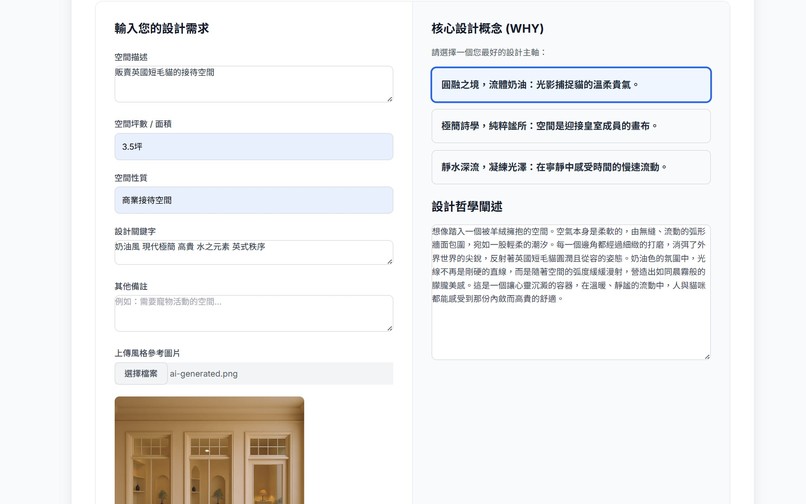
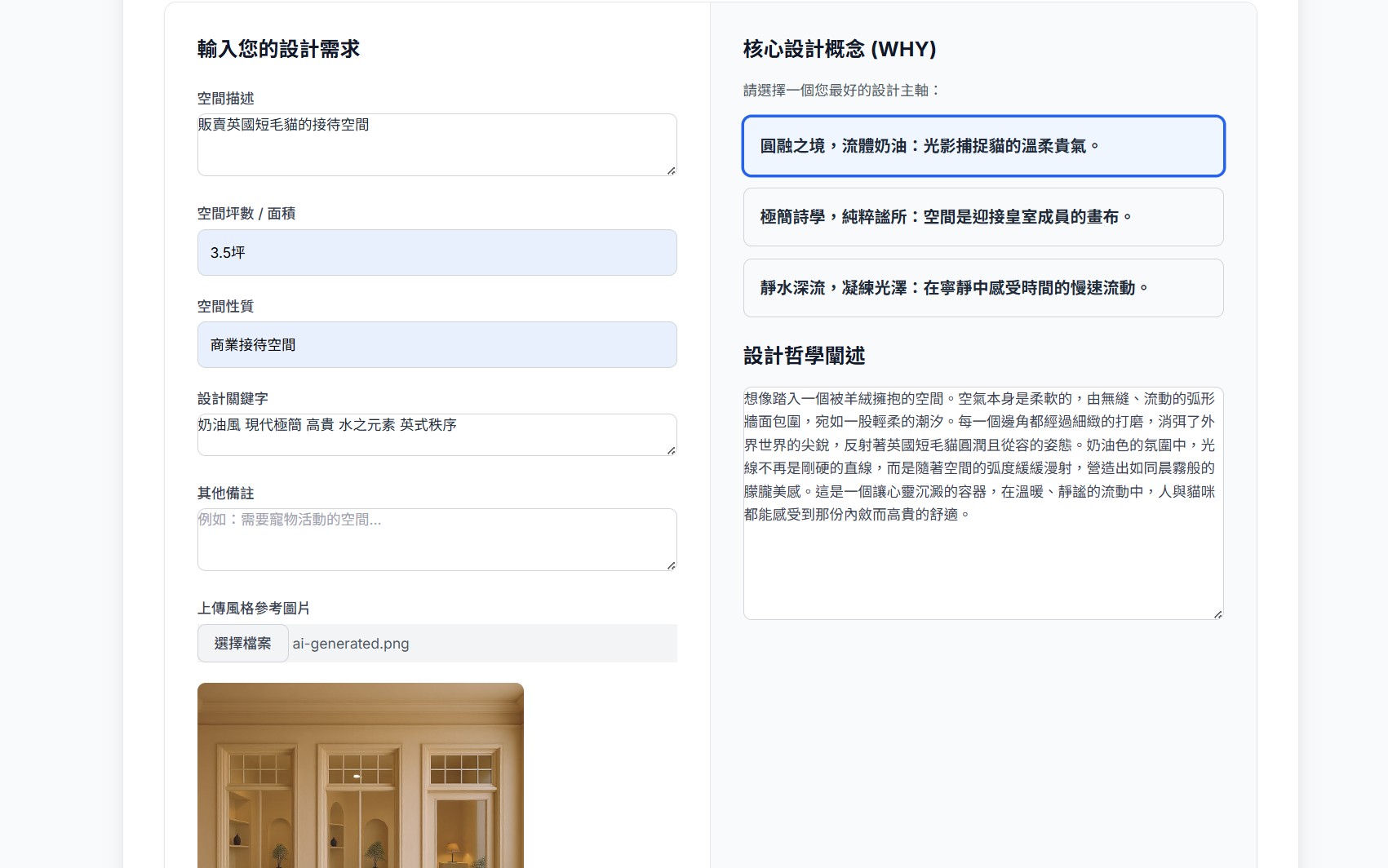
Input space properties and conceptual elements to find the "Why"
-

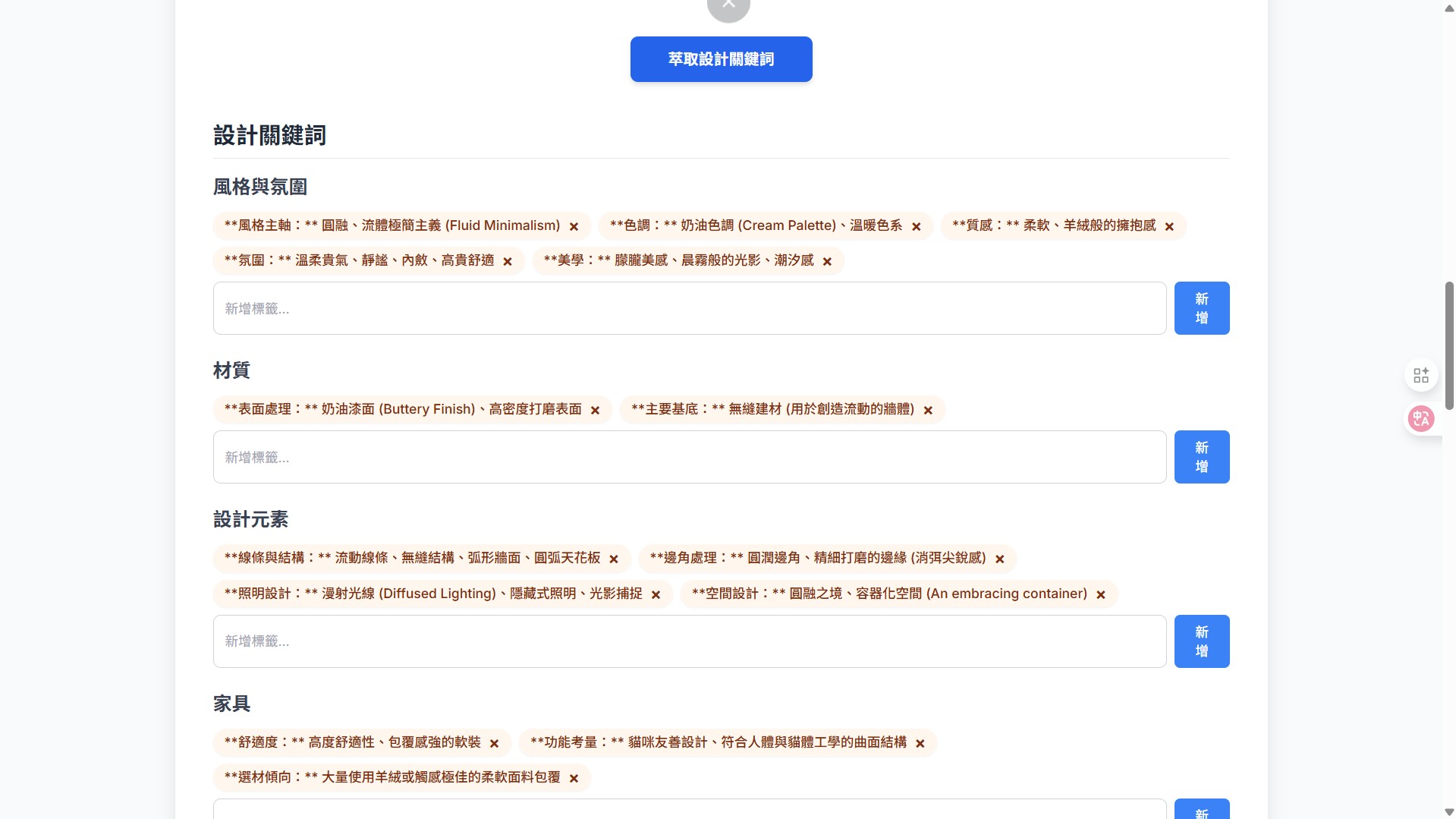
Organize keywords based on the "Why"
-
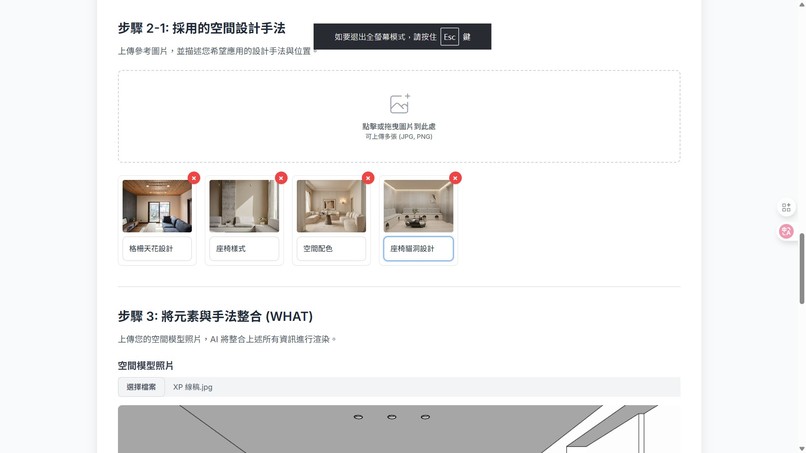
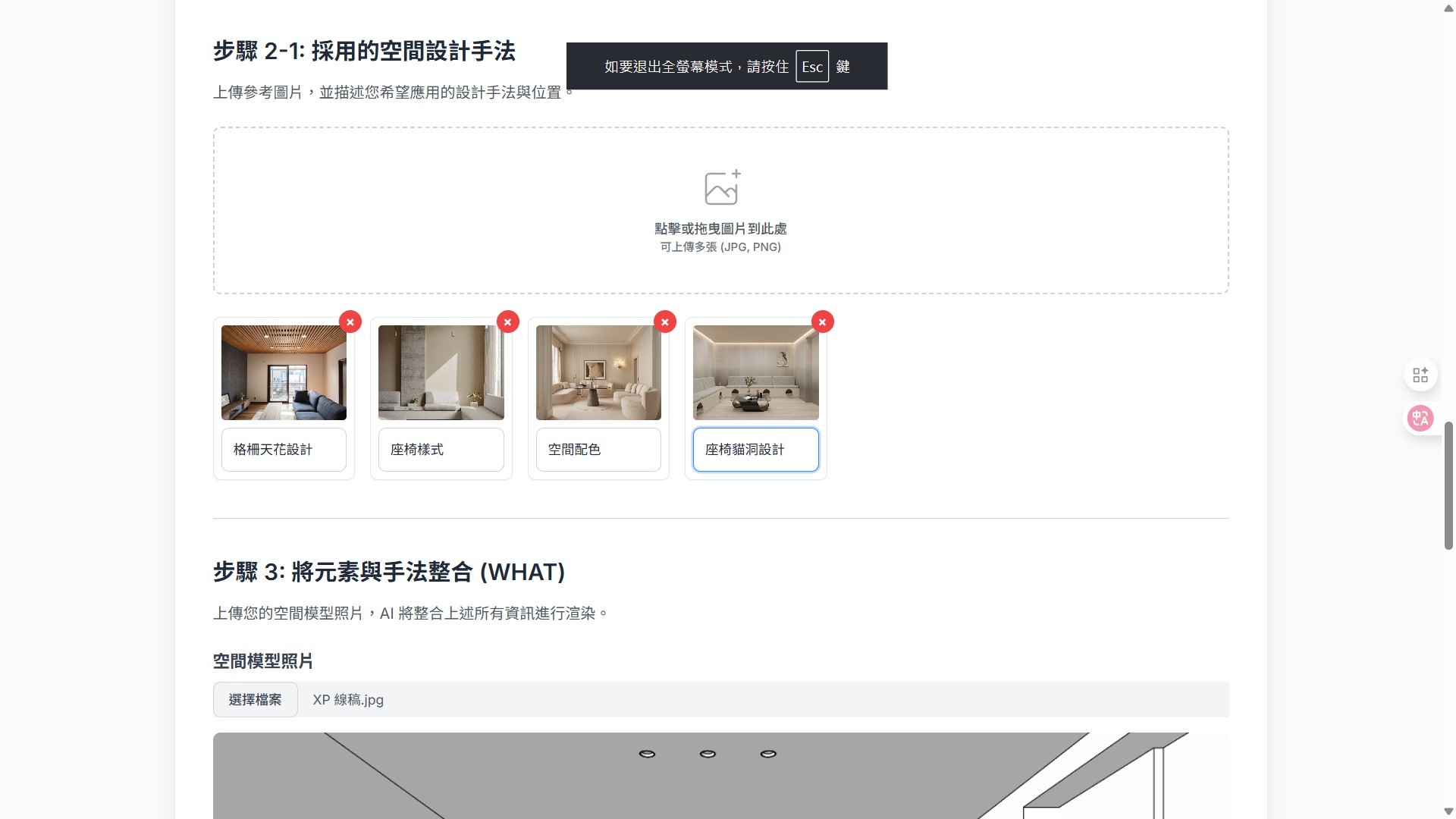
Input desired design elements to add
-
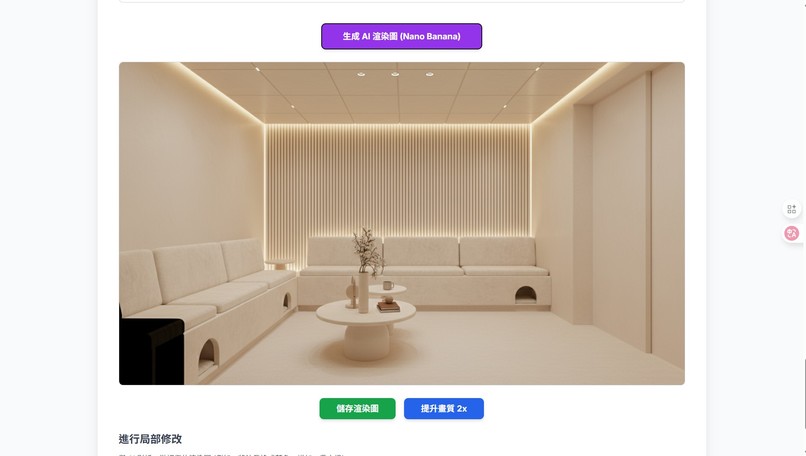
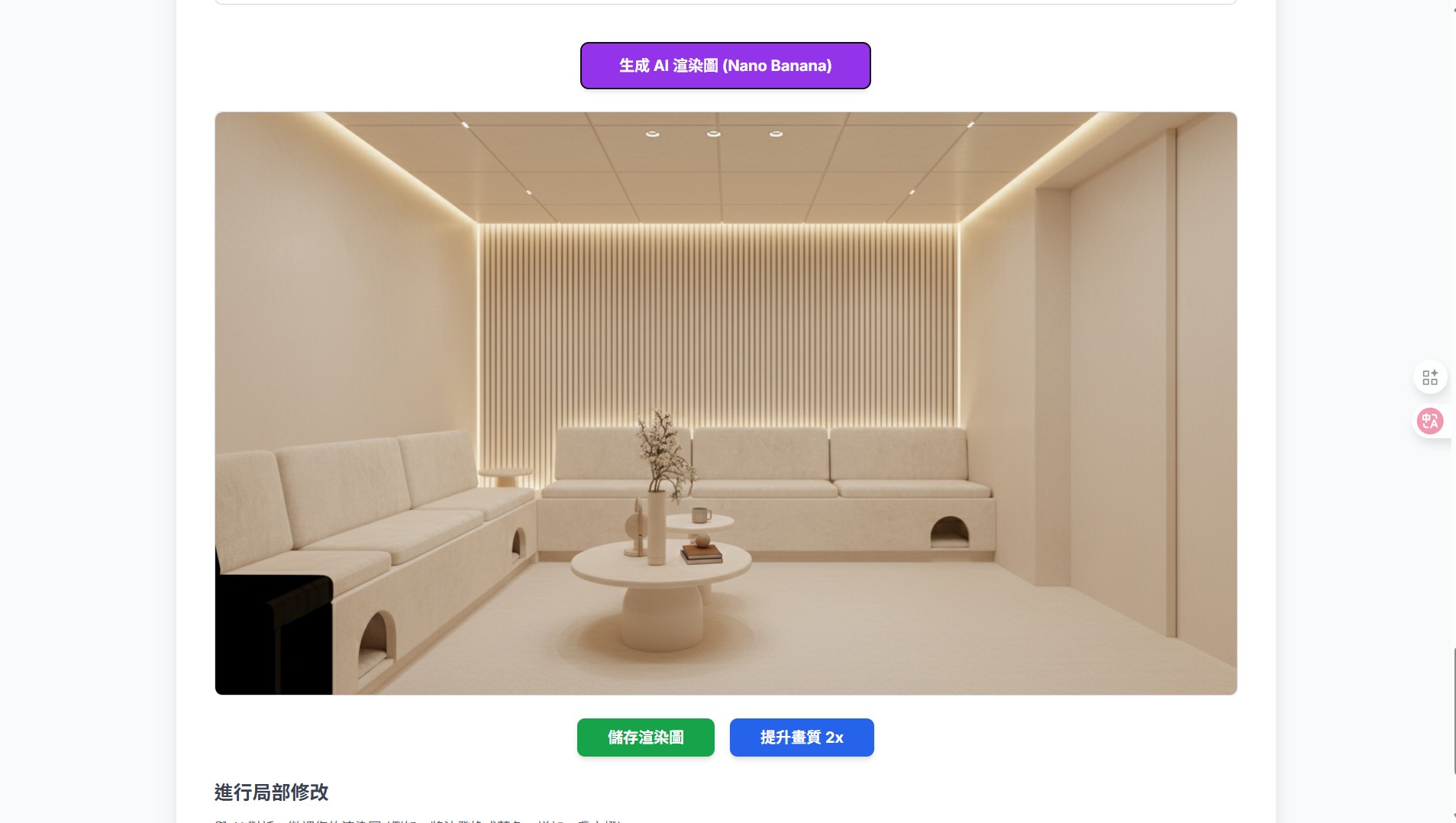
Generate image
-
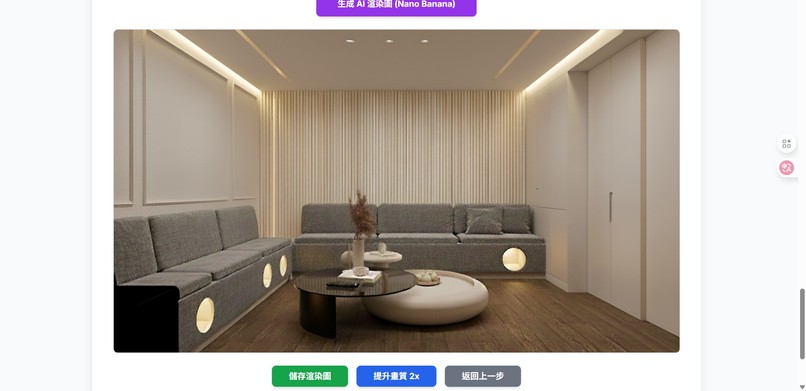
Make local modifications
Inspiration
Our inspiration came from two places: the chronic communication gap in interior design and Simon Sinek's "Golden Circle" framework. We saw clients and designers struggling to align on abstract ideas—like "I want a warmer feel"—leading to frustration and waste.
We asked: What if we could use AI to help users discover their "Why" (their core need for the space) before getting lost in the "What" (the specific furniture or color)? This led us to build a system that guides users through this discovery process, translating their "Why" into tangible, visual designs.
What it does
The "Golden Circle Interior Design Ideation System" is an innovative design consultation system that transforms the professional designer's "Golden Circle" (Why, How, What) consulting process into an intuitive AI-powered collaborative experience, empowering users to become the masters of their own space.
Our core features include:
AI Design Guide: The system uses the "Golden Circle" theory to guide users in exploring the "Why" behind their need for the space. It then provides "visual prompts" across four major themes (Style, Material, Color, Furniture) to help users refine their abstract requirements into concrete design directions.
AI Virtual Space: Users can upload photos of their current space or model images. The system uses this as the foundational canvas for the design.
Local Adjustments (Doodle-to-Design): This is our core functionality. Users can directly use the HTML Canvas to "doodle-edit" on their uploaded images. For example, they can circle a wall and tag it "change to concrete finish" or box-select an area and indicate "I want this to be a reading nook."
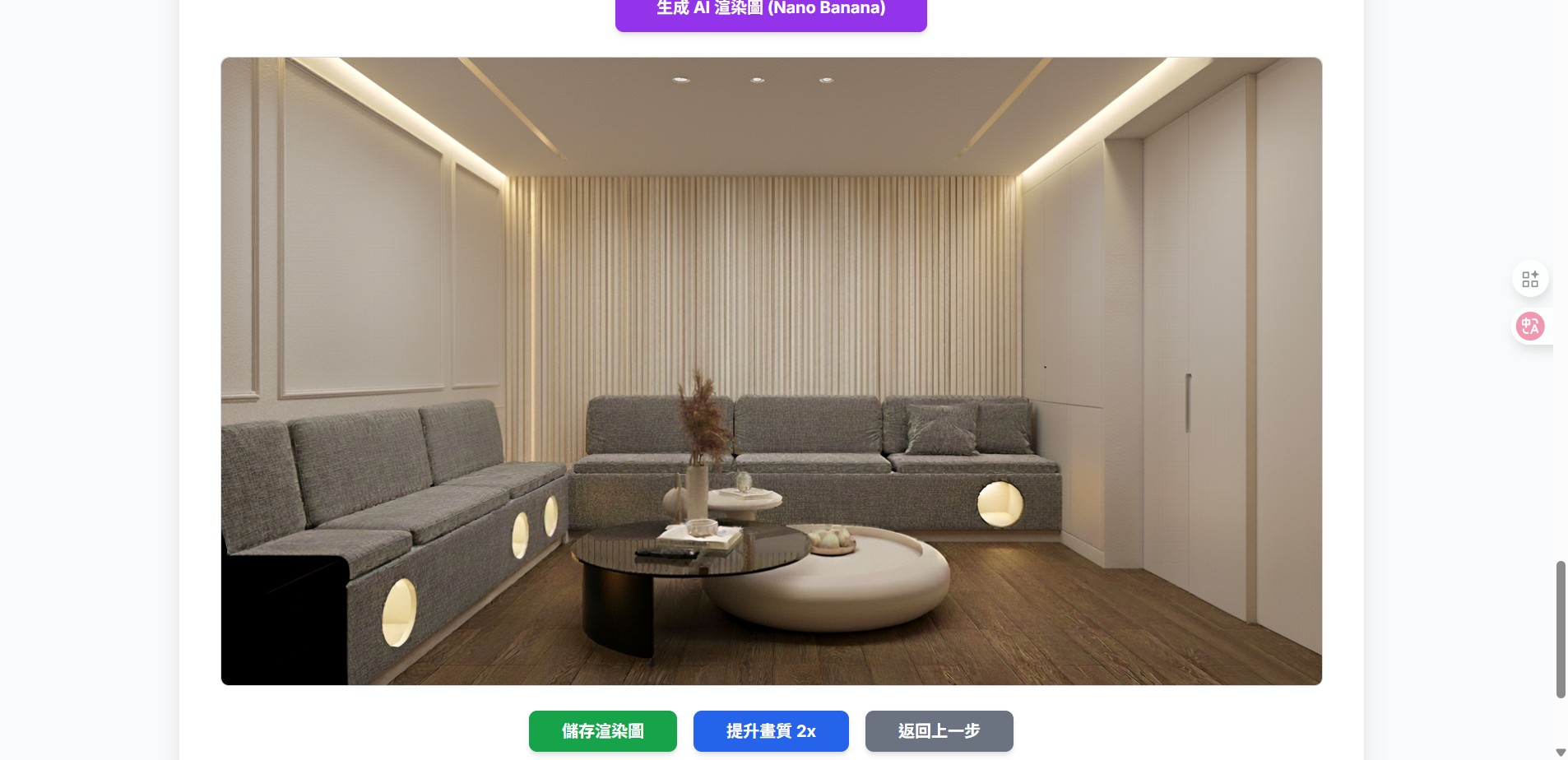
Real-time 3D Rendering: The AI understands these visual instructions and leverages a powerful backend image model to rapidly generate high-quality 3D mockups. Users get a "real-time preview" of their ideas, allowing for rapid iteration and dramatically reducing communication costs.
How We Built It (Technical Architecture)
The primary technical highlight of this project is its adoption of a "On-Device + Cloud" hybrid AI architecture, designed to achieve the optimal balance of privacy, speed, and performance.
Chrome Summarizer API (window.ai.summarizer):
Role: On-Device AI
Use: This is our "AI Requirements Translator." When a user submits fragmented commands via the "doodle-edit" interface (e.g., "wood grain here"), we prioritize using the Summarizer API on-device to consolidate these inputs into a structured JSON command (e.g., { "action": "change_material", "area": "wall_A", "value": "wood_texture" }) before sending it to the backend.
Advantage: This ensures user intent is accurately understood, reduces cloud AI latency, and protects user privacy.
HTML Canvas 2D API & FileReader API:
Role: Front-end Interaction Interface
Use: FileReader handles image uploads (Base64), and Canvas provides the "doodle-edit" interface, allowing users to precisely mark modification areas.
Google Generative AI (Image: gemini-2.5-flash-image-preview):
Role: Cloud Image Generation (Cloud AI)
Use: Called via a secure Firebase Cloud Function (generateImageProxy). It receives the structured commands, original image, and doodle markup to perform the core image generation and modification.
Google Generative AI (Text: gemini-2.5-flash-preview-09-2025):
Role: Cloud Text Fallback (Cloud AI)
Use: Called via a Firebase Cloud Function (generateTextProxy) to handle the "AI Design Guide" content and to act as a fallback for the on-device summarizer if it's unavailable.
Firebase Cloud Functions (HTTPS & Secrets):
Role: Secure Backend
Use: Acts as a secure proxy to handle CORS, manage resources, and securely access the GEMINI_API_KEY via Secrets, ensuring it's never exposed on the client side.
How we built it
Challenges we ran into
Our biggest challenge was balancing performance with capability. The on-device window.ai.summarizer is fantastic for privacy and speed, but it's not designed for complex, multi-modal image instructions.
Our solution was to architect this hybrid "handoff" logic. The challenge was designing when to escalate from the on-device AI to the cloud models. We fine-tuned this balance by using the Summarizer as an intelligent "translator" for text commands, which then sets the stage for the more powerful cloud-based image generation. This was key to making the system feel both fast and powerful.
Accomplishments that we're proud of
Our greatest accomplishment isn't just the technical integration of various AI tools; it's the effective guidance our design provides. We are proud of successfully embedding the "Golden Circle" framework into the core user journey.
Instead of just offering a collection of AI features, our system helps users clarify their why and think about the true essence of their space. This elevates the goal from a narrow, product-focused transaction to building a connection with users who share a common belief in thoughtful, purpose-driven design. As Simon Sinek said, "People don't buy what you do; they buy why you do it."
What we learned
We learned that for generative AI, the user experience is paramount. Simply providing a powerful model isn't enough. The "Doodle-to-Design" canvas proved this: users felt empowered when they could show the AI what they meant, not just tell it. We also validated the power of a hybrid AI approach. The future, in our opinion, isn't "on-device OR cloud"; it's a seamless blend of both, using each for its strengths. This project confirmed that on-device AI is the perfect tool for handling immediate, privacy-sensitive user interactions.
What's next for Golden circle design system
What's next for Golden Circle Design System
We have an exciting roadmap planned for expanding the system's capabilities:
Pinterest-Style Semantic Search: We plan to integrate Pinterest-like semantic association, allowing users to find inspiration images based on visual keywords or even connect to Pinterest's library to let users select and import reference images.
Collaborative Mood Boards: We will introduce an interactive whiteboard feature. This will allow users to import their reference images onto a free-form canvas, creating "mood boards" and enabling more dynamic, interactive discussions and testing of ideas.
3D Model Library Integration: We plan to build a library of 3D models (e.g., furniture, lighting, fixtures) that users can directly incorporate into their designs, streamlining the process from a simple idea to a concrete layout.

Log in or sign up for Devpost to join the conversation.