-
-
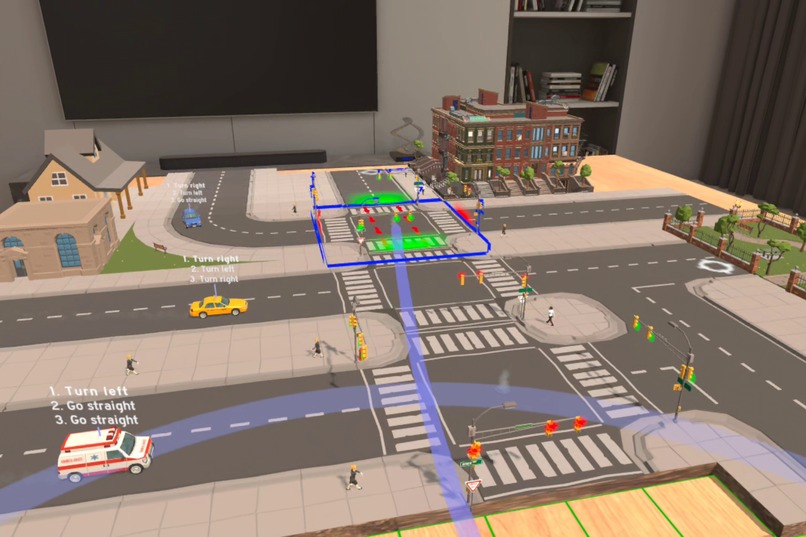
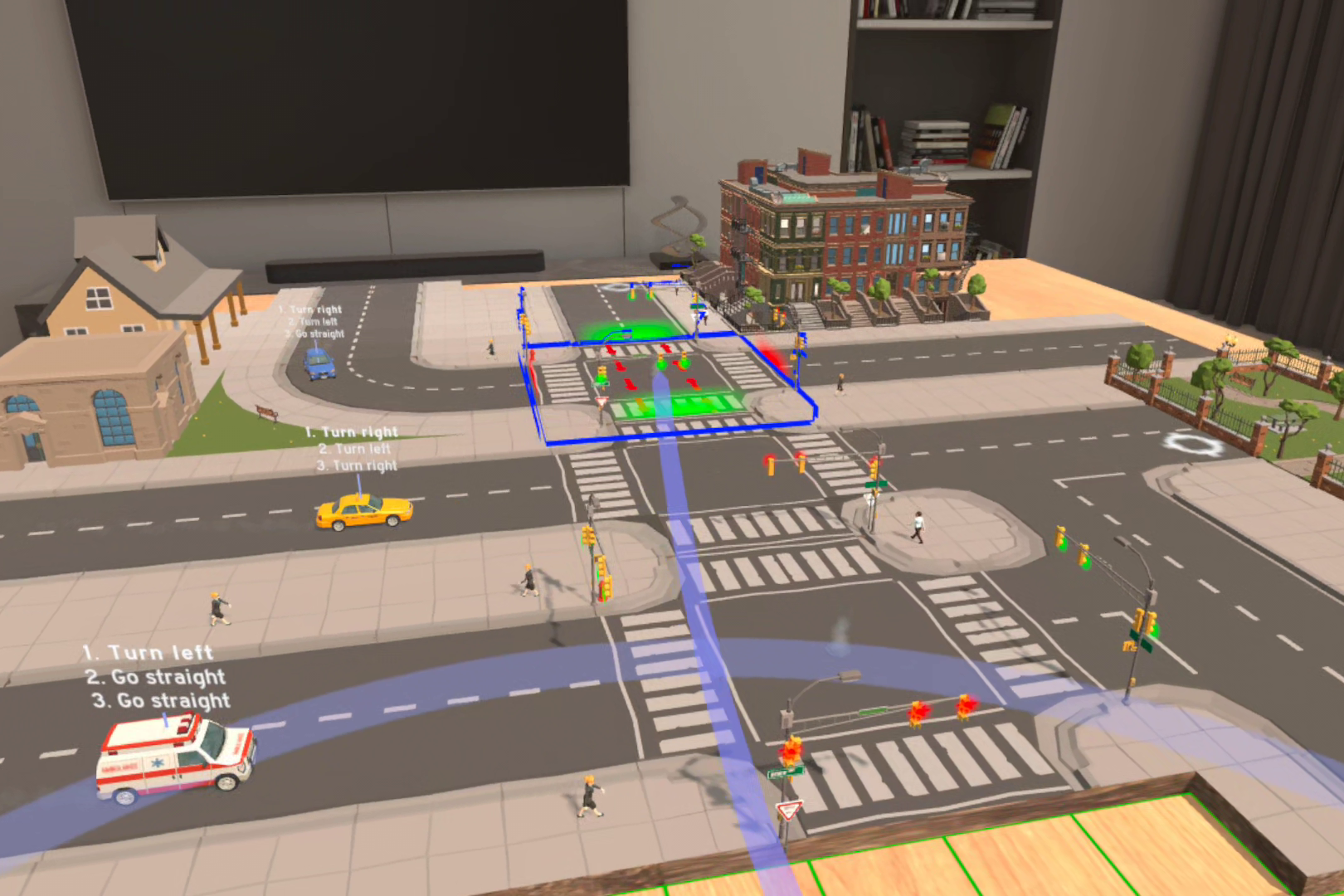
Going Loco challenges you to deliver all the vehicles to their home Tiles!
-
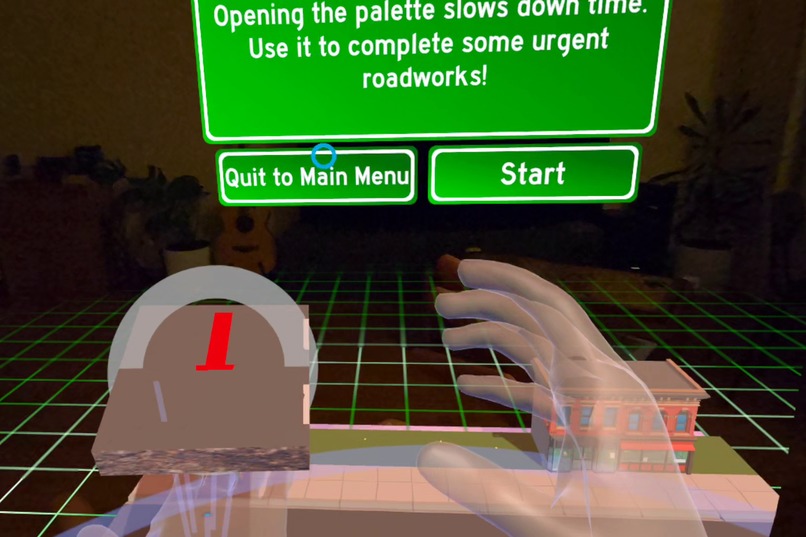
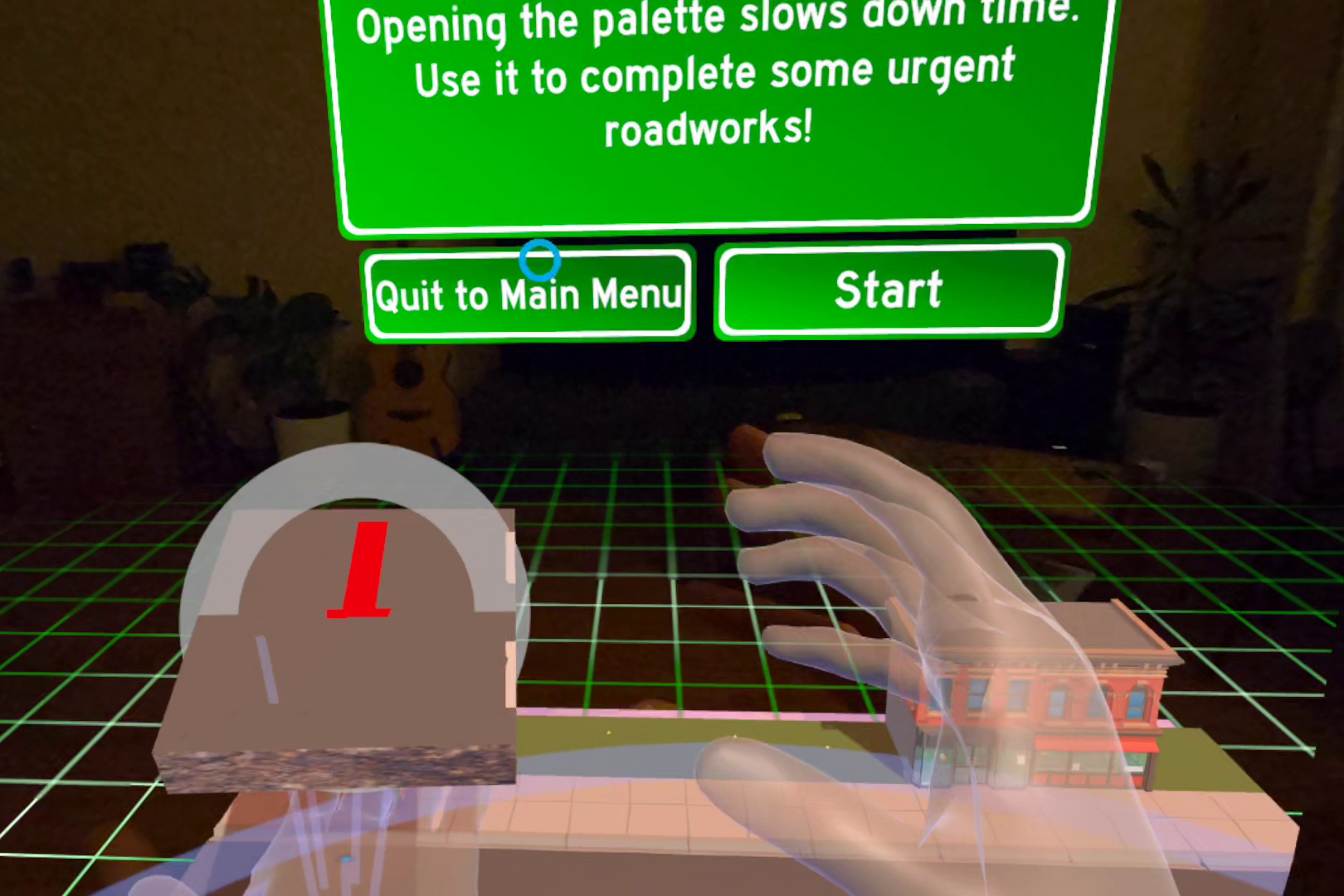
Tilt one hand palm-up to see the Palette. Grab a Tile from it with the other!
-
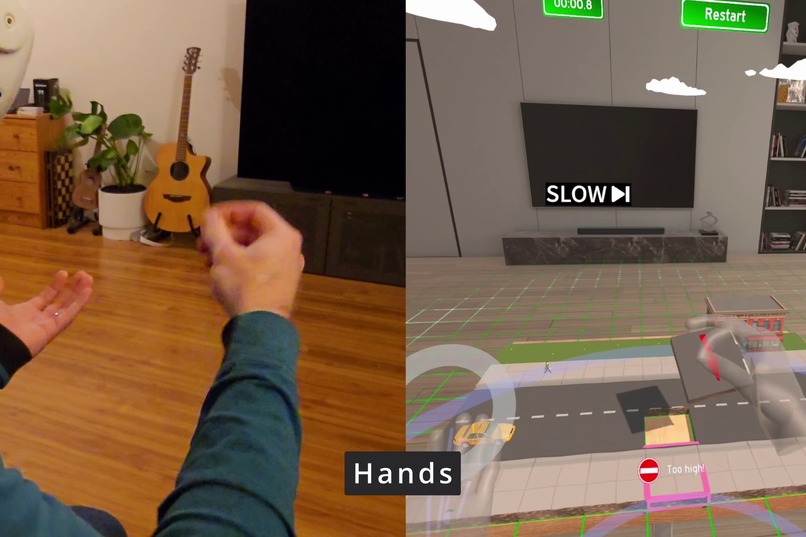
For the Competition, we added Hand Tracking and Gestures!
-
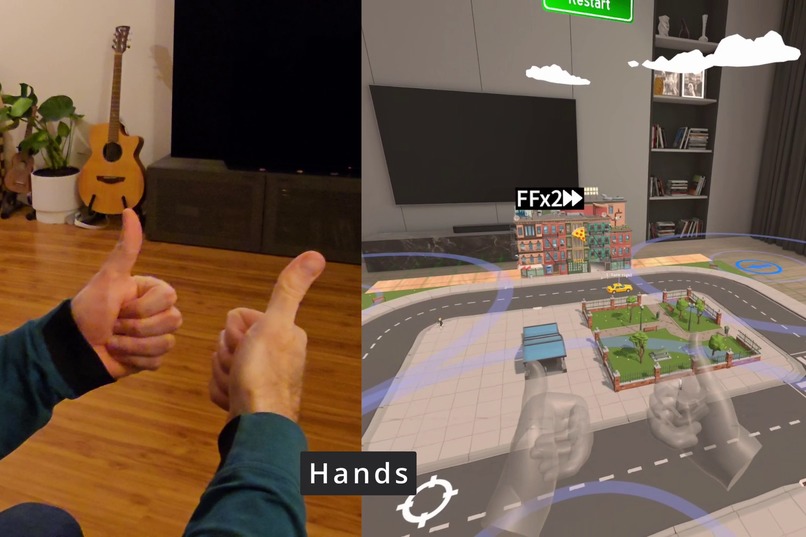
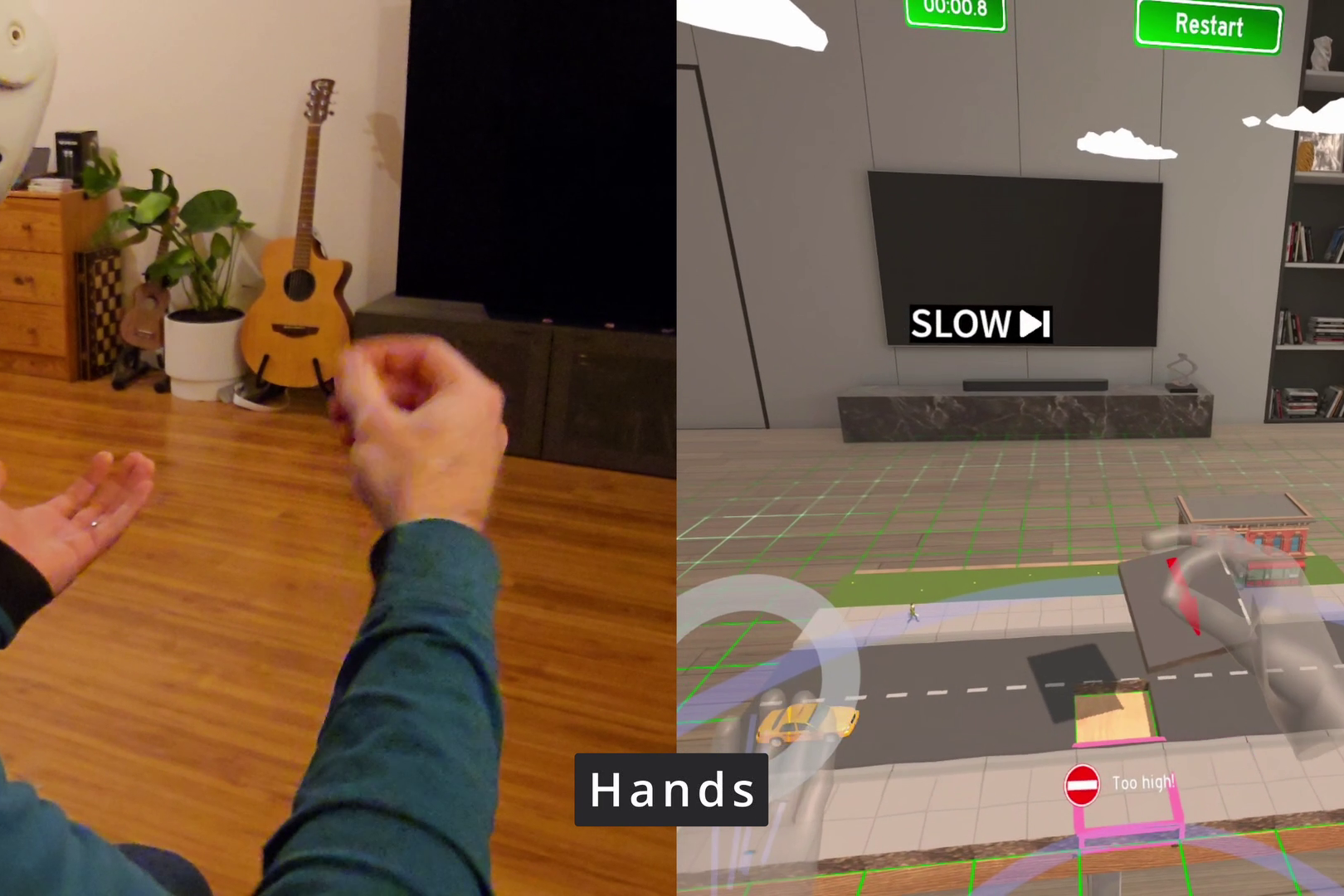
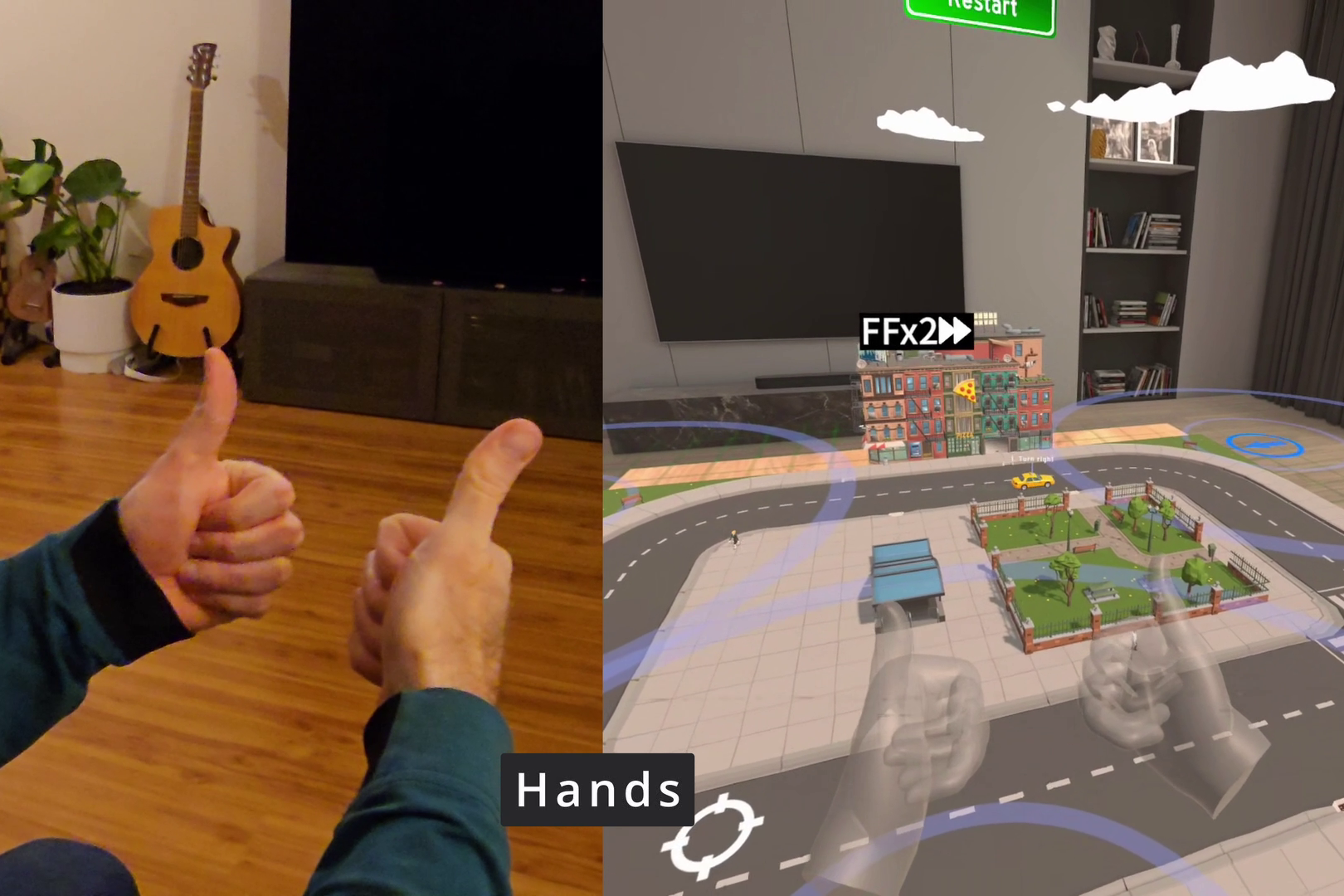
Give a thumbs-up to speed up time!
-
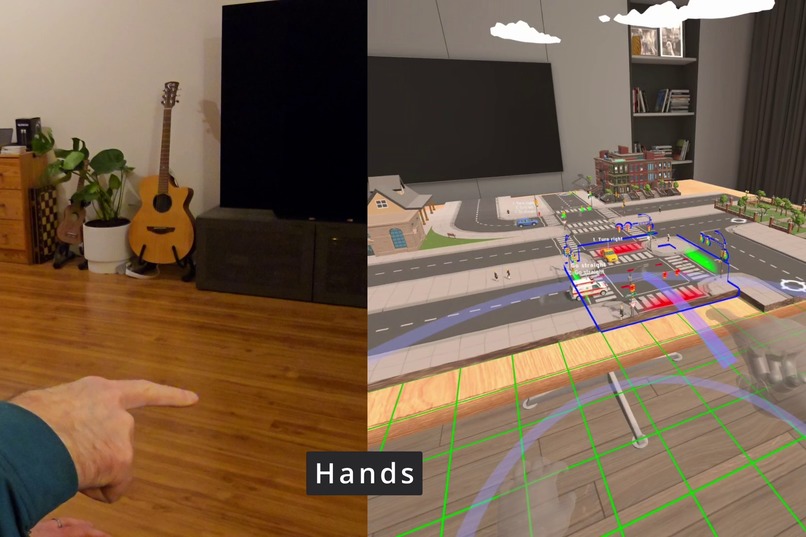
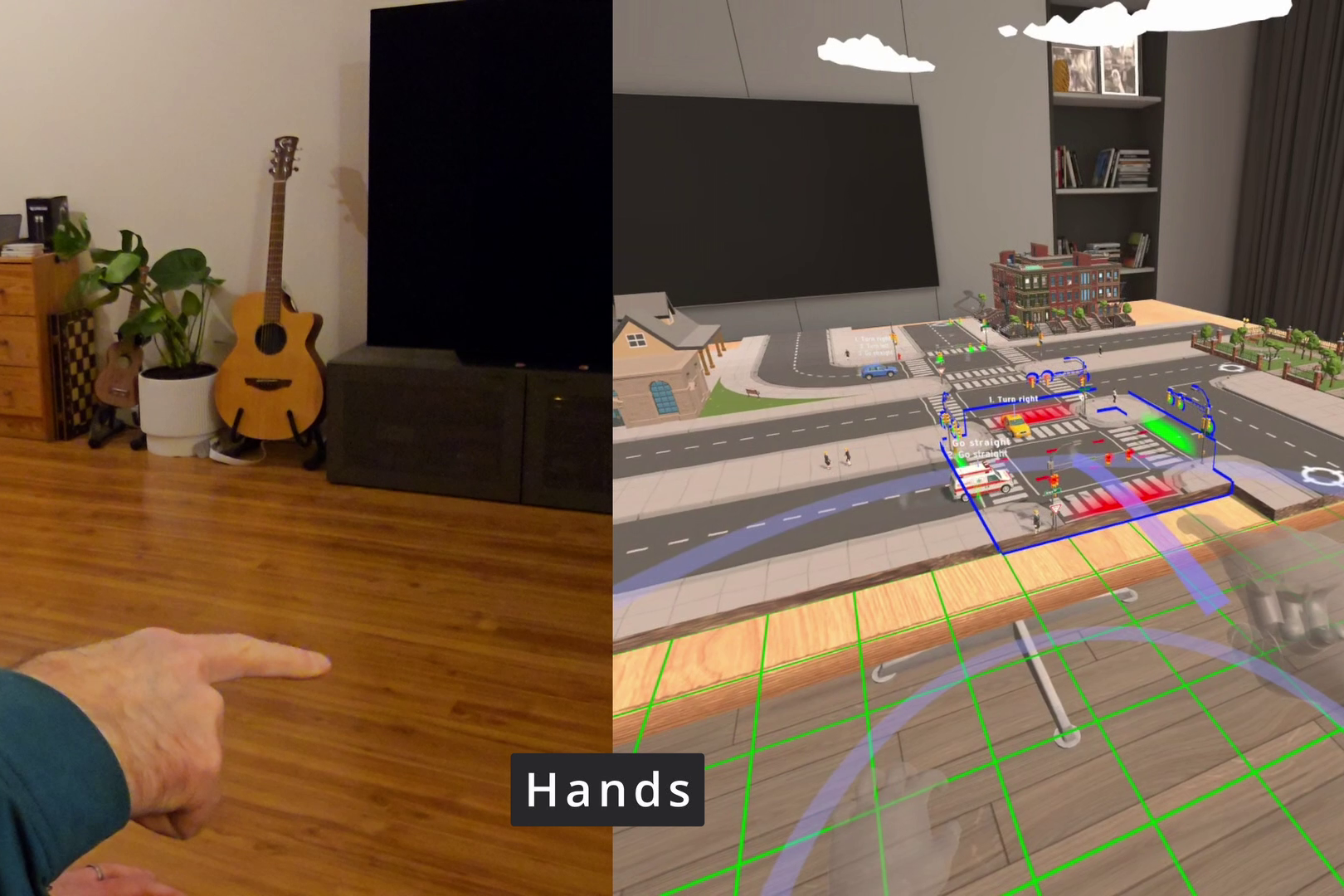
Point and curl the index finger to select and interact with special Tiles!
Inspiration
I first had the idea for Going Loco over 10 years ago - I imagined a puzzle game where you must fit the missing pieces into a city map before the vehicles travelling through it crash. A "lite" version of Transport Tycoon, or Tetris: with cars!
Over 2024 and 2025, I built it for VR, and released it on Quest and on Steam. The Quest release was probably my favourite since it also supported Passthrough and you could play in the comfort of your own room using Mixed Reality.
So far, Going Loco has only ever supported controllers, but I had wanted to add hand tracking support for a long time. The problem is, aside from grabbing city Tiles (which is fairly easy to imagine), I also need to support special actions like a Fast-Forward trigger, interacting with special Tiles, spinning held Tiles, and Teleporting.
What it does
This update for Going Loco now adds full hand-tracking support, and supports finger-tracked grabbing for Tiles, making every pose natural when you're holding a Tile in your hand - the fingers naturally close around any grabbed object.
I created a set of natural gestures for fast-forward (one or both thumbs-up), teleporting (point, then close your index finger), and Tile spinning (flick the wrist in either direction to spin it each way).
How we built it
For controller support, I used a Unity asset called AutoHand. It also had hand-tracking support, so I made sure it was set to fully utilise the finger-tracking mode of grabbing, and implemented the gestures used for the special actions. For UI support, I inspect the PointerPose given by Meta's hand-tracking system, so the UI rays point in the same direction and react the same way as in the Horizon OS, which should be familiar to most users.
Challenges we ran into
AutoHand had originally been developed with controller support, so switching it to use hand tracking required some careful debugging - especially to make sure it still worked with the 'Palette' - a system of selecting Tiles by tilting one hand palm-up, and grabbing with the other. Careful attention had to be paid to the Unity layers used by grabbable objects and the hands. One nasty bug I ran into was that held Tiles would collide with others in the Palette - force-releasing the grip if you got too close to them. I had to step through the code in Visual Studio to see why it was doing this, and implemented a solution of trimming down AutoHand's internal list of Colliders to ensure a grabbed Tile didn't interact with others until it's placed.
The gestures for Fast-Forward and Interacting with Tiles had to be crafted within Unity, by posing a dummy hand, then allowing a tolerance of real-life hand poses to match them. Extra conditions were added to ensure the gestures wouldn't be accidentally triggered (e.g. by matching the axis of rotation of the hand at the time), or could be performed while the user obviously had other intentions (e.g. they were already holding a Tile).
Accomplishments that we're proud of
I really like how giving a 'thumbs-up' triggers the fast-forward special action, because it's not only a reliable gesture, it also has a meaningful relation to your state as a player. If you've placed all your tiles, and you're ready to go, you give a 'thumbs-up' to speed up time and complete the level, and it feels especially right since you're also "all finished, all set, good to go". You can use the gesture with either hand, or give a double 'thumbs-up' with both hands for a 2x boost.
The 'wrist flick' gesture to spin a held Tile was attempted with a bit of desperation, and I didn't really know if it would work. But after some debugging and tuning (to make the angular velocity detection 'just right' and with a little cooldown time to prevent duplicates), it actually felt really good. There's something intuitive about a quick twist resulting in a spin of the Tile, and the flow of grabbing a Tile -> flick to spin it -> place by releasing is a satisfying natural flow of gameplay you'll experience in every level. It's kind of like the Halo "30 seconds of fun". Unlike the other gestures, which relied on matching the similarity to a static pose of the hand, the wrist-twist detection had to be written from scratch, relying on careful measurement of the angular velocity of the right-facing vector of the hand.
What we learned
During playtesting I discovered that describing hand gestures is very hard. I had to be clear and concise with my language, and make sure any tutorials were very forgiving. If they accidentally drop a Tile, or fail half-way through performing a gesture, I have to detect this and pick up the tutorial from whichever state they end up in.
Any bugs that creep in to the basic mechanics of interacting with game pieces need to be squashed. The user must feel like the actions they're performing are reliable, so if the hands drop a Tile when the user shouldn't have done, I needed to debug this carefully and find out why it happened. Hand Tracking is still a fairly new feature, and reliability has always been an issue, but I need to give it the best shot I can from the side of the game logic.
What's next for Going Loco Hand Gestures
I'm keen to gather feedback from my player base. Going Loco has always been a casual game, and reducing the barrier to entry should help more people just pop on the headset, and get into the game quickly without having to hunt down their controllers too.
If some of the gestures aren't working, I'd like to revisit those, or if Meta release a new hands-related feature available in newer SDKs, Going Loco may be a suitable game to demonstrate this.
Built With
- autohand
- hand-tracking
- mod.io
- openxr
- playfab
- unity


Log in or sign up for Devpost to join the conversation.