Inspiration
You've showered, the event starts in two hours, and you're standing in front of your wardrobe with no idea what to wear. Or the event is weeks away, a gala, a wedding, an awards night, and you can't picture what fits the dress code, the colours, the setting, and you.
Getting ready for one event is not one decision. It's a dozen: what the dress code actually means, which colours suit the theme, whether something you already own works, what to buy, how to do your makeup, what to do with your hair, which jewellery goes with it, and what all of it will cost. Today each of those lives in a different place: the event page, a group chat, a shopping app, a makeup tutorial, a filter app. So people guess, and guessing is expensive:
- Event outfits get bought and barely worn. In a YouGov poll of 2,311 UK adults, 29% of people who bought a new outfit for a festive party wore it only once, and 7% never wore it at all. 22% of those buying said they simply didn't own anything suitable. (Oxfam / YouGov, Dec 2024)
- Events are the top reason people buy clothes they won't wear much. A Swedish survey (Naturskyddsföreningen and Verian, Oct 2026) found one in five people bought something in the past three months they expected to wear rarely, and the most common reason for buying a garment was needing it for a party or celebration. (Sweden Herald)
- Attending an event costs real money. 31% of US wedding guests have gone into debt to attend one, and outfits are among the top three pre-wedding costs that pushed them there. 29% spend $500 or more per wedding. (LendingTree / QuestionPro survey of 2,025 US consumers, 2024)
- People already want to work with what they own. Over 41% of people plan to re-wear or restyle something they already own when attending a wedding as a guest. (Bank of America Institute, June 2026)
- What you see online often isn't what you get. 68% of consumers returned clothing or footwear in the past year, and 33% returned products that didn't match their online description or images. (Rithum, 2025 Global Returns Report, 6,000+ consumers)
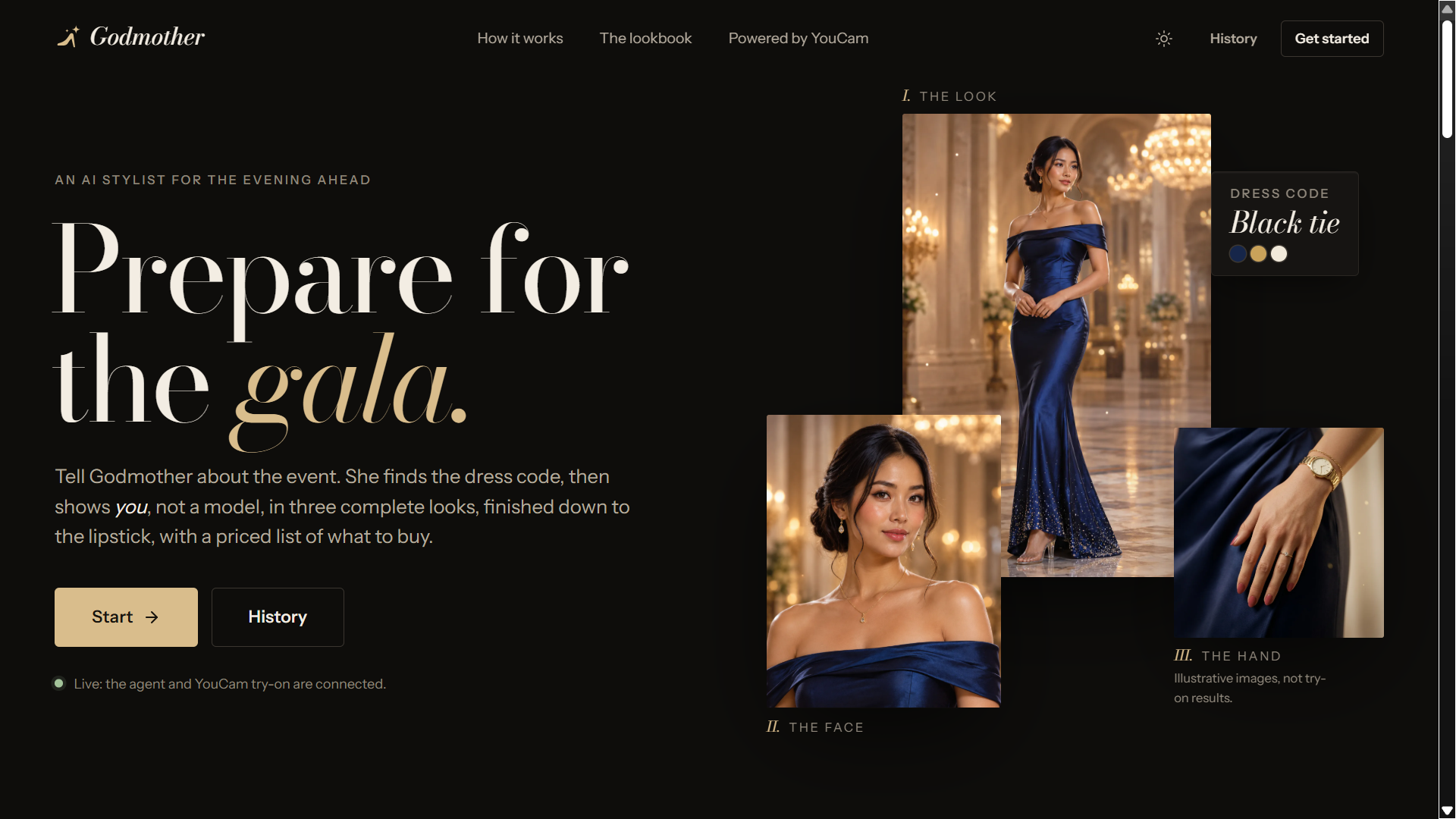
That's the gap Godmother fills: one place that takes you from "I have this event" to "this is exactly how I'll look, and this is what it costs".
Why "Godmother"? Cinderella had a ball to attend and nothing to wear, and her fairy godmother got her ready: the gown, the glass slippers, the whole look, all at once. That's the job, for anyone with an event coming up.
What it does
Everything happens in one chat, with attachments.
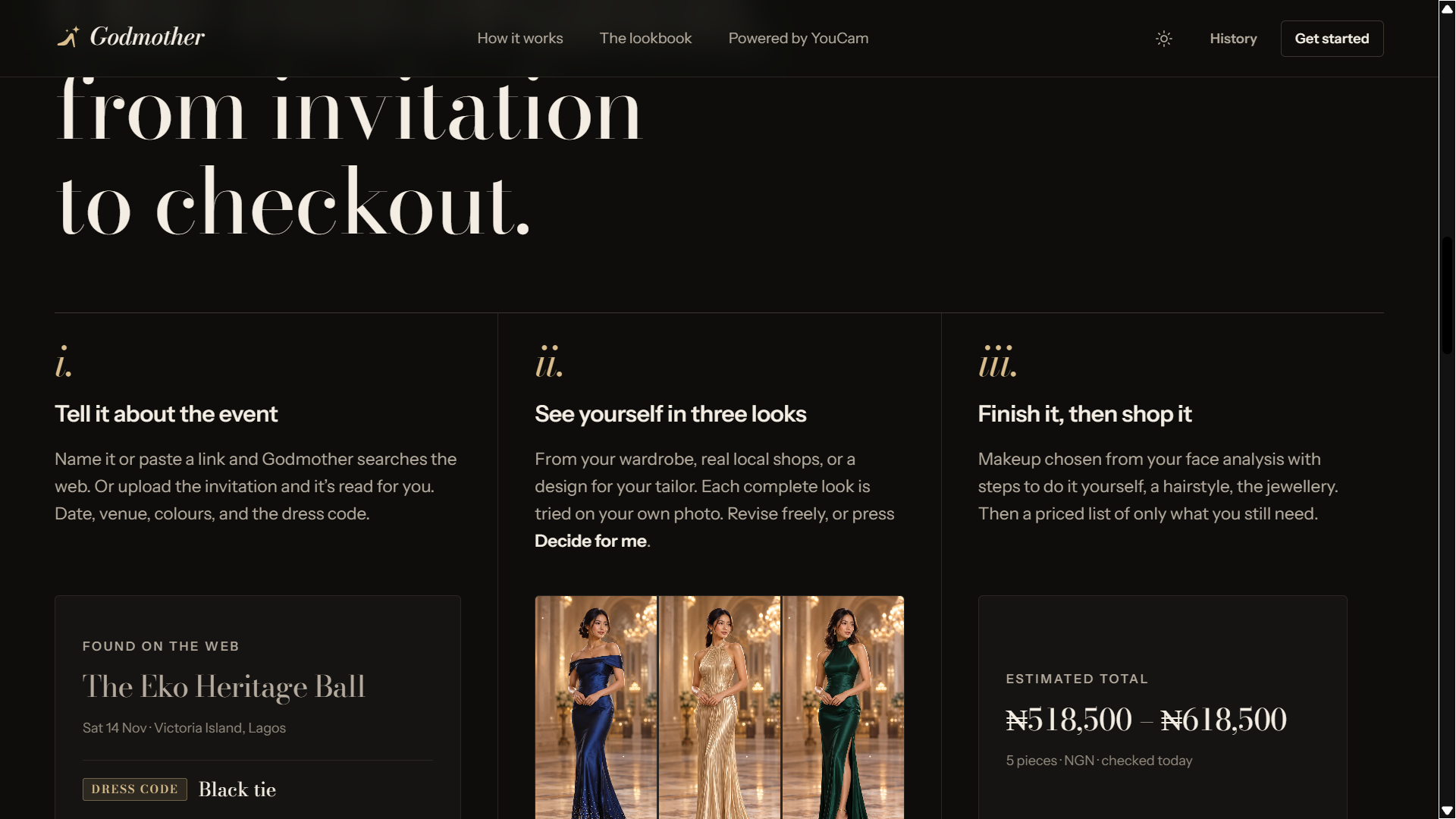
- Tell it about the event. Give the event's name or link and the agent searches the web for the date, venue, dress code, theme and colours. Or describe it. Or upload the invitation, a photo or PDF, and Godmother reads it for you, hands-free.
- It knows where you are. Your location shapes the suggestions, so someone in Taipei, Lagos or New York gets occasion wear that fits where they are, and every price comes in your local currency.
- It follows the rules that matter. A stated dress code beats everything. Then the event's colours and theme, then your location and culture, then your personal taste.
- Add your photos. A full-body photo, a portrait and a hand photo. Optionally, snap pieces from your own wardrobe and Godmother catalogues them.
- Three complete looks, on you. Each look is a full outfit tried on your own photo with YouCam's virtual try-on. Pieces come from your wardrobe, from real shop listings (the actual product photo is what gets tried on), or from a made-to-measure design you can take to a tailor.
- Decide, or let it decide. Say what you don't like ("no red", "less formal", "I hate the shoes") and only that look is re-rendered. Or tap Decide for me: Godmother ranks the three, commits to one and tells you why, so it removes a decision instead of adding one.
- Finish the look.
- Makeup: Godmother analyses your skin tone, undertone and face shape, picks makeup to match the look and the event, and renders it on your face. You get the reference image and step-by-step instructions to do it yourself.
- Hair: a recommended hairstyle, previewed on you. Don't like it? Ask for another, or say what to change.
- Jewellery and shoes: earrings and a necklace on your portrait; a watch, ring or bracelet on your hand photo; shoes on the full look.
- See it move. A short video of you in the finished look, so you see the outfit as a whole rather than one still frame.
- Get the shopping list. Everything you'd have to buy or have made, found on real stores near you, priced in your currency with a total range and an expandable per-item breakdown with links. Pieces from your own wardrobe are left out.
How we built it
- Frontend and server: SvelteKit on Node, with each agent turn streamed to the browser. API keys never leave the server.
- The agent: Claude, running a tool loop with 15 tools (
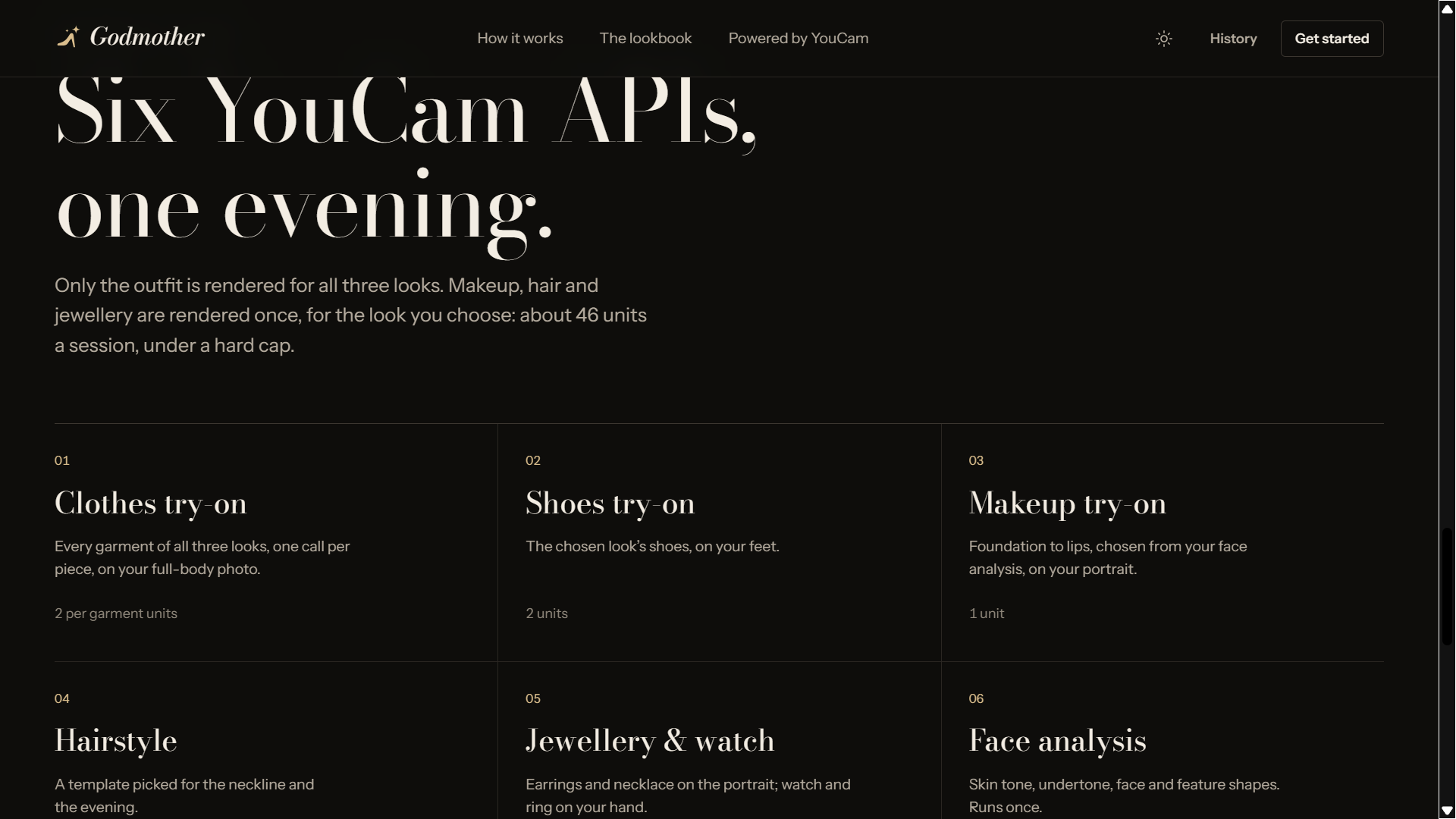
research_event,save_event_brief,set_location,request_photos,catalog_wardrobe,search_products,design_garment,propose_looks,revise_look,decide,analyze_face,list_hairstyles,finish_look,build_shopping_list,suggest_replies). It uses web search for events and products, and vision for invitations and wardrobe photos. - YouCam APIs, ten of them working together in one flow:
- Clothes virtual try-on (cloth v4): tops, bottoms, dresses, outerwear and shoes
- Facial Color Tones analysis and Face Attributes & Ratio analysis, which drive the makeup plan
- Makeup virtual try-on, from a plan the agent writes and the server validates
- Hairstyle virtual try-on (V2.1 templates)
- Jewellery and watch 2D try-on: earrings, necklace, ring, bracelet, watch
- Image Generator V2 for made-to-measure designs
- Image to Video V2 for the finished-look video
- The File API for uploads
- Built around the unit budget. A full session (face analysis, three outfits, then shoes, makeup, hair and four jewellery pieces) costs about 45 YouCam units. Only outfits are rendered for all three looks; everything else runs only on the look you choose. Face analysis runs once per session. Every task reserves its units before it starts, so parallel renders can't overshoot a per-session cap.
- Demo mode replays a recorded session with no keys and no units, so anyone can walk through the whole flow.
- Capability checks: before writing the app, we wrote scripts that tested each YouCam capability we depended on, so the design was built around what the API actually does.
Challenges we ran into
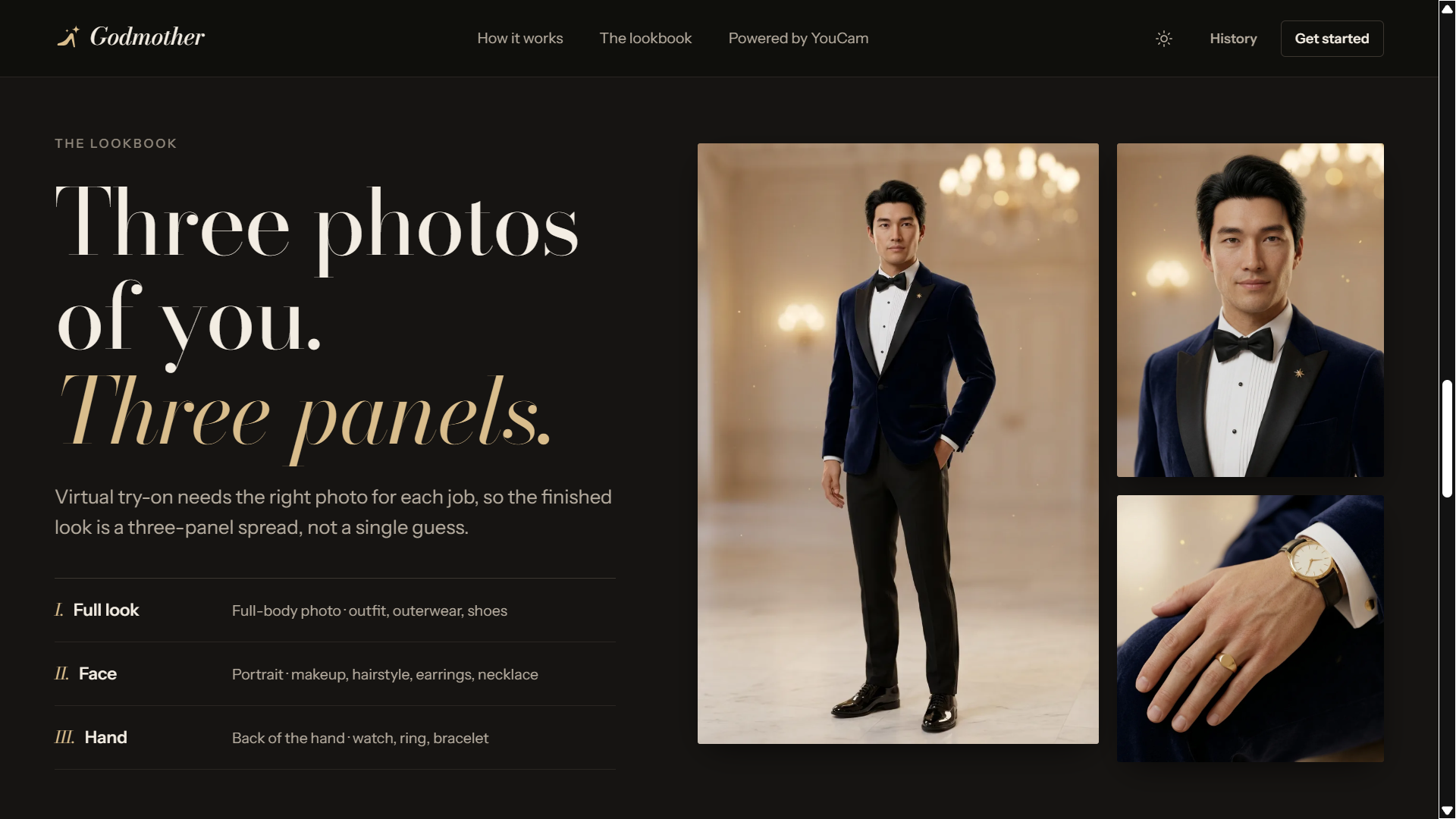
- One photo can't feed every API. Clothes need the whole body and feet, makeup needs a large face, the necklace needs a visible neck, and watches need the back of the wrist with five fingers showing. So the result is a three-panel lookbook (full look, face, hand), and the server derives a separate, correctly framed image for each API.
- One garment per call. A top and trousers are two try-ons in sequence, and bottoms need worn reference photos rather than flat product shots, which shaped how products are searched and chosen.
- Results expire after two hours, so every render is copied into our own store the moment it's ready.
- Never paying twice. A task that times out may still be running and still be charged, so task creation is never retried, and polling, uploads and tasks all share one rate limiter under the account limit.
- Making makeup output safe to send. The agent's makeup plan is checked against YouCam's pattern labels and palette counts before a single unit is spent.
Accomplishments that we're proud of
- The whole journey, from an invitation photo to a priced shopping list, in one conversation.
- "Decide for me": an assistant that removes a decision instead of adding one.
- Real products from real stores tried on the user, so the price you see is for exactly what you saw yourself in.
- Ten YouCam APIs working as one product, not a demo of each.
What we learned
- The hard part isn't any single render. It's sequencing them: what to render for all options, what only for the final choice, and which photo each API needs.
- Personal styling is local. The same "black tie" means different things in Taipei, Lagos and Los Angeles, and prices only mean something in your own currency.
- Agents are most useful when they make the final call. Three options help; one confident recommendation with a reason helps more.
What's next
- Saving a person's analysis and wardrobe, so the next event takes minutes.
- Group mode for weddings and families: coordinated looks for everyone in the party.
- Retailer integration, so stores can offer Godmother on their own product pages.
- Booking links for local tailors and makeup artists when you'd rather not do it yourself.
Built With
- svelte
- typescript
- youcam
