-
-
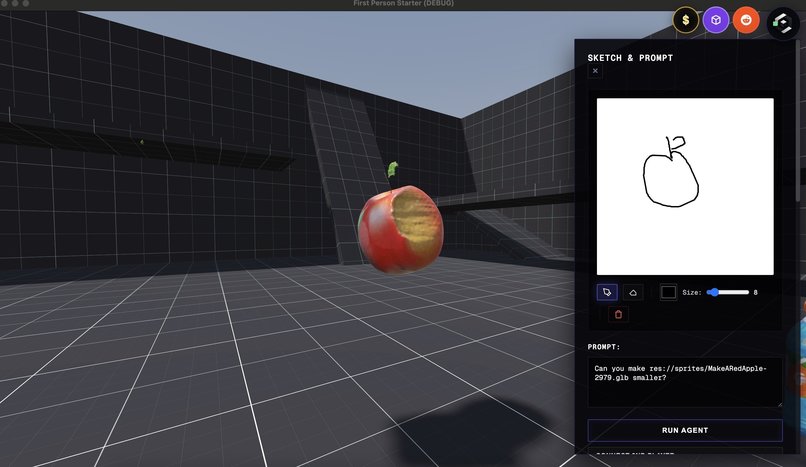
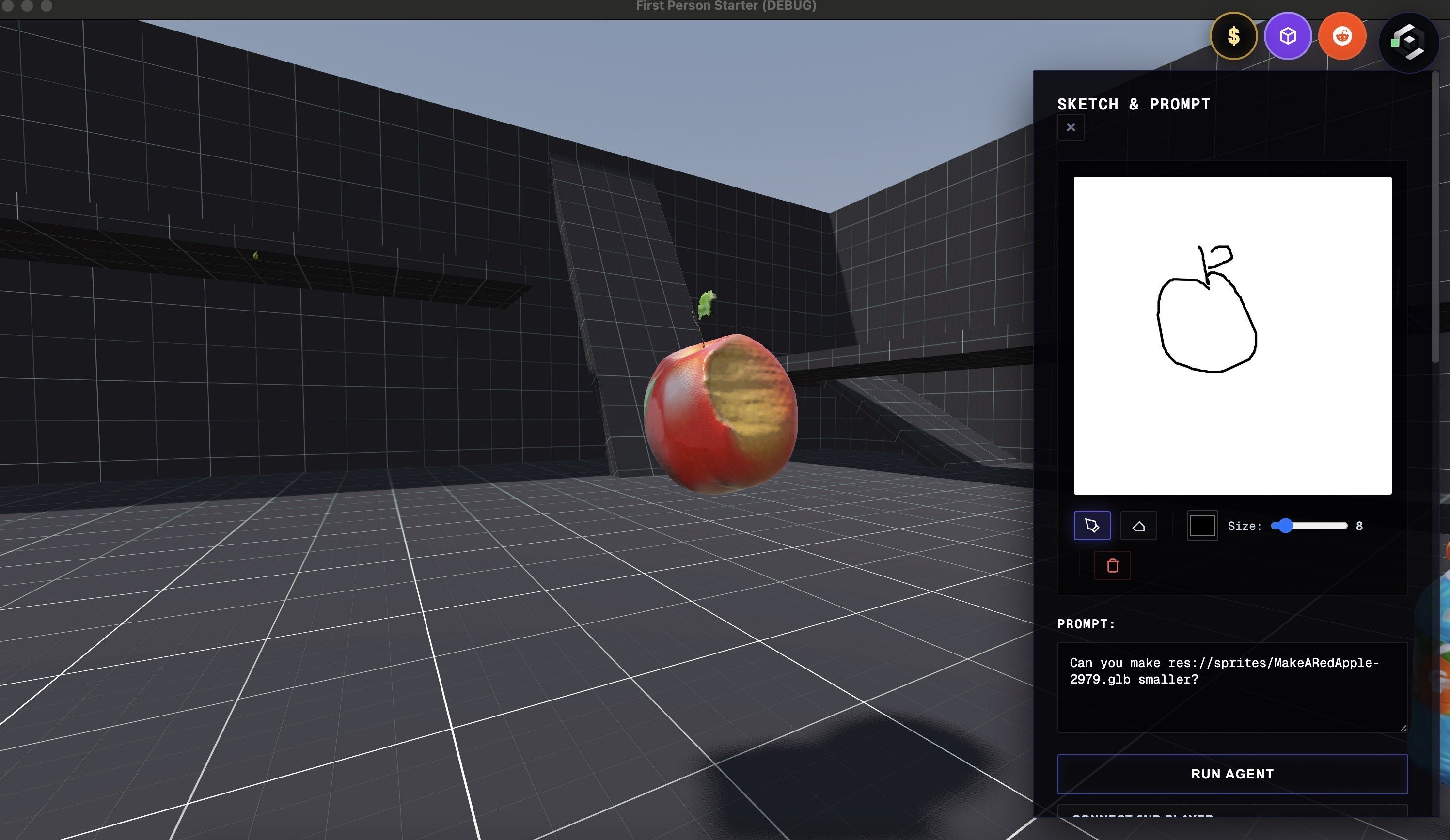
Sketch your object
-
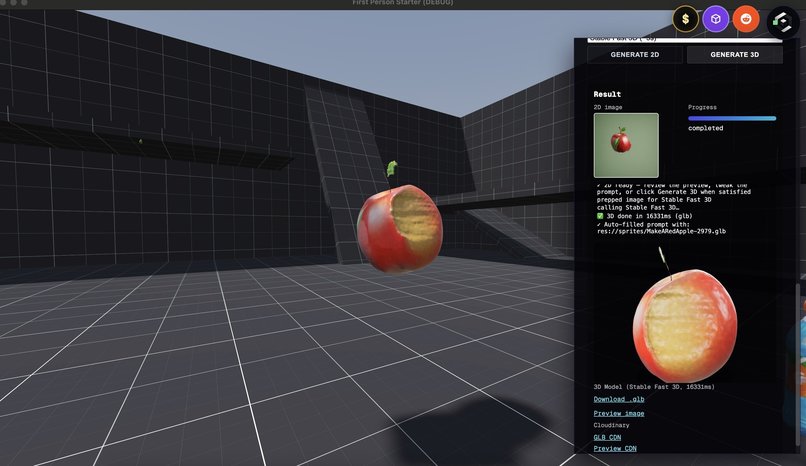
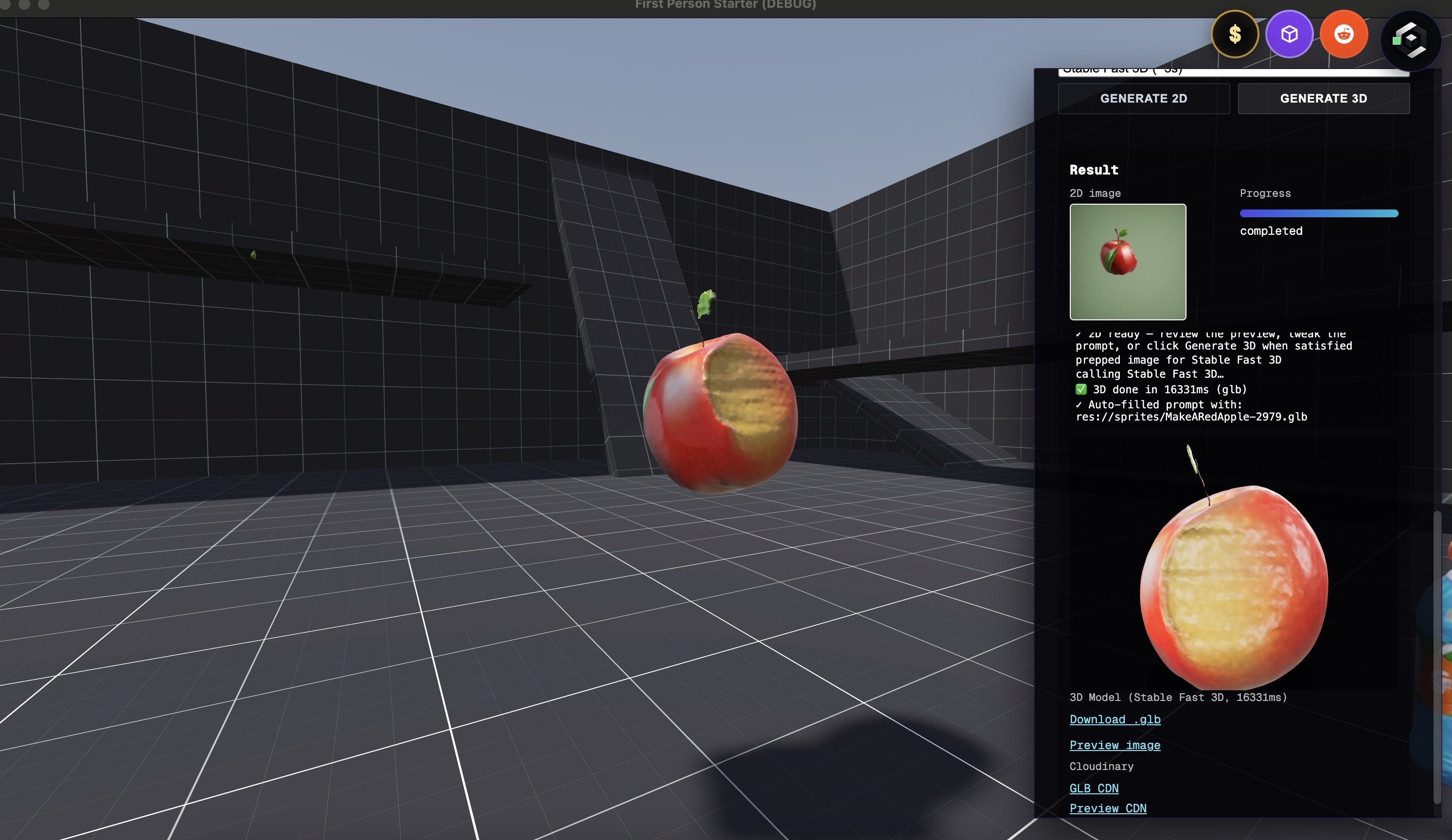
Generate a 2D draft then make a 3D model
-
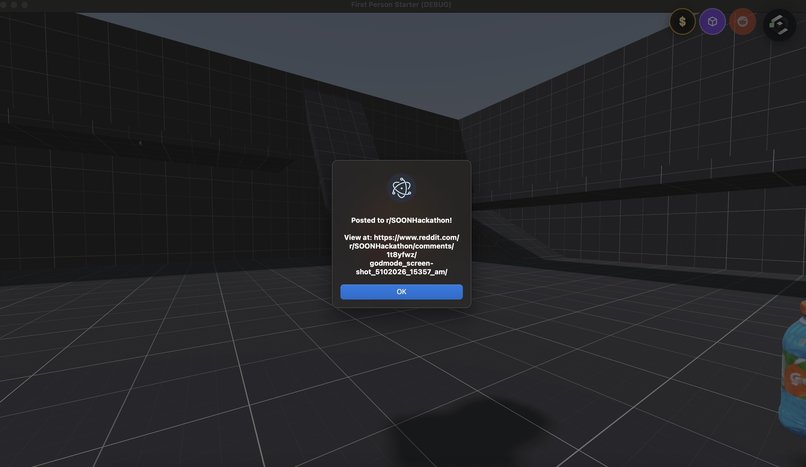
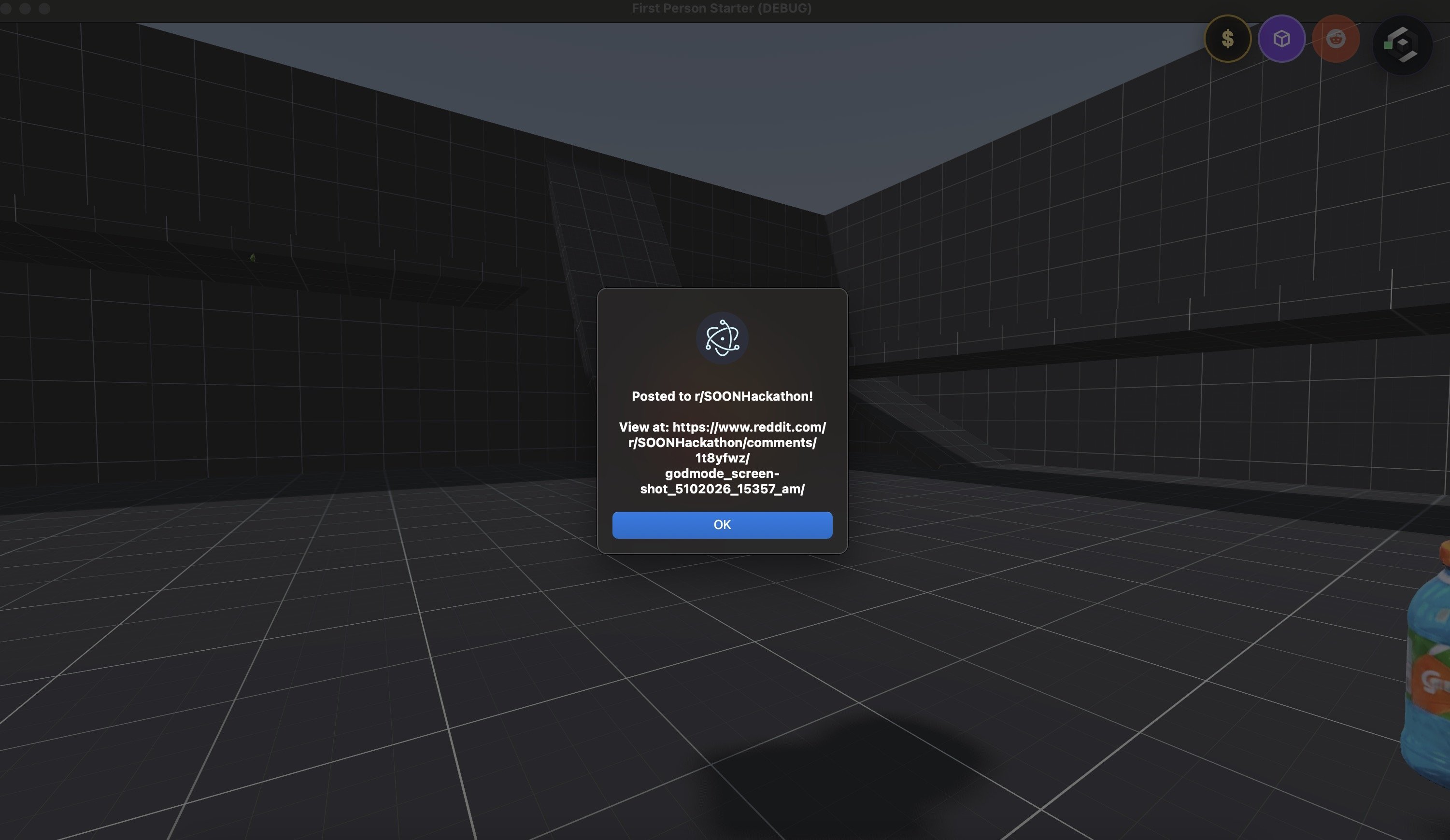
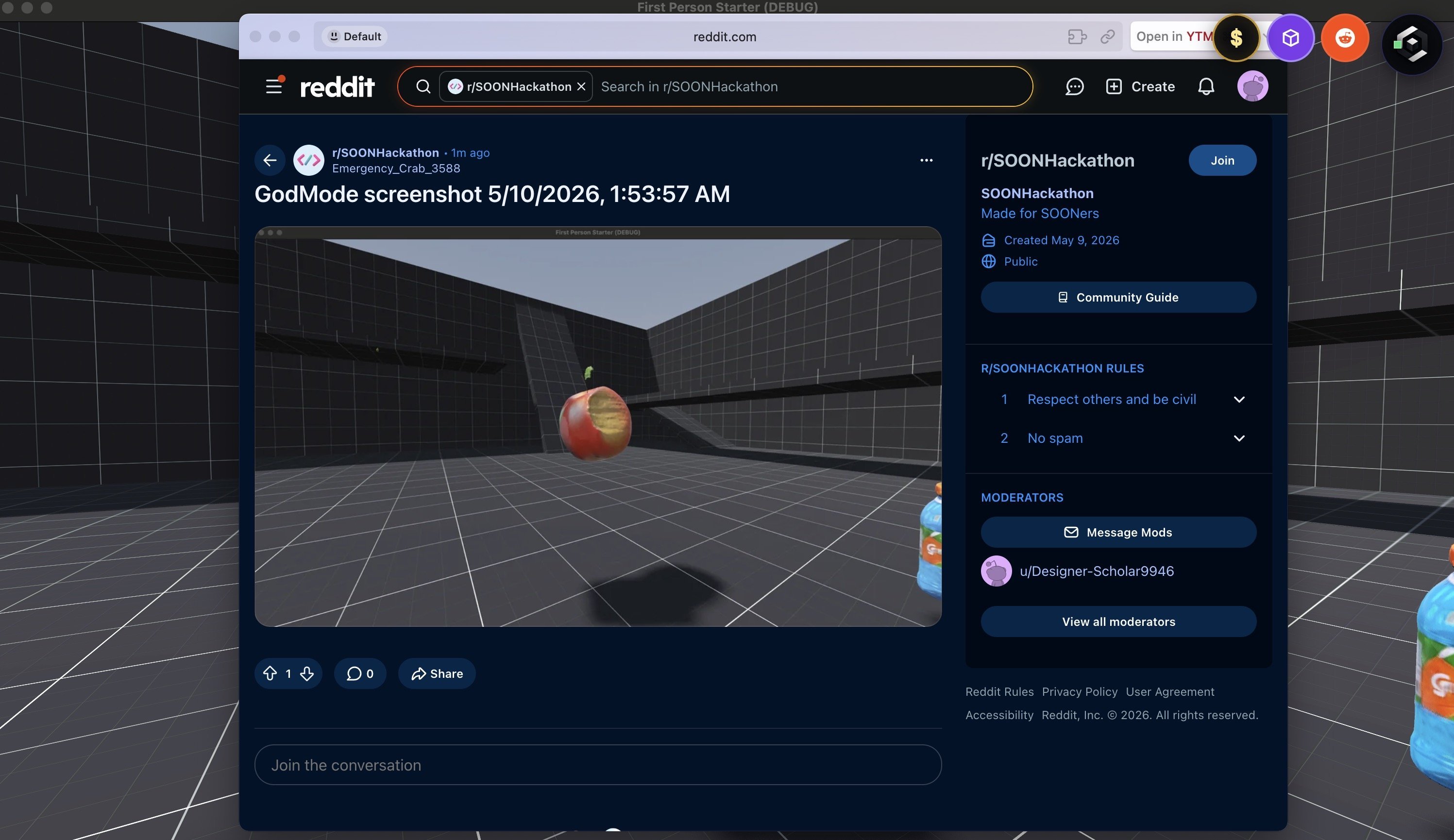
Create a Reddit post
-
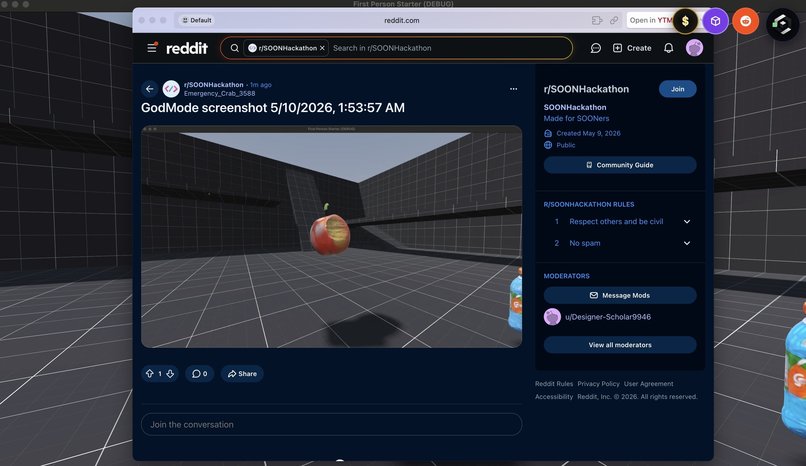
Reddit post
-
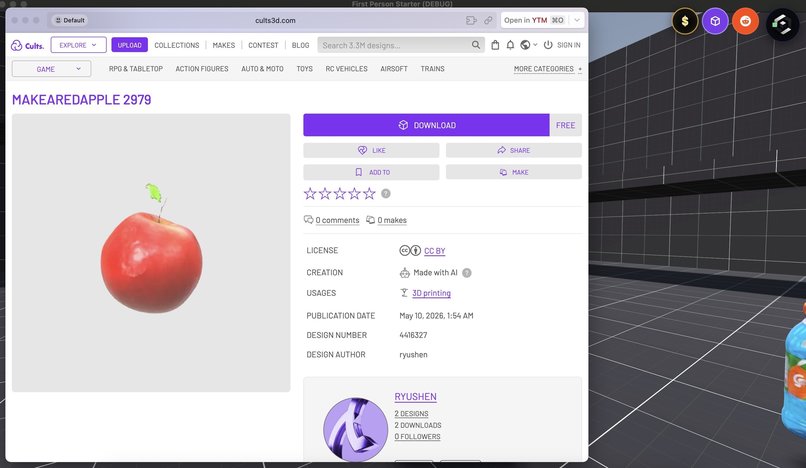
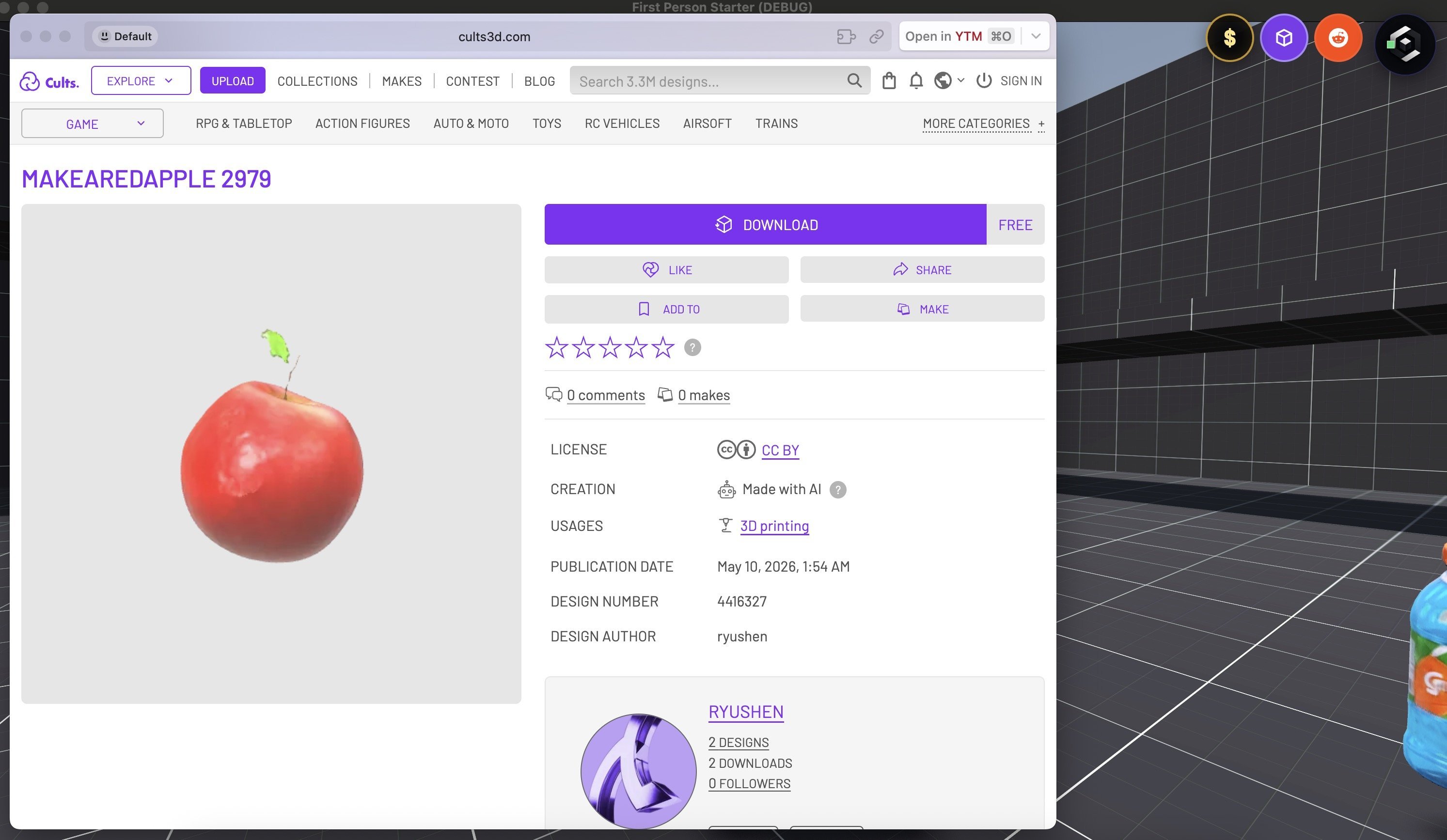
Upload to Cults3D
-
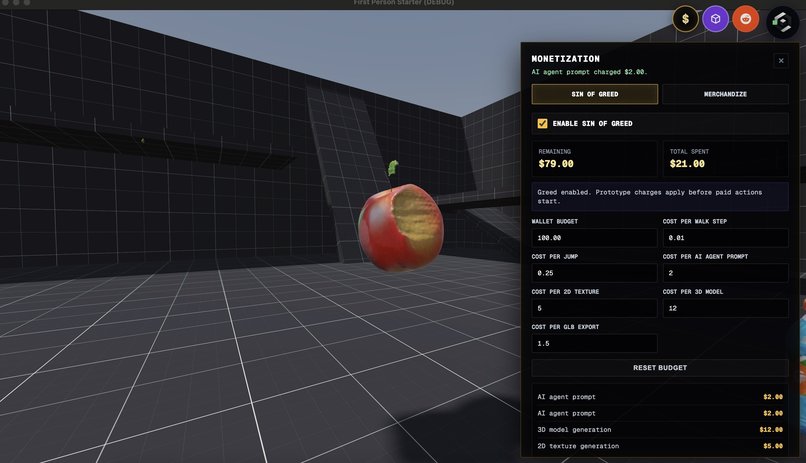
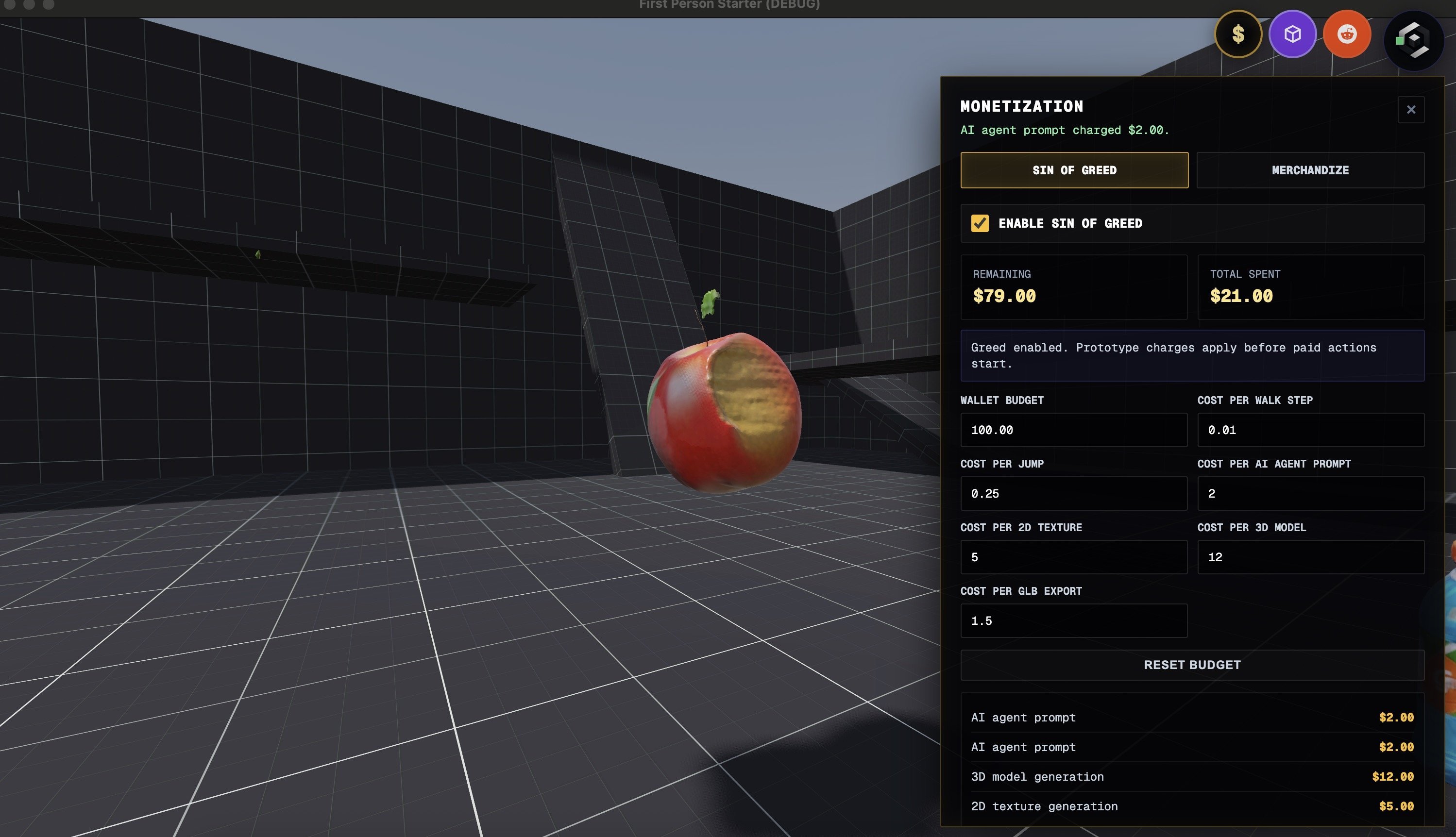
Get charged for your sins
-
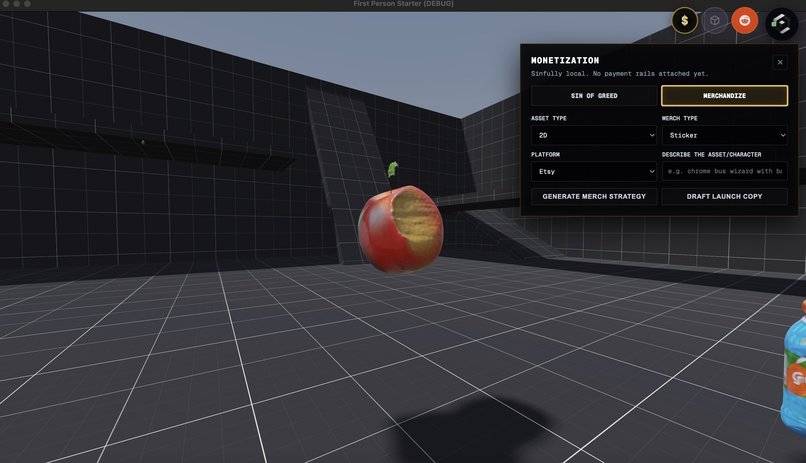
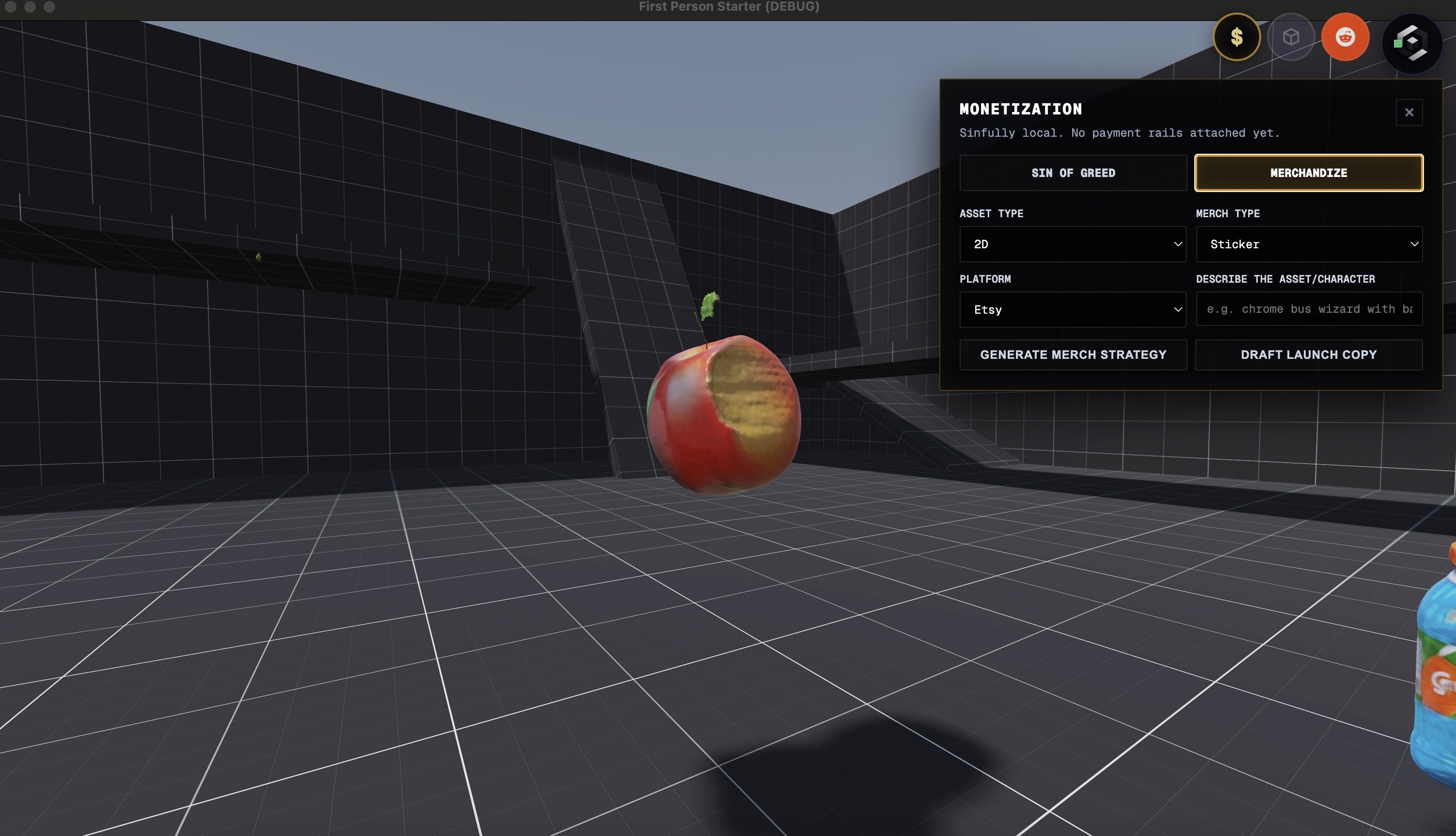
Potential merchandise creation
-
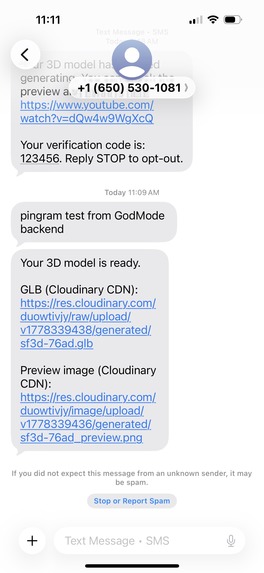
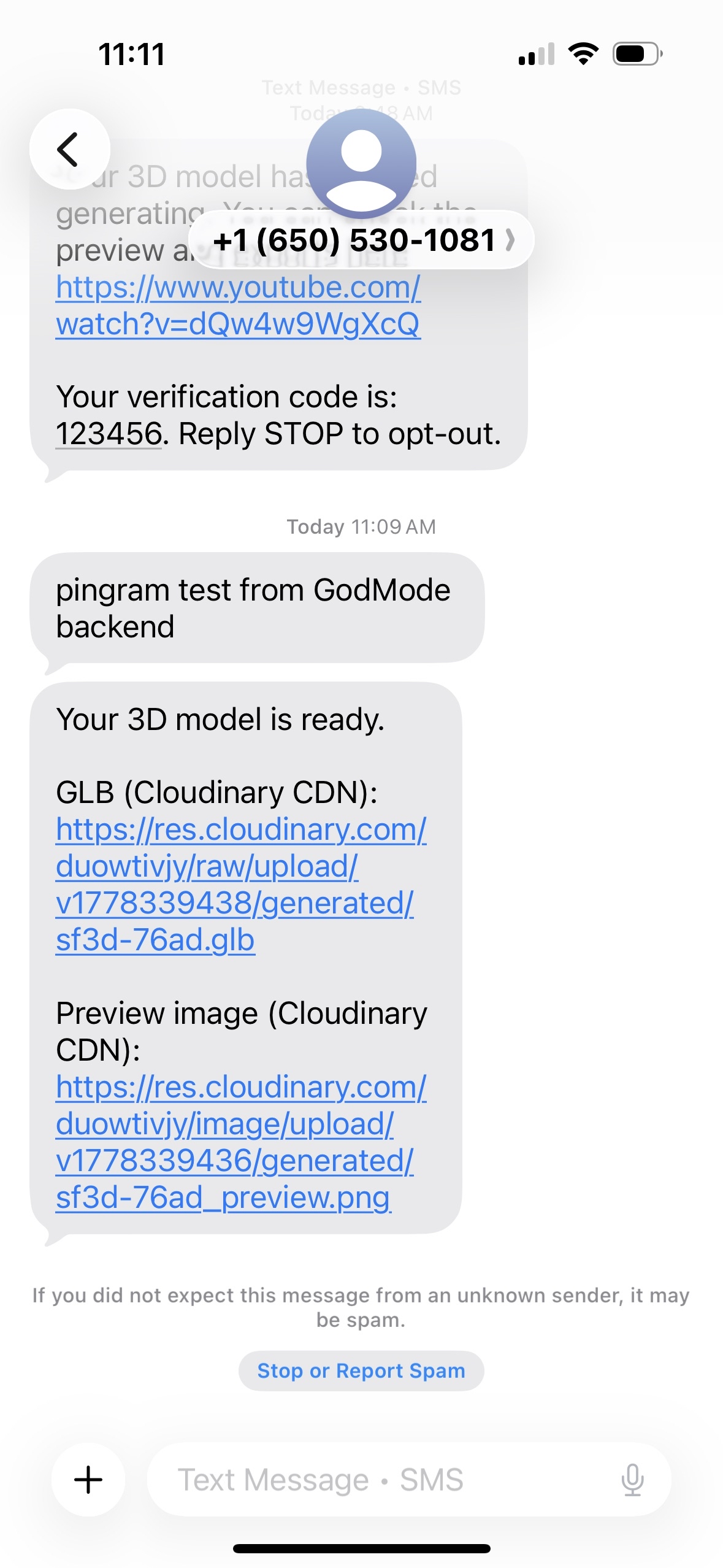
Pingram notification with Cloudinary previews
-
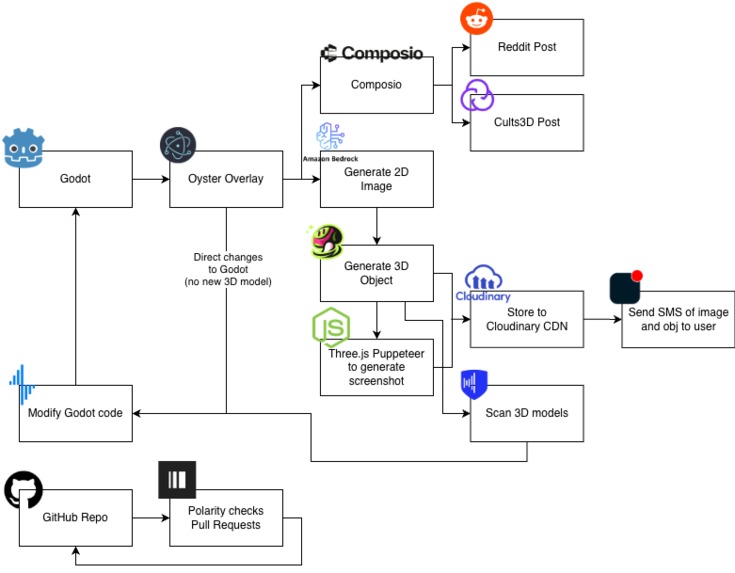
System Architecture
Inspiration
Game design is hard and it can cost a lot to buy 3D models. We wanted to make game design accessible by enabling users to generate 3D models just with a drawing.
What it does (Aucctus)
You can sketch or paste an image of your object and generate a 2D model. Once you're good with the model, you can generate a 3D model which you can insert into your Godot game. You can edit game settings and objects directly through our overlay's agent. It will find the appropriate files to edit and hot reload the changes. By exporting the object files to services like Cults3D or Cloudinary, the user can directly download these files and 3D print them to hold their products in the real world.
How we built it
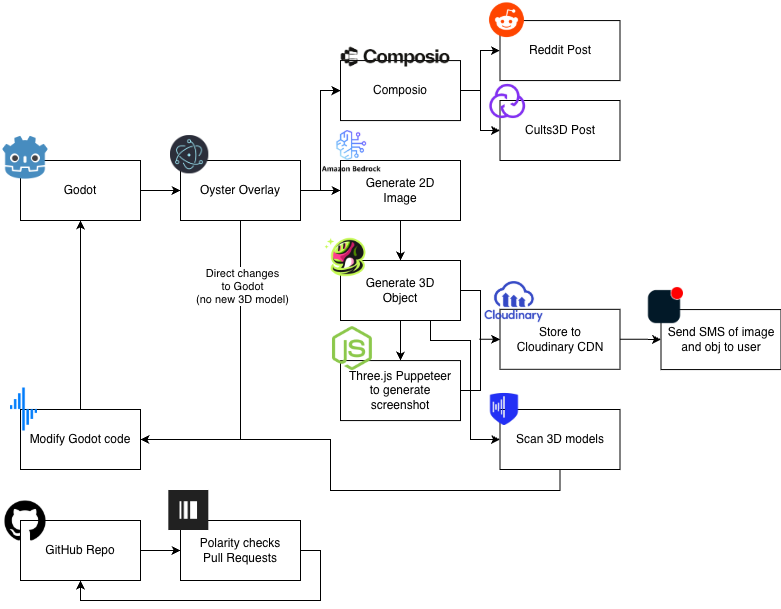
We built an overlay for Godot, an open source game engine, using Electron. We do most of the calls via Electron, but also use Express.js to do calls to Amazon Bedrock for image generation, creating Cloudinary links, and sending Pingram messages. More details about each integration are below.
Composio
Composio was used to integrate with both Reddit and Cults3D (a 3D modelling host). By providing us with multiple places to share our multimedia (screenshots and models), we can boost the marketing and exposure of the user generated content.
We create Reddit posts with screenshots from our app. The images are stored on catbox.moe and Composio selects the appropriate flairs based on the image.
We upload our 3D models to Cults3D. It provides a centralized place for users to share the 3D models they made and see what others made. It can also be used to monetize any of the assets the user created.
Backboard
Backboard is triggered via Electron with IPC. We run agents on Backboard to list files, sprites, and the current scene before combining these into a single prompt. We call Backboard with Sonnet 3.7 to generate files to modify. Once the new files are generated, we update the files on the codebase before hot reloading Godot to apply the updates.
Backboard Agent Tools
- listFiles() — enumerate project files
- grepFiles(pattern) — search for relevant files
- readFile(path) — read .gd / .tscn contents to include in the prompt
- writeFile(path, content) — write the updated file returned by the LLM
- sanitizeGodotContent(file, content) / validateGodotContent(file, content) — guardrails before writing
- checkGodotErrors() — validate project after changes
- restoreFileBackup(path) — rollback if validation fails
- Multiplayer helpers:
- isGodotMultiplayerInstalled()
- makeGodotMultiplayer()
- removeGodotMultiplayer()
- Scene helper:
- addSpriteToMainScene(prompt) / addSpriteToMainScene(...)
Pingram
Pingram is used to update the user about any model generations. Detailed in the Cloudinary section is how we generate media before storing it on their CDN. We use SMS give the user both the glb object file and the preview image.
Polarity
We used Paragon to automatically review and provide suggestions for our GitHub pull requests. We had a lot of people working on the same thing so PRs it was useful for suggesting changes to our code.
Cystack
Cystack analyzes all 3D models that are generated to ensure that they are safe. This can help protect the user in case of a supply chain attack on our models which may affect our output. It creates a guardrail to further protect users.
Cloudinary
After a model is generated, we use a headless Puppeteer client with WebGL to open the glb file. We load the model into small Three.js app and centre it. We wait a few frames then take a screenshot of the model. Once the screenshot is created, we upload both the glb file and the preview image to Cloudinary. It provides a quick an easy way to enable the user to access their content without needing to spin up an external bucket or manage network permissions.
These URLs are passed to Pingram to send an SMS update to the user to preview the model. This way they can async generate a model and get updates on their phone. If you download the glb file on your phone, you can also preview the model.
Chatforce
As mention above with Backboard, our agent has many tools to work with the Godot codebase. These tools enable the agent to fully understand the project including any existing objects, current files, folder structure, and Godot errors. Using our sketch to 3D modelling flow, we are able to create new objects and manipulate them. By adding code changes directly to Godot, we are able to hot reload objects quickly.
We enable monetization by empowering users to build merchandise with their 3D models. The connection to Cults3D allows users to sell their models and the posts to Reddit increase the audience to drive more conversions.
The architecture diagram (last image on Devpost) shows all the data flows and connections needed to fully understand and modify the codebase.
Challenges we ran into
- Many features made quite a few merge conflicts and it's hard to demo
- We used Image Embeddings with Cohere to do a cosine similarity search to determine whether the image you pasted was from the game. The threshold for embeddings is finicky and selecting the right object proved to be a challenge
Accomplishments that we're proud of
- Composio integrations worked pretty well. It's cool to see how fast the Reddit and Cults3D posts were made
- It updates the game quickly
What we learned
- All of the sponsor tools
What's next for GodMode
Built With
- amazon
- backboard
- cloudinary
- composio
- cystack
- express.js
- godot
- javascript
- pingram
- polarity


Log in or sign up for Devpost to join the conversation.