-
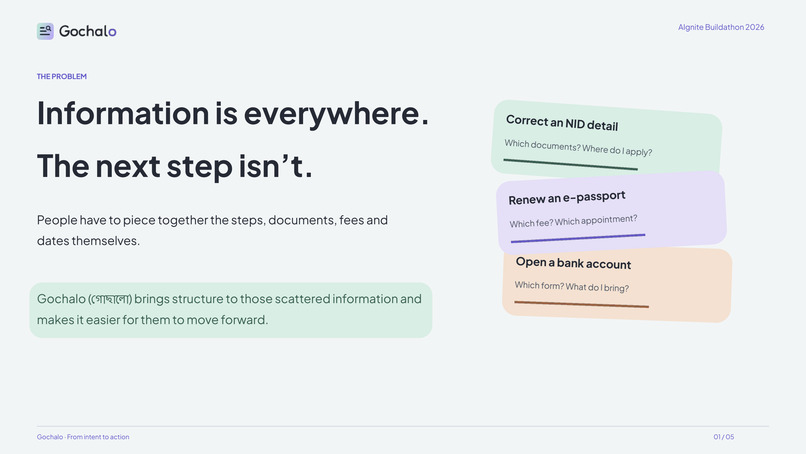
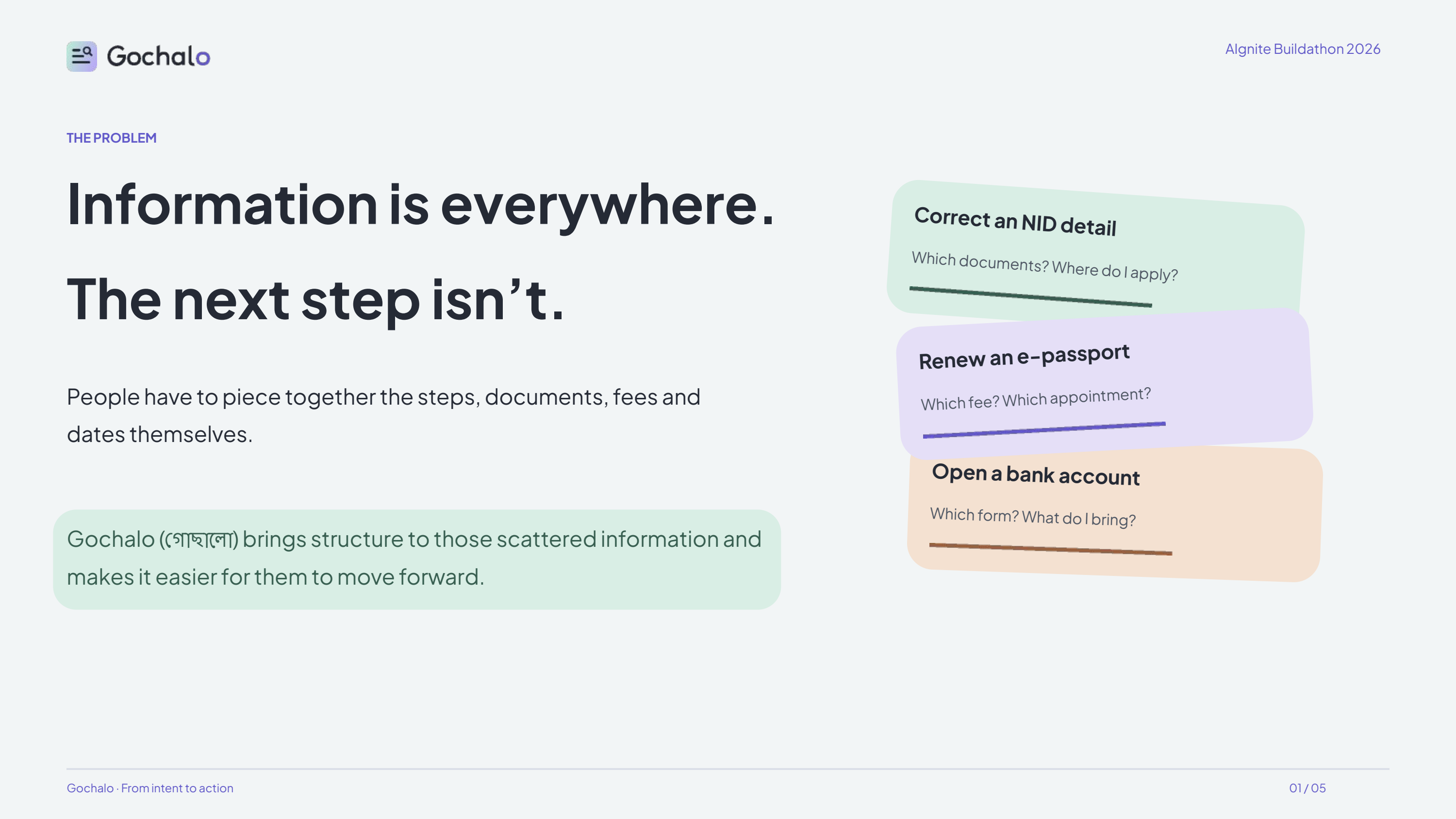
Finding raw info in this age isn't the bottleneck—figuring out what applies to you and what to do first is where people get stuck.
-
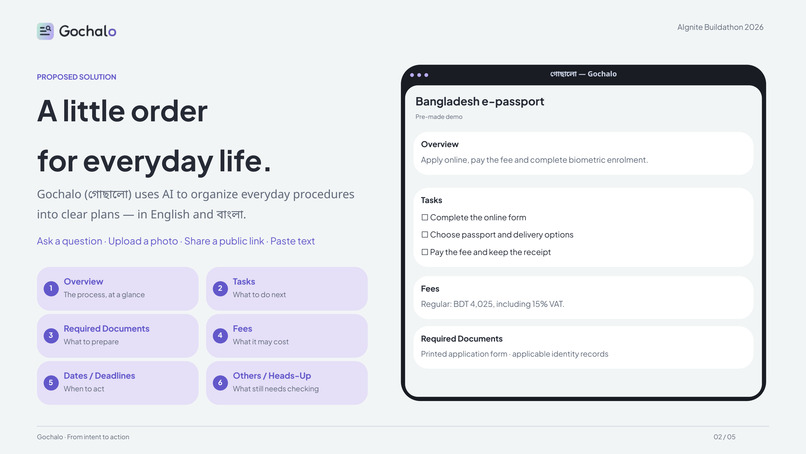
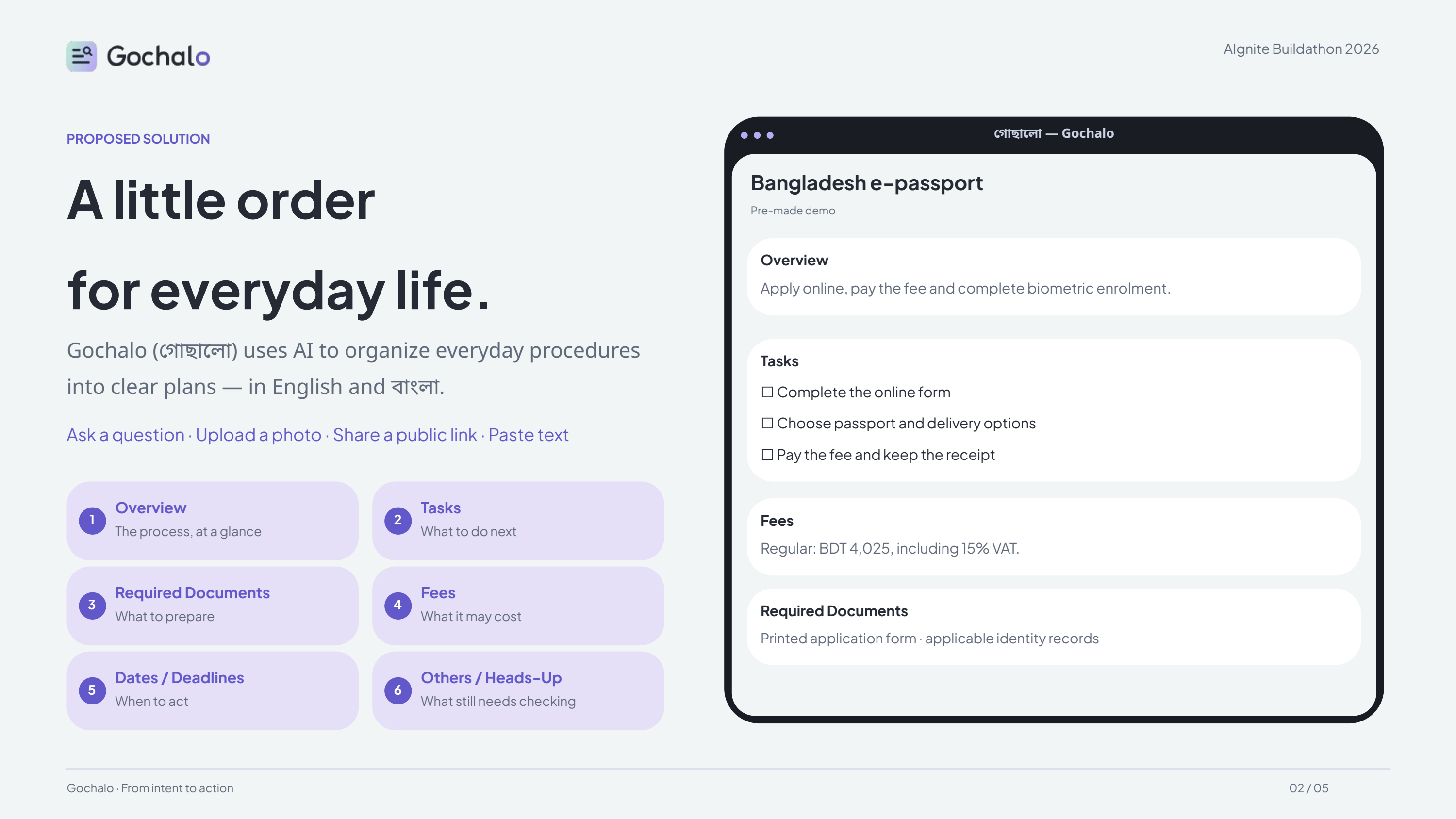
Built for how info shows up in the wild: drop in a notice photo, a messy link, or raw text and get a clean, bilingual roadmap.
-
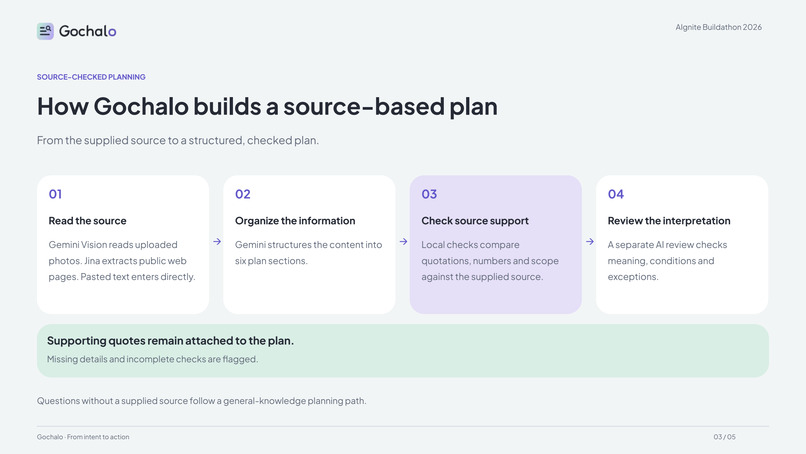
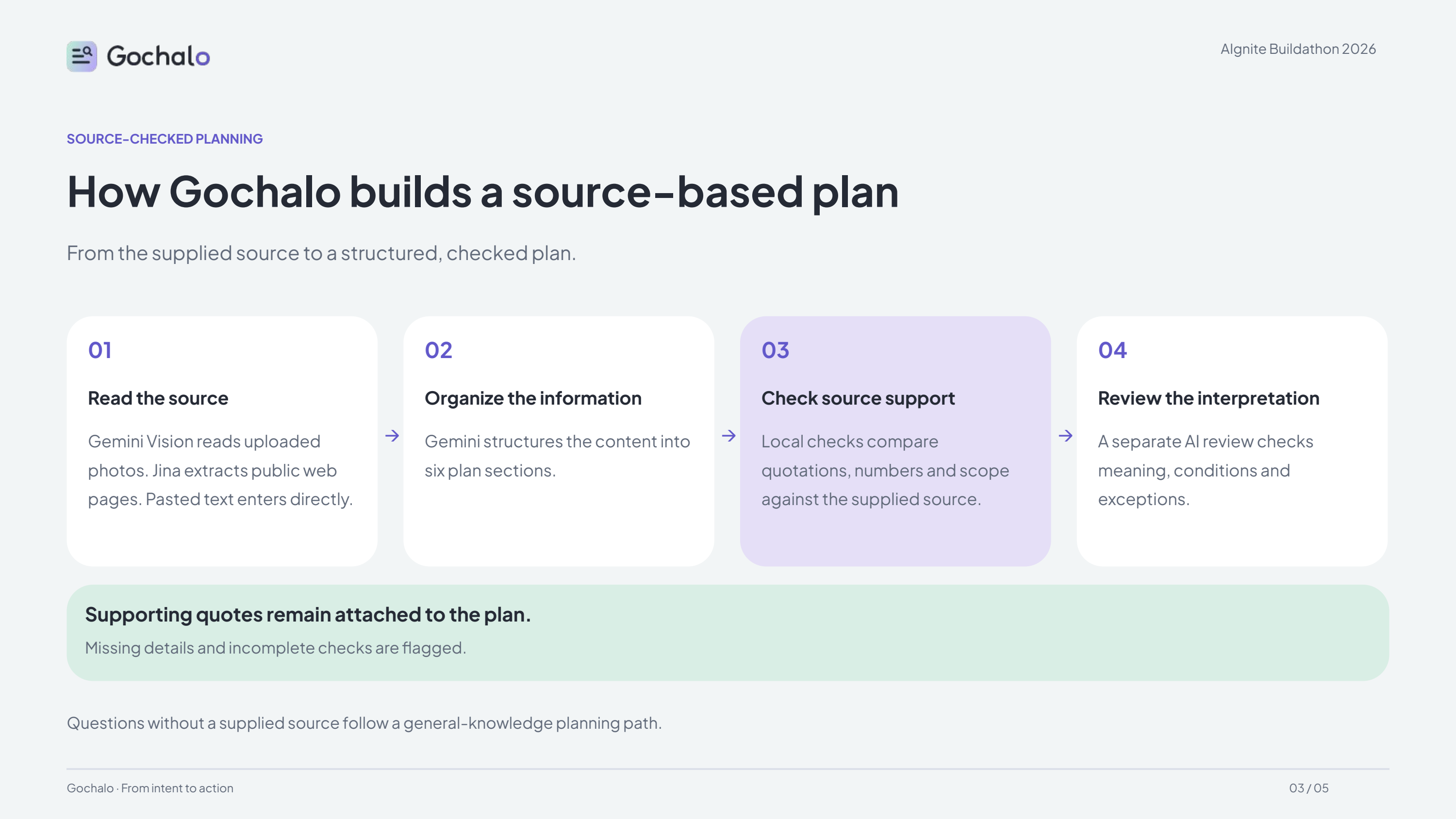
A wrong fee or missed document wastes a whole trip. We verify every detail against your source instead of trusting one prompt.
-
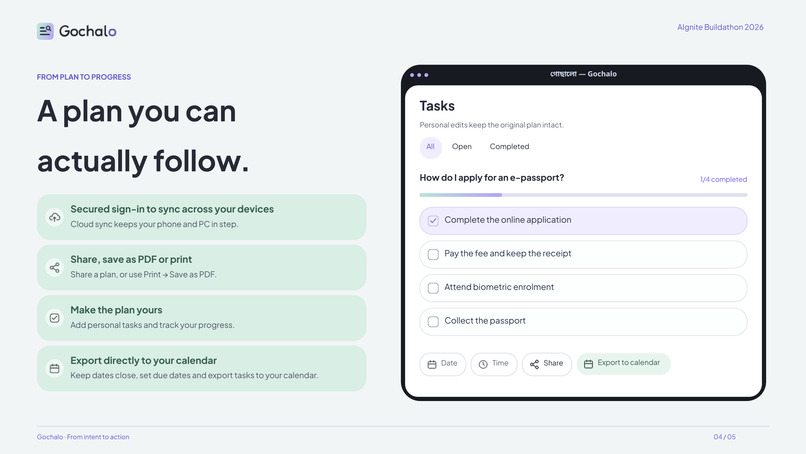
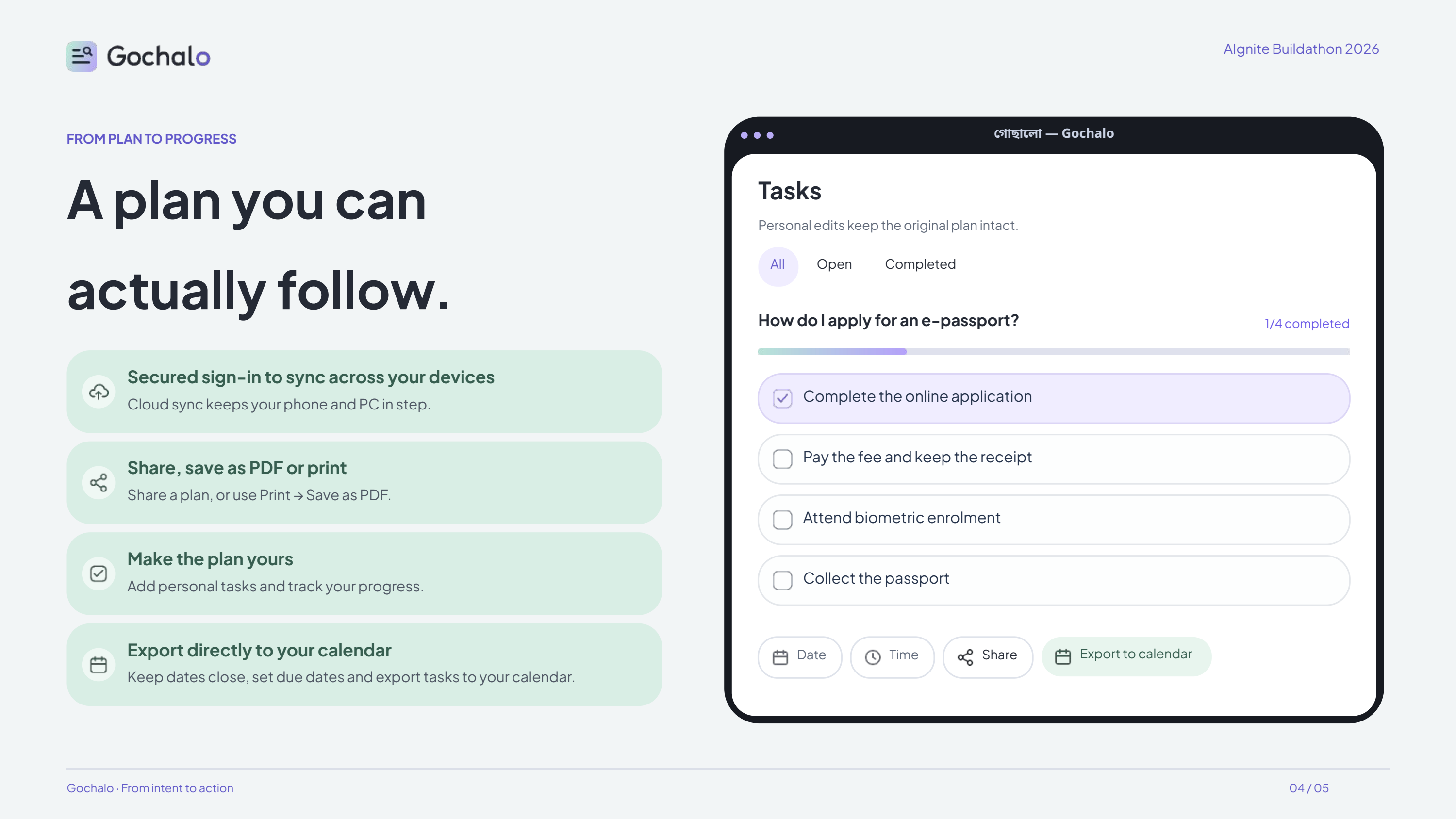
A plan only helps if you finish it. Adapt the checklist to your own pace without losing sight of the original verified rules.
Inspiration
Finding information is one thing. Figuring out what to do with it is another.
A notice might explain an entire application process, but you still have to work out the steps, documents, fees and dates yourself. Sometimes the information is scattered across web pages or sitting in a photo of a noticeboard.
I wanted to make that part easier. Gochalo (গোছালো), which means “organized” in Bangla, grew around a simple idea: a little order for everyday life.
What it does
Gochalo is a bilingual AI planning workspace in English and Bangla. You can ask an everyday procedural question, upload a photo, share a public web link or paste text.
It organizes the result into six sections:
- Overview
- Tasks
- Required Documents
- Fees
- Dates / Deadlines
- Others / Heads-Up
For source-based plans, Gochalo checks the generated information against the supplied text, keeps supporting quotations available and flags missing details or incomplete checks. Questions without a supplied source follow a separate general-knowledge path.
The plan also becomes a workspace. You can save tasks, mark them complete, add personal tasks and due dates, export dated tasks to your calendar, share a summary, or print it and save it as a PDF. Plans can stay on your device, with optional sign-in for cloud sync across your phone and computer.
How I built it
I built the frontend with React and TypeScript, and the backend with Python and FastAPI.
Gemini Vision reads uploaded photos, while Jina extracts text from public web pages. Gemini then organizes the content into a structured plan. Local checks compare quotations, numbers and scope against the source, followed by a separate AI review of meaning, conditions and exceptions.
The frontend stores saved plans and tasks in IndexedDB. Optional account features use Clerk and Supabase for authentication and cloud sync. The frontend is deployed on Vercel, with the API hosted on Render.
Challenges I ran into
Getting an AI model to produce a neat checklist was easier than making sure the checklist kept the important details.
A small exception or an “either/or” condition can change what someone needs to do. I spent a lot of time working on source checks, preserving those conditions and making incomplete review visible. These checks reduce some mistakes, but they do not make the output independently verified.
Another challenge was showing useful detail without overwhelming the user. The interface went through several rounds of changes to spacing, task controls, mobile layouts and Bangla readability.
I was also building this during the gaps between my semester final exams, so deciding when to stop polishing was a challenge of its own.
Accomplishments I'm proud of
I'm happy that Gochalo goes beyond generating an answer. Someone can turn that answer into saved tasks, track their progress and return to it from another device.
I'm also proud of the care that went into the English and Bangla experience. That included checking interface wording, improving Bangla font readability and testing the layouts on different screen sizes.
This is my first time bringing my programming hobby into a competition. Having a deployed project that people can actually try feels like a meaningful step.
What I learned
I learned that organizing information well is about more than putting it under headings. The order, wording and amount of detail all affect whether someone can use it.
I also learned that an AI review can miss things too. Combining model review with local checks and clear limitations was more useful than treating another model response as proof that everything was correct.
On the design side, small changes often made a bigger difference than adding another feature. A clearer label, a smaller button or better spacing could make the whole page easier to use.
What's next for Gochalo
I want to test Gochalo with more real notices and everyday procedures, especially in Bangla, and use that feedback to improve the plans.
My priorities are better handling of complex conditions, more reliable extraction from difficult photos and web pages, and clearer ways to connect each requirement to its source.
I also want to keep improving the workspace without making it crowded. The goal is still the same: help someone understand what needs to happen, then make it easier to follow through.
Built With
- clerk
- codex
- fastapi
- figma
- gemini
- indexeddb
- jina
- python
- react
- render
- supabase
- typescript
- vercel
- vite

