Inspiration
With online classes and work from home, entertainment sites, social media platforms, and other websites commonly seen as distracting have become increasingly integral to daily productivity and tasks. Youtube host both lecture recordings and Bardcore/Medieval-style covers of Ariana Grande songs. Facebook allows you to collaborate with peers across the world and send them countless memes about time differences. Existing productivity tools, such as StayFocusd and Forest, try to implement a one-size-fits-all approach to encourage focus. However, blocking all restricted websites after reaching a daily time limit or completely forcing you to stay off your device just doesn't work for our lifestyles today.
What it does
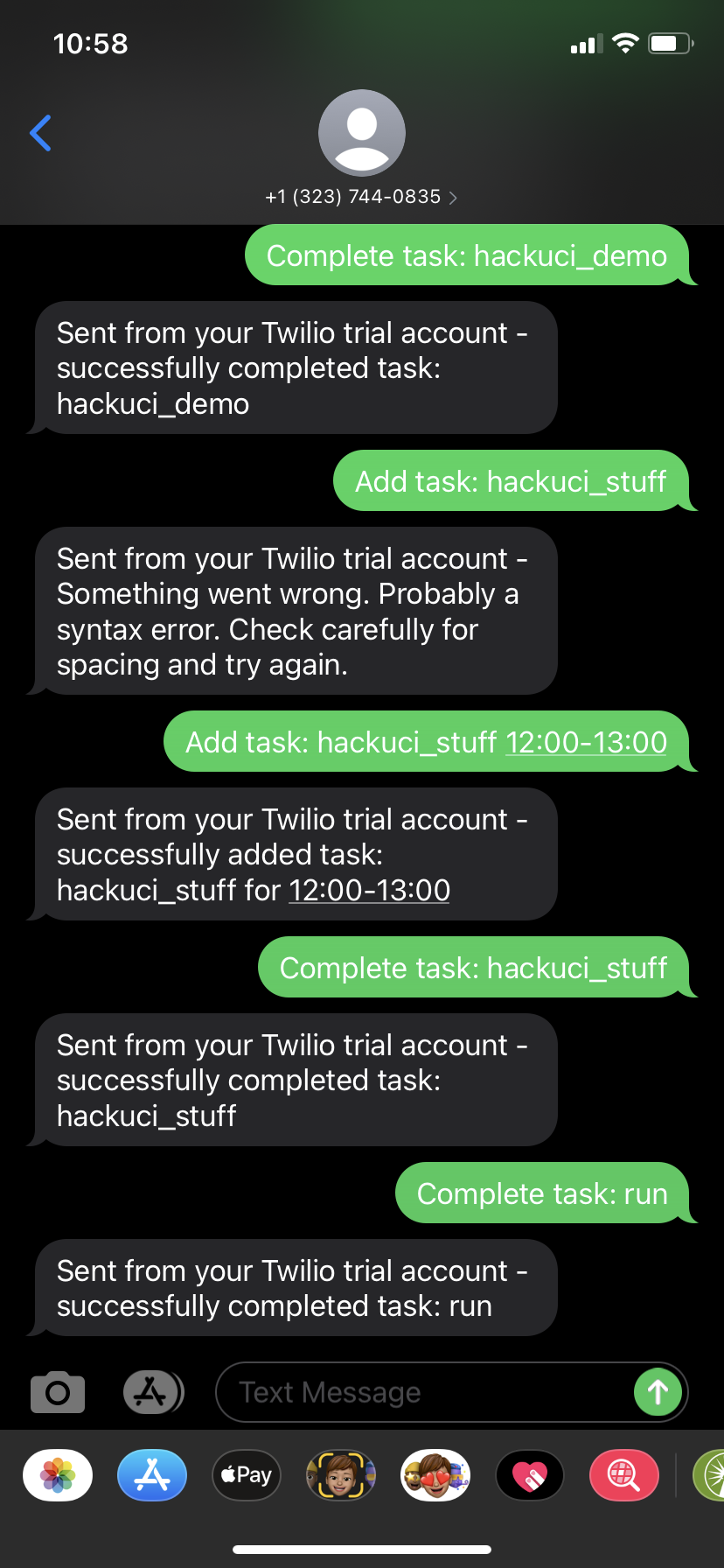
GoalUnblocked is a Chrome browser extension that allows the user to set goals and blocks specified websites/web domains to help them achieve their goals, whether it's running a mile everyday, completing a problem set, or eating meals on time. For many goals, especially fitness ones like hiking or running, it can be cumbersome and annoying for users to access the computer to update their goals. Instead, users can add, check off, and cancel goals through their phone by texting the appropriate commands. Additionally, given that people often still need access to websites that they want to restrict, such as during work hours and classes, GoalUnblocked allows the user to schedule tasks during certain periods in which they know they can set aside the time to complete them. During the scheduled time, any of the websites that the user has restricted will be inaccessible. However, if the user indicates that they have completed the task(s) scheduled for that time, they can unlock their websites before the specified end time.
How we built it
Our extension uses the Twilio API to receive and handle the commands sent through text. Through Google Firebase and Flask, these commands could then update the database and modify the goals accordingly. We hosted this on Heroku. JavaScript was used to detect restricted websites and display the Blocked Site Dashboard if appropriate.
Challenges we ran into
Since we did not have experience with creating Chrome extensions, we needed to start from the beginning and learn how to implement an extension. This was especially difficult as these extensions are primarily based in HTML, CSS, and JavaScript which we weren't very familiar with. Additionally, we struggled to properly query these the to-do items from the database. Since users being able to add their own list of goals and schedule times to restrict certain websites is a major premise of our extension, it felt was a pretty big roadblock that would have severely limited the functionality of our intended project.
What's next for GoalsUnblocked
For added functionality of GoalsUnblocked, we would like to able able to sync data from a user's phone to automatically track health goals, such as fitness or sleep. Additionally, GoalsUnblocked could serve as an effective studing ool by having the user upload a series of questions. At specified time intervals/periods, the extension could then restrict websites until the user is able to successfully answer/solve a question. This idea would be really interesting to extend using Wolfram Alpha's API.


Log in or sign up for Devpost to join the conversation.