Inspiration
Picture this. It is 2 AM, you have a deadline in five hours, you hit a tiny wall on an assignment, and you decide to reward yourself with a quick five minute phone break. Fast forward to an hour later and you are five miles deep into mindless scrolling, wondering where your life went. As a college student, this exact brainrot cycle was ruining my focus every single week.
The funny thing is that most productivity apps actually trick you into staring at your screen even longer. They expect you to color-code your whole life, build massive to-do lists, and micro-manage every single second.
So I asked myself a silly question. What if an app actually measured its success by how fast you put your phone down and got back to real life?
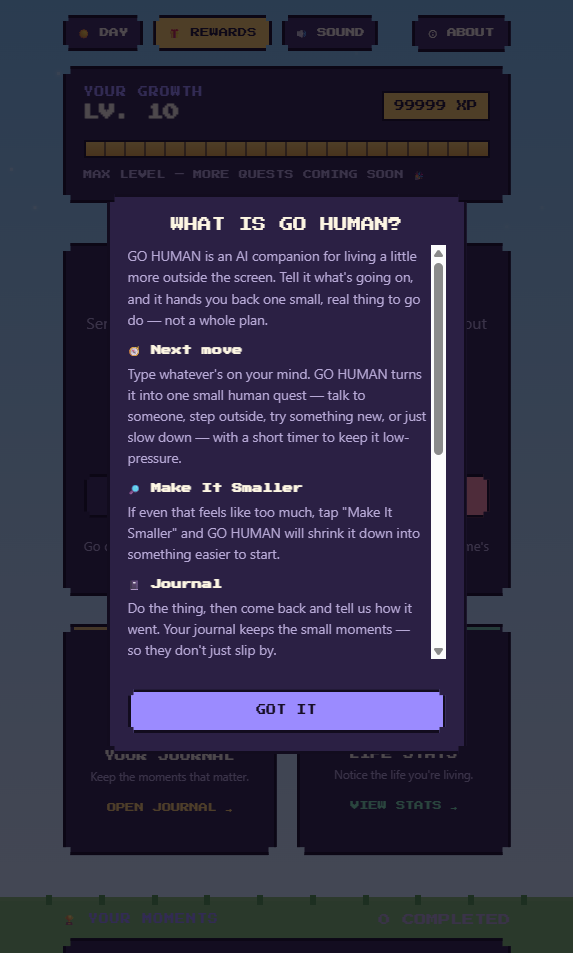
That is how GO HUMAN was born. Instead of trapping you in another digital bubble, it uses AI to give you one tiny realistic push into the real world, and then gets completely out of your way.
What it does
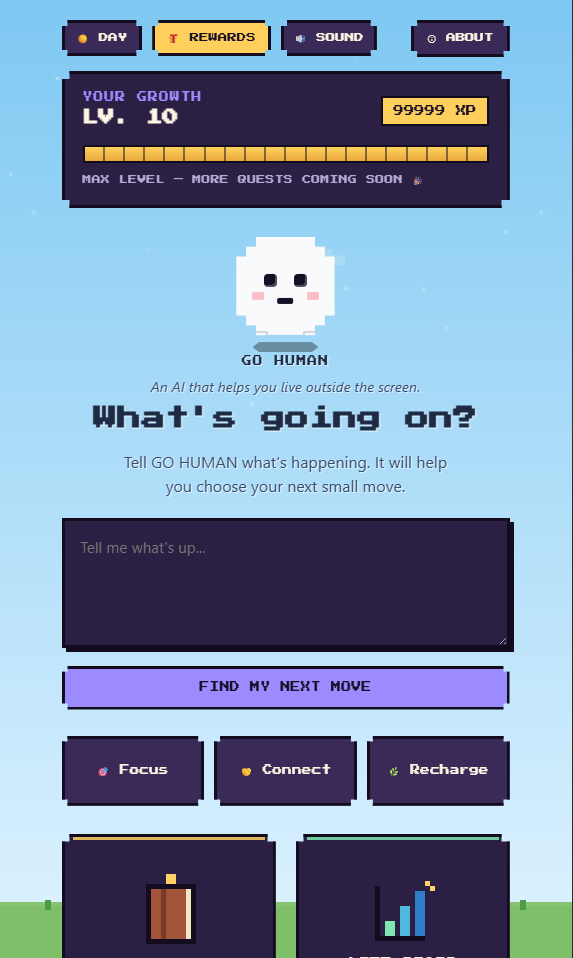
GO HUMAN is a fun little web app built to snap you out of phone paralysis, procrastination, and burnout. I built it with mobile browsers in mind because let us be real, that is where the doomscrolling trap starts, but its whole mission is to kick you off your phone.
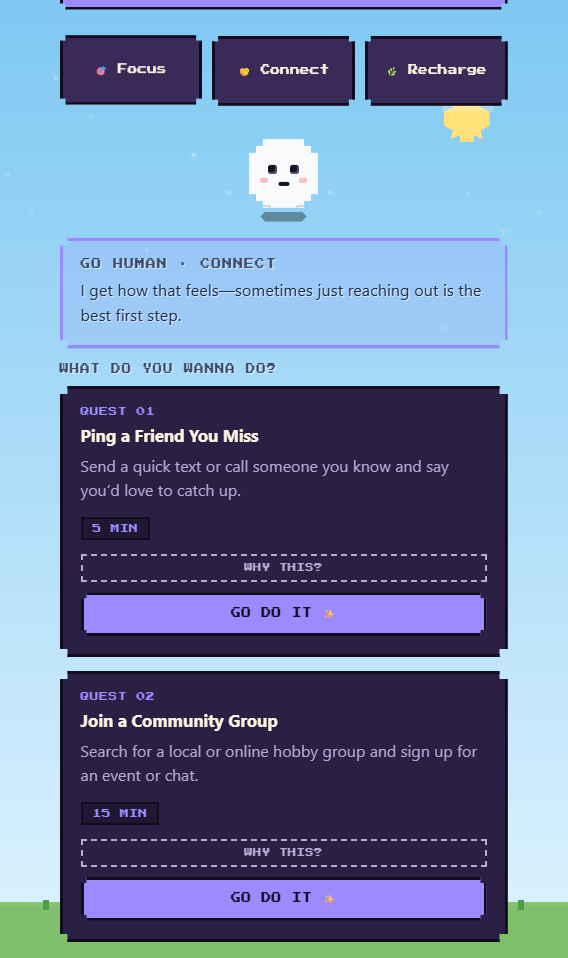
Instead of throwing a massive terrifying to-do list at you when you are already exhausted, you just type in what is going on, like saying you have been staring at a blank document for two hours. The AI gives you just one tiny realistic next move, like putting your phone on the bed and writing for just 10 minutes.
You can even talk back to the suggestion if it does not fit by asking why it suggested that or asking for a different option. It feels way more like a supportive friend giving you a gentle nudge than a bossy app telling you what to do. But the conversation is intentionally short because the whole point is to get you moving offline.
Once you actually finish an action, the real-world gamification kicks in to make doing stuff off your screen feel awesome
- Focus, Connect, and Recharge modes give micro-steps tailored for studying, reaching out to friends, or taking actual screen-free breaks
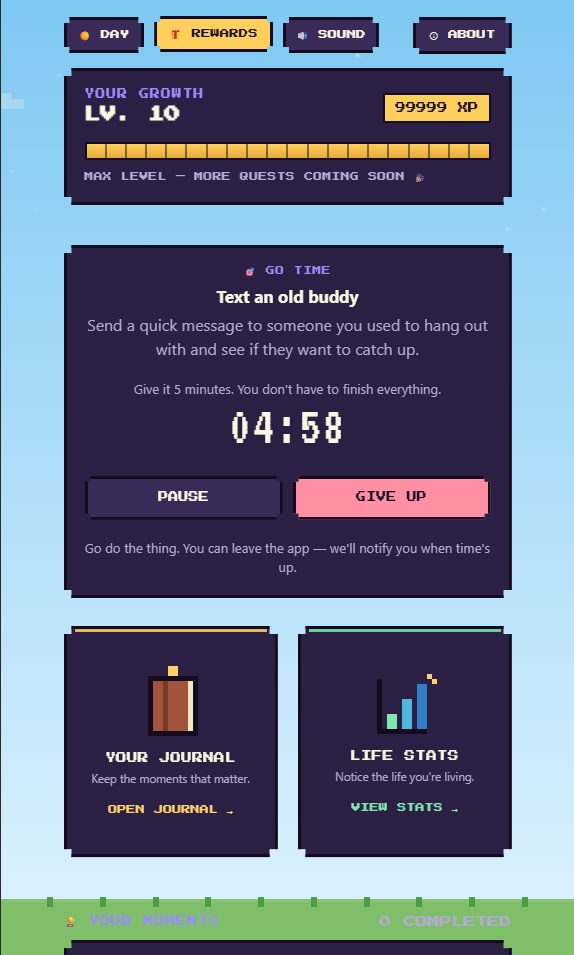
- Quests and a Focus Timer turn tiny suggestions into active quests with an easy built-in timer
- Moments and a Journal Flipbook let you visually log real-world memories in a super cool book-like interface
- XP, Levels, Life Stats, and Rewards let you earn progress for real-life action, proving that actually doing stuff is way more satisfying than endless scrolling
How we built it
I built the frontend using React and Vite with custom CSS styles. The backend runs on Node.js, and the AI side uses the Groq API because I needed the AI responses to be lightning fast so you would not get bored waiting and jump right back onto TikTok.
User progress, active quests, XP levels, and journal entries are all saved locally using LocalStorage. This kept the app super snappy for a hackathon build without messing around with a heavy database right away.
To be totally transparent about how AI was involved
- In the app, I plugged in Groq API running Llama 3 models so the responses are pretty much instant. I set up custom system prompts that grab whatever context or vibe you type in, figure out what mode fits best, and spit out just one super quick micro-action. I also designed the prompt so you can ask for alternative ideas if you don't like the first one, but it actively tries to cut the convo short and urge you to close the app instead of yapping forever.
- In development, I used tools like ChatGPT and Claude as quick coding buddies during the hackathon. They were awesome for bouncing ideas around, double checking syntax, and speeding up routine stuff like backend boilerplate and CSS layouts under a tight deadline.
Challenges we ran into
The absolute wildest part was getting the AI to stop yapping. AI models love to talk forever and keep the chat going, but GO HUMAN needs to give you a quick nudge and shut up. I spent hours tweaking system prompts to make sure the AI acts as a launching pad for real life, not another digital distraction you end up chatting with for 20 minutes.
Managing all the state purely through LocalStorage also got pretty chaotic around 3 AM, especially trying to keep the flipbook journal UI in sync with live XP updates and active timers without a proper database.
Accomplishments that we're proud of
I am super proud that the core loop actually feels amazing to use. Going from feeling totally stuck to getting one tiny manageable suggestion, actually doing it in real life, and watching it flip into your journal is so satisfying.
Building something that intentionally tries to kick you off your phone feels like a super refreshing twist in a tech world that is totally obsessed with screen time.
What we learned
I learned that when your brain is totally overwhelmed, having too many options is your worst enemy. Giving someone just one realistic step works so much better than throwing a giant list of tasks at them.
On the technical side, building a timer, a journal, a flipbook UI, and AI interaction all in one weekend taught me how crucial it is to lock down your data structures early before getting carried away with the fun visual details.
What's next for GO HUMAN
- Social Proof and Shared Quests so you and your friends can hold each other accountable for offline quests
- Context Awareness so the AI can check the weather or time of day, like telling you to take a walk outside if it is sunny
- Native Mobile Integration so I can eventually turn this into a home-screen widget where you can get a next move without even opening a browser window
Built With
- css
- groq
- javascript
- localstorage
- node.js
- react
- vite


Log in or sign up for Devpost to join the conversation.