-
-
MIMIC III Dataset
-
ML Pipeline
-
Resource Group created
-
Resource Group created
-
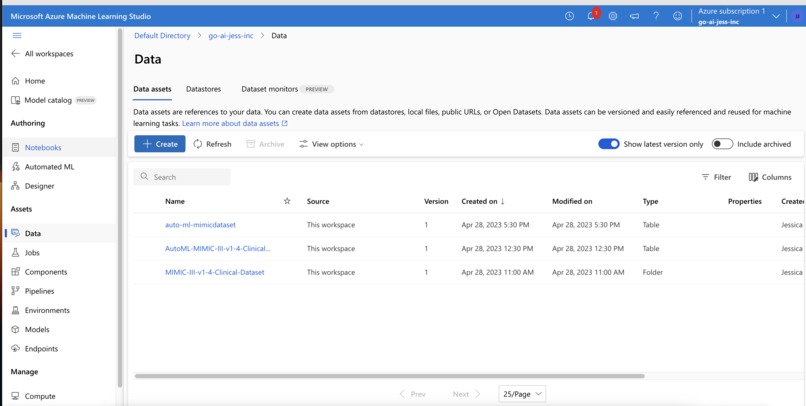
Data
-
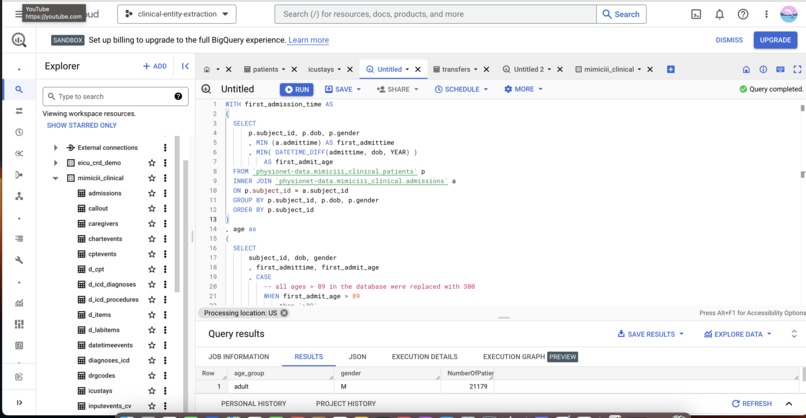
Big Query SQL cleaning & prepping data
Inspiration
The Go AI! jess inc project is inspired by my real life experience as a Senior Staff Nurse at the Singapore General Hospital. During the Covid-19 pandemic, I was posted out to the ICU from my original Major Operating Theatre department to treat Covid positive patients. It is indeed an experience and memory close to my heart. I'm super excited to use my nursing experience and my current Cloud Technology Associate role to build my AI/ML IT knowledge to merge both fields together and create a model that could help improve the current workflows in hospitals and automate tasks for healthcare professionals that makes it better for them to provide a more one to one patient care that is required. It helped me in my career transition process as well as I learned to use multi-cloud services to create the AI/ML model. I really enjoyed working on this project as I learned new concepts and gained certifications that further hones my skills & knowledge.
What it does?
This Go AI! jess inc is used to predict the length of stay of patients in the Intensive Care Unit (ICU). Why do we need it? There are significant importance in healthcare for several reasons like resource allocation patient management and care, cost efficiency, risk assessment and patient outcomes as well as bed availability and waitlist management. Overall, predicting the length of stay of patients in the ICU is crucial for optimizing resource allocation, enhancing patient care, improving cost efficiency, assessing risks, and managing bed availability. It plays a significant role in supporting clinical decision-making and improving overall healthcare delivery in intensive care settings.
Accessing dataset
I built this predictive model using Azure Machine Learning (Azure ML) by first creating an account on Azure portal. I also first studied the course AI-900 Fundamentals to get a higher level understanding of Microsoft Azure AI/ML tools & services then took the certification and managed to pass it. Consequently, I tried applying my knowledge into building a ML model that could predict the length of stay of patients. To obtain access to the MIMIC III dataset, I managed to request for credentials from PhysioNet and completed the required training for the CITI Data or Specimens Only Research & then signed the data use agreement for the project. This I had to wait for about a week to get access to. After obtaining the dataset, I accessed the MIMIC-III dataset on the Cloud using the Google Big Query.
Preparing my data
I used the MIMC III dataset to train my model. This data is in a CSV format that Azure ML can understand. You can also use Azure ML to explore and clean your data.
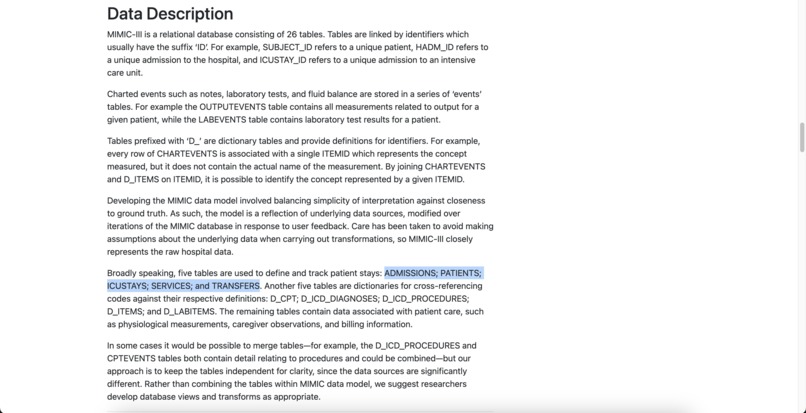
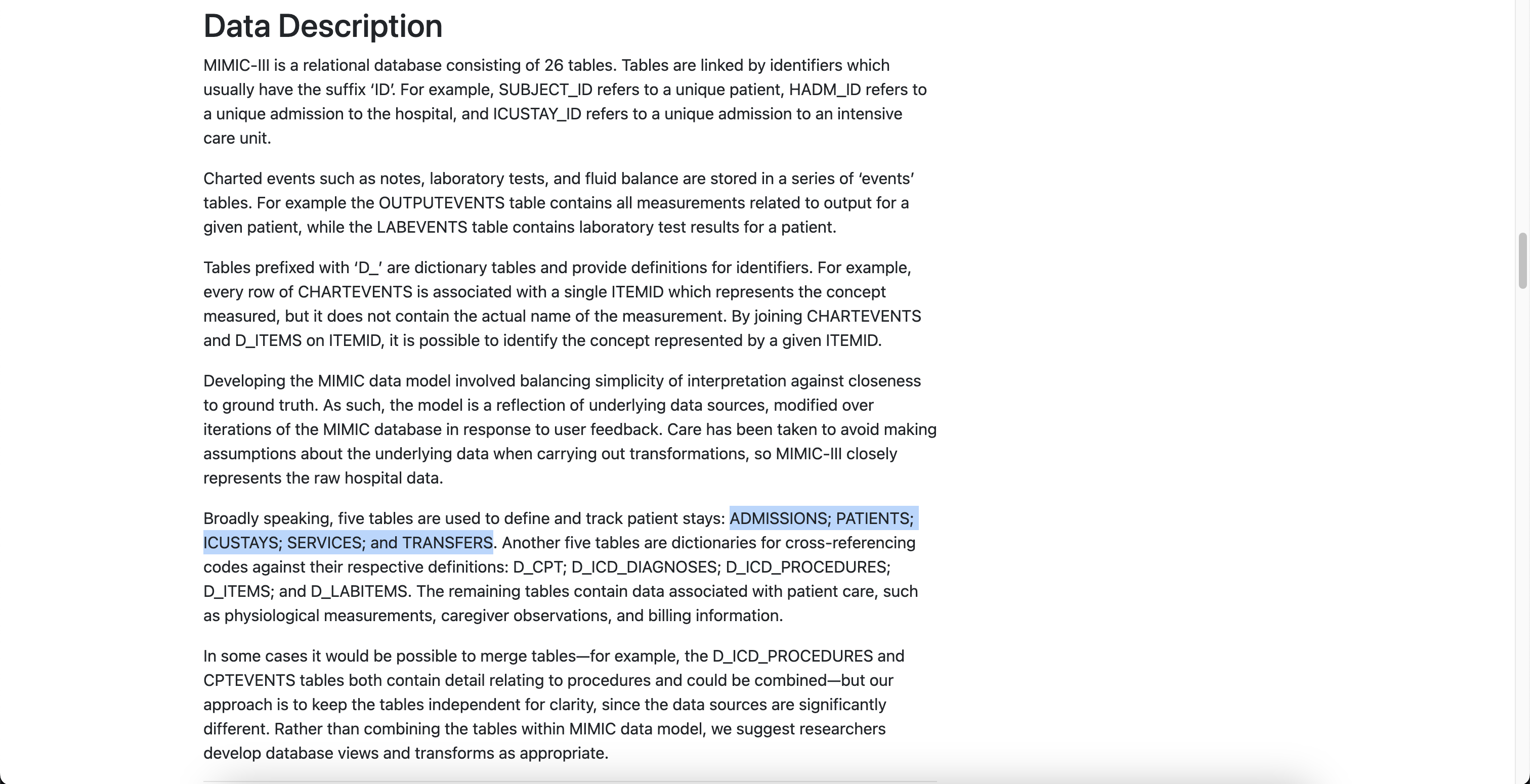
- I conducted an EDA (explanatory data analysis) to visualise the key indicators impacting ICU length of patient’s stay. Found that there were 5 tables used to define & track patients stays: ADMISSIONS, PATIENTS, ICUSTAYS, SERVICES & TRANSFERS.
- Another five tables are dictionaries for cross-referencing codes against their respective definitions: D_CPT; D_ICD_DIAGNOSES; D_ICD_PROCEDURES; D_ITEMS; and D_LABITEMS.
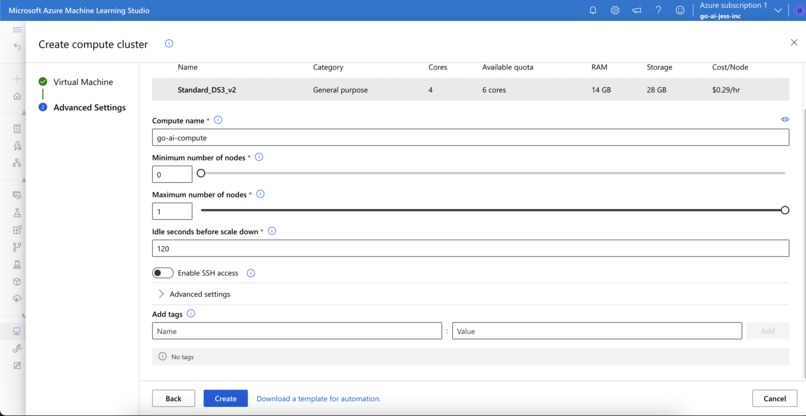
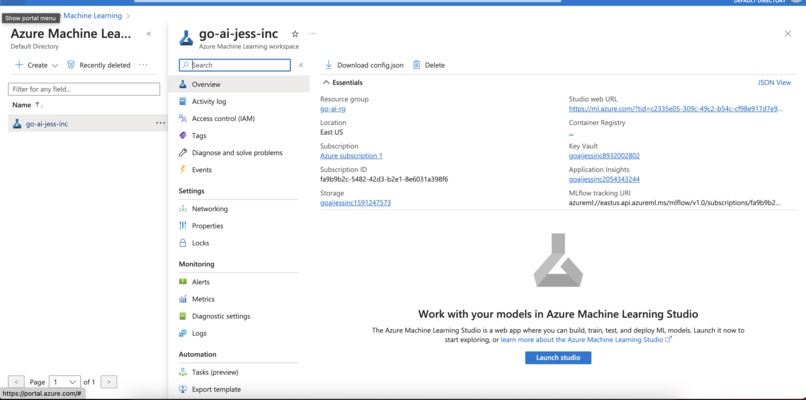
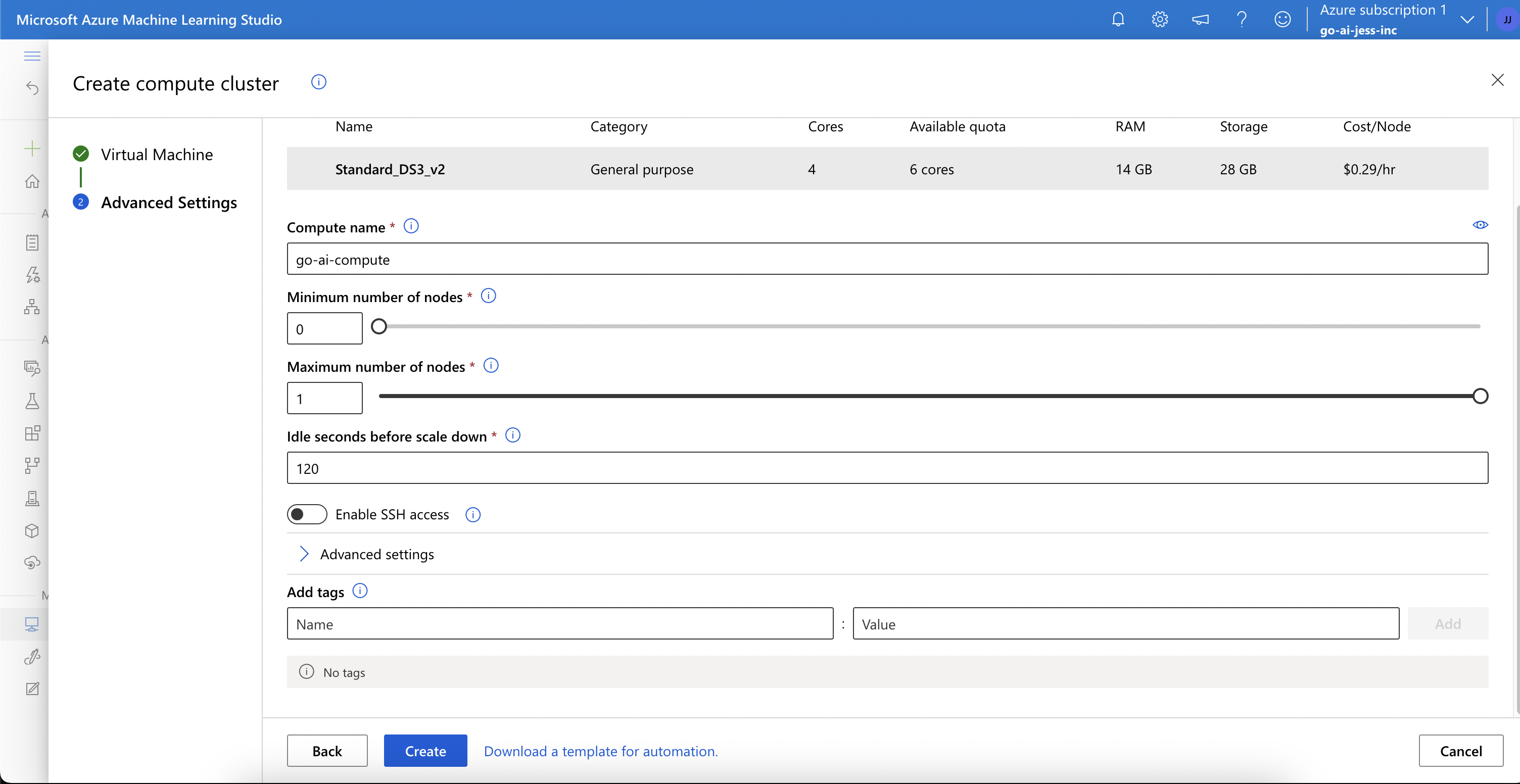
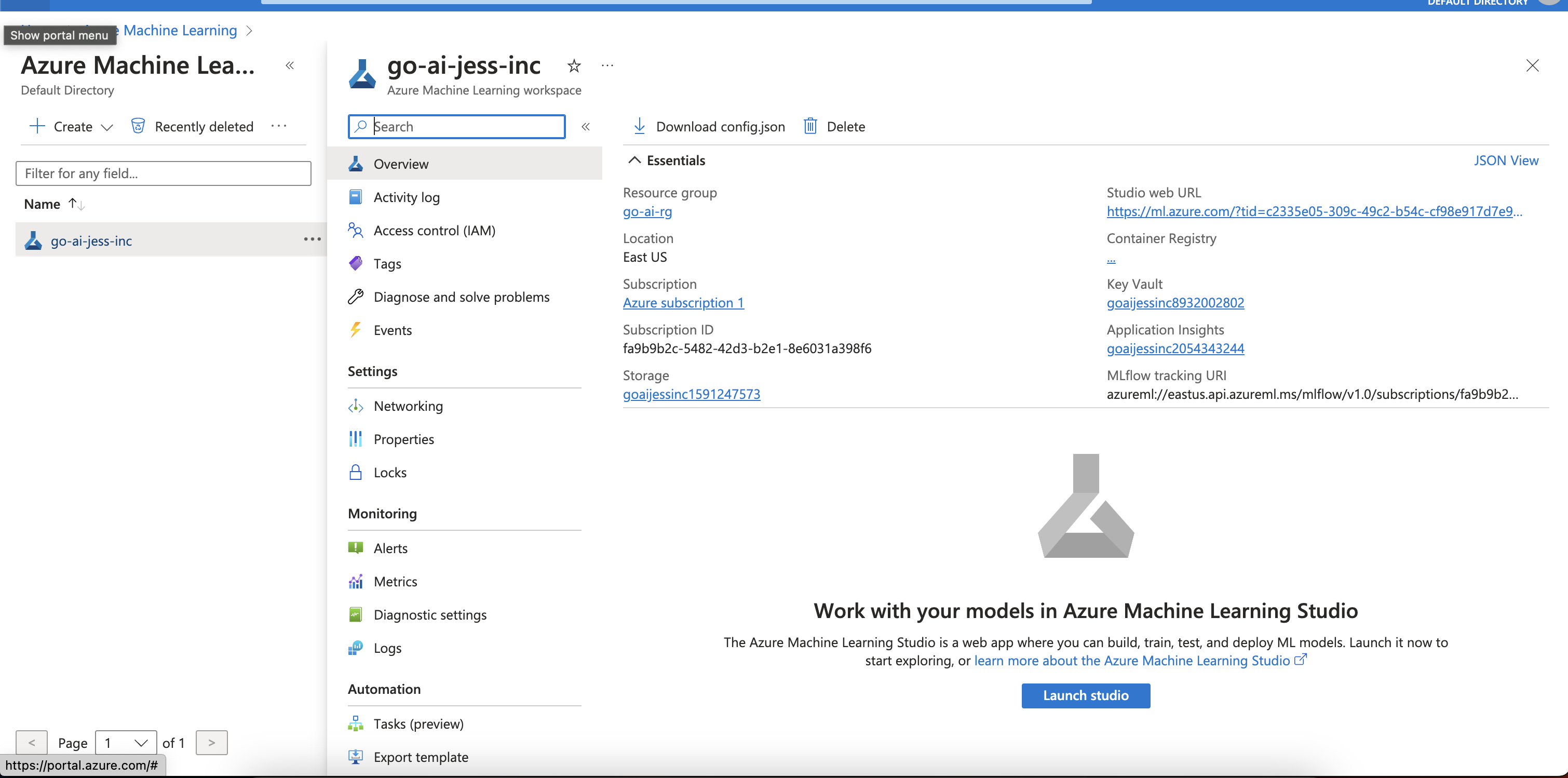
The remaining tables contain data associated with patient care, such as physiological measurements, caregiver observations, and billing information. I created an Azure ML workspace as a container for my machine learning assets, such as data, models, and notebooks. I created a ML Resource group called go-ai-rg & a workspace called go-ai-jess-inc using the Azure portal instead of programmatically using the Azure ML Python SDK. Then, I launched an Azure ML Studio to manage my model lifecycle to build, train, create, evaluate & deploy. I created a Compute environment called go-ai-compute to run my workloads - used the default settings of Dedicated VM tier, CPU VM type, VM Size is Standard_DS3_v2 General Purpose, 4-6 Cores, costing $0.29/hr, 14GB RAM, 28GB Storage.
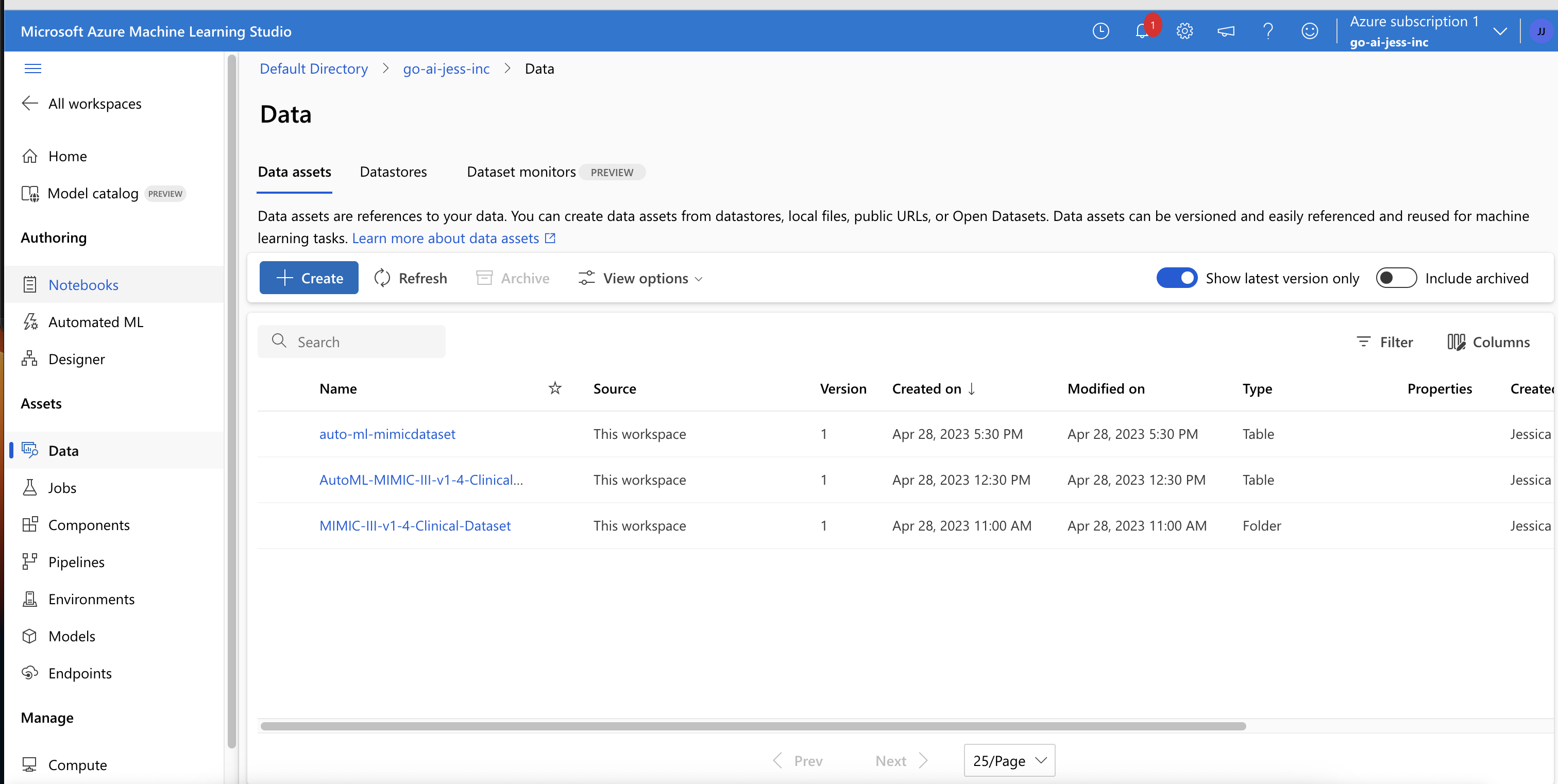
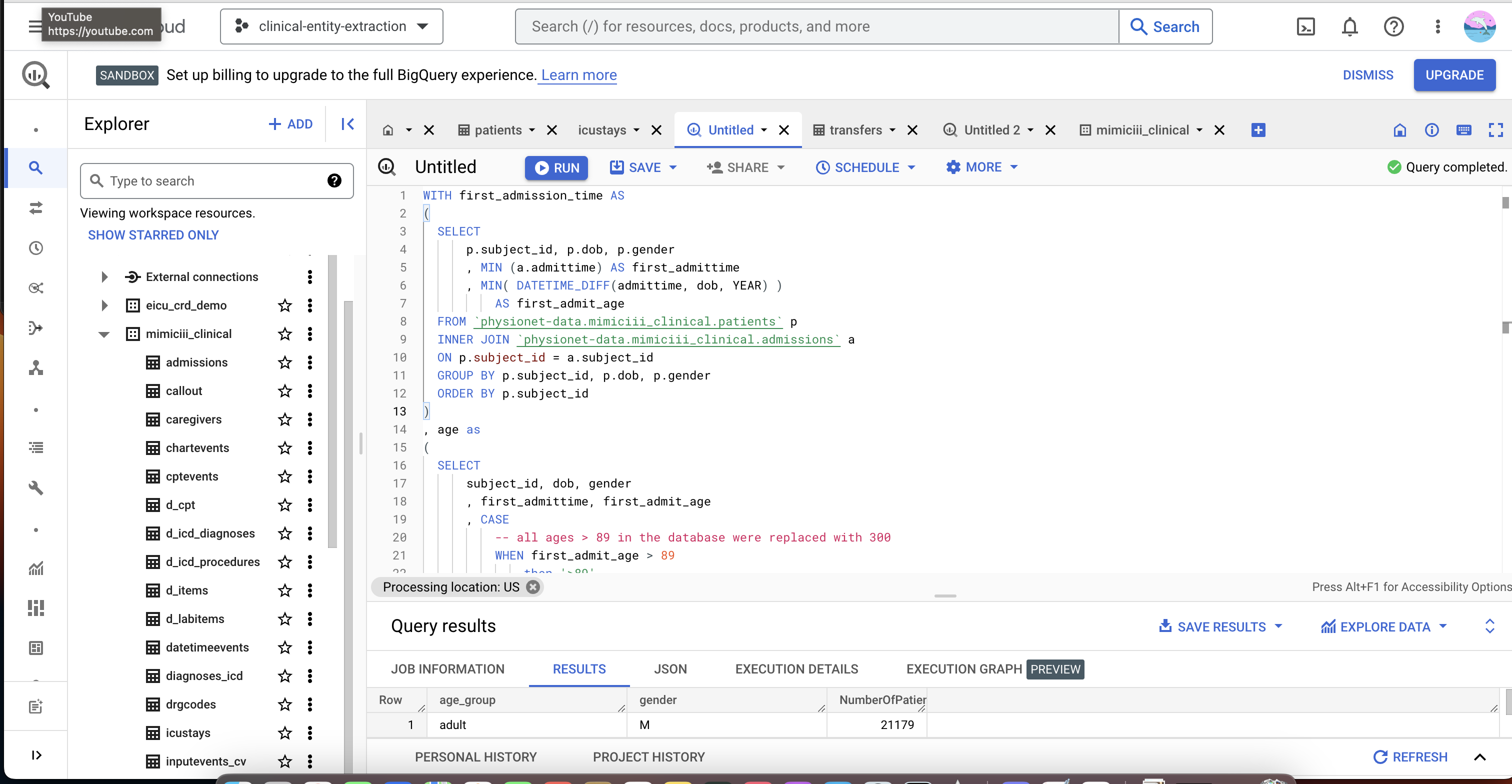
Then I created a dataset. First, the dataset had to cleaned & prep'd before I could put in into the Auto ML for training. I accessed the MIMIC -III Dataset using Google Big Query and tried to clean & prep the data using SQL. I decided to use this tool on the Google Cloud platform because the exabyte scaled data warehouse & data analytics capabilities of the Big Query was very reliable. I used the Google Big Query tool to transform the multiple tables by JOIN and other SQL commands.
I have not used SQL before and I started learning SQL as I created the model through other websites. I am still in the process of merging the different tables together and perform the feature engineering required to train the model. Although I really enjoyed learning SQL on my own, I didn't manage to complete the whole transformation of data.
I first read about the dataset on PhysioNet and did an explanatory data analysis (EDA) on all the tables to choose the factors that most affected the length of stay of patients in ICU. Found that there were 5 tables used to define & track patients stays: ADMISSIONS, PATIENTS, ICUSTAYS, SERVICES & TRANSFERS. I used JOIN, INNER JOIN, WHERE, SELECT, GROUP BY, MIN, MAX, AVG, WHEN, ELSE etc. to prep the dataset. It took a very long time to learn SQL and apply it. However, I managed to play with the dataset and enjoyed learning SQL. If I had more time, I'd love to learn it first fully then I could apply it without feeling discouraged. Automated ML currently only supports tabular data for authoring jobs. Hence, I had to make sure the table is not too big and only relevant columns/fields are included in.
I created an experiment with a collection of steps used to build and train your model on Azure ML Studio. I did not choose a specific algorithm for my model as I wasn't sure which one is suitable to use for my problem. I used the Azure ML built-in algorithm to train my model. I then used Azure Auto ML to train my model using the data. I tried doing it programmatically using the Azure ML Python SDK but I encountered a lot of errors as the data is not prep'd correctly.
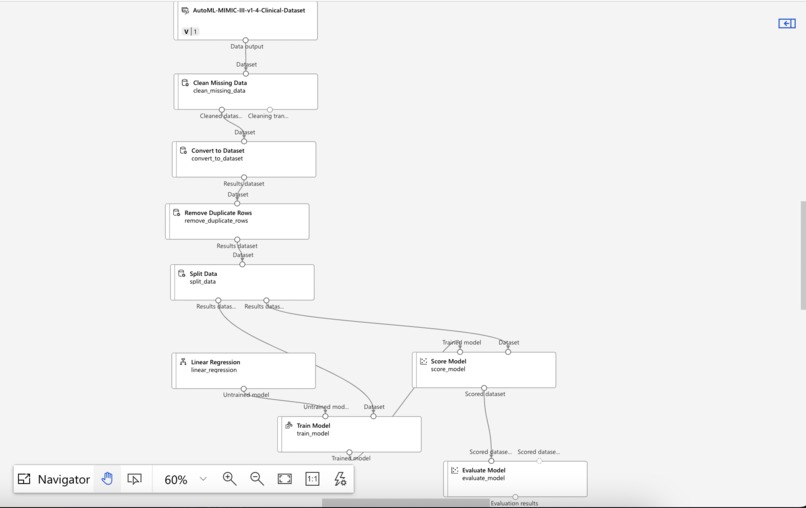
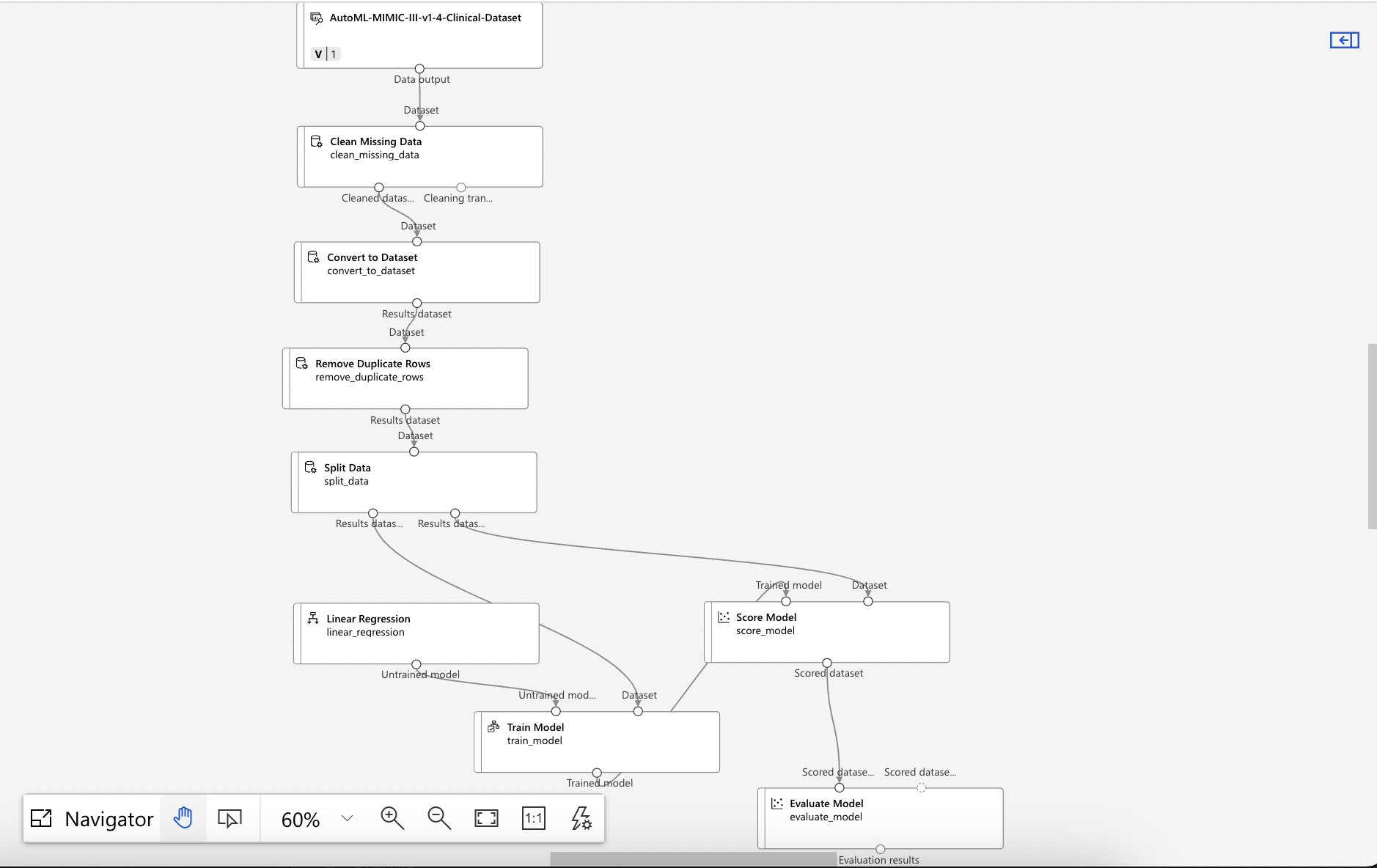
I tried to use the dataset that I have managed to transform to build a Machine Learning pipeline using the Microsoft Azure Machine Learning Studio Designer named, 'go-ai-pipeline'. The MIMIC-III dataset was then pipelined to apply transformation of data after which the transformed data will be split into training data and evaluation data as no same datasets can be used for both training & evaluation of the ML model.
The training dataset underwent Linear Regression then passed into Score Model before the Evaluation process on the model. The evaluation dataset underwent Score Model and passed on for evaluation. The reason of choosing Linear Regression is because the dataset is a tabular set that contains numerical values that needed to be analysed and read. The Score Model was used because scoring is a key component of understanding machine learning model outcomes in choosing the most accurate model that produces the most valuable insights. With a model in production scoring new data, I could uncover insights that can used to create business value like predicting the length of stay of patients in ICU.
I used the Azure ML to evaluate my model's performance using metrics such as accuracy, precision, recall, and F1 score. I also tried to visualise the results of the evaluation on Azure ML dashboard. My billing came up to $50. I used Azure ML to deploy my model as a web service that can be accessed by other applications on Azure ML Studio. I tried to do it programmatically using the Azure ML Python SDK but having no prior background in coding or programming made it an exceptionally hard and slow process. However, I tried sourcing out codes from GItHub but time was running out so I decided to use Azure ML Studio instead.
Next, I used Azure ML to monitor your model's performance and make adjustments as needed. Overall, building a predictive model using Azure ML involved several steps, but Azure ML provides a user-friendly interface and tools that make the process easier.
Challenges I ran into
There were a myriad of challenges I ran into while developing this model. The first challenge was getting access to the dataset as there is a requirement to complete a training course and the time duration to wait for the credentials to be permitted to use from PhysioNet. The second challenge is using SQL commands to clean & prep data before transformation using Google Big Query. As there are 26 tables in the dataset, I had to remove the ones irrelevant in predicting the. patient's length of stay in ICU. The third challenge was getting it through the Azure AutoML as it requires a specific CSV format of dataset in order to train the model.
Accomplishments that I am proud of
Nevertheless, I'm proud to have made it this far on my very first hackathon with no prior IT technical background and only learning it as I go and using my past experience as a nurse. I really wished I had more time to study & learn more about the AI/ML technology offered by Microsoft Azure as it's very interesting & limitless. I'm happy to have gotten access to 40 000 patients data as Th ML model can be trained effectively.
What I learned
From this project, I learned all about how to create a ML Model from scratch & the requirements to do so. I also learnt the importance of SQL & Python programming in order to be a successful AI/ML Engineer. The advent of AI/ML field made me realise that it could help everyday tasks easier through automation. I realise my interest in this field and the motivation to learn more about it pushes me to learn as much as I can to hopefully land a career in the AI/ML field someday. Besides that, I also learned that no matter how impossible something seems, with hard work and perseverance anything is possible.
What's next for Go AI! jess inc
Next for Go AI! jess inc is to create models that taps on Computer Vision, like to detect proper PPE Donning among healthcare professionals, a system model that detects verbal communication between a physician & patient and converting it into document & prescription without the need to write. In parallel, I'd like to also work on the dataset for this prediction model to build a more concise model that can be used in hospital setting using Azure services.
Built With
- automl
- azure
- azuredesigner
- google-bigquery
- machine-learning
- studio


Log in or sign up for Devpost to join the conversation.