Inspiration
Th idea about making a response creator came in mind while facing an everyday challenge of responding to countless email, tweets, or messages. As a working professional, I often struggled to craft the right tone or generate replies under time pressure. I wanted a tool that could streamline communication while ensuring every message was thoughtful and appropriate. This inspired me to create a Chrome extension that not only generates text responses for Gmail and Twitter but also analyzes the tone of emails to provide actionable insights.
What it does
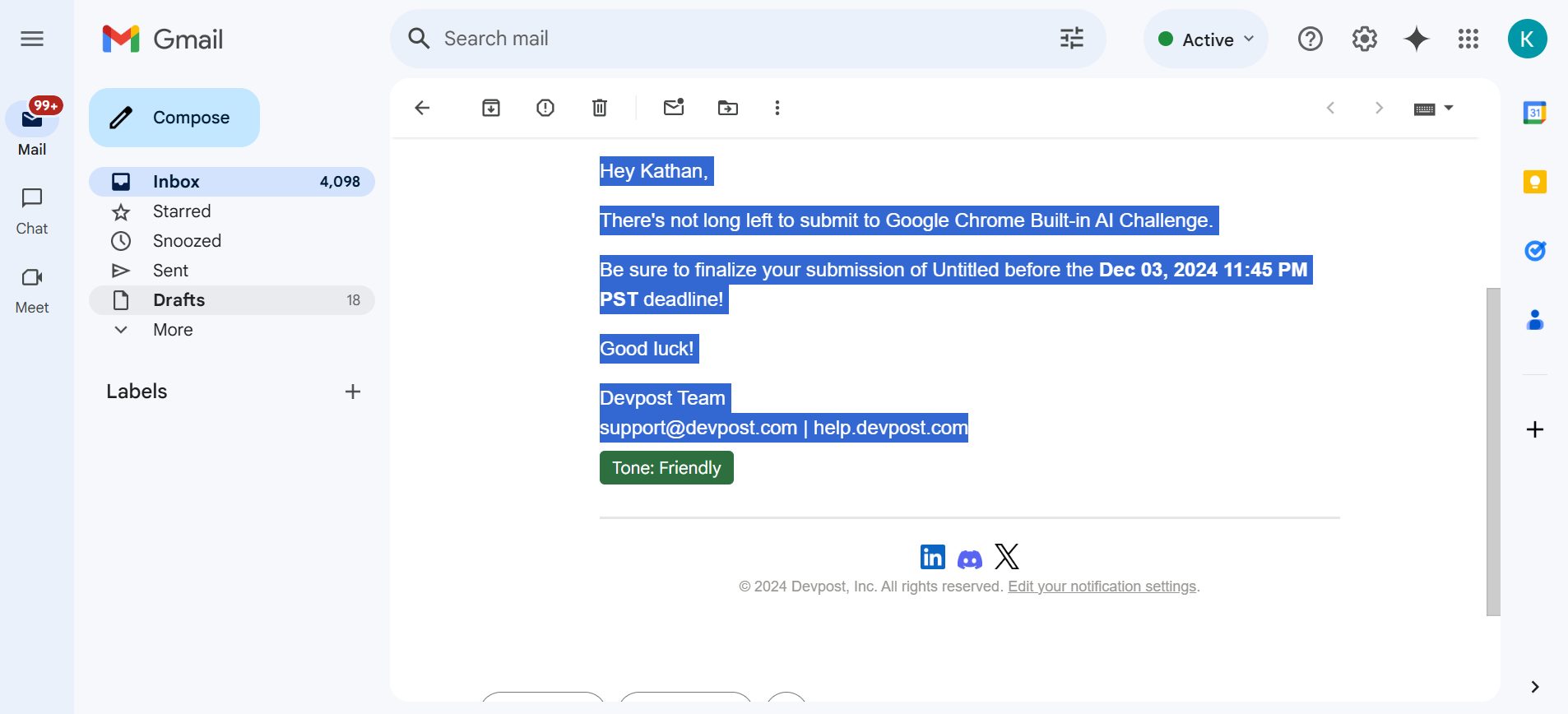
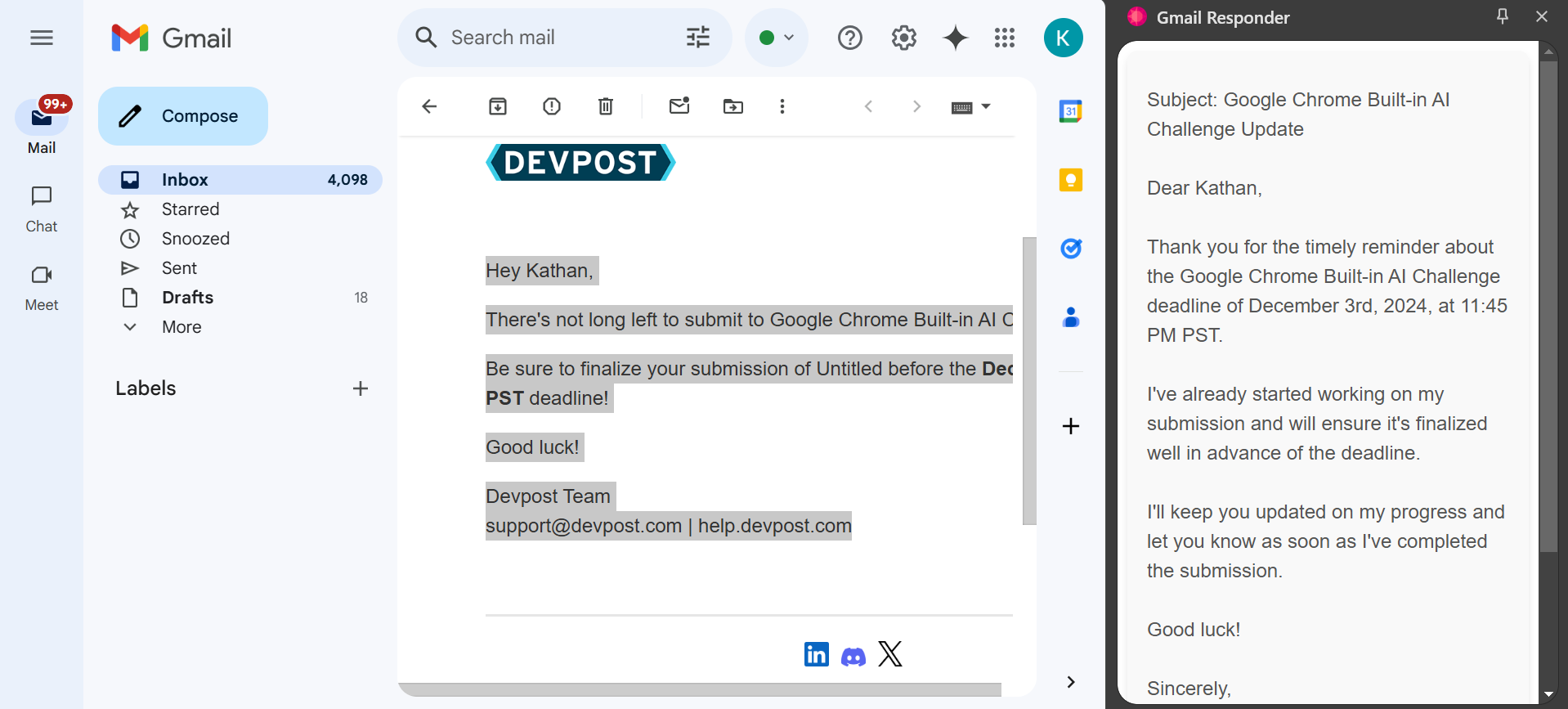
It analyzes the tone of the email or tweet just by selecting the text and it would generate a little pop up below the selected text so that an user effortlessly get to know what is the tone of the written message. Not only that but also it creates a reply by using Chrome built in API upon user interaction with the context menus.
How we built it
Planning & Research: Defined core functionalities like text generation and tone analysis. Explored APIs for integration. Frontend: HTML, CSS, and JavaScript for the popup UI. Backend: Chrome extension APIs. AI Models: Gemini Language Model Testing: Iteratively tested the extension in various scenarios to ensure reliability and responsiveness.
Challenges we ran into
Balancing functionality with clean and intuitive user interface took multiple iterations. Primarily, I wanted to make it working with the least user interactions.
Accomplishments that we're proud of
Created a clean, intuitive UI that makes the extension easy to use, even for non-technical users. Delivered a tool that saves users time, boosts efficiency, and improves communication quality.
What we learned
Deepened my knowledge of Chrome extension development, AI integration, and sentiment analysis.
What's next for Gmail Responder
I am planning to implement the speech to text functionality with this tool. As a result, users can write and read email by speaking. User can respond to email by speaking and also change the text of the given response. Moreover, I am planning to implement the language support in the extension.
Built With
- chrome
- css
- gemini
- html
- javascript
- languageapi

Log in or sign up for Devpost to join the conversation.