Inspiration
Imagine mapping a slash to “cut” in a sketching app. A teammate maps the same stroke to “dismiss.” Both gestures look reasonable on a whiteboard. We wanted a workbench where a designer can try that collision with a pointer and see exactly why a recognizer hesitates.
What it does
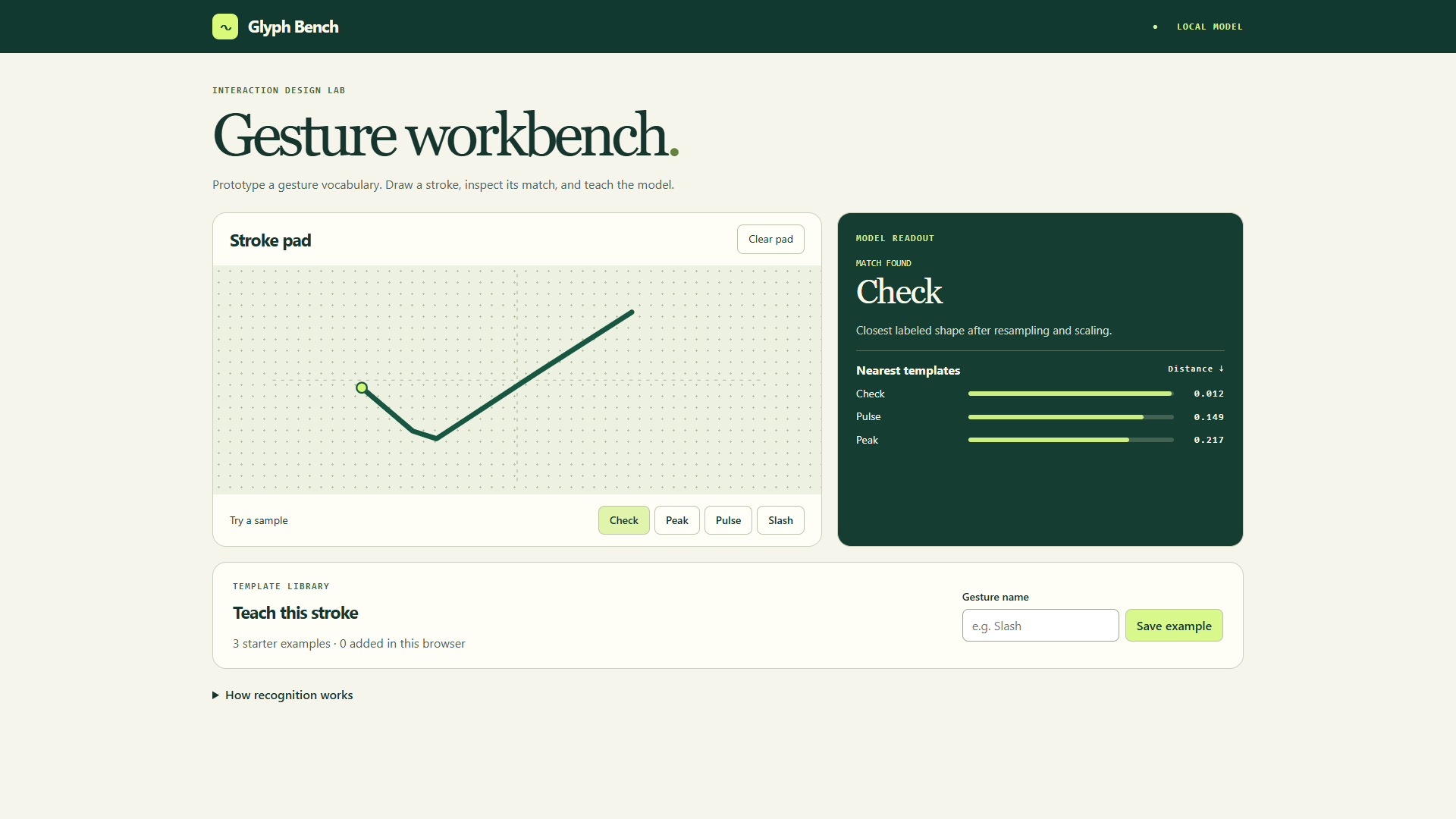
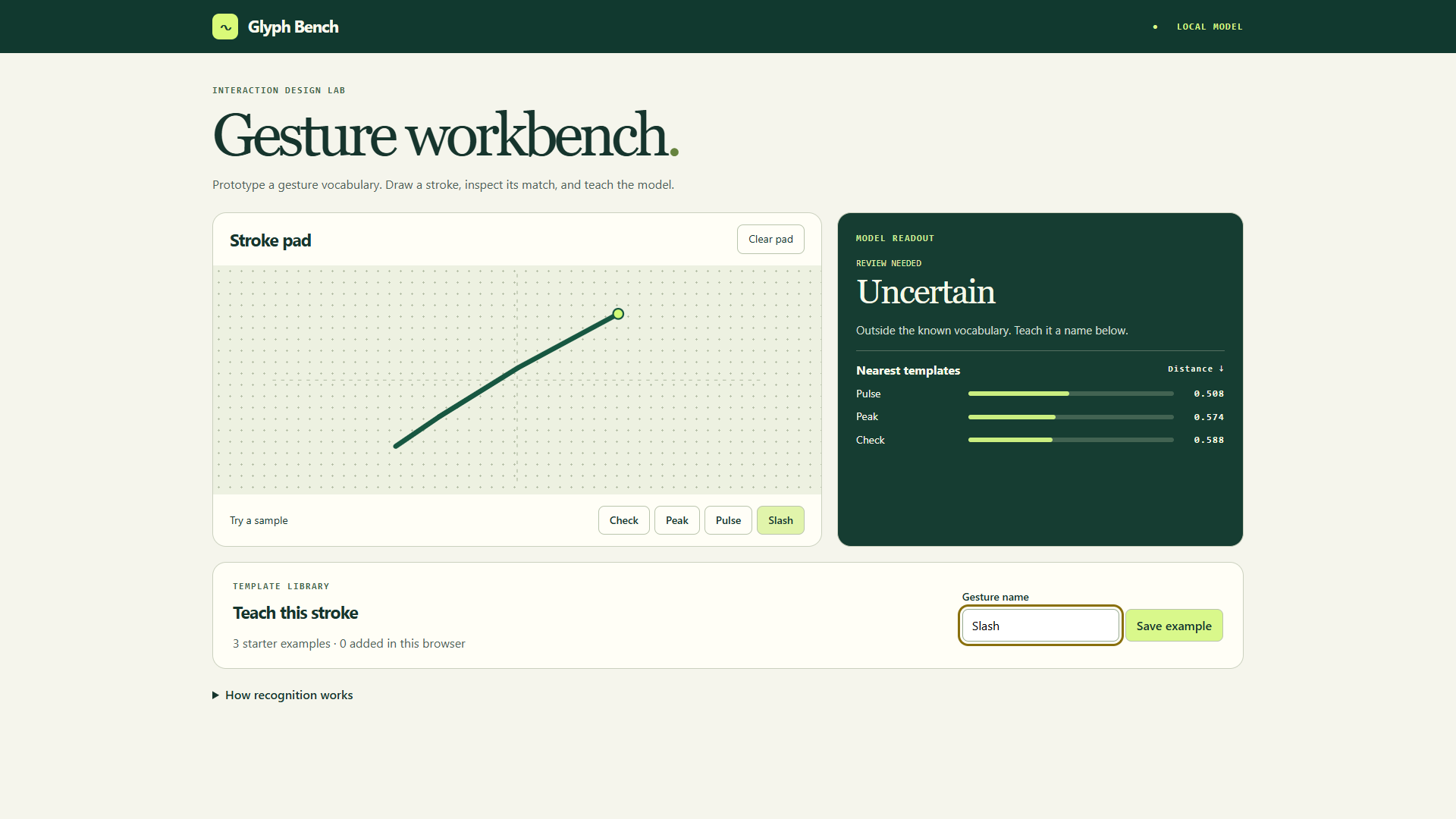
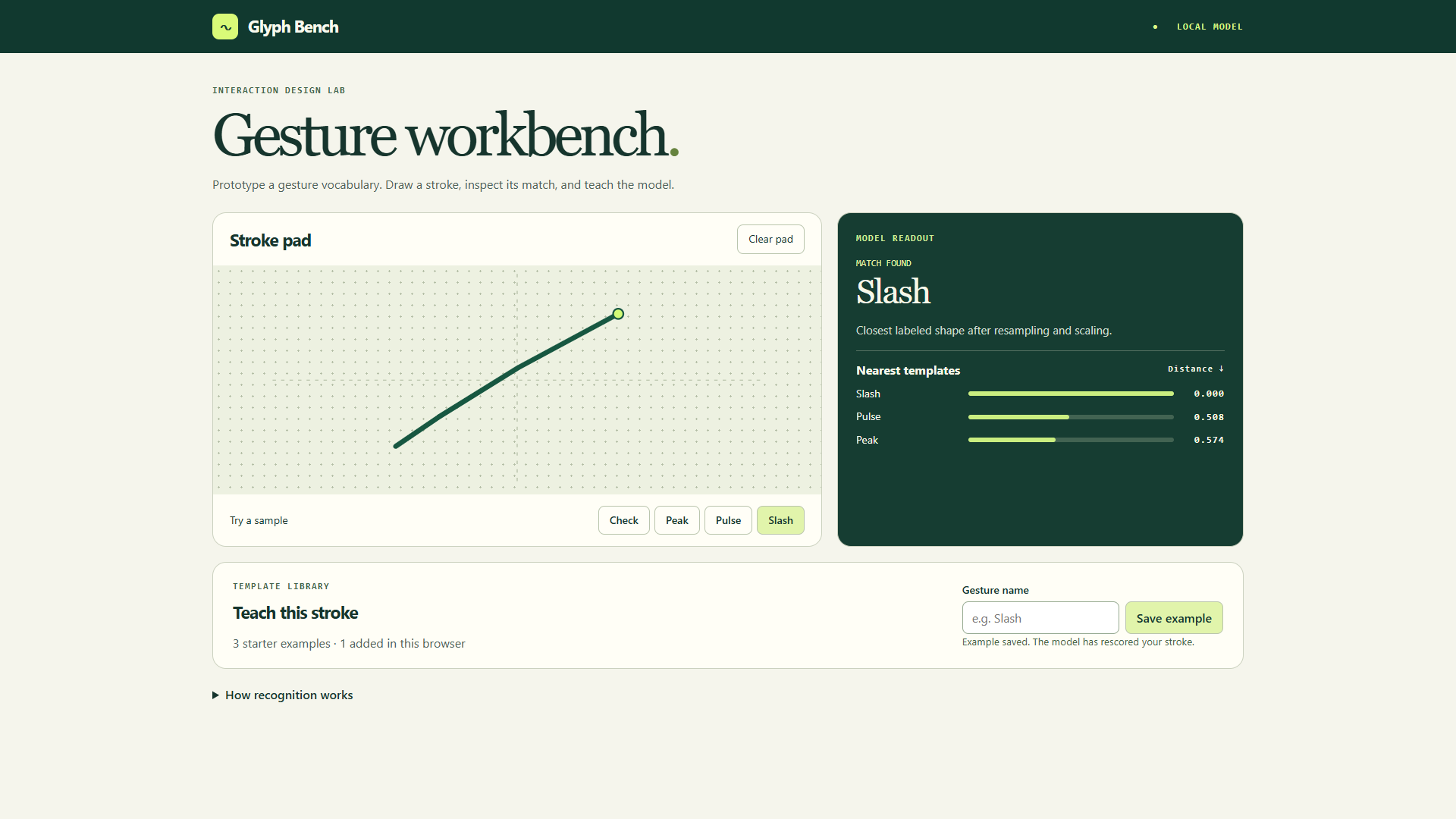
The workbench opens with a classified check mark. Draw another stroke or choose a sample to see the three nearest labels and their distances. Try Slash in a fresh session. Its closest starter label, Pulse, is 0.508 units away, so the model asks for review. Give the stroke the name Slash and save it. The readout immediately shows Slash at 0.000. Your examples persist in this browser.
How we built it
We resample each stroke at 32 evenly spaced path positions, center it and divide by its largest dimension. A one-nearest-neighbor classifier compares the mean pointwise Euclidean distance to each labeled example. It asks for review if the best distance exceeds 0.20 or the gap to the next label falls below 0.035. The SVG pad, pointer handling, samples, classifier, interface and tests were built during the event. The nearest-neighbor method, browser APIs and Playwright predate it. We used no external dataset, hosted model or paid API.
Challenges
A high sampling rate can put more points on a slow corner than on a fast straightaway. Resampling by traveled distance gives both passes a common representation. A harder problem is contradictory labels. We display the competing distances so a designer can see the collision.
Accomplishments
A designer can introduce a fourth class in one interaction. The next classification uses that example immediately. The complete loop runs locally, including after reload, and the sample controls make it possible to explore without drawing.
What we learned
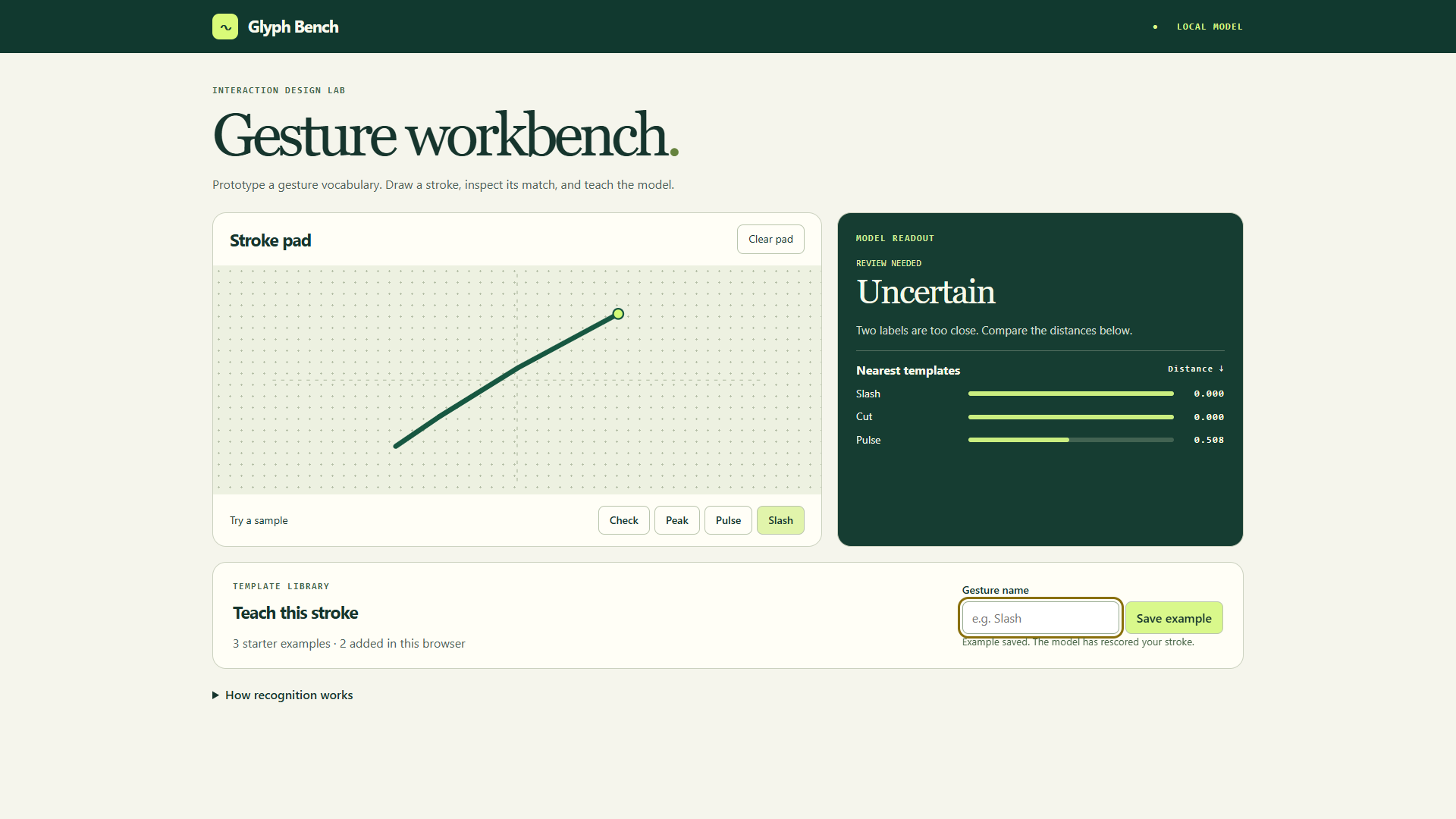
The most informative test was teaching two names to the very same stroke. Both distances become zero. Displaying uncertainty makes the vocabulary conflict visible even though each template fits perfectly.
What's next
Add a holdout tray where designers can reserve strokes from a second person and measure which label pairs collide on previously unseen examples.
Testing and limitations
We exercised sample recognition, pointer drawing, rejection, persistence, conflicting labels and keyboard input in Chromium. The provided examples are small and synthetic. Results depend on direction and starting point. The thresholds have not been evaluated across a population of users.
Visual walkthrough
- 01-recognize.png — A check mark lands closest to Check. The readout ranks the alternatives.
- 02-review.png — A descending Slash is outside the starter vocabulary.
- 03-learn.png — Saving the stroke as Slash immediately gives the new class a zero-distance match.
- 04-conflict.png — Assigning the same shape to Cut creates a tie and triggers review.
AI disclosure
Under human direction, OpenAI Codex authored the program, sample coordinates, tests and written materials. The product itself uses local nearest-neighbor classification. It does not call a generative AI service.
Links
Live demo: https://glyph-bench.pages.dev/
Repository: https://github.com/ryan930704/glyph-bench
Required extras
- Team size and roles: One student entrant, project direction and submission. AI implementation and writing assistance disclosed above.
- Track: Open-ended AI project. The public rules list no named competition tracks. If prompted, 送件時依畫面.
- Media: Upload the four PNGs from shots/ in sequence with the visual walkthrough captions above. Public requirements accept a short video or a visual walkthrough.
- AI method, examples, credits, limitations and test results: Use the answers above.
- Additional required custom fields, file controls or attestations visible only in the submission form: 送件時依畫面.
Built With
- css3
- html5
- javascript
- localstorage
- nearest-neighbor
- node.js
- playwright
- pointer-events
- svg
