-
-
Your Desktop Agent - One Ping Away!
-
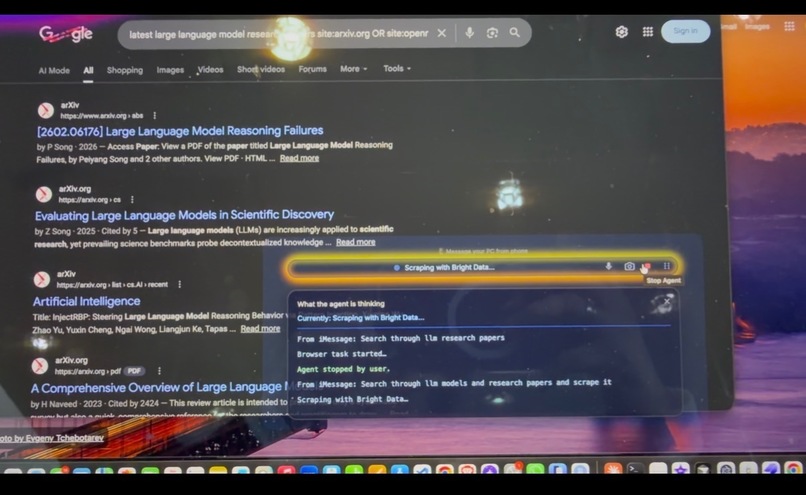
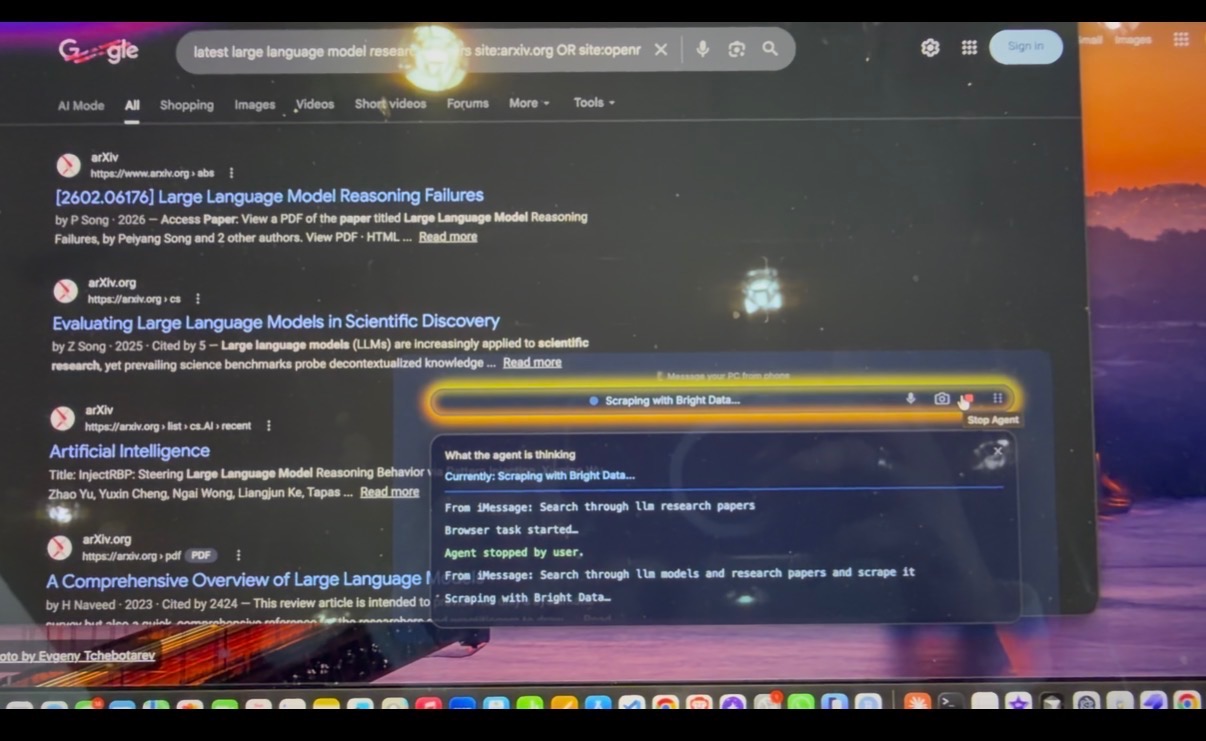
Agent using bright data to manually do hefty task
Inspiration
Cloud compute is expensive, and humans are unreliable. Teams forget to stop GPU instances. Students leave Colab runs unattended. Long training jobs fail silently. Remote desktop tools exist, but they assume stable bandwidth, logins, and setup on both devices, exactly what breaks when you’re on deadlines and on emergency situations outside, or on patchy networks.
We wanted a simpler mental model: If you can message a friend, to do things for you, you should be able to message your computer too. In this era of agentic AI, where every field has been taken over by a swarm of AI agents orchestrating every workflow, why not use our desktops and build it an agent and give it life. So we built a messaging-first “virtual presence” that lives on your Mac/Windows machine and executes tasks the moment you text it—so work keeps moving even when you’re away.
What it does
Our agent sits on your desktop and is reachable through everyday chat apps:
• Mac + iPhone: iMessage control, with optional FaceTime for live voice + screenshare.
• Windows: Discord/WhatsApp entrypoints, with optional Zoom / Google Meet link creation so you can join from your phone.
You can send instructions like:
• “Check my Colab training. If it’s done, download outputs, summarize logs into a doc, and shut down the GPU.”
• “Stop the AWS/GCP instance if utilization is low.”
• “Search this topic and save the key points to Notes.”
• “Start a call, share screen, and walk me through what’s happening.”
The key promise is outcome-based control: you don’t remote into a UI, you message an intent, and the agent plans, executes and confirms.
How we built it
Cortex is a messaging-first control plane for your own computer.
• Message ingestion (multi-channel): We listen for incoming commands from iMessage (macOS) and Discord/WhatsApp (Windows), normalize them into a single internal Command schema, and attach metadata (sender, platform, timestamps, permissions).
• Orchestration: Claude is the main orchestrator. It classifies intent (monitor vs execute vs research), drafts a step-by-step plan, and selects the right execution path.
• Desktop execution: We use AgentS (Simular.ai) to perform OS-native actions (open apps, click/type, manage windows, change settings, save notes).
• Browser execution: For web workflows (cloud consoles, Colab tabs, downloads, link creation), we use Stagehand (Browserbase) for robust browser automation.
• Fast research + summarization: For “fetch info while I’m away,” we use Bright Data scraping to retrieve targeted sources quickly, then generate structured summaries and save them as artifacts.
• Live presence mode: On macOS we can pivot into FaceTime for “talk + screenshare.” On Windows we can generate Meet/Zoom links, join from mobile, and continue with voice-driven instructions.
• Guardrails: We implemented allowlisting for sensitive actions, confirmation steps for destructive operations, and continuous progress updates (“Step 2/5…”) so the user always knows what’s happening.
Challenges we ran into
• Agents in the real world are messy: Pop-ups, permission dialogs, notifications, and inconsistent UI states made automation unpredictable. We added retries, state checks, and “recover + re-plan” fallbacks.
• Latency and long tasks: Some workflows (downloads, training checks, cloud console navigation) can take minutes. We had to design for asynchronous progress with frequent chat updates and final confirmations.
• Cross-OS parity: The same instruction means different APIs/UX paths on macOS vs Windows. Building an OS adapter layer with consistent behavior took a lot of debugging.
• Messaging reliability: Each platform has different delivery semantics and formats. Normalizing command parsing was a key engineering focus.
• Safety vs autonomy: Giving an agent desktop power is risky. We had to build guardrails so it stays useful without becoming reckless.
Accomplishments that we're proud of
• You can message Cortex from your phone and it completes real desktop with browser workflows and confirms back with artifacts/results.
• Messaging-first control stays usable on weak networks and doesn’t require remembering hostnames/IPs or setting up a full remote session.
• The same high-level instruction routes to macOS or Windows execution paths without rewriting the core logic.
• We can monitor a run and trigger shutdown actions so expensive compute doesn’t keep running unattended.
• While you’re away, Cortex can scrape targeted sources and leave behind a clean summary doc ready to read.
What we learned
• We learnt working with new technologies and integrating them creatively. After investing a lot of time in brainstorming ideas, we came up with something ambitious enough to pull it off in such a short time! We had lots of fun!
What's next for Cortex
• We plan to integrate Cortex and build a whole multi agentic ecosystem that is useful not only to corporate people, but also as a human aid for elderly that struggle to navigate through evolving handheld devices. We plan to make this project integrate with wearable devices and make it a personal aid for human.
Built With
- amazon-web-services
- anthropic
- api
- brightdata
- browserbase
- claude
- cursor
- discord
- electron
- facetime
- flask
- gcp
- openai
- pyautogui
- python
- selenium
- socket.io
- stagehand
- twilio
- typescript
- veo


Log in or sign up for Devpost to join the conversation.