-
-
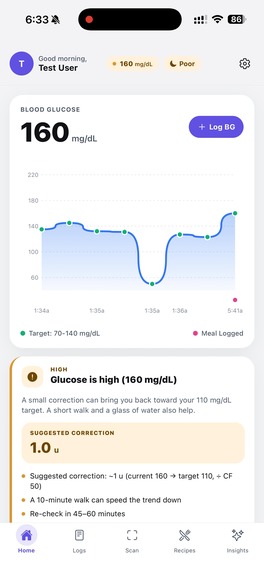
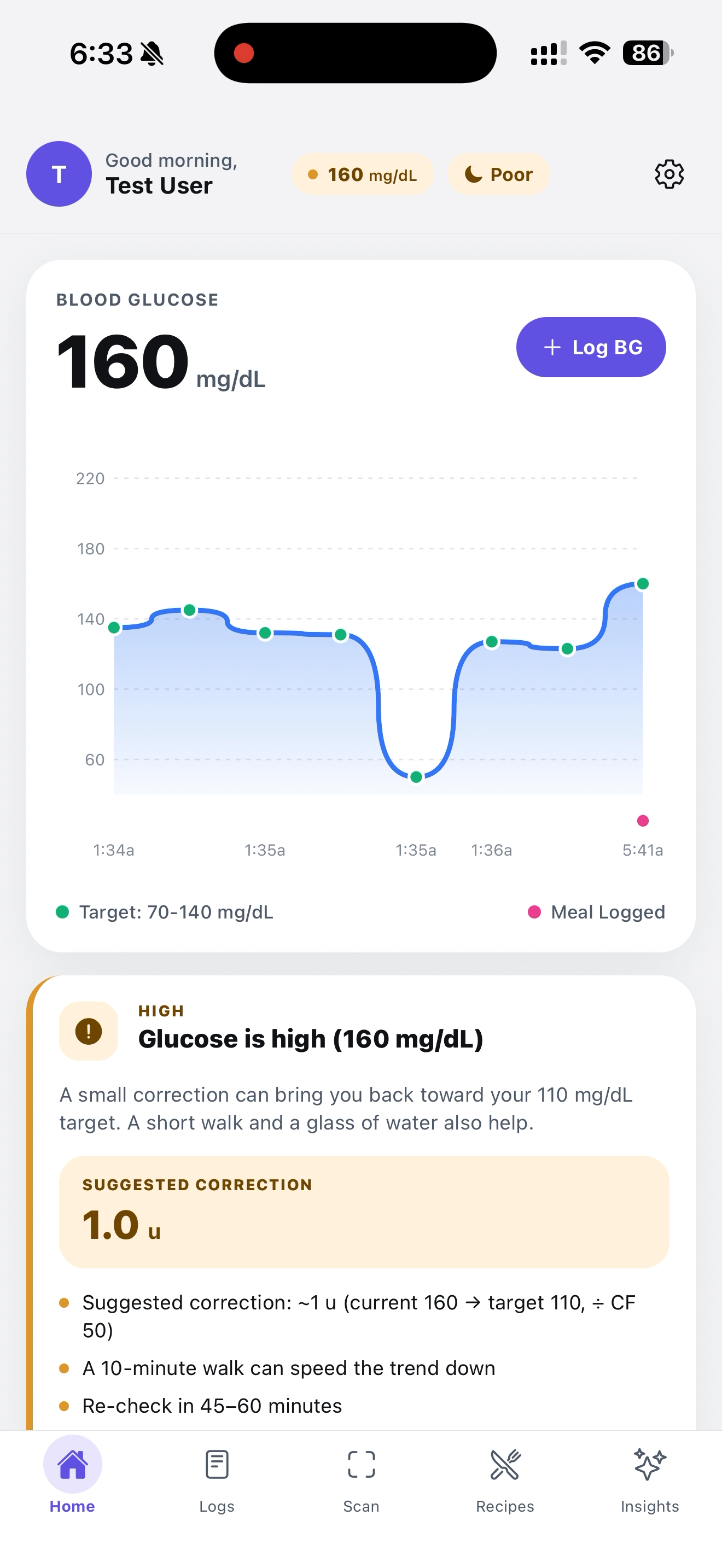
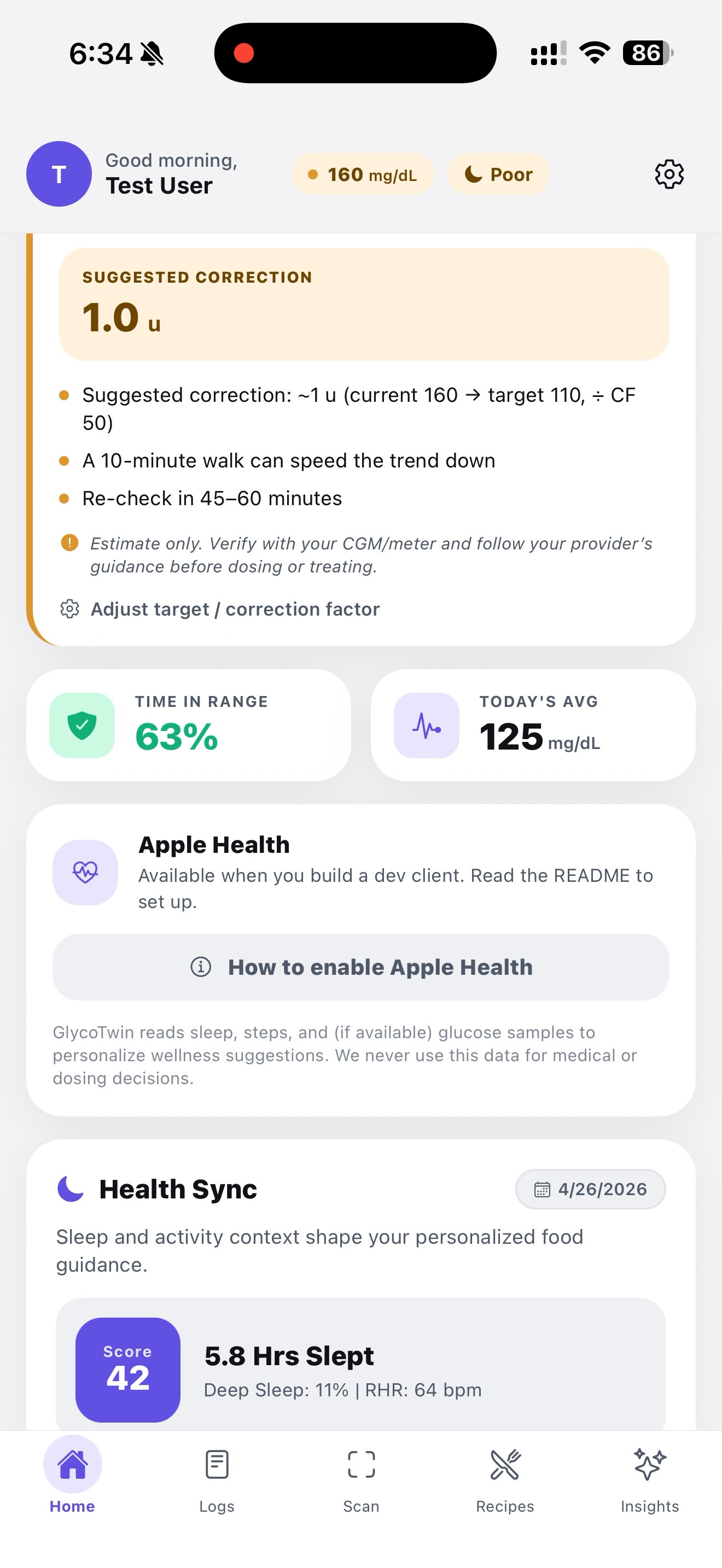
This is our Home page, our glucose log visualization
-
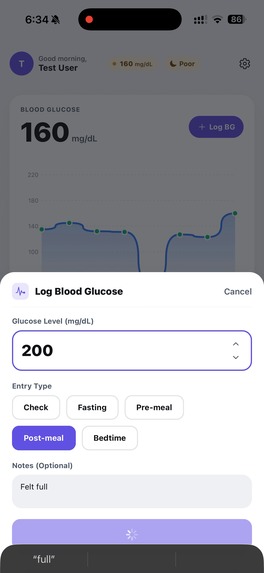
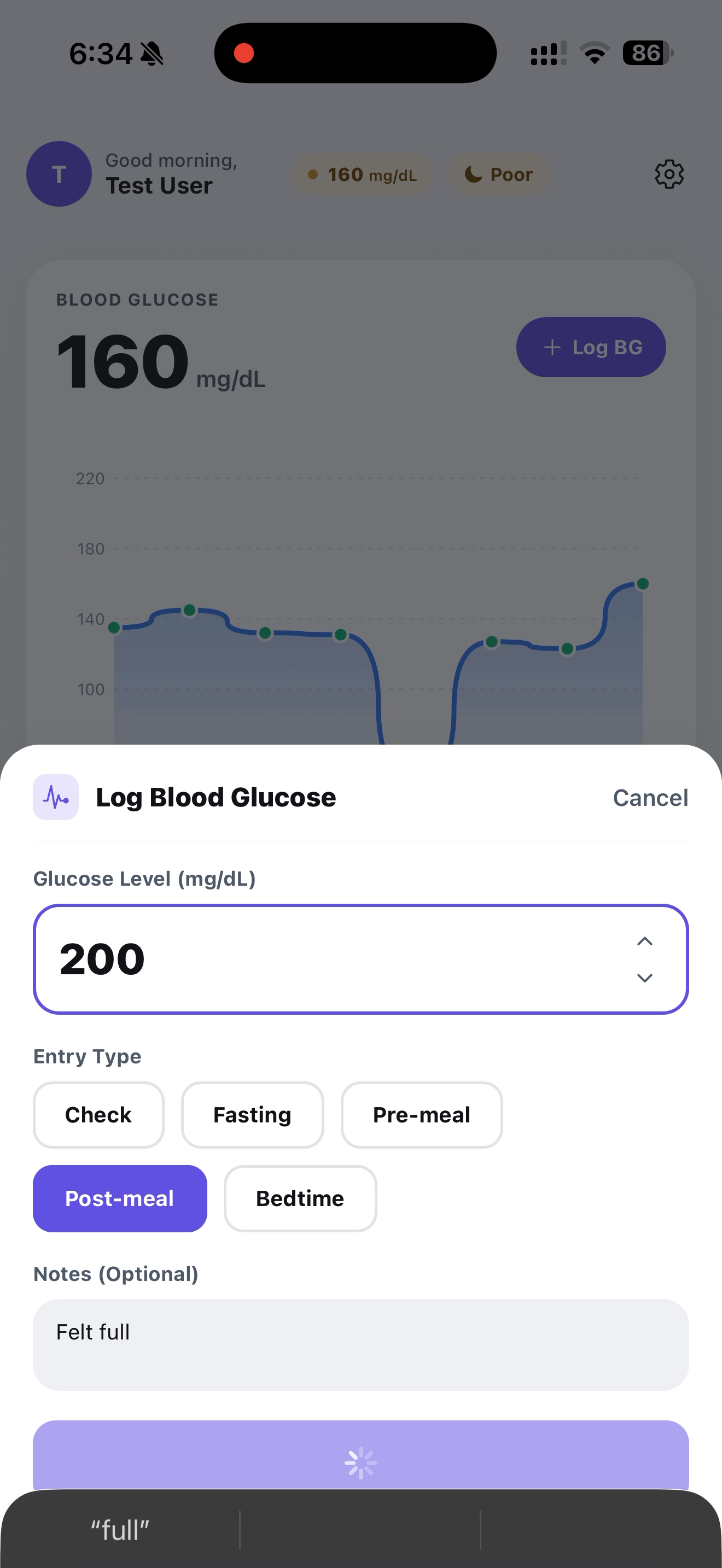
Log a Blood Glucose
-
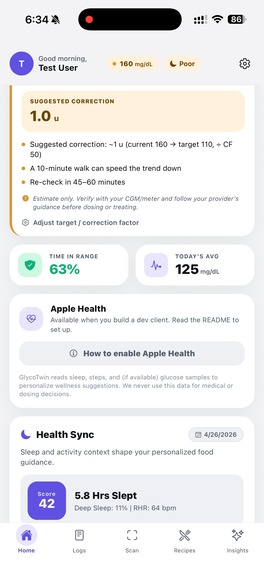
Apple Health Sync
-
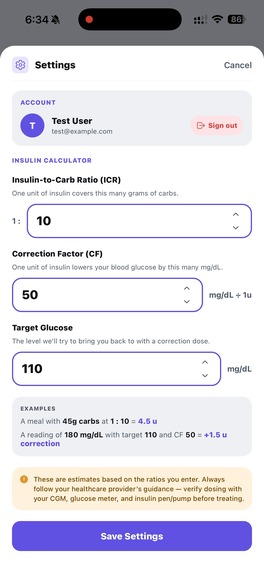
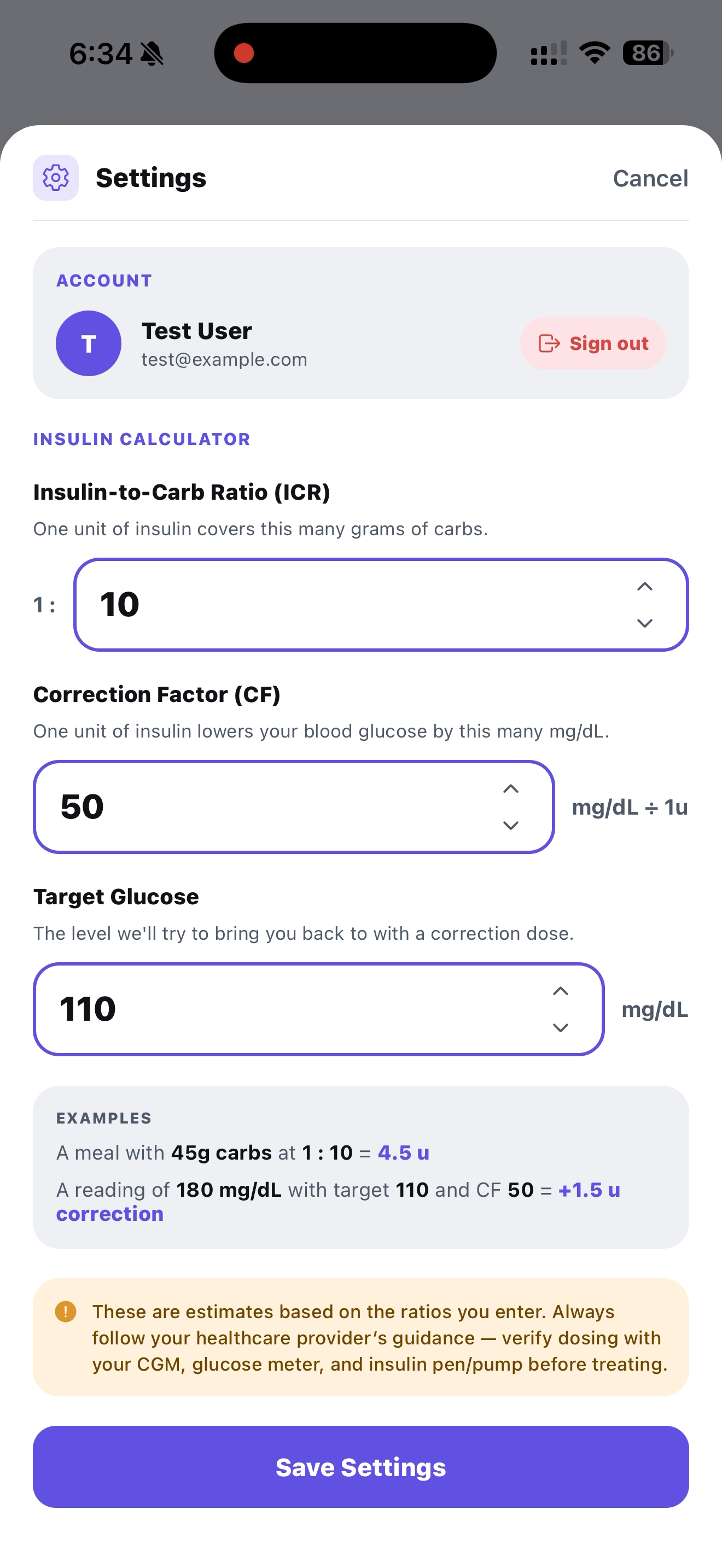
Set your ICF, CF, and target glucose as provided from your doctor
-
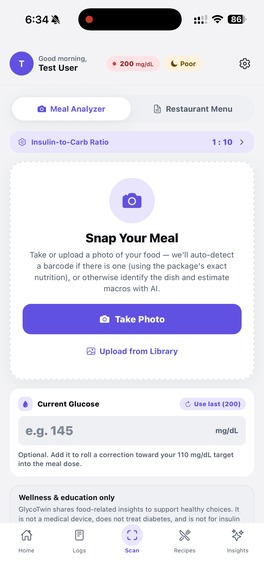
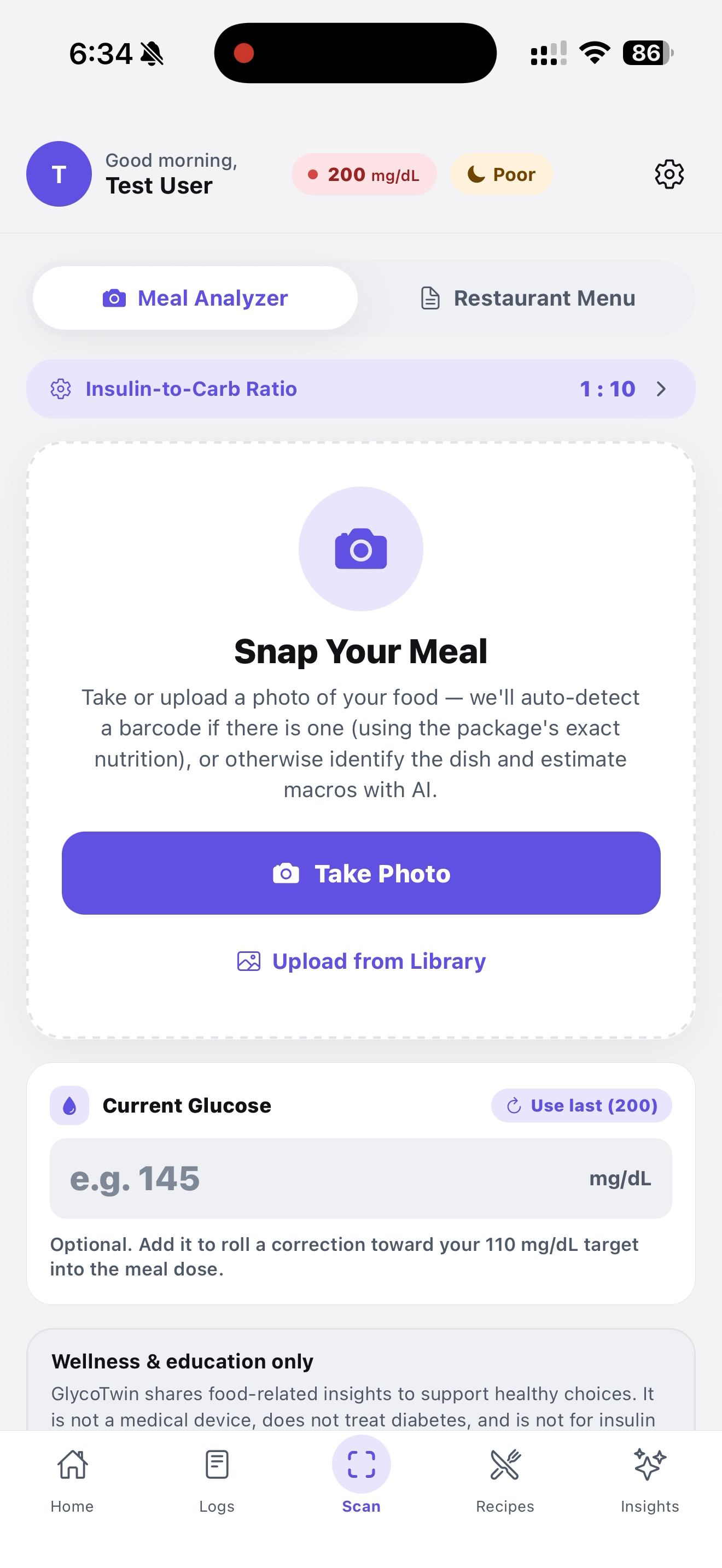
Snap the meal to get useful info
-
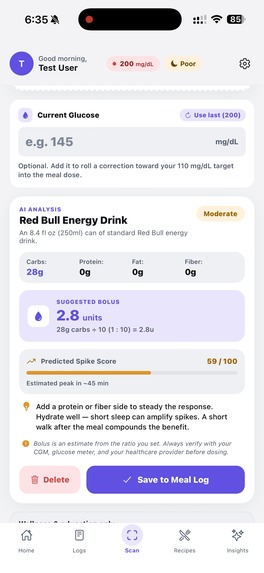
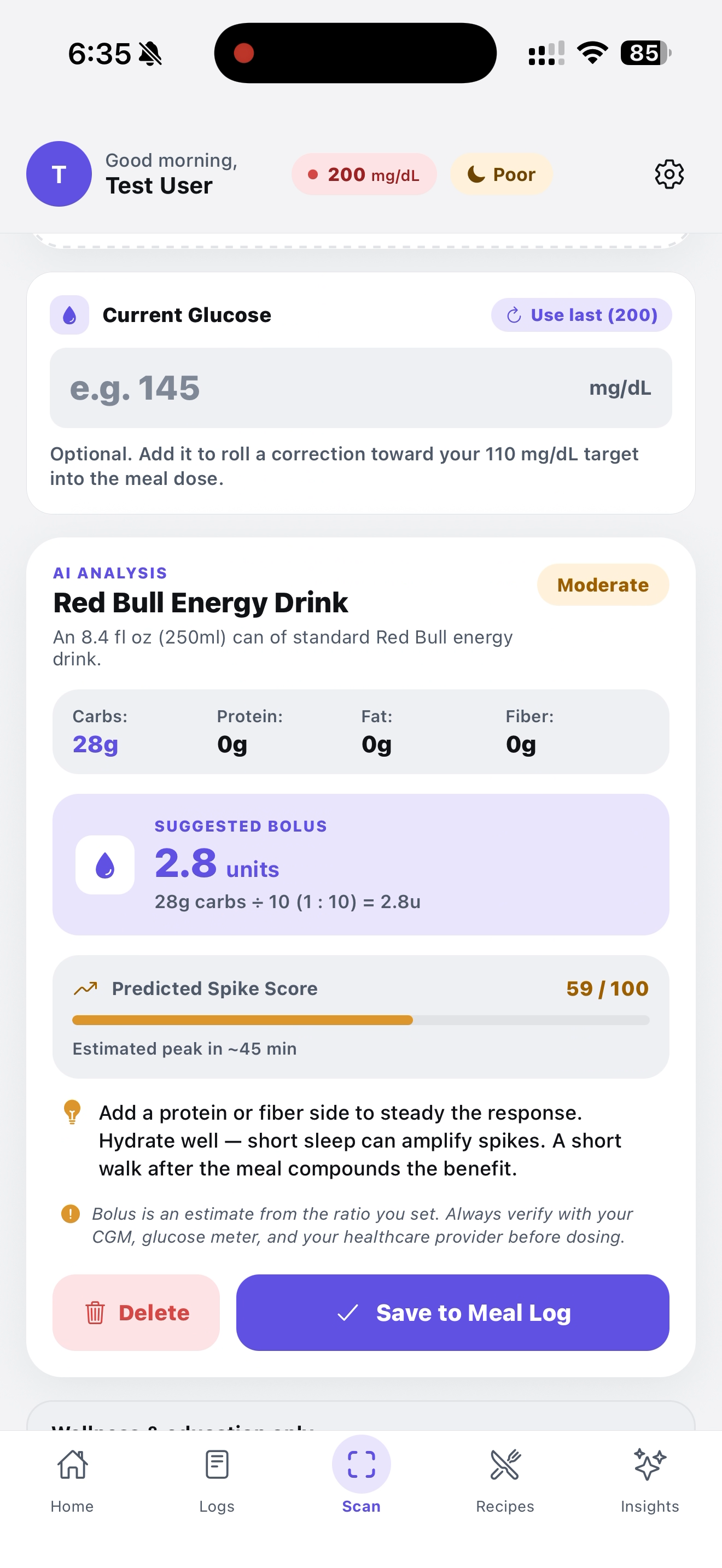
This was snapped by our AI, shows us useful info and gives us a chance to log it in
-
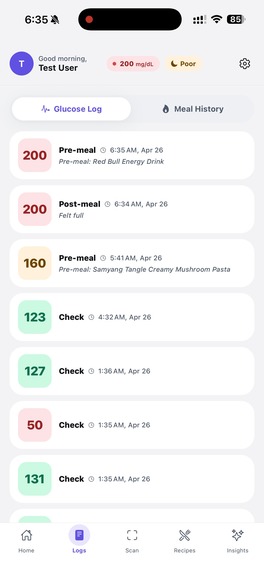
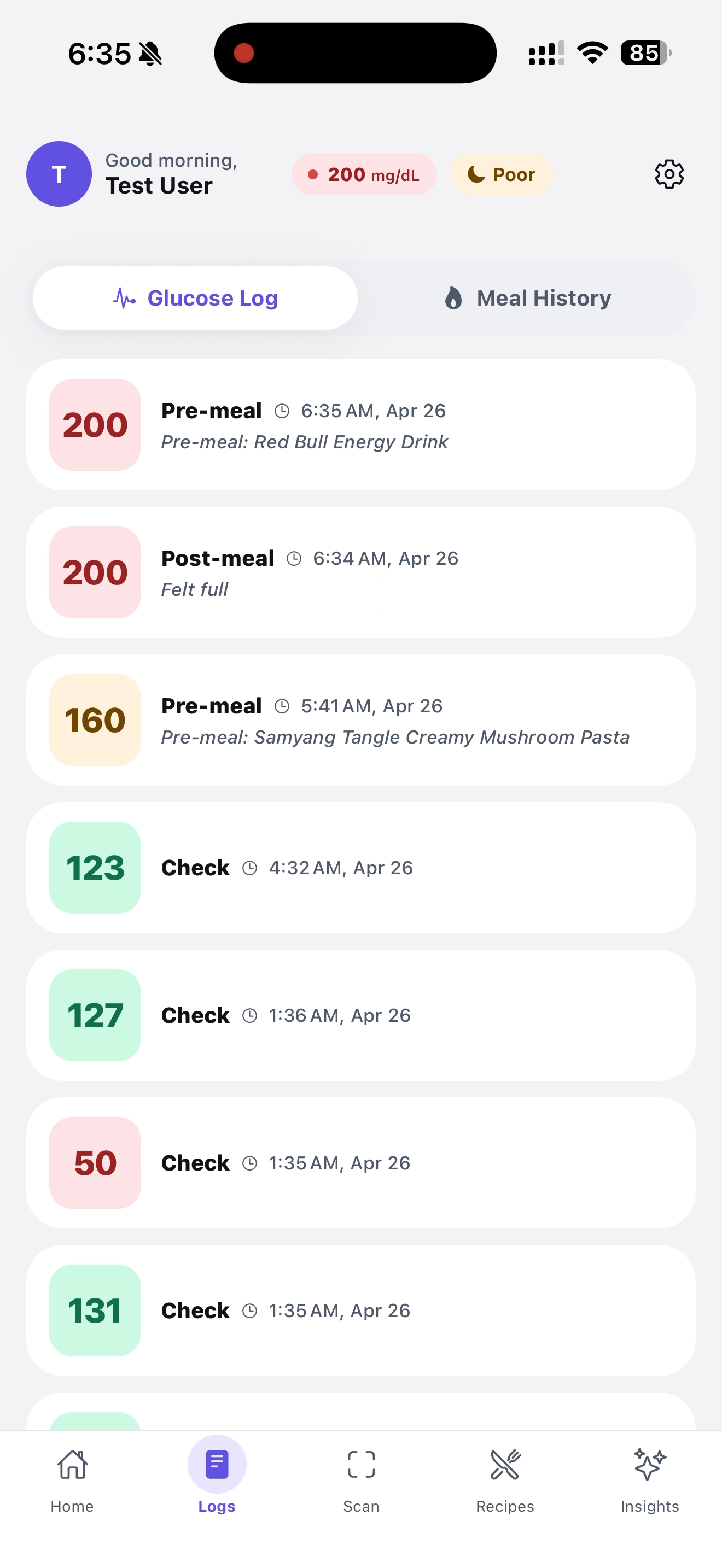
This is the glucose log
-
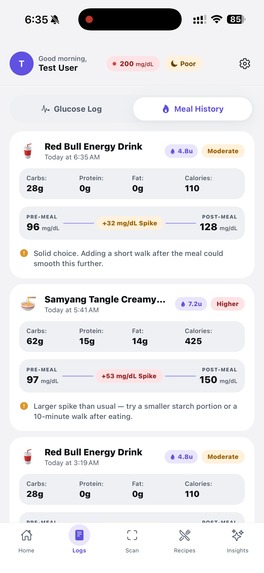
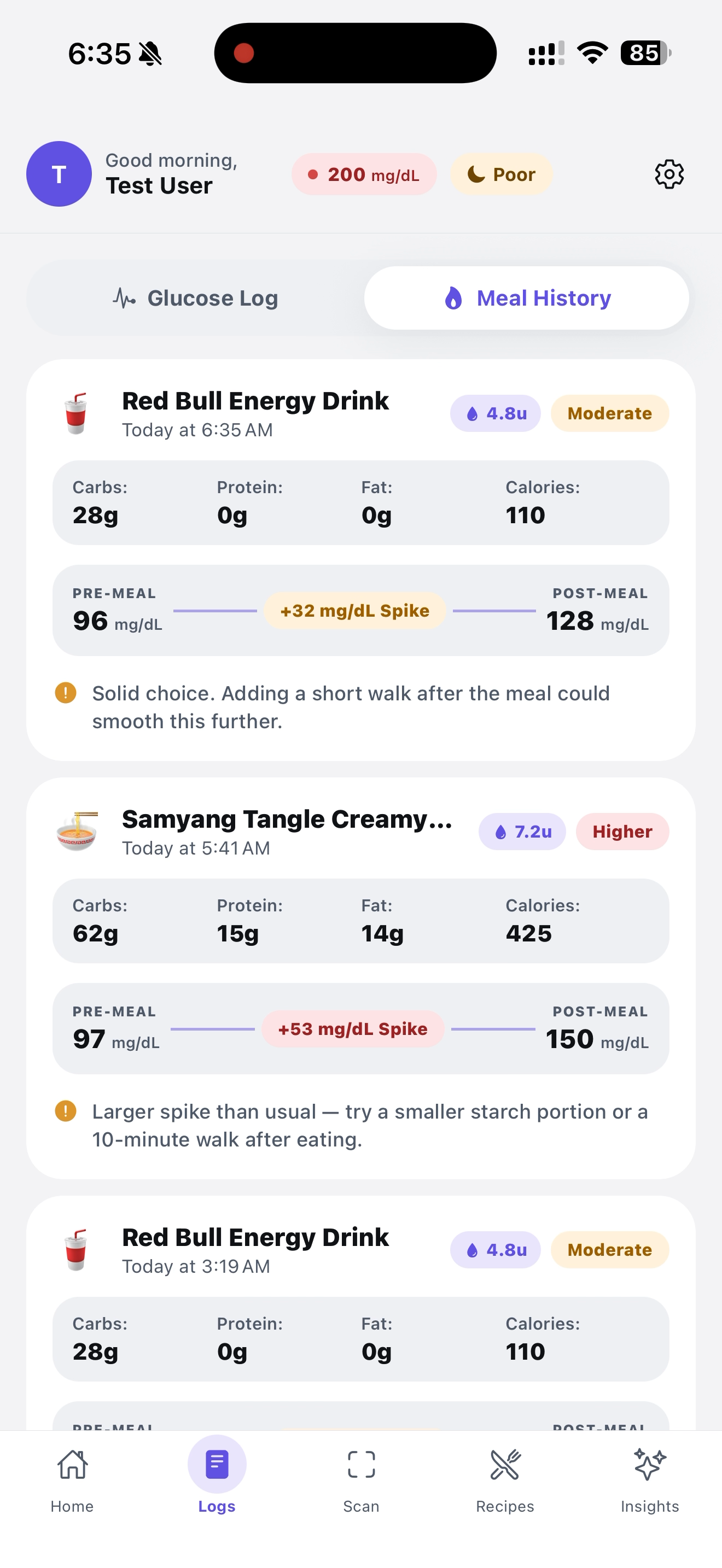
This the meal log
-
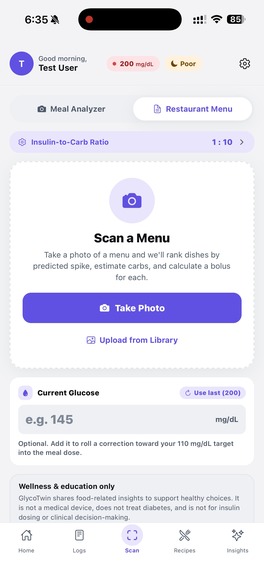
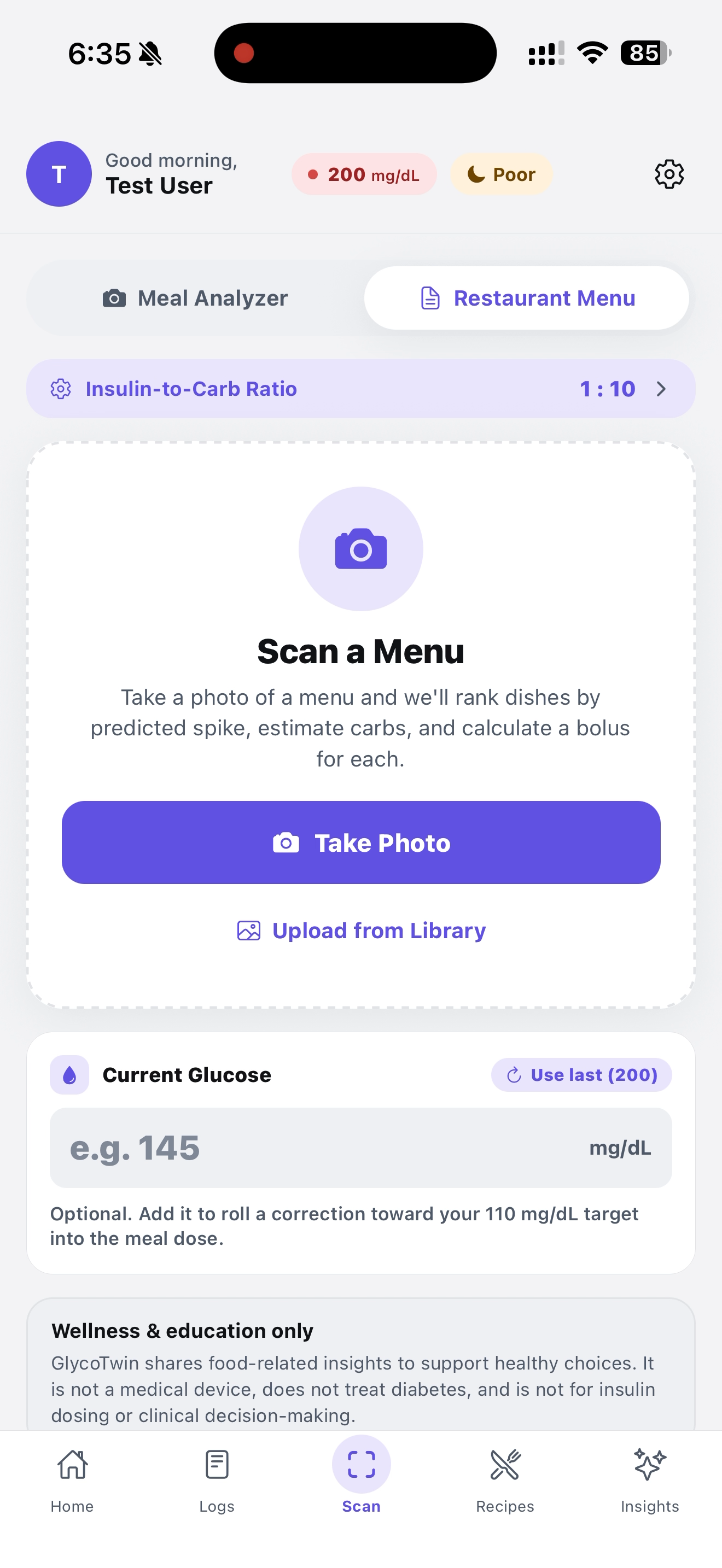
Also scan menu to get best options for you
-
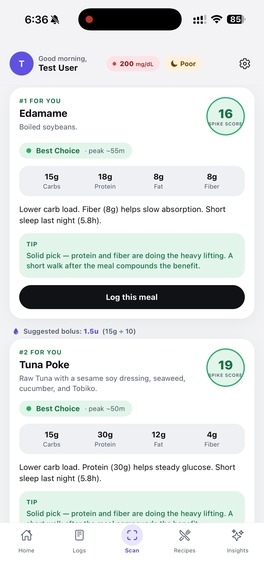
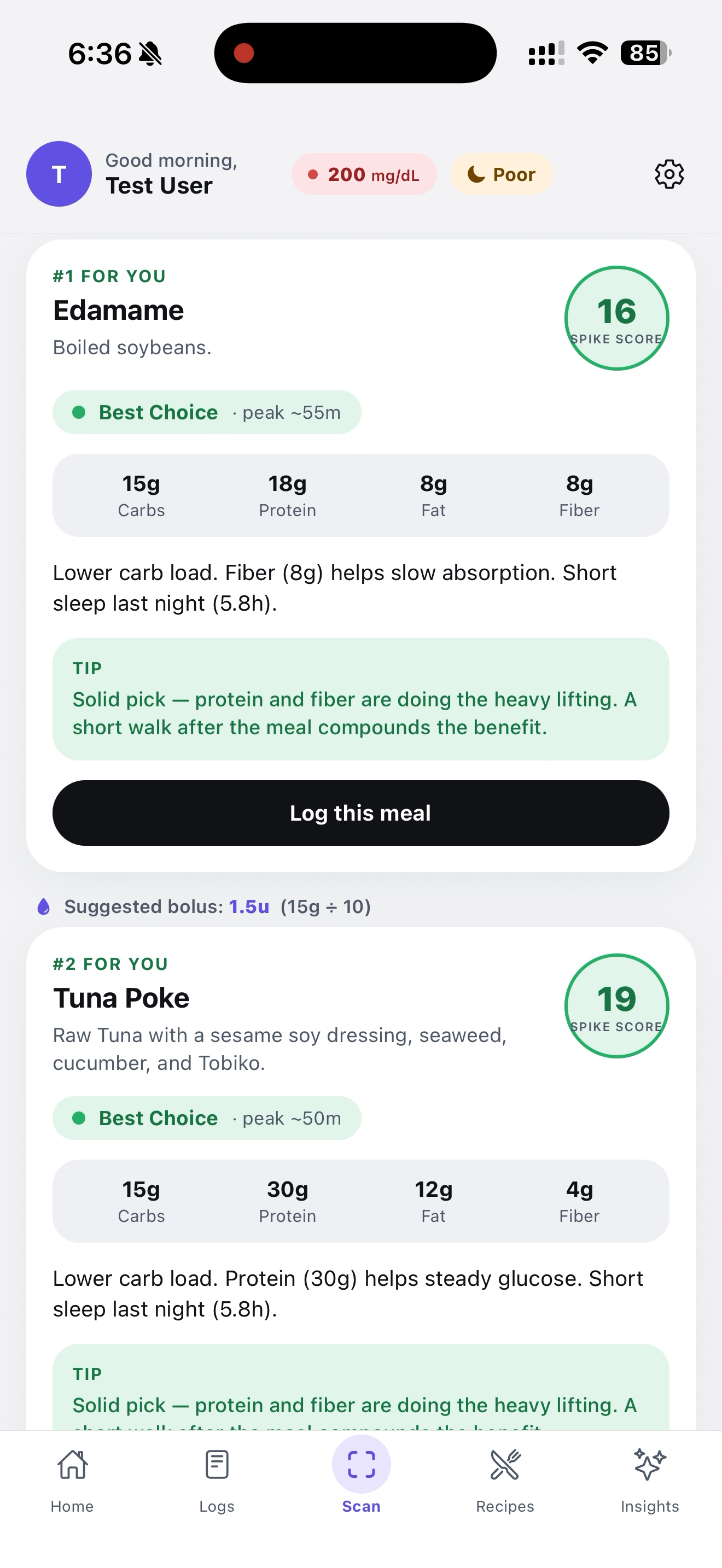
Shows the best options from scanned menu
-
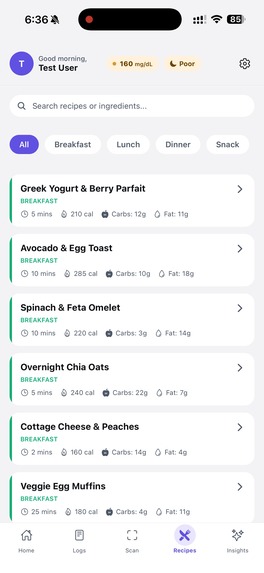
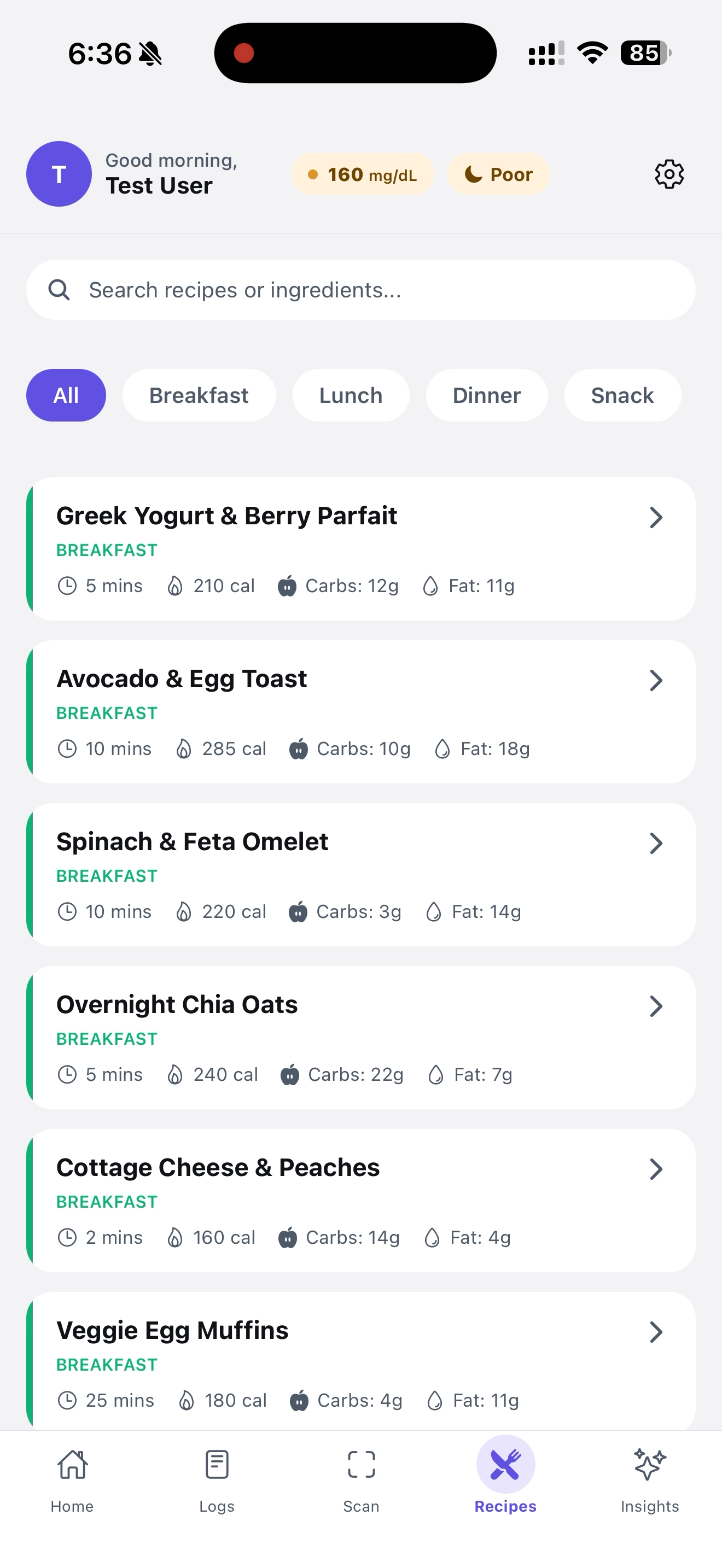
These are some recipe recommendations
-
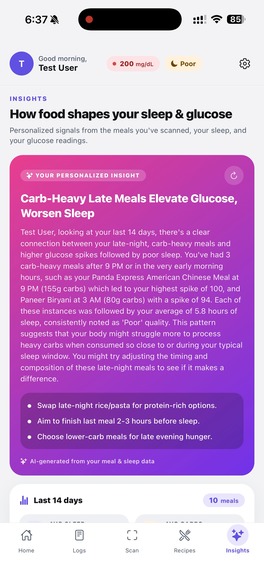
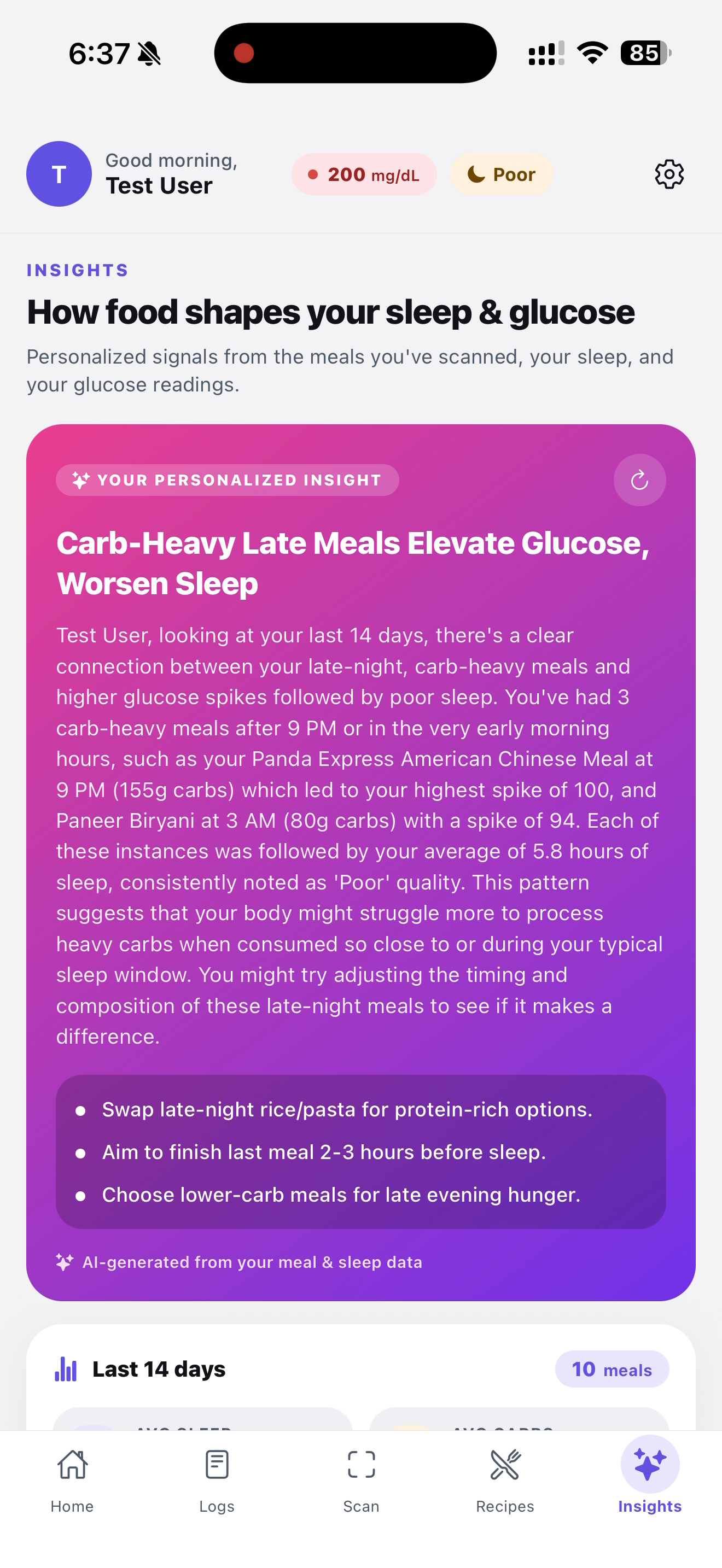
This gives you powerful personalized insights about your glucose level, food, and sleep
-
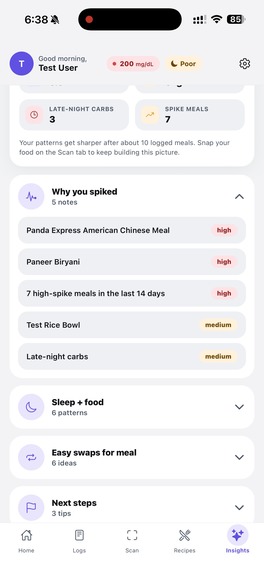
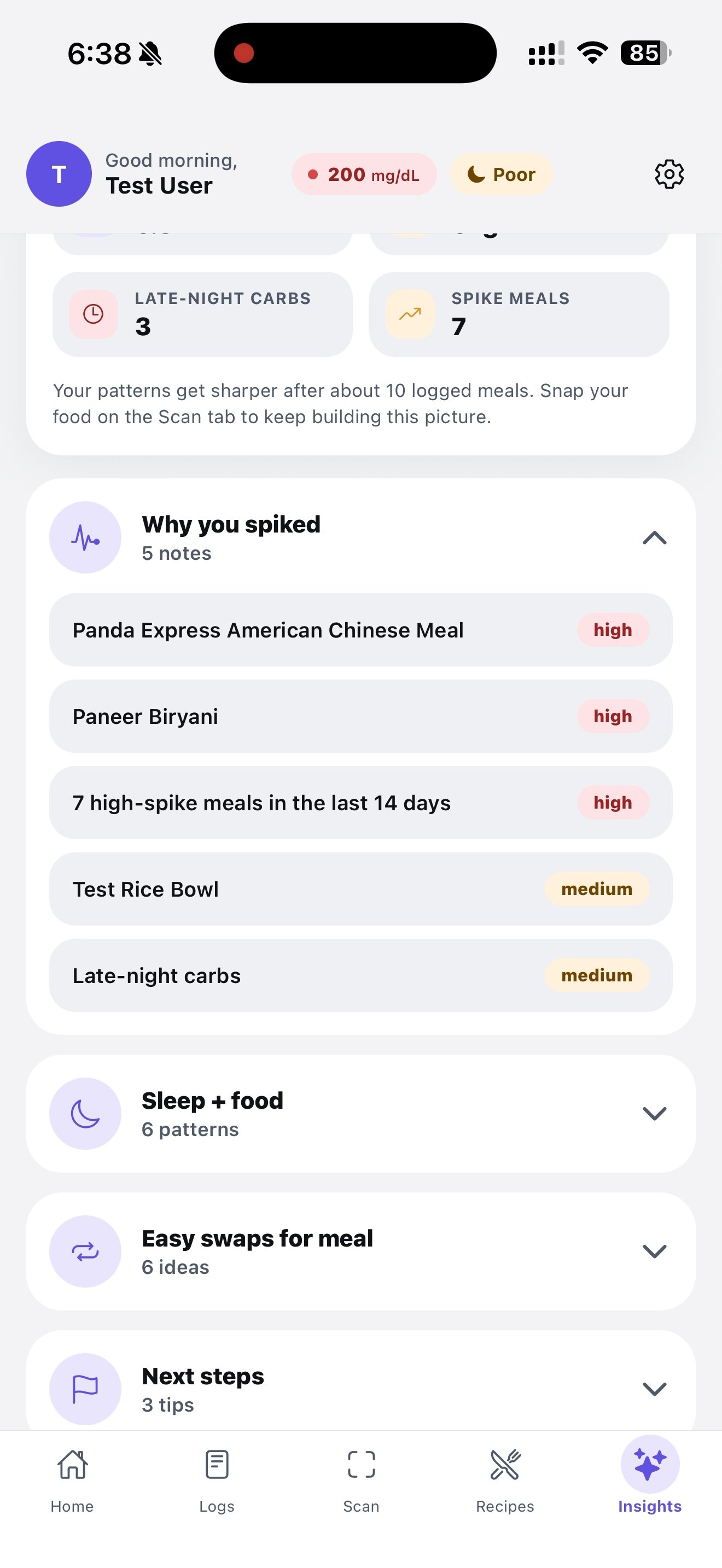
It shows you more information that could be useful in the future
-
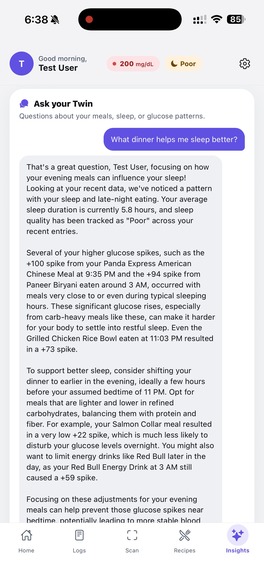
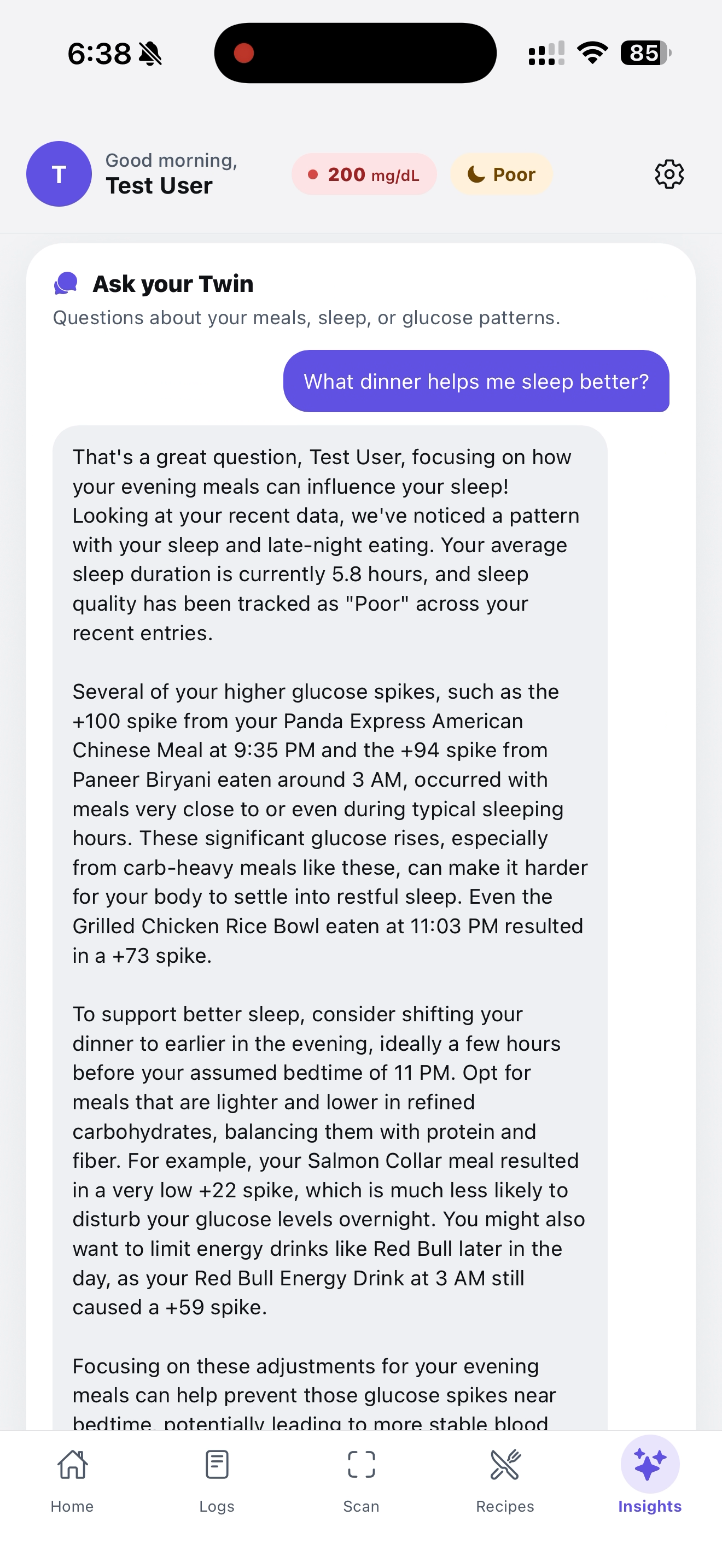
This is your "Twin". Your AI companion
Inspiration
People living with type 1 diabetes spend mental energy every meal asking the same questions: "How much will this spike me? How much insulin? Did last night's sleep change anything?" The answers are deeply personal — what spikes one person flatlines another. We wanted to build a "twin" of the user that learns those patterns from real food photos, real sleep, and real glucose data, and tells them something useful before they eat.
What it does
GlycoTwin is a mobile companion that turns a meal photo into personalized glucose guidance.
- Scan a meal — barcodes are decoded first (Open Food Facts gives package-accurate nutrition); if there's no barcode, Gemini Vision identifies the dish and estimates macros.
- Predict the response — combines the meal's macros with the user's profile, last night's sleep, and recent activity to estimate spike risk and suggest a steadier swap.
- Suggest a bolus — uses the user's insulin-to-carb ratio to recommend dosing.
- Log + learn — every meal, glucose reading, and sleep snapshot is stored, charted, and folded into the model.
- Insights tab — Gemini reads the user's last two weeks of meals, sleep scores, and glucose to surface patterns ("late-night carbs are tanking your sleep score"), plus a chat where users can ask their twin anything ("what should I eat tonight to sleep better?") and get answers grounded in their own data.
How we built it
- Mobile: React Native + Expo, expo-router for navigation, a custom theme system, and live Apple HealthKit integration via
react-native-healthfor real sleep and step data. - Backend: Node.js + Express on MongoDB Atlas (with an in-memory fallback for offline dev). Routes for meals, glucose, predictions, recipes, auth, and insights.
- Vision + AI: Google Gemini for food identification, narrative insights, and the chat coach. Strict JSON prompts with rule-based fallbacks so the app stays usable when AI is unavailable.
- Barcode pipeline:
zxing-wasmdecodes UPC/EAN codes server-side, then we query Open Food Facts and normalize per-100g nutrition into a smart default serving size using a layered system of category tags, name patterns, and label data. - Prediction engine: A custom scoring function that weights carbs, fiber, protein, sleep deficit, activity, and food category to produce a 0–100 spike score and a recommended action.
Challenges we ran into
- Serving size hell: Open Food Facts cheerfully returns "100g" defaults that don't match what's on the box (Rice Krispies showed 4g of carbs instead of 17). We rebuilt the serving-size resolver with category-tag and name-pattern fallbacks so the answer matches reality.
- Barcode + AI in one pipeline: Designing a single endpoint that tries barcode → falls back to Gemini → still returns the same
FoodItemshape (with an "use AI instead" escape hatch when the wrong product is matched) took several iterations. - Making AI insights *personal*: Generic LLM advice is useless. We had to compress two weeks of meal logs, glucose, and sleep into a compact JSON snapshot the model could actually reference, then constrain it to cite specific foods, times, and numbers from the user's data.
- Dev-loop reliability: Sandboxed bundlers, native iOS health entitlements, and
zxing-wasmbinary loading all needed plumbing before the happy path worked end-to-end.
Accomplishments that we're proud of
- A genuinely useful AI insight that says things like "Your Panda Express meal at 9 PM (155g carbs, spike 100) is correlating with your 5.8h sleep nights" — not generic advice, the user's actual data.
- A barcode → AI fallback that feels seamless: the camera shutter is the only button the user presses.
- Real Apple Health integration, not a mock, so sleep and step data are live.
- A prediction engine that produces a recommendation in well under a second locally, with a server upgrade path.
- A clean, consistent design system across five tabs (Home, Logs, Scan, Recipes, Insights) that feels like one app, not a stitched-together hackathon project.
What we learned
- Prompt engineering matters less than context engineering — once we fed the model a structured snapshot of the user, the quality jumped overnight.
- Nutrition data sources are surprisingly messy; layered fallbacks (label → category → name pattern → safe default) beat any single "smart" rule.
- Offline-first thinking pays off: every endpoint has a sensible fallback, so the app degrades gracefully when the server, AI, or network is down.
- A diabetes app cannot feel preachy. We rewrote tones and copy several times to land on coach-not-clinician.
What's next for GlycoTwin
- Real CGM integration (Dexcom, Libre) to replace mocked spike curves with actual continuous traces.
- Bolus learning loop: refine each user's insulin-to-carb ratio automatically from logged outcomes instead of asking them to set it.
- Multi-user accounts and caregiver sharing so a parent can see their kid's logs.
- Push reminders timed to predicted peaks ("you're probably about to spike — here's a 10-minute walk suggestion").
- Wearable companion (watchOS) for one-tap logging and glanceable predictions.
- Open the insights model to other vitals — heart rate variability, training load, and menstrual cycle data — because glucose doesn't live in a vacuum.
Built With
- apple-healthkit
- eas
- expo.io
- express.js
- geminiapi
- google-gemini-api
- ios
- javascript
- mongodb
- mongodb-atlas
- mongodbatlas
- node.js
- open-food-facts-api
- react-native
- typescript
- usda-fooddata-central-api
- zxing-wasm

Log in or sign up for Devpost to join the conversation.