-
-
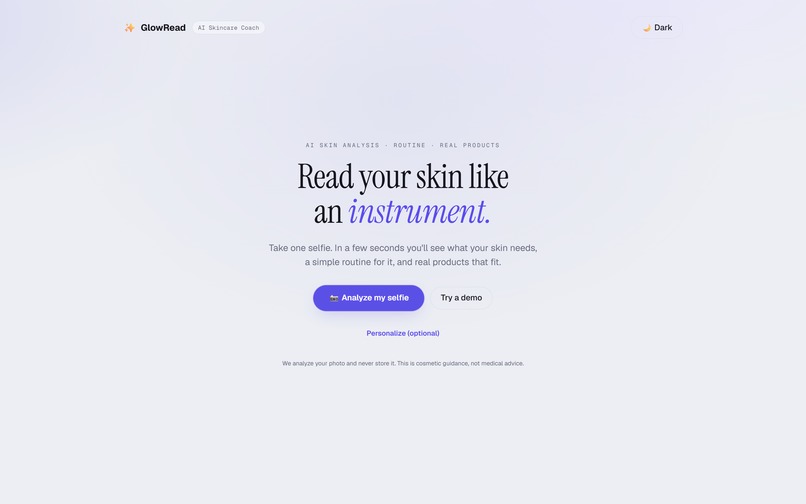
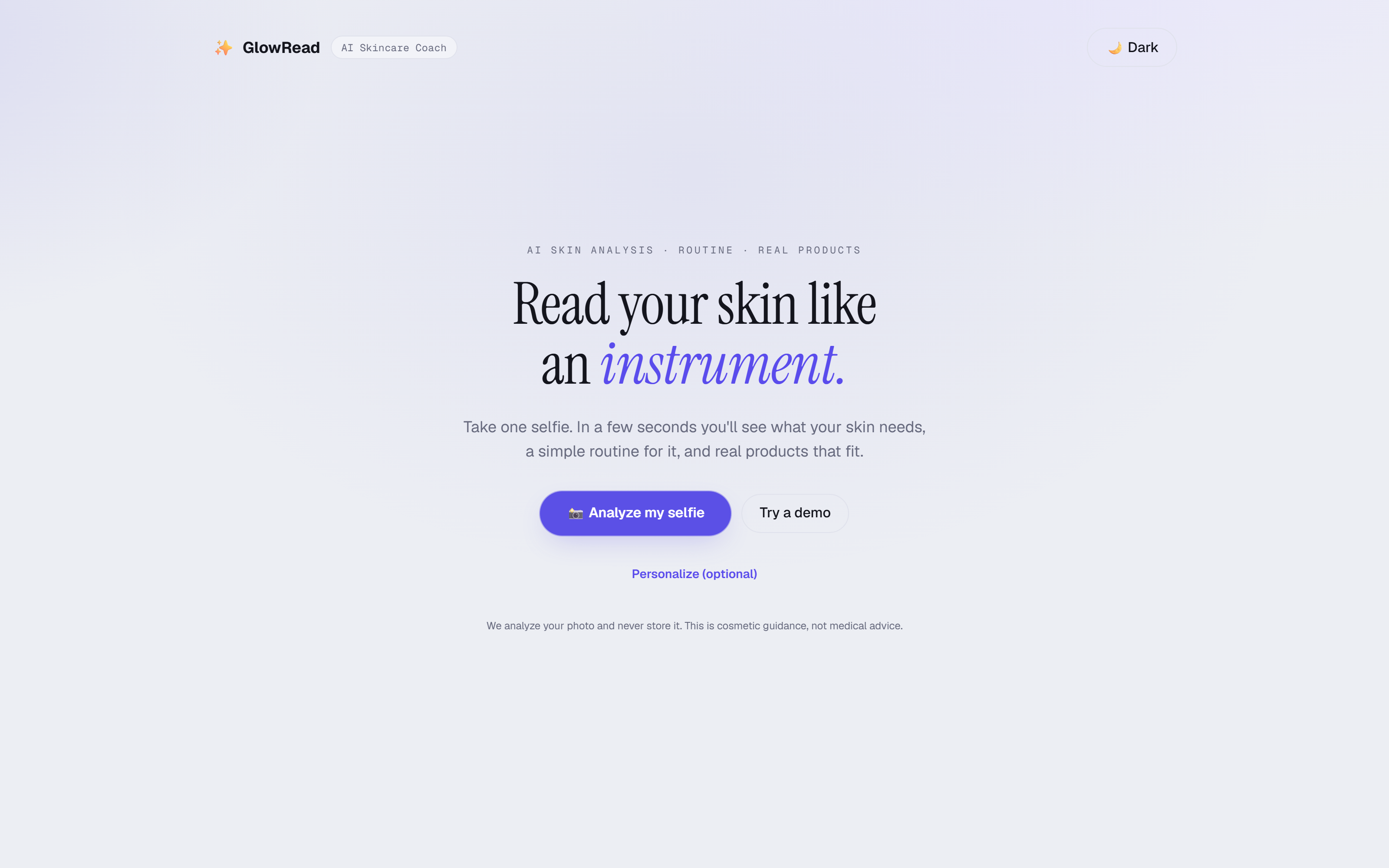
One selfie in, a measured reading out.
-
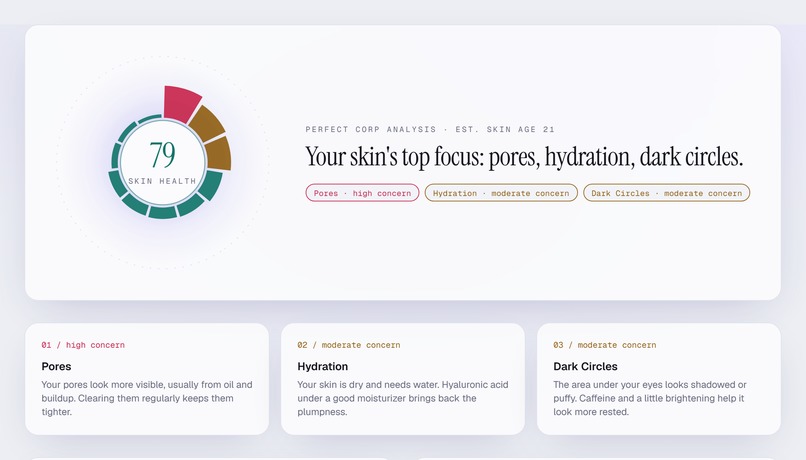
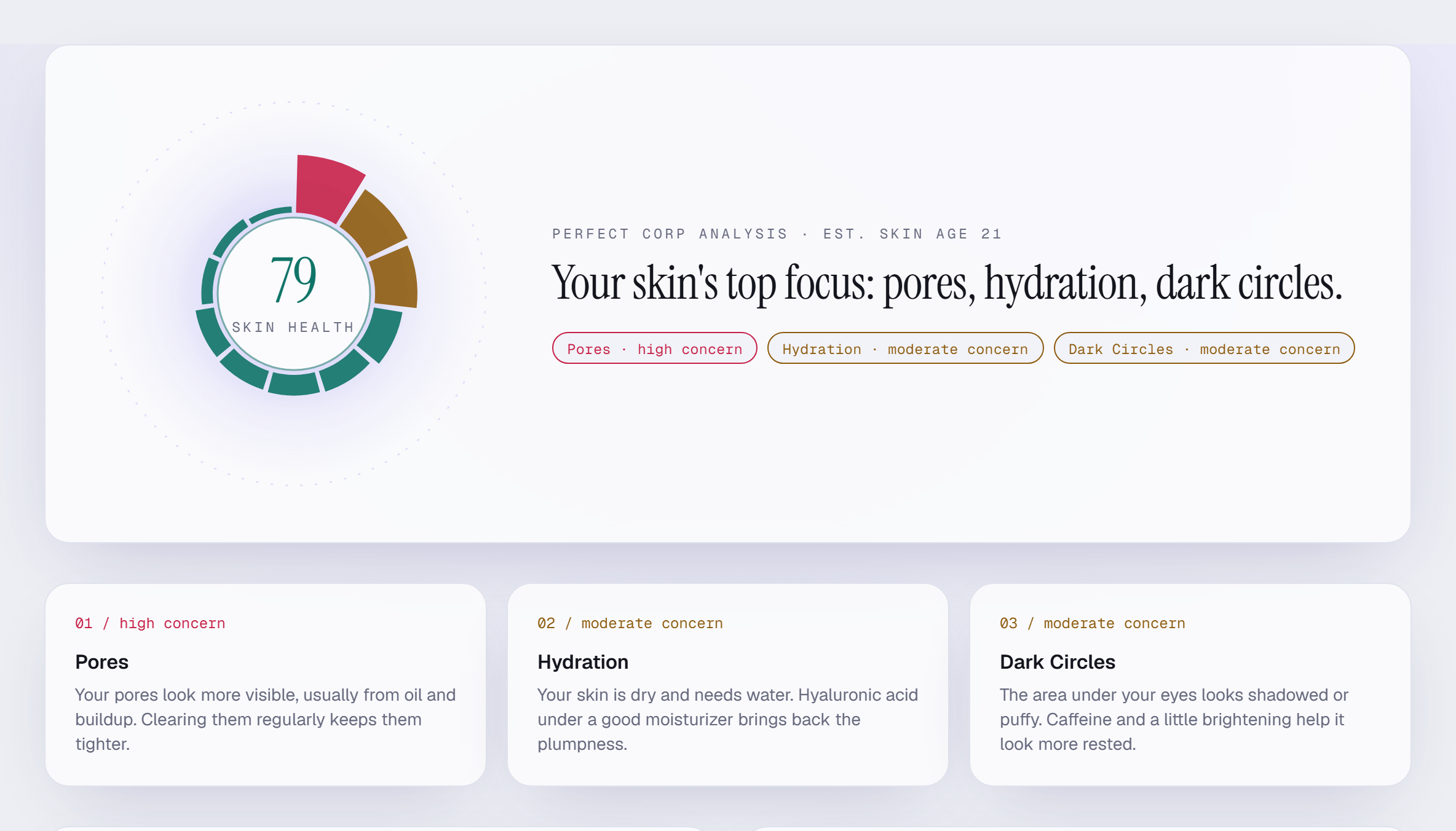
Real API reading: skin health 79, skin age 21, worst concerns first.
-
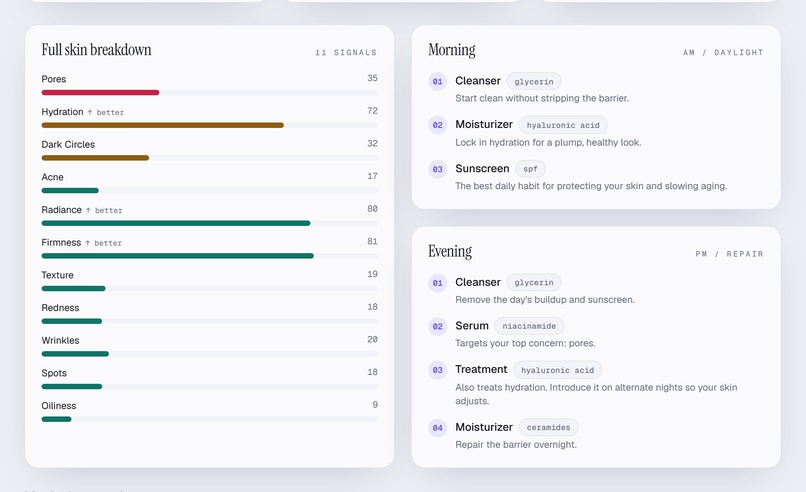
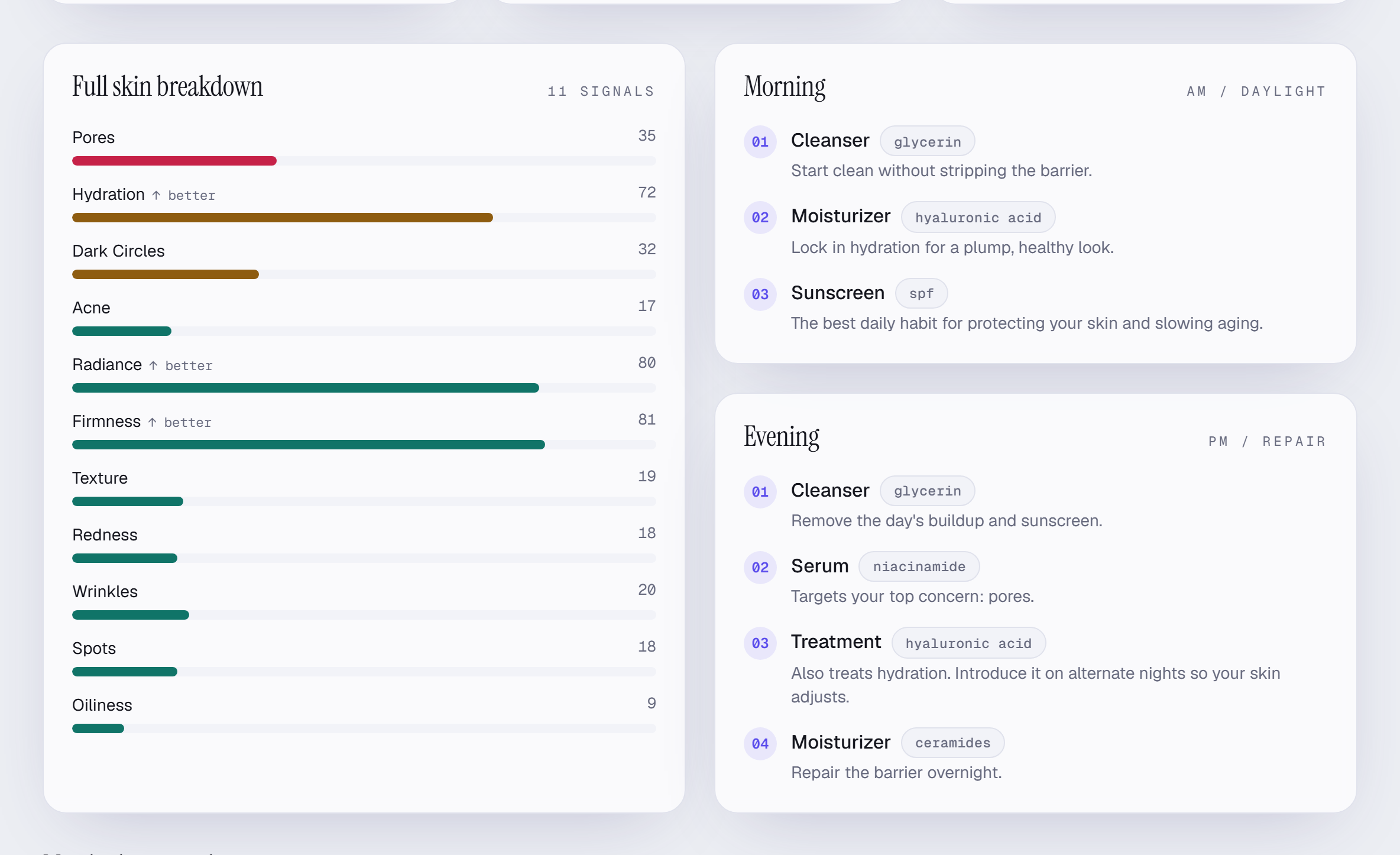
All 11 signals from the API, beside the AM/PM routine built from them.
-
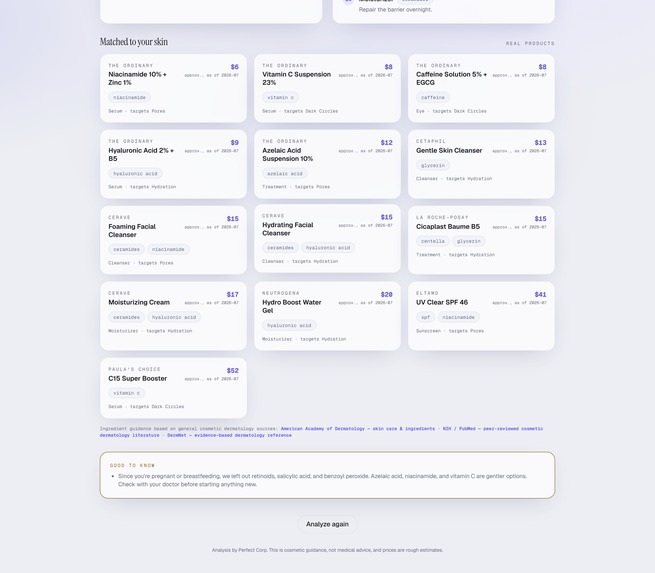
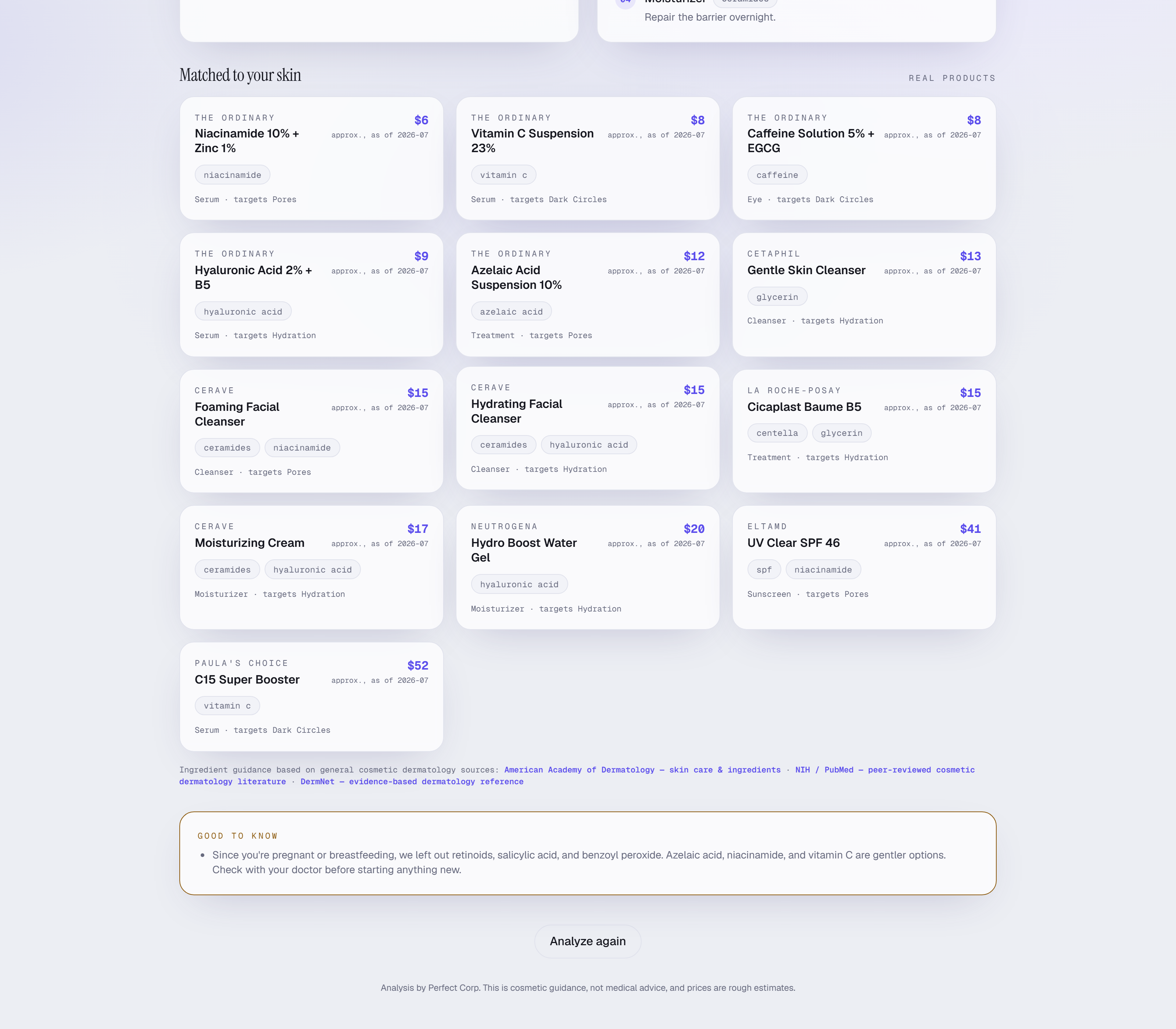
Say you're pregnant and retinoids, salicylic acid and benzoyl peroxide leave the shelf.
-
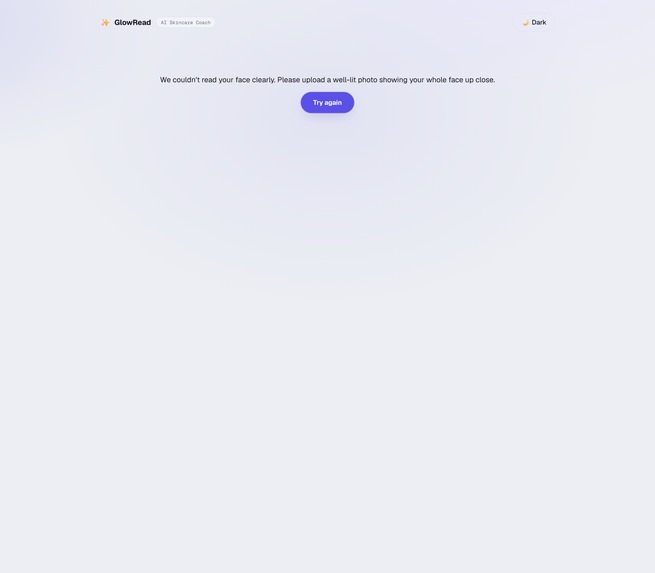
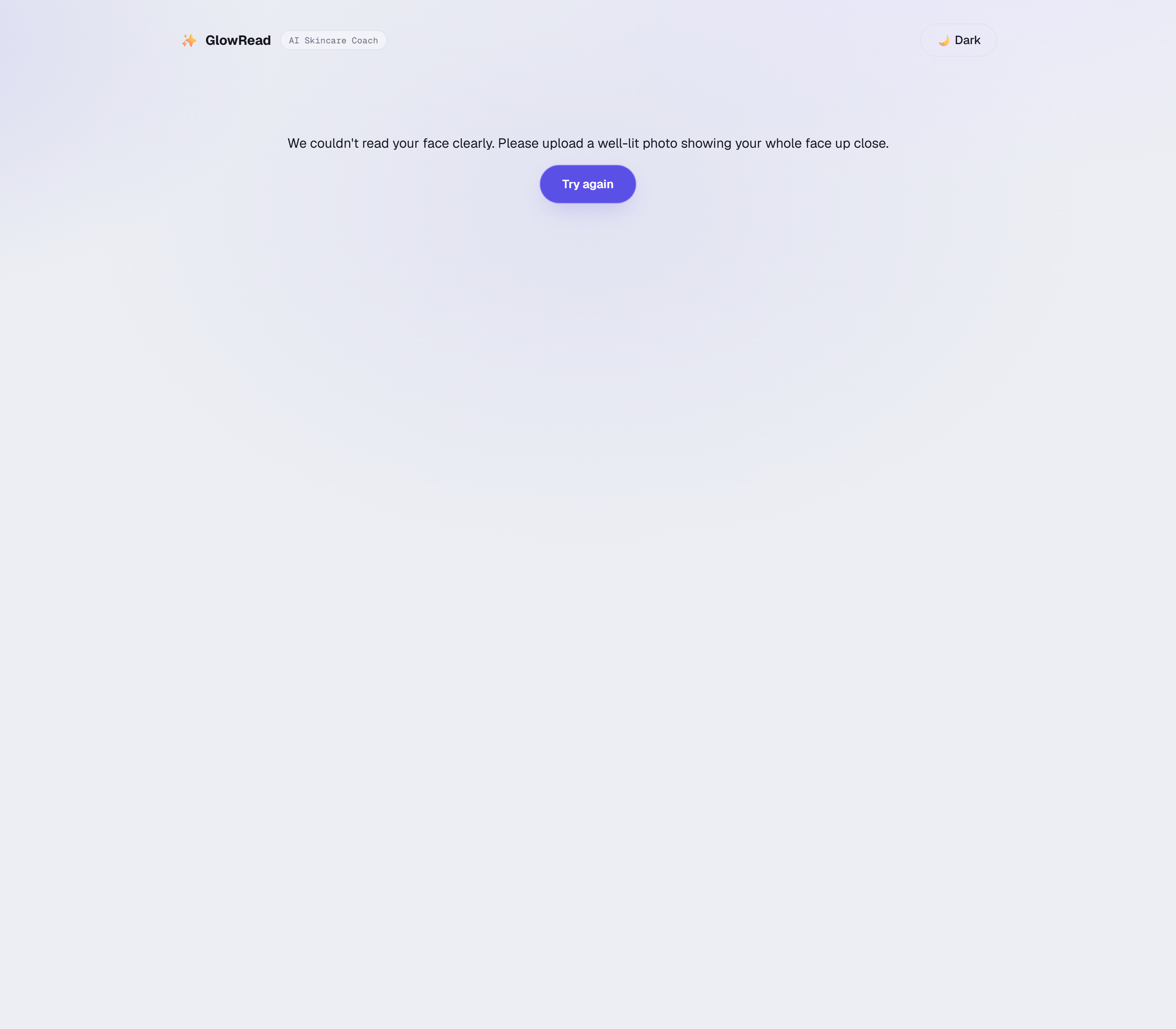
No face: rejected locally in about a second, before any paid API call.
Inspiration
Skincare advice online is either a stranger guessing from a photo in a Reddit thread, or a quiz on a brand's website that recommends that brand's products no matter what you answer. Both have the same problem: nothing is actually measuring your skin.
The YouCam Skin Analysis API measures it. That was the part I could not build myself and the part that makes the rest honest, so I built everything around it.
The other half of the idea came from watching people bounce off skincare entirely. They get a result, then a wall of ingredient names, and no idea what to buy on Tuesday. A measurement is useless without the routine on the other side of it.
What it does
You upload a selfie. The app finds your face, crops to it, and sends it to the YouCam Skin Analysis API for a reading across 11 concerns: wrinkles, firmness, pores, texture, acne, age spots, redness, moisture, oiliness, dark circles, and radiance.
What comes back is a scorecard, your three biggest concerns explained in plain language, an AM and PM routine ordered step by step, and real products matched to the ingredients that routine calls for, filtered by your budget.
There is a safety gate between the plan and you. If you tell it you are pregnant, retinoids, BHA, and benzoyl peroxide are removed from the routine, not just flagged with a warning. Sunscreen is always enforced. Those rules run in code, after the plan is built, where a language model cannot reach them.
A real run takes about ten seconds end to end.
How I built it
Next.js 16 and React 19 on Vercel, TypeScript throughout, Tailwind v4 for the interface.
The core architecture decision: reasoning is deterministic, only the wording is generated. Ranking concerns, choosing actives, ordering the routine, and matching products all happen in ordinary code. A language model rewrites the headline and the three concern explanations and does nothing else. The output schema cannot break, no product can be hallucinated, and every recommendation traces back to a rule I can point at. I would rather demo something explainable than something impressive that occasionally invents a moisturizer.
The pipeline is split so nothing outlives a serverless time cap. /api/analyze/start does face detection, upload, and task creation, then hands back a task id. The browser polls /api/analyze/status every two seconds. Narration is a third endpoint that fires after the reveal is already on screen.
Face detection runs locally on face-api with a TensorFlow.js WASM backend before anything is uploaded. A photo with no face in it comes back rejected in about a second, on my own machine, without spending an API unit.
127 Vitest tests across 9 files cover the parsing, the polarity math, the safety rules, the matcher, and the request guards. Everything security-relevant lives in a pure function so it can be tested instead of buried in a route handler.
Design
Skin analysis apps tend to look like spas: cream backgrounds, terracotta, soft-focus stock photography. I went the other way and designed this as an instrument, because what the app actually does is take a reading.
The direction I worked to was "read your skin like an instrument". Cool clinical ground, lit by a violet glow closer to a UV lamp than a bathroom shelf. Instrument Serif for display, Geist Mono for anything that is a number, Geist for body text. Every number on screen is set in mono, because these are measurements and mono makes them read that way.
The signature element is a radial skin map: polar wedges around a ring, one per concern, each sized by severity and coloured on a teal to amber to rose scale, with the overall skin health score counting up in the centre as the reveal blooms. That is the shot the product is built around, where an ordinary selfie turns into a chart of your face.
Five things took most of the time and are the easiest to miss:
- The reveal never lies about polarity. Four of the 11 metrics are higher-is-better and seven are higher-is-worse, so bar length, wedge size, and chip colour all had to agree on which direction is bad without making the reader convert anything in their head. Bar length always equals the printed number, and severity rides on colour plus an explicit "↑ better" marker, so the number on screen is never contradicted by the graphic beside it.
- The dial scales as one piece. The readout inside the ring is sized in container-query units rather than fixed rem, so the number and its label keep their proportion from a 320px phone up to a 1920px display instead of spilling out onto the wedges.
- Light and dark are both designed, not inverted from each other, and the theme choice survives a reload.
- The entrance animation slides instead of fading, because fading opacity made text look faint and broken halfway through.
prefers-reduced-motionis honoured. - Every failure state got the same attention as the happy path. No face, wrong file type, corrupted image, expired session, and image-too-large each get their own specific sentence and a way forward, announced to screen readers through
aria-livewith focus moved to the new content.
I checked all of that rather than assuming it: zero horizontal overflow and zero console errors at 320, 375, 414, 768, 1440, and 1920 in both themes, with every control reachable by keyboard and carrying an accessible name.
Challenges I ran into
The worst bug of the build was an inverted polarity, and it was nearly invisible. The API returns higher-is-better for every concern. My app's internal convention was higher-is-worse for most of them. A clear face came back scoring near 100 on redness and texture, which my code would have rendered as severe redness and severe texture problems. It would not have crashed. It would have confidently told someone with good skin that they had a serious problem. I only caught it because I held a result up against the actual photo instead of trusting that the numbers looked reasonable.
The face-size gate cost me an afternoon. The API rejects images where the face is too small in frame, and a 600x600 passport photo failed even after I upscaled the whole image to 1080. What matters is the face bounding box, not the image. So I detect the face, crop tight around it with room for the forehead, then upscale that. My first crop ratio still left the face at roughly 819 pixels and still failed. I found the real threshold by burning units against the live API instead of reading documentation.
Uploading a photo of a building, on purpose, taught me the most. The old flow shipped it straight upstream, where the backend retried for 73 seconds before giving up. A user would have watched a spinner for over a minute and then hit a generic error, and I would have paid for the privilege. That is why face detection moved local and runs first.
Later I found that an unauthenticated image could have taken the server down. Every image decode was bounded in bytes but not in pixels. A 776KB uniform 16000x16000 PNG decodes to a 768MB raw buffer and then a multi-gigabyte tensor, on an instance with far less memory than that. I found it by building the file and firing it at production. It now returns 400 in about a second with a message about megapixels, and the detector downscales before anything reaches a tensor.
Deployment also broke things that worked locally. The face detector loads its model weights by runtime path string, so the bundler could not see them and shipped a serverless function without them. Detection then failed open to a fallback crop, which is the worst way it could have failed: faceless photos would have gone upstream and cost money. None of that was visible from my laptop. I found it by reading production logs.
Accomplishments that I'm proud of
The failure modes are boring, which took work. No face gets a clear message in about a second and costs nothing. An oversized upload is rejected on declared length before the body is buffered. Non-image bytes are caught by magic-byte sniffing rather than a trusted MIME header. When narration is slow or out of quota, the app serves its deterministic copy and the reader cannot tell anything went wrong.
I also like that the safety rules are unfalsifiable by the model. Plenty of demos put a disclaimer under an LLM's output. This one removes contraindicated actives in code, after generation, where prompt wording cannot reach them.
And it is genuinely deployed and genuinely live. The numbers in the screenshots are a real analysis of a real face.
What I learned
Verify integrations against reality, not against the documentation. The auth handshake I was warned I would need turned out to be unnecessary. The API host in the docs was not the one that answers. The result payload was shaped differently than I expected. One live call answered all three questions faster than a day of careful reading.
A silent degradation is worse than a crash. Twice, the dangerous outcome was code that kept returning 200 while doing the wrong thing: inverted scores that looked plausible, and a detector that failed open. A crash gets fixed. A plausible wrong answer ships.
Cost is a design constraint when the API is metered. Deciding to spend a paid unit only after a local model confirms there is a face in the photo shaped the architecture more than any performance concern did.
What's next for GlowRead
Progress tracking is the next thing I want to build. Re-scan in three weeks and see the delta on your top concern. One reading is a novelty. The second one gives you a reason to stay on the routine, and it turns a single API call into a recurring one.
The business I would actually chase is retail deployment. A retailer or skincare brand drops GlowRead in front of their own catalog, measured concerns map to their SKUs, and a shopper who arrives unsure leaves with three specific products and a reason for each. Recommendation quizzes convert badly because shoppers can tell the quiz is selling to them. A reading of their own face is harder to dismiss that way. The economics hold up because the metered call fires once per scan rather than once per page view, and that one scan carries the rest of the session.
Apparel Virtual Try-On would be the natural second surface. It runs on the same idea of measuring instead of guessing, and the two APIs together would cover a retailer's face and body catalog through one integration.
Nearer term: overlaying the API's concern masks on the photo, live pricing, and a shareable report.
Built with
Next.js 16, React 19, TypeScript, Tailwind CSS v4, Perfect Corp YouCam Skin Analysis API, face-api.js, TensorFlow.js WASM, sharp, Google Gemini, Vitest, Vercel.
Built With
- face-api.js
- google-gemini
- next.js
- perfect-corp
- react
- sharp
- skin-analysis-api
- tailwindcss
- tensorflow.js
- typescript
- vercel
- vitest
- youcam-api

Log in or sign up for Devpost to join the conversation.