Inspiration
Skin analysis apps are good at giving you a number and bad at telling you what to do with it. After a scan, most people still guess: they buy several products at once, layer things that irritate each other, and two months later can't tell whether anything worked. Clinics see the same problem from the other side, when clients arrive with no record of what they tried or how their skin changed.
We wanted the YouCam Skin AI scores to drive a real decision loop: measure, plan, re-measure. And we wanted every piece of advice to be traceable to a number the person can see, so the plan feels earned rather than generic.
What it does
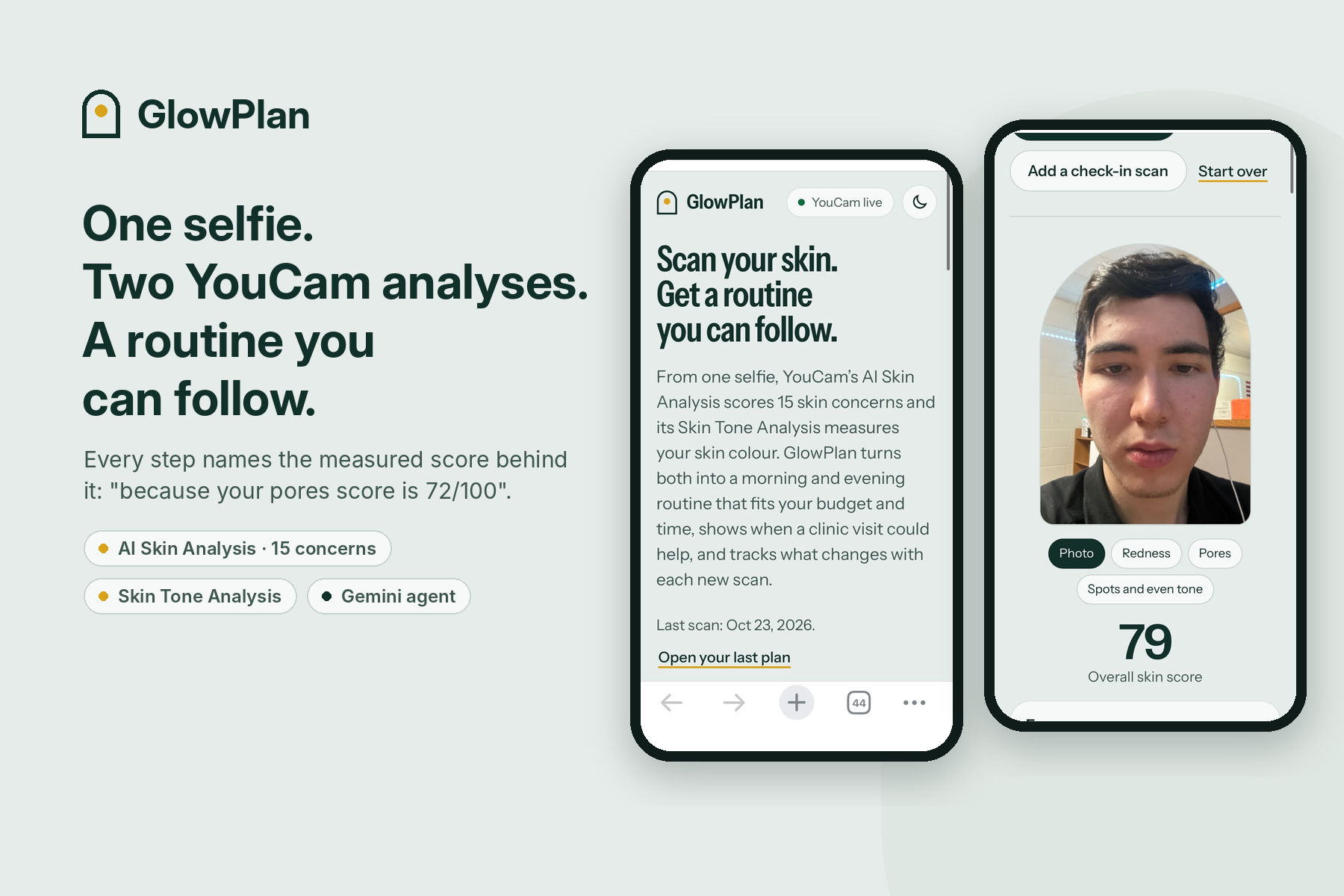
GlowPlan is a skin-care planning agent for one person on their phone, which an aesthetic clinic can also offer to its clients.
- Take a selfie (or upload one) and line your face up with the oval. GlowPlan checks the resolution live and tells you whether it qualifies for YouCam's HD scan, which adds per-region scores, or the standard scan.
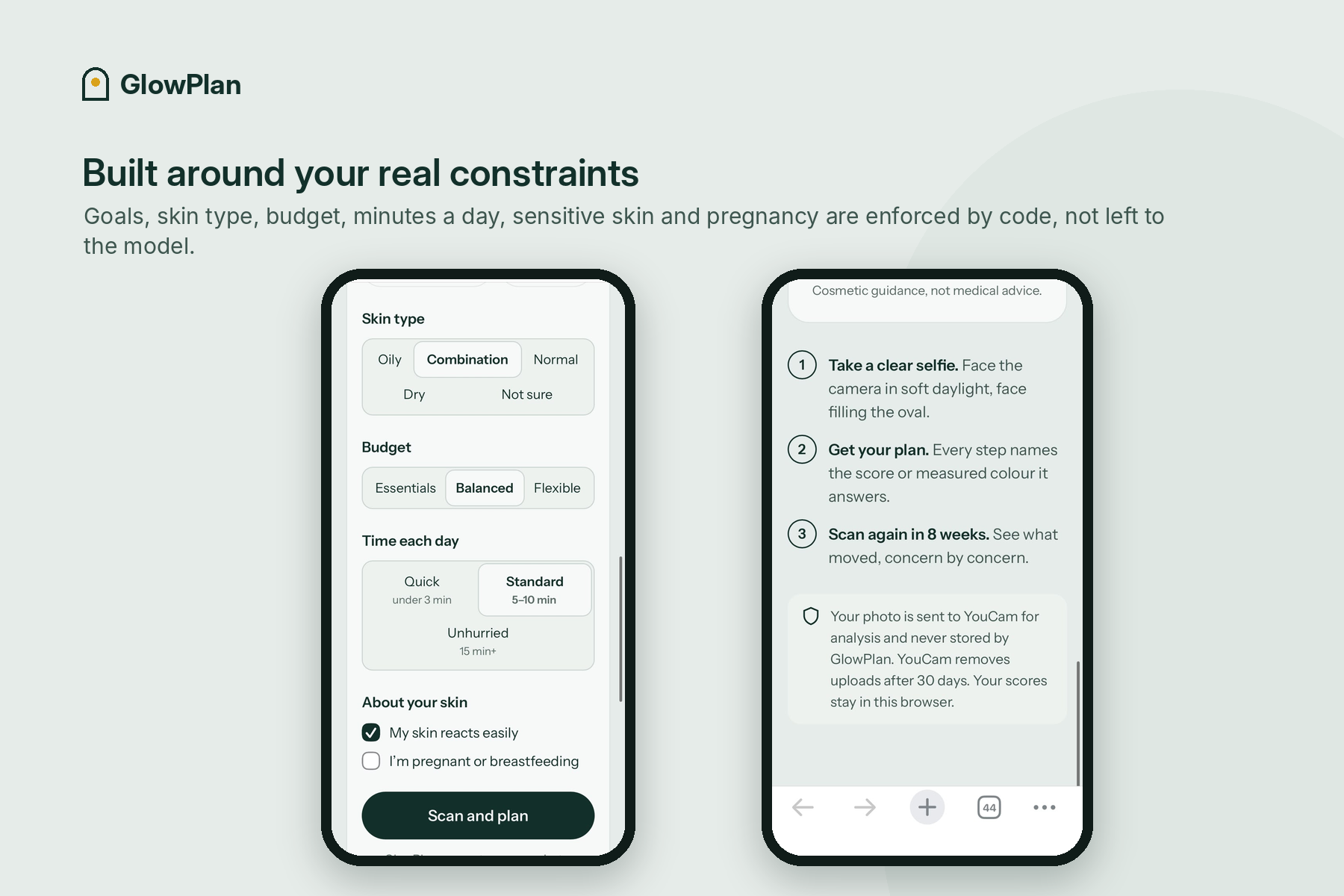
- Pick up to three goals (fewer breakouts, more even tone, smoother skin, hydration, eye area, glow), a budget, how much time you have each day, your skin type, and whether your skin reacts easily or you're pregnant or breastfeeding.
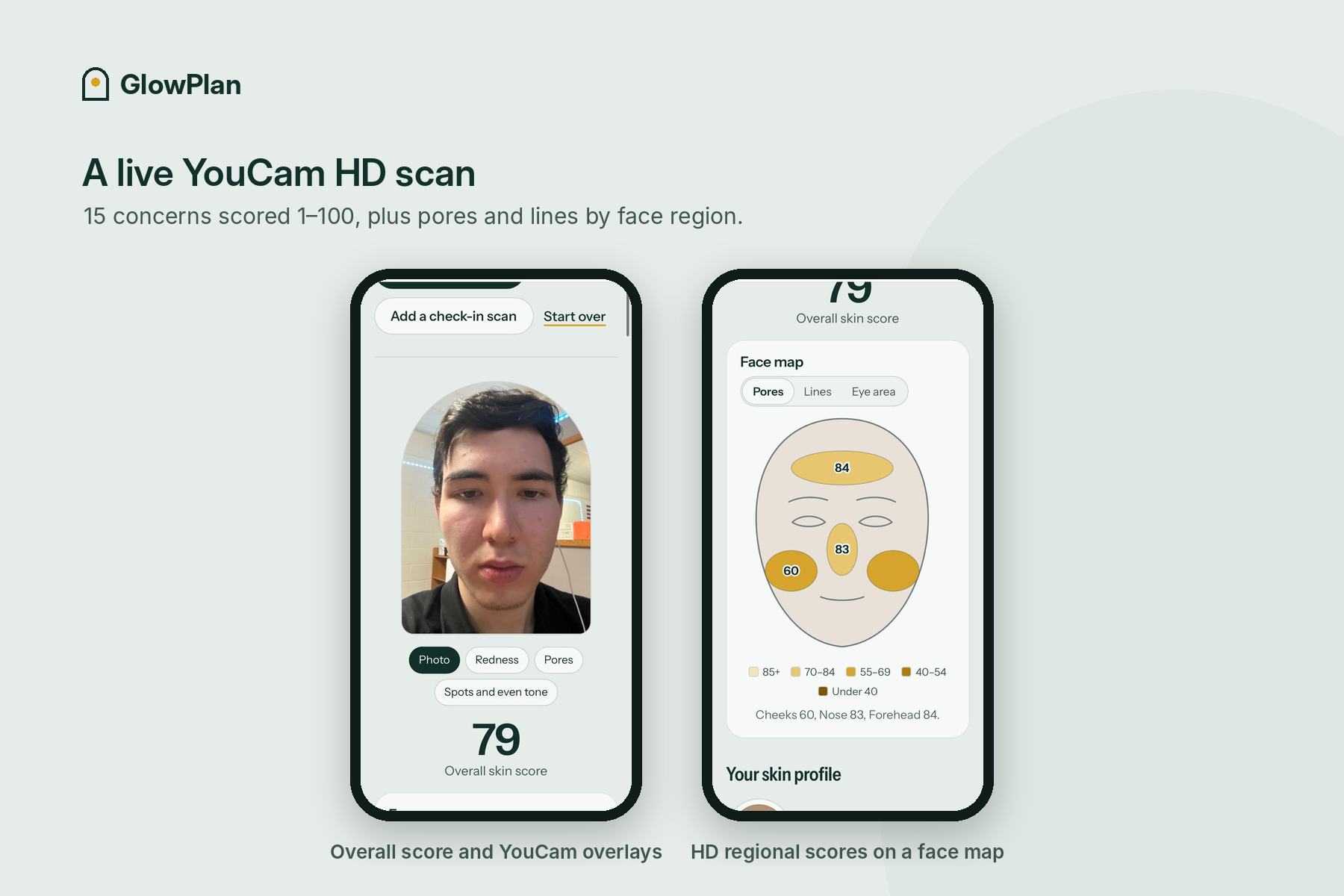
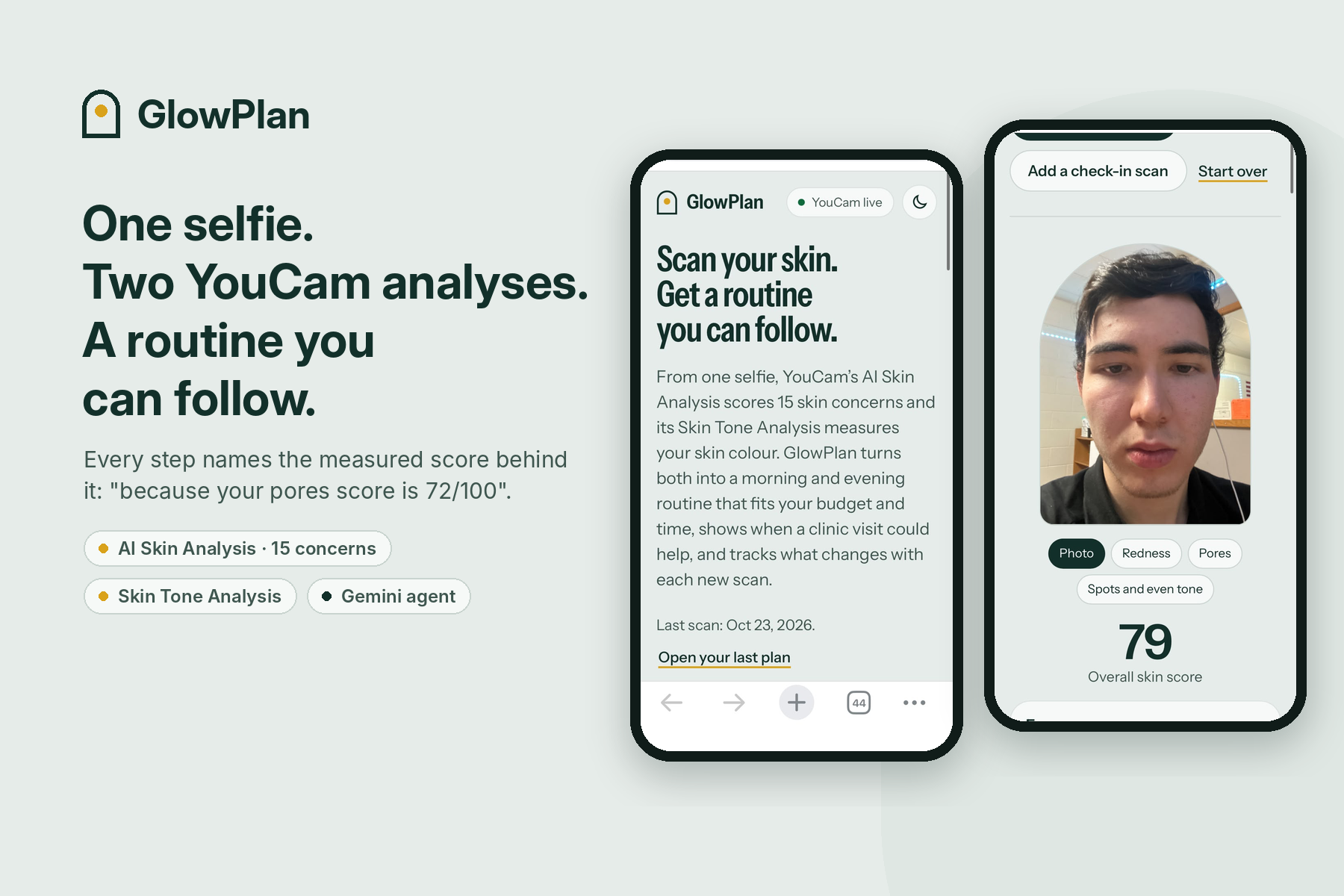
- Two YouCam analyses run on one upload, in parallel. AI Skin Analysis scores 15 concerns: wrinkles, pores, texture, acne, redness, oiliness, hydration, radiance, firmness, spots, dark circles, eye bags, tear trough and upper and lower eyelids. In HD it also scores pores by forehead, nose and cheeks, and lines by forehead, between the brows, crow's feet, under the eyes, smile lines and mouth corners. Skin Tone Analysis measures your skin colour and checks the photo (lighting, face size, position, angle).
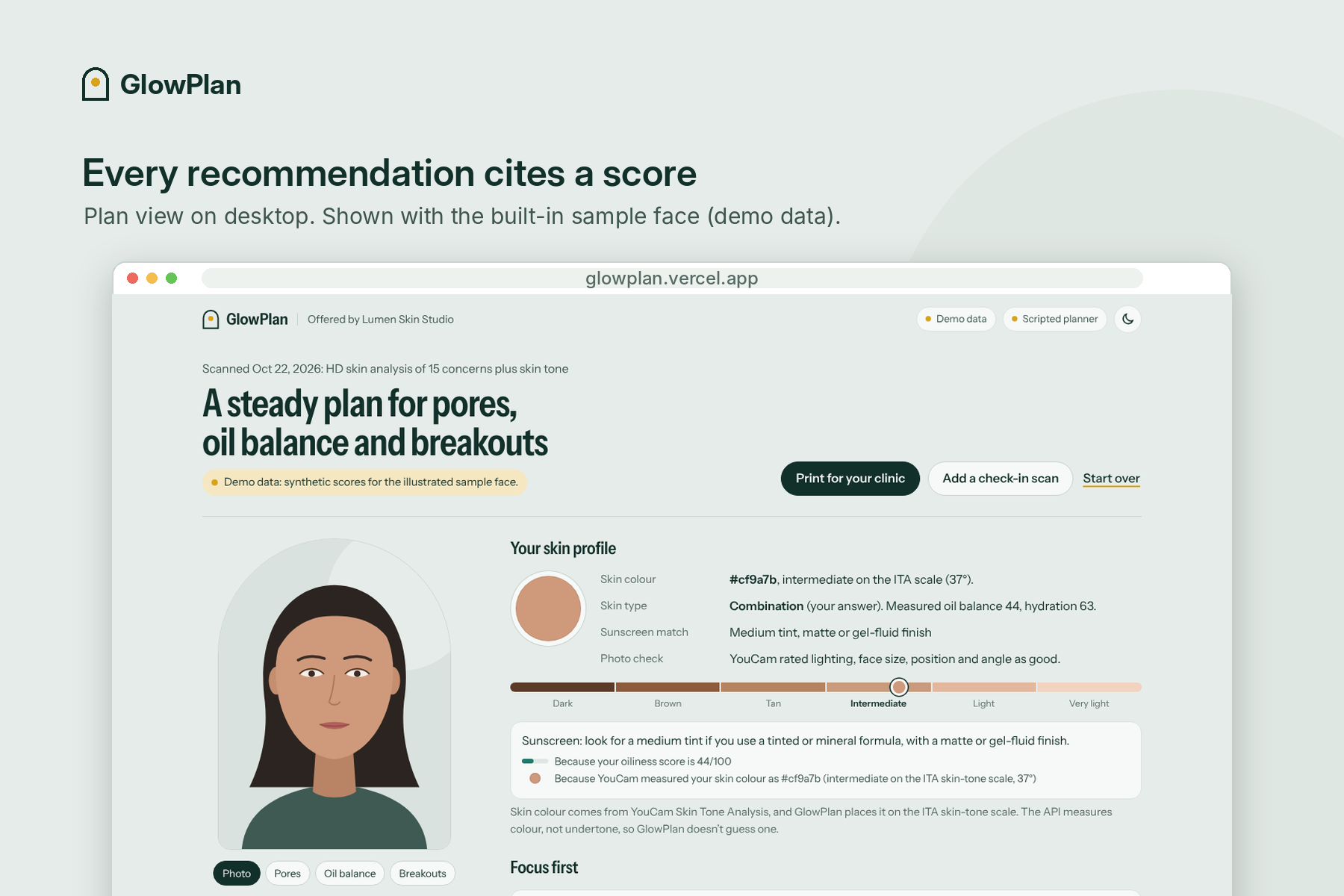
- Your skin profile brings both together: your stated skin type, the measured oil balance and hydration, your measured skin colour placed on the ITA skin-tone scale, a sunscreen match (tint family from your skin tone, finish from your oil and hydration scores), and YouCam's photo check. The API measures colour, not undertone, so GlowPlan doesn't guess one.
- An agent builds your plan:
- three focus areas with plain-language explanations,
- a morning and evening routine with ingredient classes (niacinamide, salicylic acid, retinoid, azelaic acid, SPF 30+ and so on; never brands) that fits your budget and time and follows layering rules,
- skin-tone-aware choices: a tinted mineral sunscreen with iron oxides in your tint family when it helps (it also filters visible light, which can deepen spots), gentler tone-evening ingredients for medium-to-deep skin with breakouts or spots, and a reminder to ask about laser, IPL and peel settings on medium-to-deep skin,
- a "start slowly" schedule that adds one product at a time,
- "when to see a professional": treatment categories clinics commonly offer for concerns that score low, described neutrally, plus clear "see someone promptly" safety flags.
- Every recommendation cites a measured value, for example "because your pores score is 41/100" or "because YouCam measured your skin colour as #cf9a7b". The values are attached by the server from the scan, never written by the model.
- Face map and overlays. The regional scores are drawn on a face map, and YouCam's overlay image shows where the scan saw each focus concern.
- Progress. Run a check-in scan later (your skin tone is reused, so it costs fewer units), or compare an old photo with a new one. A before-and-after chart shows every concern, sorted by change, and treats moves of 2 points or less as normal photo-to-photo variation.
- Clinic-ready summary. One printed page (or PDF) with all scores, focus areas, the current routine, what changed, discussion points, questions to ask and space for clinician notes. No photo is printed. Adding
?clinic=Nameto the link puts the clinic's name on the app and the printout.
Photos are processed in memory and never stored by GlowPlan; scores stay in the browser. GlowPlan gives cosmetic guidance, not medical advice, and says so on every plan.
How we built it
- Two YouCam APIs, end to end on the server: File API (
POST /s2s/v2.0/file) and one signedPUTupload, then in parallel on the samefile_id: an AI Skin Analysis task (POST /s2s/v2.1/task/skin-analysiswith all 15 concerns, mask overlays on,format: json) and a Skin Tone Analysis task (POST /s2s/v2.0/task/skin-tone-analysis), each polled until success or error. Skin tone is optional by design: if it fails, the skin scan still completes. The client paces requests under the documented rate limit, retries429and5xxwith backoff andRetry-After, and never retries task creation after an ambiguous failure so a person is never charged twice. If YouCam needs more time than a serverless function allows, the browser keeps polling with the task id. - Cost-aware: a full first scan is 42 units (22 for skin analysis + 20 for skin tone). Check-ins cost 22 because skin colour doesn't change with a routine, so it is measured once and reused. Units are charged only on success, and the bundled sample is free.
- Using the API's structure, not just its numbers: the app picks HD or SD from the photo's real resolution before spending units, never mixes HD and SD actions, turns HD regional scores into a face map and region-specific advice (low crow's feet scores and low smile-line scores lead to different treatment categories), shows YouCam's mask overlays for each focus concern, maps YouCam's photo errors (face too small, too dark, no face, head tilted) to plain retake tips, and turns the measured skin colour into an ITA skin-tone estimate with standard CIELAB colour maths.
- Agent: a Google Gemini tool-calling loop with six tools: rank concerns against goals, read the skin profile, find ingredient classes, check professional options, draft the routine, and finalize. A deterministic engine behind the tools enforces budget, time per day, layering rules (no two exfoliants or retinoids on one night, retinoids only at night, sunscreen every morning) and safety exclusions (pregnancy, sensitive skin). The finalize step runs a grounding check and rejects any plan with a missing or wrong citation, whether the citation is a score or the measured skin colour; model text that mentions a score that isn't in the scan is dropped. If Gemini is unavailable, a scripted planner runs the same tools, so the app always returns a valid plan.
- Front end: plain HTML, CSS and JavaScript modules with no build step, mobile first, light and dark themes. Charts and the face map are hand-built SVG with hover tooltips and table views. Print styles produce the one-page clinic summary.
- Hosting: Vercel serverless functions (Node 20, no npm dependencies), a strict Content Security Policy, and per-IP rate limits that protect the YouCam unit balance.
- Testing: 72
node:testtests (YouCam flows against a mock that reproduces the documented request validation and response shapes for both APIs, the parallel one-upload flow, result parsing, colour maths, image checks, a sweep of 2,700 preference and skin-tone combinations, the agent with a scripted fake Gemini, progress maths, HTTP handlers) and a Playwright end-to-end run on desktop and phone sizes in both themes.
Challenges we ran into
- Turning scores into safe advice. It is easy to write a routine that layers a retinoid and an acid on the same night, or that suggests a retinoid during pregnancy. We moved every rule into a deterministic engine the agent has to go through, and tested it across every combination of preferences.
- Using skin tone honestly. Skin Tone Analysis returns measured colours, not an undertone. Rather than invent one, GlowPlan uses only what is measured: it places the colour on the ITA scale (calling it an estimate, because lighting affects it) and uses that for things it really changes, like sunscreen tint and gentler care for skin prone to dark marks.
- Unit cost. Running both analyses on every scan would cost 42 units. Measuring skin tone once and reusing it keeps check-ins at 22 units.
- Keeping the model honest about numbers. Language models like to restate figures, and sometimes restate them wrong. The fix was to never let the model write scores: citations are attached by the server, and a grounding check rejects anything that doesn't match the scan.
- Serverless time limits versus asynchronous analysis. Skin analysis runs as a task that has to be polled. We split the flow so the server waits a bounded time, then hands the task id to the browser to keep polling, without ever creating a second task.
- Photo quality. YouCam needs the face to fill most of the frame and a high enough resolution for HD. The arch-shaped crop with a face oval, and the live HD/standard indicator, came out of that requirement.
Accomplishments that we're proud of
- Every single recommendation in a plan is tied to a measured score or the measured skin colour, and that is enforced by code and tests, not by a prompt.
- Two YouCam APIs on one upload, run in parallel, combined into one skin profile.
- The plan respects real constraints people have: a small budget, three minutes in the morning, reactive skin, pregnancy.
- The full journey works with no keys at all, on clearly labelled demo data, so anyone can try it in seconds.
- A printed summary a person can actually bring to a consultation.
What we learned
- How the YouCam APIs are structured: the file-then-task flow, the HD and SD tiers, regional scores, mask overlays, what Skin Tone Analysis does and doesn't return, unit costs, and the error codes worth designing the UI around.
- That agentic workflows are most useful when the agent chooses and explains, while deterministic code checks the rules.
- That "when to see a professional" needs careful, neutral wording: name categories, explain what they are, and leave the decision to a qualified person.
What's next for GlowPlan
- A clinic dashboard with accounts and consent, so clients can share scans and progress with their clinician before a visit.
- YouCam's camera kit for guided capture (face position and lighting checks before the photo is taken).
- Pairing the plan with retail: matching each ingredient class to products a clinic or store actually stocks, using YouCam's virtual try-on where it fits.
- Reminders for check-in scans and a longer progress history.
Try it (instructions for judges)
- Live demo: https://glowplan.vercel.app
- Code: https://github.com/arlanimanbayev/glowplan (MIT license; setup steps in the README)
- Open the app. The top bar shows whether the server runs YouCam live or Demo data, and whether the Gemini planner or the scripted planner is active.
- Fastest path: tap Use the sample face, then Scan the sample. It runs the full YouCam flow (one upload, then Skin analysis ✓ and Skin tone ✓) on synthetic data for an illustrated face and costs no units.
- On the results, look at Your skin profile (measured colour, ITA scale, sunscreen match), then try the overlay buttons under the face (Pores, Oil balance, Breakouts), the Lines and Eye area tabs on the face map, and Show as table under the scores.
- Tap Add a check-in scan, then Use the sample's 8-week check-in to see the progress chart.
- Tap Print for your clinic to see the one-page summary (or save it as a PDF).
- With a live key, take a selfie in soft daylight, face filling the oval. A first scan uses about 42 units (22 skin analysis + 20 skin tone); check-ins use 22.
- To see the clinic version, add
?clinic=Lumen%20Skin%20Studioto the URL.
To run locally: npm start (Node 20+, no dependencies). Tests: npm test.
Built With
- css3
- gemini
- html5
- javascript
- node.js
- vercel
- youcam
- youcam-api

Log in or sign up for Devpost to join the conversation.