Inspiration
Understanding your skin is one thing; knowing what to do next is another. Skincare products often promise impressive results, but choosing suitable ingredients and building a consistent routine can be confusing.
I built GlowGuide AI to bridge that gap by turning AI-powered skin analysis into practical, personalized skincare guidance through a mobile-friendly experience.
What it does
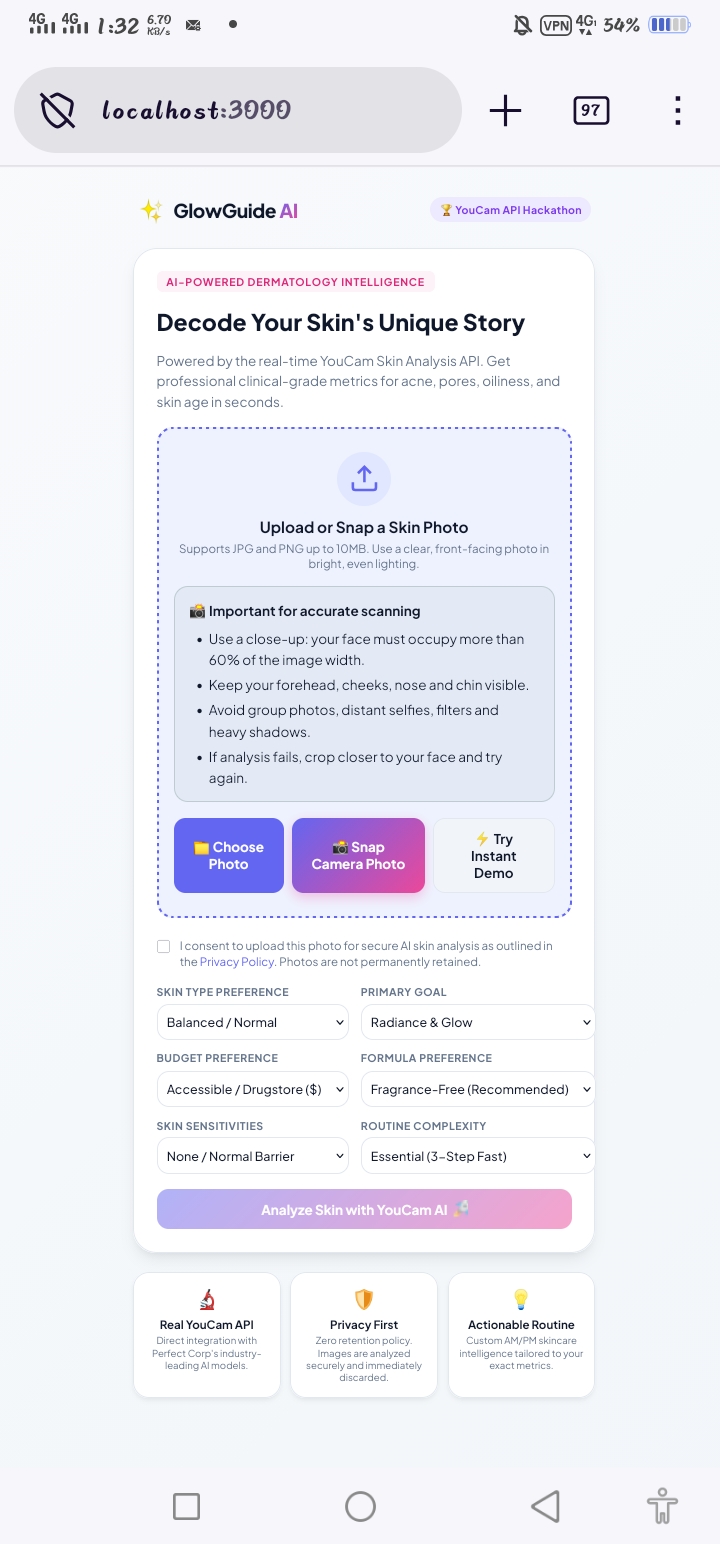
GlowGuide AI connects YouCam's Skin AI technology with a skincare guidance interface designed to help users understand their results and explore potential next steps.
Key features include:
- Live AI skin analysis: Integrates with the YouCam API to submit an image for analysis and retrieve results.
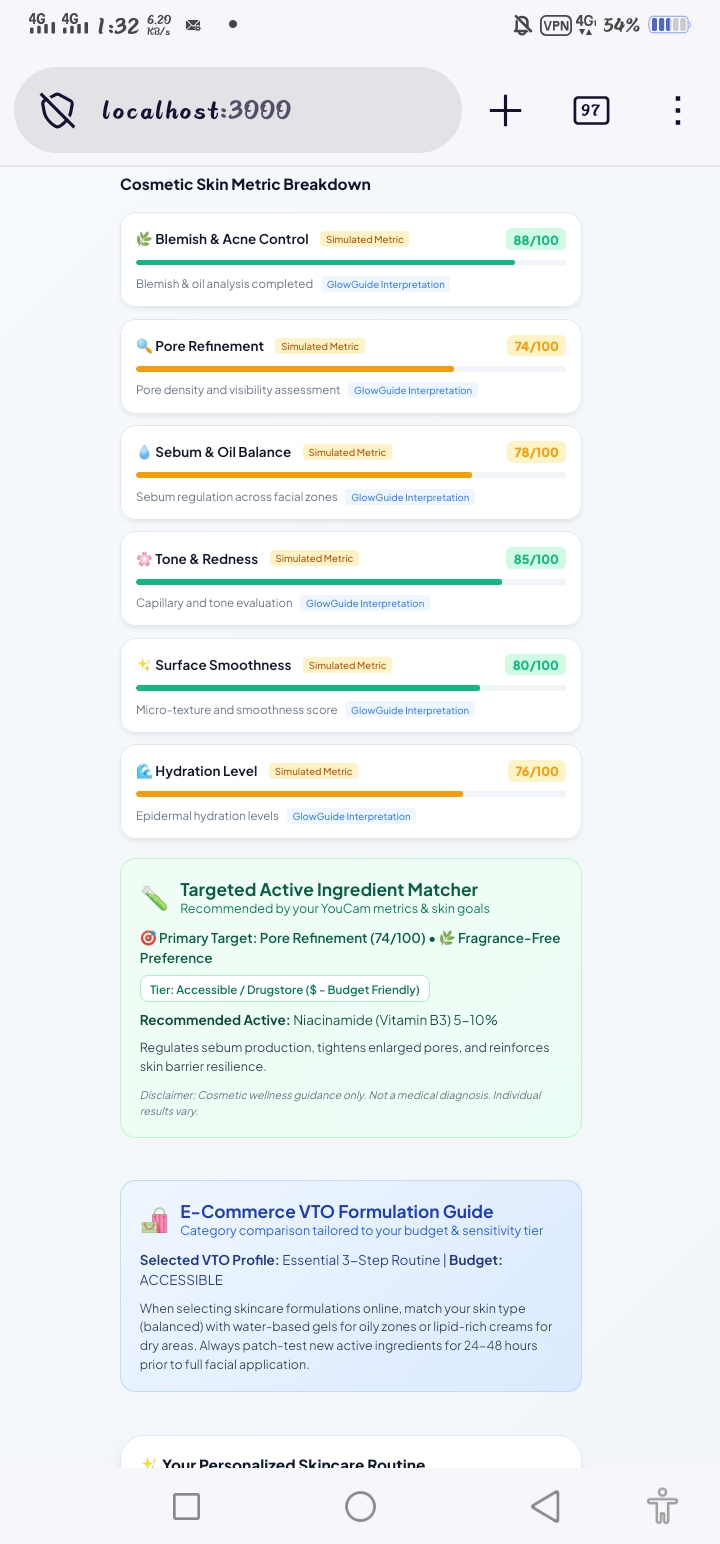
- Skin metric dashboard: Presents available analysis metrics in an accessible, visual format.
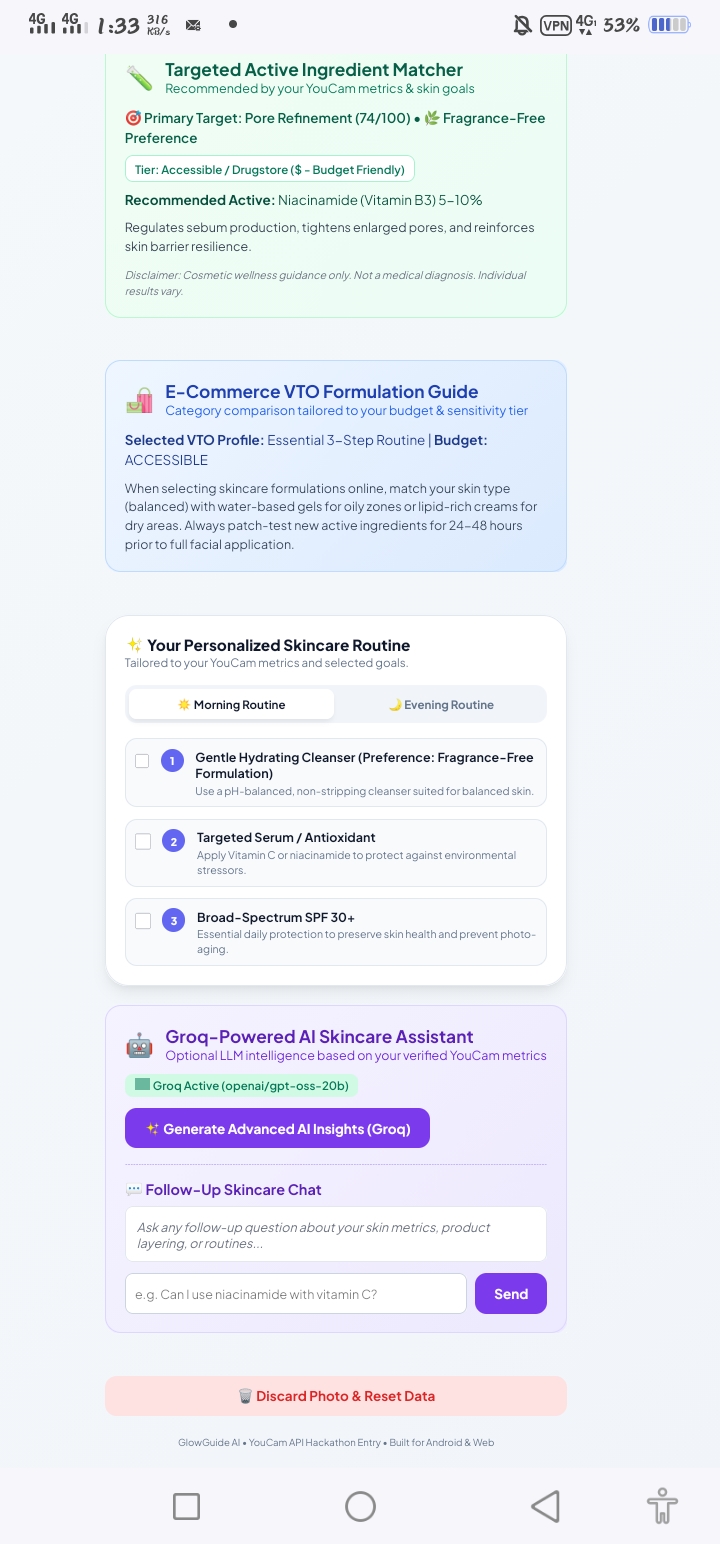
- Ingredient guidance: Helps users explore skincare ingredients and understand their intended cosmetic benefits.
- AM/PM routines: Provides structured morning and evening skincare guidance.
- Personalized insights: Uses analysis metrics and user preferences to support tailored explanations when the optional AI service is enabled.
- Demo mode: Makes it possible to explore the experience without relying on a live API request.
- Privacy-conscious architecture: Keeps API credentials on the server and avoids sending facial images to the optional text-based AI service.
How I built it
I built GlowGuide AI using JavaScript, Node.js, HTML, and CSS, with a lightweight server and no runtime package dependencies. The mobile-first interface is designed to be practical on devices with limited computing resources.
The live YouCam workflow follows four stages:
- Initialize an image upload through the YouCam API.
- Upload the image using the provided upload URL.
- Create a skin-analysis task.
- Poll the task until the analysis finishes and process the returned results.
The application also includes server-side API handling, input validation, image-size limits, and a separate demonstration mode.
Challenges I faced
One of the main challenges was integrating an asynchronous image-analysis API into a smooth user experience. The application must handle uploads, task polling, API failures, and differences in the returned analysis data.
Testing confirmed that the live upload and analysis workflow can complete successfully. However, displaying every returned visualization reliably remains an area for improvement. I am treating that distinction seriously rather than presenting an unsuccessful image load as a successful result.
Another challenge was making the guidance useful rather than simply displaying numbers. The goal is to help users understand what analysis metrics mean and explore relevant cosmetic ingredients without presenting automated suggestions as medical diagnoses.
What I learned
Building GlowGuide AI strengthened my understanding of API integration, asynchronous task processing, server-side credential handling, responsive interface design, and the importance of testing the complete user journey—not just confirming that an API returns a successful response.
I also learned that personalized recommendations must be relevant to the actual result. A useful skincare assistant should explain its suggestions, communicate uncertainty, and avoid claiming that cosmetic guidance can diagnose or treat medical conditions.
What's next
My next priorities are improving the reliability of analysis visualizations, refining the relationship between detected skin concerns and ingredient suggestions, and expanding the experience with more transparent, evidence-conscious skincare guidance.
GlowGuide AI aims to make AI skin analysis more understandable and actionable, helping users move from results to a skincare routine with greater clarity.
Built With
- analysis
- api
- artificial
- css
- html
- intelligence
- javascript
- mobile
- node.js
- personalization
- rest
- skin
- youcam

Log in or sign up for Devpost to join the conversation.