-
-
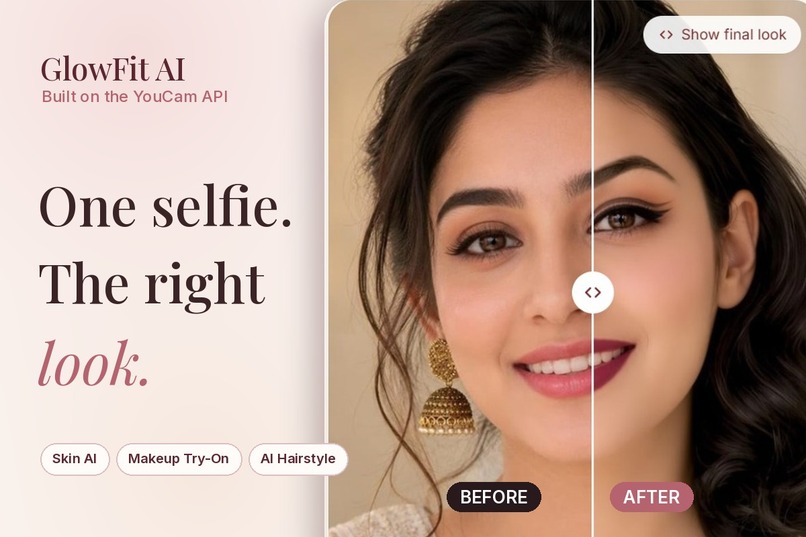
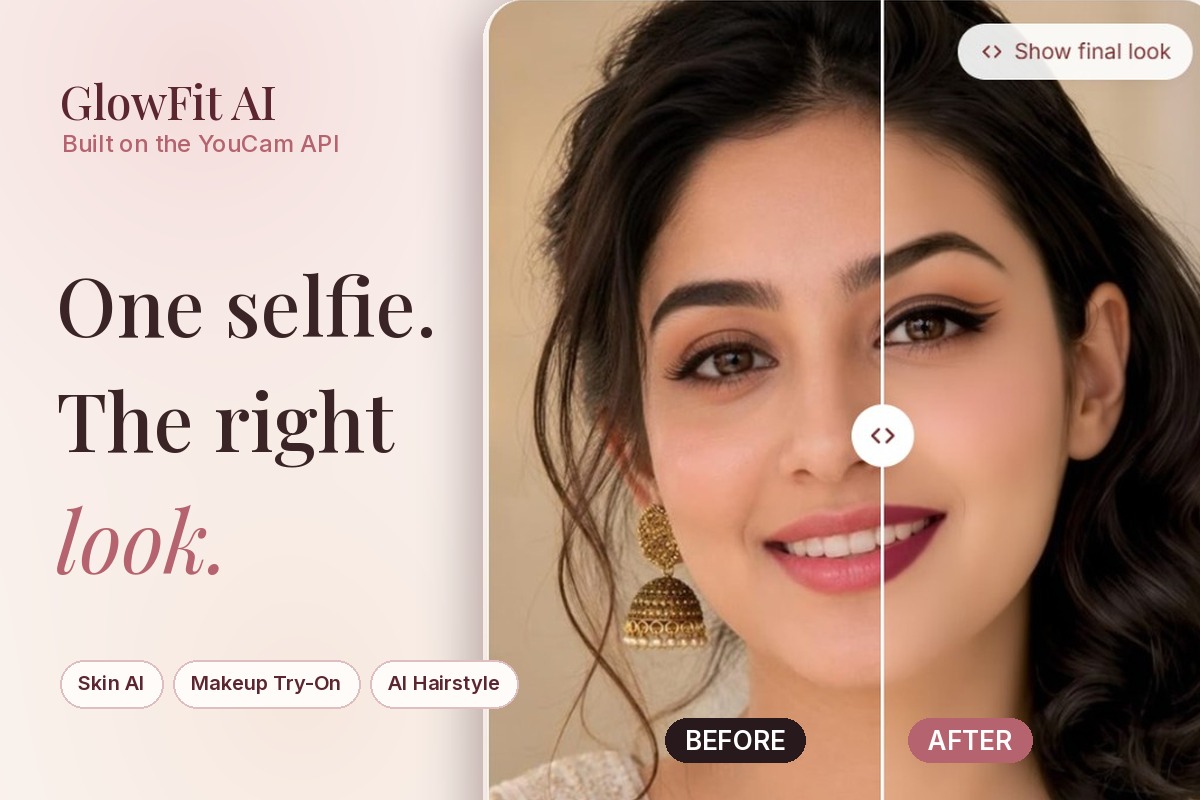
Thumbnail (3:2)
-
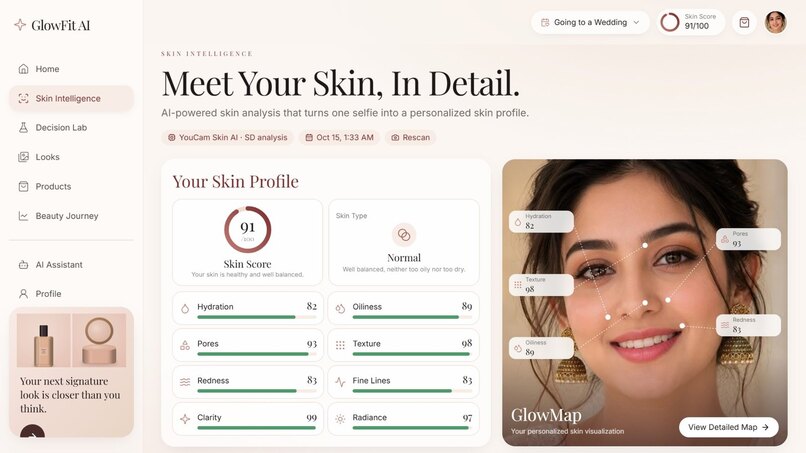
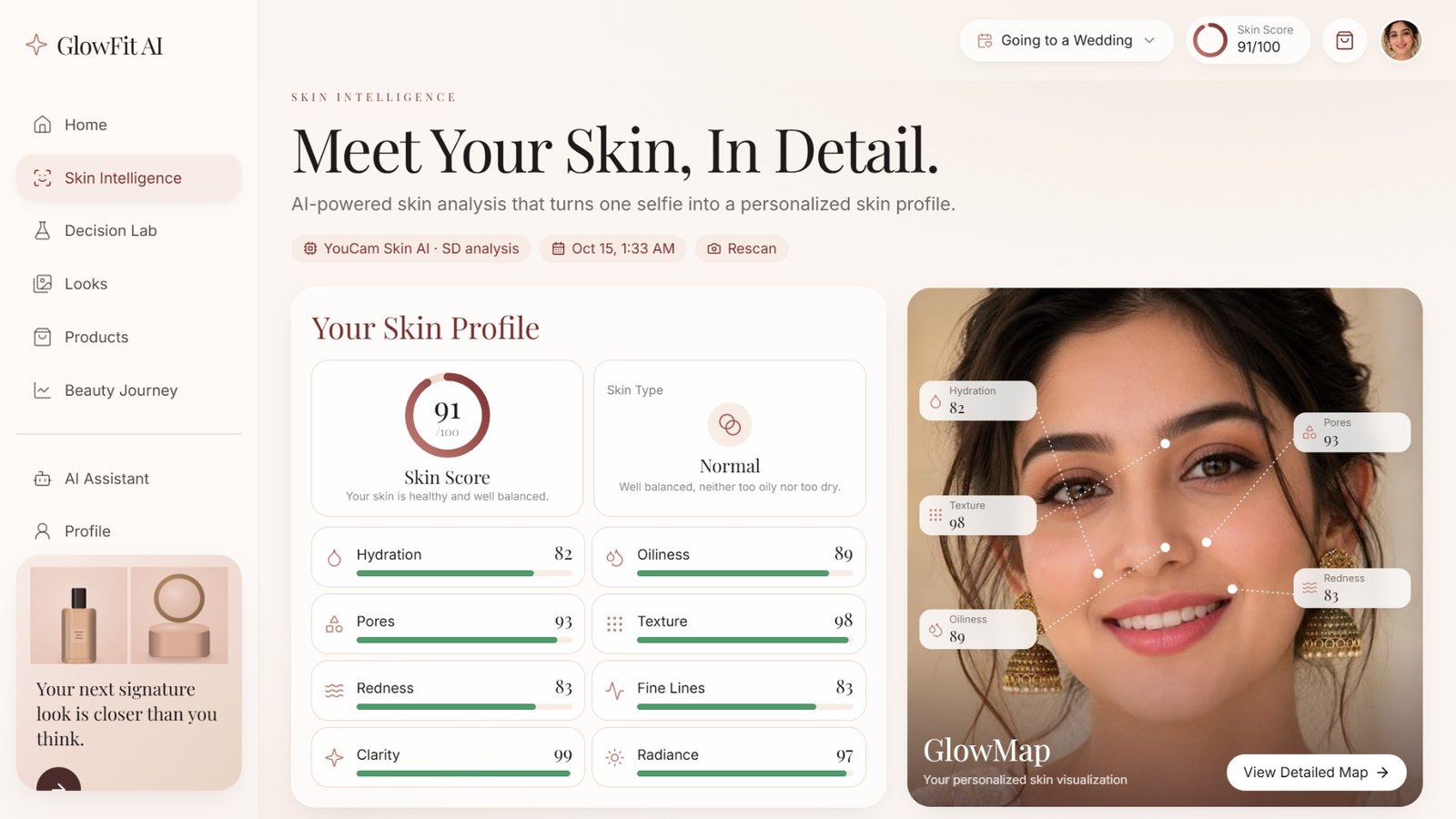
Skin Intelligence: real YouCam Skin Analysis result, score 91, 8 metrics on the face
-
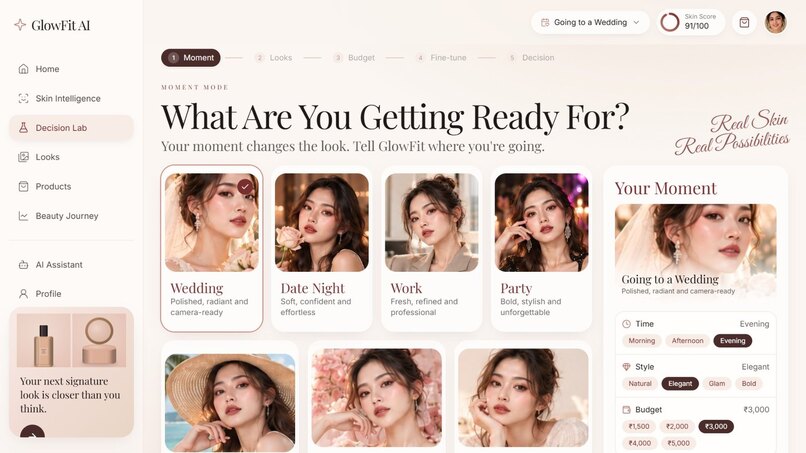
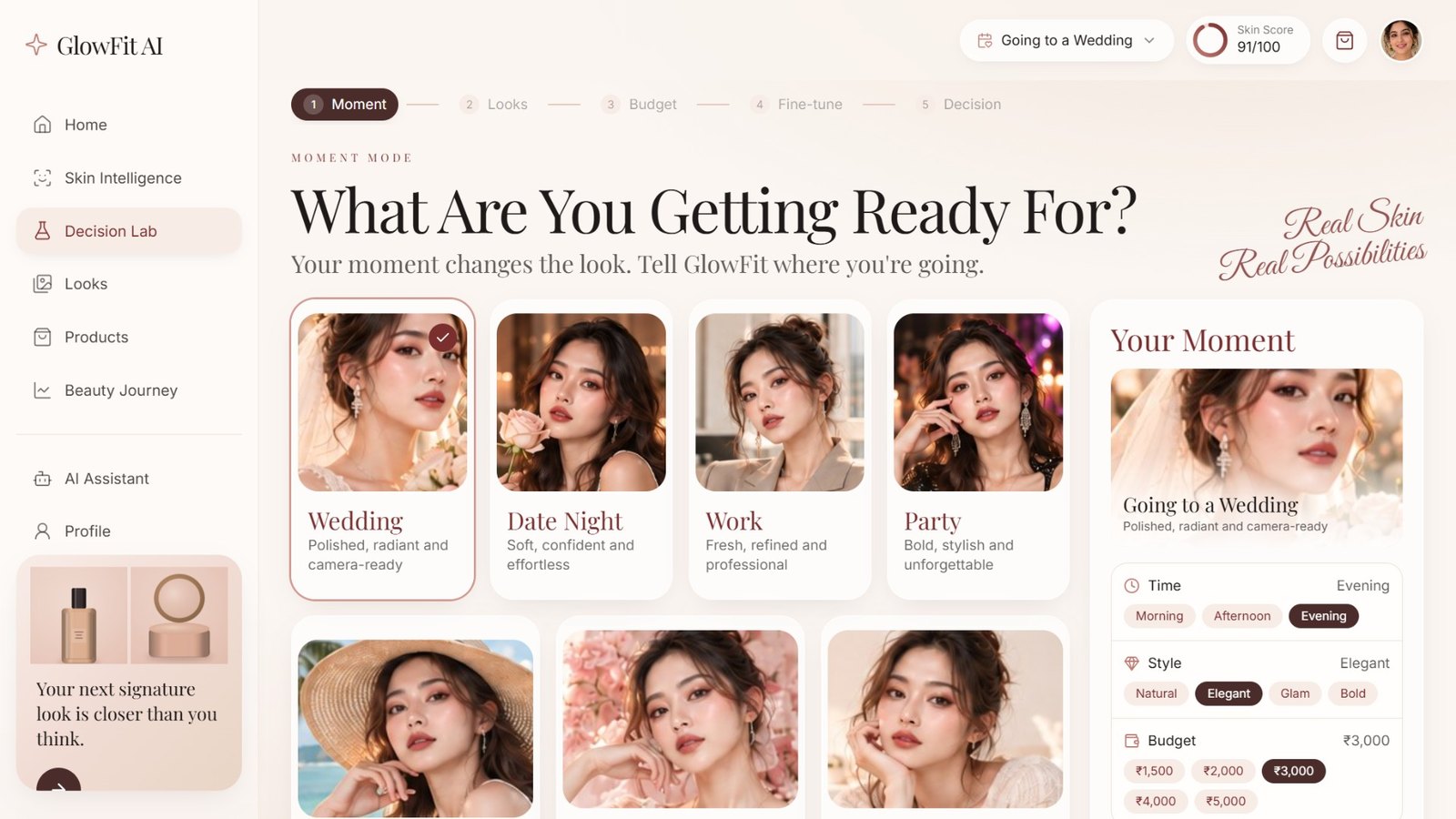
Decision Lab step 1: pick the moment, time, style and budget
-
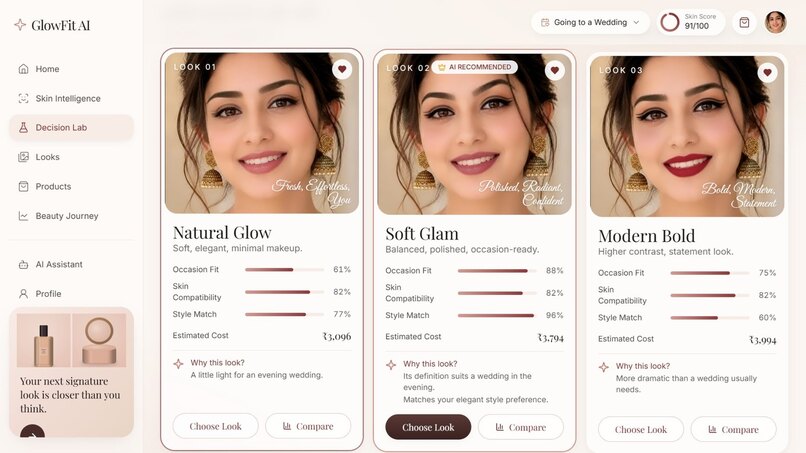
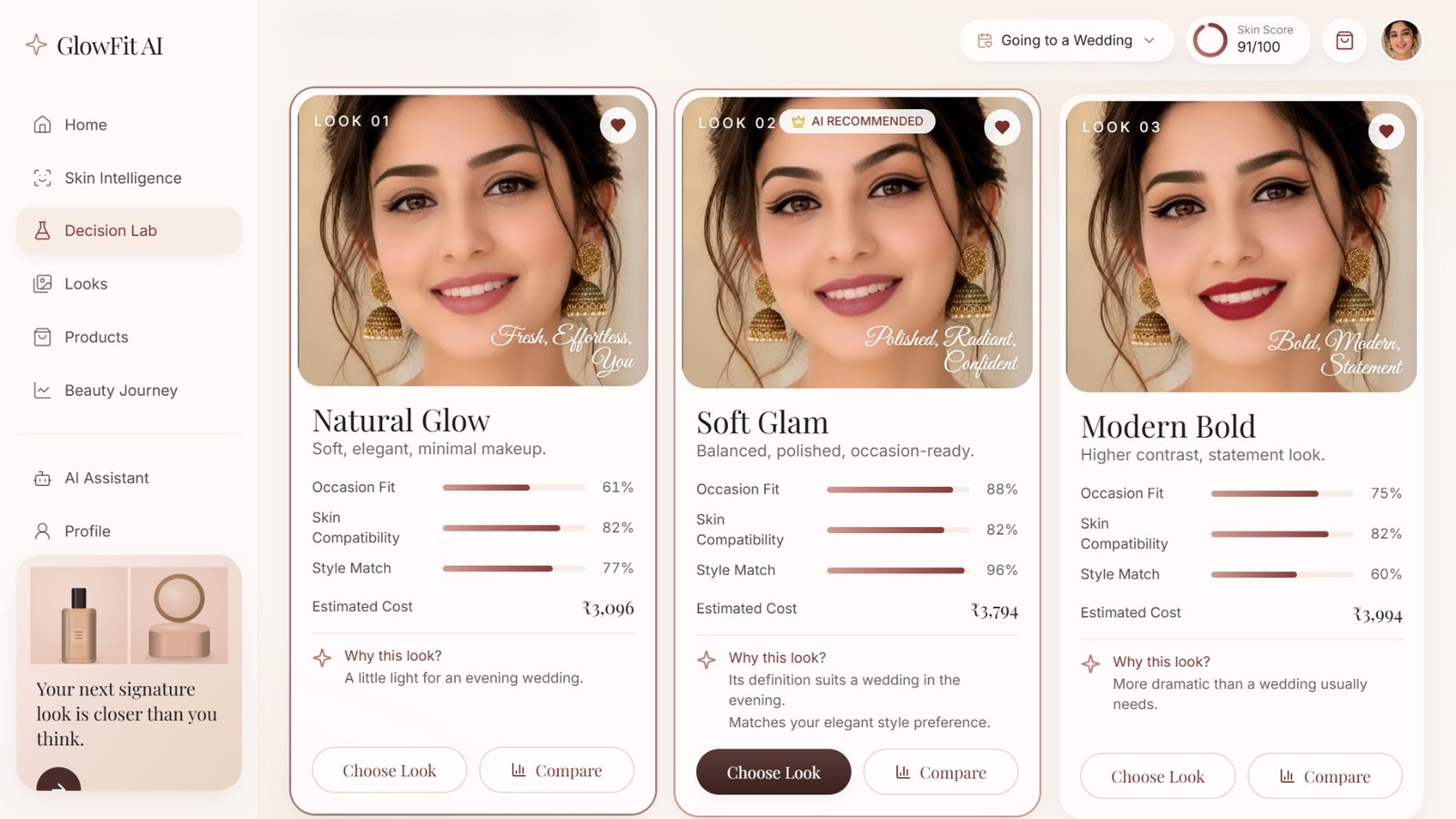
Step 2: three looks rendered on her selfie with YouCam Makeup VTO, each with a match score
-
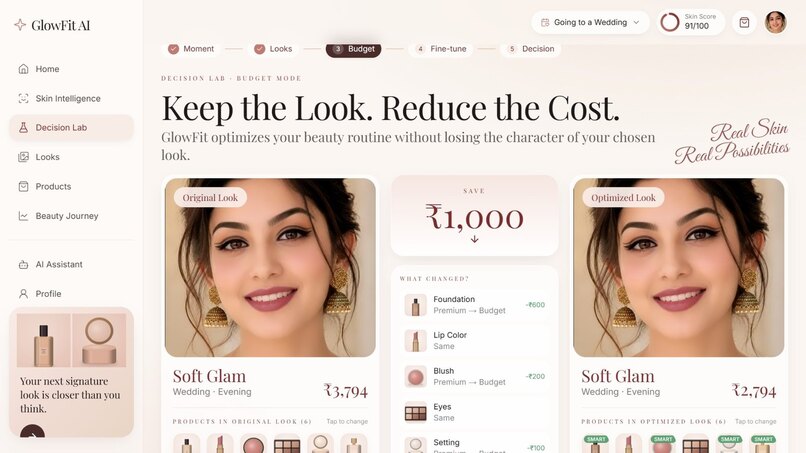
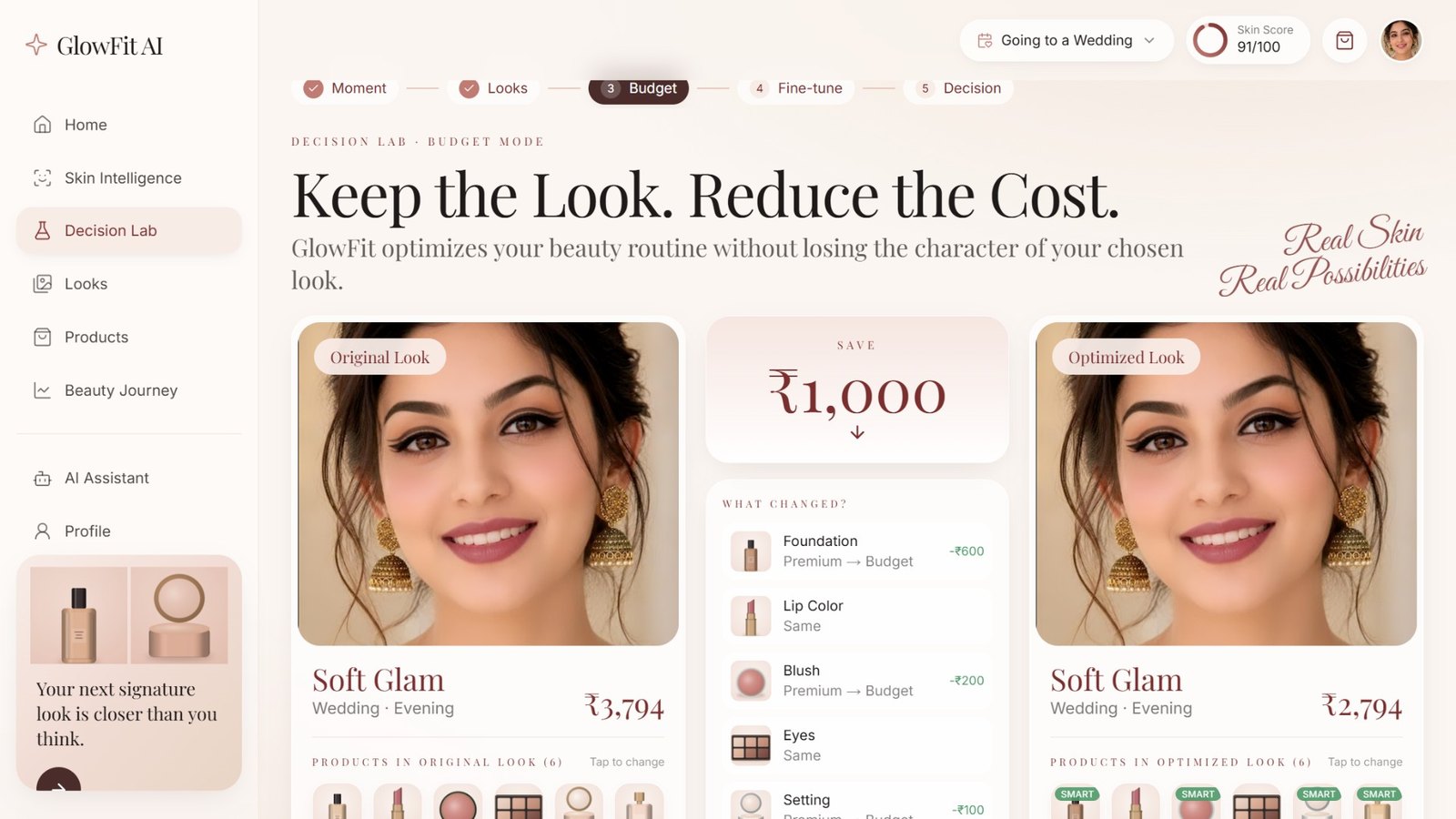
Step 3: Budget Mode keeps the shades and saves ₹1,000
-
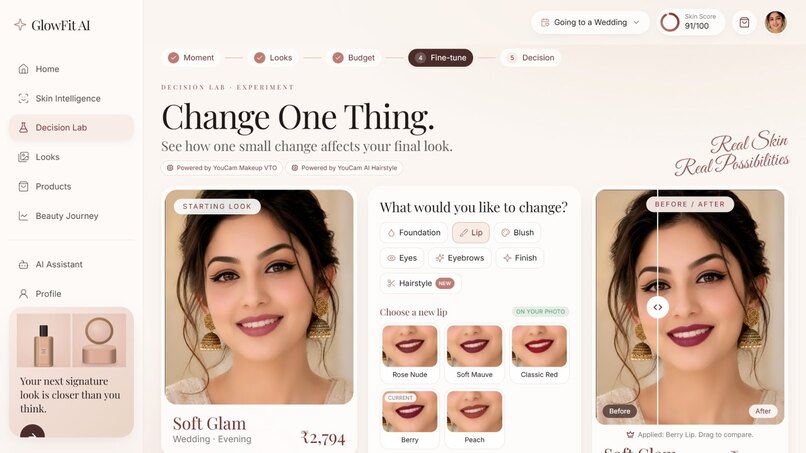
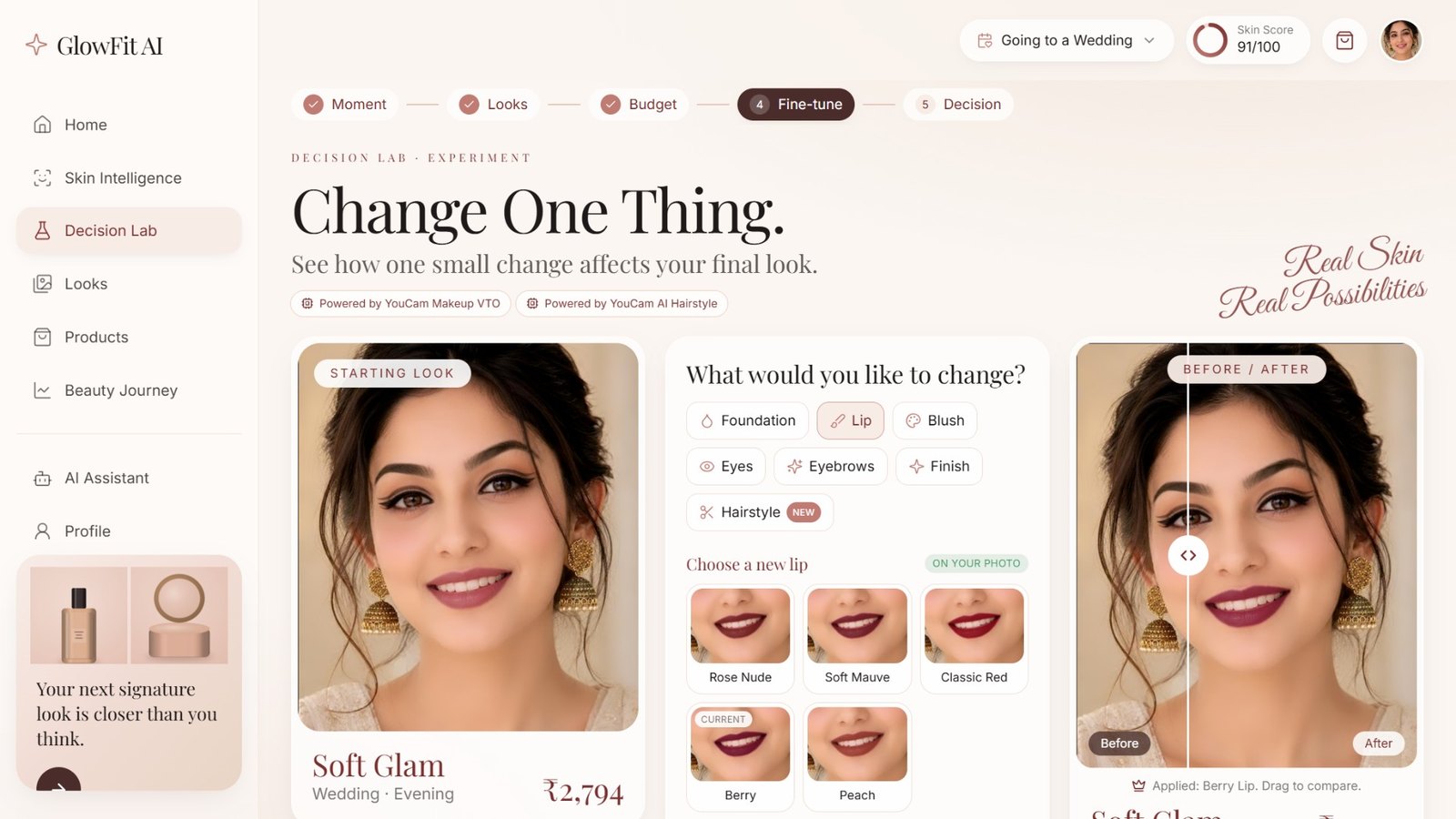
Step 4: Change One Thing, a berry lip with a before/after slider
-
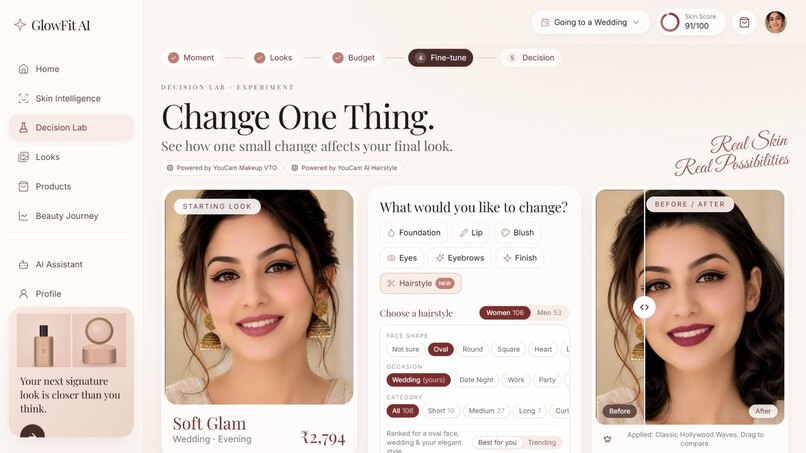
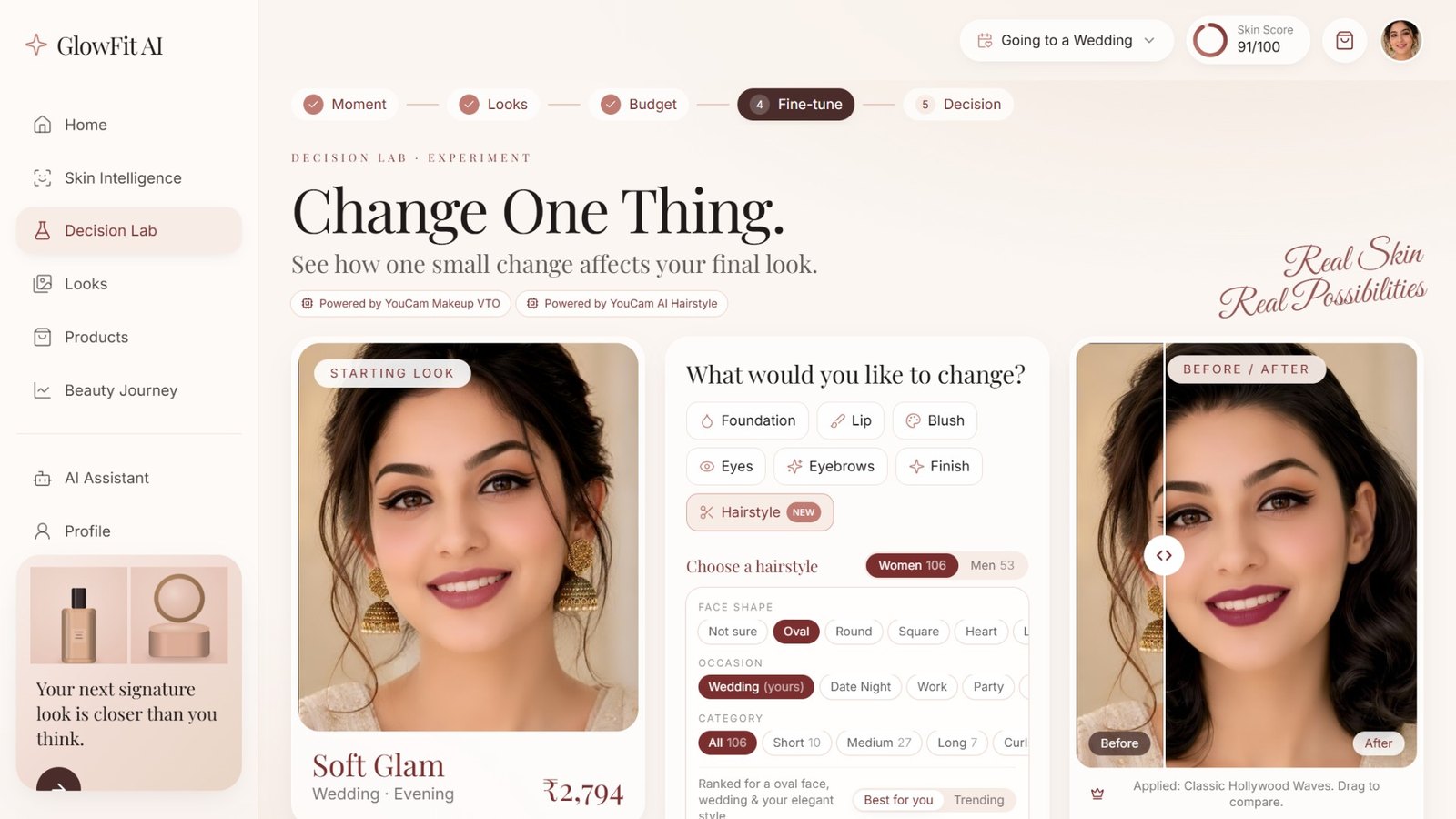
Step 4: YouCam AI Hairstyle, Classic Hollywood Waves on her photo
-
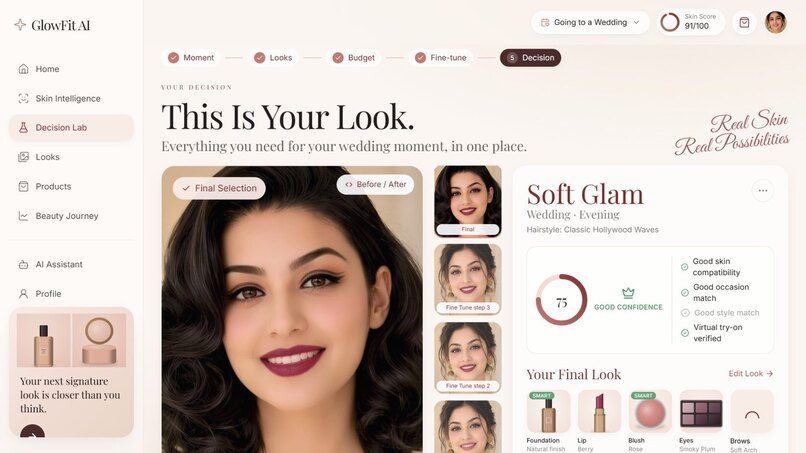
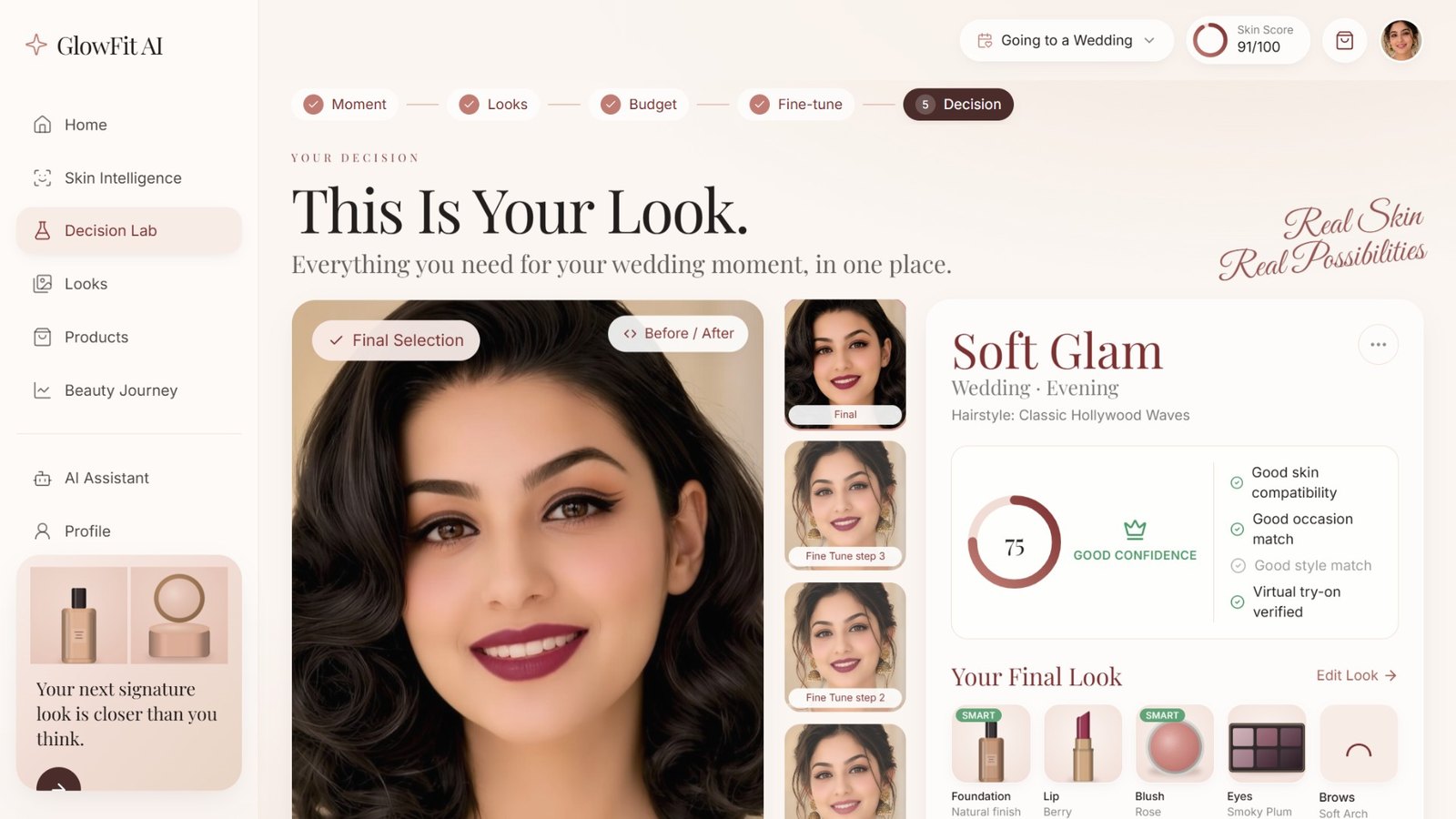
Step 5: the final decision with confidence checks, products and total
Inspiration
Choosing makeup online is a guess. Shoppers see a product on a model, buy it, and find the shade is wrong for their skin, the look is too heavy for the occasion, or the basket costs more than planned. Wrong shade is a common reason beauty products get returned, and most try-on tools stop at "here's how it looks", not "here's why it's right for you". We wanted an app that doesn't just recommend a look but proves the choice.
What it does
GlowFit AI turns one selfie into a confident beauty decision.
- Skin Scan + Skin Intelligence (YouCam Skin Analysis): a skin score, 8 metrics (hydration, texture, oiliness, pores, redness, fine lines, clarity, radiance), skin type, and a GlowMap that overlays YouCam's own per-metric AI masks on your face, plus your top 3 priorities and a personal care plan.
- Face Structure (YouCam AI Face Analyzer): runs with every scan and returns face shape, eye, lip and brow shape and facial ratios, which feed hairstyle matching.
Decision Lab (YouCam Makeup VTO + AI Hairstyle), in 5 steps: Moment: wedding, date night, work and more, with time of day, style and budget. Three Looks: rendered on your own face, each with a match score built from your real skin metrics, the occasion and your style, plus plain-language reasons. Budget Mode: the same shades from lower-priced products, showing exactly what you save and what changed. Change One Thing: swap lip, blush, eyes, brows, finish, coverage or hairstyle. The impact on harmony, occasion fit, contrast and cost is shown before you spend a render. Hairstyles are ranked by a face-shape and occasion match %. Decision: the final look with a before/after slider, confidence checks, the product list and total, and a shareable Look Card.
Skin Journey: every scan is tracked over time, with score trends, per-metric changes, insights, before/after comparison, notes and a routine that targets your weakest metric.
Glow Assistant: a chat that answers only from your own data ("What should I fix first?", "Make my lip softer", "How can I save money?"), and each answer has one-tap actions that jump to the right step with the change already set.
Saved looks per person: families or friends can each keep their looks and skin profile on one device.
Value for brands and retailers: the Decision Lab can be embedded on a product page or an in-store mirror with a retailer's own catalog. Shoppers see the exact shade on their own skin (fewer returns), get a scored, explained recommendation (higher conversion), and keep the look at a lower price instead of leaving (Budget Mode).
How we built it
- Next.js 15 (App Router), React 19, TypeScript, Tailwind CSS, Zustand. No login and no database: user data stays in the browser.
- YouCam APIs, called only from server routes so the key never reaches the browser: 2.2. Skin Analysis (SD/HD): HD is picked automatically from photo resolution, with enable_mask_overlay on for the GlowMap masks. 2.3. AI Face Analyzer: called alongside each skin scan for face shape and features. 2.4. Makeup VTO: each look recipe (lip, blush, eyes, liner, brows, foundation) is turned into a YouCam effects payload. 2.5. AI Hairstyle (hair transfer): applied on top of the finished makeup render, so hair and makeup show together.
- Unit-saving design: the selfie is uploaded once and its file_id reused; every render is cached in IndexedDB by selfie and recipe; impact scores are computed locally before any render.
- Scoring engine: match scores combine the real skin metrics (for example, a dewy finish loses points on an oily T-zone, and medium coverage gains points with visible redness), occasion intensity, time of day and style.
- Public-demo protection: a signed per-visitor quota plus a unit reserve check against the YouCam credit API. When a limit is reached, the app switches to sample results with a notice instead of failing.
- Glow Assistant: a grounded rule engine over the user's data, with an optional free OpenAI-compatible LLM that only rewrites the wording. Any rewrite that drops or changes a number is rejected.
Challenges we ran into
- Spending as few units as possible while still making every look real: we added a file_id reuse, a render cache, and free "impact before render" scoring.
- Combining makeup and hair: hair transfer has to run on the makeup render, not on the raw selfie, so the final image shows both.
- Showing the AI's evidence: we overlaid YouCam's per-metric masks on the selfie, and fall back gracefully when mask links expire.
- Keeping an AI assistant honest: we built the answers from data first and let a language model only polish the wording.
Accomplishments that we're proud of
- A complete product, not a prototype: 9 connected screens that work on desktop and mobile.
- Four YouCam APIs working together in one decision flow (Skin Analysis, AI Face Analyzer, Makeup VTO, AI Hairstyle), covering both the Skin AI and eCommerce VTO tracks.
- Every recommendation is explained with the user's own skin data.
- A judge-friendly live demo: "Try with a sample face" runs the whole app without a selfie and without spending units.
What we learned
- Shoppers trust a recommendation more when it shows its reasons and lets them change one thing and see the result.
- Designing around API cost (one upload, caching, previewing impact before rendering) makes a VTO -product cheaper to run at scale.
What's next for GlowFit AI: The Beauty Decision Engine
- An embeddable retailer widget with a catalog API, so brands can plug in their own products and shades.
- Shade matching with YouCam skin tone analysis and more product categories (jewelry, eyewear).
- Shared looks for group occasions such as bridal parties.
- Reminders for the next Skin Journey scan and a routine tracker.
Built With
- indexeddb
- next.js
- react
- tailwindcss
- typescript
- vercel
- youcam-ai-face-analyzer
- youcam-ai-hairstyle
- youcam-api
- youcam-makeup-vto
- youcam-skin-analysis
- zustand
