-
-
Dashboard
-
Skin care
-
Plans
Inspiration
Skin and style decisions almost never get made with real information — you find out whether a serum worked weeks later, and whether an outfit works at all only after you've bought it. The YouCam hackathon's combined track asked a specific question: what happens if Skin AI and Apparel Virtual Try-On aren't two separate features, but one connected decision? That's the problem GlowFit AI is built to answer — a selfie that leads directly to a skincare routine and an outfit that's color-matched to that same skin tone, rendered on the user's own photo before they have to guess.
What it does
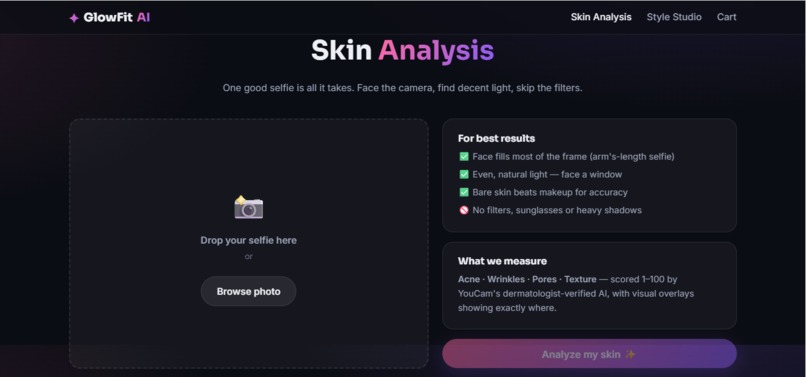
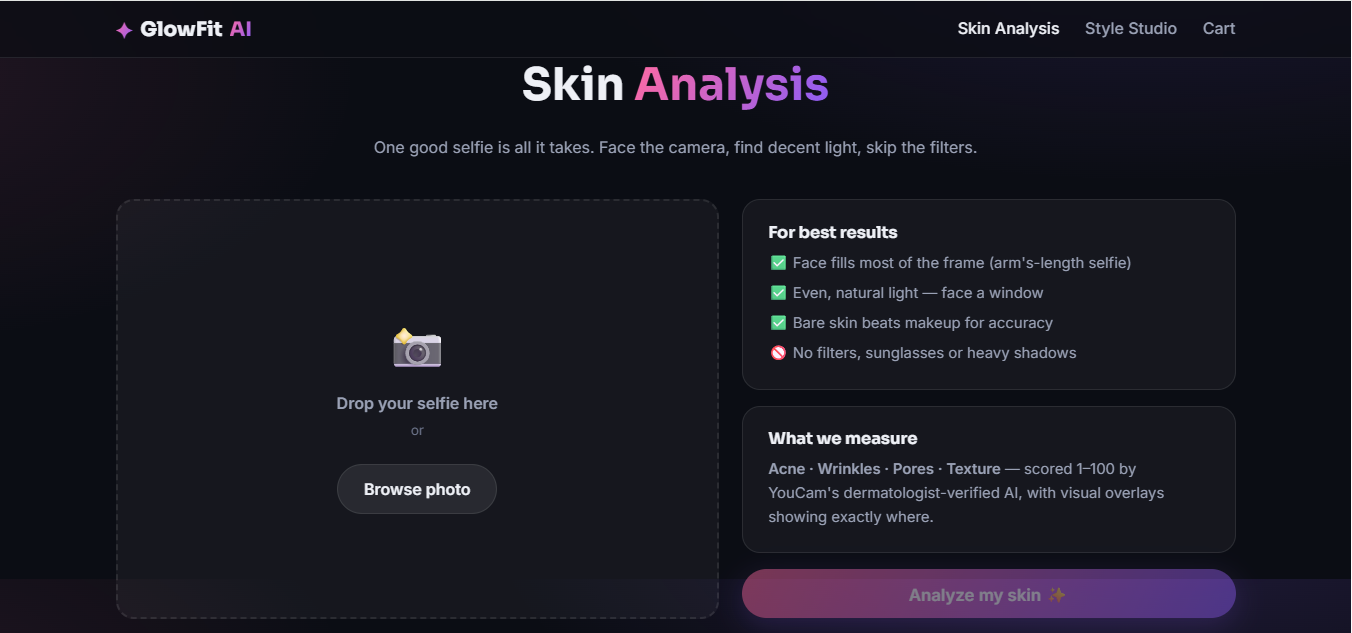
- A selfie goes through YouCam AI Skin Analysis — acne, wrinkle, pore, and texture scores, each with a visual detection overlay so the user sees where, not just a number.
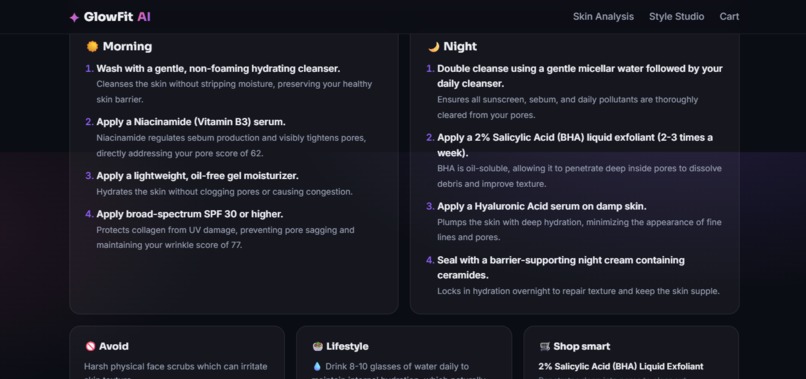
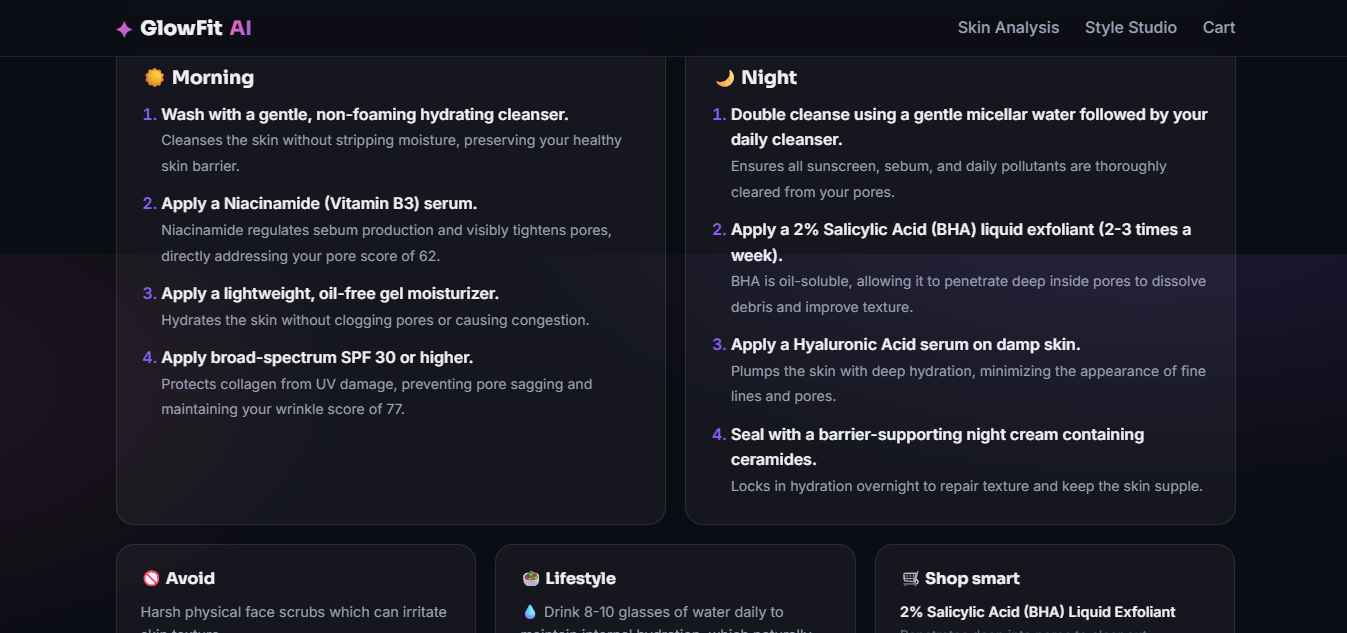
- An LLM reasoning layer turns those scores into a personal AM/PM routine, lifestyle guidance, and a shopping list — every line tied to the user's actual results.
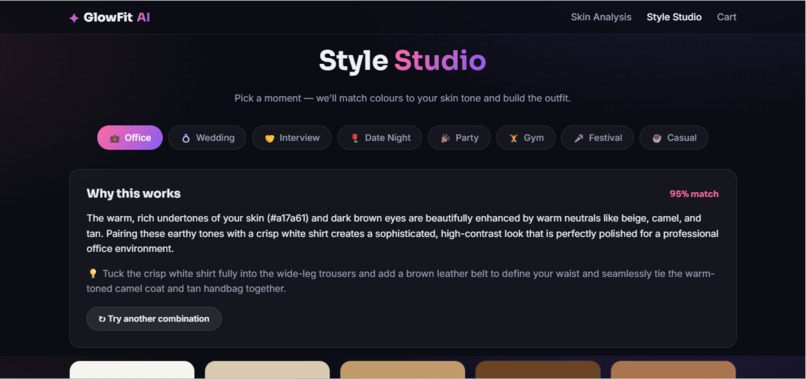
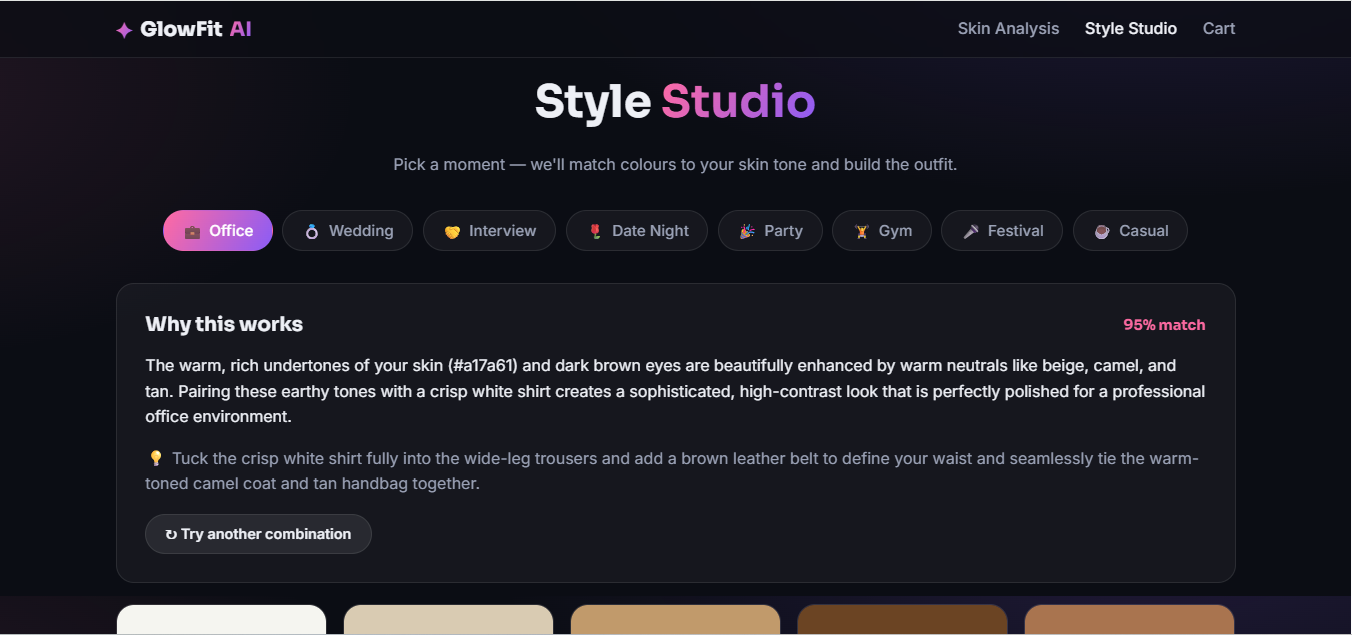
- The user picks a real occasion — office, wedding, interview, date, party, gym, festival, casual. YouCam AI Skin Tone Analysis reads their undertone, and an AI stylist reasons about which colors and garments genuinely suit them, citing the actual tone data.
- YouCam Apparel Virtual Try-On (v3.0) renders that exact outfit onto the user's own photo — not a generic model.
- The agentic layer: a second AI call looks at the rendered photo itself (vision, not text) and honestly critiques it — does this actually work for this skin tone and occasion? If confidence is low, it automatically tries a different outfit, up to two attempts, and every attempt is shown to the user with its verdict and reasoning — not just the final picture.
- A cart and a downloadable PDF report combine the skincare plan, the outfit, and the try-on photo into one document.
How we built it
Angular 20 on the frontend, Spring Boot 3 (Java 17) on the backend. Every YouCam feature runs through one generic task client (upload → create task → poll), supporting both the v2.0 surface (Skin Analysis, Skin Tone Analysis) and v3.0 (Clothes Virtual Try-On). Every response — YouCam and LLM alike — is cached on disk by a content hash, so re-testing the same input never re-spends the limited free API unit budget. The LLM reasoning layer drives four different jobs: the skincare plan, the color-matched outfit recommendation, the vision-based try-on critique, and nothing else — no step is hand-authored copy pretending to be AI output. We built it in proven, working slices: get one real Skin Analysis call working before touching the UI, get one real Virtual Try-On call working before building the agentic loop around it, and so on.
Challenges we ran into
- Our corporate network's TLS-inspecting proxy broke outbound HTTPS from the JVM (
PKIX path building failed) — the browser trusted it, Java didn't, because they use different certificate stores. Fixed by pointing the JVM at the Windows trust store instead of disabling verification. - A pre-signed S3 upload URL kept failing signature validation — our HTTP client's URI templating was silently re-encoding an already-signed URL. Fixed by passing it as a raw
URI. - Real API error codes (
error_src_face_too_small,error_below_min_image_size, an actualEngine task timeoutfrom YouCam's own inference server) taught us to translate raw errors into retake guidance instead of a generic failure message. - The docs didn't fully specify whether Apparel VTO accepted custom garment photos or only YouCam's own template library — we settled it by reading the actual request payload in YouCam's own Playground rather than guessing.
- Our AI-generated reference outfit photos came out at 256×512 pixels, under YouCam's 512×384 minimum, causing every try-on call to fail — fixed with a 2x upscale once we diagnosed the real cause.
- We planned to auto-generate the garment catalog through an image-generation API, but discovered both providers we tried gate image generation behind paid billing with zero free-tier quota — so we pivoted to sourcing outfit reference photos manually.
- Making the critique step a genuine agent rather than decoration: it needed to see the actual rendered pixels (vision input), not just reason over text.
Accomplishments that we're proud of
- Three real YouCam APIs, genuinely connected — the skin-tone reading grounds the outfit color reasoning, which is the outfit that gets rendered and then critiqued. Not three features side by side.
- A real agentic loop: the AI looks at its own output, can decide it wasn't good enough, and tries again — with the reasoning trail visible, not hidden.
- A full unit-budget discipline (SHA-256 response caching) that let us iterate for days without running out of the hackathon's free API allowance.
What we learned
- When API documentation is thin, a live Playground call (or reading the actual error a request returns) settles the question faster than guessing from a docs summary.
- "Agentic" only means something if the model evaluates a real outcome and can change course — a pipeline that always accepts its first output isn't an agent.
- A small, curated set of real reference assets beats a large synthetic catalog when the deliverable has to render convincingly.
What's next for GlowFit AI
- Expand the hero-outfit catalog well past its current 12 curated looks.
- Let users upload their own wardrobe photos for try-on, not just the curated catalog.
- Persist a user's skin history over time to track real progress.
- Turn the shopping list into real, linkable product recommendations.
Built With
- angular.js
- css3
- git
- github
- google-gemini
- html5
- java
- json
- maven
- openai-api
- openpdf
- rest-api
- rxjs
- scss
- spring-boot
- swagger
- typescript
- youcam-api

Log in or sign up for Devpost to join the conversation.