-
-
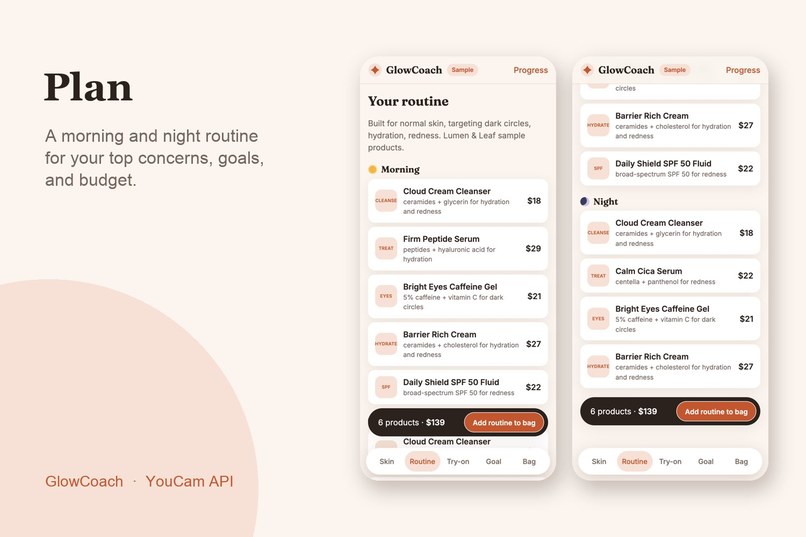
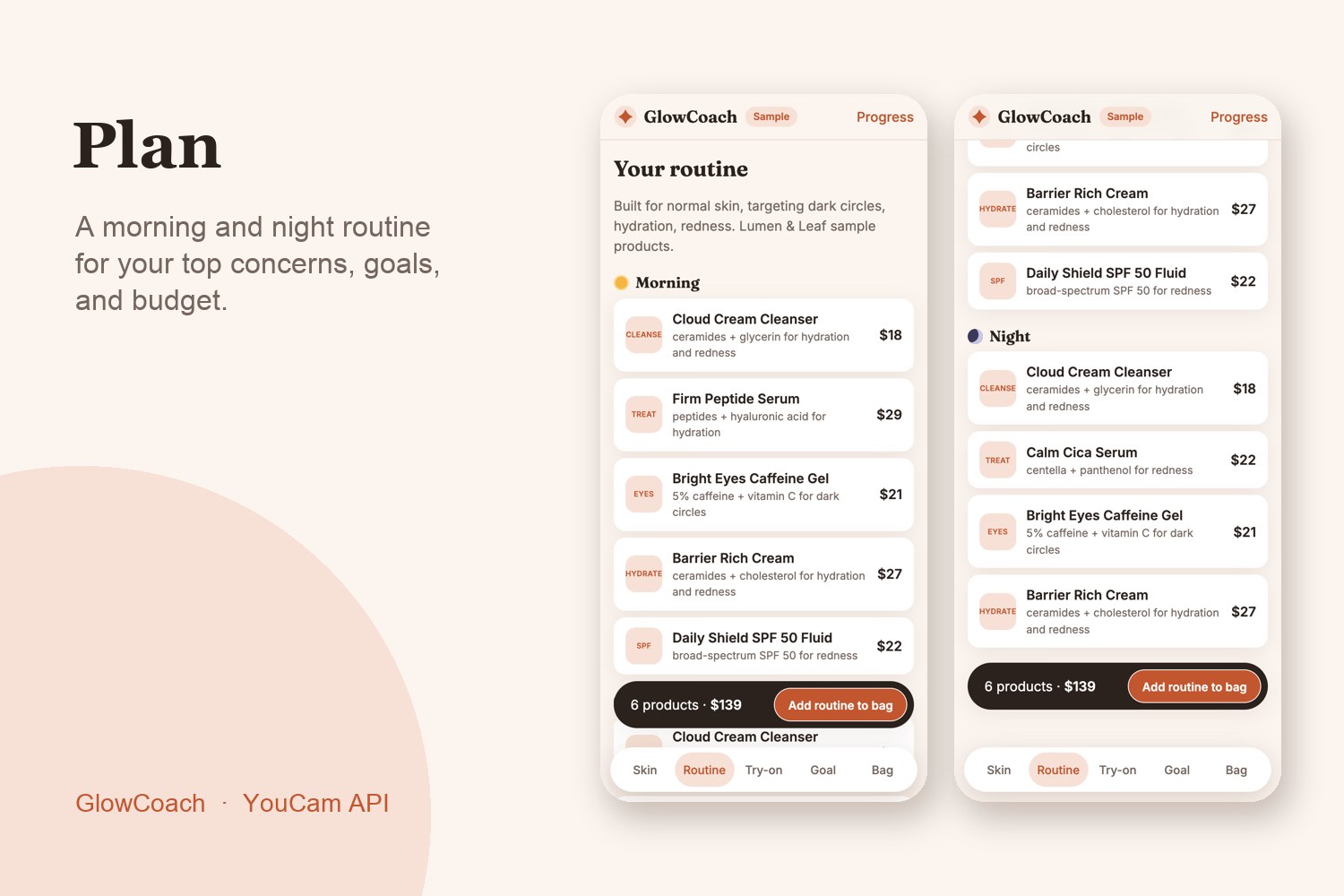
Plan: a morning and night routine for your top concerns, goals, and budget
-
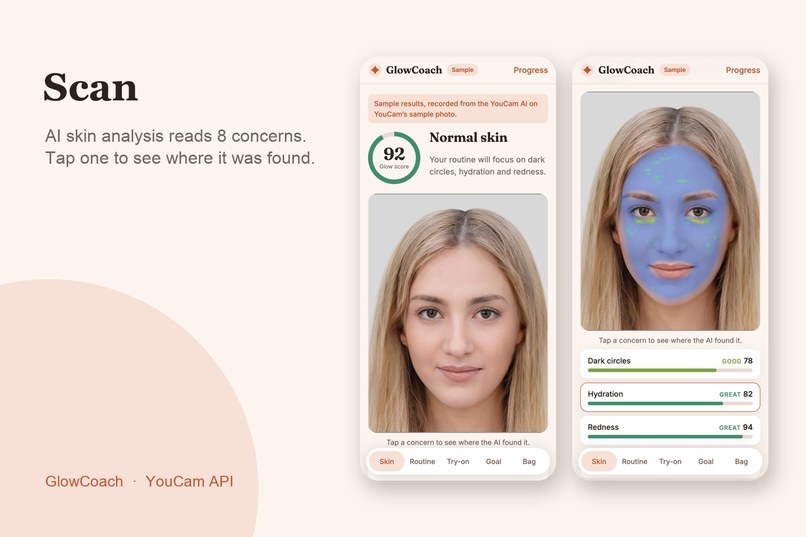
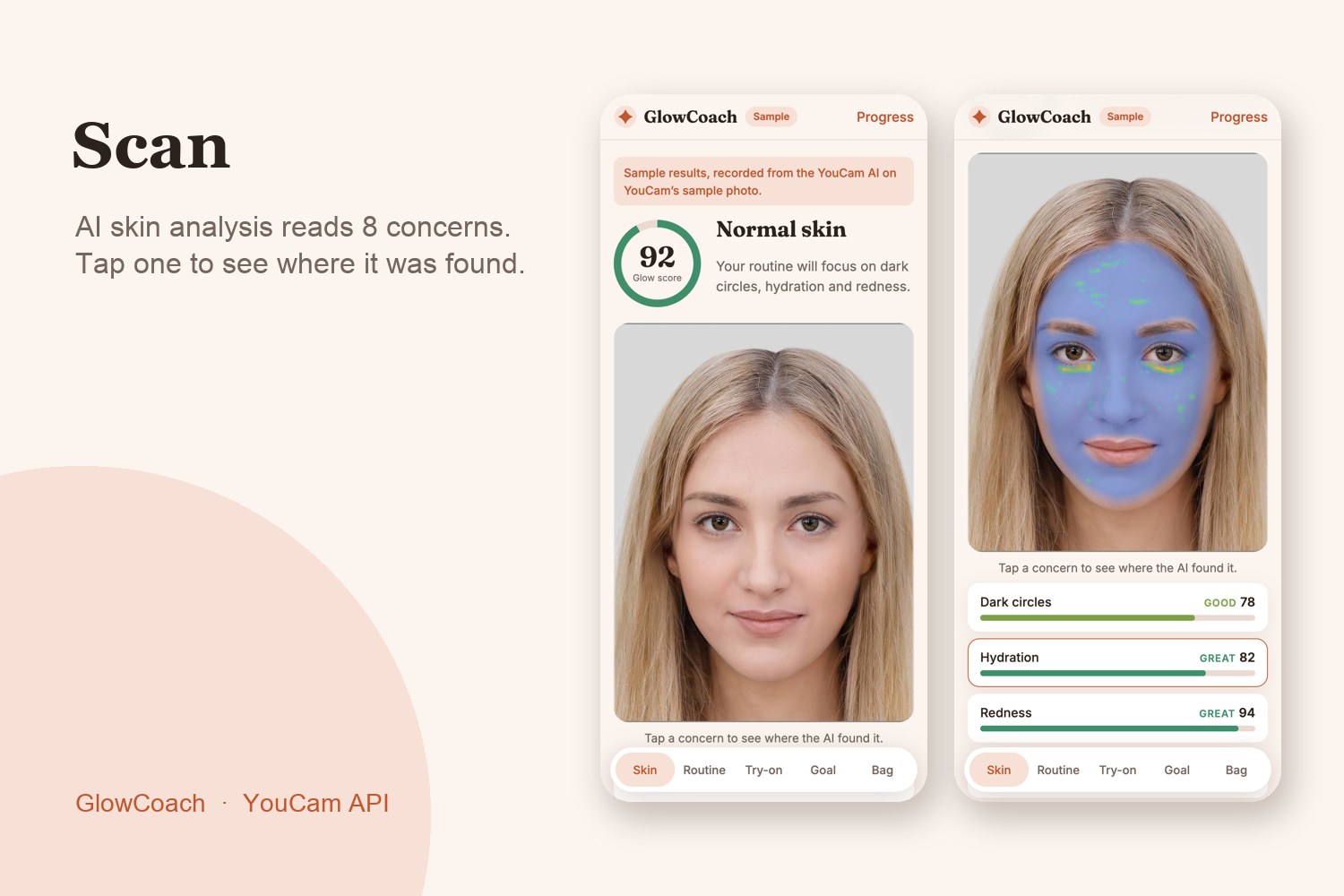
Scan: YouCam AI Skin Analysis scores 8 concerns, with masks showing where each was found
-
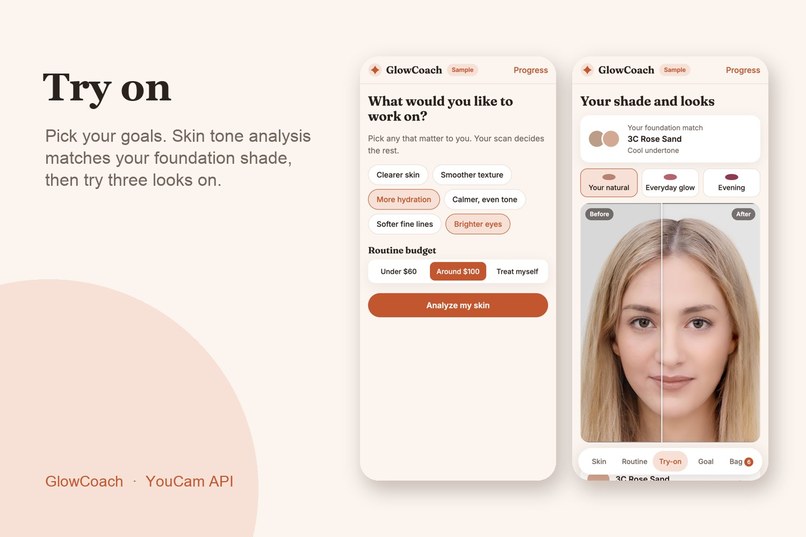
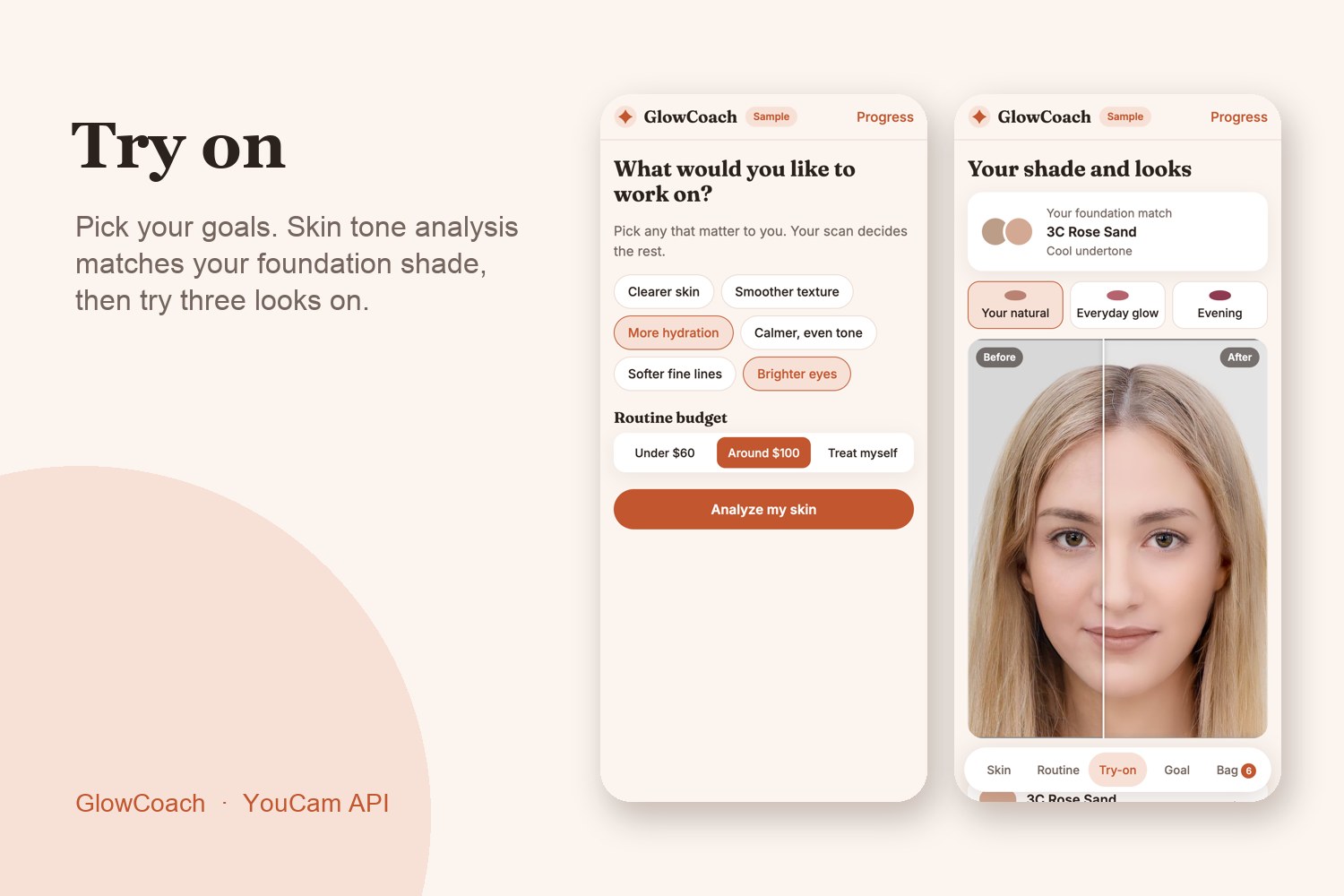
Try on: Skin Tone Analysis matches your foundation shade; Makeup VTO applies each look
-
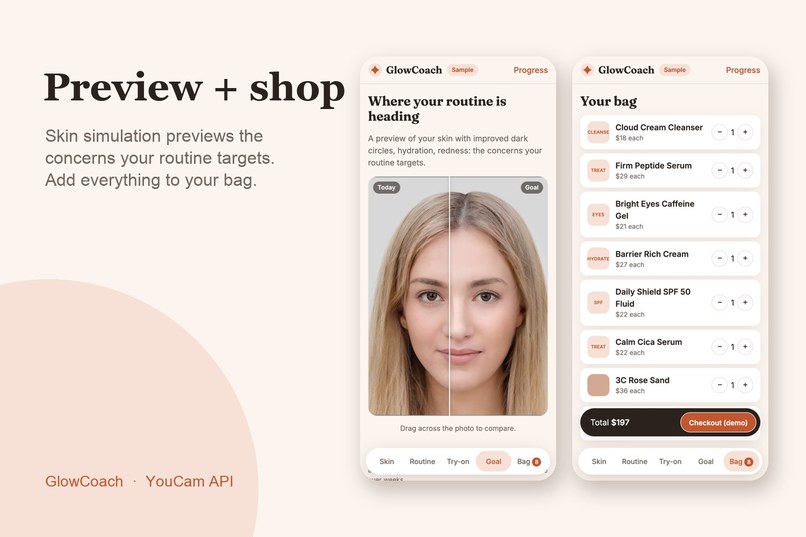
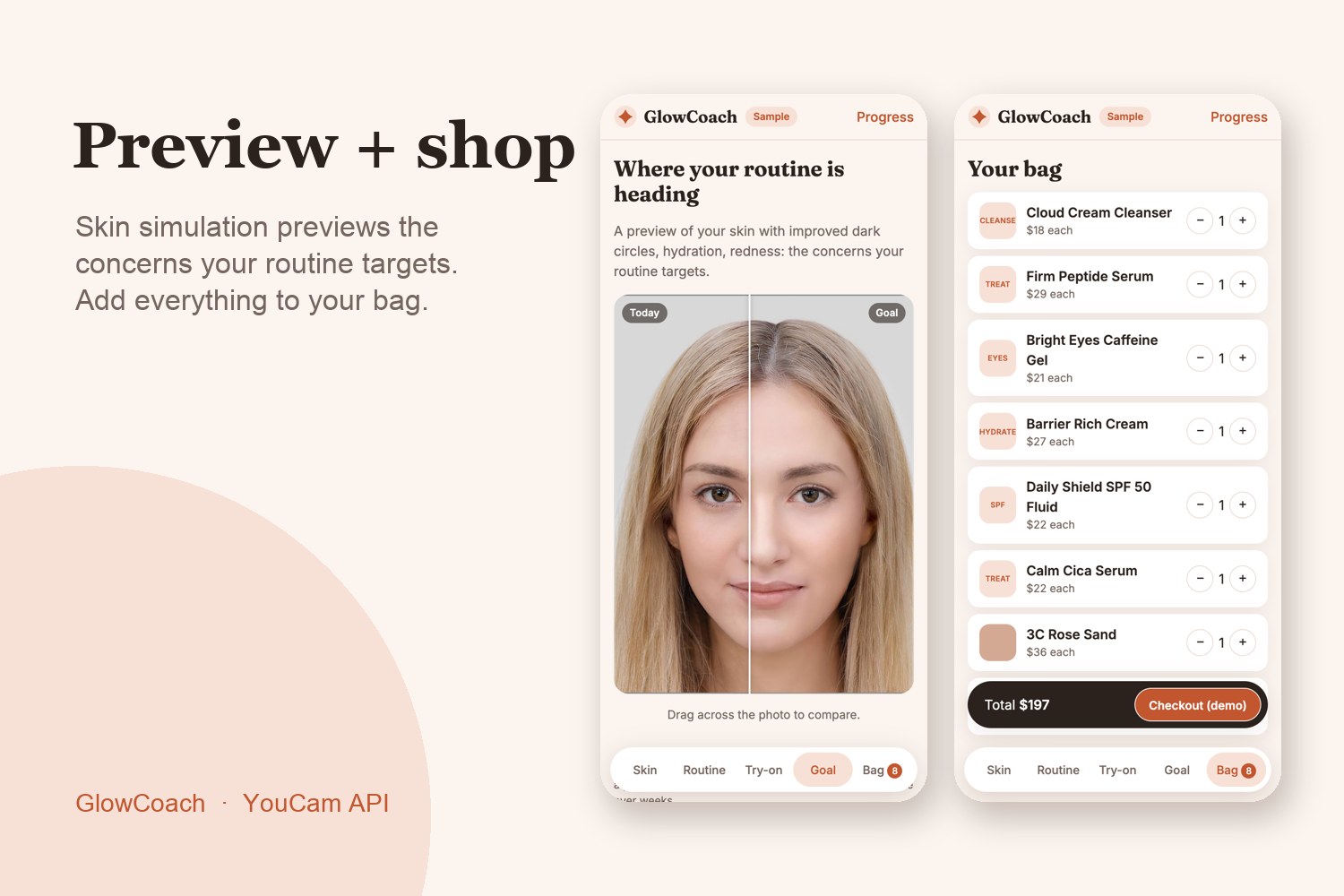
Preview + shop: Skin Simulation shows the concerns your routine targets, then add it all to your bag
Inspiration
Shopping for skincare online is guesswork. You read ingredient lists, guess your skin type, and buy a foundation shade from a swatch on someone else's screen. I wanted one selfie to answer the questions a good skincare advisor would ask, and then let you shop the answer.
What it does
GlowCoach turns one selfie into a skin plan you can shop:
- Scan: YouCam AI Skin Analysis scores 8 concerns (breakouts, pores, texture, redness, oil, hydration, fine lines, dark circles). Tap a concern to see where it was found.
- Plan: a morning and night routine built for your lowest scores, the goals you pick, and your budget. Every product says why it was chosen.
- Start slow: a 4-week plan adds the basics first, then treatments, then strong actives like retinal or BHA two to three nights a week. If the scan shows redness, actives start more slowly. Starting everything at once is the usual reason people get irritated, quit a routine, and return the products.
- Try on: Skin Tone Analysis finds your skin color, GlowCoach matches the nearest foundation shade and undertone, and Makeup Virtual Try-On applies three looks to your photo with a before/after slider.
- Preview: Skin Simulation shows your photo with the routine's target concerns improved, clearly labeled as an illustration.
- Shop and track: add the routine or a look to your bag, and rescan over time to see your scores change.
How I built it
A static web app (HTML, CSS, JavaScript, no framework) with Node.js serverless functions. The browser never sees the API key: it sends the photo to my server, which uploads it to YouCam, starts tasks from an allow-list, and polls for results. Skin analysis and tone analysis run in parallel; try-on and simulation only run when asked, to save units. The coaching logic (priorities, routine picking, the 4-week start plan, CIE Lab color matching) is plain, tested functions: 34 automated tests plus browser tests.
Challenges
- Units are precious, so I added a per-visitor and daily spending guard, and a sample mode recorded once from real API results so anyone can explore the full journey without spending units.
- Result links expire after 2 hours, so the sample results are saved with the app.
- Undertone from a single hue cut-off misread very light and deep skin, so I take the undertone from the nearest matched shade instead.
What I learned
How to design around asynchronous AI tasks (upload, start, poll) and how much a clear "why this product" builds trust in a recommendation.
What's next
Plug in a real retailer's catalog, add more looks, and send scan reminders so progress tracking becomes a habit.
Built With
- computer-vision
- css3
- html5
- javascript
- node.js
- rest-api
- vercel
- youcam-api

Log in or sign up for Devpost to join the conversation.