-
-
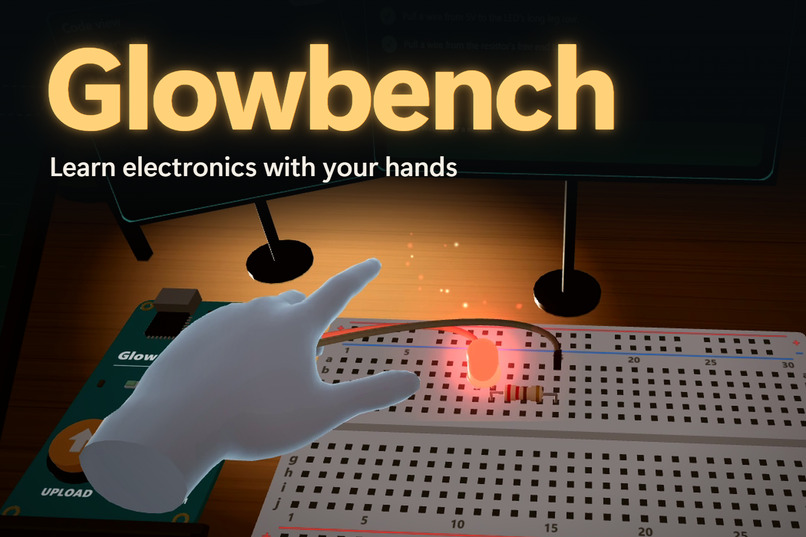
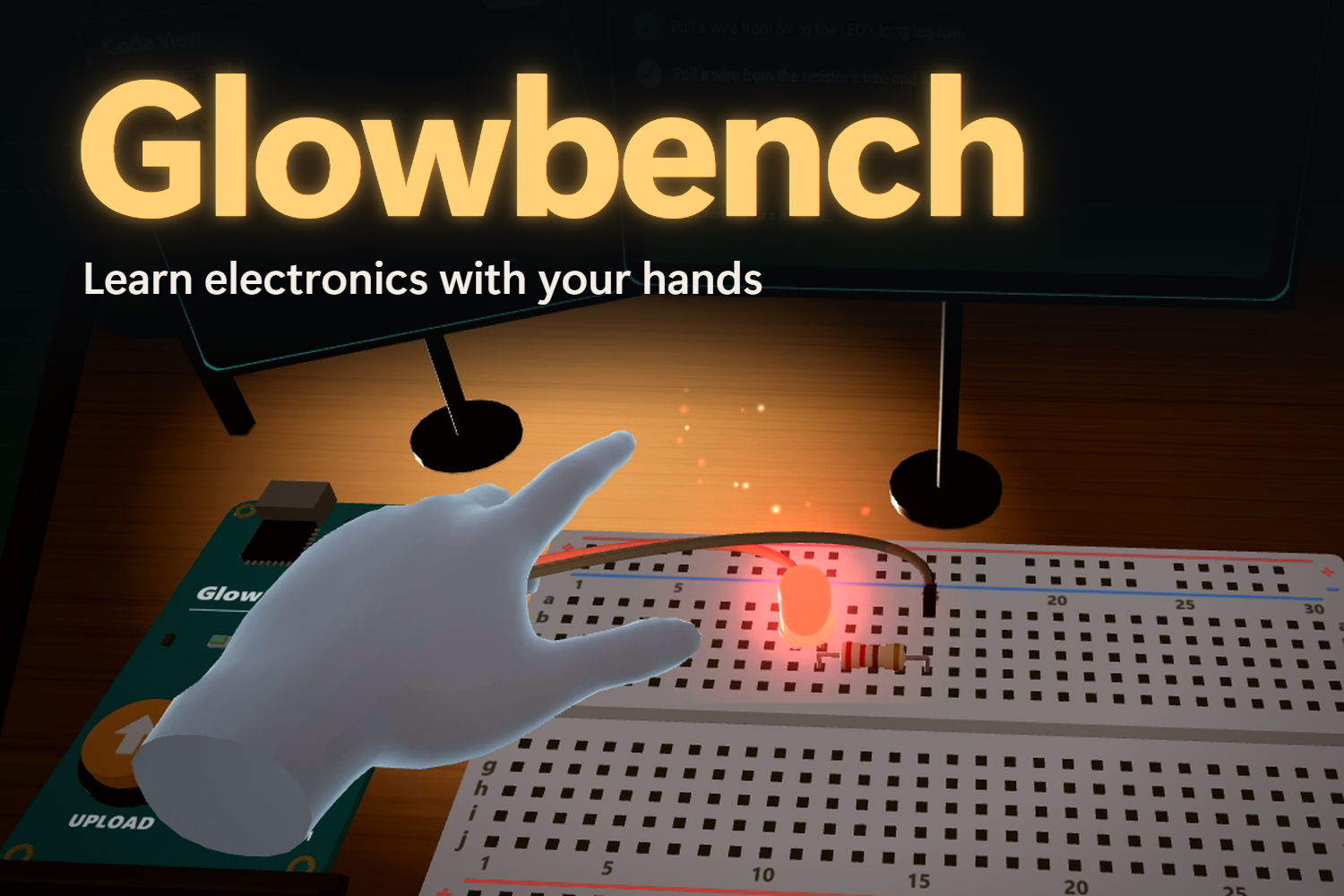
Glowbench: a hands only electronics workbench in VR. No controllers, no kit to buy.
-
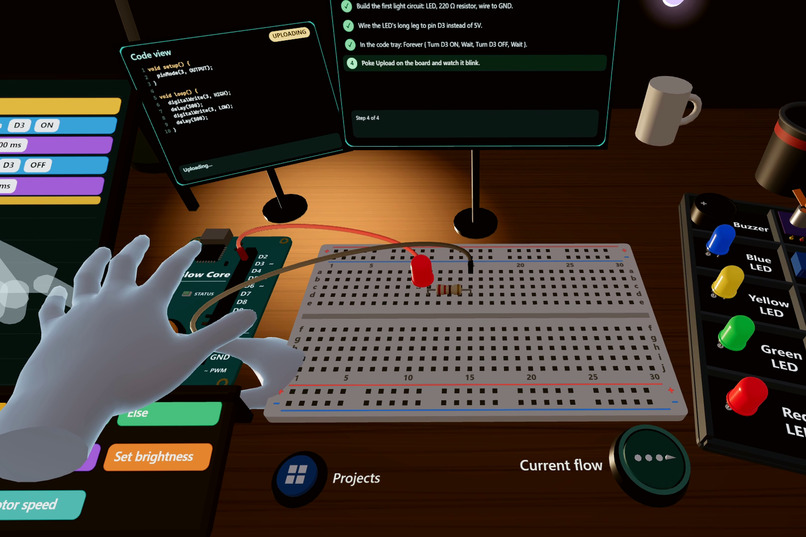
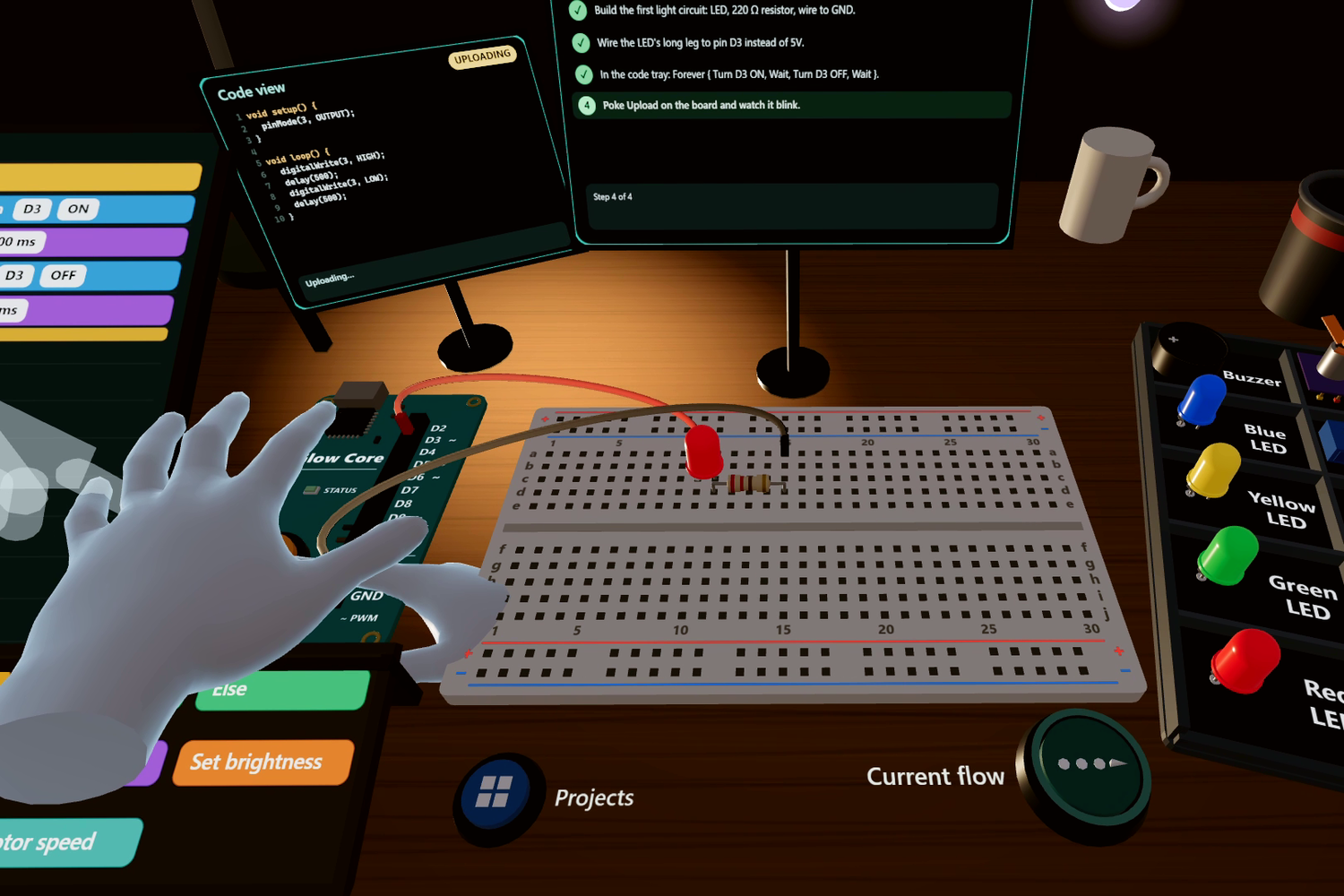
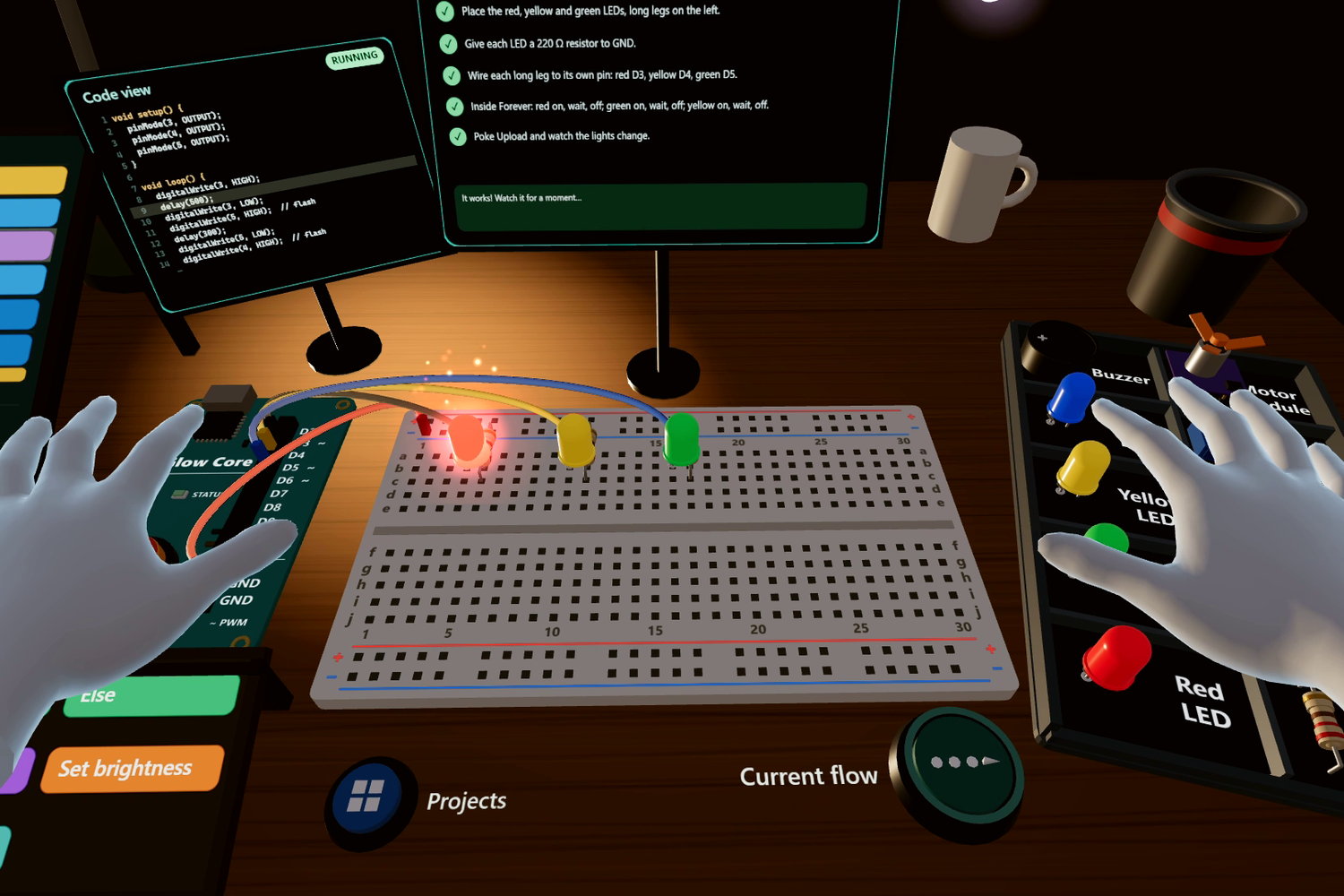
Snap code blocks together with your fingers, press Upload, and your circuit comes to life.
-
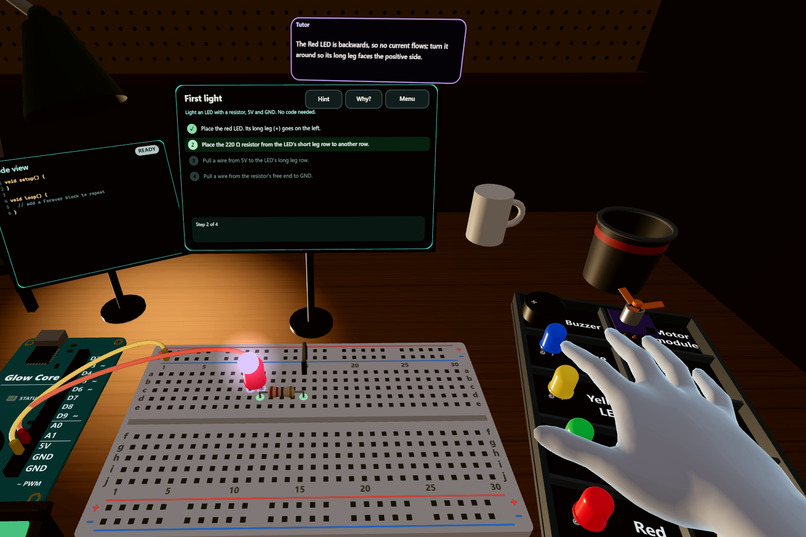
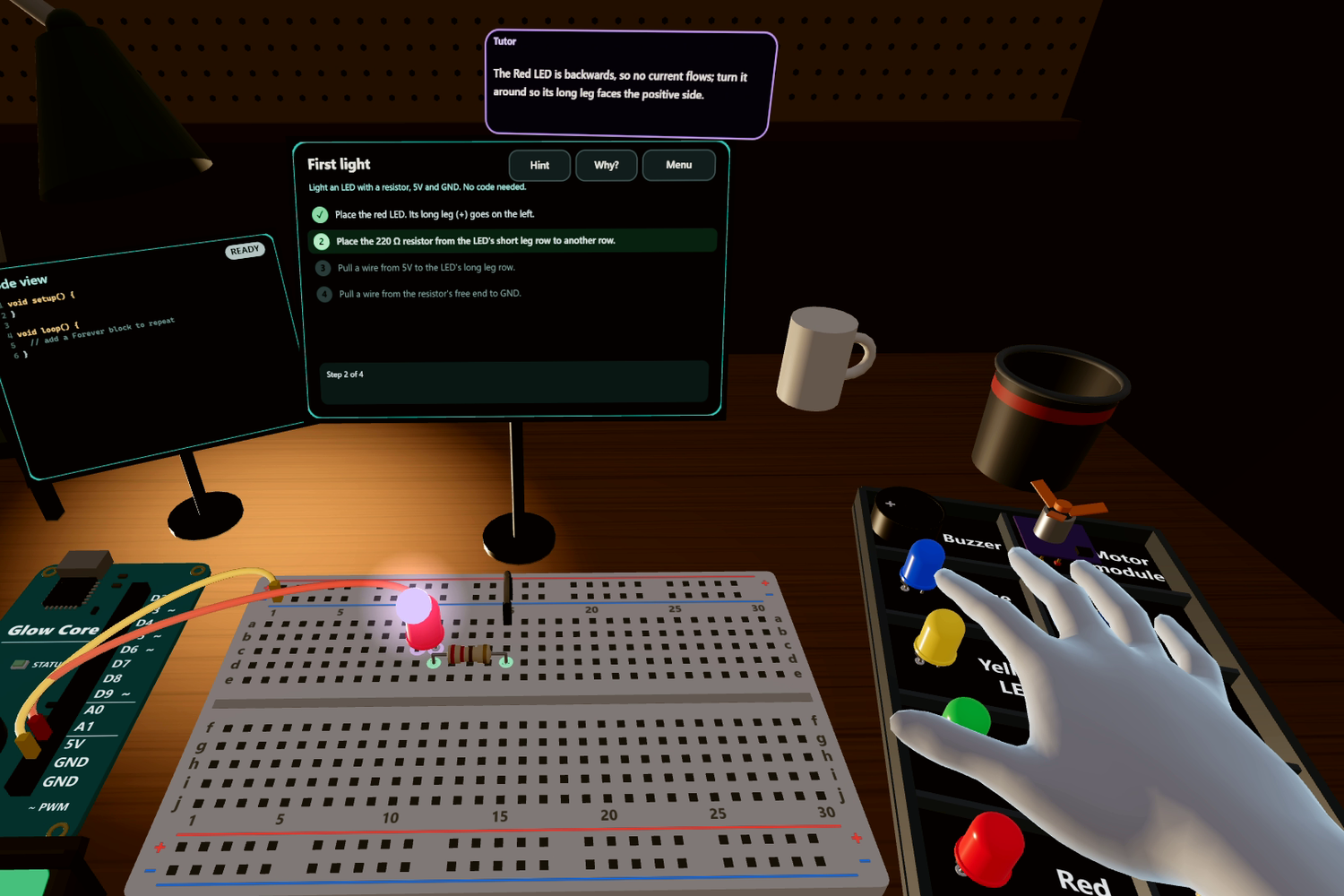
Ask why. The tutor reads your actual circuit, highlights the exact part and explains it out loud.
-
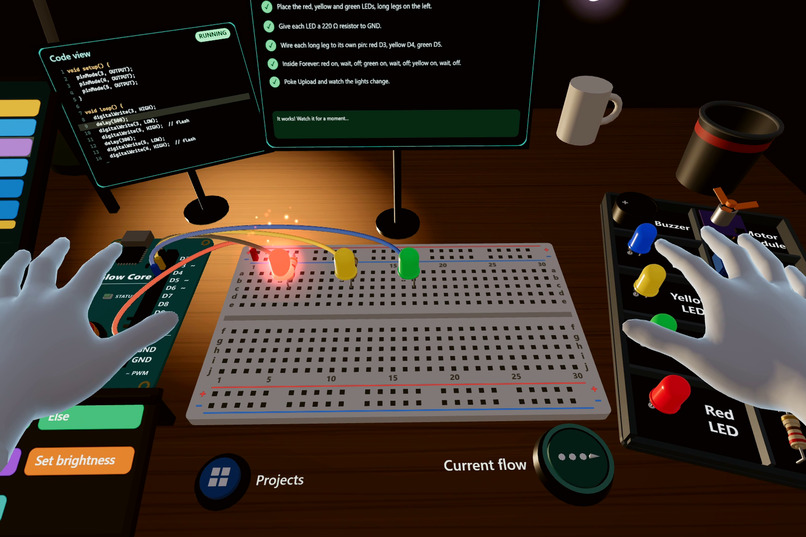
Six projects you choose yourself, like this traffic light, checked by a real circuit simulator.
-
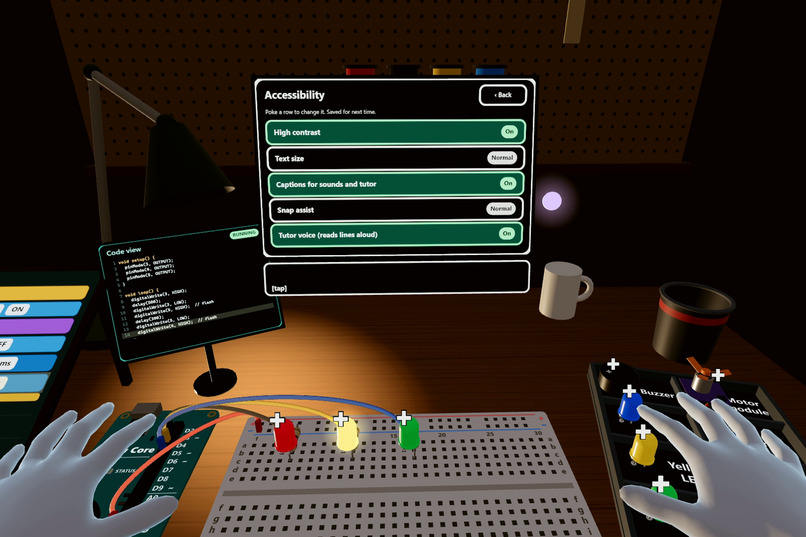
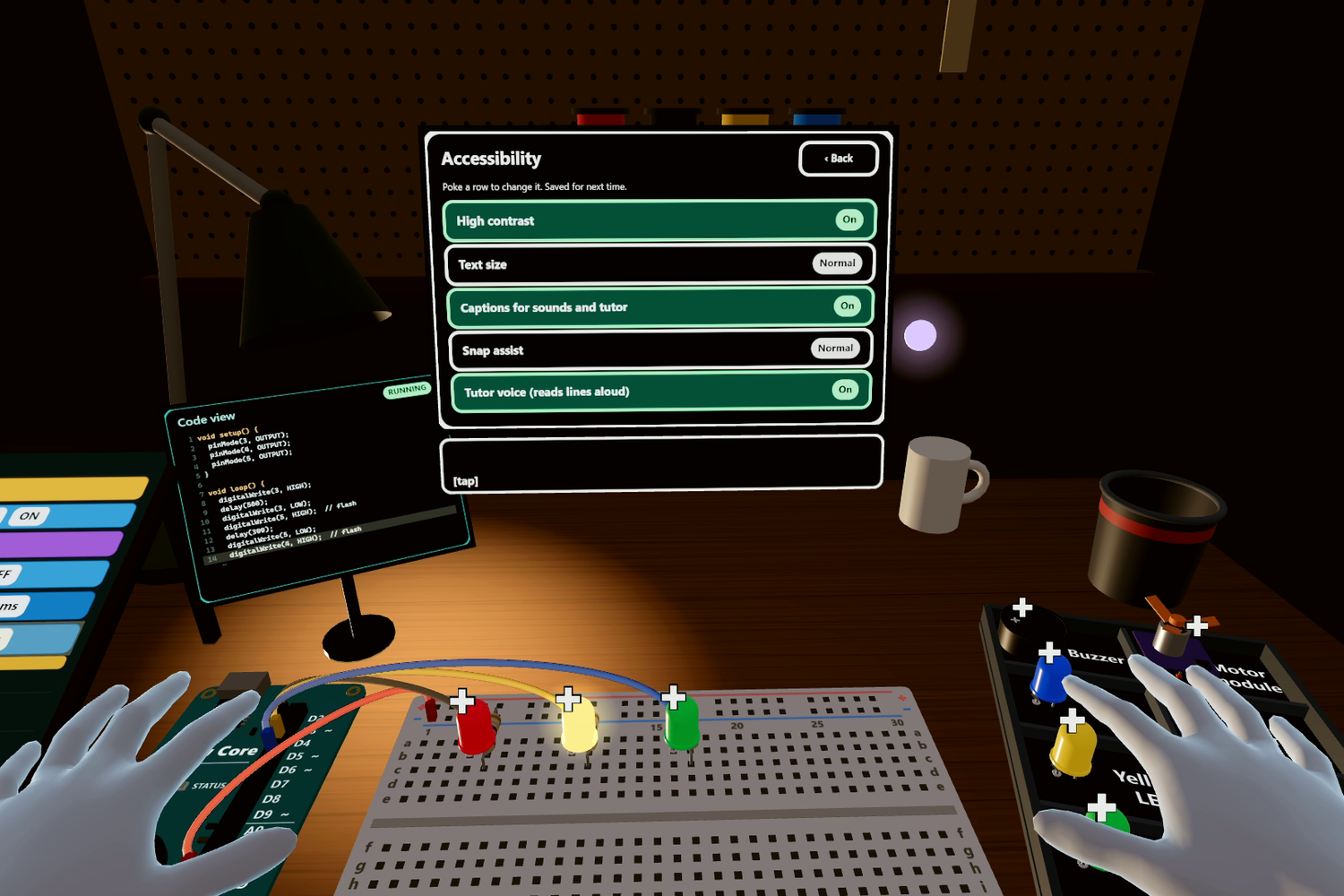
High contrast, large text, captions and stronger snapping, available from the first screen.
Inspiration
Learning electronics usually starts with buying a kit, waiting for it to ship, and then burning out your first LED without knowing why. Most people quit there. Simulators on a flat screen fix the cost but lose the best part, which is building something with your own hands.
I wanted the feeling of a real workbench without the kit, the mess or the fear of breaking things. Hand tracking made that possible: you pinch a resistor, push it into a breadboard, and the circuit behaves the way a real one would. And when it does not work, a tutor tells you exactly why.
What it does
Glowbench is a seated electronics workbench you use entirely with your hands.
- Build. Pinch parts from the tray and place them on a breadboard. The target hole lights up before you let go, and parts snap in. Wires are pulled point to point with a pinch.
- Program. Snap code blocks together (On, Off, Wait, Repeat, Flash and more) and press Upload. Your circuit runs the program live, and a code view shows the matching real code.
- Learn why. Ask the tutor "why" at any time. It reads your actual circuit, highlights the exact part that is wrong and explains it out loud.
- Real physics. A real circuit simulator runs underneath. Skip the resistor and your LED burns out. Dim a lamp and the brightness follows the duty cycle. What works here works on a real board.
- Take it home. Send your circuit and code to your phone with a QR code, then build it for real.
Content: 7 guided lessons with a ghost hand that shows each step, 6 projects you choose yourself (traffic light, doorbell, dimmable night lamp, reaction game, desk fan, SOS beacon), 14 daily challenges, streaks, and a free build mode with 3 save slots.
Accessibility: high contrast mode, large text, live captions for the tutor, and a stronger snap for anyone with less precise hand movement.
Why it fits Productivity
Glowbench is built around a short daily learning moment. One lesson or one daily challenge takes 5 to 10 minutes, and everything happens within arm's reach while you sit. It passes the airplane seat test and the one bus stop test. Streaks and daily challenges give a reason to come back tomorrow, and free build mode turns it into a creative tool once you know the basics.
How I built it
- Engine: Immersive Web SDK (ECS on Three.js), TypeScript and Vite, deployed on Vercel. It runs in the headset browser with nothing to install.
- Hands: all input is hand tracking. Pinch detection with hysteresis, a glowing pinch ring and target highlight for feedback, and snap assistance so placement feels precise without a controller.
- Circuit simulator: written from scratch. Breadboard connections become a netlist through union find, then modified nodal analysis solves for every node voltage and branch current. PWM is solved for both the high and low states and weighted by the duty cycle, so a dimmed LED gets the right average brightness. Burnout is judged on peak current, so a dimmed LED with no resistor still dies like a real one.
- Code blocks: a small interpreter runs the block program against the simulated microcontroller in real time.
- Content: lessons, projects and challenges are data driven, and every success check runs against the simulator, not a script.
- AI tutor: a serverless function sends a compact description of the current circuit to a language model and returns a short spoken explanation plus the part to highlight. The key stays on the server. A 6 second timeout, response caching and a daily call cap keep it fast and safe.
- Graphics: every part is procedural geometry with no external models. The scene stays at roughly 60 to 80 draw calls per eye, inside a 100 draw call budget.
- Testing: over 300 unit tests (solver, netlist, interpreter, lessons) and end to end tests that drive the app in an XR emulator with simulated hands, run headless on every change.
The take it away test
Remove the AI service and Glowbench still works. The tutor falls back to a rule based engine that diagnoses the same common mistakes from the simulator: missing resistor, reversed LED, open circuit, wrong pin. The workbench, simulator, lessons and projects are all my own code.
Challenges I ran into
- Precise placement with hands. Breadboard holes are tiny. I solved it with a lit target hole, magnetic snapping and a pinch ring that shows your grip state, plus a stronger snap option for accessibility.
- Honest physics. A fake "LED on" flag would be easy, but I wanted mistakes to behave like real mistakes. Getting PWM and burnout right meant solving the circuit per state and weighting by duty cycle.
- Teaching without a wall of text. The ghost hand shows each move once, then you copy it. Your first LED lights up within the first couple of minutes.
- Keeping the tutor fast. Model calls can be slow, so the app never waits on them. If an answer takes too long, the rule based tutor answers instead.
Accomplishments I am proud of
- A real circuit simulator running inside a headset, driven only by hands.
- A first five minutes that takes someone from zero to a working, programmed circuit.
- Accessibility options that are part of the core design, not an afterthought.
What I learned
Hands first design is mostly about feedback. People trust a pinch when they can see exactly what will happen before they let go. I also learned that a simulator is the best teacher: when a mistake behaves like real life, the lesson sticks.
Highlights
- First five minutes. A ghost hand teaches the pinch without a word of text, and your first LED lights up within the first couple of minutes.
- Accessible by default. High contrast, large text, live captions and a stronger snap, all available from the first screen.
- A reason to come back. 14 daily challenges, streaks and a free build mode with saves.
- Context aware AI. The tutor reads your actual circuit, highlights the faulty part and explains it out loud, with a rule based fallback so it never leaves you stuck.
What's next for Glowbench
- More parts: sensors, displays, servos and potentiometers.
- A larger project library, with community shared projects.
- A mixed reality mode with passthrough, so the virtual bench sits on your real desk next to your real board.
- Packaging as a progressive web app for the Meta Horizon Store.
Target launch: public launch on the Meta Horizon Store in Q1 2027. Glowbench stays free and live at glowbench.vercel.app until then.
Notes for judges
Open glowbench.vercel.app in the headset browser and tap Enter XR. Everything works with hands, no controllers needed. Start with Lesson 1 to see the first five minutes.
Built With
- claude-api
- iwsdk
- javascript
- node.js
- three.js
- typescript
- vercel
- vite
- webxr

