-
-
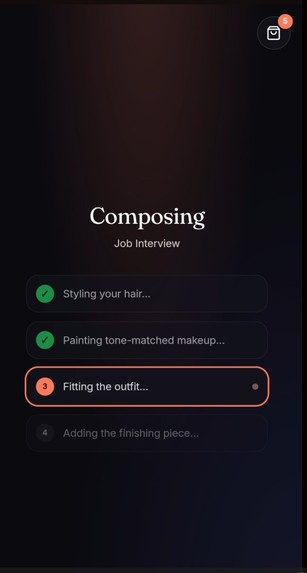
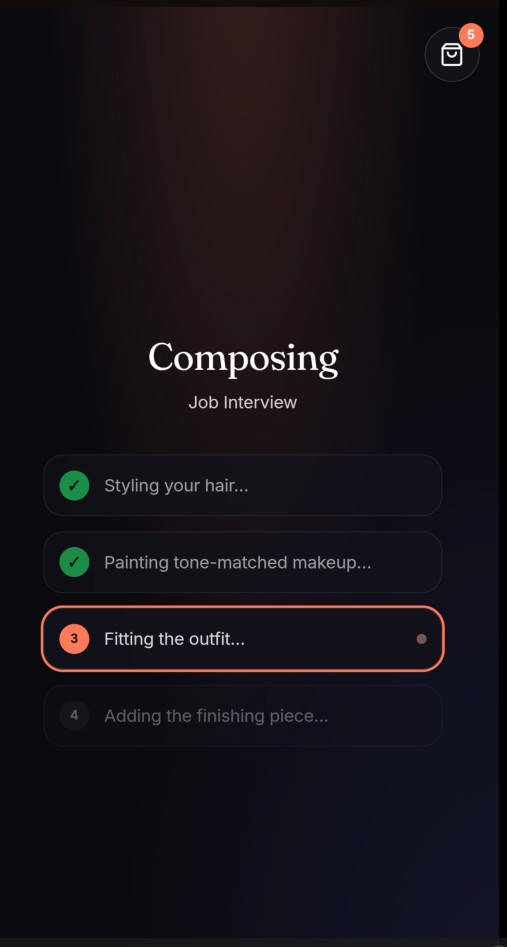
Analysis and figuring out styles and fits based on event selection - Act 2
-
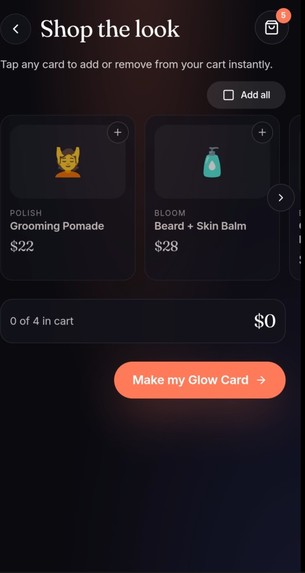
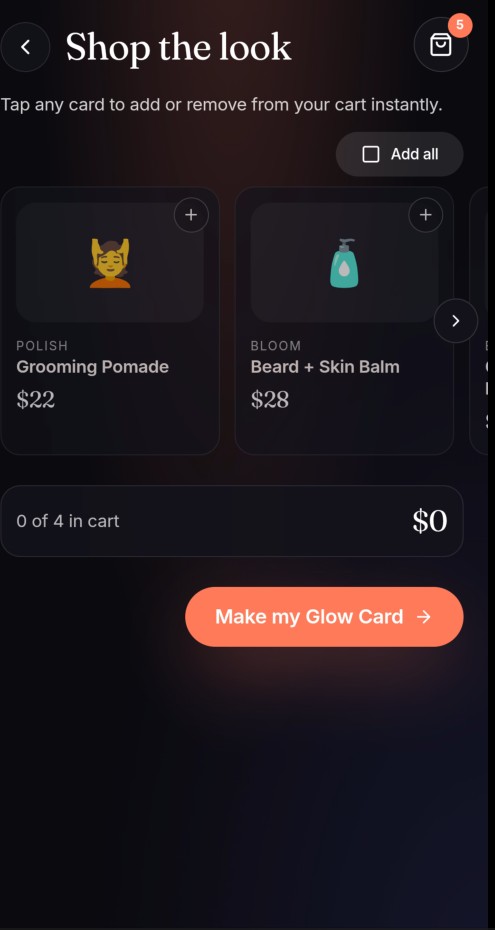
Product recommendation based on the event type selected
-
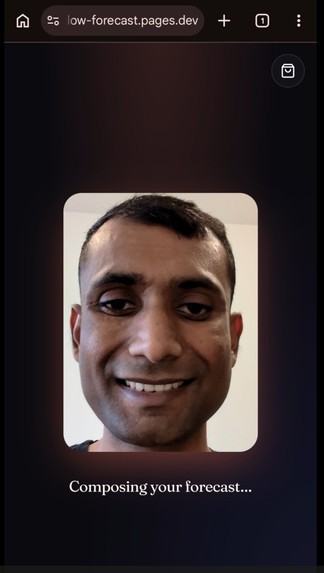
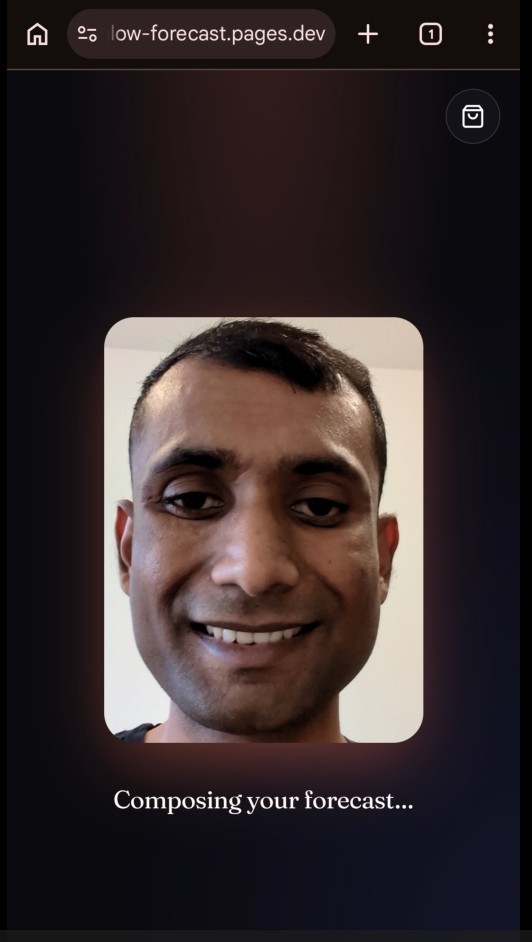
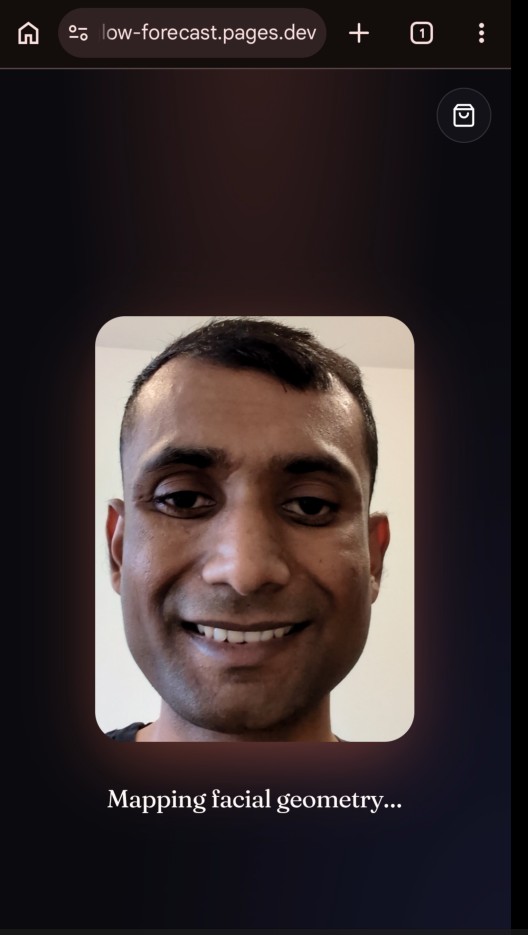
Status of the skin analysis process - 2
-
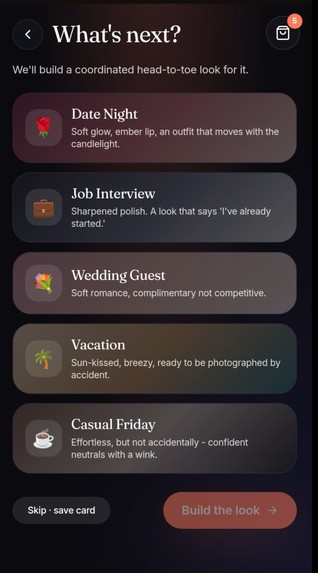
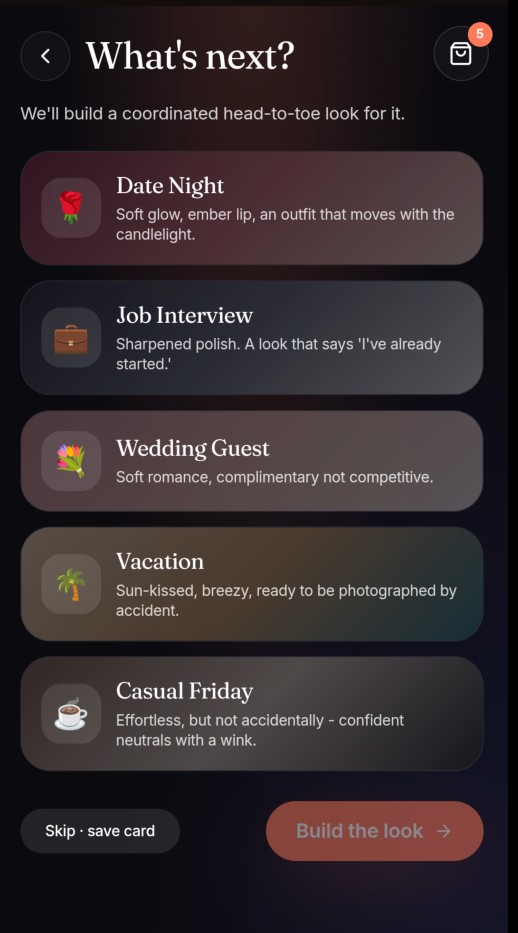
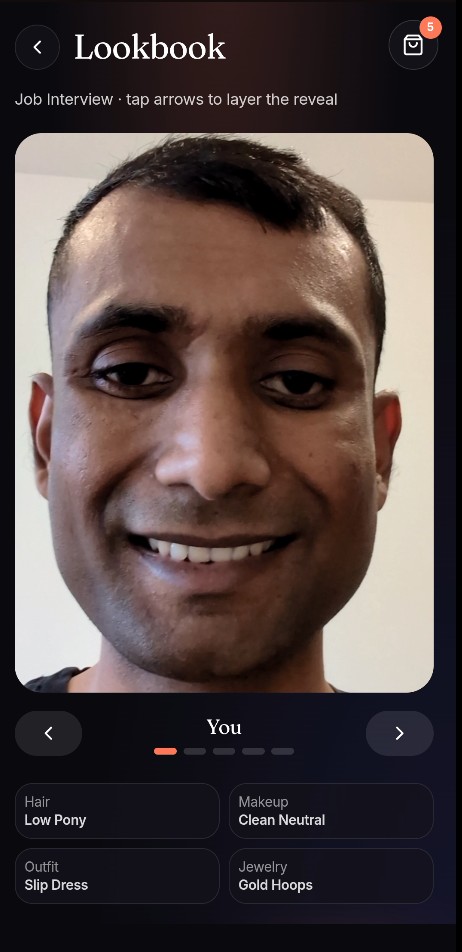
Event selection for the present look
-
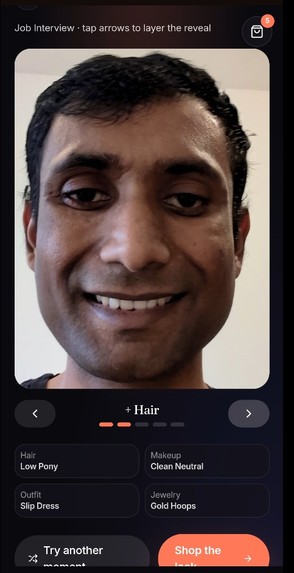
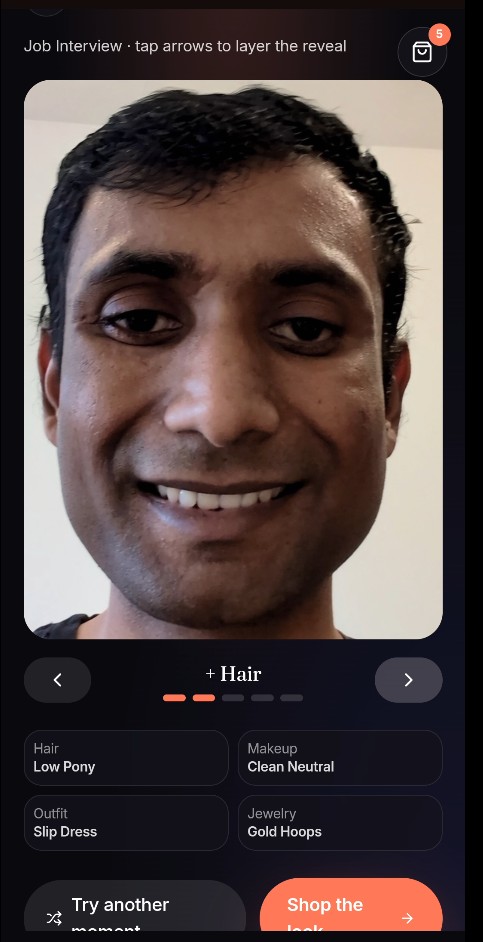
Final selection of look
-
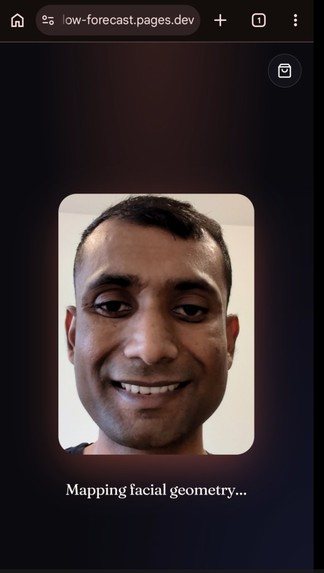
Status of the skin analysis process - 1
-
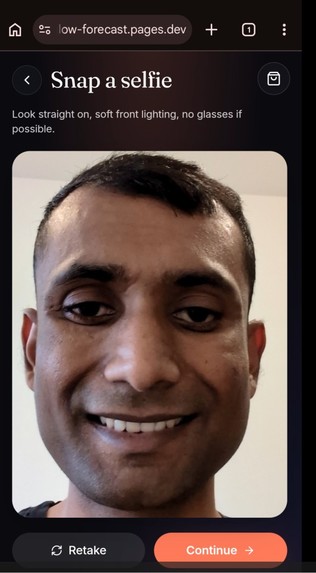
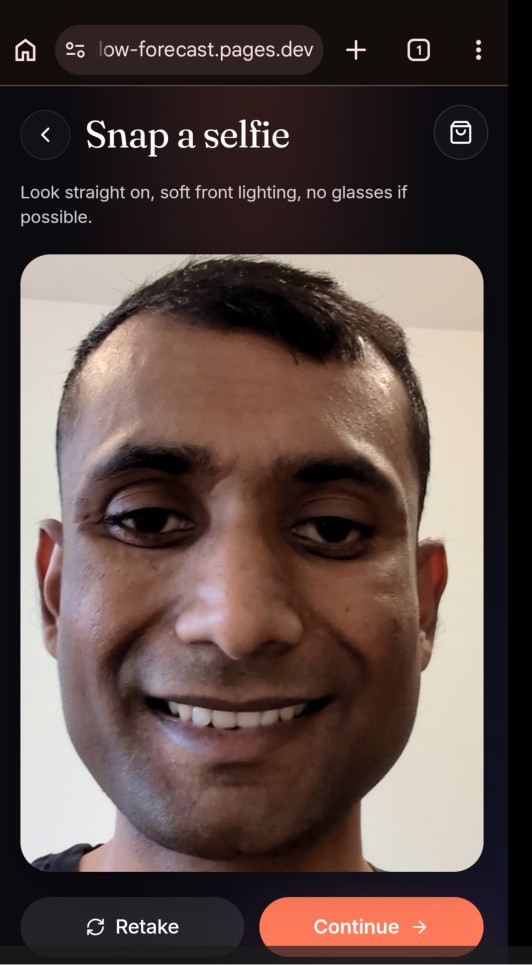
Selfie Page with an option to retake.
-
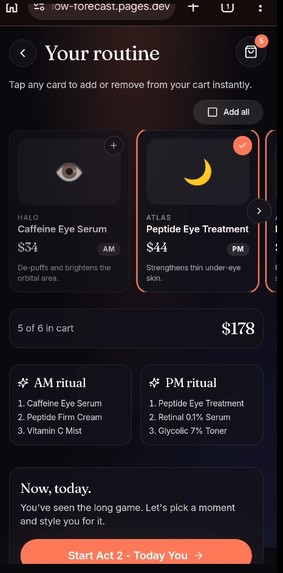
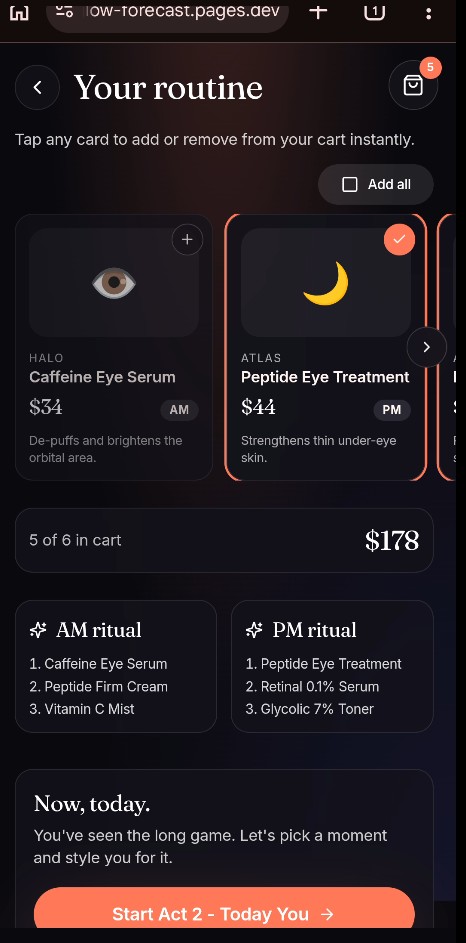
Product suggestion and AM/PM ritual recommendation.
-
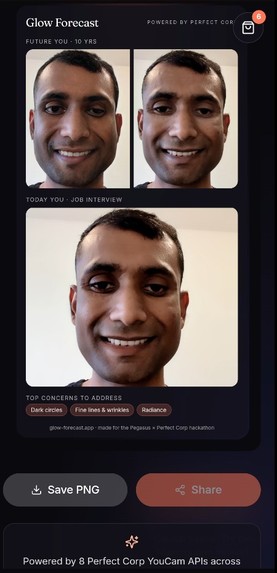
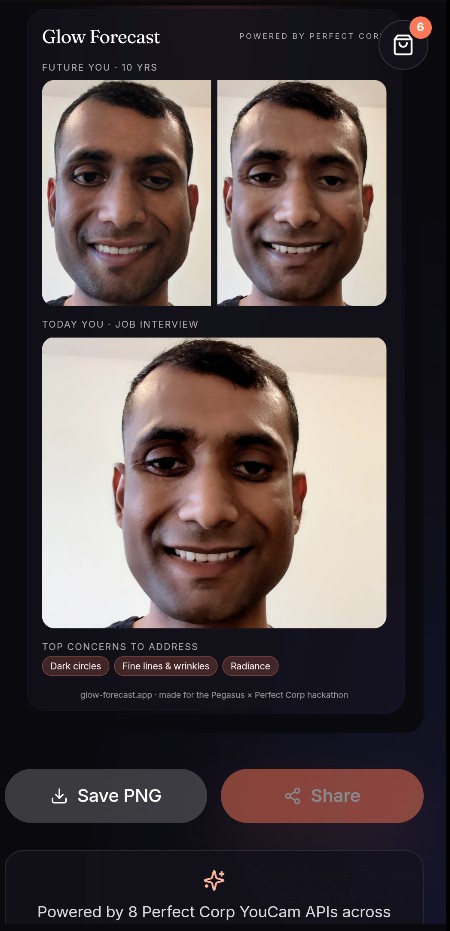
Final Product - A Glow Card. It has an option to download or share.
-
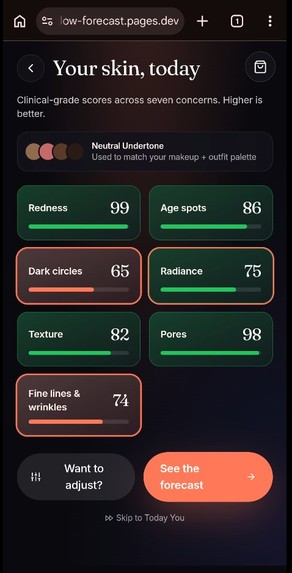
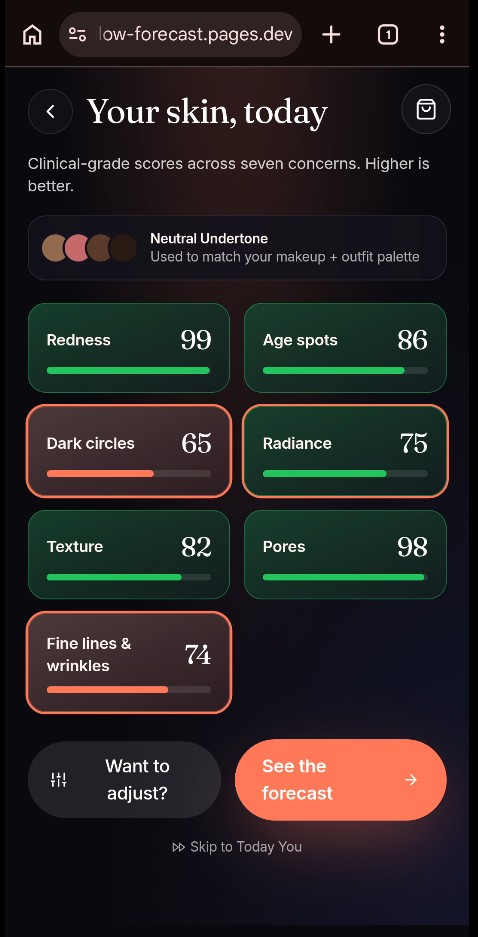
Skin tone with seven concerns - retrieved from the API.
-
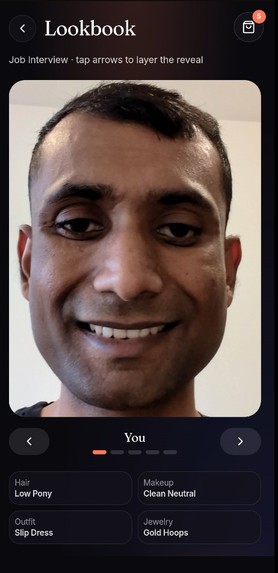
Lookbook to option for hair, shoes and other to try on.
-
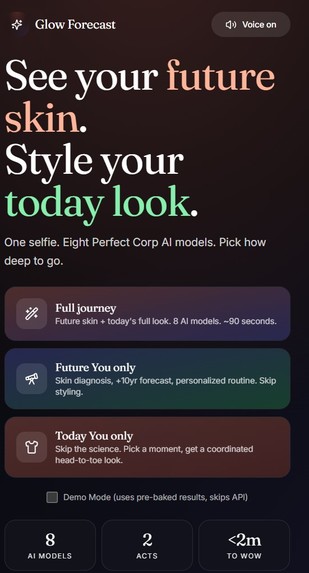
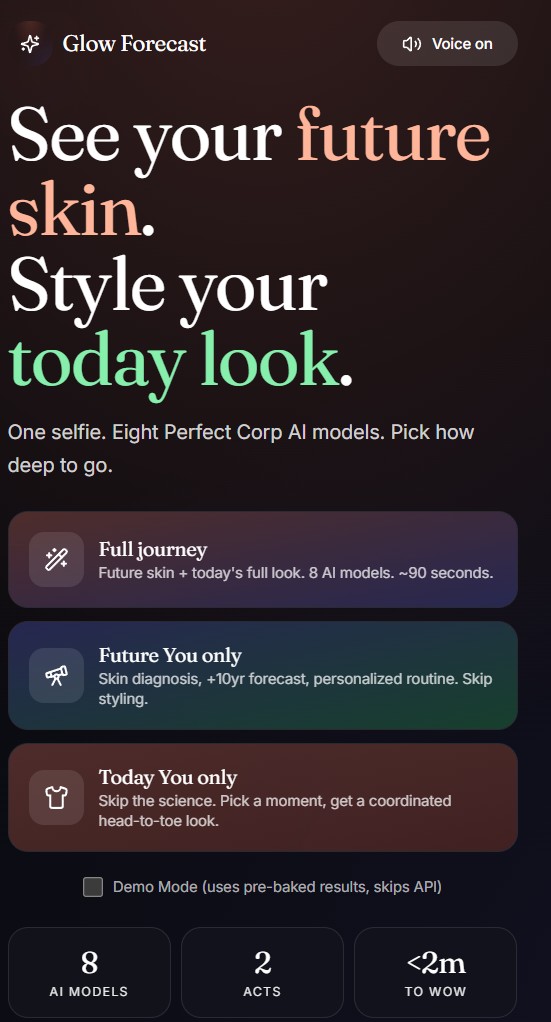
Landing Page or Home Page - option top right to enable assistance audio. Three ways to starts(Full, Future, and Today look)
-
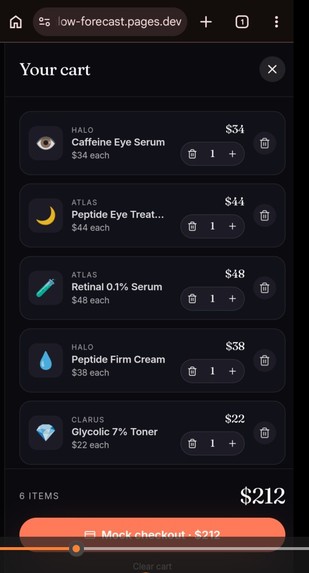
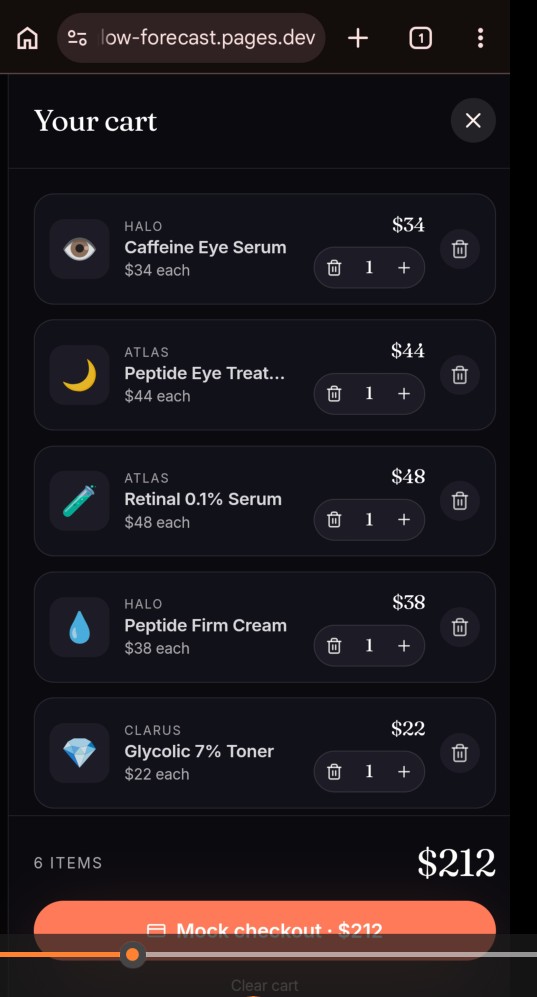
A cart that offers the option to edit items and check out is a placeholder.
-
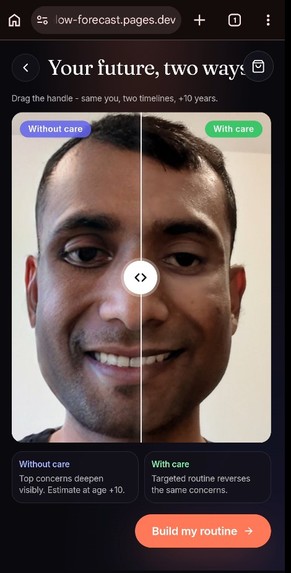
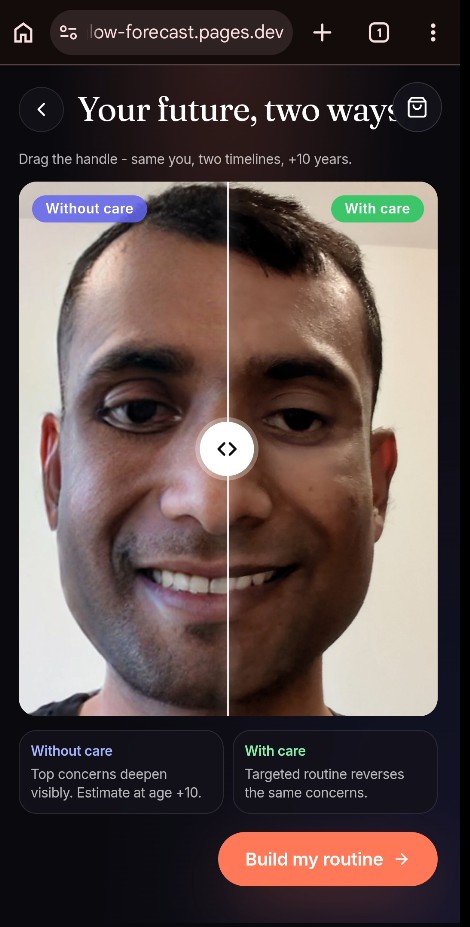
A projected screen displaying a 10-year timeline, featuring a slider that compares the appearance of skin with and without care.
Inspiration
Most "AI try-on" demos answer one question - what would I look like in this dress? and stop. We wanted a single selfie to answer two: what does my future look like, and what does my next big moment look like? Skincare is a 10-year story you're either telling intentionally or by accident; styling is a 60-second decision before walking out the door. Glow Forecast collapses both into a draggable, shareable artifact.
What it does
One selfie -> two acts: Act 1 - Future You. HD Skin Analysis, Skin Tone, Aging Generator, and Skin Simulation run in parallel. The result is a draggable split-screen: your face in 10 years, neglected on the left, cared for on the right. A six-product AM/PM ritual is generated automatically from your top three concerns. Act 2 - Tonight You. Pick a moment (Date Night, Job Interview, Wedding, Vacation, Casual Friday). Hair Transfer, Makeup VTO, Cloth-v3, and Bag/Jewelry/Shoes VTO build a coordinated look on the same selfie. A shoppable cart lets you tap any piece to add it to your basket in one move. Everything bundles into a story-sized Glow Card for sharing.
How I built it
Frontend: React + TypeScript + Vite + Tailwind, Zustand for session state, framer-motion for the layered reveal, html-to-image for the share card export.
Proxy: Deno + Hono. Holds the YouCam API key server-side and forwards three endpoint families (/file/:feature, /task/:feature, /task/:feature/:id). Per-feature version pinning so each YouCam slug routes to the right v1.0 / v2.0 path.
Pipeline shape: every Perfect Corp call follows the same four-step dance - request a presigned upload URL, PUT the bytes directly to S3, create a task, and poll until task_status === "success". We wrote a single runFeature helper, so adding a new model is one line.
A minimal example of the pipeline:
const result = await runFeature(
  "makeup-vto",
  selfieBlob,
  "selfie.jpg",
  (file_id) => ({
    src_file_id: file_id,
    effects: [{
      category: "lip_color",
      shape: { name: "original" },
      style: { type: "full" },
      palettes: [{ color: "#a85f4a", texture: "matte", colorIntensity: 60 }],
    }],
    version: "1.0",
  }),
);
Demo Mode: a parallel fixture path that returns deterministic results when the network is hostile - the demo never breaks during judging.
Challenges I ran into
Every API had a different body schema, and the docs only told us so much. We learned the shapes the hard way, one validation error at a time:
agingrejected our envelope-style{ request_id, payload: { file_sets, actions } }body. Real shape: flat{ src_file_id }. The API auto-generates an age series; we pick the frames closest tocurrentAge + 5and+10from the response.hair-transferfailed withmissing required properties: ref_file_id. There's no template catalog: it's a transfer-from-photo feature. We had to upload a second reference image alongside the selfie, then call the task with both file IDs.makeup-vtorejected{ look_id }because there is no look catalog: the body is aneffectsarray with per-category schemas.lip_colorrequiresshape+styleat the effect level, with palettes like{ color, texture, colorIntensity, gloss }. Validshape.namevalues are an enum (original,plump,petal,pouty, etc.), and"natural"is silently invalid (passes schema, fails at runtime).clothes-vto404'd at the proxy: the real upstream slug iscloth-v3, notclothes-vto. The body needsgarment_categoryand a reference garment image (ref_file_id).
CORS-tainted canvas on the share card. Perfect Corp's S3 result URLs don't return permissive CORS headers, so html-to-image choked when snapshotting the card. Fix: pre-fetch every <img> in the card and inline them as data URLs before the canvas snapshot runs.
async function urlToDataUrl(url: string): Promise<string> {
  const res = await fetch(url, { mode: "cors" });
  const blob = await res.blob();
  return await new Promise<string>((resolve) => {
    const reader = new FileReader();
    reader.onload = () => resolve(reader.result as string);
    reader.readAsDataURL(blob);
  });
}
Skin Analysis ships its results inside a presigned ZIP. We download the archive client-side, parse the JSON manifest, and resolve mask PNGs by name - no proxy round-trip needed.
Resilience over completeness. With finite API credits, any failure that bricked the demo was unacceptable. Each Act 2 stage is wrapped so that a missing reference image or an unmappable schema gracefully falls back to a fixture, and the user still reaches the Lookbook with whatever stages succeeded.
Accomplishments that I'm proud of
- 8 Perfect Corp APIs from one selfie, glued by one reusable runFeature helper.
- Reverse-engineered four undocumented schemas (aging, hair-transfer, makeup-vto, cloth-v3) by treating every 400 as a spec.
- A demo that refuses to break - every stage falls back to a fixture, so judges always reach the Lookbook.
- CORS-safe share-card export via inline data URLs, beating the tainted-canvas problem that kills most HTML-to-image integrations.
- Client-side ZIP extraction for HD Skin Analysis - no extra proxy round-trip.
- A narrative arc, not a feature dump - Future You + Tonight You, an AM/PM ritual, a shoppable cart, and a story-sized Glow Card all tied to one selfie.
What I learned
Read every error like it's a schema dump. Perfect Corp's "missing required properties" errors are essentially a free spec - once we treated each 400 as documentation, the iteration loop got very fast. anyOf schemas are a discoverability tax. A single error response listed every union branch the validator tried. Painful to read, but it told us exactly which fields each category needed.
Assume reference-image, not catalog ID. Half of YouCam's "transfer" features (hair, cloth-v3, earring) take an uploaded reference image rather than a string ID - a different mental model than look_id / garment_id. Once we internalized this, three features collapsed into one upload-twice + run pattern.
The demo card is the product. Whatever ends up shareable is what people remember. We spent disproportionate time on the Glow Card - typography, layering, CORS-safe export - because that's the artifact that escapes the demo.
What's next for Glow Forecast App
- Real catalog integration for accessory VTO (bag, ring, shoes) once we wire up the per-feature reference-image flow.
- Tone-aware product filtering - the API already returns undertone; we can route warm/cool/neutral palettes to different SKUs.
- Gender-aware default looks so the makeup category swaps from
lip_colortoskin_smoothon masculine selfies, no manual override needed. - A short looping video of the neglected -> cared-for transition for sharing instead of a static split.
Built With
- api
- cloudflare
- deno
- framer-motion
- html
- perfectcorpapi
- react
- s3
- tailwind
- typescript
- vite
- zustand

Log in or sign up for Devpost to join the conversation.