-
-
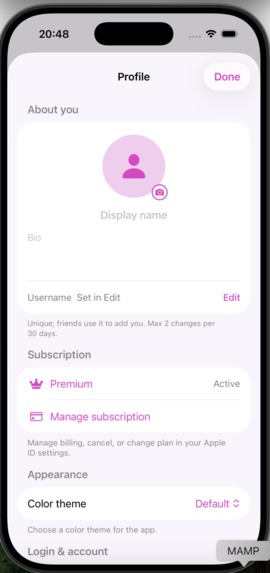
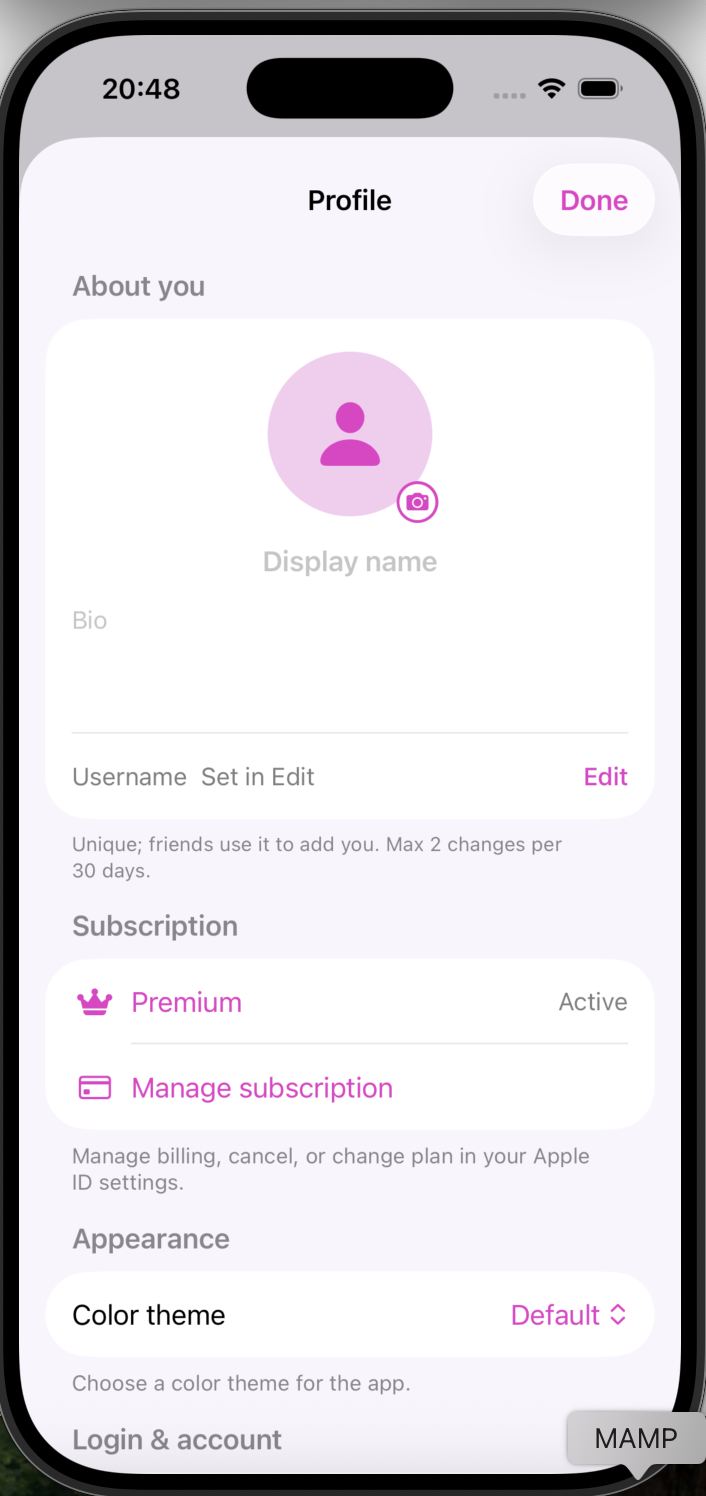
Profile page
-
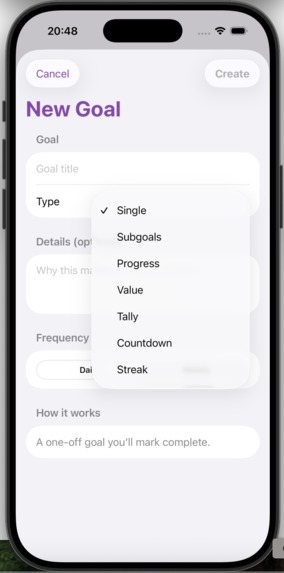
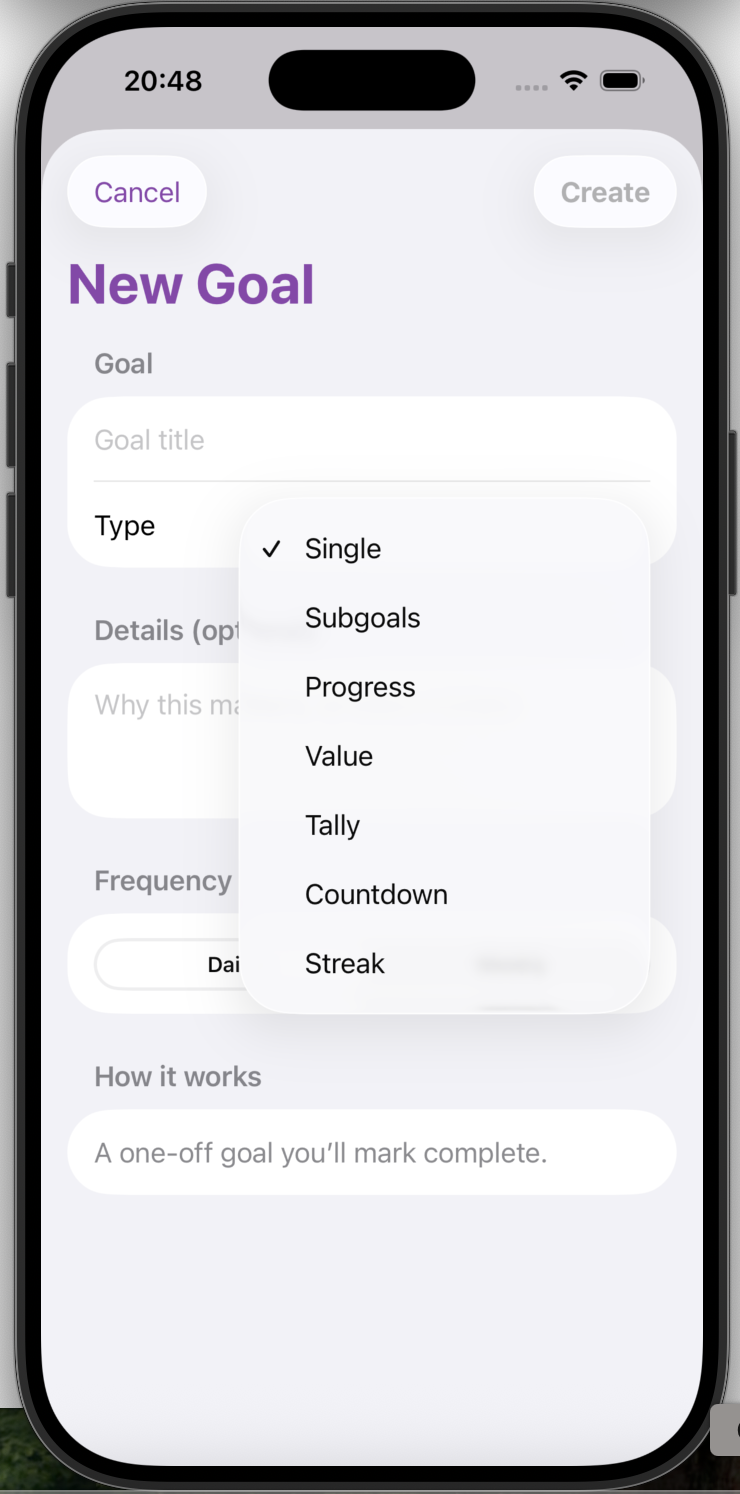
Add goal page
-
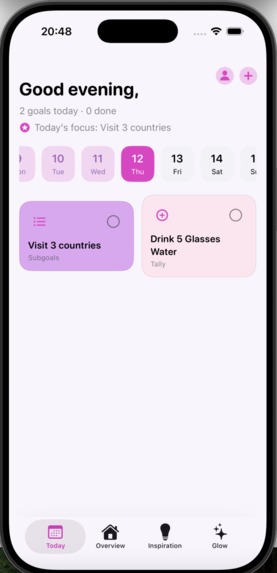
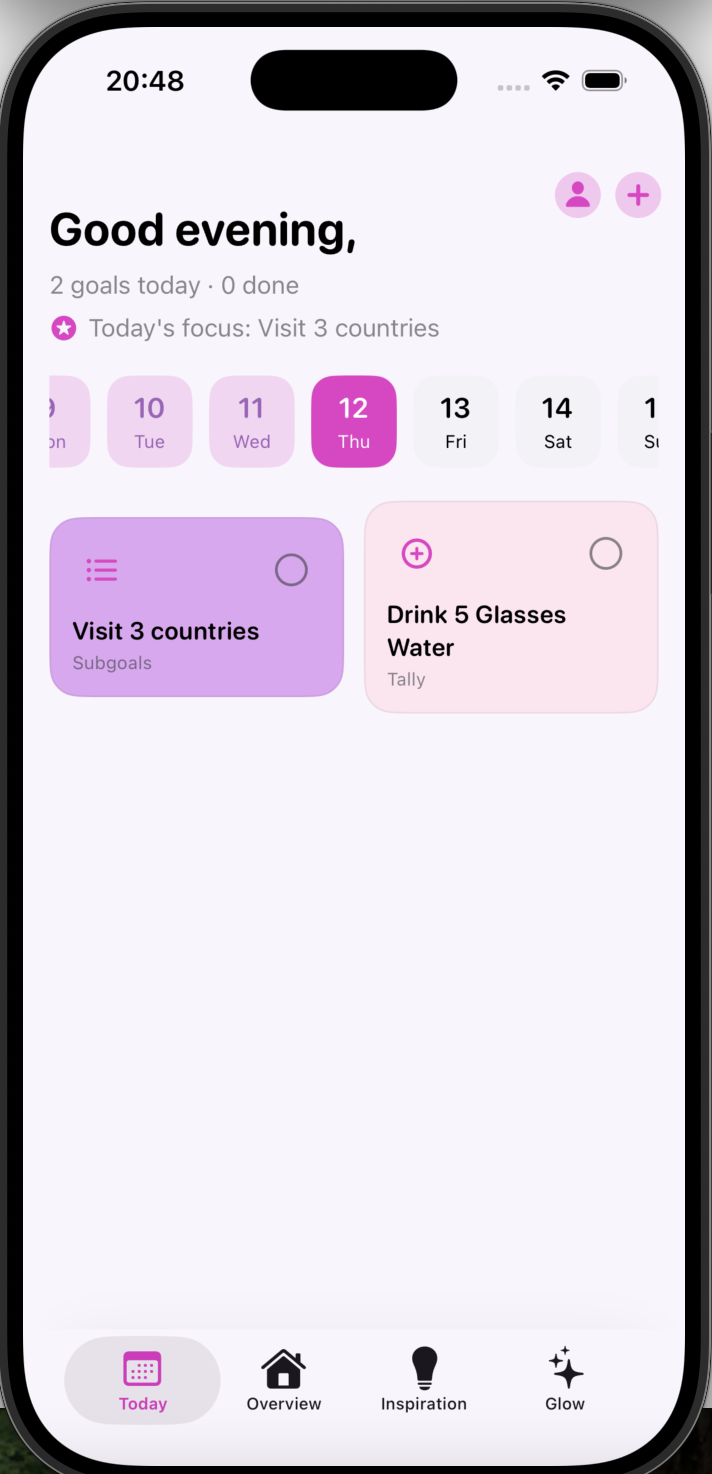
Today's goals view
-
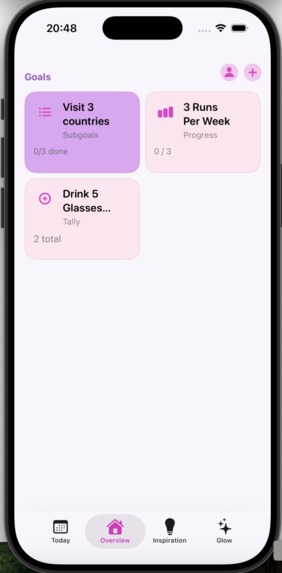
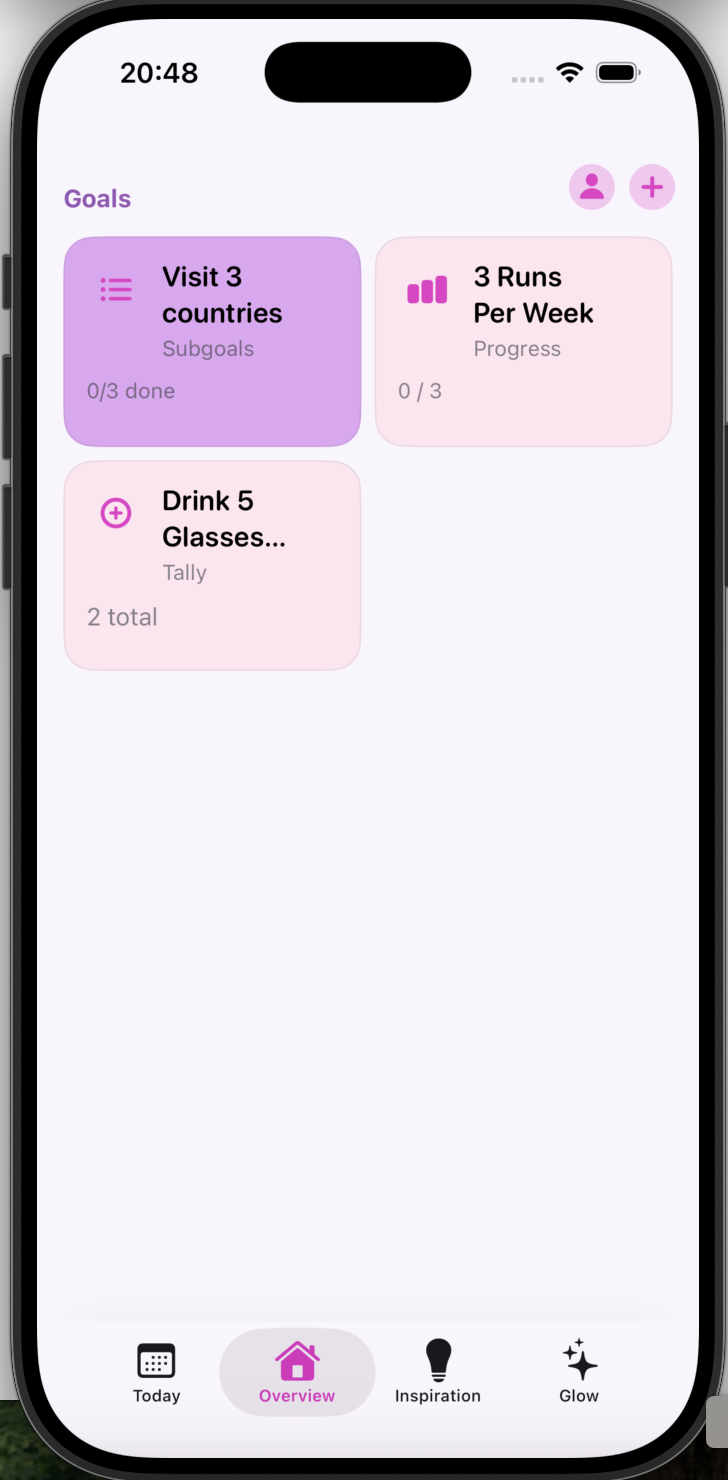
Overview tab of all goals
-
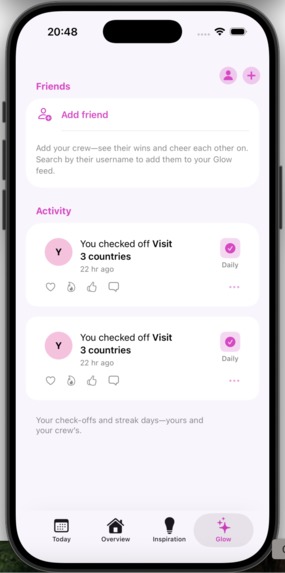
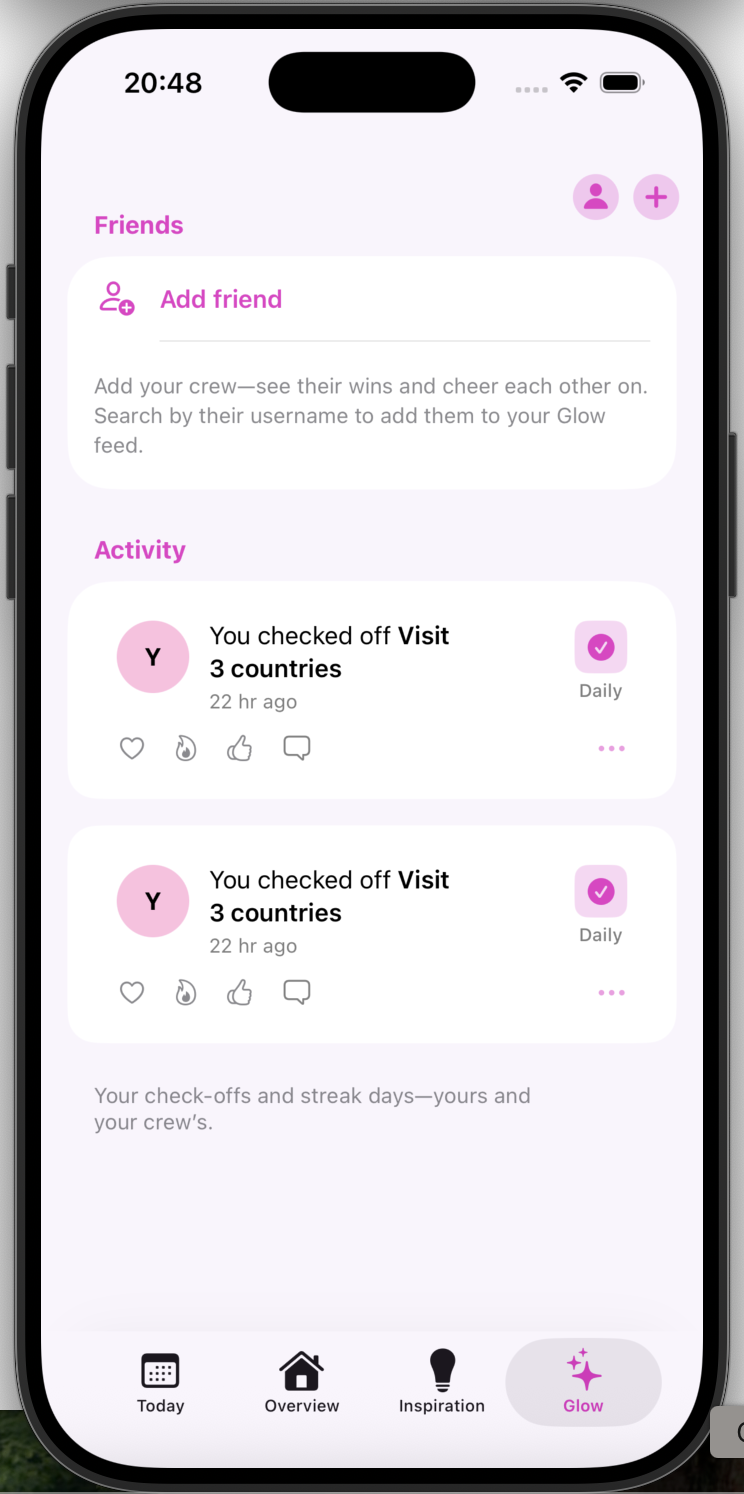
'Glow' (activity) feed of streaks and activity
-
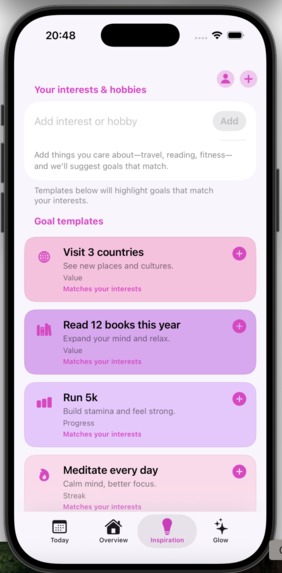
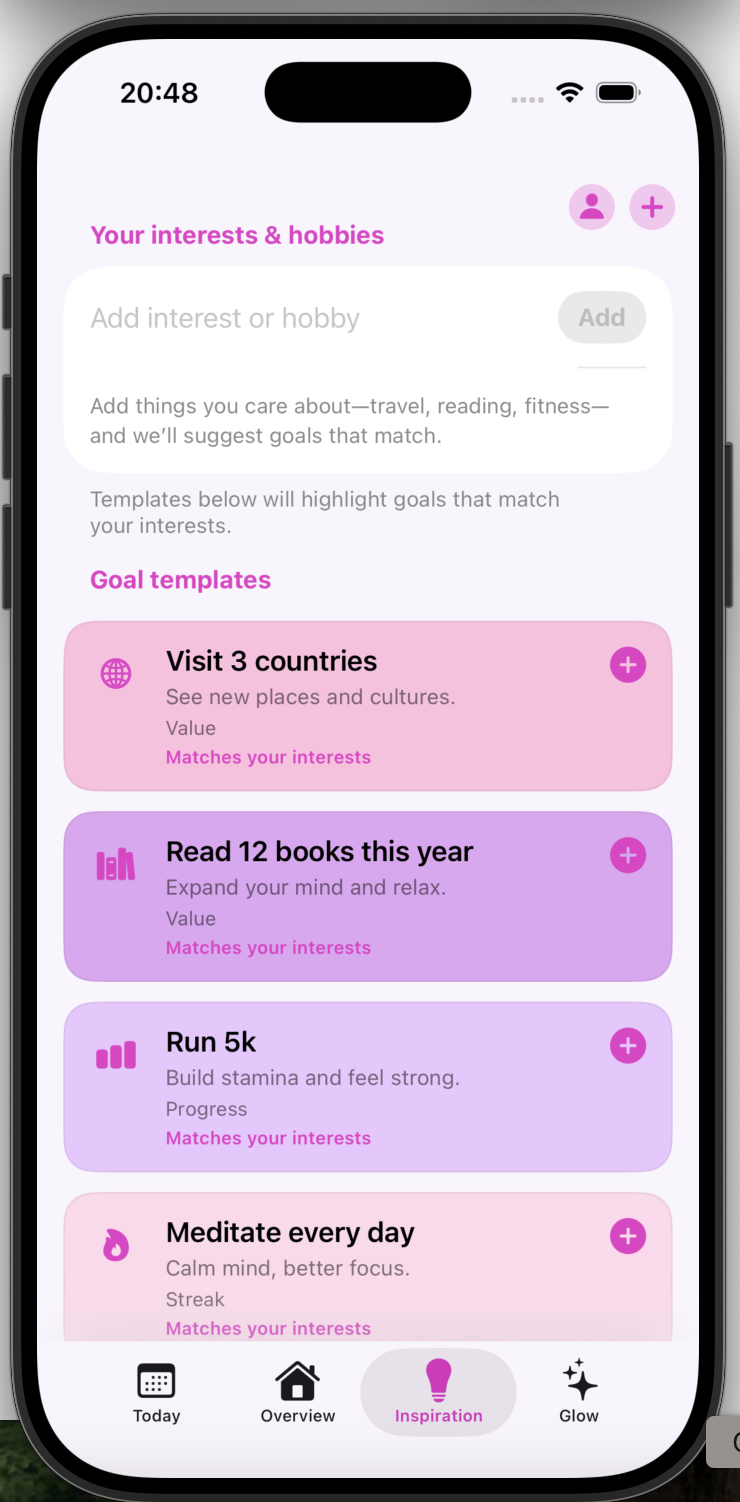
Goal templates to set interests and gain inspiration
About Glow Ritual
What inspired me
I wanted a habit tracker that felt less like a to-do list and more like something you’d actually want to open every day, something warm, clear, and a bit personal. A lot of apps either feel cold and gamified or overwhelming. I was inspired by the idea of small rituals: tiny, repeatable actions that add up, without the guilt when you miss a day.
I also wanted to bring in a social layer—not competition, but celebration. Similar to the Strava feed (for those active girlies out there, IYKYK). The “Glow” feed is the heart of that: you and your friends can see each other’s check-ins and streaks and react with hearts, fire, or claps. The name Glow Ritual came from that: your daily habits as a gentle ritual, and the glow of progress and community.
The audience I had in mind was women in their 20s–40s who care about consistency and self-care but don’t want another punishing productivity app. So the visual language (the default soft pinks and purples, rounded type, clear hierarchy) was chosen to feel approachable and a bit feminine, without being childish.
What I learned
SwiftUI and state
Building the whole UI in SwiftUI taught me how to keep state predictable. I use a small set of stores (GoalStore, ThemeStore, AuthStore, ActivityStore, etc.) and pass them through the environment so tabs and sheets stay in sync.
Theming and accessibility
I added a full color theme system (Default, Ocean, Forest, Sunset, Black & White). Every screen reads the current palette from the environment instead of hard-coded colors. That meant rethinking how “accent” and “surface” colors are used so that changing the theme actually changes the whole app, including the profile sheet and list rows. I also learned to avoid ambiguous SwiftUI types.
Auth and onboarding
Implementing Sign in with Apple, email, and Google forced me to think about auth state and onboarding flow: show login when not signed in, then either the “create first goal” welcome or the main tab view. I also added change password (reset email or new password) and delete account with confirmation, so the app is ready for real backend auth and policy requirements.
Product thinking
I learned to scope features so the app feels complete but did not want to overcomplicate - I thought it was important to get the basics right before trying to do too many things that did not work well together.
A bit of structure
I thought about habit consistency in simple terms: steaks and consistency. That mindset helped me keep the goal and streak logic clear in code. For example, goal types (single, progress, tally, streak, countdown, etc.) are implemented in one flexible model and one card component, and the Inspiration tab reuses the same templates and “create goal” flow.
How I built the project
Architecture
The app is a single iOS target in Swift/SwiftUI (iOS 16+). The root AppRootView decides what to show: login → onboarding (Glow Ritual pitch + sign-in) → welcome (“create first goal”) or main app. The main app is a tab bar: Today (calendar + goals due that day), Overview (streaks + goal grid), Inspiration (interests + goal templates), and Glow (friends + activity feed). A global header holds the profile and “add goal” buttons, and sheets handle create-goal, profile, and auth.
Data and persistence
Goals, profile, theme, and auth state are persisted with UserDefaults and local files (e.g. profile photo in Application Support). The goal model supports multiple types (single, subgoals, progress, value, tally, countdown, streak) with optional fields; completion and streak logic live in GoalStore. Activity feed items and reactions are in-memory in ActivityStore with a simple “last viewed” timestamp for the Glow badge.
UI and design system
I defined an AppTheme with layout constants (corner radius, padding, icon size) and a ColorThemePalette per theme. The active palette is provided via .environment(\.themePalette, themeStore.currentPalette) and a wrapper view that observes ThemeStore, so the whole app (including tab bar and navigation bar) updates when the user changes theme in Profile. Cards, buttons, and list rows all use the palette so the experience is consistent.
Auth and onboarding
AuthStore owns sign-in state and exposes methods for email (sign up / sign in), Apple (via AuthenticationServices), and Google (stub). The onboarding screen shows the Glow Ritual name, tagline, a small “experience preview” (Today, Streaks, Goals, Glow), and sign-in buttons. Email auth is a sheet with email/password and a sign-up vs sign-in toggle. Profile includes change password (reset email or set new password) and delete account with a confirmation dialog.
Challenges I faced
Theme and environment
At first, changing the color theme didn’t update the rest of the app. The root view didn’t depend on ThemeStore, so SwiftUI didn’t re-evaluate the body and the environment palette never changed. I fixed it by introducing a wrapper view that observes ThemeStore and injects .environment(\.themePalette, themeStore.currentPalette). I also had to give the profile sheet a new identity when the theme changed (e.g. .id(themeStore.selectedTheme)) so the sheet would receive the updated palette.
Picker and list styling
In the profile, theme option labels and login/privacy text kept showing the default pink because the list was applying its accent to buttons and labels. I had to set .foregroundStyle(palette.accent) explicitly and use .buttonStyle(.plain) so the theme’s accent was used instead of the system default. Later I switched the theme selector to a dropdown picker (.pickerStyle(.menu)) to save space and avoid those styling clashes.
Looking forward
For next steps I would persist the Glow feed and friends in the cloud, and add push notifications for streaks and friend activity. I’d also consider a simple onboarding carousel that walks through Today, Overview, and Glow before the first sign-in. The app is structured so those additions can slot in without a full rewrite.
Glow Ritual — Small rituals, big glow.


Log in or sign up for Devpost to join the conversation.