-
-
Start
-
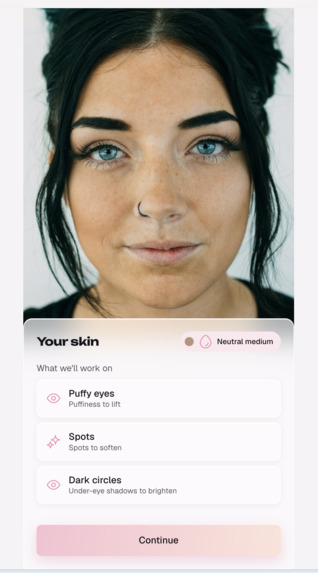
Skin analysis
-
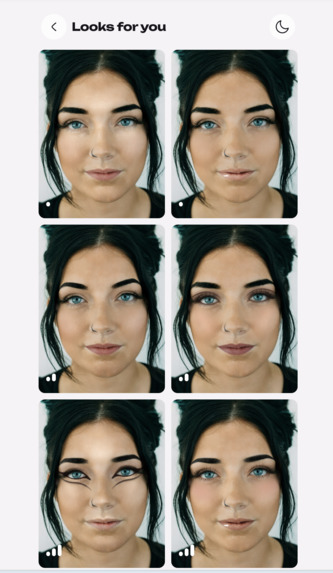
Look proposal
-
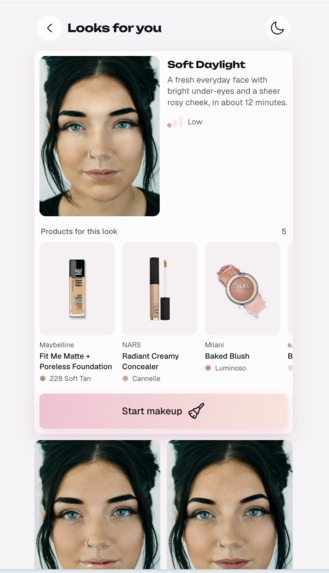
Details and Product suggestion tailored to your skin
-
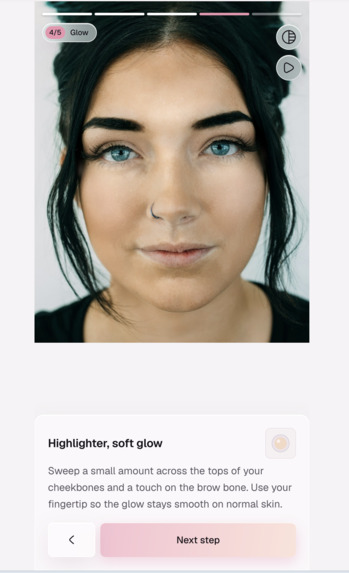
Custom tutorial
-
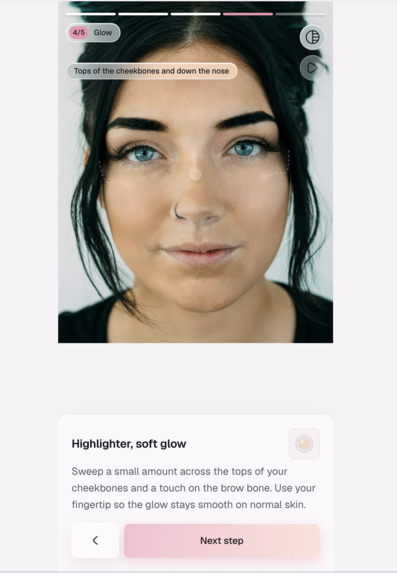
How to apply
-
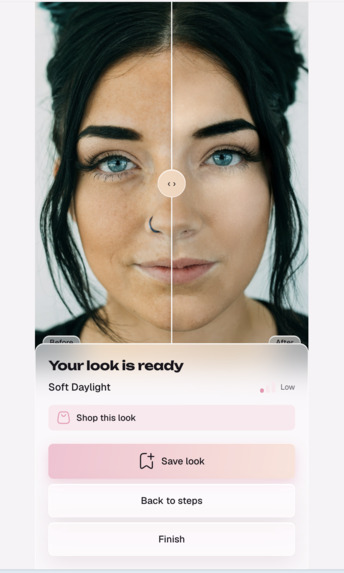
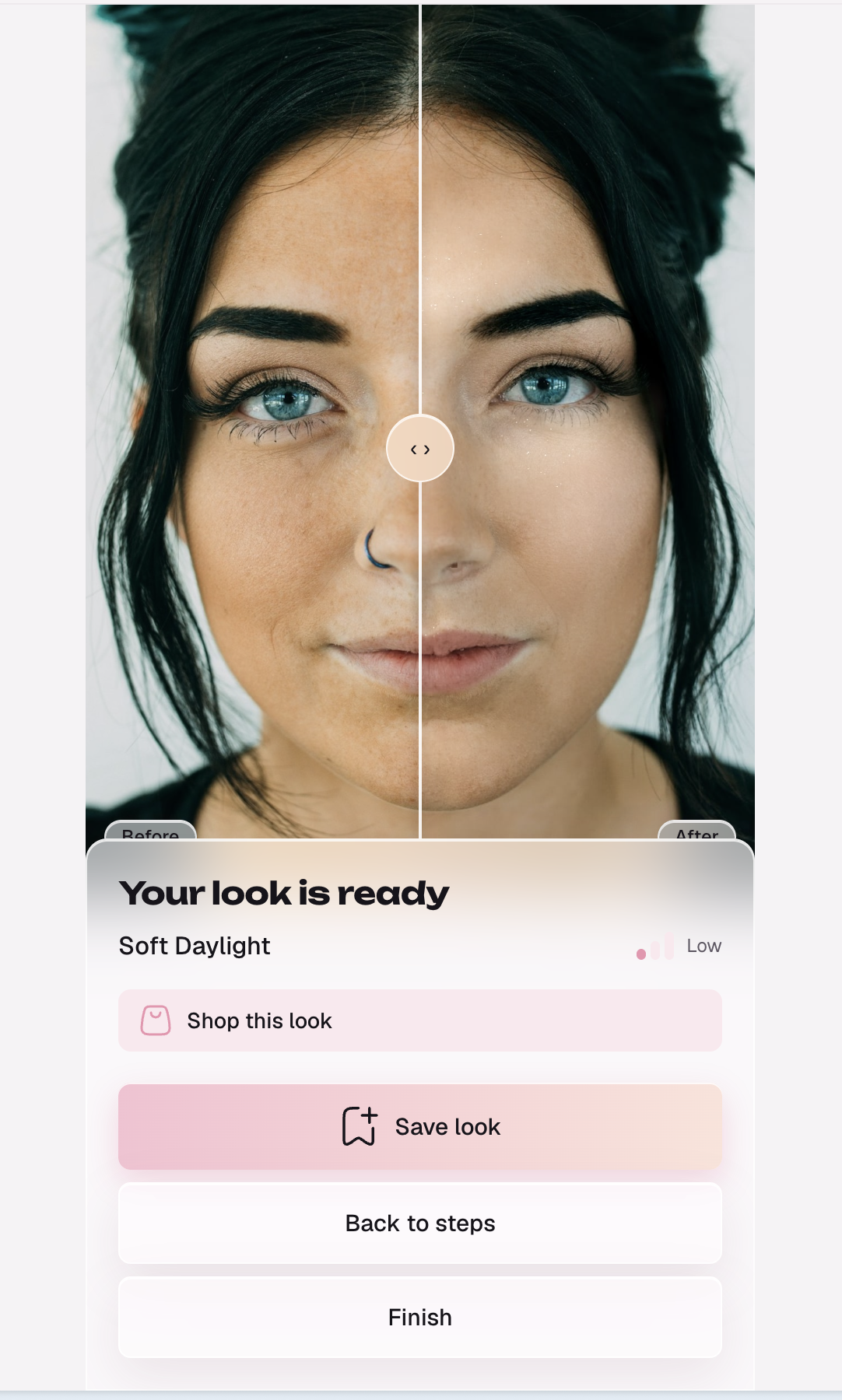
Before | After
Inspiration
My wife knows two makeup looks: a quick one for busy mornings and a slightly more elaborate one for when there's time. She'd like more options, but the usual ways to get them are bad. A makeup course takes weeks. YouTube tutorials go on forever, and each one is made for someone else's face, skin tone and skin. She often ends up with a look that doesn't suit her skin, or with nothing.
Lots of women are in the same spot. They don't want to learn makeup. They want a few good looks that suit their skin, and someone to show them how to do each one, step by step, on their own face.
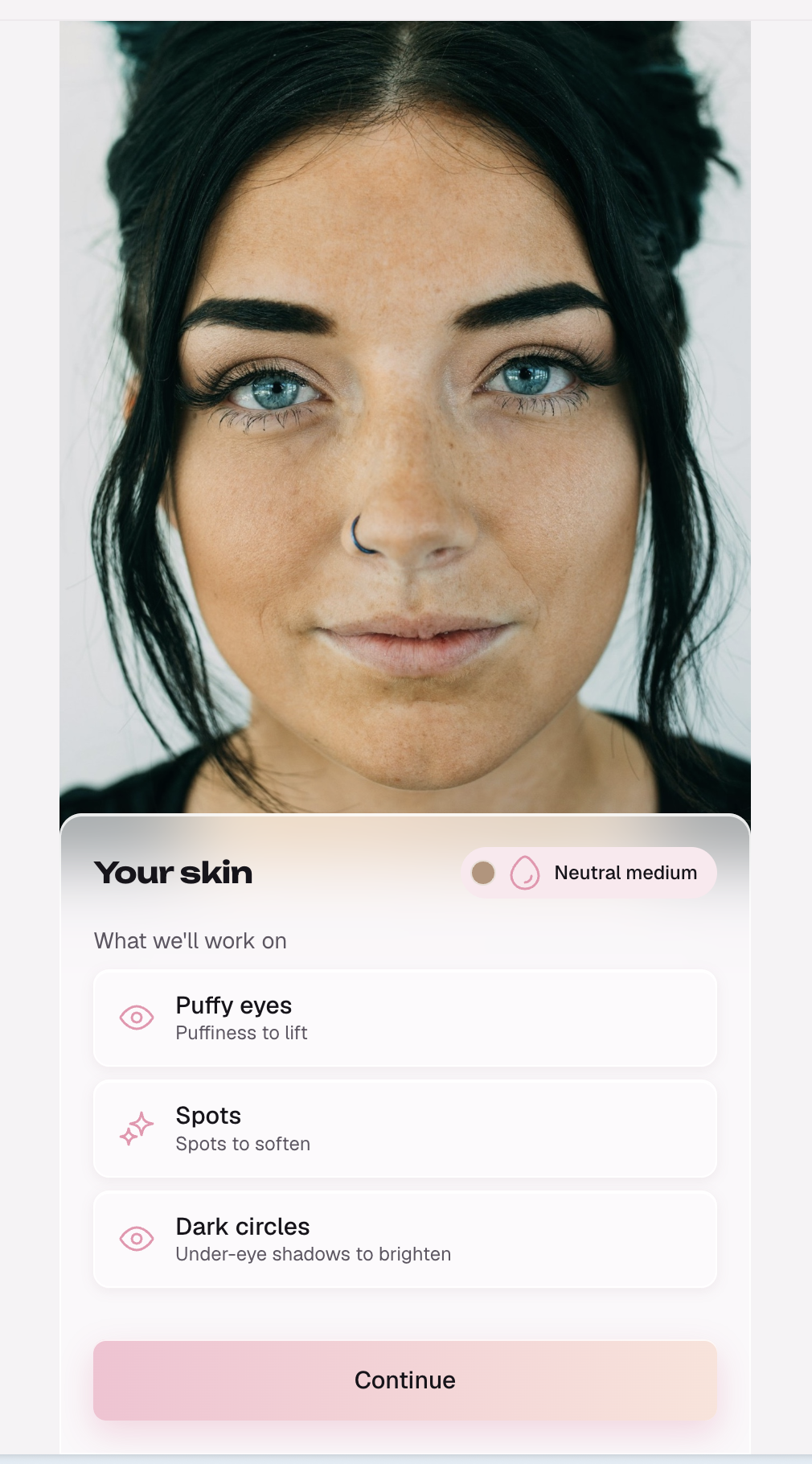
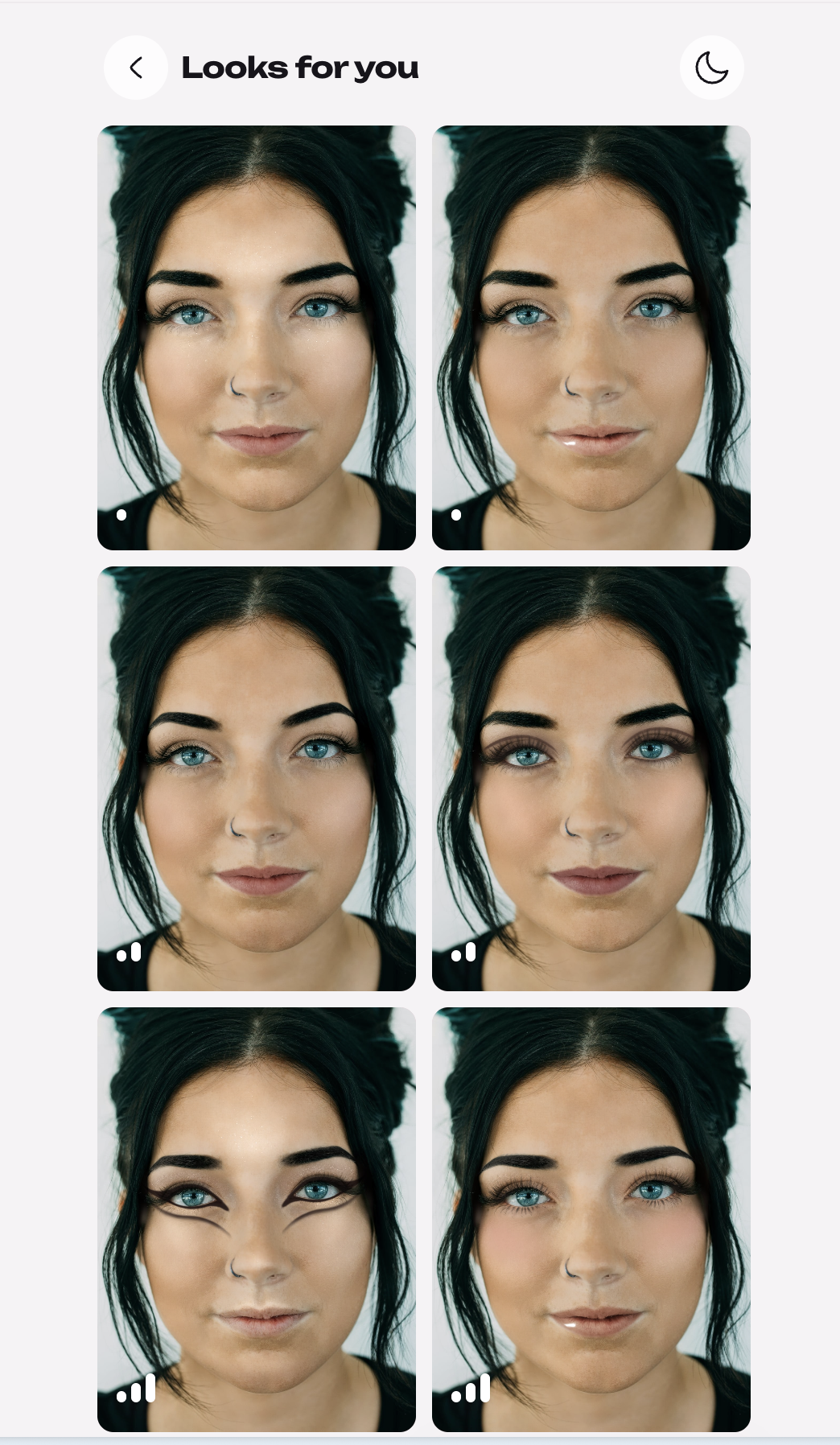
That's GlowApp: take a photo, and it reads your skin, designs six looks for it, and teaches the one you pick one layer at a time on your own face.
What it does
- Reads your skin. YouCam Skin Analysis finds six concerns (acne, redness, dark circles, age spots, oiliness, eye bags) and lights up each one on your face. YouCam Facial Color Tones reads your skin, lip and brow colors.
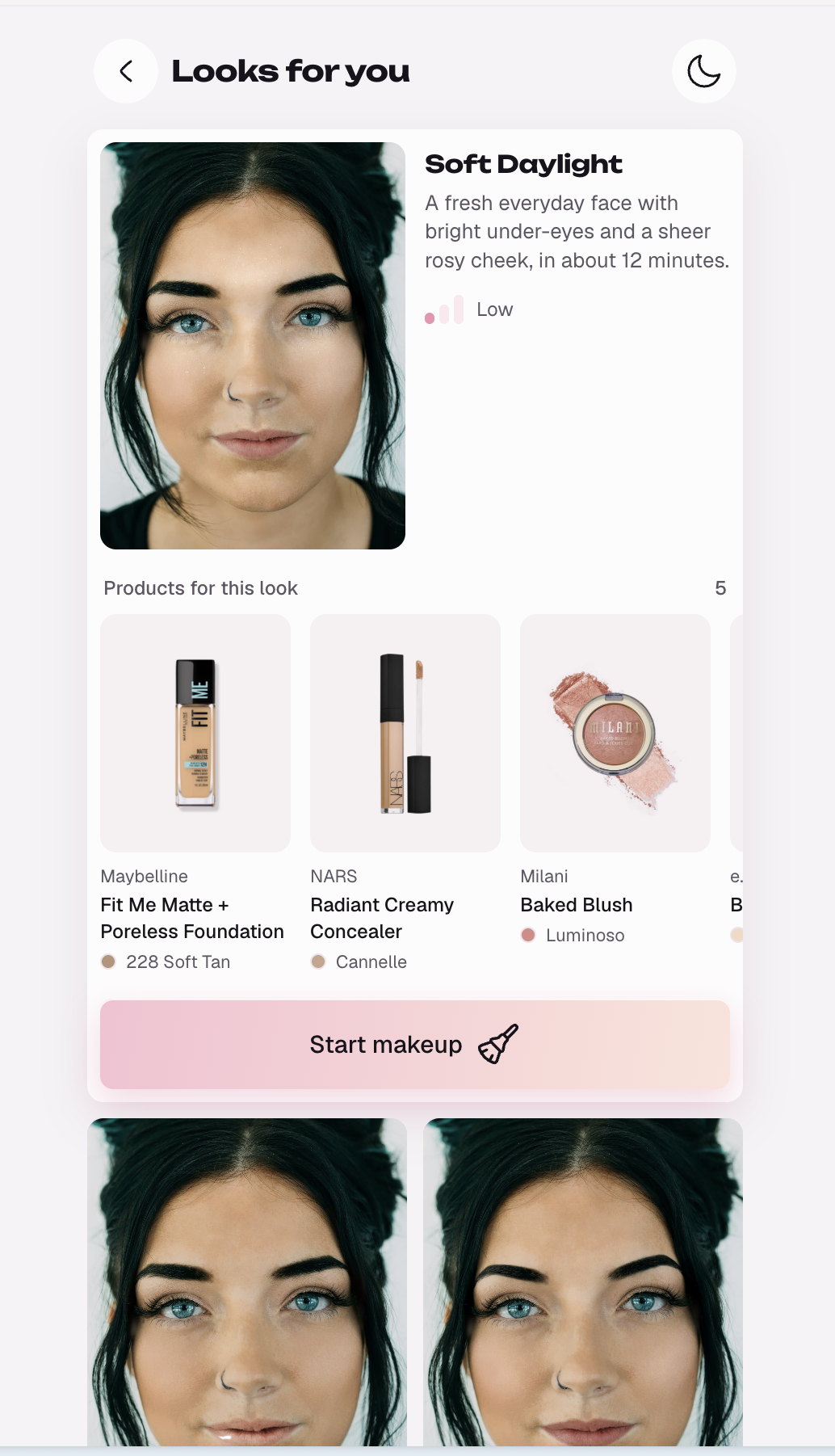
- Designs six looks for you: two easy, two medium and two elaborate. Every look covers your concerns, and foundation and concealer shades are matched to your skin tone.
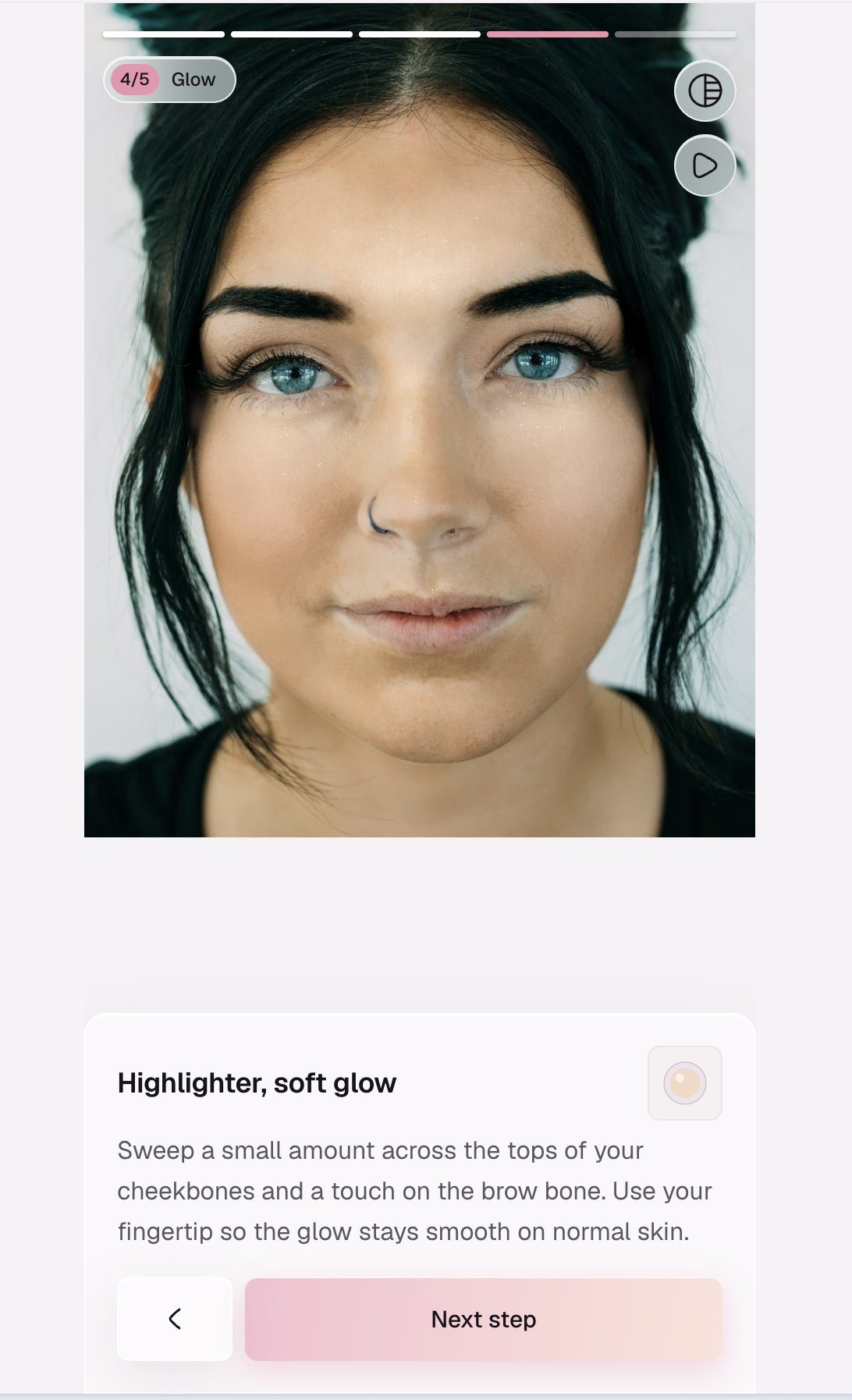
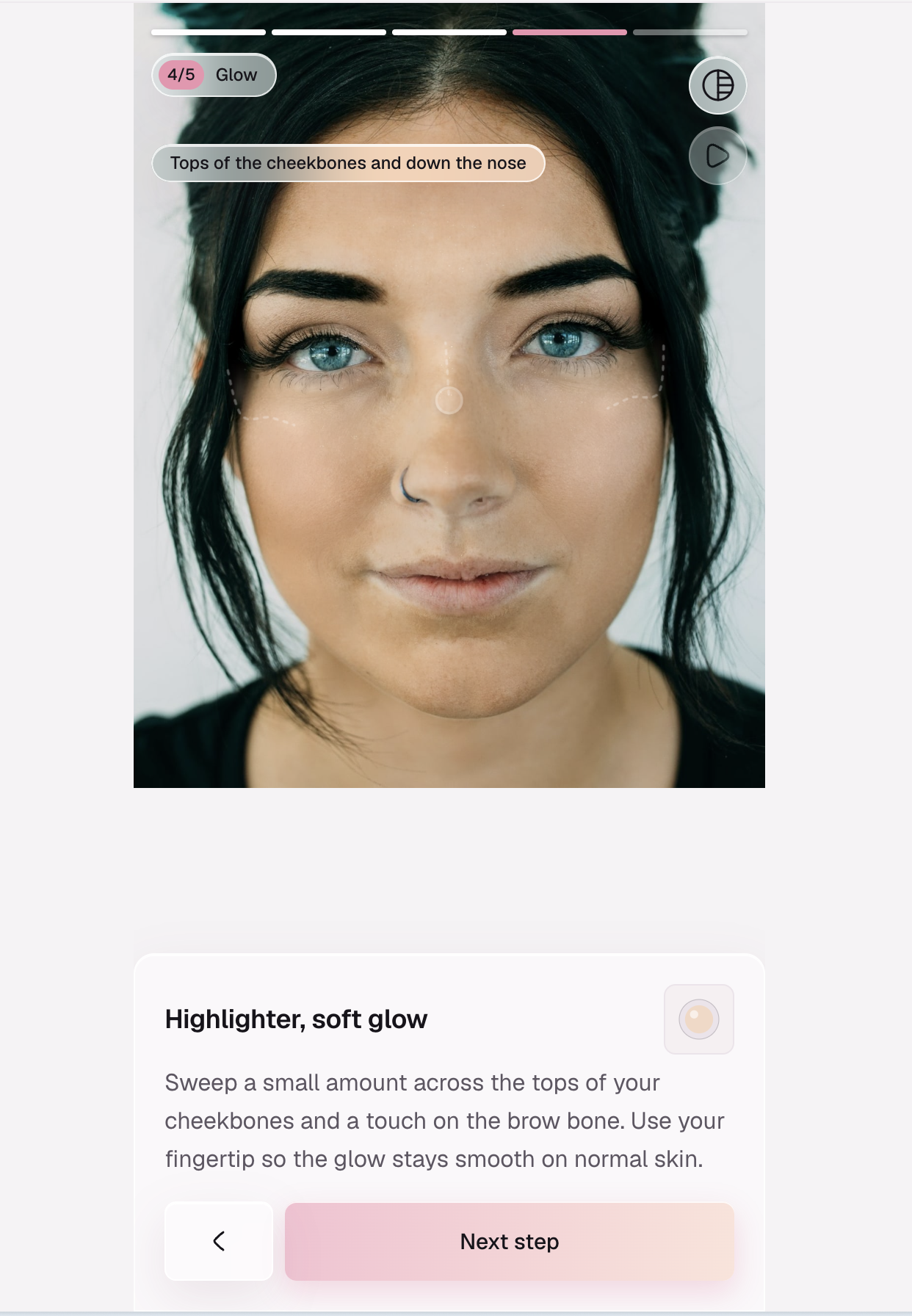
- Teaches it layer by layer. Each step shows your photo with only the layers applied so far, a brush stroke showing where it goes, and a tip written for your skin.
- Copy a look. Upload a photo of a look you love, and GlowApp turns it into a tutorial for your face.
- Shop and save. Every step names a real product with a link to its page. Saved looks replay offline at no cost.
How I built it
- Next.js 16, React 19 and Tailwind CSS v4, mobile-first, with Motion for the animations.
- YouCam APIs: Skin Analysis, Facial Color Tones, Makeup Virtual Try-On (11 categories) and Makeup Transfer.
- OpenAI plans the looks as structured JSON. It also reads inspiration photos for Copy a look and finds each product's exact page with web search.
- MediaPipe Face Landmarker runs in the browser and places the brush strokes on your cheekbones, lash line and lips.
The core idea is the cumulative render. Step 1 is your face with the first layer, step 2 is your face with the first two layers, and so on. Each frame of the tutorial is your face with exactly the work done so far.
Focus mode shows where the new layer goes. It compares each step's render with the one before and keeps color only where something changed. Everything else turns grayscale.
Challenges I ran into
- A 1,000-unit API budget. A first session costs about 44 YouCam units, so the whole budget covers only around 22 fresh sessions. I built a replay mode: every API response is recorded once and replayed after that, and identical renders are reused across looks. Judges can run the whole app offline without any API keys.
- The AI inventing makeup. The model would pick YouCam patterns that don't exist, or try to fix redness with a highlighter. A validator now checks every plan (difficulty mix, real patterns, every concern covered by a product that actually treats it, product type matching the step) and sends any problems back for one retry. I also checked every pattern description against YouCam's catalog by hand.
- Fake product links. Web search sometimes returned pages that didn't exist. Now every page is opened before it's trusted, and shade-specific Sephora and Ulta pages are preferred so the photo shows the right color.
- Expiring results. YouCam result links expire after 2 hours, which broke saved looks. Renders are now stored on the device.
- Subtle layers. A light highlighter barely changes the photo, so focus mode sometimes showed nothing. Base layers now light up the whole face, and strokes are mirrored on both sides.
Accomplishments that I'm proud of
The moment a tutorial builds up layer by layer on your own face is exactly the "oh, that's cool" moment I was aiming for. It's also a complete product, not just a demo screen: skin read, six looks, tutorial, shopping, saving, copying a look, and light and dark modes.
What I learned
- Most of the work is controlling the AI's output. Structured outputs get the format right, but the content is only right once a validator checks it against the real catalog.
- Record API responses from the first call. Recording real responses on day one meant I could build every later screen without spending budget, and gave judges a version that runs without keys.
- Build the riskiest part first. I proved the YouCam upload and render flow before designing any screen, so nothing later was built on guesses.
- The tip on each step matters as much as the image. A tip like "tap concealer only on the red patch beside your nose" is what makes it a tutorial and not just a filter.
What's next for GlowApp
- Use what I own: list the products you have, and some looks are built from them.
- Daily skin check-ins, so looks adapt as your skin changes.
- Live camera try-on for each step, so you can follow along in real time.
Built With
- gpt-5.4-mini
- hugeicons
- indexeddb
- mediapipe
- motion
- next.js
- node.js
- open-beauty-facts
- openai
- perfect-corp
- react
- sharp
- tailwindcss
- typescript
- youcam
- zod
