-
-
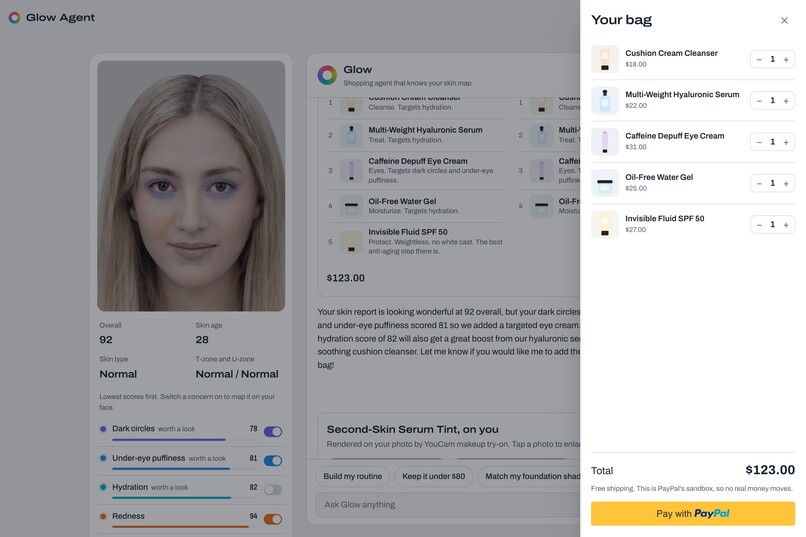
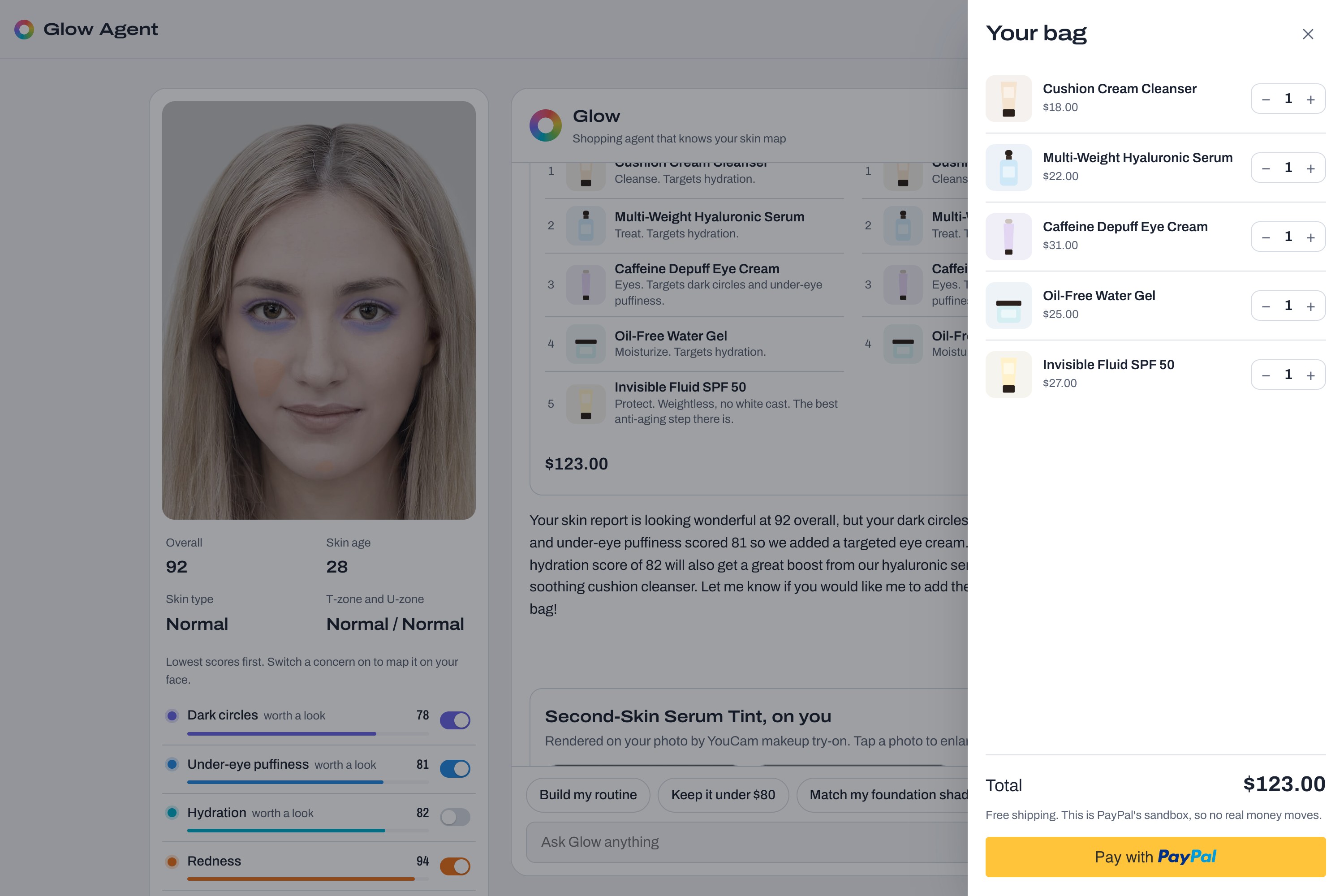
The bag, priced by the server, with checkout in the PayPal sandbox. You approve every payment.
-
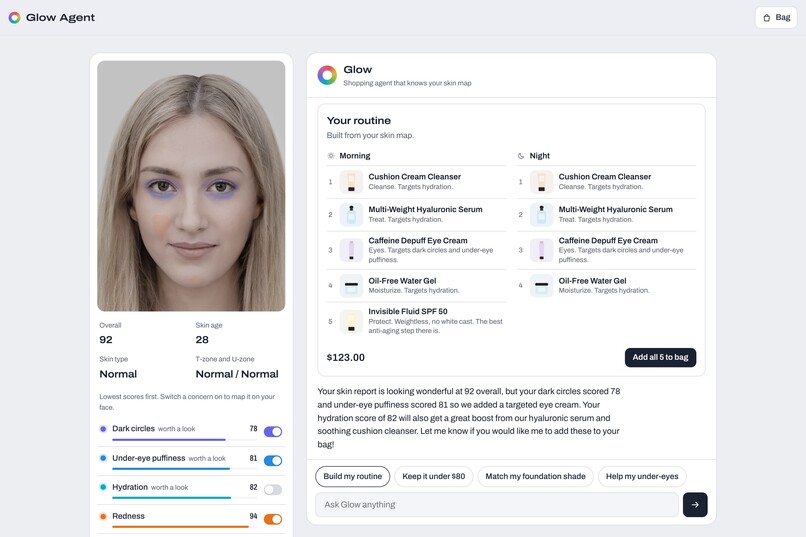
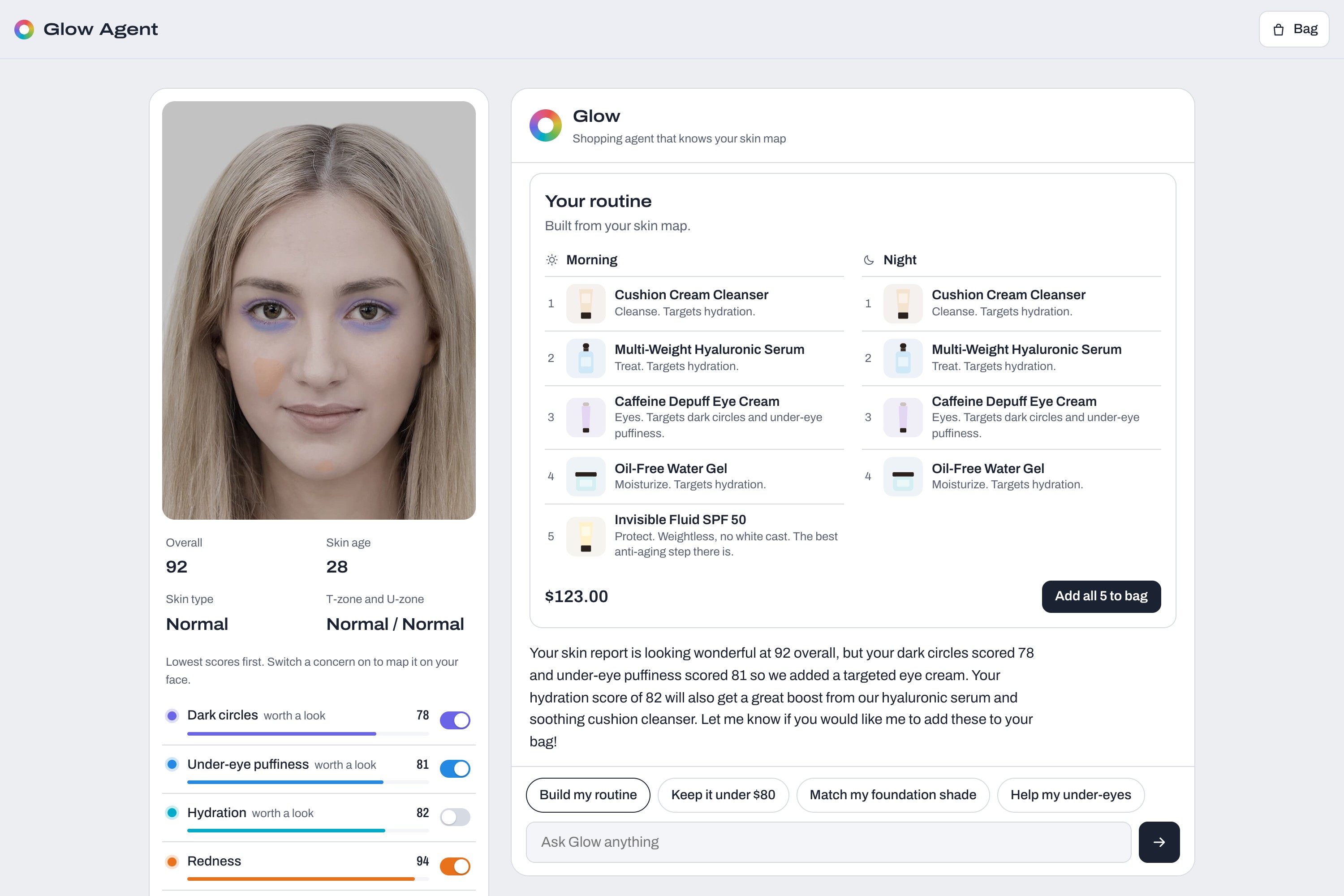
Glow builds a morning and night routine from the skin scores and fits it to a budget.
-
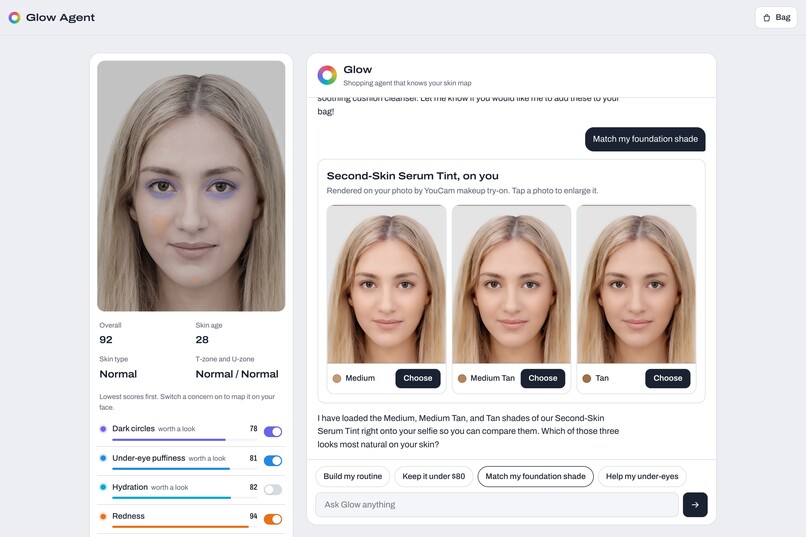
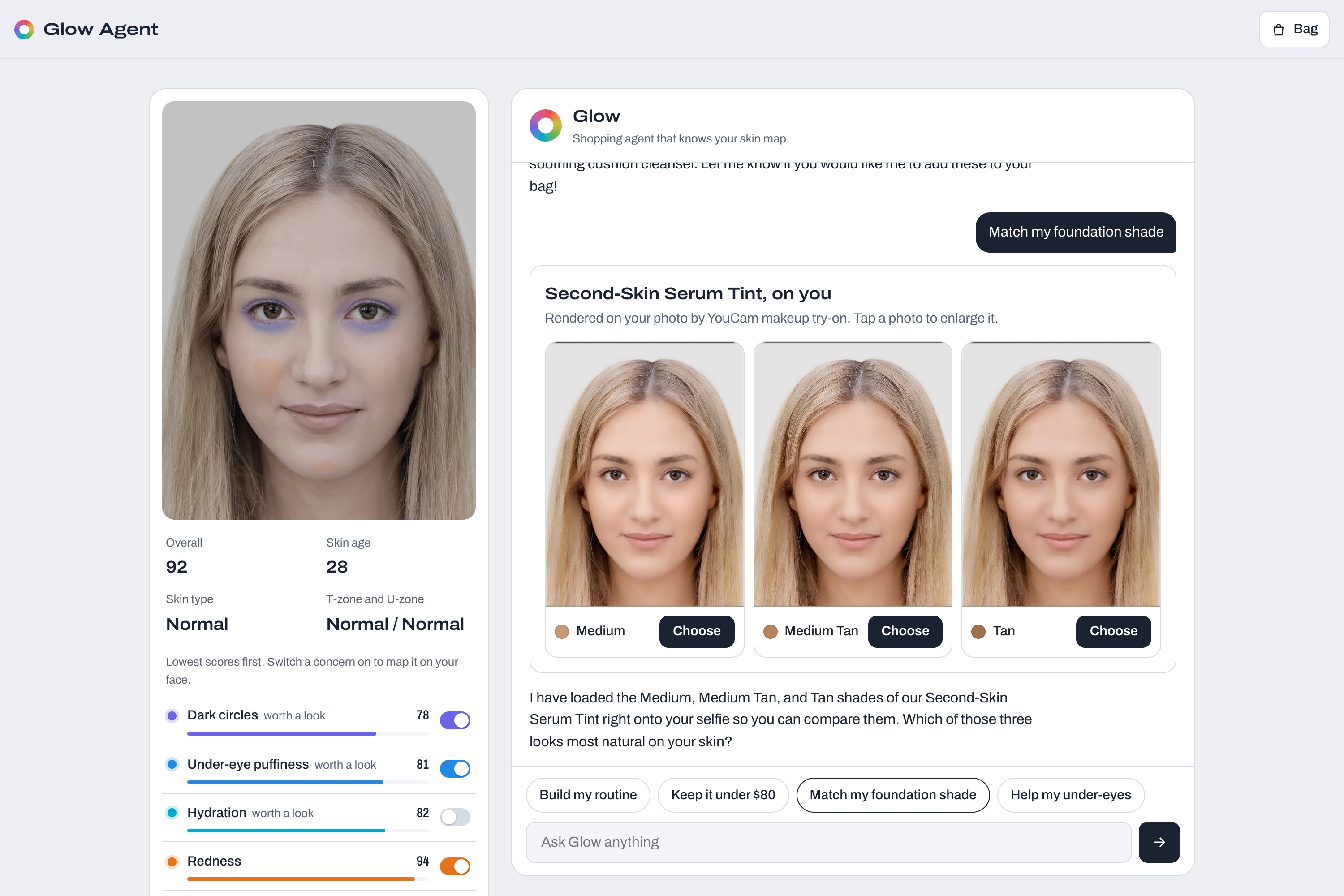
Three neighbouring foundation shades rendered on the selfie, side by side.
-
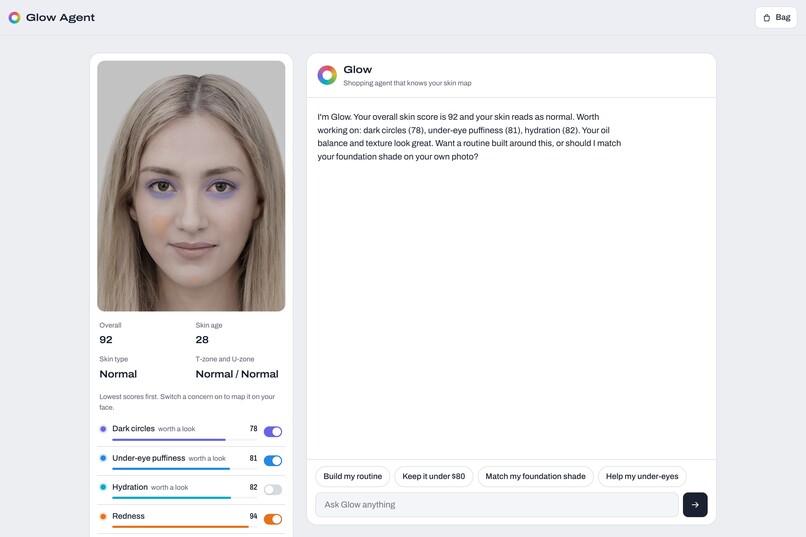
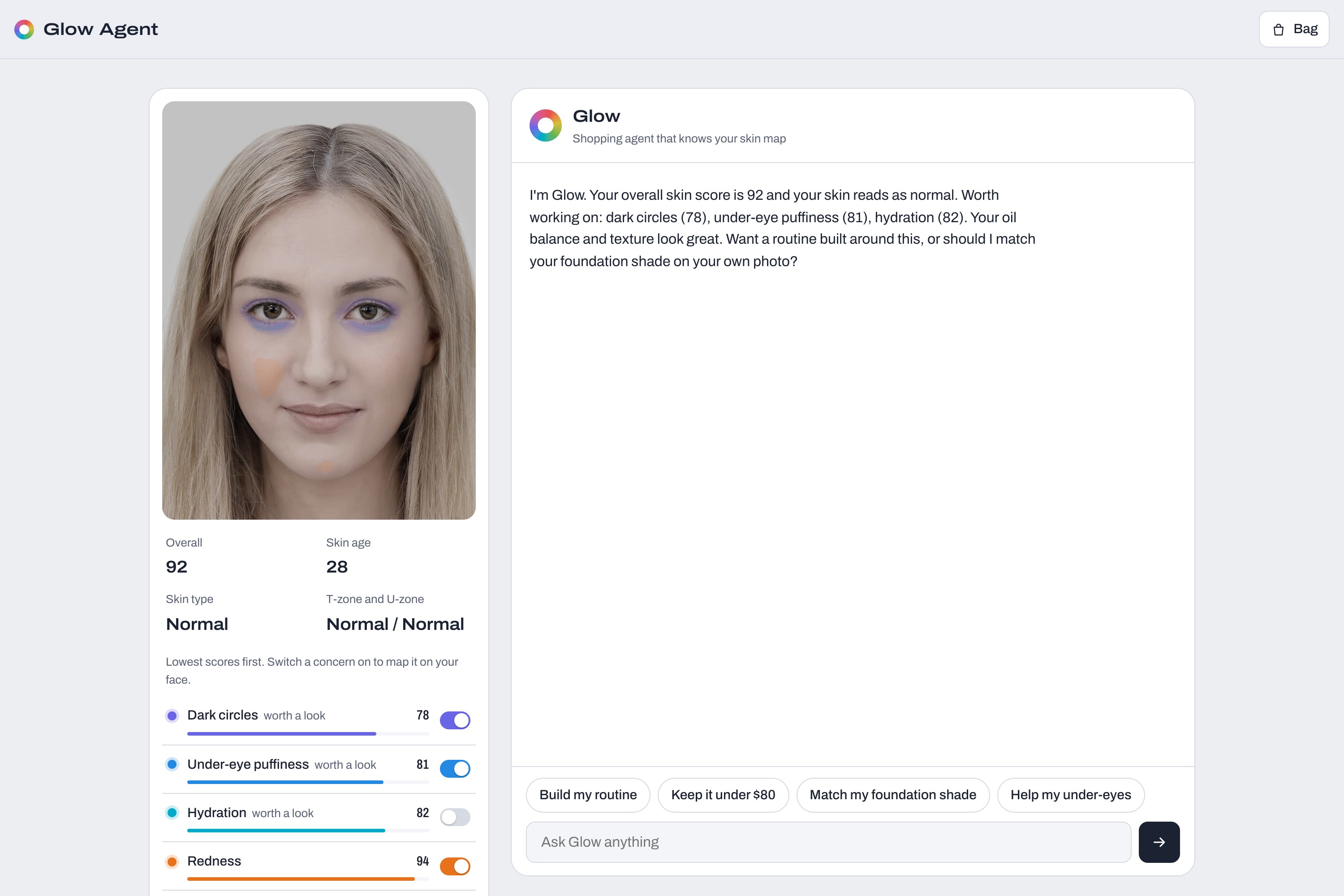
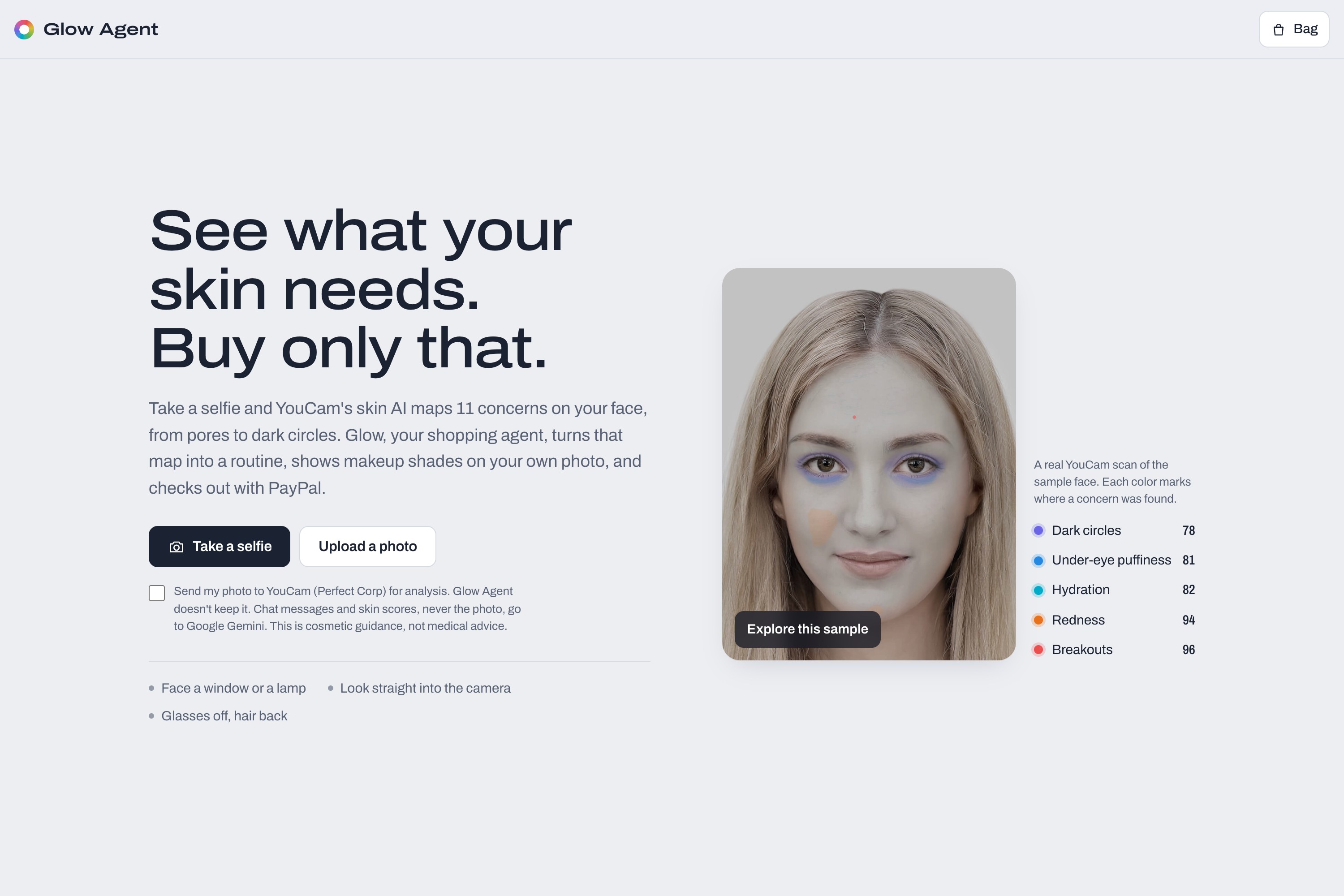
Skin analysis: 11 concern scores, with each concern's mask tinted on the photo.
-
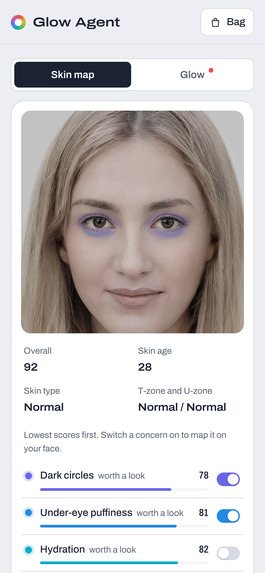
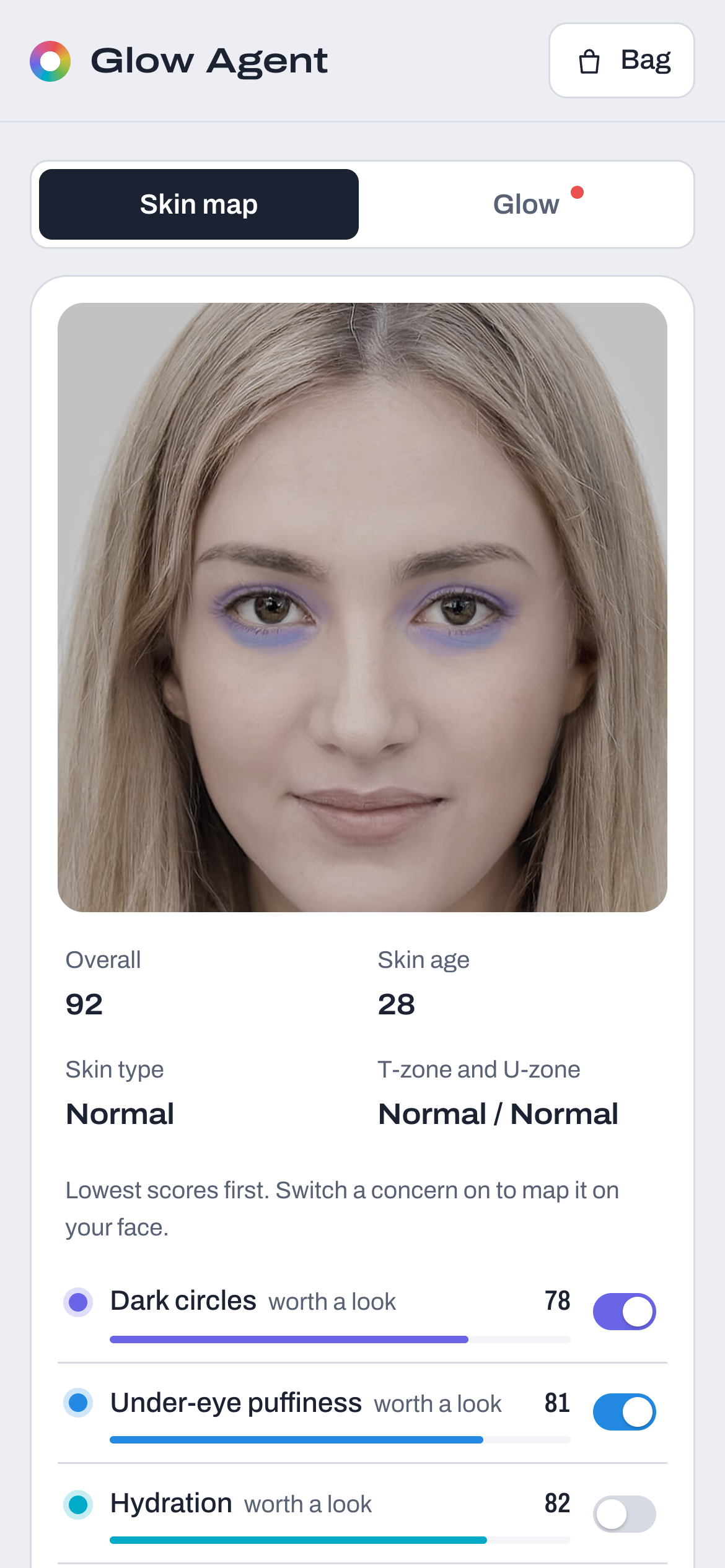
On a phone: the skin map, with a toggle to switch to the chat.
-
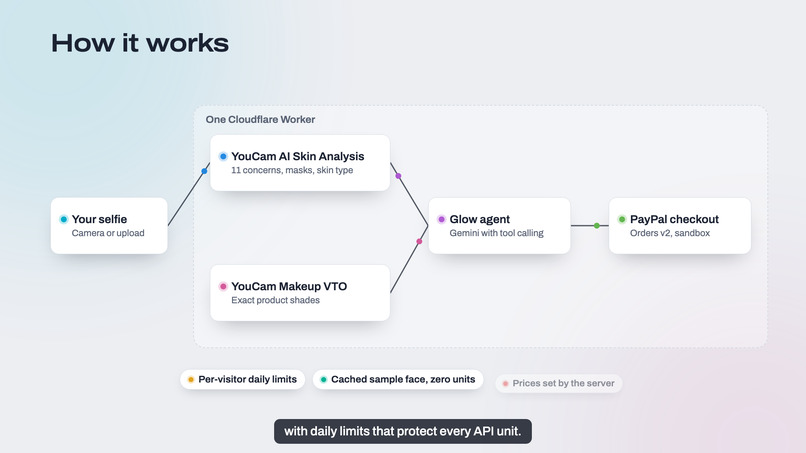
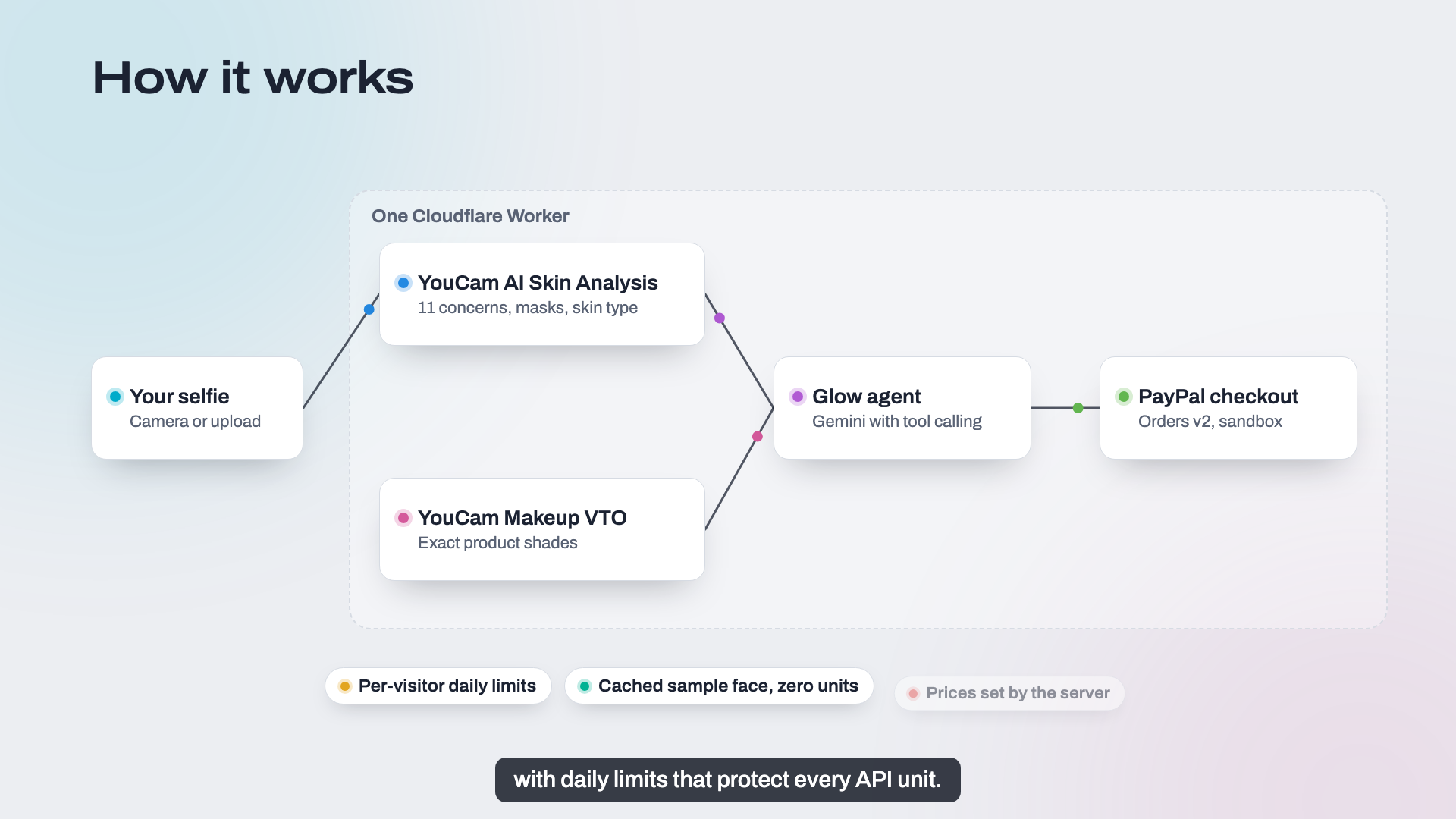
How it works: one Cloudflare Worker, YouCam, a Gemini agent and PayPal Orders v2.
-
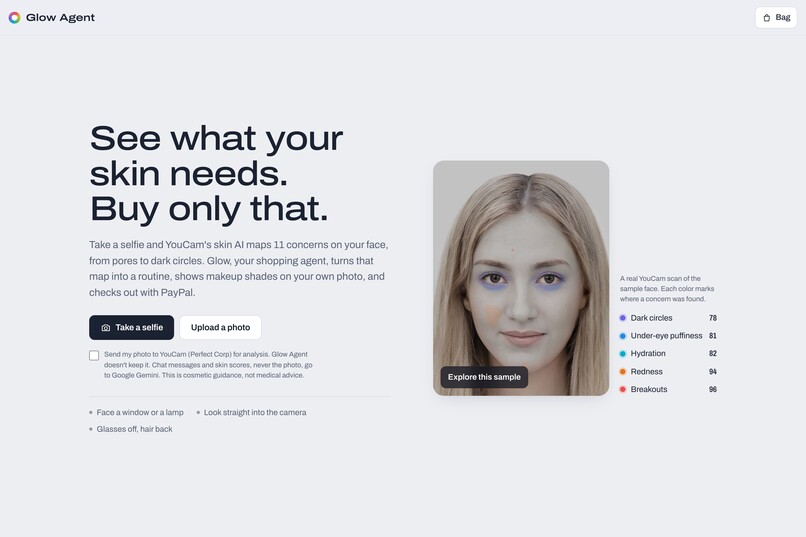
Start with a selfie, an upload or the sample face.
Inspiration
Agents are getting good at choosing what to buy, and that makes the payment step matter more. People don't want an agent that spends for them. They want one that does the legwork and hands them a ready, correct order to approve. Skincare is a good test: the right products depend on your actual skin, and most people buy the wrong ones.
What it does
Glow Agent turns one selfie into a paid order in a single conversation:
- Skin analysis. YouCam AI scores 11 concerns, maps them on your face, and reads skin type and skin age.
- A routine. Glow builds a morning and night routine from your scores, and can fit it to a budget.
- Try-on. You compare makeup shades rendered on your own photo.
- Bag. Glow adds the items you choose, with shades and quantities.
- PayPal checkout. Glow opens checkout, and you approve the payment in PayPal.
How PayPal is used
- Server-side Orders v2.
POST /v2/checkout/orders(intent CAPTURE) creates an itemized order whoseitem_totalmatches the amount.POST /v2/checkout/orders/{id}/capturecaptures it after approval. The capture result (status, amount, payer first name) drives the confirmation screen. - Prices come from the server. The browser and the agent only say which products and how many. The Worker rebuilds the bag and prices every line from its own catalog, so neither a prompt nor a client can change a price.
- JavaScript SDK v6.
createInstance,findEligibleMethods,createPayPalOneTimePaymentSessionand<paypal-button>, with onApprove, onCancel and onError handled in the UI. - The human stays in charge. The agent's
start_checkouttool only opens the PayPal button. It can't create a capture or pay. The user approves in PayPal's own window. - Sandbox only. No real money moves.
How AI is used
Gemini runs Glow's tool loop, and its answers are grounded in the user's scores. YouCam's vision models produce the skin report and the try-on renders. A deterministic recommender gives the agent a grounded starting point, and the app keeps working (button flows) if the free-tier model is busy.
How I built it
- Hosting: one Cloudflare Worker serves the static app and the API, with daily per-visitor quotas in KV.
- Tests: 48 vitest unit tests cover the agent loop, PayPal cart pricing and order body, and the routes.
- Verified end to end: a sandbox payment through the deployed flow was captured with status COMPLETED.
- AI coding assistant: built with help from Claude Code.
Challenges
- Keeping the agent useful without letting it spend. The fix was splitting "fill the bag and open checkout" (agent) from "approve and capture" (user plus server).
- Small free-tier models sometimes misreport what a tool did. Server-side checks keep replies accurate.
What's next
- Reorders: a saved PayPal payment method (Vault) for one-tap restocks the user approves once.
- Refills: subscription refills for products that run out on a schedule.
- Order history: "what did I buy last time" from PayPal transaction history, so the agent knows what's running low.
Notes: demo data uses YouCam's sample face, and the shop's products are fictional. Cosmetic guidance, not medical advice.
Built With
- cloudflare-kv
- cloudflare-workers
- gemini
- javascript
- paypal
- paypal-js-sdk-v6
- paypal-orders-api
- vitest
- youcam-api


Log in or sign up for Devpost to join the conversation.