-
-
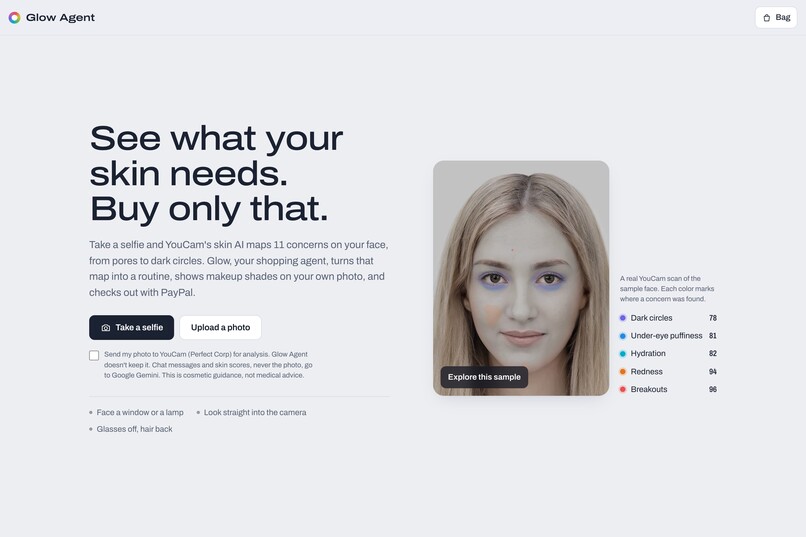
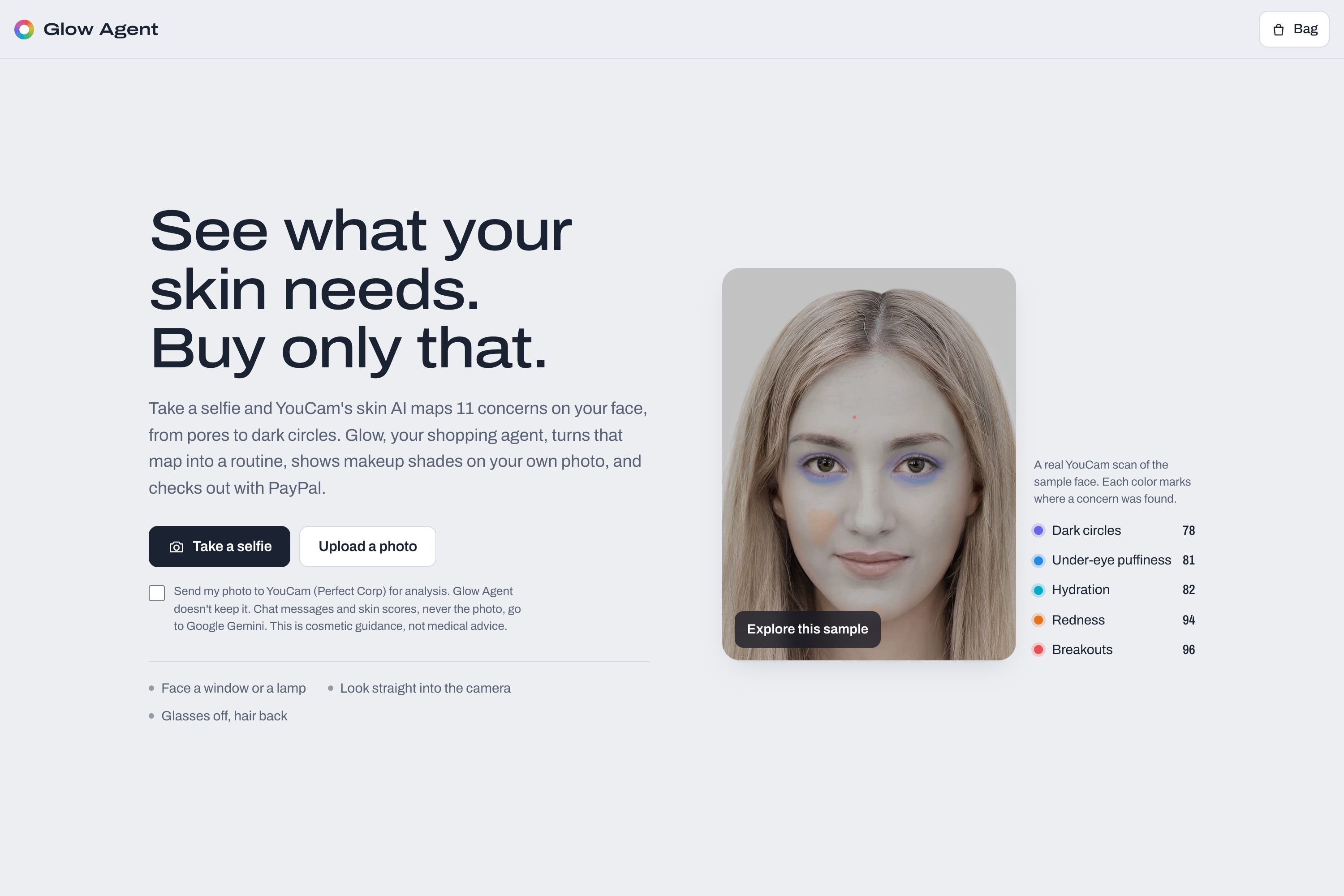
Start with a selfie, an upload or the sample face.
-
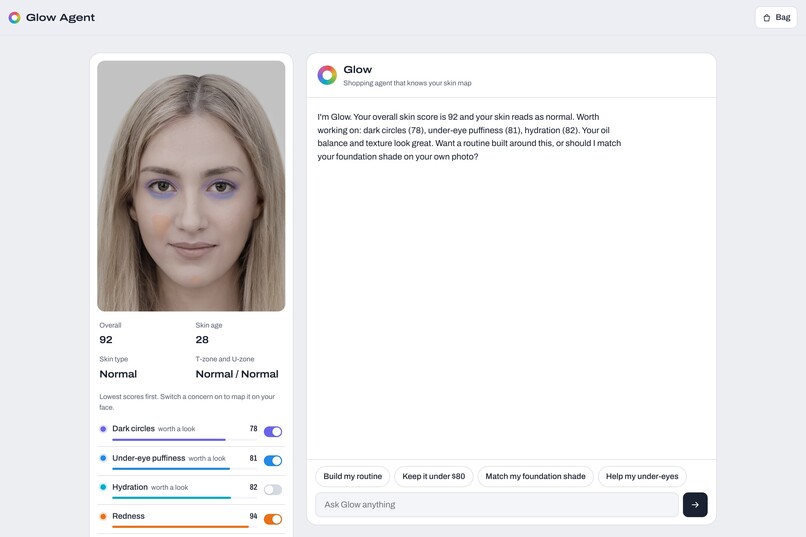
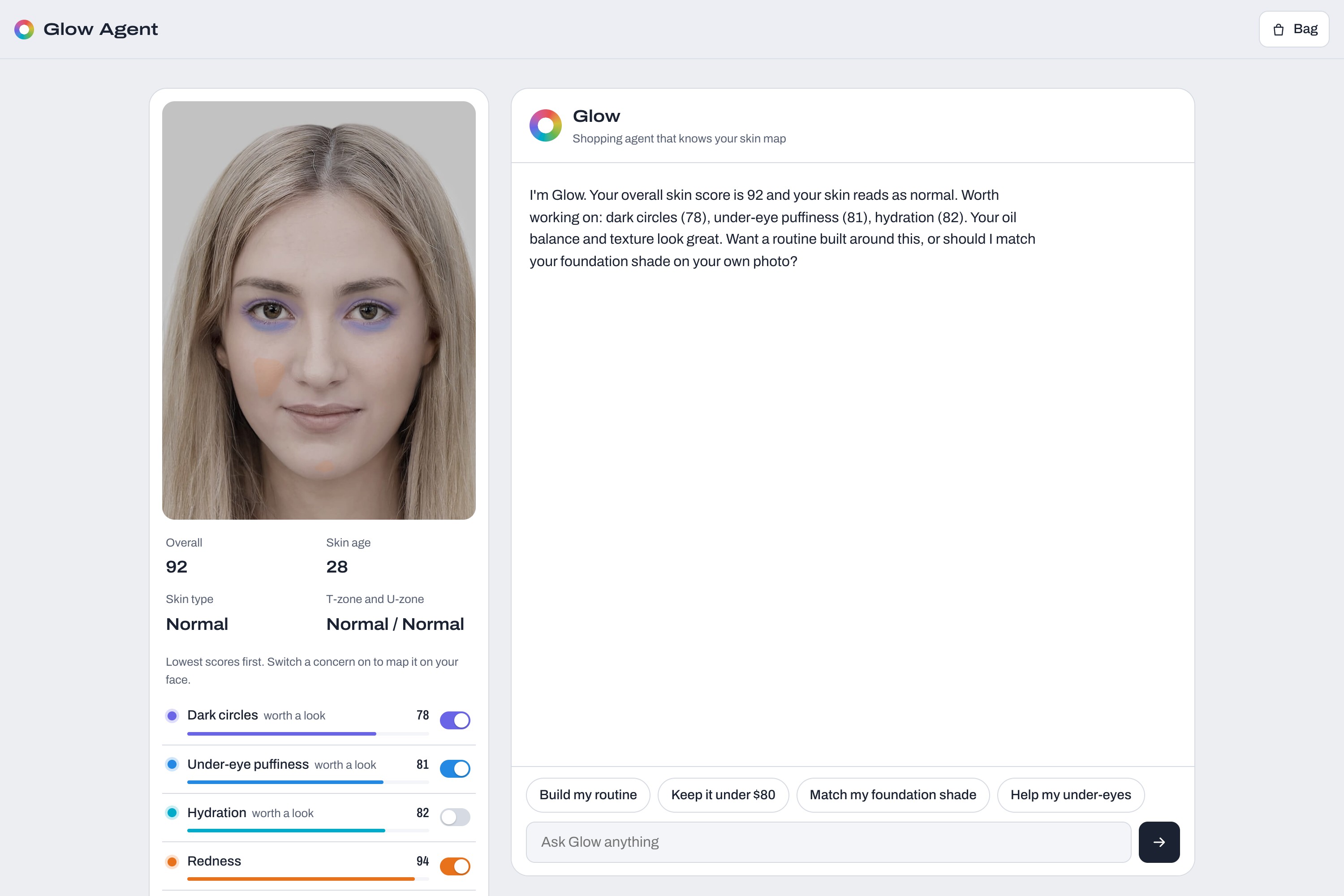
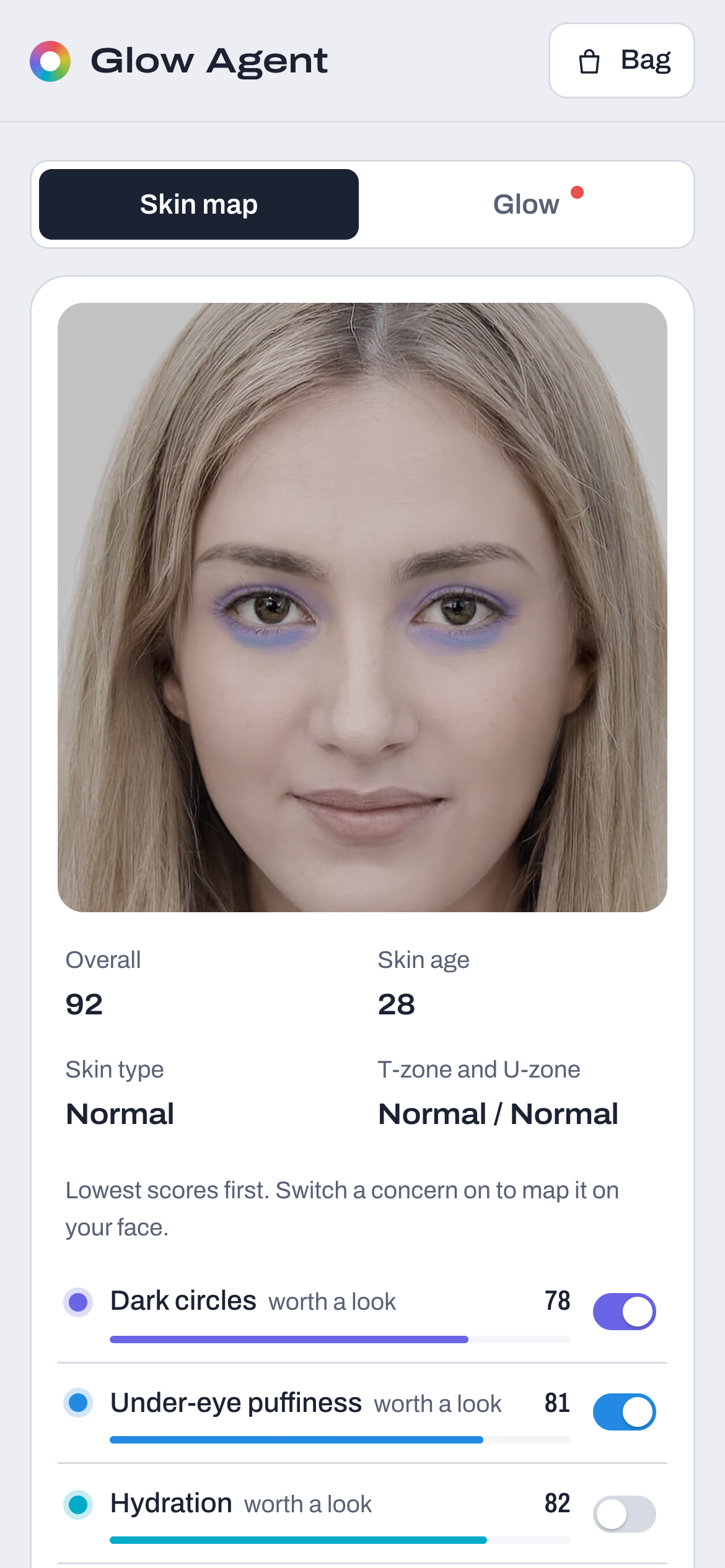
YouCam AI Skin Analysis: scores for 11 concerns, with each concern's mask tinted on the photo.
-
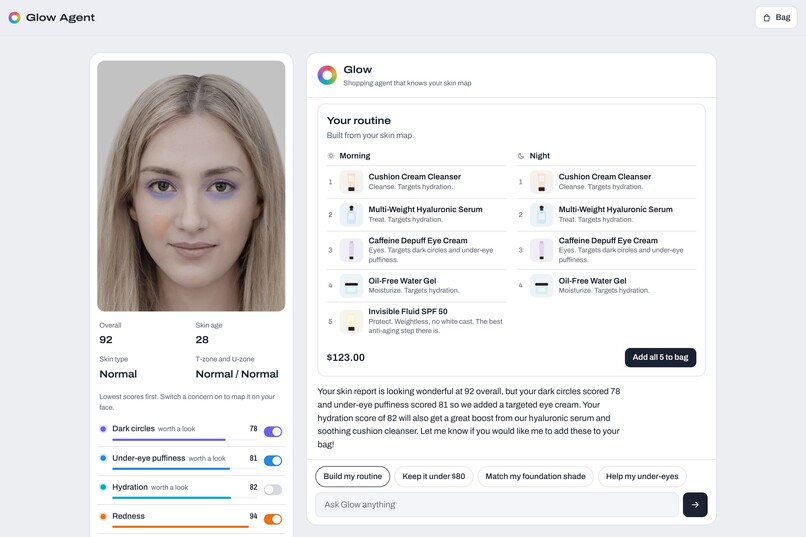
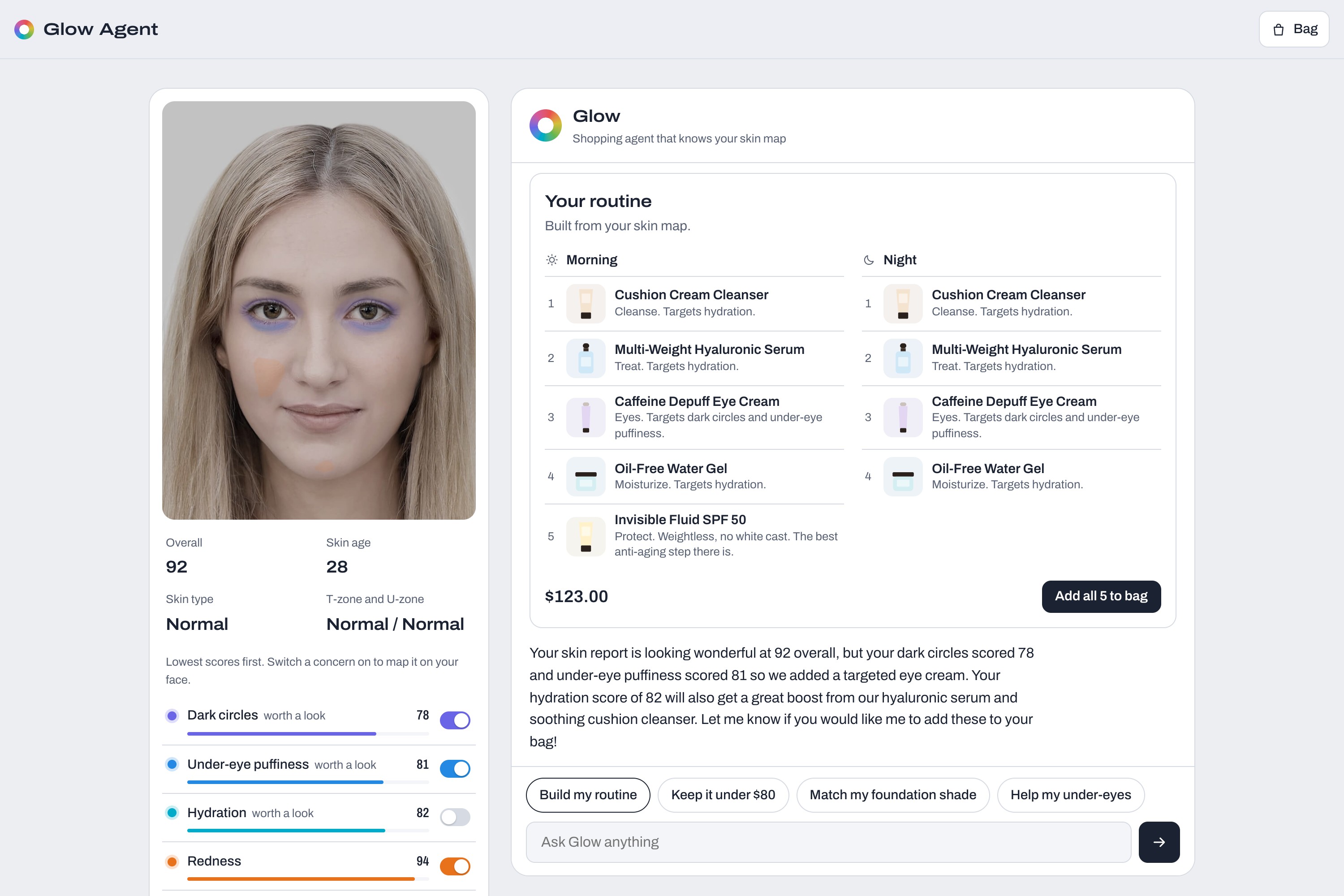
A morning and night routine built from the skin scores and fitted to a budget.
-
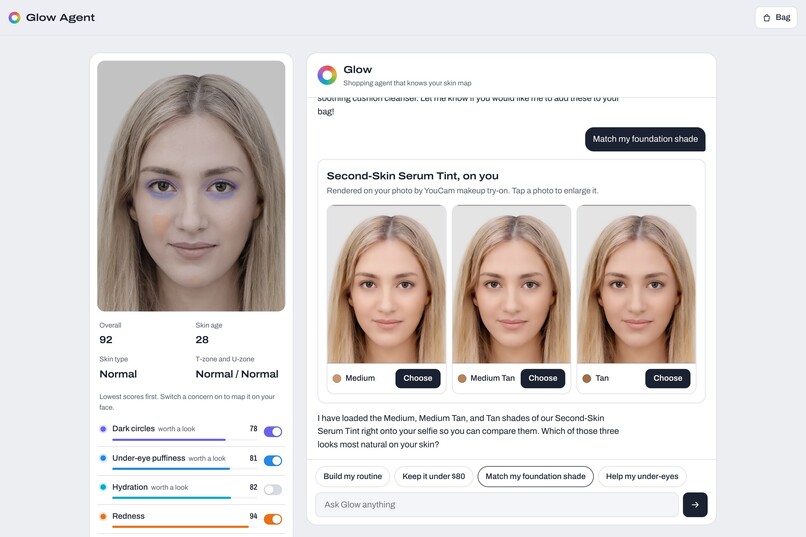
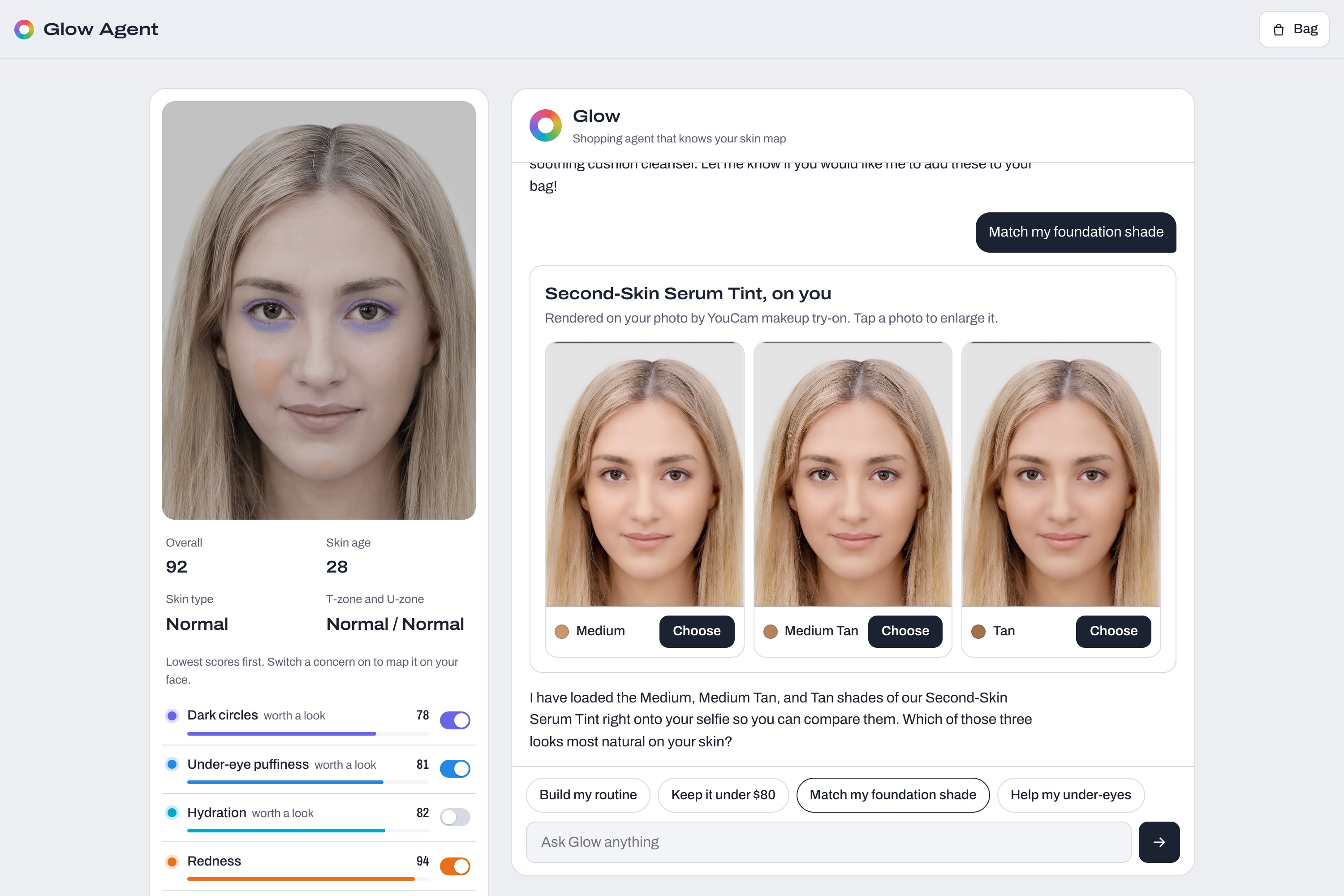
Three neighbouring foundation shades rendered on the selfie by YouCam Makeup Virtual Try-On.
-
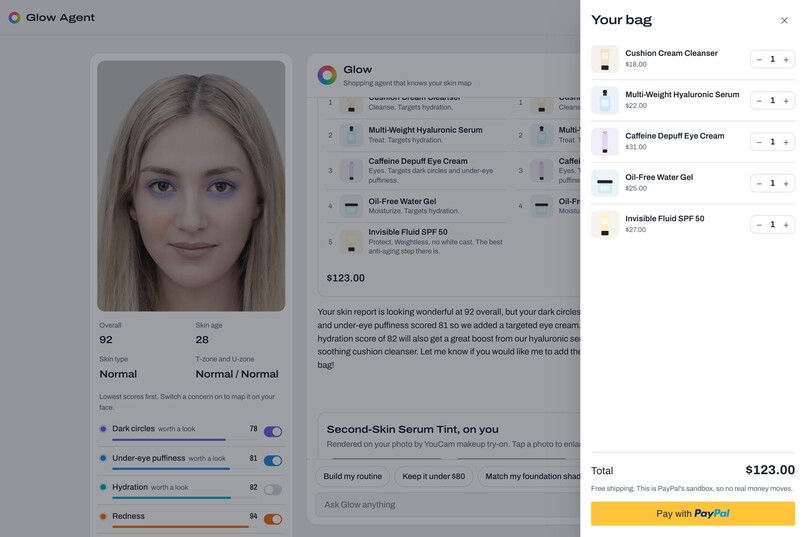
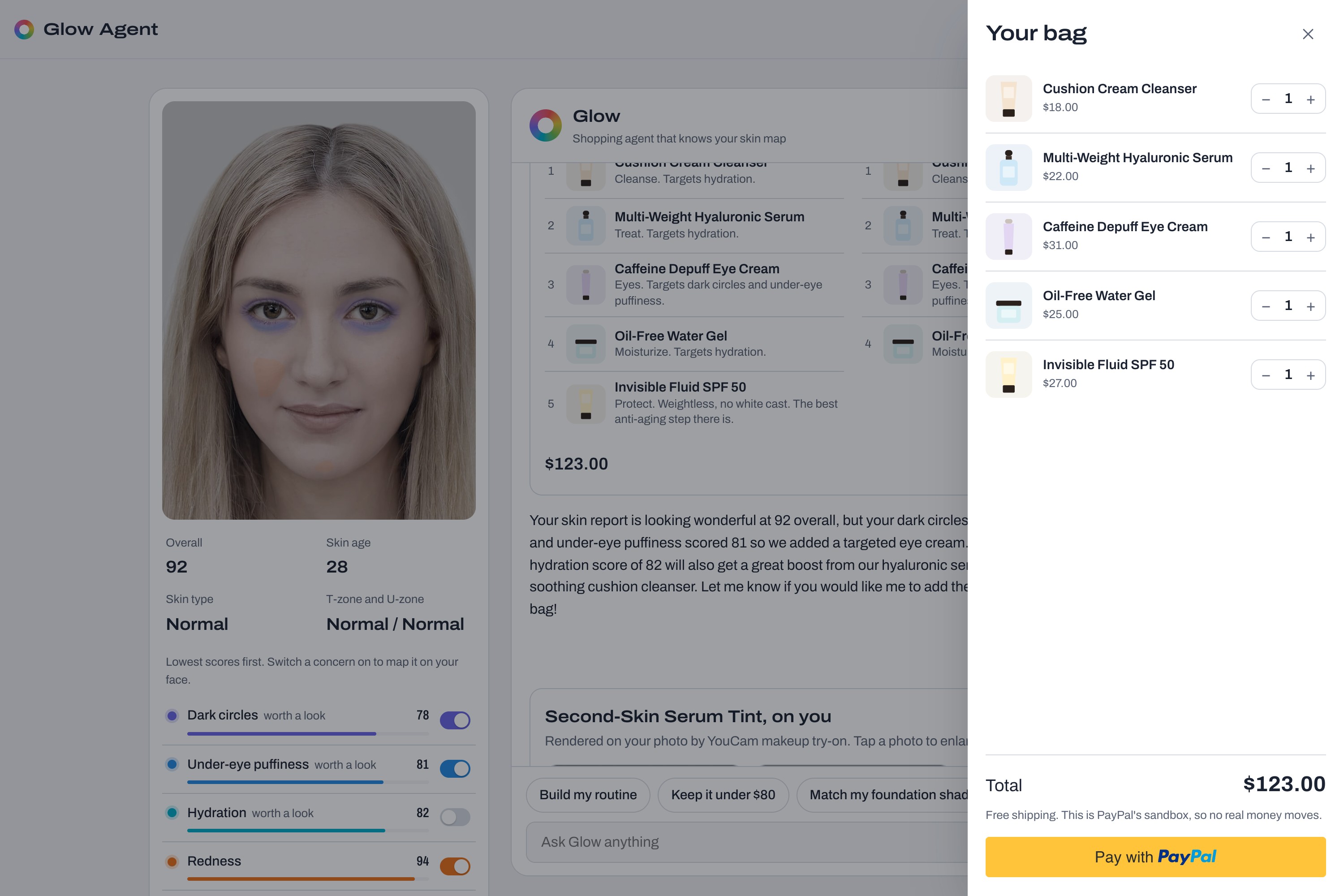
The bag, priced by the server, and checkout in the PayPal sandbox.
-
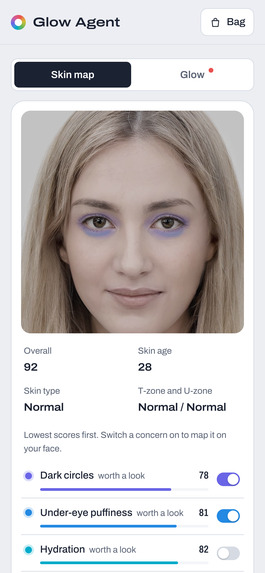
On a phone: the skin map, with a toggle to switch to the chat.
-
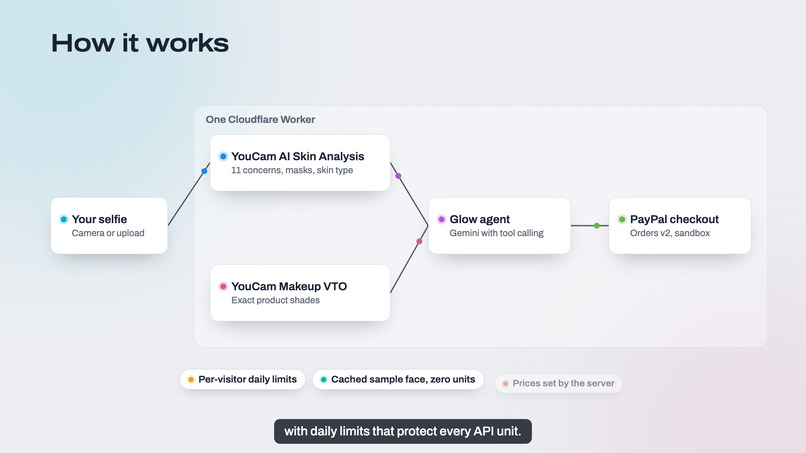
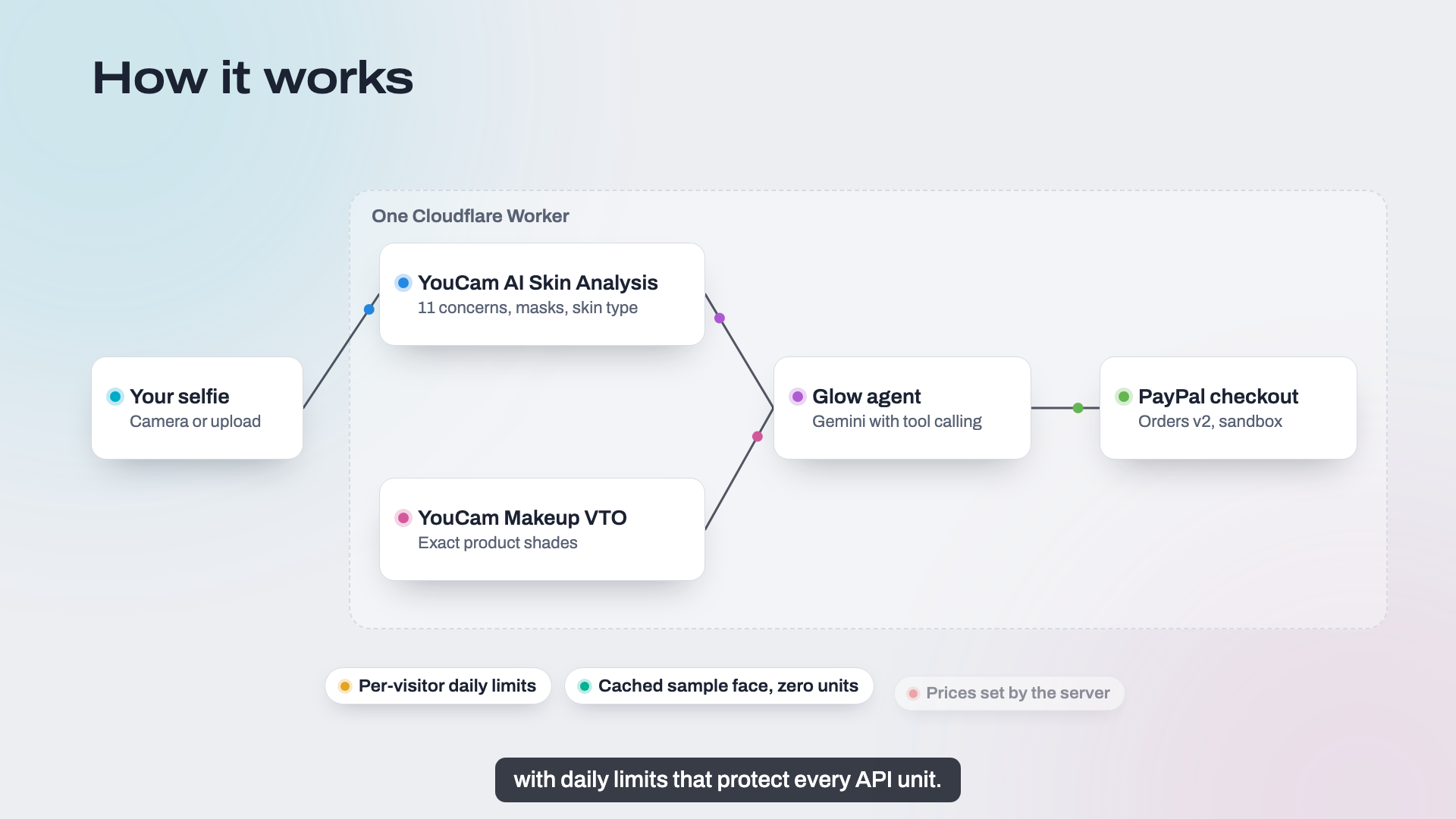
How it works: one Cloudflare Worker, YouCam Skin Analysis and VTO, a Gemini agent and PayPal Orders v2.
Inspiration
People don't wonder about their skin in the abstract. They wonder in front of a shelf of serums, or a page of 40 foundation shades. Skin quizzes ask you to diagnose yourself ("is your skin oily?") and shade finders ask you to guess your undertone, so most people guess, buy the wrong thing, and give up. I wanted the moment right before a purchase to be measured, not guessed.
What it does
Glow Agent turns one selfie into a routine you can buy in the same conversation.
- YouCam AI Skin Analysis scores 11 concerns (breakouts, pores, texture, fine lines, redness, oil balance, hydration, radiance, dark spots, dark circles, under-eye puffiness), skin type by zone (whole face, T-zone, U-zone) and a skin age.
- A skin map you can see. Every concern's detection mask is tinted in its own color and layered on your photo, so you see exactly where your skin needs care. You can switch the layers on and off.
- A routine grounded in your scores. It builds a morning and night plan from the shop's products, filtered by skin type. It keeps strong actives apart, keeps vitamin C in the morning, and always includes SPF. Give it a budget and it keeps the most valuable steps that still fit.
- Shades on your own face. YouCam Makeup Virtual Try-On renders three neighbouring shades of foundation, concealer, lip or blush on your selfie, side by side, using each product's exact hex color.
- Glow, the agent. A tool-calling AI agent (Gemini) can build routines, search products, run try-ons, fill your bag and open checkout. It cites your scores and shows results as cards. It never pays on its own: you approve the payment in PayPal, and every price comes from the server.
- Works on phones: a skin map / chat toggle, a full-screen camera and a bottom-sheet bag.
How I built it
- One Cloudflare Worker serves the static app and the API.
- YouCam APIs:
- File API upload to a pre-signed URL.
task/skin-analysiswith 12 SD actions, includingskin_type, at 14 units per photo.task/makeup-vtowithfoundation,concealer,lip_colorandblusheffects, at 1 unit per render.- Tasks are polled until they succeed, and units are only charged on success.
- Same-origin masks. YouCam's result URLs expire after two hours. The Worker re-polls the task (free) to serve masks same-origin, so the browser can use them as CSS mask-images. A small SVG filter lifts the faint spot masks so they read on every skin tone.
- The agent is a tool loop over an OpenAI-compatible API (Gemini's free tier). The tools are build_routine, search_products, show_products, try_on, add_to_bag and start_checkout.
- PayPal uses Orders v2 (create and capture) on the server and the JS SDK v6 one-time payment session in the browser, in the sandbox.
- Cost and abuse controls:
- Daily per-visitor quotas in KV protect YouCam units.
- The sample face's analysis and try-ons are cached, so the demo costs nothing.
- Reports and bags sent back by the browser are rebuilt from known fields before they reach the model or PayPal.
- Tests: 48 unit tests (vitest) cover the report parser, routine builder, budget fitting, agent loop, PayPal pricing, limits and worker routes.
- AI coding assistant: built with help from Claude Code.
Challenges I ran into
- YouCam's detection masks are white with very low alpha, invisible over the photo at first. Treating them as alpha masks over a per-concern color, plus an alpha boost filter, made them readable.
- Face-wide masks (hydration, radiance) drowned out the spot masks. They're now drawn as a soft wash underneath.
- Small free-tier models sometimes named shades they never rendered. A server-side check now replaces any reply that names a shade that wasn't shown.
- India-region YouCam accounts live on makeupar.com. The perfectcorp.com hosts didn't even connect from here, so the API host is configurable.
Accomplishments that I'm proud of
- An end-to-end flow that actually works: selfie, skin map, routine, try-on, then a PayPal sandbox payment captured.
- The skin map: each concern gets its own color, and you can stack them to see your skin.
- The demo runs for free: the sample face is cached, and the AI runs on a free tier with fallbacks, so judges never hit a dead end.
What I learned
How YouCam's async task model, masks and unit accounting work in practice, and how much a visual explanation ("here, under your eyes") does for trust compared with a number alone.
What's next for Glow Agent
- Progress tracking: re-scan every few weeks and show which scores moved.
- Real merchant catalogs instead of the demo shop.
- Shade matching that starts from YouCam's skin tone detection.
- Reorder reminders when a product runs out.
Notes: the demo uses YouCam's sample face from the API docs, fictional house-brand products and PayPal's sandbox (no real money). Cosmetic guidance, not medical advice.
Built With
- cloudflare-kv
- cloudflare-workers
- css3
- gemini
- html5
- javascript
- paypal
- vitest
- youcam-api


Log in or sign up for Devpost to join the conversation.