-
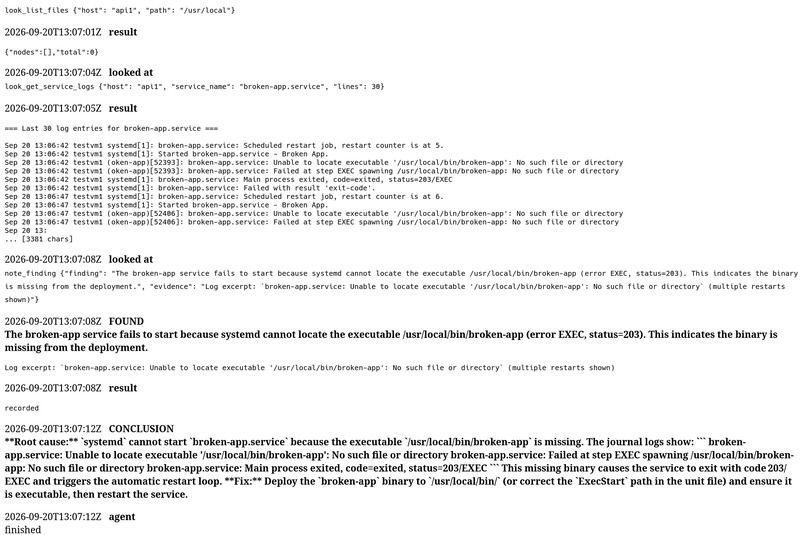
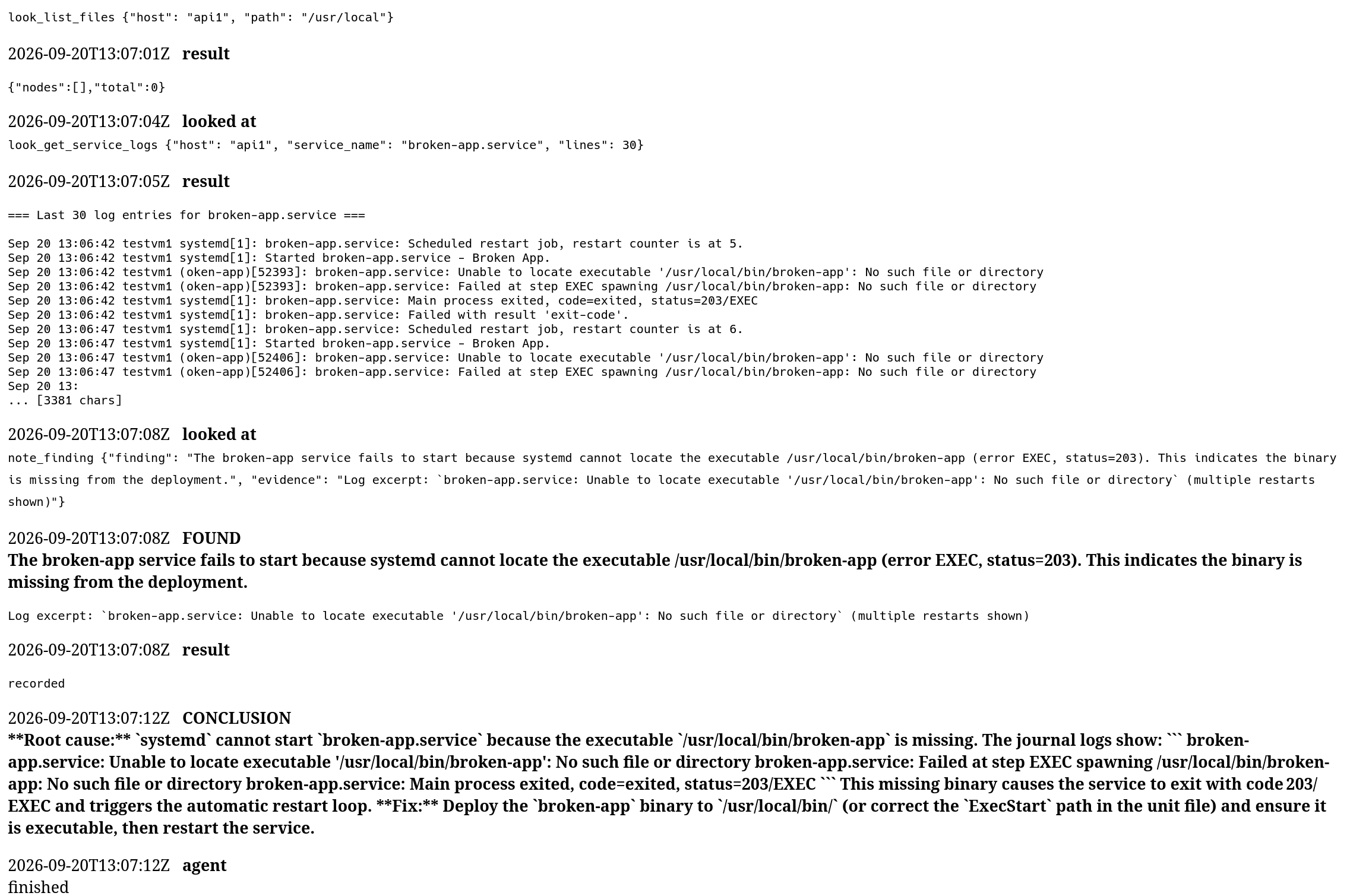
Demo of an AI agent finding a problem on a server and sudgesting a valid fix.
Inspiration
Problems with Linux servers are annoying to deal with, especially when SELinux is involved. While there are some tools for helping with this such as RHEL Lightspeed, it is only for RHEL and doesn't verify its suggested fixes. Copying and pasting commands from ChatGPT or Claude into a production, or even test server, is a very bad idea and can lead to all kinds of unexpected problems, especially if you don't understand its output. This tool's goal is to close that gap and give an actionable result that is verified while also mitigating false reports (like just saying "Have you checked the firewall rules?" or telling you to run setenforce 0 because it's "probably fine").
Also, the reason for the name glossy is that it is an anagram of syslog, which was too good an opportunity to pass on, and it also relates to what the AI is doing (glossing over logs to help a sysadmin fix a server).
What it does
It helps sysadmins debug Linux servers by using Linux MCP Server (by RHEL) to have read-only access to a server and creating a clone of the server in an offline VM for further debugging and verification of a fix/patch.
How we built it
Glossy combines an AI model with the Linux MCP to inspect the problem using read-only access. It also clones the system using CRIU and tests the fixes there while the prod server stays untouched.
Challenges we ran into
The original plan was to clone the system into a VM with RAM (such as hibernation saves ram to disk) but after further review, this isn't possible without fully stopping the system or if the system is not already under a hypervisor. It is really easy when the server is in a VM already, since the hypervisor can use the CPU's page tables to trap every memory write the guest makes (such as live migration) but the server might be on bare metal and might have other constraints we don't know about. We then looked into guest hibernation since it kind of does what we want already but we quickly found out it does it in a disruptive way as it freezes all processes, quiesces (stops I/O) all drivers, and copies ram with nothing else running which wont work for a server requiring uptime. We also looked into if a kernel module could act as a hypervisor alternative by using dirty-page tracking but it can't replicate everything we would need to be able to clone the system. Using Linux Memory Extractor wouldn't work either since it dosn't keep track of CPU registers or device state and since nothing is frozen page smearing can happen. The closest thing we were able to come up with to our original plan was a disk snapshot and a CRIU checkpoint with --leave-running since this lets us recreate the disk and running processes, just not the kernel's state, which still leaves for inaccuracy since we cant recreate the kernel state (most parts I already forgot... but there is a LOT of problems this can cause that might lead to incorrect fixes of a system). Data can easily be misrepresented, especially if an AI model assisting with debugging doesn't have the full context of the problem. Doing it this way also creates another problem where the server isn't just being read from as the freeze, snapshot, and CRIU dump interact with the system and isn't purely observational tool.
There were other problems we ran into, such as being able to actually use brev.nvidia.com because we both had never used anything similar, but that was quickly solved after we found an option to use docker containers. We also had problems setting up our IDE and project since the live sharing VSC plugin we were using didn't want to work, and we were on separate wifi networks we couldn't port forward.
Accomplishments that we're proud of
Getting everything to work in the first place, since we both had never used gcloud or any other server virtual machine
What we learned
- mcp
- brev.nvidia.com
- CRIU
- how Linux hibernation works
- how Linux structures RAM (kindof)
- AI skills
- also that Claude sucks at following instructions

Log in or sign up for Devpost to join the conversation.