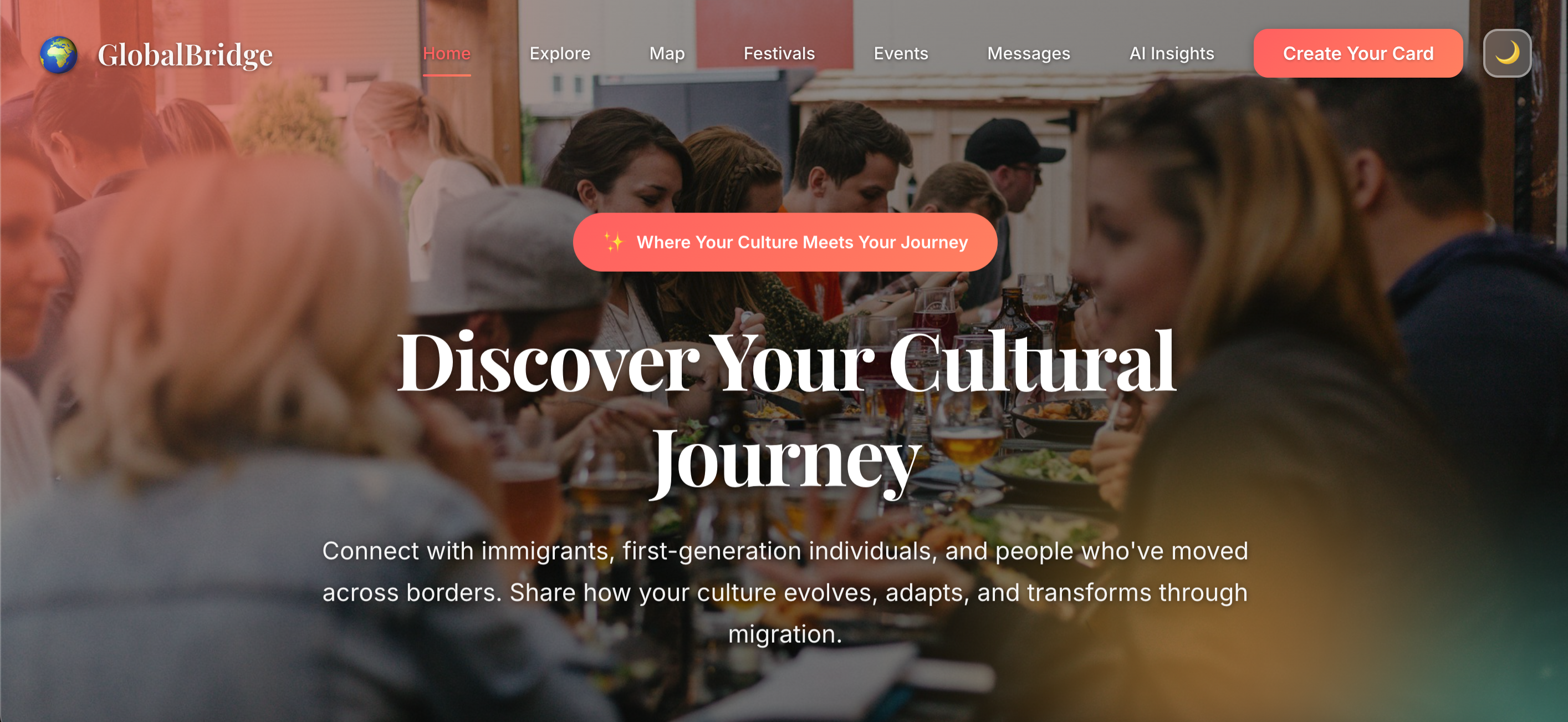
GlobalBridge: Building Bridges Across Cultures
🌟 What Inspired Us
The inspiration for GlobalBridge came from a simple observation: culture doesn't disappear when you move—it evolves. As immigrants and first-generation individuals ourselves, we noticed that while there are platforms for connecting with people from your home country, there wasn't a space dedicated to celebrating how culture transforms through migration.
We were inspired by:
- Personal experiences of seeing traditions adapt—Diwali celebrations becoming community potlucks, traditional recipes incorporating local ingredients, and languages evolving into code-switching
- The diaspora map concept—visualizing the global movement of people and their cultural journeys
- The need for connection—finding others who understand the unique experience of being between cultures
- Cultural evolution as strength—shifting the narrative from "losing your culture" to "expanding it"
The name "GlobalBridge" reflects our mission: to build bridges between cultures, generations, and communities, showing that migration creates new forms of cultural expression rather than erasing the old.
📚 What We Learned
Technical Skills
Frontend Development
- Advanced CSS animations and transitions
- Responsive design principles for multiple screen sizes
- CSS Grid and Flexbox for complex layouts
- Dark mode implementation with smooth theme transitions
JavaScript & DOM Manipulation
- Dynamic content generation and rendering
- Local storage and session storage for data persistence
- Event handling and user interaction patterns
- Form validation and multi-step form flows
Third-Party Integrations
- Mapbox GL JS for interactive world maps
- Globe projections and 3D map visualizations
- Fog and atmosphere effects for realistic globe rendering
AI/Pattern Matching
- Pattern matching algorithms for chatbot responses
- Template-based response generation
- User profile analysis and compatibility scoring
- Simulating AI behavior with rule-based systems
Project Architecture
- Modular JavaScript file organization
- Separation of concerns (HTML, CSS, JS)
- Reusable component patterns
- State management with localStorage
Design Principles
- User-centered design: Every feature was built with the user's cultural journey in mind
- Visual storytelling: Using before/after comparisons, timelines, and maps to tell stories
- Accessibility: Ensuring the platform is usable for people from diverse backgrounds
- Emotional design: Creating warm, welcoming interfaces that feel like home
Cultural Insights
- Understanding the complexity of cultural identity
- Recognizing that cultural evolution is a universal experience
- Learning about different migration patterns and diaspora communities
- Appreciating the diversity of cultural celebrations and traditions
🛠️ How We Built It
Phase 1: Planning & Design (Week 1)
We started by defining our core features:
- Culture Cards - Personal profiles documenting migration journeys
- Diaspora Map - Interactive visualization of global movements
- AI Insights - Pattern-matching chatbot for cultural analysis
- Festivals Reimagined - Showcasing how celebrations evolve
- Connections - Matching users with similar journeys
- Events - Organizing real-world cultural gatherings
Phase 2: Core Infrastructure (Week 2)
HTML Structure
- Created 10+ pages with consistent navigation
- Implemented semantic HTML5 elements
- Built reusable component patterns
CSS Foundation
- Established design system with CSS variables
- Created responsive grid layouts
- Implemented dark mode with CSS custom properties
- Built animation library for smooth transitions
JavaScript Architecture
- Set up modular file structure:
scripts/
├── main.js          # Core utilities, theme toggle
├── onboarding.js    # Multi-step form logic
├── culture-card.js  # Profile rendering
├── map.js           # Mapbox integration
├── explore.js       # Story feed & culture cards
├── messages.js      # Messaging system
├── ai-insights.js   # Chatbot logic
└── animations.js    # Scroll animations
Phase 3: Feature Implementation (Week 3-4)
Culture Card System
- 8-step onboarding form with validation
- Progress tracking and step navigation
- Data persistence with sessionStorage
- Dynamic profile card generation
Map Visualization
// Key implementation: Globe projection with fog
map.setProjection('globe');
map.setFog({
    'color': 'rgb(186, 210, 235)',
    'high-color': 'rgb(36, 92, 223)',
    'horizon-blend': 0.1,
    'space-color': 'rgb(11, 11, 25)',
    'star-intensity': 0.4
});
AI Chatbot
- Pattern matching algorithm for intent recognition
- Template-based response generation
- User profile analysis for personalized insights
- Compatibility scoring algorithm: $$score = \frac{(generation_match \times 30) + (values_overlap \times 40) + (language_overlap \times 15) + (year_proximity \times 15)}{100}$$
Messaging System
- Conversation threading
- Sample conversations for demo
- Real-time message rendering
- User suggestion system
Phase 4: Polish & Enhancement (Week 5)
- Fixed alignment and formatting issues
- Added sample data for better UX
- Implemented error handling
- Optimized performance
- Added loading states and animations
🚧 Challenges We Faced
1. Map Visualization Complexity
Challenge: Getting the Mapbox globe to render properly with visible earth, fog effects, and user markers.
Solution:
- Experimented with different map styles (
streets-v12worked best) - Adjusted fog parameters for better visibility
- Implemented proper event handling for
style.loadandloadevents - Added terrain exaggeration for 3D effect
// Had to ensure projection was set on both events
map.on('style.load', () => {
    map.setProjection('globe');
});

map.on('load', () => {
    if (map.getProjection() !== 'globe') {
        map.setProjection('globe');
    }
});
2. Multi-Step Form State Management
Challenge: Maintaining form state across 8 steps, handling validation, and ensuring data persistence.
Solution:
- Used
selectedValuesarray for tag selections - Implemented step-by-step validation
- Added visual error feedback
- Used sessionStorage for data persistence
- Created
showStep()function to manage step transitions
3. AI Chatbot Without Real AI
Challenge: Creating a convincing AI experience using only pattern matching and templates.
Solution:
- Built comprehensive pattern matching system
- Created response templates as functions for dynamic content
- Implemented typing indicators for realism
- Added fallback responses for unmatched queries
- Used user profile data to personalize responses
4. Responsive Design Across Devices
Challenge: Ensuring the platform works seamlessly on mobile, tablet, and desktop.
Solution:
- Used CSS Grid and Flexbox for flexible layouts
- Implemented media queries at multiple breakpoints
- Created mobile menu for navigation
- Adjusted font sizes and spacing for smaller screens
- Tested on multiple viewport sizes
5. Navigation Consistency
Challenge: Keeping navigation links consistent across 10+ pages.
Solution:
- Created systematic approach to update all pages
- Used grep to find all navigation instances
- Standardized link order and naming
- Added active state management
6. Message System Alignment
Challenge: Preventing button overlap and ensuring proper alignment in conversation interface.
Solution:
- Added padding to conversation items for badge space
- Used flexbox with proper alignment properties
- Implemented z-index for layering
- Added responsive breakpoints for mobile
7. Data Persistence
Challenge: Storing and retrieving user data across page loads without a backend.
Solution:
- Used
localStoragefor persistent data (messages, culture cards) - Used
sessionStoragefor session-specific data - Implemented data validation and error handling
- Created helper functions for data retrieval
8. Onboarding Flow Completion
Challenge: Ensuring all buttons work and the form completes successfully.
Solution:
- Fixed validation logic for all field types
- Added proper error messages
- Implemented form submission handler
- Added loading states and success feedback
- Ensured proper data collection before redirect
💡 Key Technical Decisions
Why Pattern Matching Over Real AI?
We chose pattern matching because:
- No API costs: Works entirely client-side
- Predictable responses: Ensures quality and relevance
- Fast performance: Instant responses without network latency
- Privacy: All processing happens locally
- Demo-friendly: Shows AI concept without complexity
Why Mapbox Over Other Mapping Solutions?
- Globe projection: Essential for our diaspora visualization
- 3D capabilities: Better visual representation
- Custom styling: Matches our design aesthetic
- Good documentation: Easier implementation
Why localStorage Over Backend?
- Rapid prototyping: Faster development
- No server costs: Works as static site
- Privacy: Data stays on user's device
- Demo purposes: Sufficient for proof of concept
📊 Project Statistics
- Pages: 10+ HTML pages
- JavaScript Files: 8 modular scripts
- CSS Files: 5 stylesheets
- Lines of Code: ~5,000+ lines
- Features: 7 major features
- Development Time: ~5 weeks
- Technologies: HTML5, CSS3, JavaScript (ES6+), Mapbox GL JS
🎯 Future Enhancements
If we had more time, we would add:
Backend Integration
- Real user authentication
- Database for persistent storage
- Real-time messaging
- User profiles and search
Real AI Integration
- GPT/Claude API for actual AI insights
- Natural language processing
- Advanced compatibility matching
Social Features
- Comments and reactions
- Sharing capabilities
- User follow system
- Community groups
Mobile App
- Native iOS/Android apps
- Push notifications
- Offline capabilities
Analytics
- User journey tracking
- Cultural pattern analysis
- Community insights dashboard
🏆 What We're Proud Of
- Complete User Journey: From onboarding to connections, we built a full experience
- Visual Storytelling: The map, timelines, and before/after comparisons effectively tell cultural stories
- Inclusive Design: The platform welcomes people from all backgrounds
- Technical Execution: Clean code, good architecture, and attention to detail
- Cultural Sensitivity: We approached cultural topics with respect and understanding
🙏 Acknowledgments
This project was built with inspiration from:
- The global diaspora community
- Cultural evolution researchers
- Migration story platforms
- Open-source mapping tools
- Design systems that prioritize accessibility
📝 Conclusion
GlobalBridge represents more than just a web application—it's a platform that validates and celebrates the complex, beautiful journey of cultural evolution. Through technical challenges and design iterations, we've created a space where migration stories become bridges, where cultural transformation is seen as strength, and where every journey matters.
The equation is simple:
$$\text{Cultural Identity} = \text{Origin Culture} + \text{New Experiences} + \text{Personal Adaptation}$$
GlobalBridge helps people document, visualize, and celebrate this equation.
Built with ❤️ for the global diaspora community
Built With
- built-with-html5
- css3
- google-fonts-(playfair-display
- inter)
- localstorage/sessionstorage
- mapbox-gl-js-v2.15.0
- vanilla-javascript-(es6+)

Log in or sign up for Devpost to join the conversation.