-
-
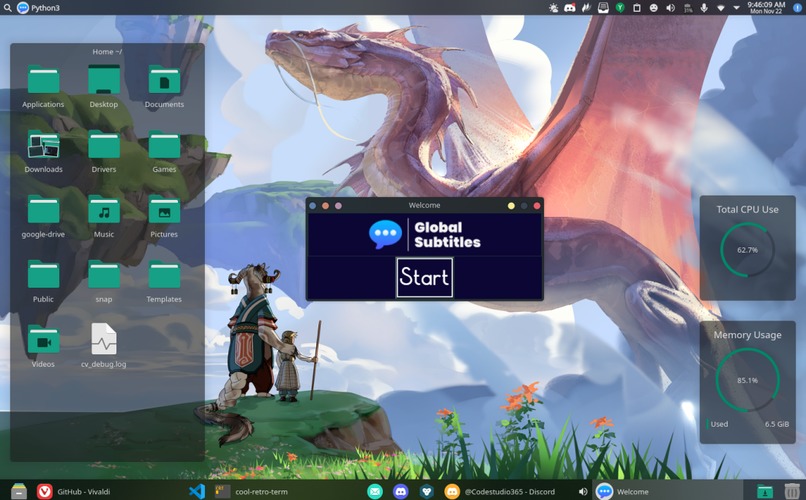
Global Subtitles Home Screen
-
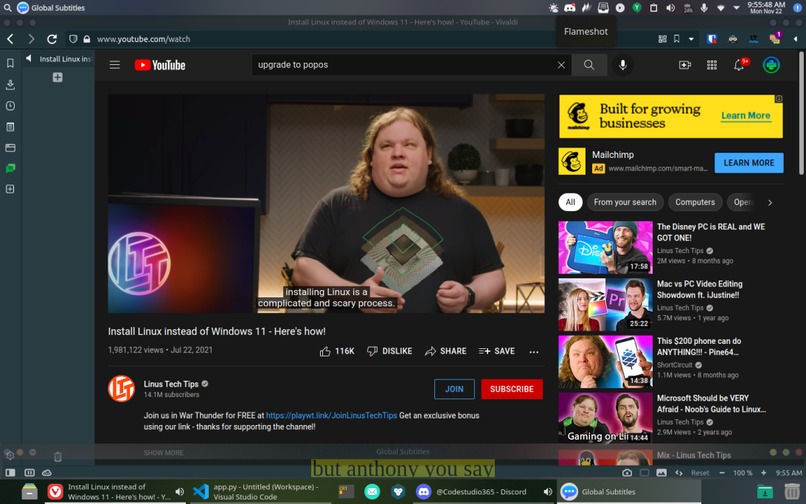
Global Subtitles Closed Captioning
Under 18
Inspiration
As the concept of digital usage in education rises in society, more problems are being found, many of which haven't been solved yet. One of these which me and my teammate have mutually experienced was having teachers that we couldn't understand or just don't want to listen to their voice and would rather read what they say. We believe that many other people have this problem and we found the solution.
What it does
Our program can record not only your voice, but also any audio on your computer and turn it into text using the Assembly API automatic speech conversion API. The program can display any text in a bar at the bottom of the screen, made to smoothly roll the text down your screen, so you can read it comfortably.
How we built it
Our software is written in python using various cross-platform libraries. This ranges from Tkinter, which is our GUI. To Pyaudio and WebSockets, which help us record the computer's audio and live stream it to the amazing Assembly AI API. Assembly AI converts speech to text in real-time, allowing our application to have the best text-speech in the short span there is between recording and showing the subtitle. We also used Pillow to manipulate images and make our GUI look better.
Challenges we ran into
One of the biggest and longest challenges we ran into was setting up the audio library. While we found a valid and functional tutorial online, Pyaudio is not fully python-native and relies on external dependencies. This meant on Windows, Navadeep needed to download Microsoft C++ Build Tools to build Pyaudio. On the other hand, on Pop!_OS, a Linux distro, Samvid had to install Portaudio headers. As easy as this sounds, it actually took a couple of hours and was very frustrating.
Accomplishments that we're proud of
We are proud of us being able to fully complete the program and have it all finished by the deadline. We put ourselves on a strict time limit and put a project out of our limits, and we learned to spend our time wisely and finished it, making it functional and better than we expected. We are also proud of the functionality and how it works on Windows and Linux.
What we learned
We learned a lot about APIs and how to work with them in this Hackathon. We also learned that we should limit our time for certain features when we are under a time crunch. We also learned how to work with python too, especially me who has never worked on a full project in Python this was a great and huge learning experience for me.
What's next for Global Subtitles
As the support for the API grows, we are interested in adding new functionalities including mood indicators and topic receivers, and extending the target audience into the deaf community. We also see lots of potential in changing the framework for the project and adding features such as a visible transcript for the session. Global Subtitles has a lot of potential for improvement, and we are planning on working on it even more.
Built With
- assemblyapi
- python
- tkinter




Log in or sign up for Devpost to join the conversation.