-
-
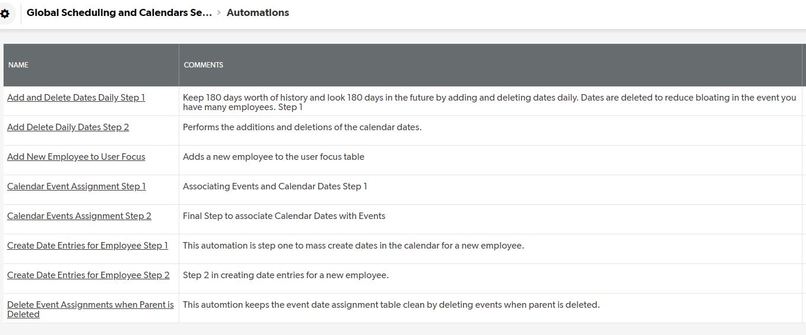
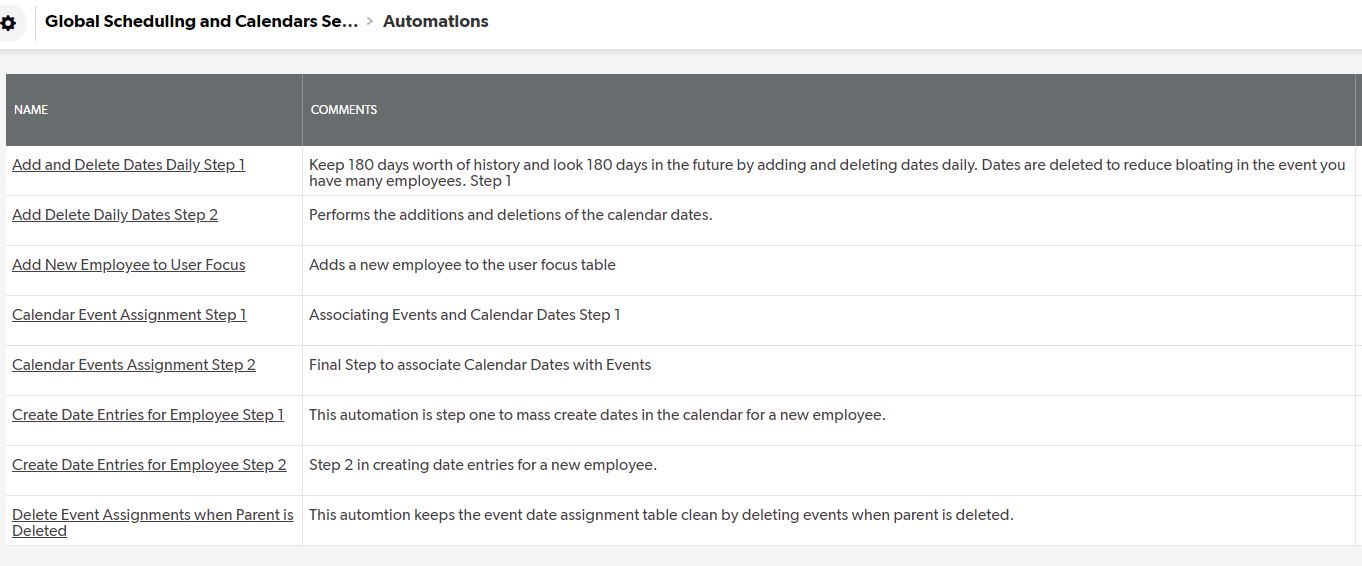
Automations - Where all the magic happens!
-
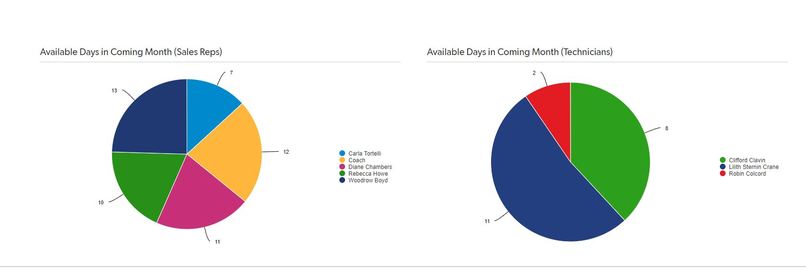
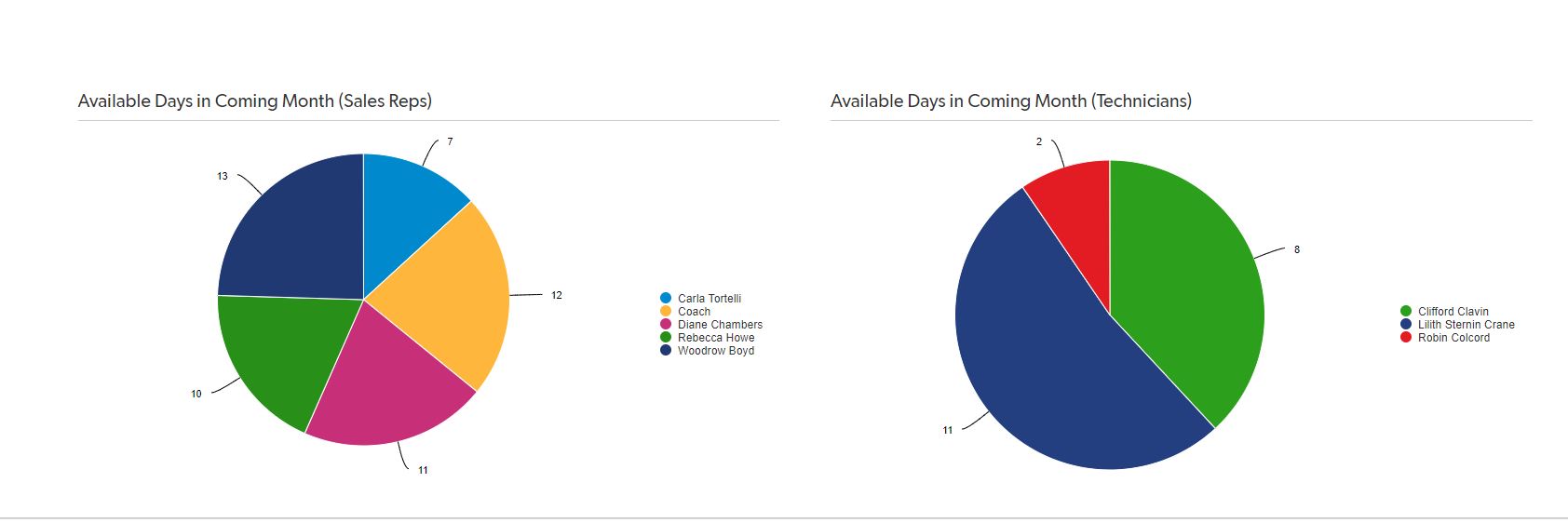
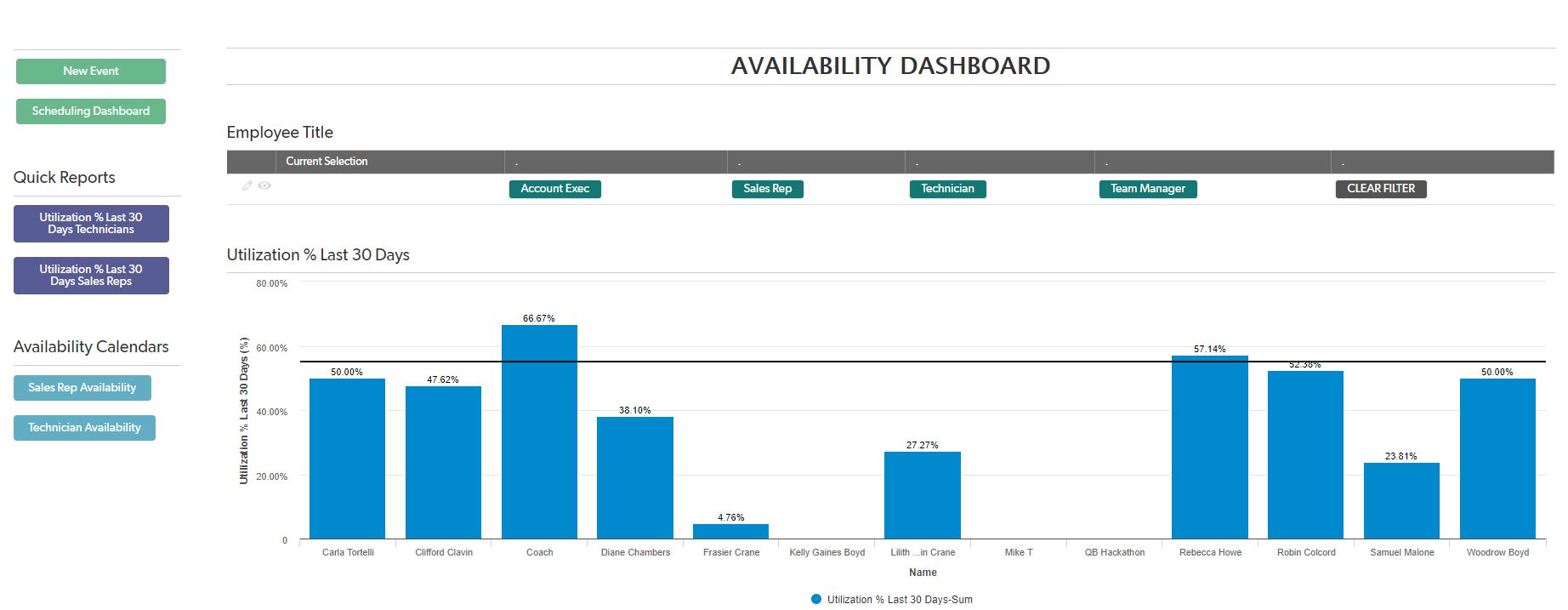
Availability Dashboard - Days Available Charts
-
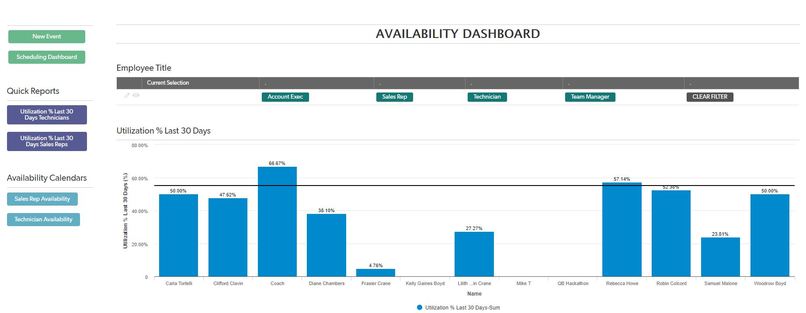
Availability Dashboard with Utilization Report. This can be filtered dynamically, and the filter is user specific.
-
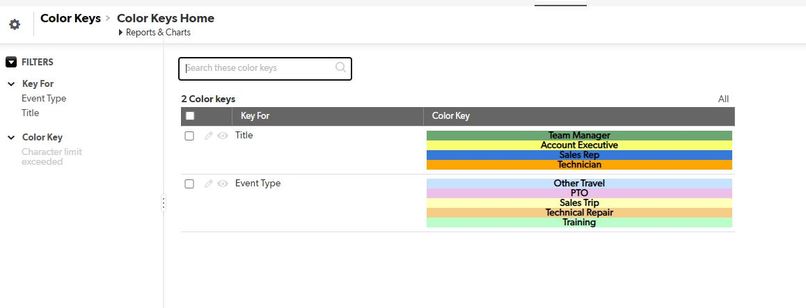
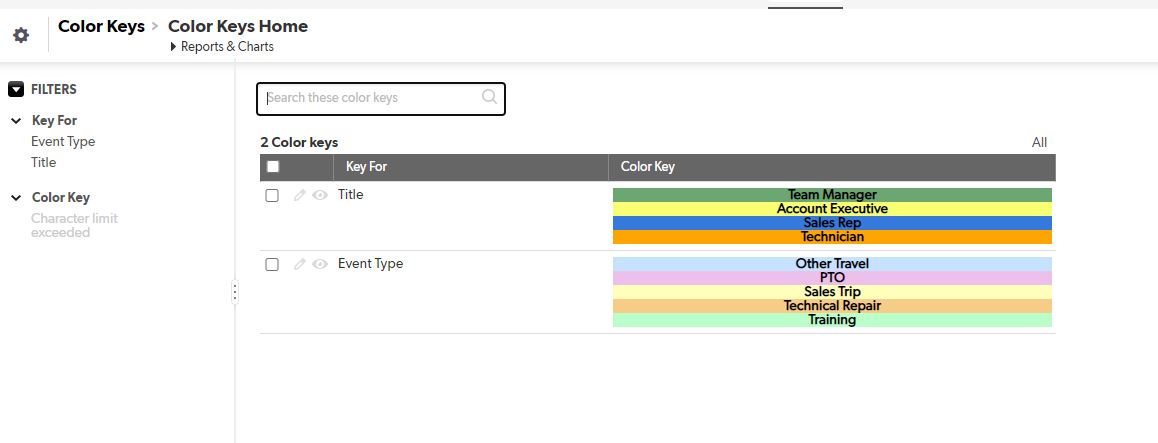
One of two ways I use to demonstrate how to make color keys. The other uses a simple rich text field on the home page.
-
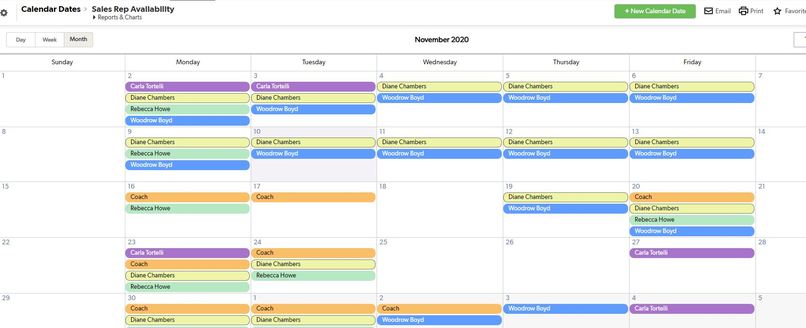
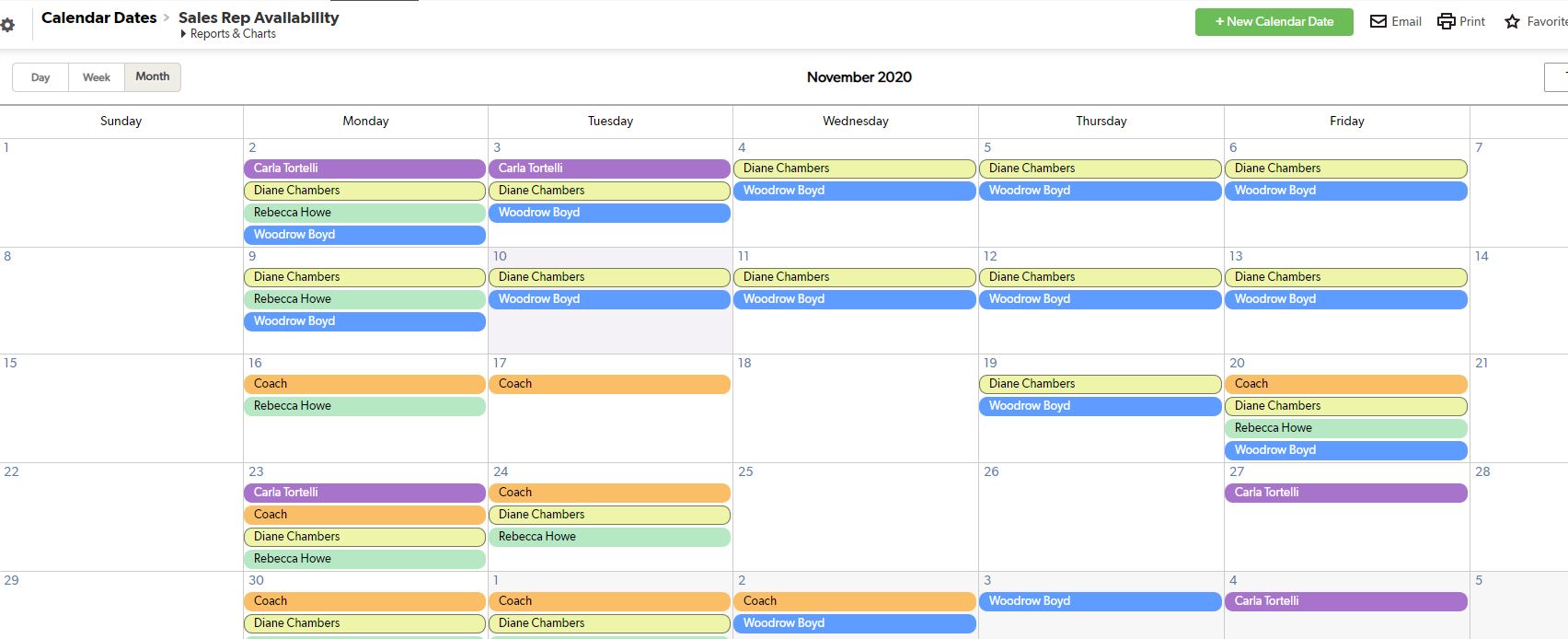
Sales Rep Availability Calendar Colored By Employee.
-
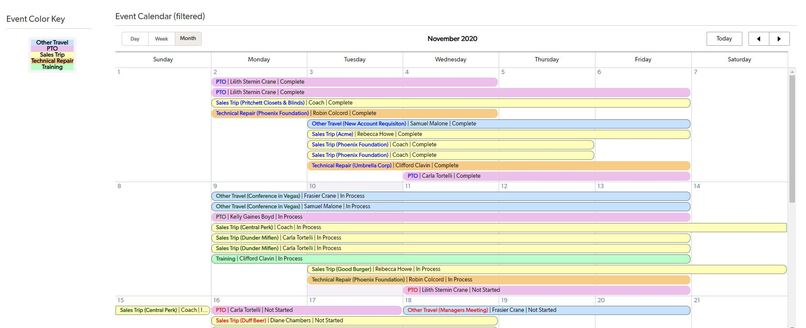
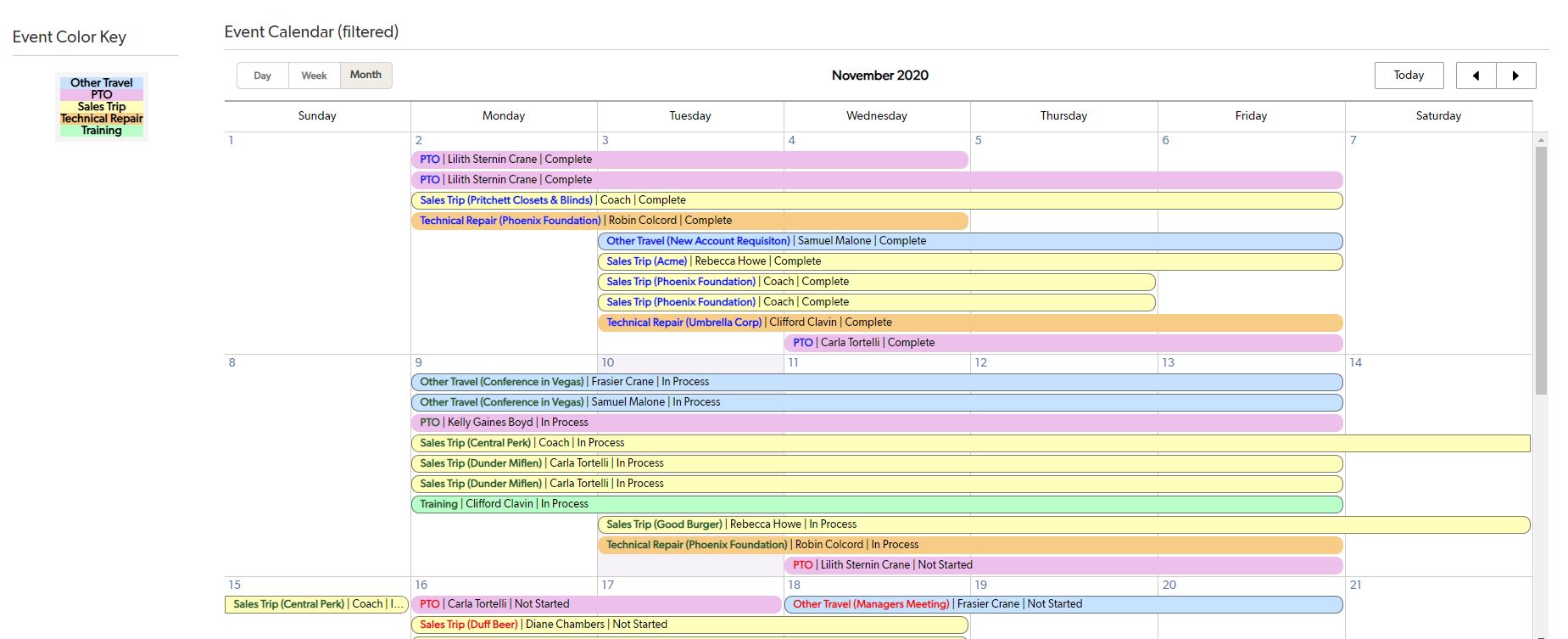
Scheduling Dashboard Event Calendar and Color Key. This can be filtered dynamically, and the filter is user specific.
-
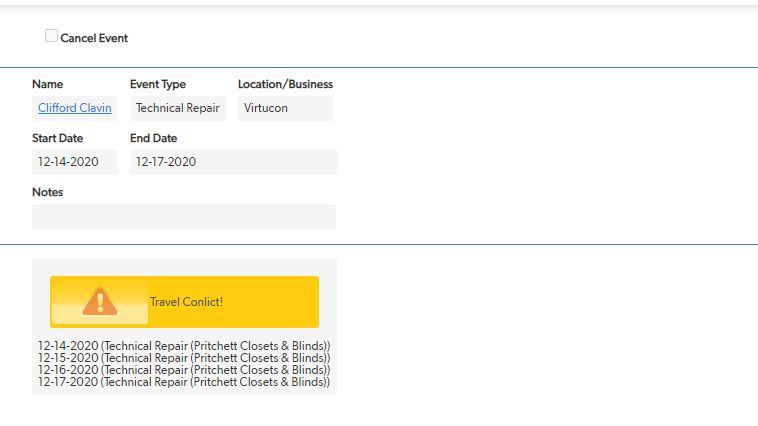
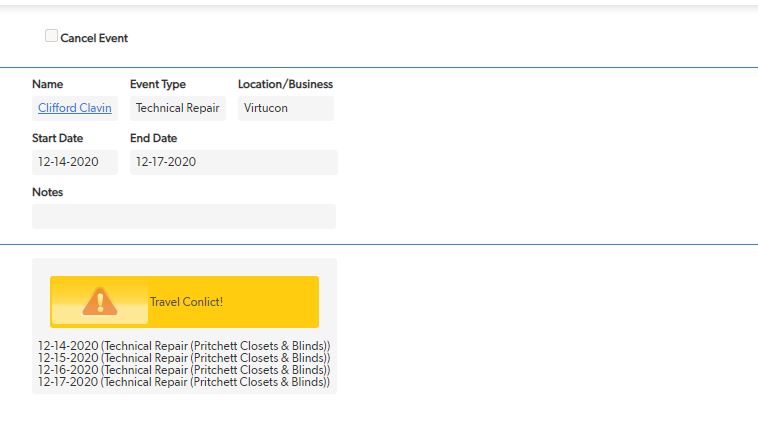
Example of scheduling an event with a travel conflict. This warning checks dynamically if there is a conflict, no need to save the record.
-
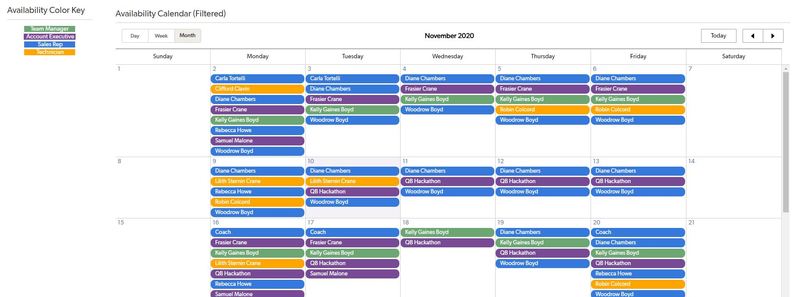
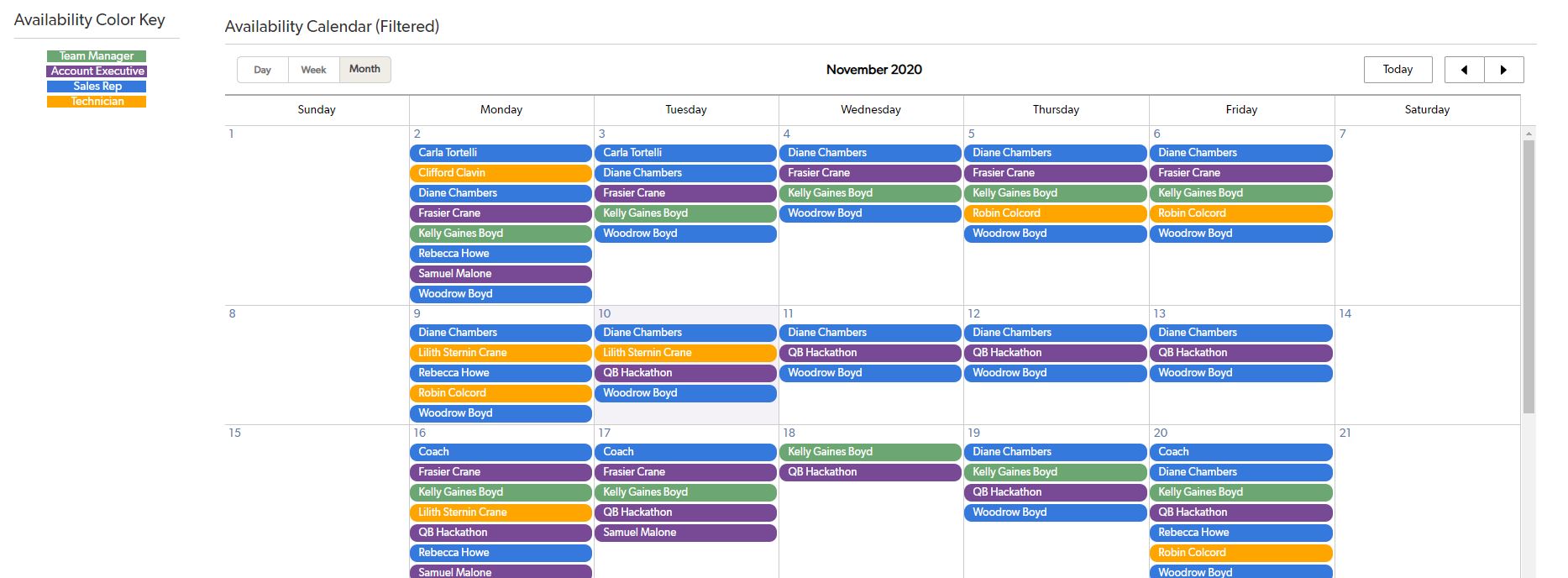
Scheduling Dashboard Availability Calendar and Color Key. This can be filtered dynamically, and the filter is user specific.
-
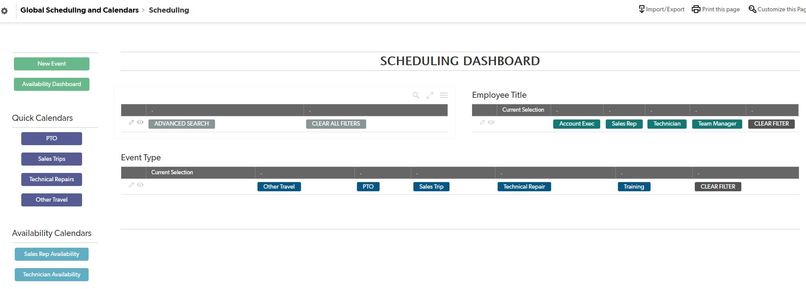
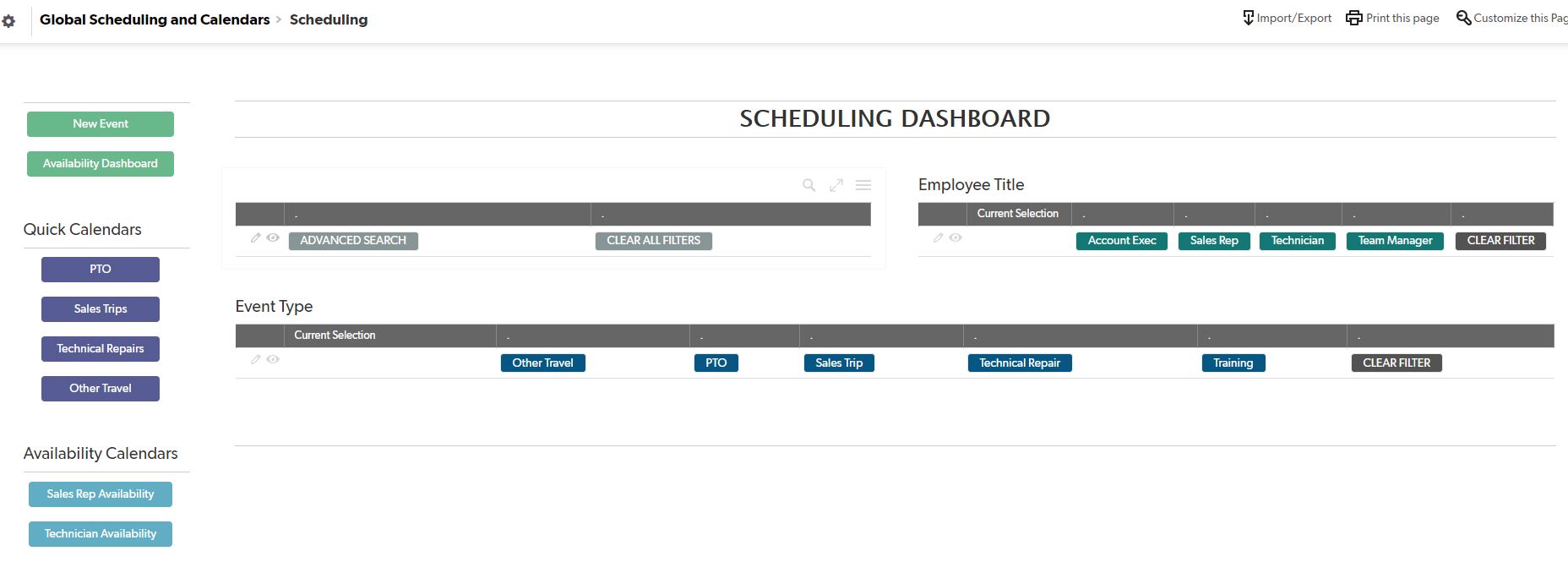
Scheduling Dashboard User Specific Global Filters. This concept can be applied to all global tables (financials works great!)
-
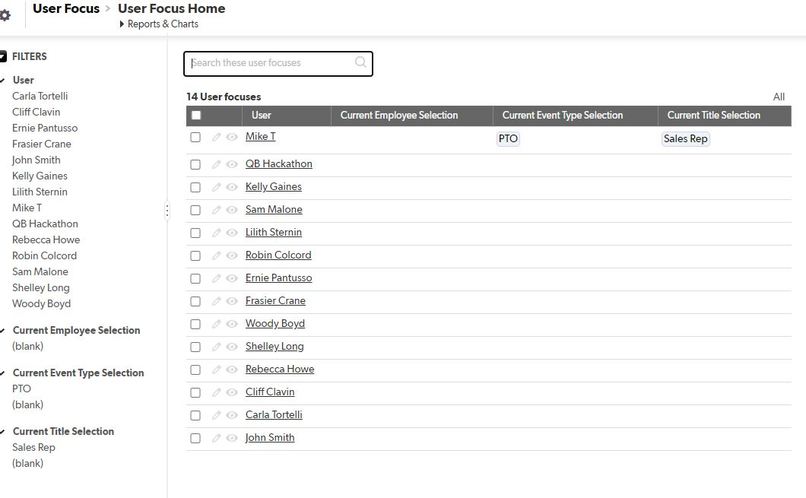
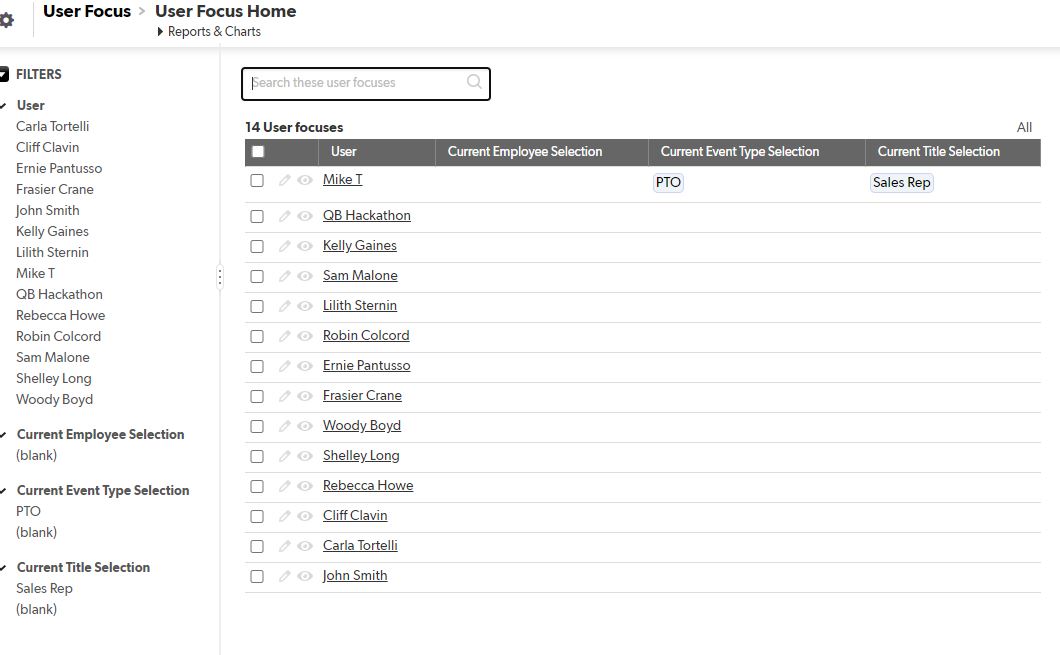
User Focus Table. Stores current user choices. This uses a user field as a key field, and uses a formula current user for related fields.
Inspiration
I subscribe to the vision that QuickBase can provide a business an increase in efficiency, productivity, and responsiveness, all with very low code. With this in mind, I was inspired to showcase how you can use QuickBase in non-traditional ways, to accomplish a unique set of needs. This app uses various QuickBase features, to help others understand the potential of QuickBase. This particular demonstration is geared towards companies with employees who's primary business takes them on the road for days at a time. Think Sales Reps, Technicians, etc.
What it does
This scheduling app builds upon QuickBase's calendar feature. It also utilizes a user specific, global filter which can be expanded into all areas of an app. I showcase it with calendars, but it has usefulness with finances, project organization, and other business interests. This means that any user can select filters to dynamically filter calendars, and have these user preferences stored when the log back in. Each user, when logged in will show the filters they have selected, and QuickBase has remembered.
A key feature in this app is the availability calendar. On its surface, this may seem standard. However, while there has long been the ability to show when employees are scheduled for an event, showing when employees are available has been elusive - until now. This app uses a series of tables and automations to quickly import 6 months (this can be altered) of Calendar Dates associated with a specific user. More automations fire to associated events with these dates. The result is a table that stores every date for every user, and determines their availability.
There are many benefits to recording each day a user is available. Increased reporting and metrics are just the beginning. This app also dynamically checks which dates a user is scheduled, so that if someone attempts to double book them, it will present a travel conflict.
This availability calendar used in combination with a cleanly designed Dashboard (home page) allows for global filtering, enhancing the end user experience. The availability calendar also allows the ability to track travel conflicts dynamically.
And finally, these new features allow for enhanced reporting, such as the Employee Utilization Report.
How I built it
Quite simply, I harnessed QuickBase's low code platform and automations in a creative fashion to produce unique results.
Challenges I ran into
The availability calendar is sneakily difficult. Not due to any coding, but in the unique series of steps required to pull off such a feat. The availability calendar itself requires 4 separate tables and 6 automations to function. While the framework and idea itself may be involved, any person could replicate and understand the process, which really highlights the ease of QuickBase.
Additionally, the Travel Conflict notification comes with it's own unique set of challenges, particularly in comparing two strings of dates, as well as accounting for the issue that arises before and after a record has a record ID - this increases the challenge of showing conflicts dynamically. Further, the event must learn to not conflict with itself; that is to say it must compare its event and dates to the booked dates and events, and only conflict with non matching.
Accomplishments that I'm proud of
The availability calendar is the highlight of this app, and something that I have seen on discussion boards, but has seemingly gone unsolved. The process to make this happening is much more involved than what one might think on first review. Incorporating the travel conflict notification, while seemingly simple, is quite useful and subtly difficult in it's approach. The global filters are also unique and exciting. User specific choices for filters is quite powerful, and the implementation of a user focus table has unlimited potential.
What I learned
There is always a way to accomplish anything you can think of, without needing to be a coder.
What's next for Global Scheduling And Calendars
Financials, with expanded reporting is the next goal. With the addition of storing the days available for any given team member, this opens up reporting possibilities for utilization numbers. Combined with a financials table, this could be an invaluable resource for any company.
Built With
- api
- apps
- automations
- quickbase

Log in or sign up for Devpost to join the conversation.