-
-
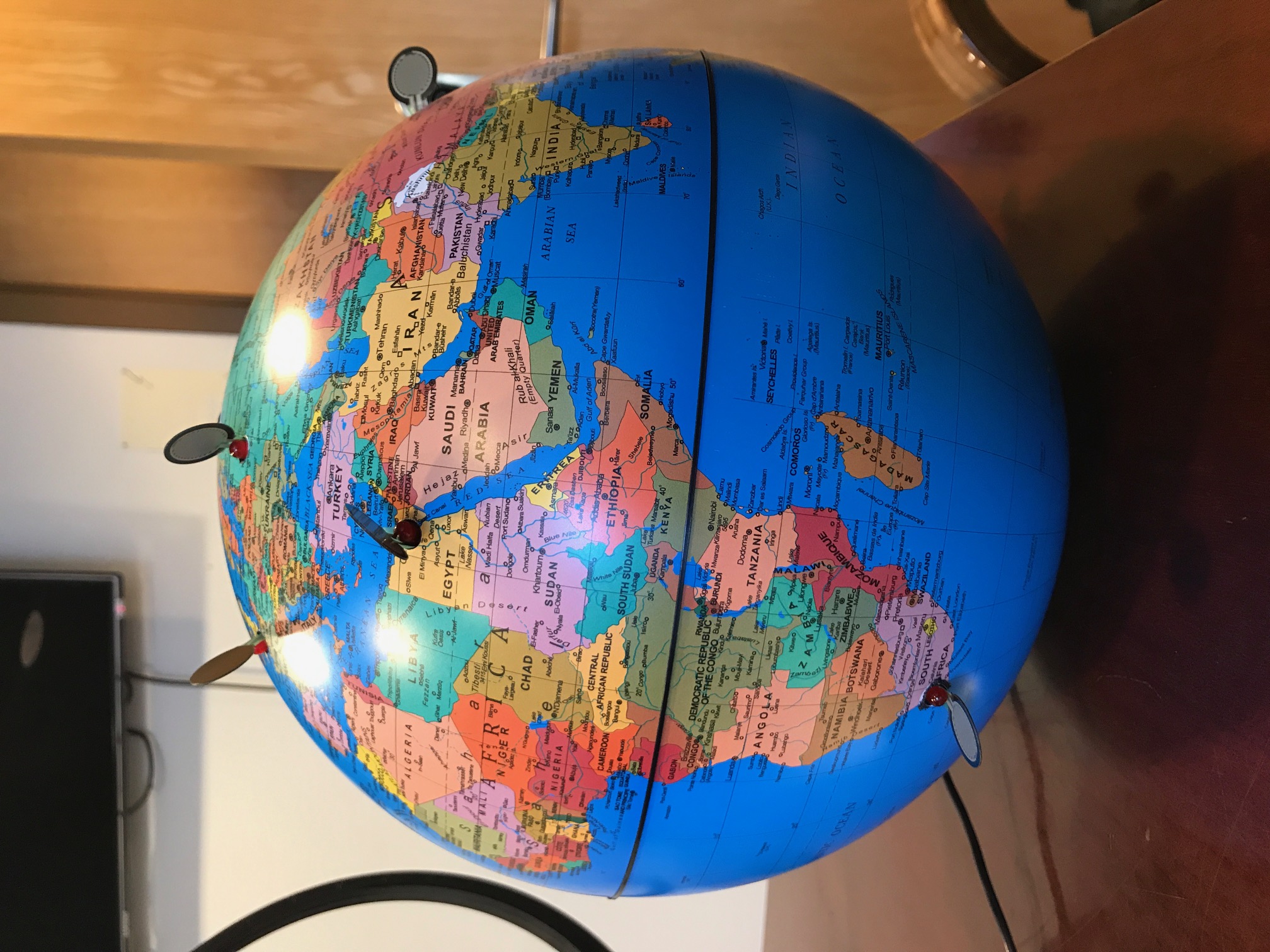
Globe
-
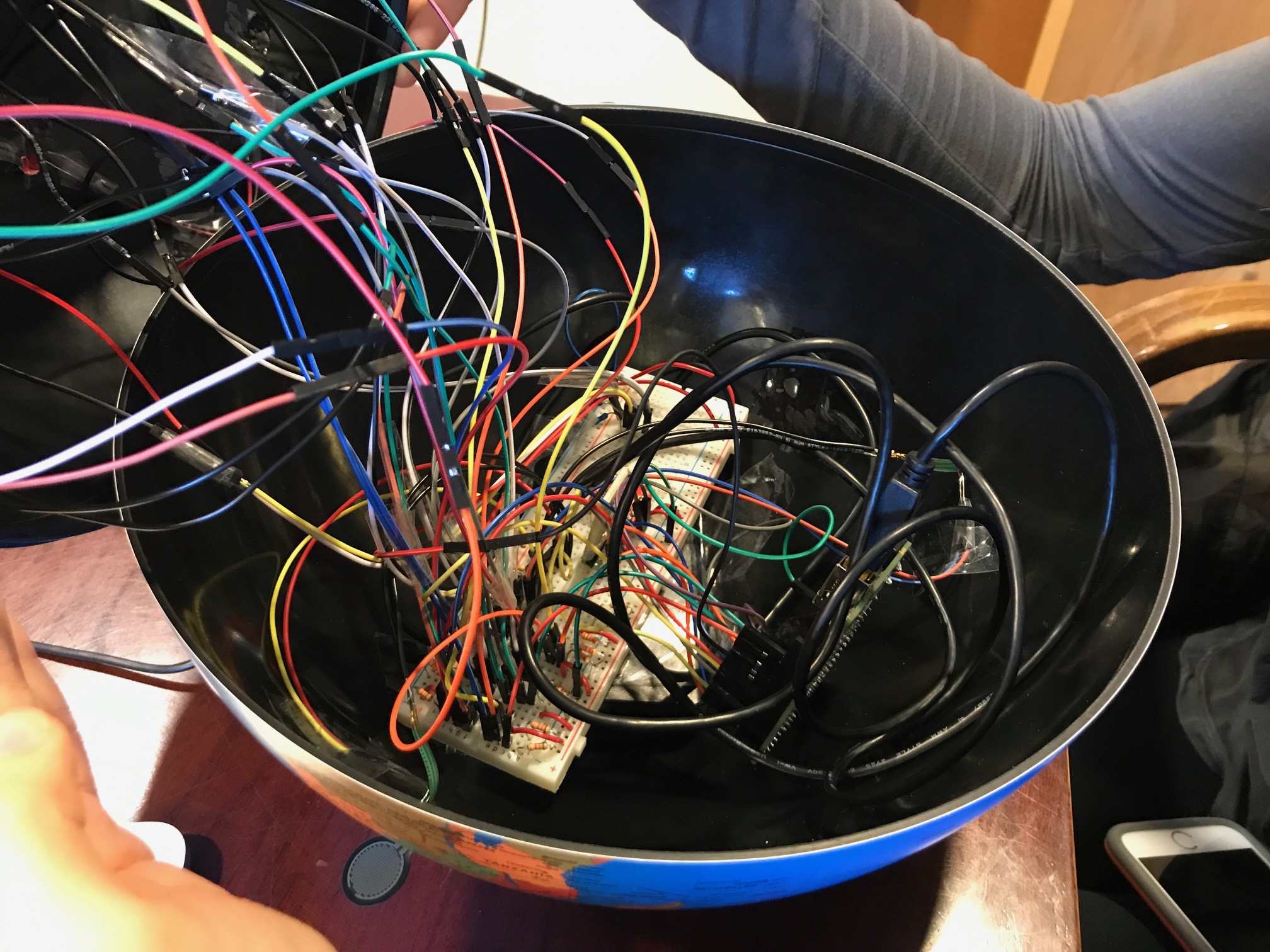
The Inside!
-
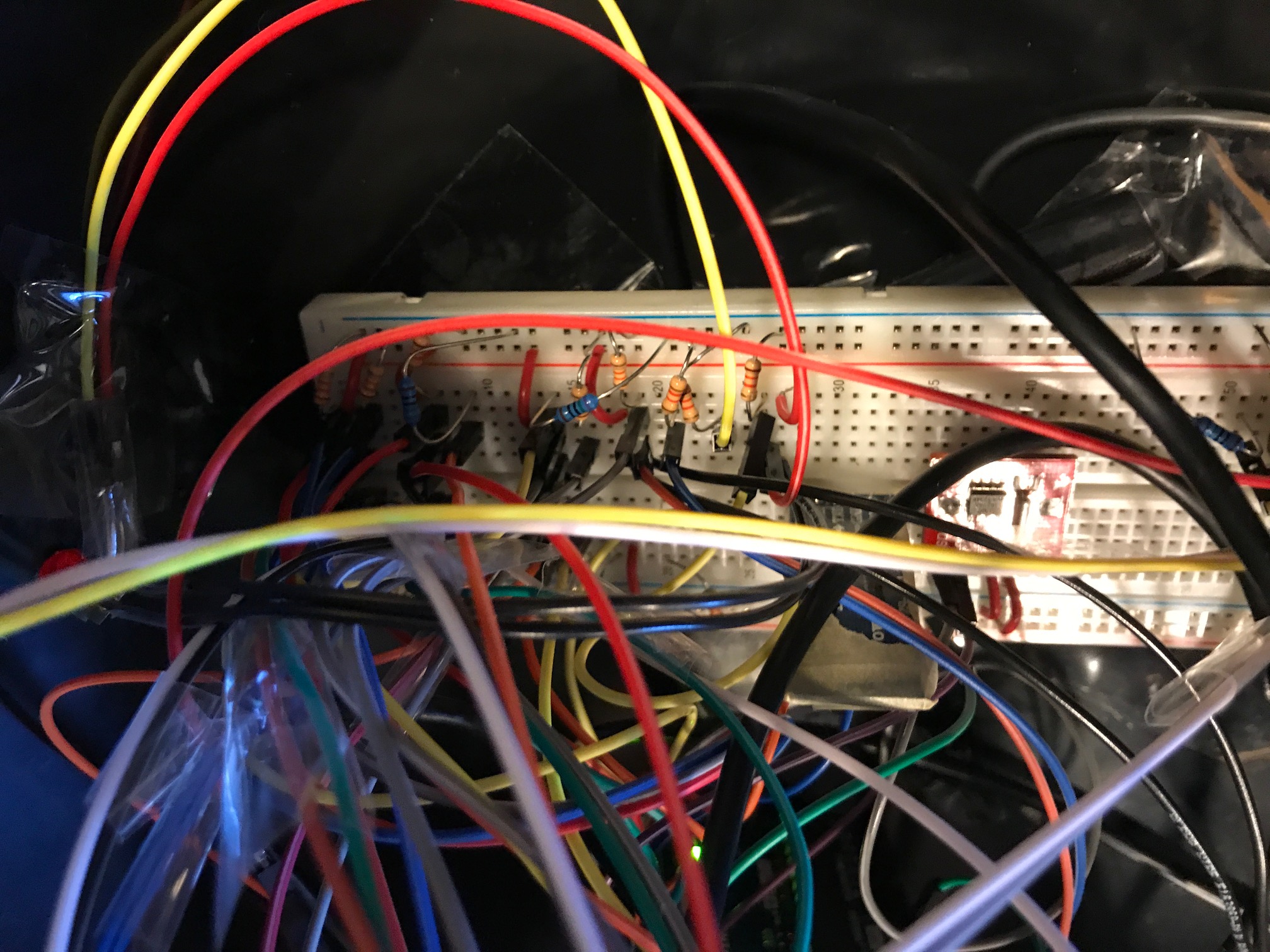
Breadboard
-
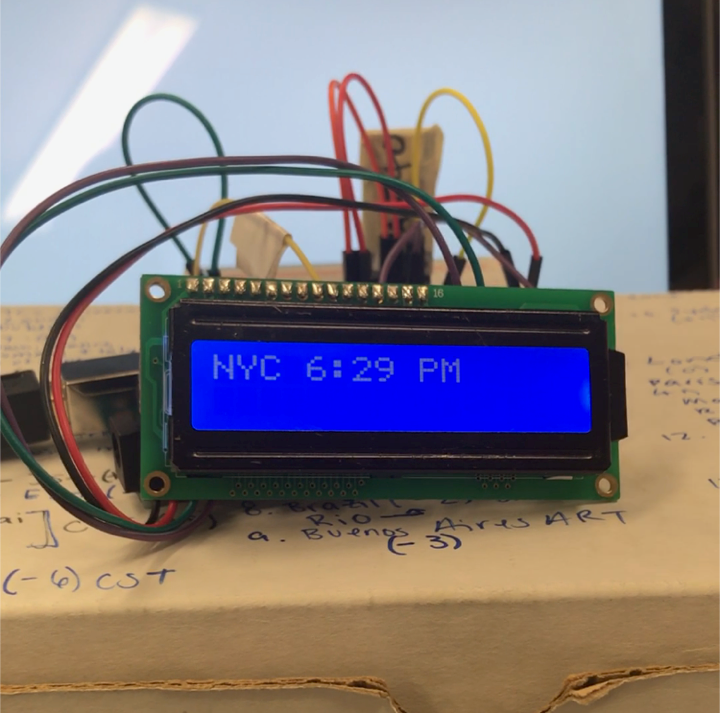
screen
Abstract & Inspiration
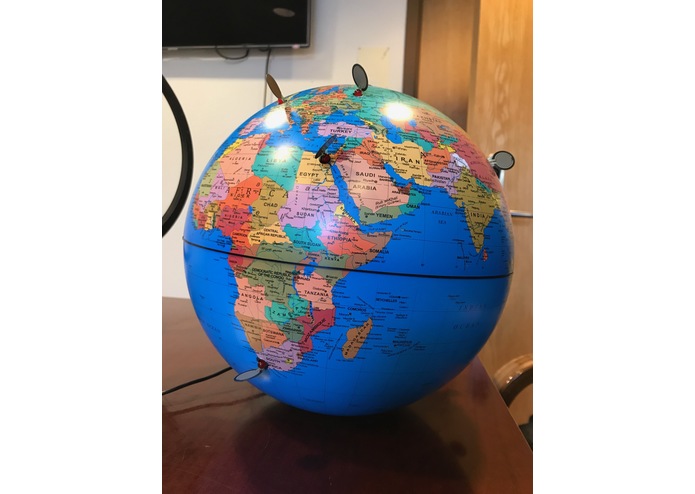
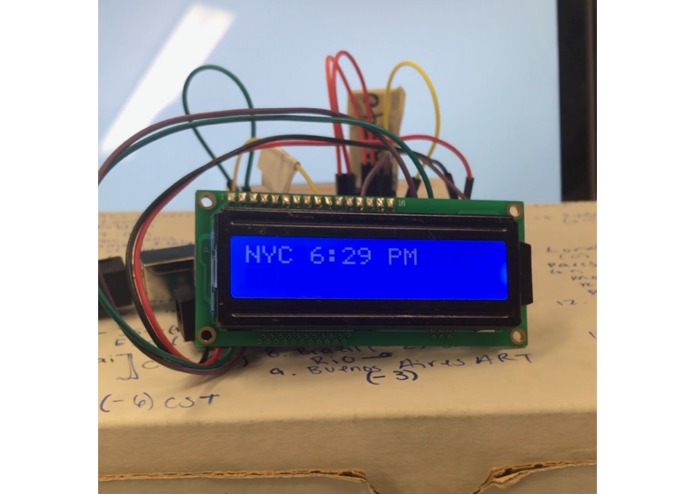
Global connection is an light up world globe that displays the various times throughout the world. When you press a city the time is printed on an LCD screen. When you press two cities the LCD screen displays the time differences between them! Our globe is currently equipped with nine cities, including New York city, Moscow, Cairo, Capetown, Sydney, London, Tokyo, Beijing, and Mexico City. International and abroad students constantly struggle with the time difference to their home. Their struggles makes it difficult for them to keep in contact with friends and family and home. College is difficult enough, staying in contact with your home should not cause stress or pain.
Global connection is a interactive, fun, easy to use and will bring happiness to the whole family. It is a beautiful, functional product that serves its purpose well, but also acts as art and will light up ~literally! ~ Any room. Here's our promo video link! https://www.youtube.com/watch?v=3CHUqqFBbIk
What it Does and How
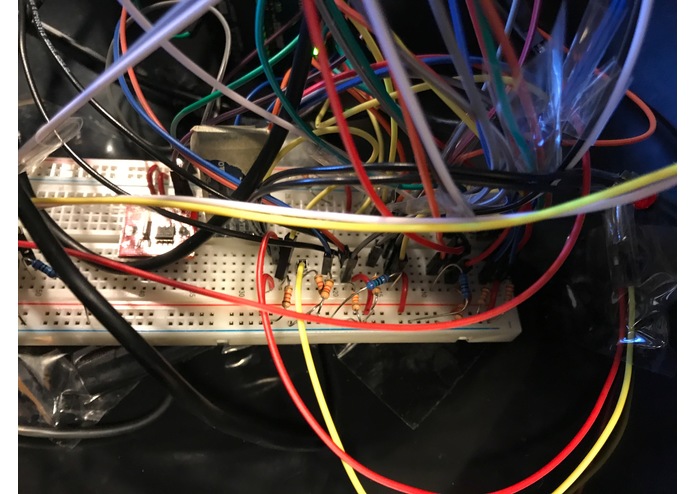
Pressure sensors act as infinite resistors. Infinite resistors block the passage of voltage until their resistance drops. When a pressure sensor detects pressure, their resistance decreases. When you press a city pressure sensor, the circuit allows voltage to pass through the pressure sensor. That voltage is sent to lights up the LED for that city. A voltage divider with a pull down resistor is connected a wire that sends a digital signal to the arduino ~ which reads in if there is voltage or no voltage.
In each loop, the arduino digital reads all the sensor pins to see if they are receiving voltage (i.e if the sensor is pressed) and if one or two sensors are being pressed. When a sensor is pressed, the master arduino in the globe calculates the time and sends the time and the name of the city via bluetooth as a string. The receiving Arduino takes in the string on the slave bluetooth and outputs it on the LCD screen.
When two sensors are pressed, the arduino calculates the time difference. The master arduino then sends the two cities names, their time difference, and which one is ahead, as string via bluetooth to the receiving arduino. The receiving arduino parses the string into two separate strings before printing out to the LCD string as the LCD string can only fit 16 characters on a row, and only has two rows.
The master arduino code has two seperate helper functions: calcTime, and calcTimeDifference. The code has const int variables that hold the number of hours difference for all the cities. The code uses London as the origin. If a city is behind London time it has a negative hours difference, if the city time is ahead it has a positive hours difference. Our system also has a Real Time Clock Module (RTC Module). When the arduino code is initially uploaded, the time and date of the RTC is set. As long as the arduino is continuously powered, the clock will keep track of the current time. To continuously power our RTC, we attached the master arduino to a battery pack. We set our RTC module to keep track of London time. CalcTime and CalcTimeDifference use the RTC module (i.e the time in London) and our time difference variables to calculate the current times and the time difference.
Challenges
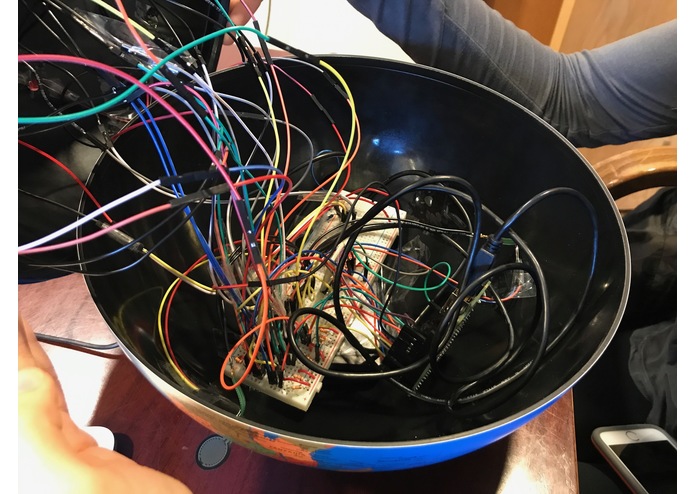
Our three biggest challenges were the LCD screen and wiring up the sensors in our globe. The LCD screen gave us a lot of trouble because the bluetooth arduino read in all the sent strings as ASCII values. The bluetooth module would read in ASCII values that were not appearing in the string. Additionally, when specific ASCII values were written to the LCD screen, it did not work the way it was supposed to. For example, the screen would print out very funny patterns when printing out the word Beijing. However, the screen had no problem printing out the word Beijin. We originally tried to wire up all our sensors on a soldered perf board. However, when we attempted to plug in all the sensors and LEDs, the circuits on the perf board did not work. However, we did solder the pressure sensors to connecting wires so they would reach the breadboard. Because the perf board didn't work, we had to connect all the resistors and sensors on a breadboard that was taped on top of a battery pack within our globe. Getting the nine LEDS and nine pressure sensors to work continuously and consistently without coming unplugged in the mess of wires was a hardwiring challenge.
Code
Master Code
 #include <TimeLib.h>
 #include <RTClib.h>
 #include <SoftwareSerial.h>
 SoftwareSerial  BTSerial(2, 3); //TX RX

 //RTC Module: SDA plugs into A4, SCL plugs in A5

 //Setting up Pressor Sensor Pin numbers for Cities
 const int mexicocity = 7;
 const int london = 9;
 const int beijing = 12;
 const int moscow = 10;
 const int cario = 11;
 const int nyc = 8; //LED Doesnt work
 const int tokyo = 13;
 const int sydney = 6;
 const int capetown = 4;

 //Setting Time difference for cities -- origin is London
 const int beijingTime = 8;
 const int capetownTime = 2;
 const int londonTime = 0;
 const int nycTime = -5;
 const int mexicocityTime = -6;
 const int tokyoTime = 9;
 const int sydneyTime = 11;
 const int moscowTime = 3;
 const int carioTime = 2;
 const int parisTime = 1;
 const int rioTime = -2;
 const int LA = -8;

 //All city pressure sensors are inputs
 void setup() {
 pinMode(beijing, INPUT);
 pinMode(capetown, INPUT);
 pinMode(london, INPUT);
 pinMode(nyc, INPUT);
 pinMode(mexicocity, INPUT);
 pinMode(moscow, INPUT);
 pinMode(sydney, INPUT);
 pinMode(cario, INPUT);
 pinMode(tokyo, INPUT);

 setTime(3, 10, 0, 10, 12, 17);
 Serial.begin(9600);
 BTSerial.begin(9600);
 }
 void loop() {
 int cityOne = -50;
 int cityTwo= -50;
 String oneName = "";
 String twoName = "";

 //Read in all city pressure sensors, if pressed reading is 1, if not pressed reading is zero
int beijingReading = digitalRead(beijing);
int capetownReading = digitalRead(capetown);
int londonReading = digitalRead(london);
int nycReading = digitalRead(nyc);
int mexicocityReading = digitalRead(mexicocity);
int moscowReading = digitalRead(moscow);
int sydneyReading = digitalRead(sydney);
int carioReading = digitalRead(cario);
int tokyoReading = digitalRead(tokyo);

/*Each city pressure sensor is checked below
 if the sensor is pressed, the variable cityOne is checked, if cityOne == -50,
 then the cityOne is assigned to the timeDifference to London of that city.
 The name of the city is assigned to oneName.
 if City one has already been assigned (i.e NOT -50). The same process is followed
 but with cityTwo and twoName.
*/

if (nycReading == 1) {
  if(cityOne == -50){
   cityOne = nycTime;
   oneName = "NYC";
 }
 else{
   cityTwo = nycTime;
   twoName = "NYC";
 }

 Serial.println("You Pressed New York City");
 String timeV = calcTime(nycTime);
 Serial.println(timeV);
 BTSerial.println("NYC " + timeV);
}

if (tokyoReading == 1) {
  if(cityOne == -50){
   cityOne = tokyoTime;
   oneName = "Tokyo";
 }
 else{
   cityTwo = tokyoTime;
   twoName = "Tokyo";
 }

 Serial.println("You Pressed Tokyo");
 String timeT = calcTime(tokyoTime);
 Serial.println(timeT);
 BTSerial.println("Tokyo " + timeT);
}

  if (beijingReading == 1) {
    if(cityOne == -50){
      cityOne = beijingTime;
      oneName = "BEJ";
    }
    else{
      cityTwo = beijingTime;
      twoName = "BEJ";
    }
    Serial.println("You Pressed Beijing");
    String timeB = calcTime(beijingTime);
    Serial.println(timeB);
    BTSerial.println("BEJ " + timeB);
   }

 if (moscowReading == 1) {
  if(cityOne == -50){
   cityOne = moscowTime;
   oneName = "Moscow";
 }
 else{
   cityTwo = moscowTime;
   twoName = "Moscow";
 }
   Serial.println("You Pressed Moscow");
   String timeV = calcTime(moscowTime);
   Serial.println(timeV);
   BTSerial.println("Moscow "+ timeV);
}

if (sydneyReading == 1) {
 if(cityOne == -50){
   cityOne = sydneyTime;
   oneName = "Sydney";
 }
 else{
   cityTwo = sydneyTime;
   twoName = "Sydney";
 }
 Serial.println("You Pressed Sydney");
 String timev = calcTime(sydneyTime);
 Serial.println(timev);
 BTSerial.println("Sydney " + timev);
}

if (carioReading == 1) {
 if(cityOne == -50){
   cityOne = carioTime;
   oneName = "Cario";
 }
 else{
   cityTwo = carioTime;
   twoName = "Cario";
 }
 Serial.println("You Pressed Cario");
 String timeC = calcTime(carioTime);
 Serial.println(timeC);
 BTSerial.println("Cario " + timeC);
}

 if (mexicocityReading == 1) {
  if(cityOne == -50){
   cityOne = mexicocityTime;
   oneName = "Mexico City";
 }
 else{
   cityTwo = mexicocityTime;
   twoName = "Mexico City";
 }
 Serial.println("You Pressed Mexico City");
 String timev = calcTime(mexicocityTime);
 Serial.println(timev);
 BTSerial.println("Mexico City " + timev);
}

if (londonReading == 1) {
  if(cityOne == -50){
   cityOne = londonTime;
   oneName = "London";
 }
 else{
   cityTwo = londonTime;
   twoName = "London";
 }
 Serial.println("You Pressed London");
 String timeV = calcTime(londonTime);
 Serial.println(timeV);
 BTSerial.println("London " + timeV);
}

 if (capetownReading == 1) {
    if(cityOne == -50){
      cityOne = capetownTime;
      oneName = "Captetown";
    }
    else{
      cityTwo = capetownTime;
      twoName = "Capetown";
    }
 Serial.println("You Pressed Capetown");
 String timeV = calcTime(capetownTime);
 Serial.println(timeV);
 BTSerial.println("Capetown " + timeV);
}

if(cityTwo != -50){
   calculateTimeDifference(cityOne, cityTwo, oneName, twoName);
   delay(3000);
}
delay(500);
   }

void calculateTimeDifference(int cityOne, int cityTwo, String oneName, String twoName){
     if(cityOne >= cityTwo){
       Serial.print(oneName + " is ahead of " + twoName);
       BTSerial.print(oneName + " is ahead " + twoName);
     }
     else{
       Serial.print(twoName + " is ahead of " + oneName);
       BTSerial.print(oneName + " is ahead " + twoName);
     }

 int timeDifference = abs(cityOne - cityTwo);
 Serial.print(" by " + String(timeDifference));
 BTSerial.print(" by " + String(timeDifference));
 if(timeDifference == 1 ){
   Serial.println(" hour");
   BTSerial.print(" hr\n");
 }
 else{
   Serial.println(" hours");
   BTSerial.print(" hrs\n");
 }
   }

String calcTime(int cityTime){
     int hours = hour() + cityTime;
     String stringOfTime = "";
     boolean isAM; //am is true PM is false
     boolean nextDay = false;
     boolean prevDay = false;
     int date = day();

 if((hours < 12 && hours >=0) || hours > 24){
   isAM = true;
 }
 else{
   isAM = false;
 }
 if(isAM){
   if(hours > 23){
     nextDay = true;
     hours = hours - 24;
   }
   if(hours == 0){
     hours = 12;
   }
 }
 else{
   if(hours < 0){
     prevDay = true;
     hours = hours + 12;
     }
   else{
     hours = hours -12;
      if(hours == 0){
        hours = 12;
       }
     }
  }
stringOfTime = String(hours) +  ":" ;
int minutes = minute();
if(minutes < 10){
  stringOfTime += "0";
}
stringOfTime += String(minutes);

if(isAM){
 stringOfTime += " AM";
}
else{
 stringOfTime += " PM";
}

if(prevDay){
 date = date -1;
}
 else if(nextDay){
 date = date +1;
}
 //stringOfTime +=  "\n" +String(month()) + "/" +  String(date) + "/" + String(year());
 //doesn't work for last day of month or last day of the year
 return stringOfTime;
}
Slave Code ~ printing information to LCD screen
 #include <LiquidTWI2.h>
 #include <SoftwareSerial.h>
 SoftwareSerial  BTSerial(2, 3); //TX RX
 LiquidTWI2 lcd(0x20); //address of LCD on arduino

 String outString = ""; //stores incoming String from master
 String lastOutString= "Unset";
 String LEDOut = "";
 boolean stringComplete = false;
 String string1;
 String string2;

 void setup() {
   lcd.setMCPType(LTI_TYPE_MCP23008);
   lcd.begin(16,2); //SET LCD to  have 16 rows and 2 columns
   lcd.setBacklight(HIGH); //sets light on LCD to bright

   BTSerial.begin(9600); //begin bluetooth communication
   Serial.begin(9600); //begin serial communication
   outString.reserve(20);
 }
 void loop() {
   if (BTSerial.available()) {
     char inChar = (char) BTSerial.read(); //reads single character at a time
     outString += inChar;
     if(inChar == '\n') {
       stringComplete = true;
     }
    int char_val = inChar;
     if((char_val != 10) && (char_val != 13)){
       LEDOut += inChar;
     }

     if(stringComplete) {
       if(outString == lastOutString){
         outString = "";
         LEDOut = "";
         stringComplete = false;
       }
    else{
         Serial.println(outString);
         lcd.clear();
         lcd.setCursor(0,0);
         if(outString.length() > 16) {
           string1 = outString.substring(0,16);
           string2 = outString.substring(16);
           Serial.println(string1);
           lcd.print(string1);
           lcd.setCursor(0,1);
           Serial.println(string2);
           lcd.print(string2);
            }
       else {
         lcd.print(LEDOut);
       }
    lastOutString = outString;
    outString = "";
    LEDOut = "";
    stringComplete = false;
  }
}
} }


Log in or sign up for Devpost to join the conversation.