Glitch Detective
Inspiration
When learning to code, one of the most frustrating things is getting an error and not knowing where to start fixing it. Sometimes, you understand the code you wrote, but a small mistake can make the whole program fail. Simply looking at an error message doesn't always help you understand what went wrong.
I wanted to build something that makes debugging easier for students who are learning to program. Instead of just showing the answer, I wanted to help them find the problem themselves and understand why it happened. That's how I came up with Glitch Detective.
What is Glitch Detective?
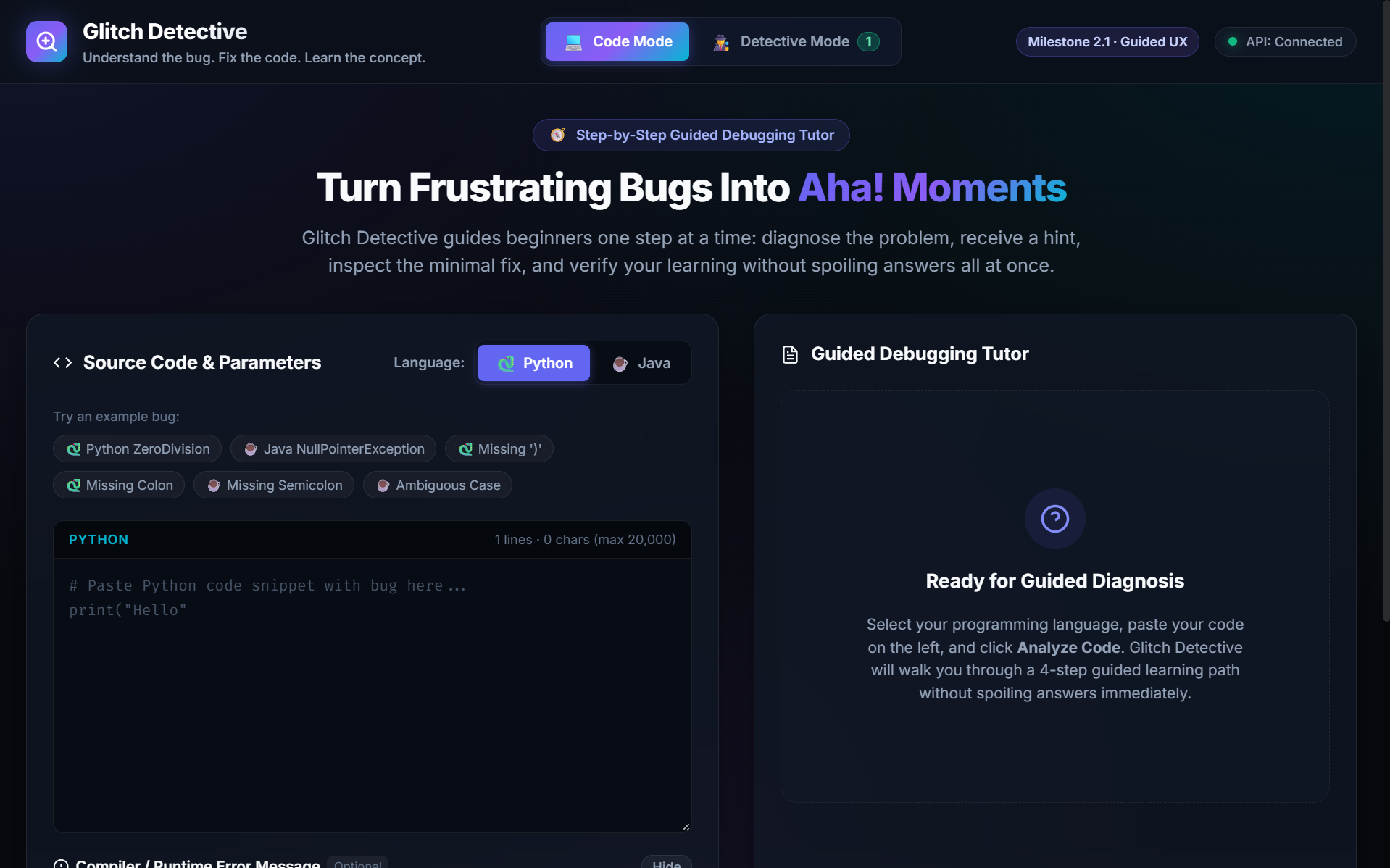
Glitch Detective is a web application that helps students learn debugging in Python and Java. It has two modes.
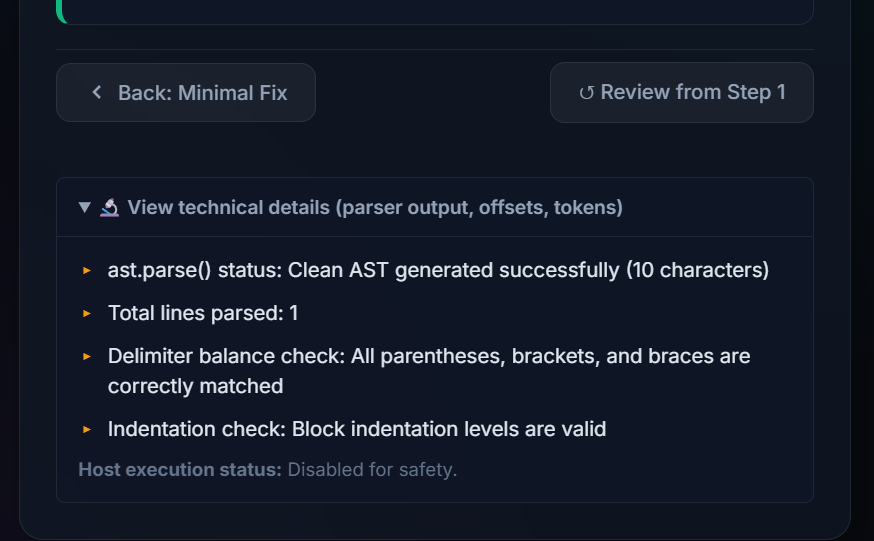
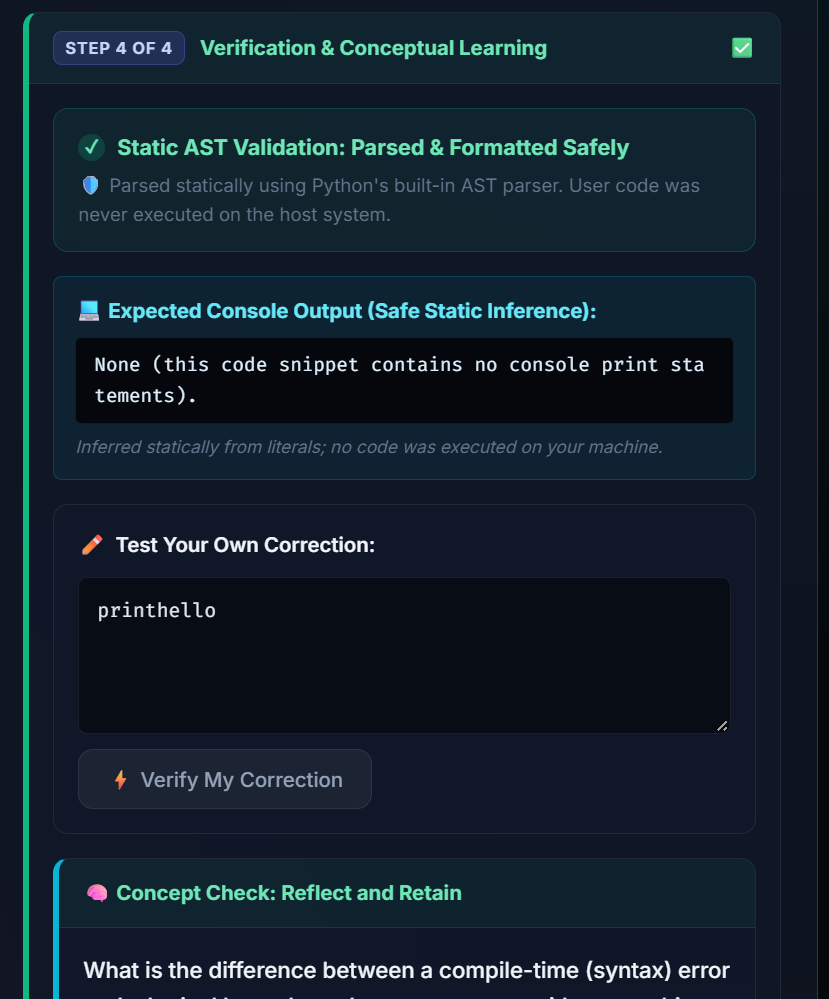
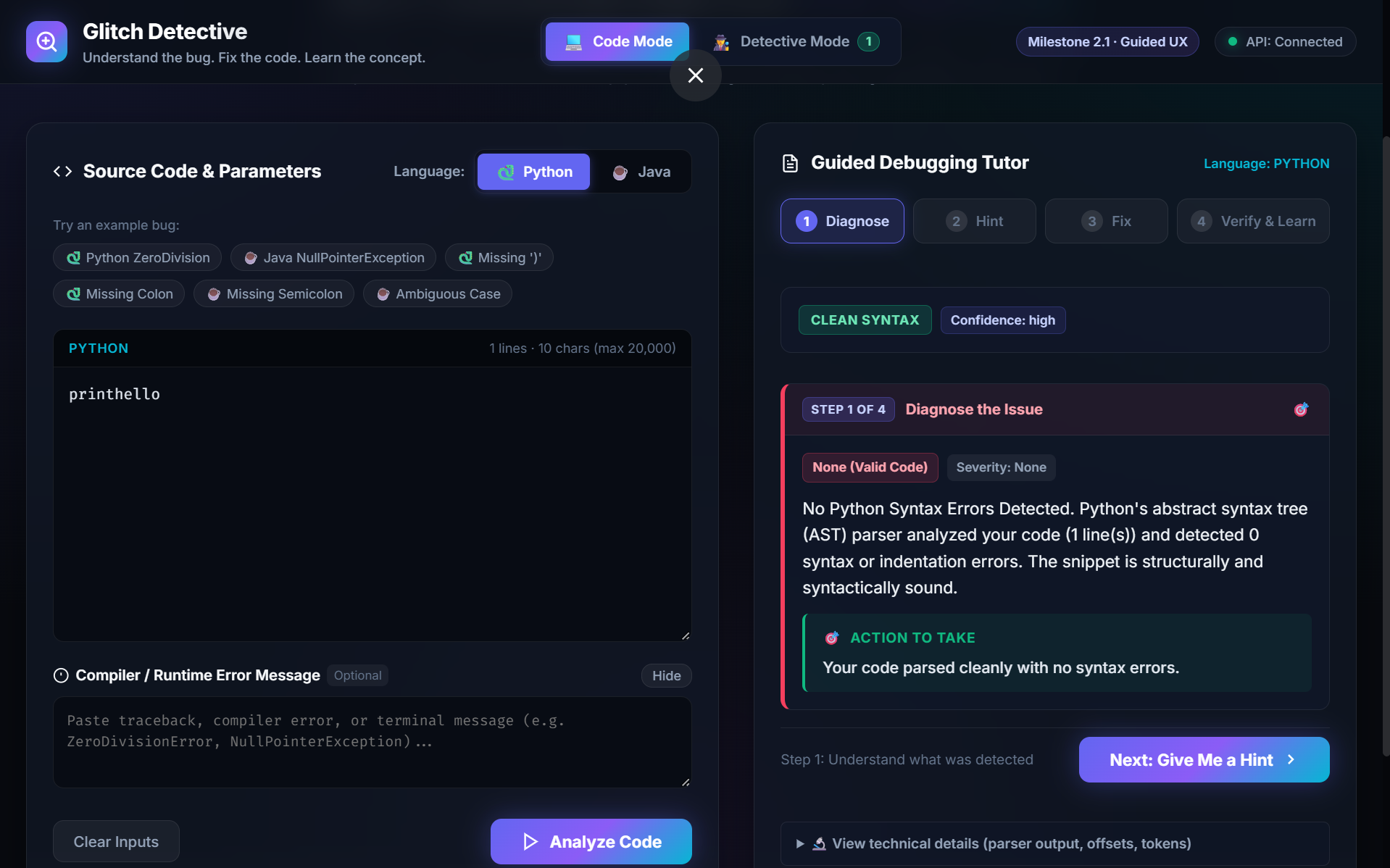
Code Mode is for students who want to debug their own code. It guides them through four steps: Diagnose, Hint, Fix, and Verify & Learn. The goal is to help them understand the error before looking at the complete correction.
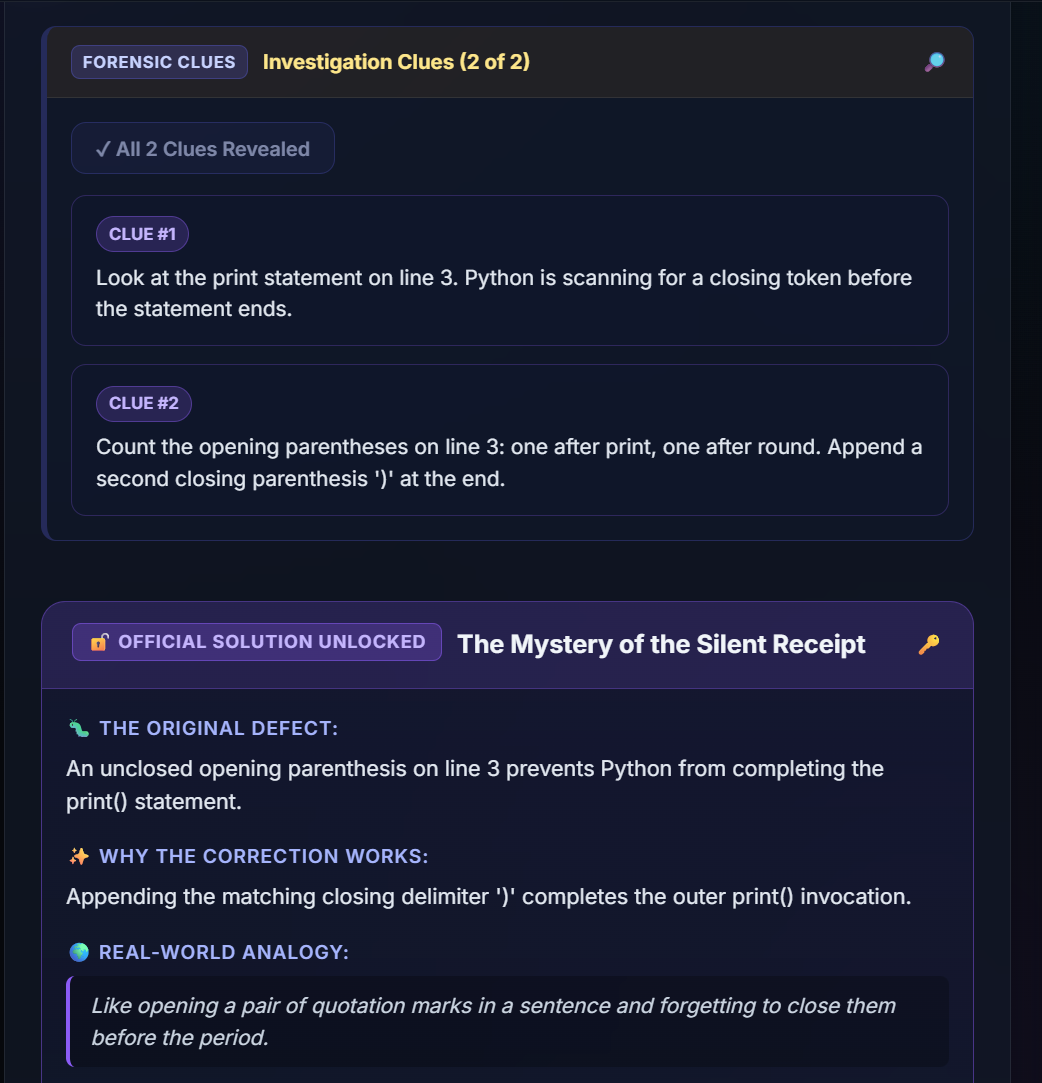
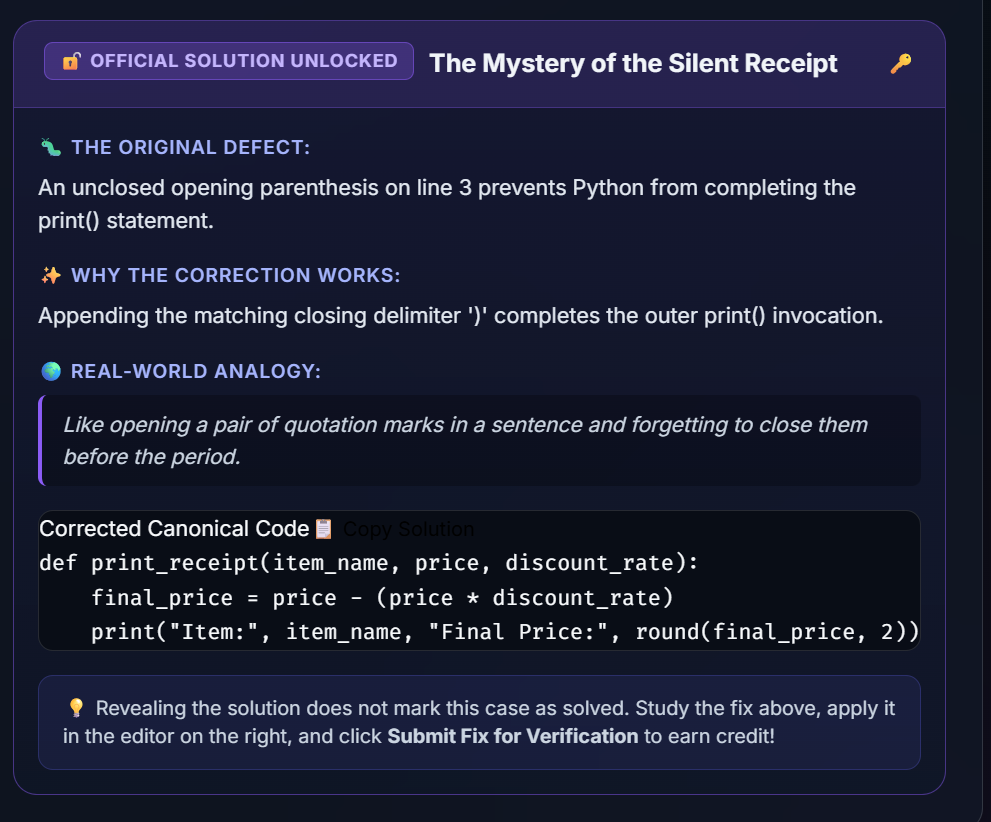
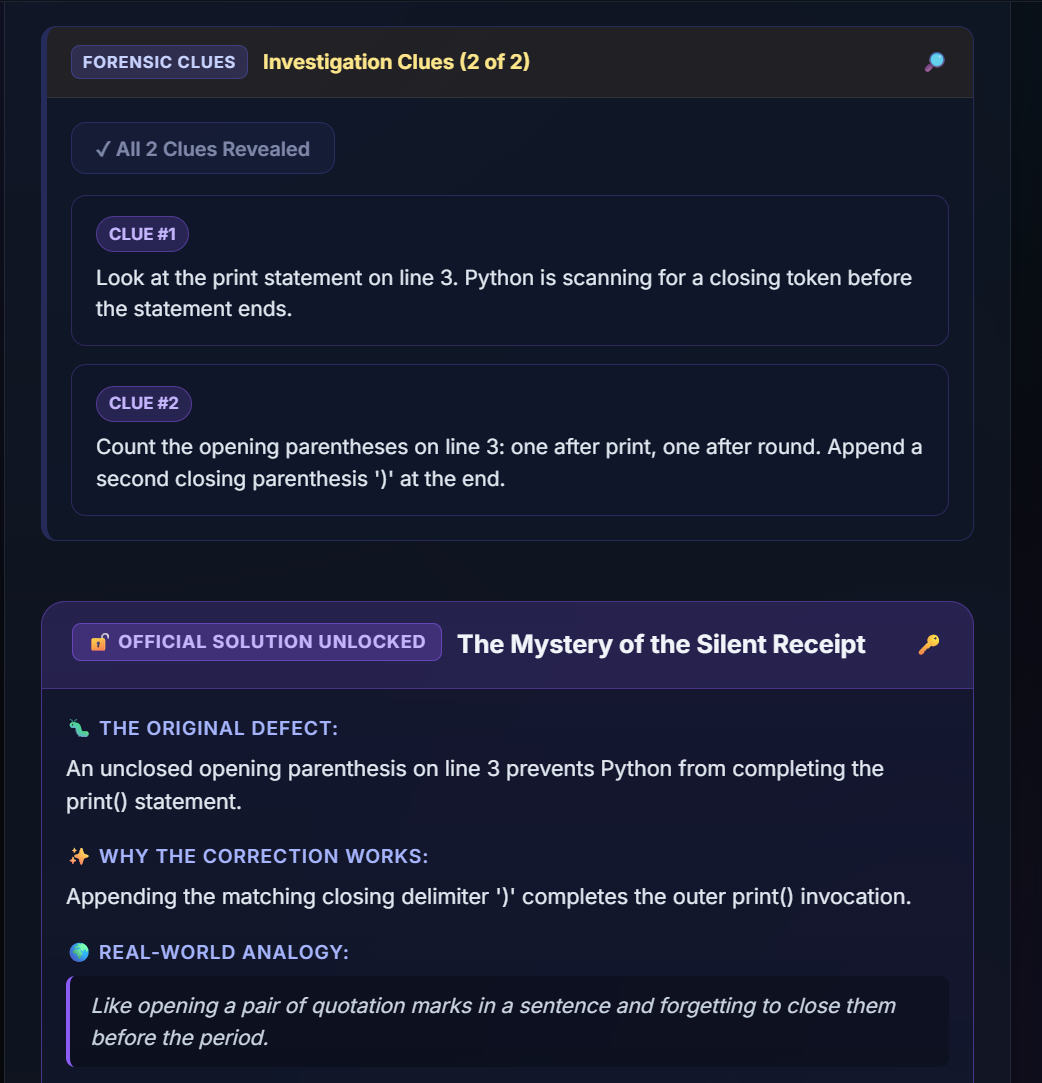
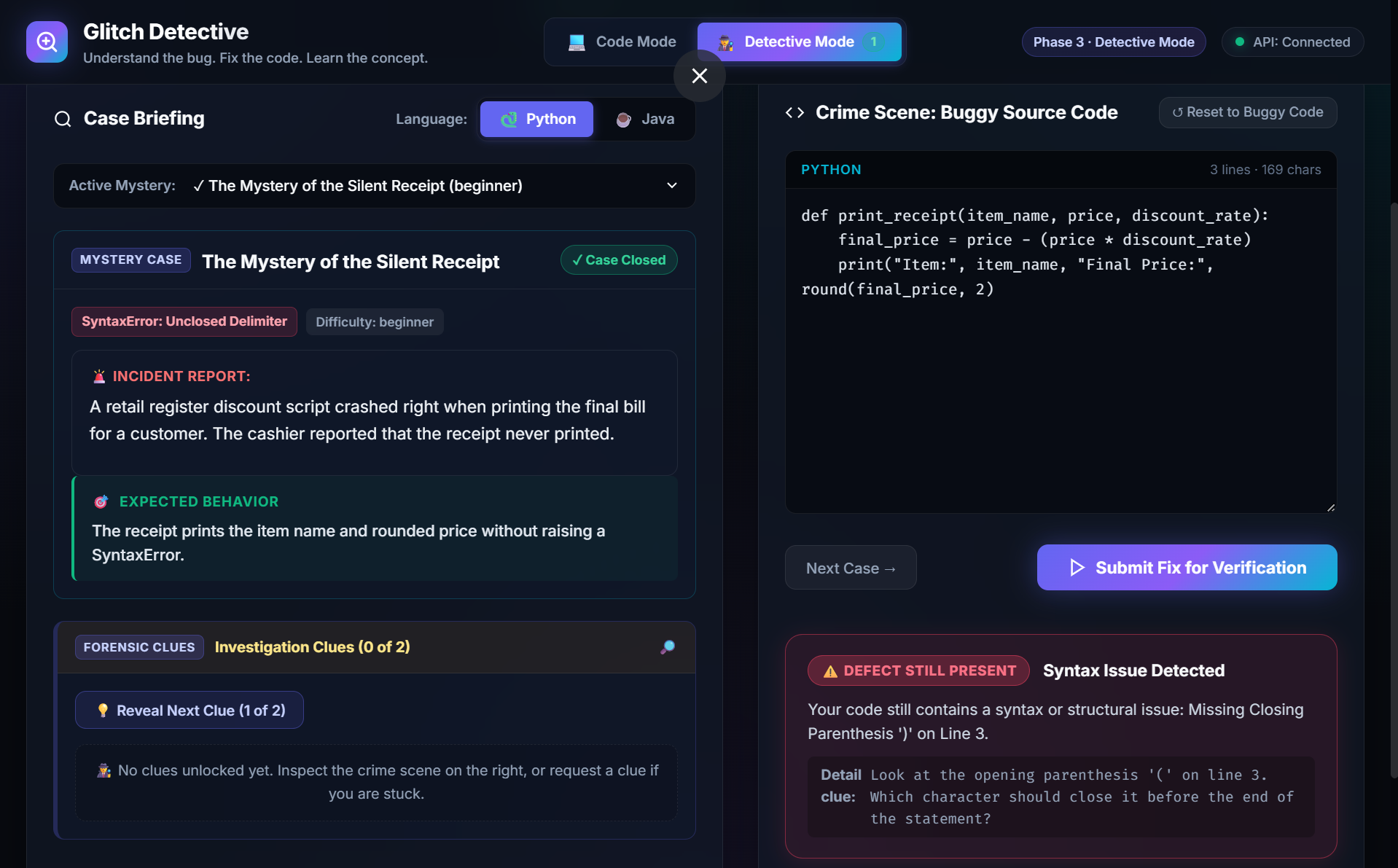
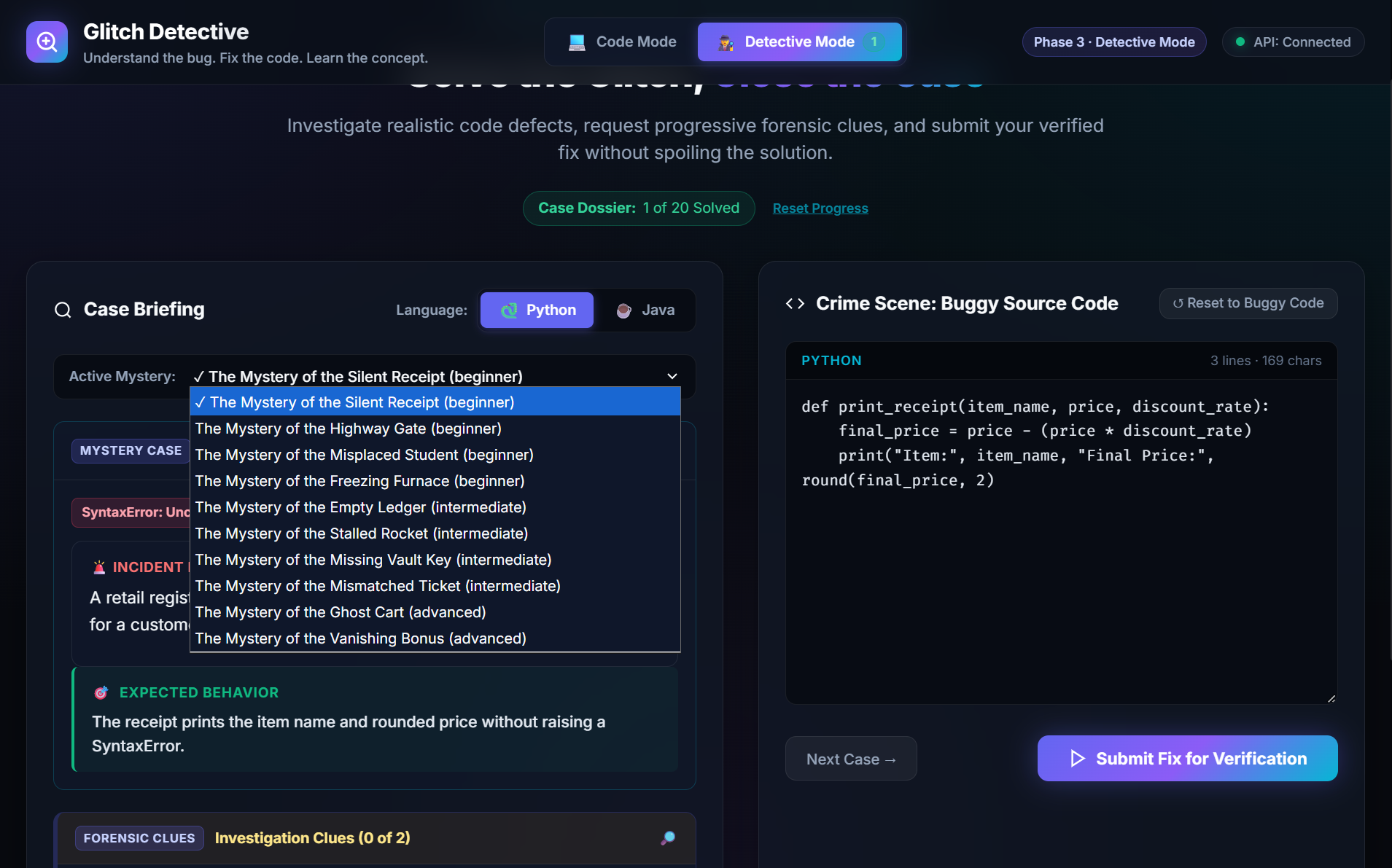
Detective Mode is a little different. Here, students are given buggy code and have to investigate the problem. They can unlock clues one by one, try to identify the mistake, and verify their solution. If they need more help, they can reveal the final solution after unlocking all the clues.
I wanted debugging to feel more like solving a mystery than just correcting mistakes. The challenges cover different difficulty levels, so students can start with basic errors and gradually work on more challenging ones.
How I Built It
I built Glitch Detective using React, TypeScript, and Vite for the frontend, with Python and FastAPI handling the backend.
One thing I focused on was keeping the explanations short and understandable. I didn't want students to be overwhelmed with long technical explanations whenever they made a mistake. Where useful, the app also uses real-world analogies to make concepts easier to understand.
I also created a collection of 20 debugging challenges for Python and Java, with a verification system that checks whether a submitted correction matches the intended solution.
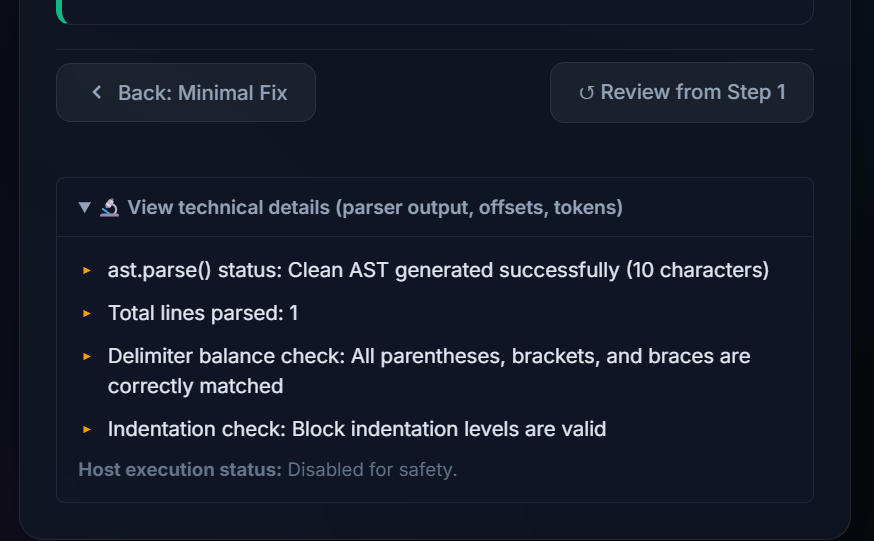
Another important decision was to avoid executing user-submitted code on the server. The application uses static analysis and structural checks for supported errors instead.
I tested the application throughout development and deployed it on Vercel so that anyone can try it through the live website.
Challenges I Faced
One of the biggest challenges was making the debugging feedback useful without pretending that the application could detect every possible programming error. There are many ways to write code, and a solution that looks different from the expected answer can still be correct.
I had to think carefully about how to identify supported errors, validate solutions, and handle cases where the system couldn't confidently determine the problem.
Building Detective Mode was another challenge. I wanted the clues to help students think for themselves instead of giving away the answer immediately. I also had to make sure the new mode worked properly alongside the original debugging workflow.
Testing both the frontend and backend helped me catch issues and improve the overall experience.
What I Learned
While building this project, I learned a lot about connecting a frontend to a backend, designing APIs, writing automated tests, and deploying a full-stack application.
But the biggest lesson for me was that building a learning tool isn't just about making the technology work. It's also about understanding how people learn.
I realized that simply providing the correct answer isn't always the best way to help someone. Sometimes, a small hint or a clear explanation can help them understand a concept much better.
What's Next?
I would like to expand the range of errors Glitch Detective can recognize, add more interesting debugging mysteries, and improve how it handles different correct approaches to solving the same problem.
My goal is to make debugging less frustrating for students and help them become more confident programmers.
Glitch Detective — Hunt bugs, solve coding mysteries, and learn one clue at a time.
Built With
- automated-testing
- css
- debugging
- educational-technology
- fastapi
- github
- html
- javascript
- pydantic
- pytest
- python
- react
- rest-api
- software
- static-analysis
- typescript
- vercel
- vite
- vitest
- web-development

Log in or sign up for Devpost to join the conversation.