-
-
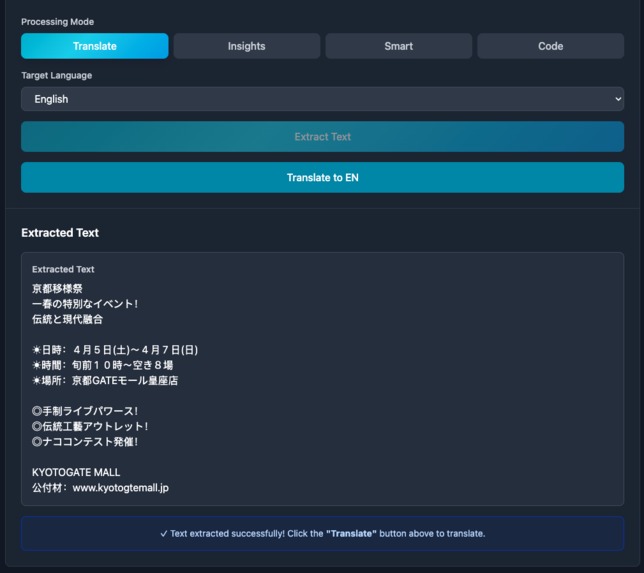
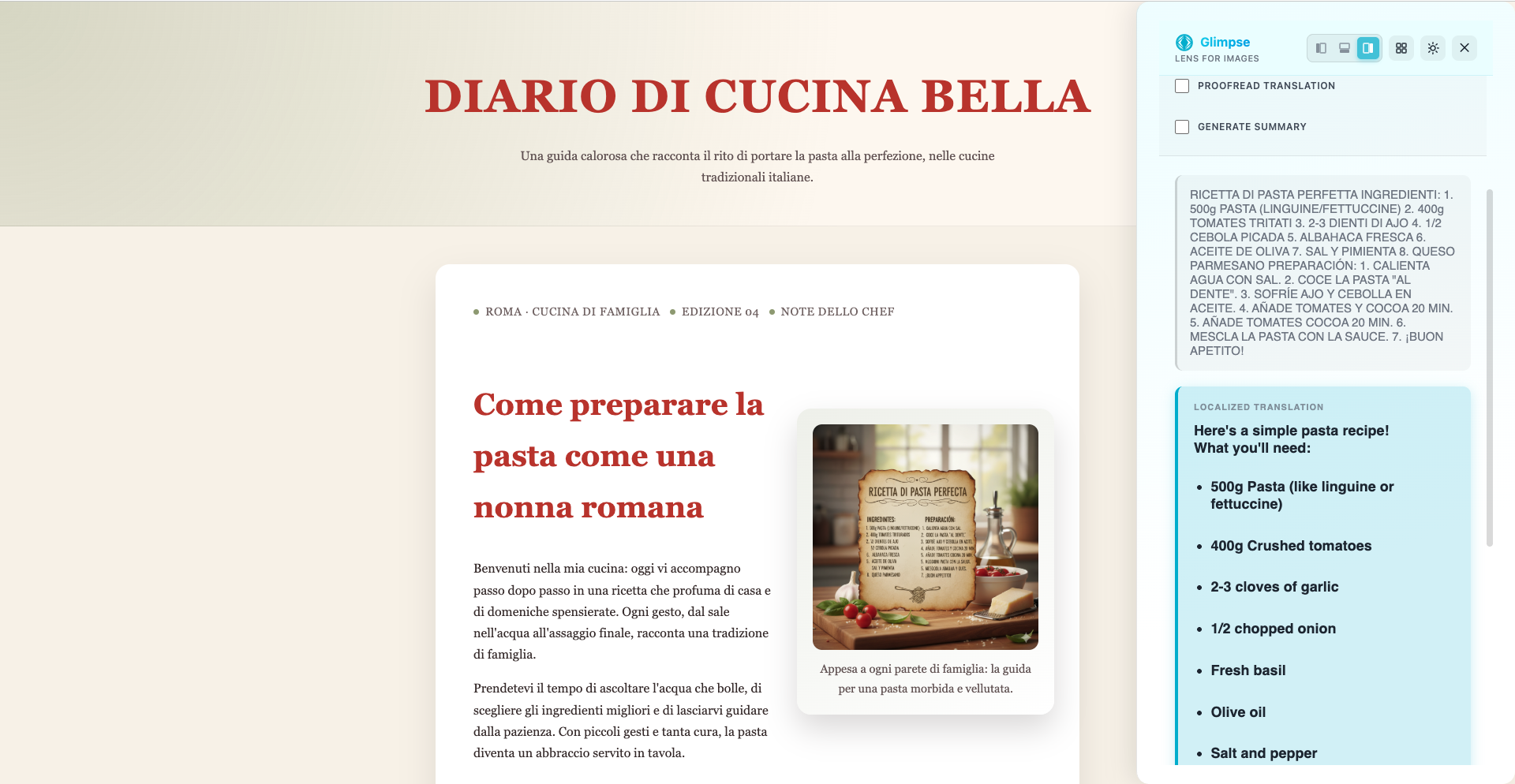
Extract text from any language in the website
-
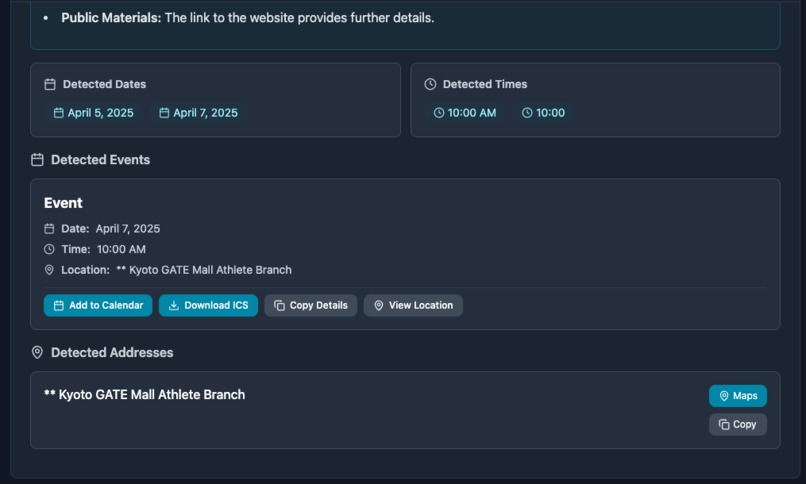
Integrate google services like google sheets and google calendar
-
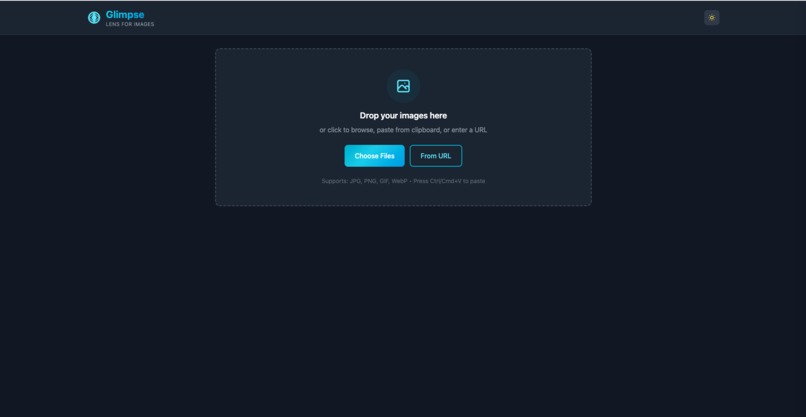
Website view
-
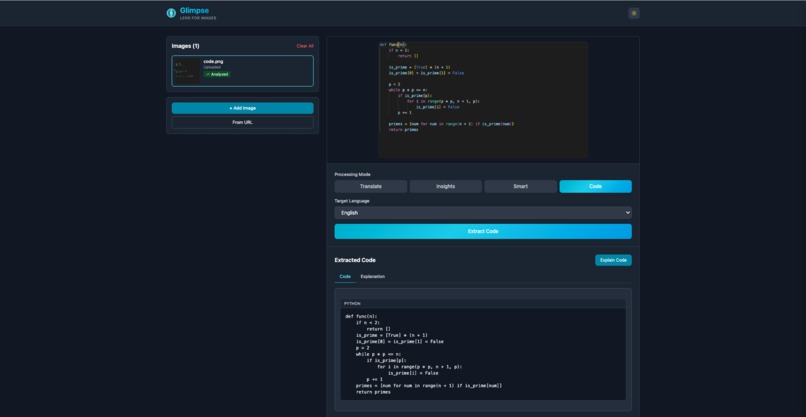
Understand code or architecture diagrams
-
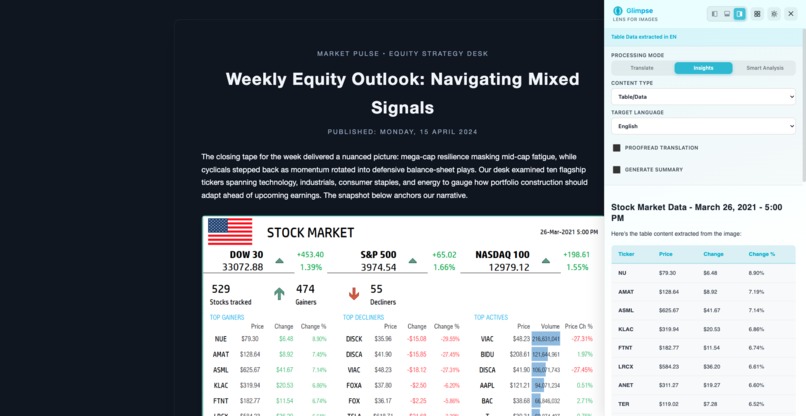
Extract tables and open them in google sheets
-
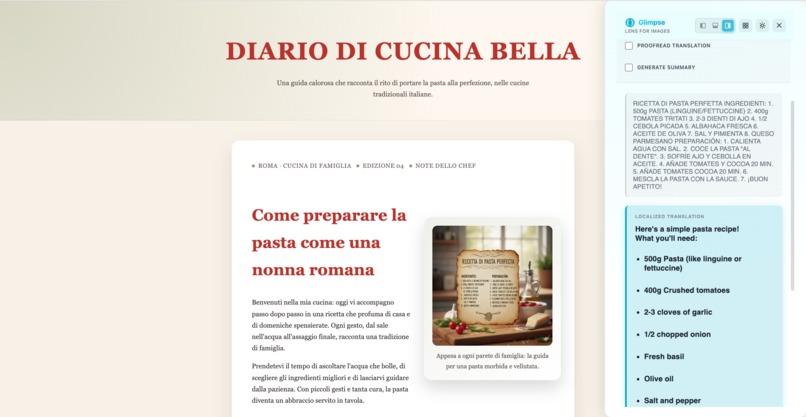
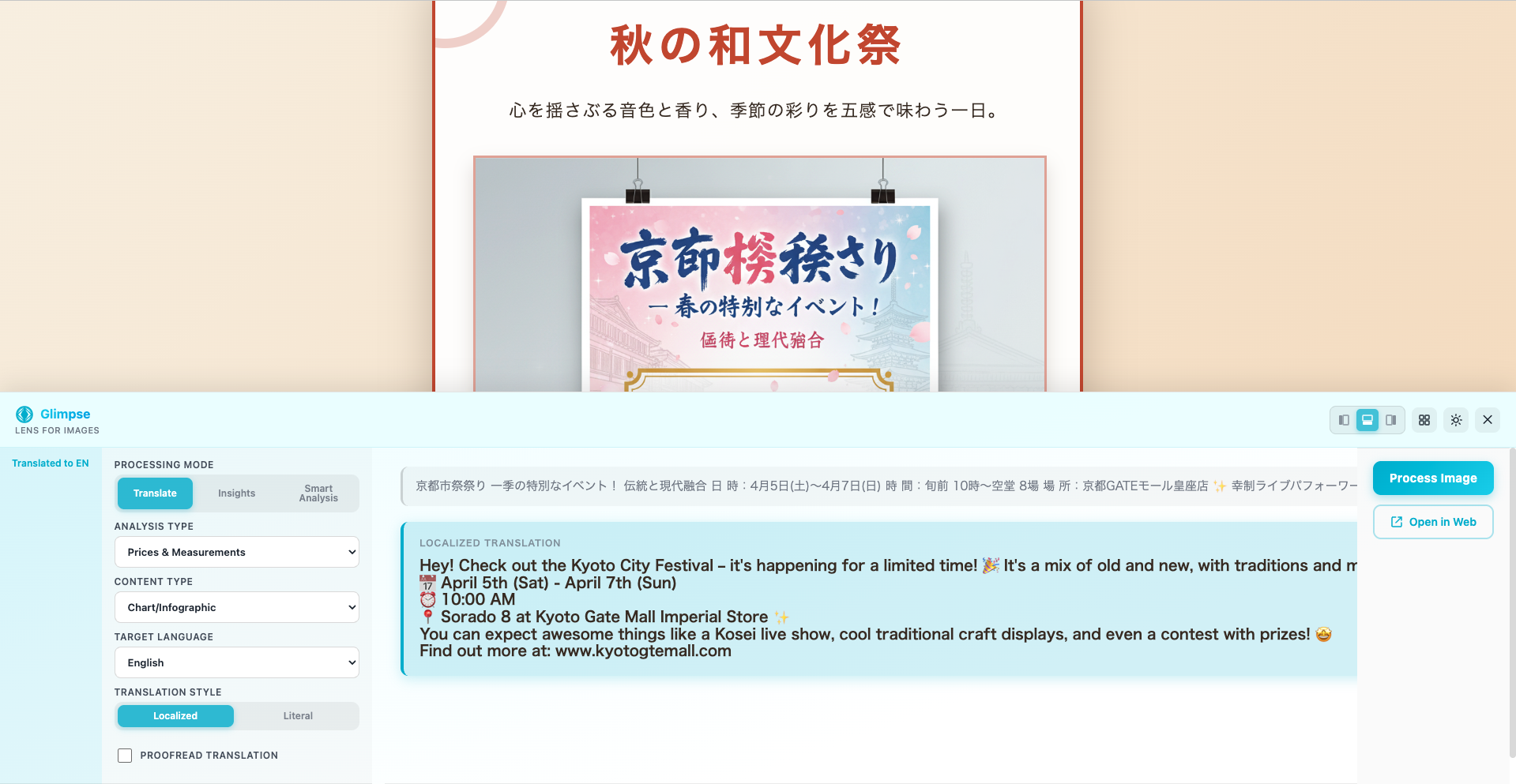
Tranlate the content of any image
-
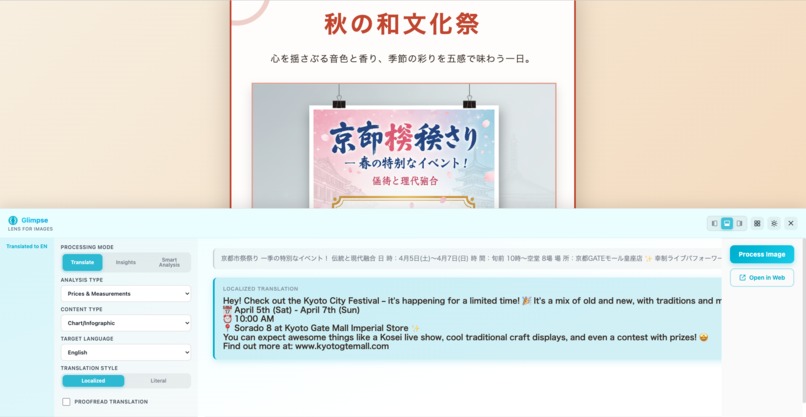
Change the view settings as you like
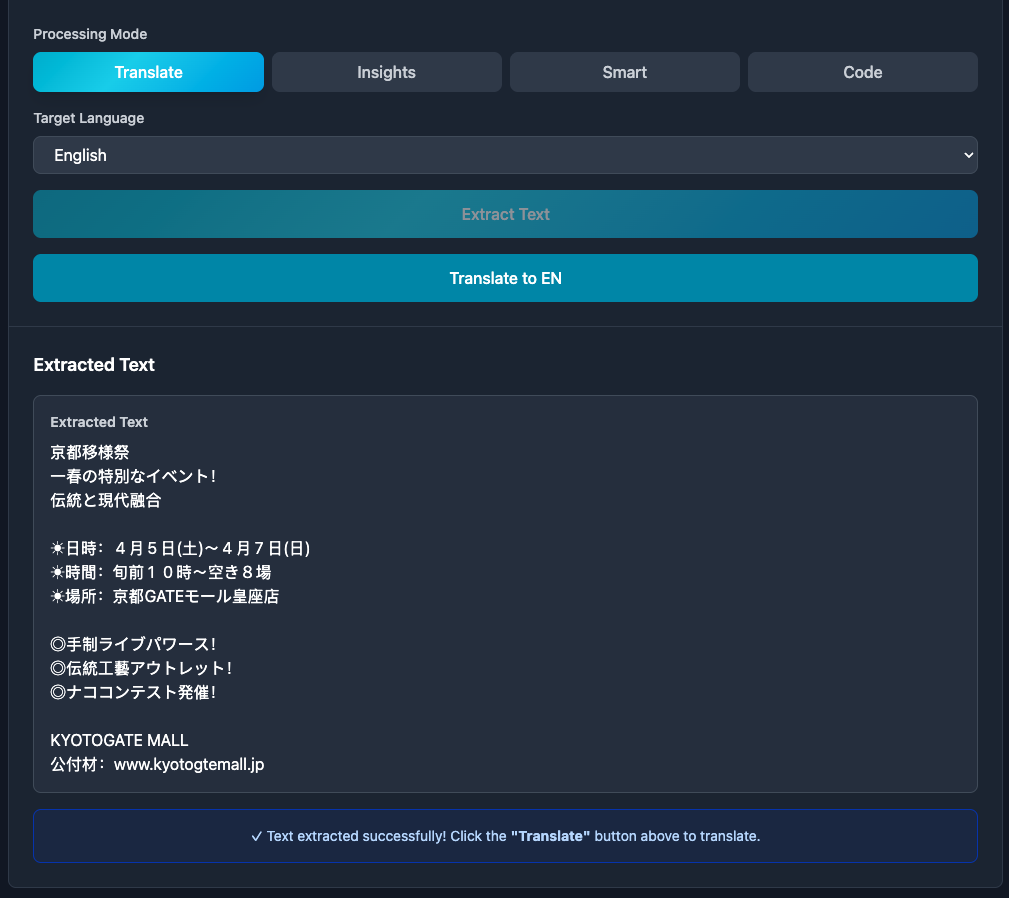
Inspiration
Images have become the new language of the internet. We communicate, learn, and express through comics, memes, charts, screenshots, and visual notes. Yet much of that world remains locked behind unfamiliar text, foreign scripts, or inaccessible data. We wanted to build something that makes people feel at home no matter where they are — whether you’re a Spanish traveler in Japan trying to read a street sign, or a millennial trying to understand a Gen-Z meme. Glimpse was born from the idea that AI can dissolve language barriers visually, turning every image into something universally understandable.
What it does
Glimpse is a Chrome extension powered by Chrome’s built-in AI that can see, understand, and translate images entirely on-device. It uses multimodal of Prompt API to interpret visual information and deliver actionable insights directly inside the browser, without switching tools or uploading data.
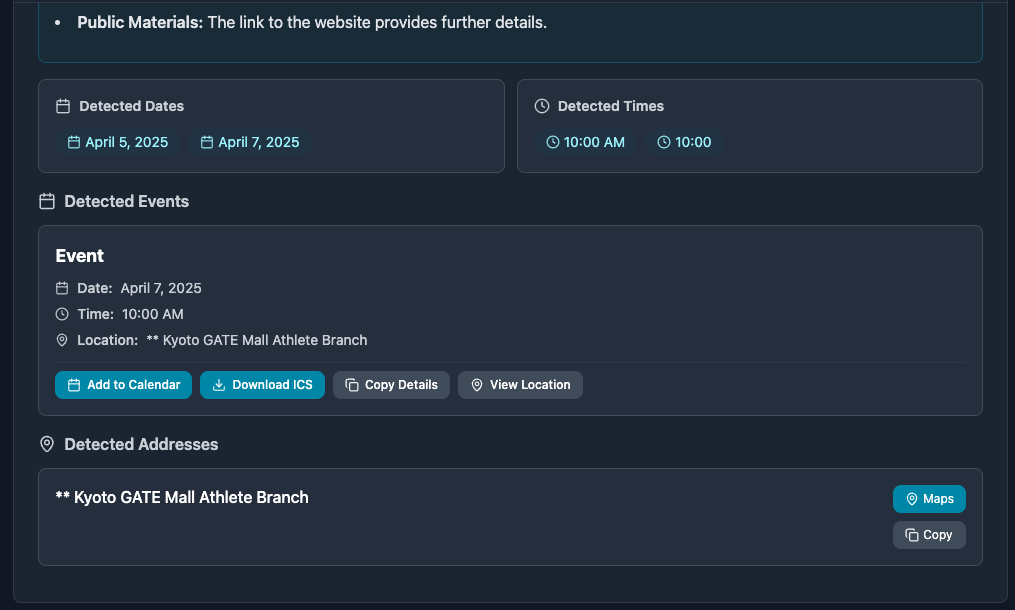
Text understanding: Extract, proofread, summarize, and translate text from any image or document. Also detect important information like venues and dates and integrate it directly into services like Google Calendar (to save events) or Google maps (to locate venues).
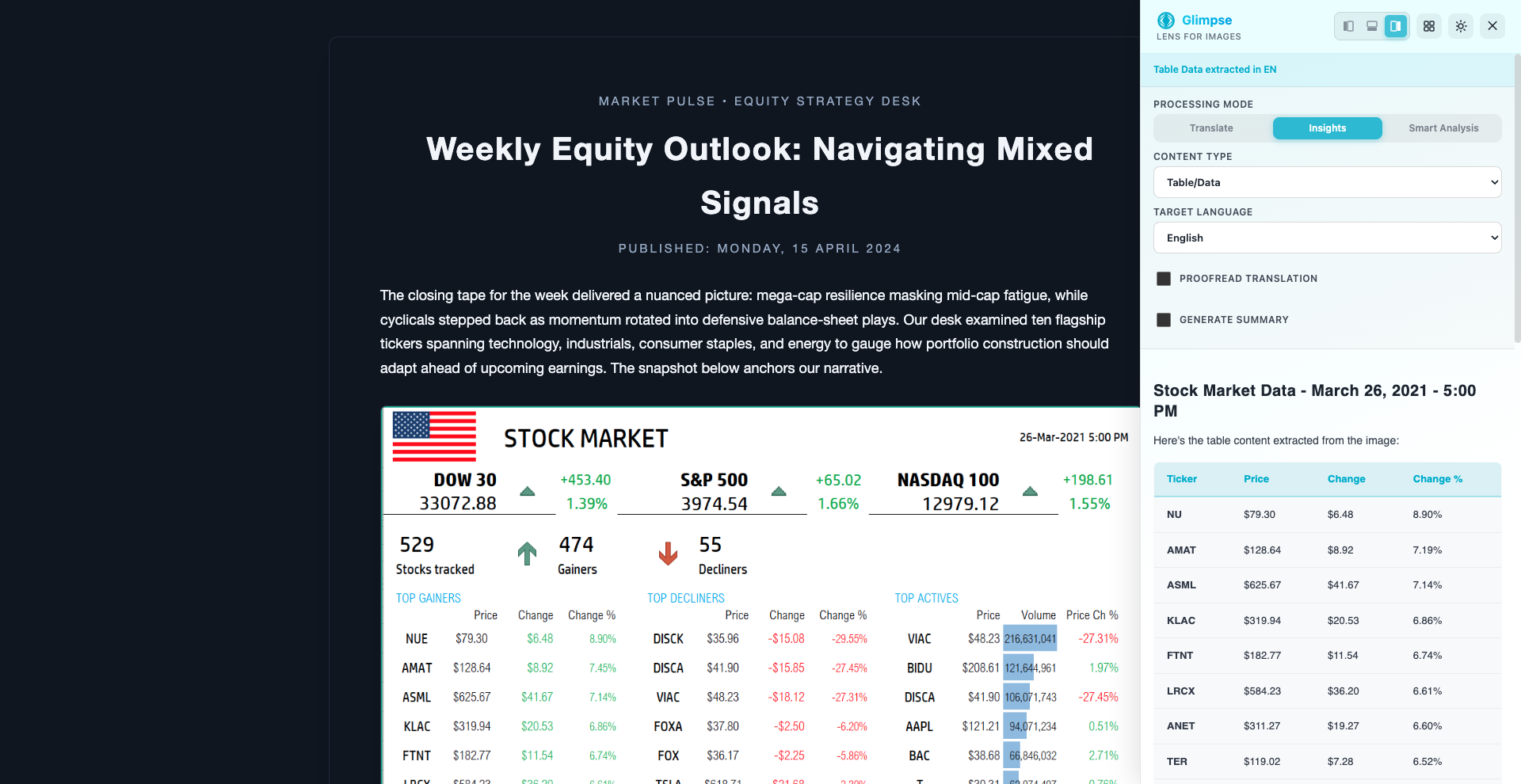
Insights : Understand charts, infographics, and business figures get instant insights and summaries. It also extracts tabular data from documents or images and opens them directly in Google sheets or allows to download it as CSV. So the next time you want to understand a product listing in an e-commerce platform, just take a screenshot and open it in Glimpse to translate the product's features, understand it's return policies and discounts.
Smart Analysis: Automatically detects and converts currencies, units, and mathematical expressions helps understand equations, and explains STEM concepts directly from within the image.
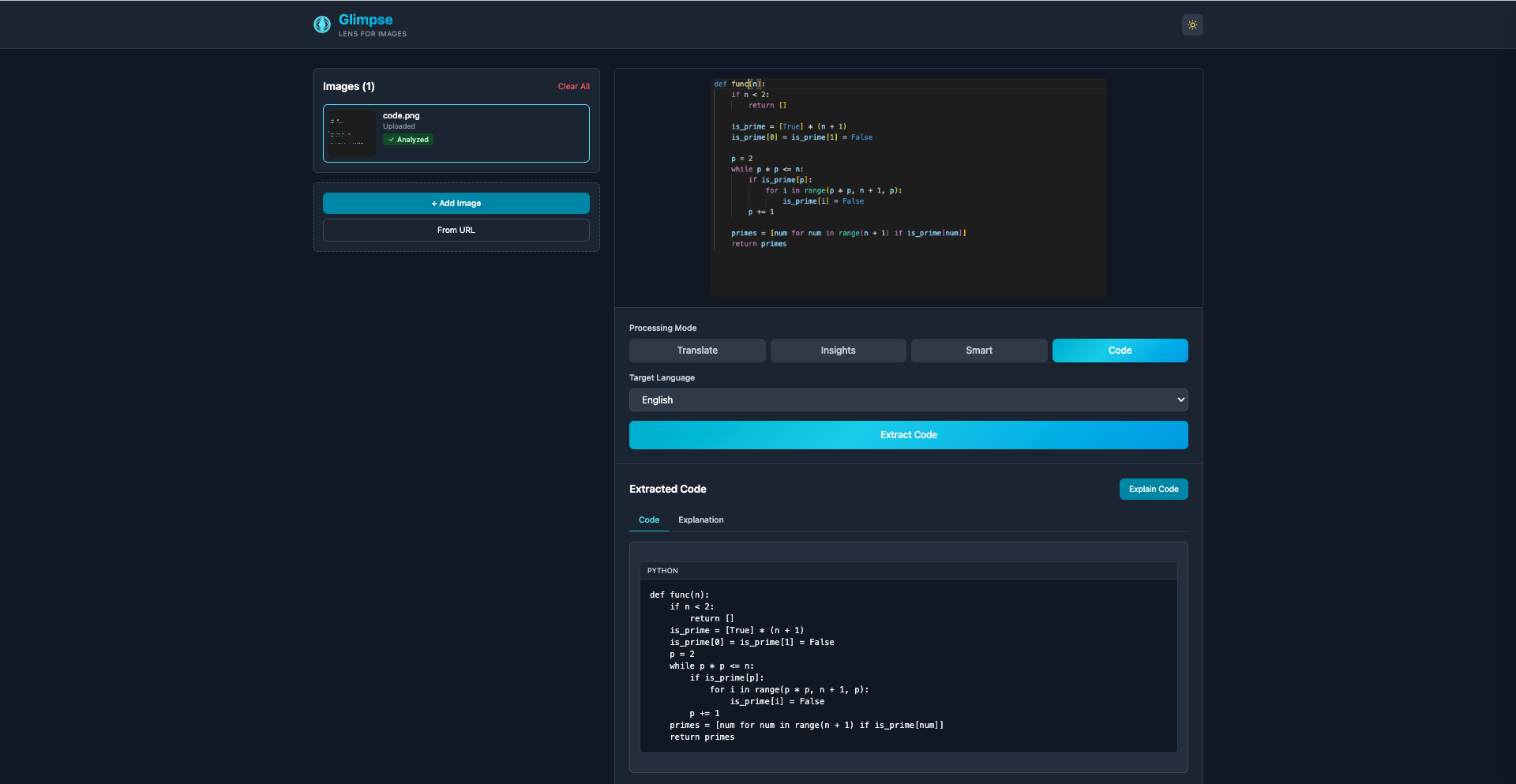
For Developers: Detects and explains code snippets directly from images, identifies the programming language, and provides clear breakdowns eliminating the need to switch between tools. Instantly understand complex cloud architectures, flowcharts, or diagrams from blogs and documentation, all within your browser in just one click.
Most importantly it is based on Chrome's built in AI APIs so no data transfer, no storage or copyright infringements. Everything happens on device seamlessly.
How I built it
We built Glimpse as a Chrome Manifest V3 extension integrated with the following Built-in AI APIs: Prompt API (multimodal): For text detection and classification. Translator API: For multilingual translation across languages. Proofreader API: For grammar correction and linguistic cleanup. Summarizer API: For distilling complex visual data and infographics. Rewriter API: For tone-adaptive rewriting (“literal” vs. “localized” phrasing).
We also integrated the Google ecosystem for real-world workflows:
- Google Sheets
- Google Calendar
- Google Maps
Everything runs client-side first. The Web application was built with modern UI frameworks like React with Vite. The user friendly interface was built with tailwind.
Challenges I ran into
Building of Glimpse came with a fair share of challenges.
Precision of text detection: Handwriting, and stylized fonts required extensive post-processing and system prompt corrections to achieve accurate response.
Structured output from the Prompt API: Extracting reliable, consistent JSON from multimodal responses was challenging — the API occasionally returned loosely structured text that required normalization and parsing before downstream translation.
User gesture and model-load errors: When the model began to initializing during translation, Chrome occasionally blocked background inference due to missing user gestures. I broke down the process into multiple steps to overcome the issue.
Accomplishments that I am proud of
I am proud to Build a first fully local multimodal AI system inside a Chrome extension. Created a unified interface that can interpret and explain any kind of image — text, chart, meme, or equation. Enabled direct integration with Google Sheets, Calendar, Docs, and Maps, making insights instantly actionable. And integrated the chrome extension with a react application where the context of the chosen image is transferred to the web to unlock advanced features. Delivered a system that genuinely brings people closer by removing language barriers from the visual web.
What we learned
Multimodal AI can be remarkably powerful when optimized to run locally using Chrome's built in AI APIs and privacy and performance don’t have to be trade-offs.
The Chrome Built-in AI suite opens up a completely new frontier of offline, client-side intelligence. Designing for diverse contexts (charts vs. memes vs. equations) requires thinking in semantic layers, not just OCR.
Seamless integration with the Google ecosystem transforms understanding into action from translation to organization.
What's next for Glimpse - Lens for the visual web
Intelligent Auto-Detection and OCR Expansion: Enhance multimodal understanding with a unified recognition engine that automatically identifies image type and applies the correct interpretation pipeline. Extend this with advanced OCR capabilities for handwritten and low-contrast text to achieve near-human visual comprehension.
Hybrid Cloud & Cross-Device Intelligence : Integrate Firebase AI Logic for hybrid processing—so users can capture an image on their phone and analyze it instantly with Glimpse on desktop or mobile Chrome. This will enable real-time synchronization between devices while preserving local privacy and responsiveness.
All the links used in the demo video are given in the "Try it out" links section, along with the Github link and the URL of the extension.
Built With
- built-in
- gemini-nano
- html5
- javascript
- manifestv3
- react
- tailwind

Log in or sign up for Devpost to join the conversation.