-
-
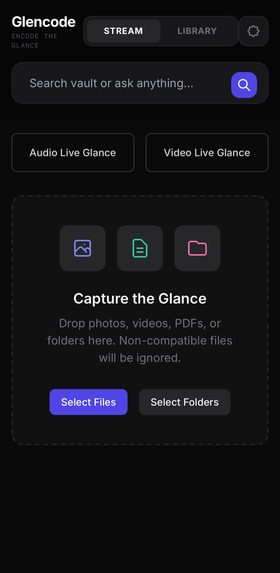
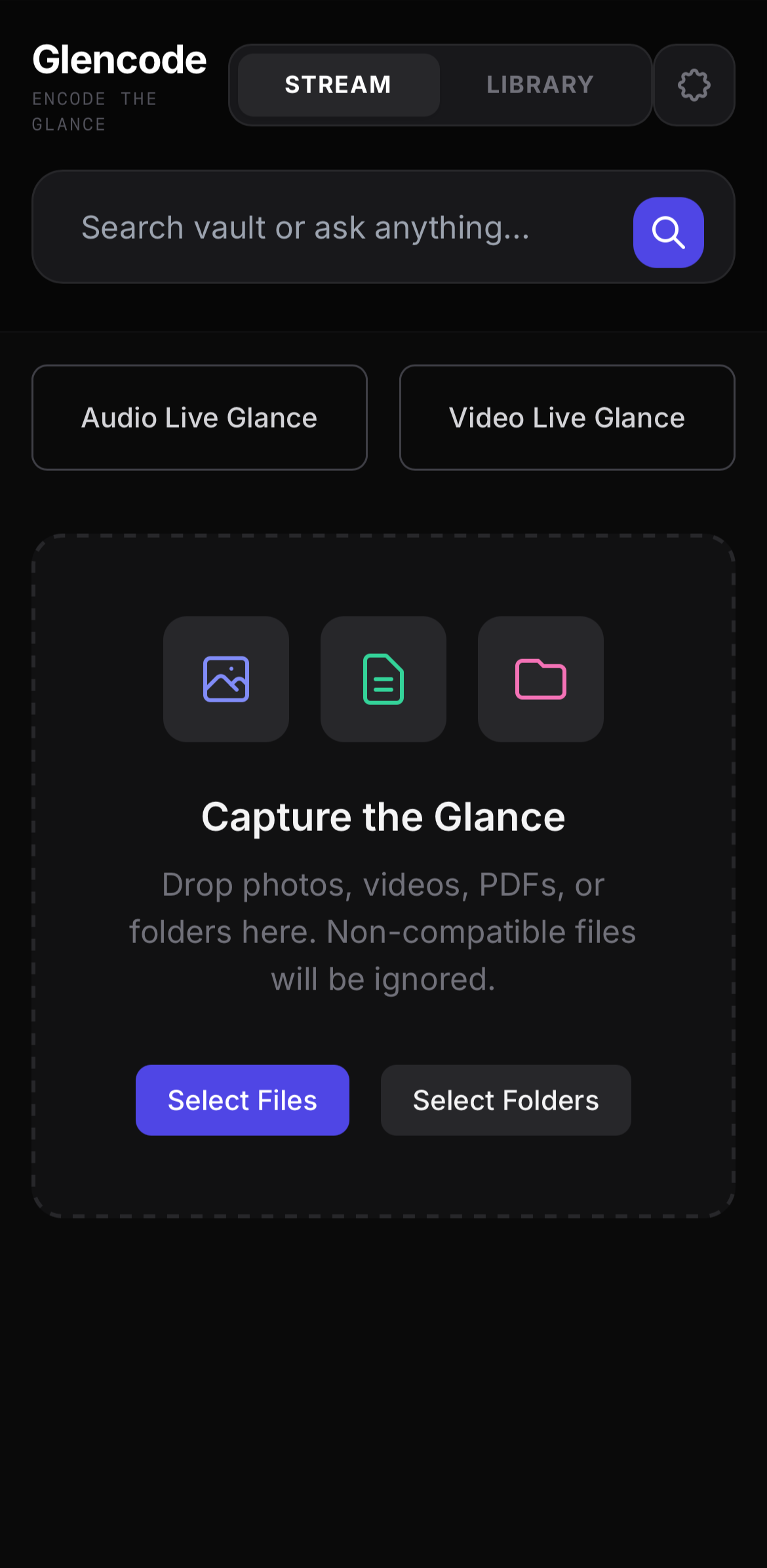
Stream UI
-
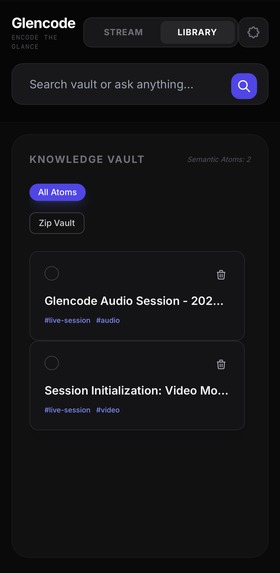
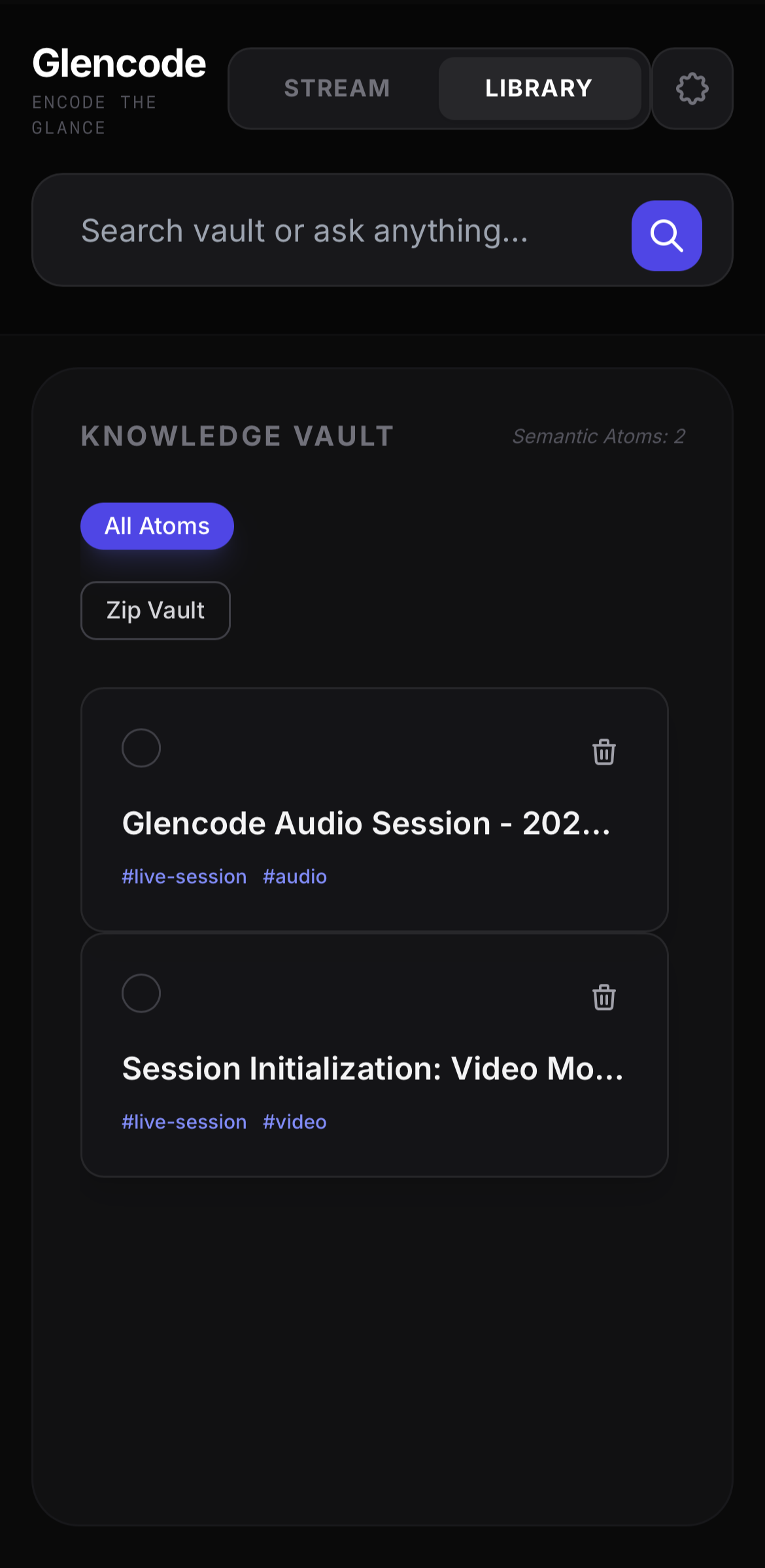
Library UI, where stores user's encoded atomic notes.
-
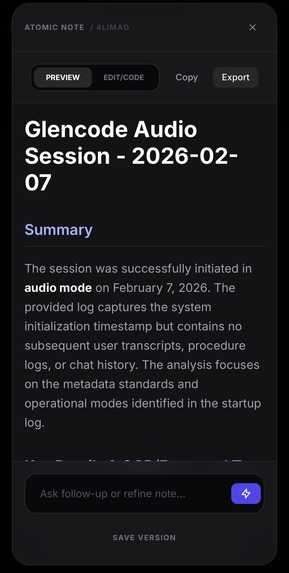
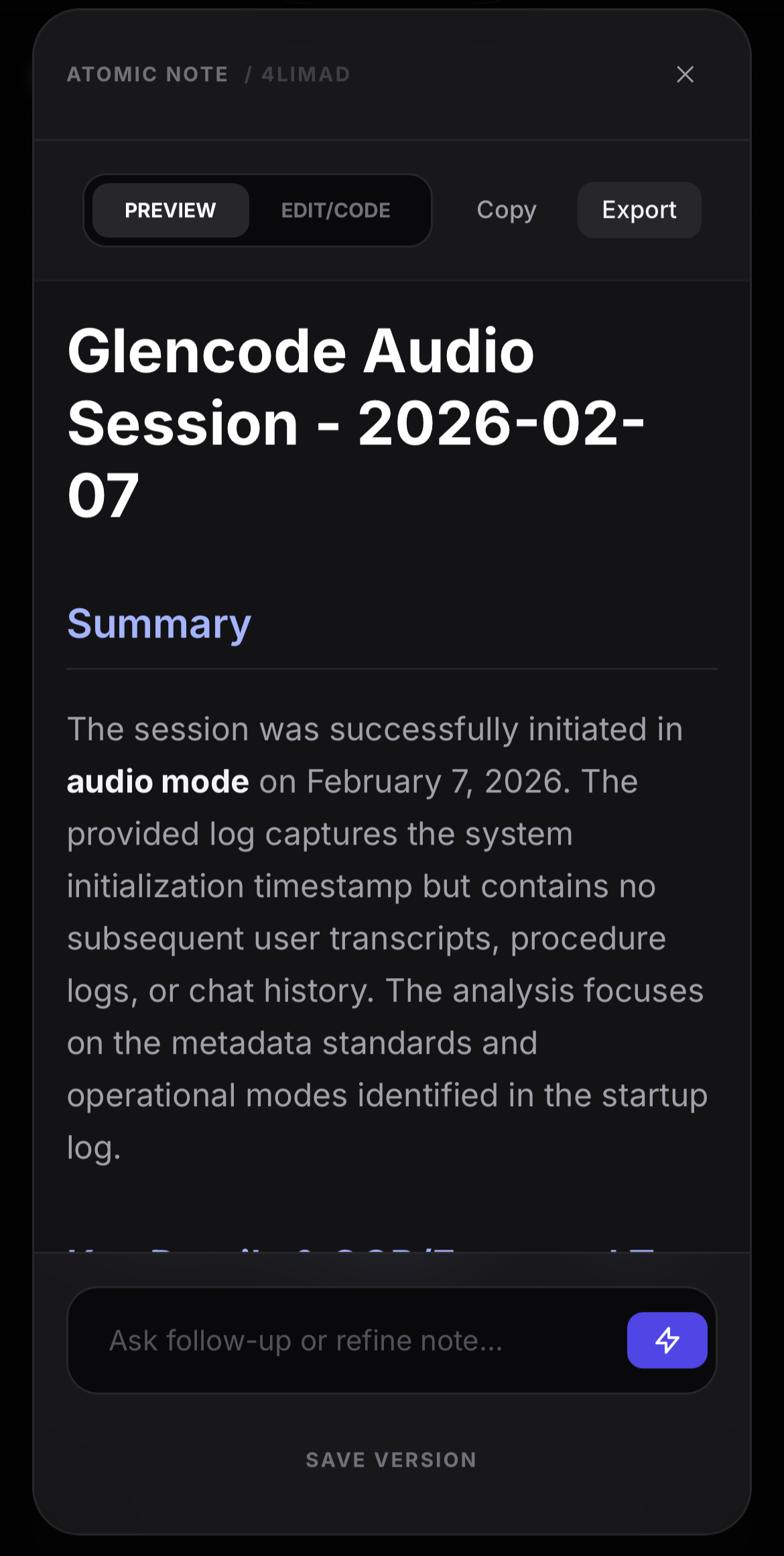
Atomic notes on Preview mode, where code and mathematical expression are properly rendered for readability.
-
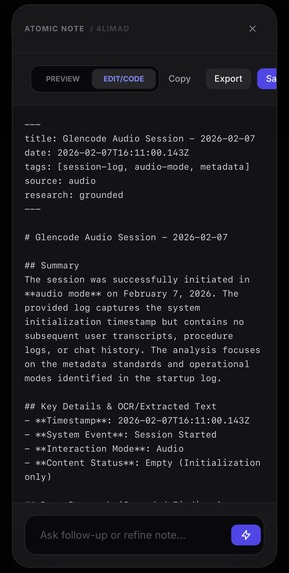
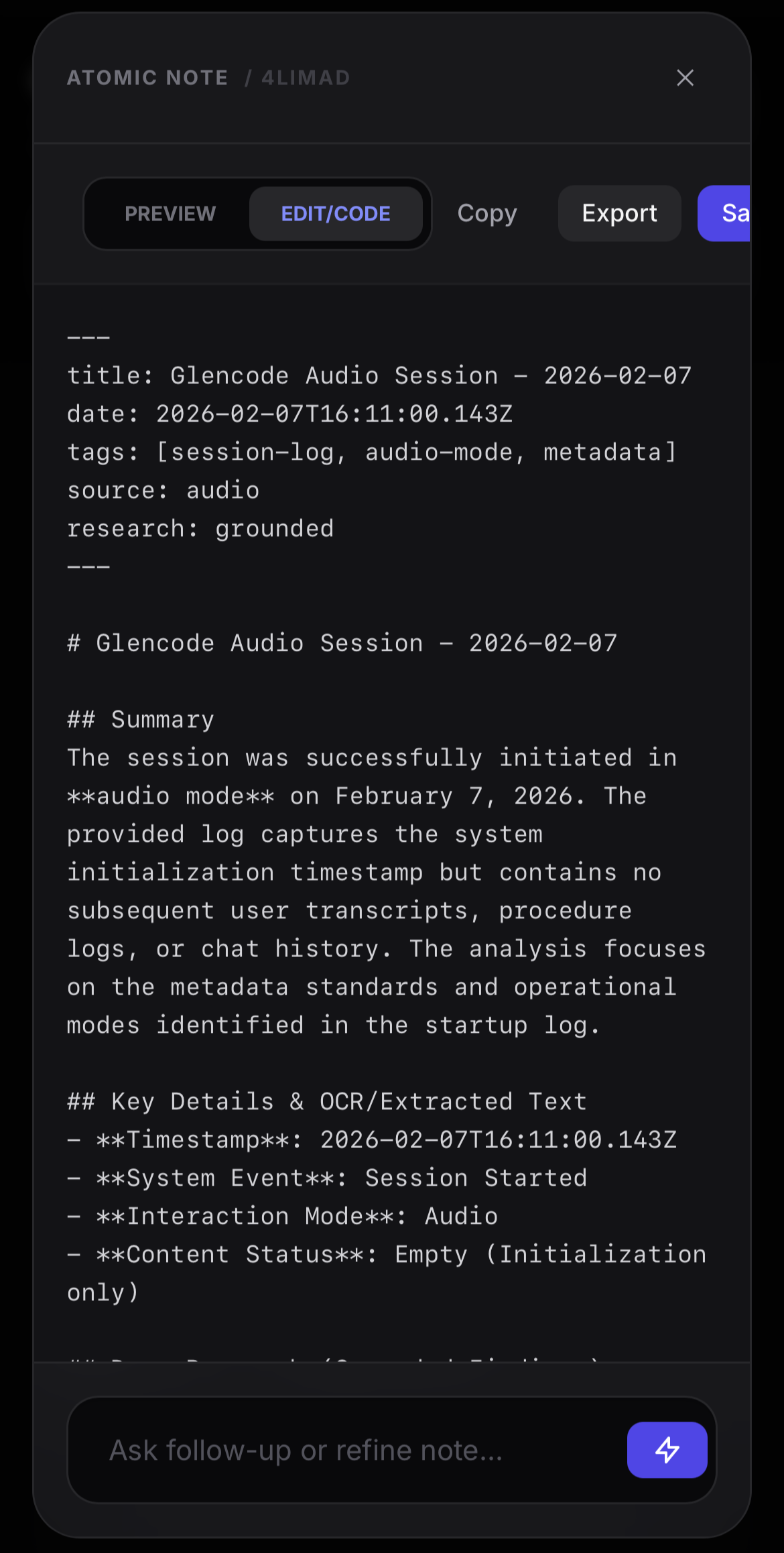
Atomic notes on Code or Edit mode, that follow Markdown format with YAML frontmatter.
-
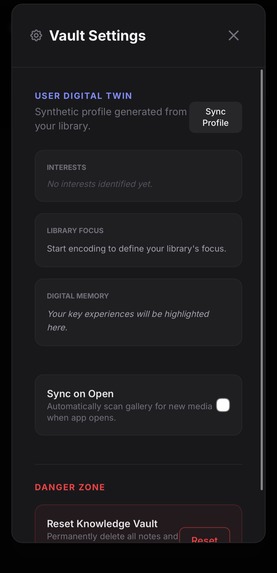
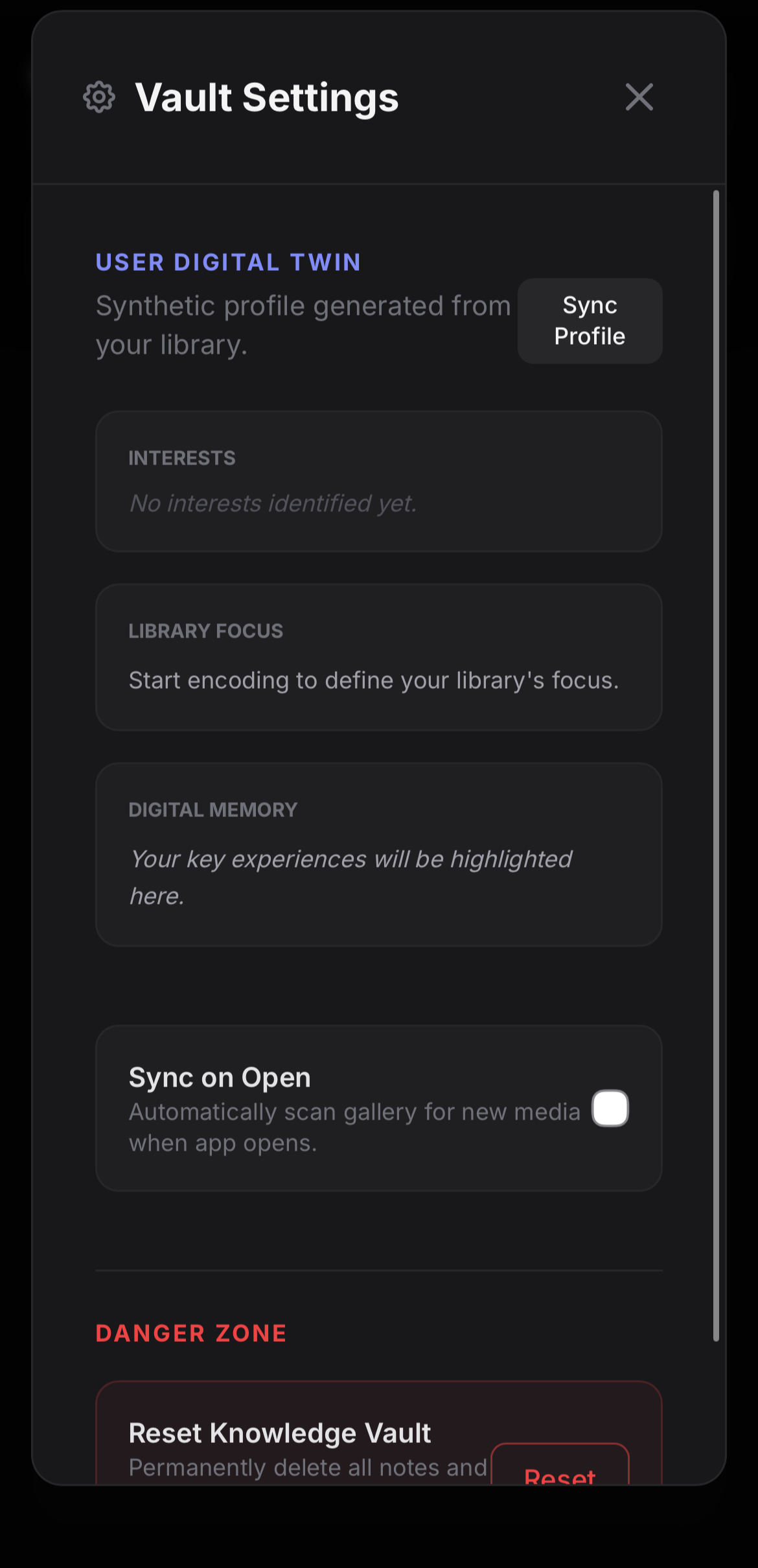
Settings UI, where user profile goes.
Inspiration
Living in a world of "high-fidelity, low-retention", we capture photos and videos of events, but they often end up buried in a digital graveyard - unstructured, and eventually forgotten.
We try to capture a "glance" with our phone camera. That glance is rich with context and detail. We wanted to build a bridge between that glance of life and the organised world of Markdown.
Glencode was born from the idea that you should capture your daily life spontaneously as-is and let AI do the rest of documenting. By using Gemini 3 as the interpreter, we turn your digital gallery into a living document. We aren't just saving files; we are encoding the glance of life.
What it does
Glencode is a multimodal capture tool that transforms your media into structured Markdown notes.
Multimodal Intake (The Glance) - Whether it's a photo of a conference, a voice memo of a brainstorm, or a video of a workflow, Glencode helps you understand and summarise in texts.
Gemini 3 Processsing (The Encoding) - In the background, Glencode feeds these into Gemini 3. It doesn't just transcribe; it interprets:
- Photos become descriptive headings and formatted summary of the context.
- Audios become key takeaways and action items.
- Videos become step-by-step guides with timestamps.
Markdown Output (The Code) - The output is a lightweight Markdown file that is editable and ready to be exported to your second-brain system (such as Obsidian, Notion, or other note-taking applications).
Real-time Recording (In Development) - An live input socket that allows user to explore their moments with Glencode assistant. As this feature heavily relies on network connection, any detail will also be logged in a
.txtfile as a fallback in case of abrupt end or connection failure.- Audio: Whether if it's a brainstorm audio memo or a conversation, Glencode helps you by generating real-time transcription, and providing real-time response to user's interjections through verbal and/or text prompts. At the end of live session, it conducts proactive research upon semantic detection from session log, ensuring that the Atomic Note will cover any information that is mentioned and relevant.
- Video: Whether if it's a step-by-step task or a procedure, Glencode helps you by generating real-time transcription, capturing each action, and providing real-time response to user's query during live session. As live session ends, it automates generating a step-by-step action list, conducts proactive research on any concept or tool, and providing a technical background based on official documentation/manual.
Your unstructured photo gallery can turn into a searchable database.
How I built it
The core of Glencode was built to leverage the multimodal reasoning of Gemini 3 Flash and Pro to transform a user’s scattered digital life — such as gallery images, videos, and PDFs — into a structured, searchable "Knowledge Vault".
Multimodal Pipeline: I architected a Python FastAPI backend that serves as a "Logic Architect." Depending on the MIME type, the system routes inputs to specific prompt protocols.
Real-time Interaction: I integrated the Gemini 2.5 Flash Live API using WebSockets to enable "Live Glances". This allows for real-time video observation and audio transcription, which are then synthesised into Atomic Notes. Still Under Development
Mobile Wrapper: I deployed the frontend as a cross-platform iOS app using Capacitor. This was crucial for accessing native hardware like the rear camera and microphone for live sessions.
Atomic" Structure: Every note is generated with strict YAML frontmatter and LaTeX support for code snippets and mathematical expressions, ensuring the data is interoperable with PKM (Personal Knowledge Management) tools like Obsidian.
For who is interested in the development process:
- Prototyping: The project started in Google AI Studio, where I leveraged the environment to rapidly iterate on prompt structures and multimodal logic. This initial prototype served as the "Try it out" interactive demo.
- Mobile Foundation: I transitioned the development to a local IDE and successfully deployed the application to an iOS device using Xcode and Capacitor wrapper. During this initial phase, the architecture relied on client-side API calls within a TypeScript environment to validate core functionalities on physical hardware.
- Backend Scaling & Cloud Migration: To improve performance and security, I migrated the AI logic from the client-side to a robust Python FastAPI backend. This service was containerised and deployed on Google Cloud Run to ensure scalability. I also integrated Firebase into the stack to support future data persistence and user management (although did not exactly utilise it as other functionalities had higher priority).
- Feature Refinement & UI Challenges: With the backend established, I implemented advanced features such as the Refine Note function, allowing users to ask Gemini for contextual explanations or follow-up questions regarding specific text. Note: While the backend accurately processes the user's intended selection, the current mobile UI layer occasionally experiences text-selection instability — such as jumping or auto-collapsing — which remains an area for further frontend optimisation.
Challenges I ran into
WebSocket "Handshake" & State: The biggest hurdle was managing the lifecycle of the Live API, which led to issues like failed WebSocket connection, Gemini not receiving nor responding, etc. I had to solve synchronisation issues between the Capacitor camera hardware and the WebSocket state to prevent "zombie" sessions.
Real-time Audio/Video Processing: I wrestled with iOS's strict audio constraints, where I had to implement a custom
downsampleBufferutility in TypeScript to convert native audio into the 16kHz Mono PCM format required by the Gemini Live API. For video live session, I decided to only capture 1fps in order to reduce unnecessarily latency and processing, especially since the specific documentation use case does not require high-motion fluidity. I tried two different Capacitor plugins -@capacitor/cameraand@capgo/camera-previewto achieve this, but each presented unique challenges (at different development stage however):@capacitor/camerais the standard plugin for video recording, but I constantly encountered version mismatch that was time-consuming to resolve at the time. However, I believe it is more restrictive to implementing the proposed interactive features.@capgo/camera-previewis considered to be more flexible which allows complex UI integrations, and hence I switched using it instead. Configuring its position with UI anchor was a big struggle as it has to be a fixed position, and hence still present an UI imperfection.
UI/UX Layering: Fixing camera preview visibility was a battle of CSS vs. Native layers. I had to try implementing with different UI hierarchy to ensure the native camera preview aligned perfectly with the HTML overlay.
Accomplishments that I'm proud of
- First-Time Full-Stack Deployment: This was my first experience managing an end-to-end pipeline involving Google Cloud Run, Firebase, and XCode deployment. Learning to debug the "connection" between a cloud backend and a physical device was a steep but rewarding curve.
What I learned
Vibe Coding for Efficient Prototyping: I learned that vibe coding is incredibly effective for finalising (initial) features on-the-go without having to set up API connections. It helps me focusing on refining functionality and being creative during prototyping, rather than being distracted by technical bugs that may be discouraging to beginners.
Prompt Engineering: This experience particularly highlights Gemini 3's capacity to handle complex data types and processing logic by just tweaking its input and/or prompt. Although there're more to utilise Gemini's full potential on this project, I am amazed by how easily accessible and flexible it is.
What's next for Glencode
- Persistence Layer: Fully utilising the Firebase integration to sync the "Knowledge Vault" across devices with an user account setup.
- UI Polish: Addressing UI bugs such as the inconsistent text selection window and prompt bar visibility on mobile keyboards, as well as improving for more seamless UI experience between actions.
- Functionality Refinement: Live session features are still under active development. Other refinement includes tweaking backend logic and utilising Gemini 3's Thought Signature.
- Edge Computing: Exploring local processing for simpler tasks to reduce latency and API costs.

Log in or sign up for Devpost to join the conversation.