Daedalus
Inspiration
Modeling is an essential skill for dozens of industries, yet has a high barrier to entry. Industry standard tools such as Blender take months to gain fluency in, and that's before you've made anything worthwhile. We wanted to lower the barrier to entry so significantly that even a kindergartener could do it. Modeling a 3D object should feel as natural as molding a lump of clay or Play-Doh, with your own hands.
What It Does
Daedalus is a browser-based 3D modeling tool controlled entirely through hand gestures captured by your webcam. No headset, no depth sensor, no downloads or installs of any kind. Using computer vision, Daedalus tracks your hand movements in real time and maps them to modeling operations in the 3D scene:
Tools and gestures:
Left hand finger gun – toggles the menuLeft hand fist – moves the carousel rightRight hand fist – select/click
Features
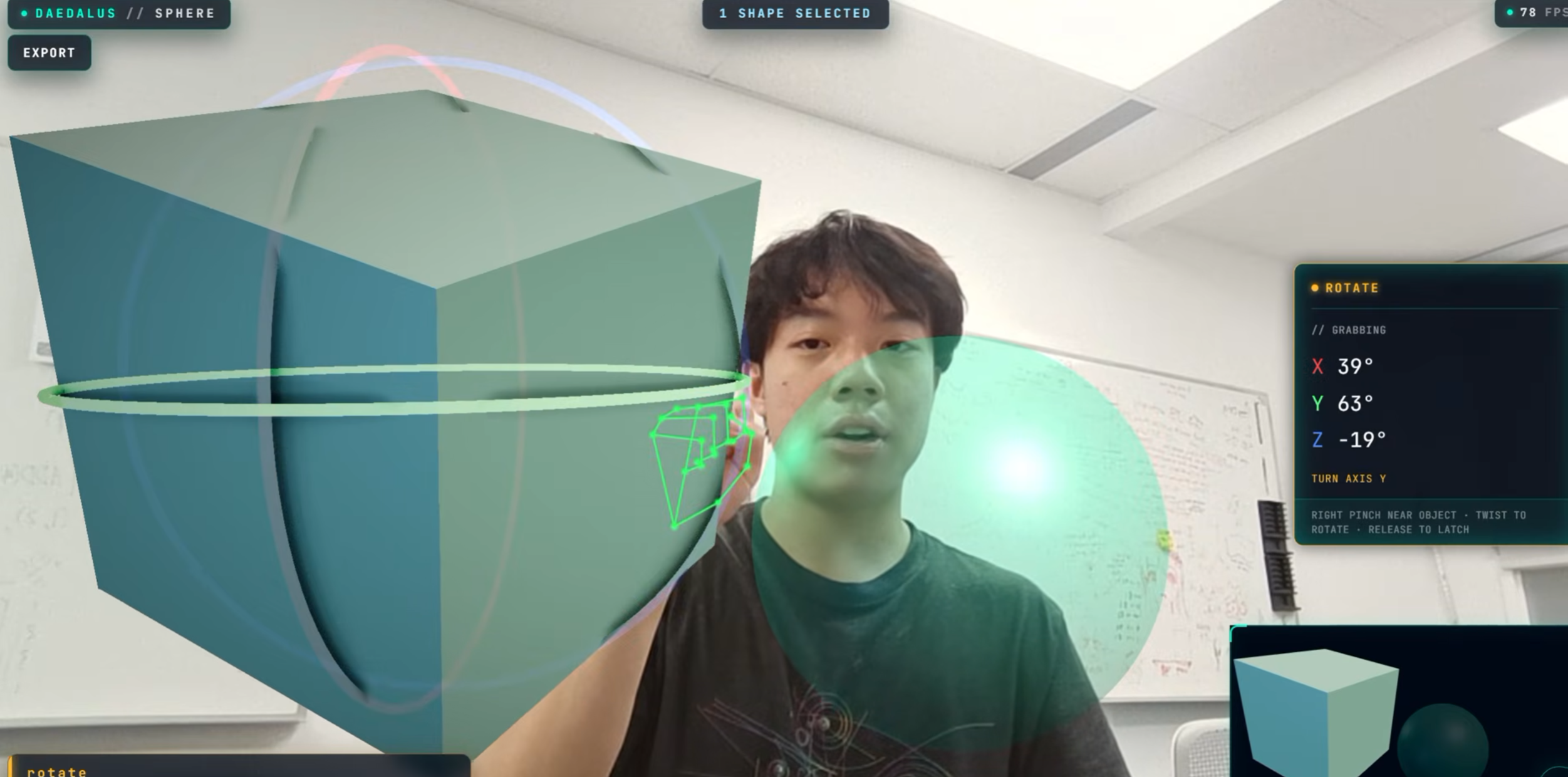
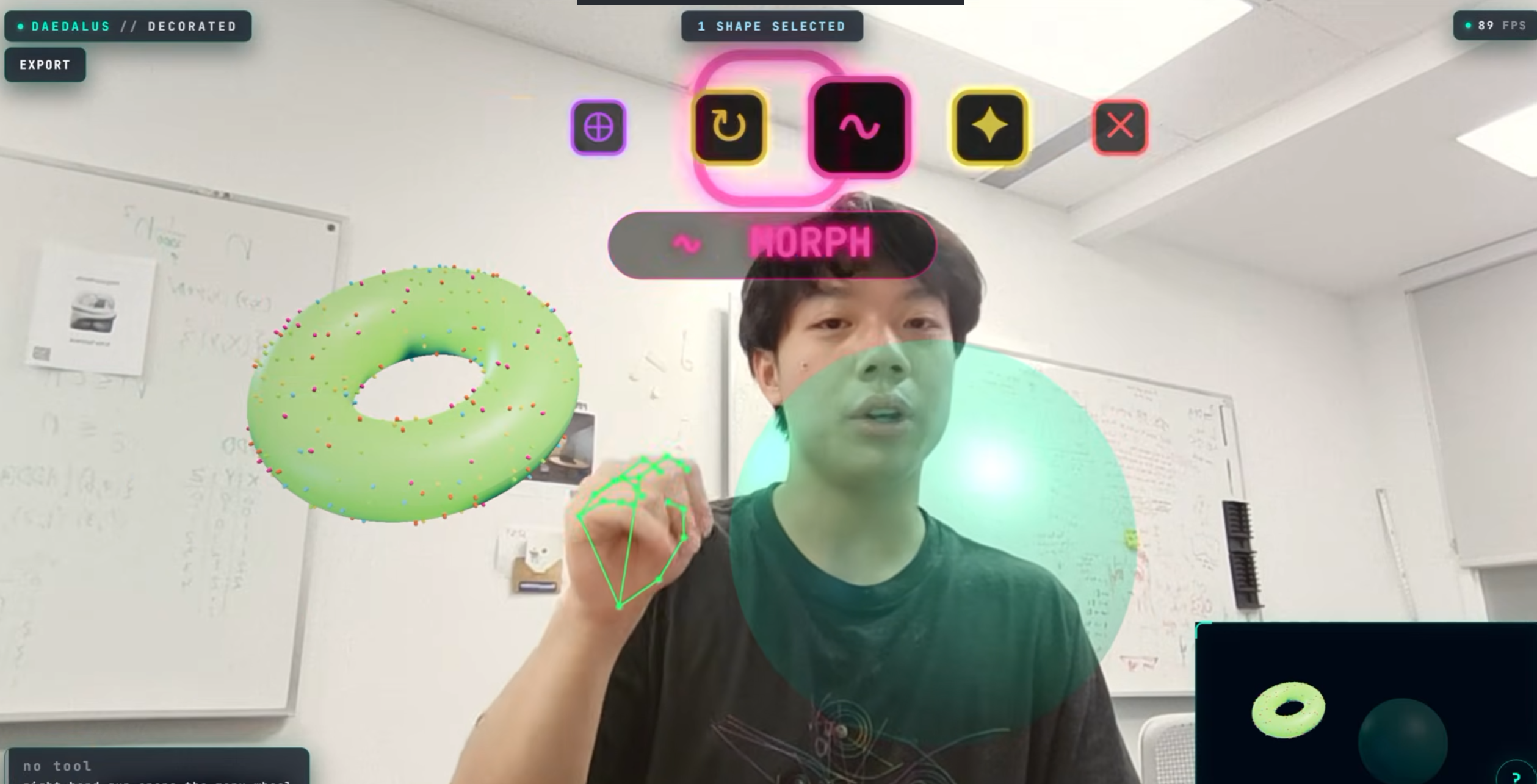
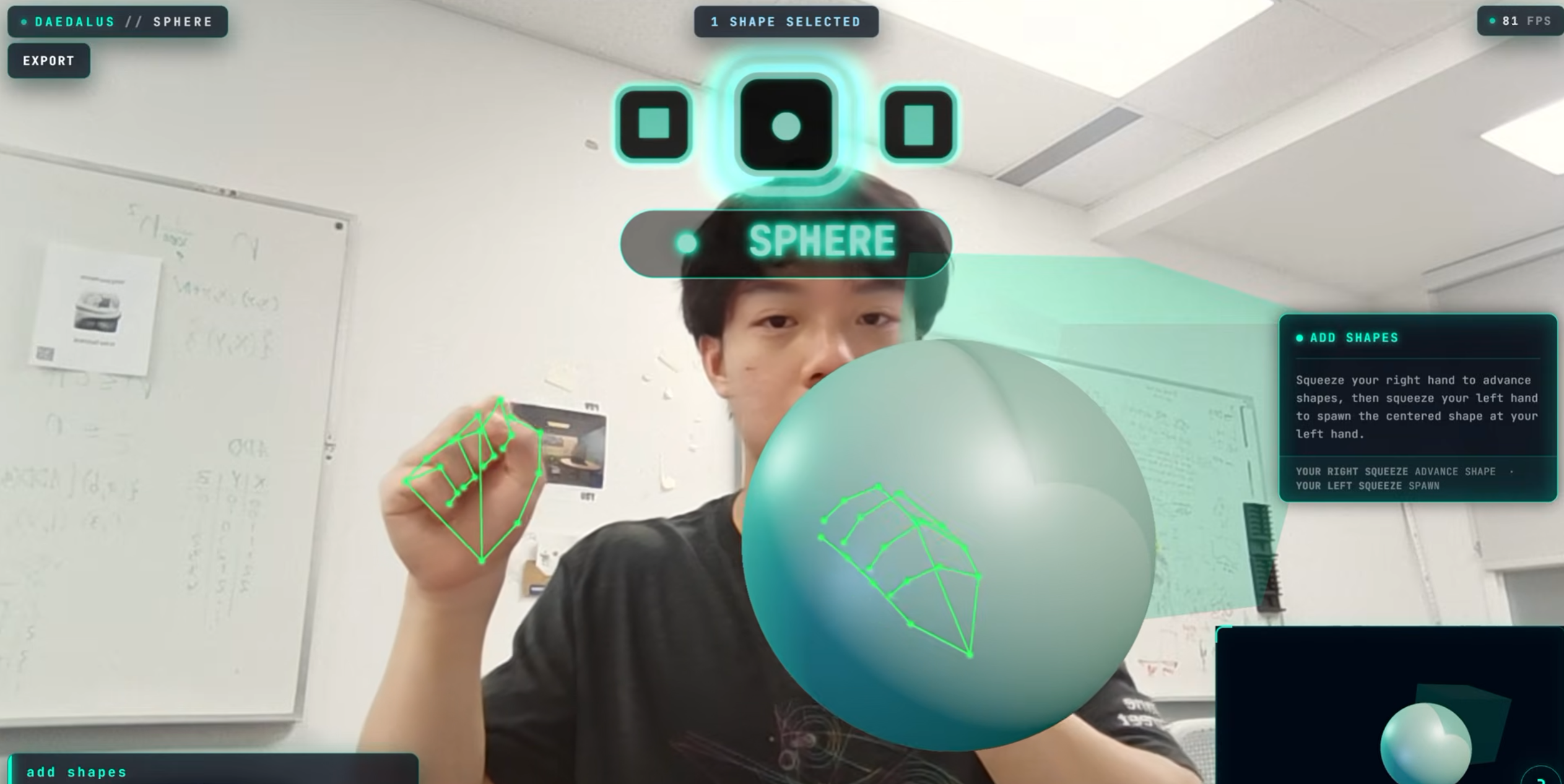
Add Shapes — right pinch cycles through cube, sphere, and cylinder. Left pinch spawns the current shape at your left hand position.Translate — right open palm grabs and tracks the selection. Right fist locks it in place.Dilate — close both hands into fists to engage the scale clutch, then spread apart to grow or pull together to shrink. Open either hand to latch the current scale; re-close to keep adjusting.Rotate — right pinch near the object to grab. Twist your hand to rotate. Release to latch. Rotation is quaternion-based so there's no gimbal lock.Select — right fist steps the focus cursor through shapes in the scene (the focused shape pulses white). Left fist toggles the focused shape into or out of your selection. Left pinch marks it as a hole cutter for boolean operations.Interact — combines selected shapes with boolean CSG. Right pinch cycles through union, subtract, and intersect (live preview updates each time). Left pinch applies the operation. Shapes marked as cutters in Select will carve holes on union.Destroy — right pinch deletes all selected shapes. Requires an active selection from Select first.Morph – use hands to mold the shape like clayToggling mesh/solid - dual finger guns
How We Built It
Three.js / WebGLfor 3D rendering and scene management in the browserComputer visionvia webcam-based hand tracking for gesture recognition and mapping to 3D transformsAI voice integrationfor the natural language assistant, which handles both generative shape creation and scene decoration
Challenges We Ran Into
Getting gesture recognition to feel responsive and accurate in a 3D context turned out to be the hardest part of the whole project. A webcam sees flat, 2D hand positions, and translating those into meaningful operations on a 3D object required a lot of calibration and testing to stop it feeling imprecise. We also had to design the gesture vocabulary from scratch, which meant thinking carefully about which actions people actually need most often and how to make them memorable enough that you're not constantly stopping to look up what your hands are supposed to be doing.
Accomplishments We're Proud Of
The whole thing runs in a browser tab with an ordinary webcam, which means the barrier to just trying it is about as low as it getsHand tracking feels natural enough that most people figure out the basic gestures within a couple of minutes without needing any explanationThe voice assistant works well as an actual modeling aid rather than a demo feature, since it can both generate new geometry and restyle existing objects depending on what you needThe name cuz it’s tuff
What We Learned
Webcam-only hand tracking is significantly more achievable than we expected going in, and working within the constraints of a 2D camera actually pushed us toward gesture designs that ended up feeling more intuitive than they might have with a more powerful sensor. Having less information to work with forced us to make the gestures themselves more deliberate and distinct, which made them easier to learn.
What's Next
Expanding the gesture vocabulary and adding support for user-customizable bindingsAdding more shapes and shape interactionsMultiplayer collaborative sessions where multiple people can sculpt the same scene at the same timeDeeper scene context awareness in the AI assistant, so it can reason about object relationships, proportions, and stylistic consistency acrosts a whole sceneDirect integration into sites like blenderVR integration
Built With
Three.js r160 — 3D rendering, WebGL, post-processing (GTAO, bloom, vignette)MediaPipe Tasks Vision 0.10.12 — hand tracking via webcamthree-mesh-bvh 0.7.0 — BVH acceleration for sculpt brush operationsthree-bvh-csg 0.0.17 — boolean CSG (union, subtract, intersect)Vite 5.2.11 — build tooling / dev serverTypeScript 5.4.5 — languageWeb Speech API — voice input (STT) with scripted TTS fallback
Built With
- mediapipe
- node.js
- three.js
- typescript
- vite


Log in or sign up for Devpost to join the conversation.