-
RAG pipeline
Inspiration
Every student knows the feeling — it's 2AM, you're watching a recorded lecture, and you hit a concept you don't understand. You pause the video. You have no one to ask. You either give up, or spend an hour Googling answers that weren't written for your course. We built Course Assistant AI because that moment of confusion shouldn't have to wait until office hours.
What it does
Course Assistant AI is a voice-powered study companion that lives inside your lecture player. Upload your course materials — PDFs, slides, and lecture videos — and the system ingests everything into a unified knowledge base. When you hit a confusing moment, press the mic button and speak your question out loud. The system:
- Extracts the transcript window around your exact timestamp (±5 minutes)
- Retrieves the most relevant chunks from your PDFs and slides using semantic search
- Sends everything to an LLM that answers only from your course content
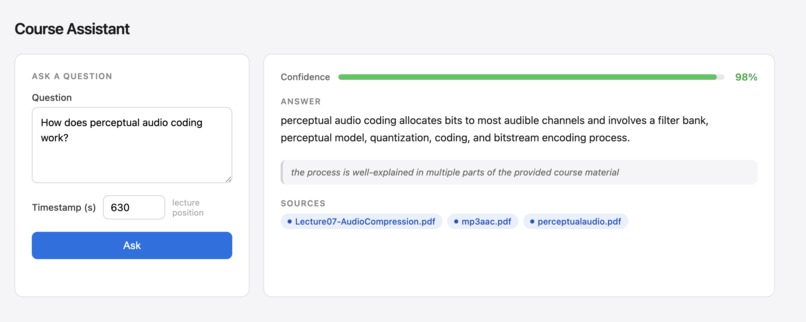
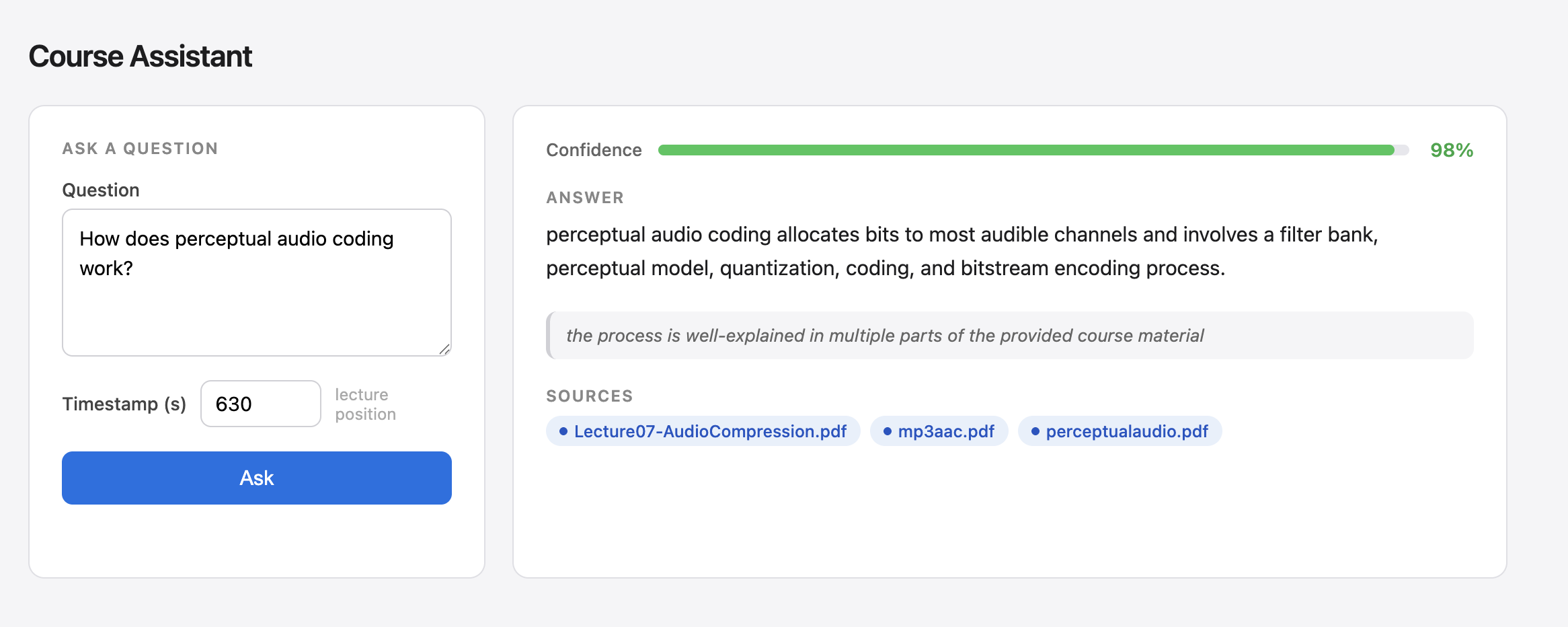
- Returns an answer with a confidence score $c \in [0, 1]$
- If $c < 0.70$, automatically drafts a structured email to your TA and sends it
No more generic answers. No more unanswered doubts.
How we built it
We built a hybrid retrieval pipeline combining timestamp-anchored extraction and RAG (Retrieval Augmented Generation):
Ingestion layer
PyMuPDFextracts text page-by-page from PDFspython-pptxextracts slide content from PowerPoint filesWhispertranscribes lecture videos with word-level timestamps
Retrieval layer
- Course documents are chunked into 512-token pieces with 50-token overlap
- Each chunk is embedded using
sentence-transformers(all-MiniLM-L6-v2) running entirely locally — no API calls, no cost - Embeddings are stored in
ChromaDBfor fast similarity search
Reasoning layer
- At query time, the student's question + video timestamp triggers two retrievals: the transcript slice around $T \pm 300s$ and top-$k$ semantic chunks from docs
- The combined context is passed to
llama-3.3-70b-versatilevia the Groq API - The model is instructed to output a structured JSON response:
json
{
"answer": "...",
"confidence": 0.87,
"confidence_reason": "Directly covered in lecture at 44:30",
"sources": ["week3.pdf", "lecture_transcript"]
}
Escalation layer
- If confidence $c < 0.70$, a second LLM call drafts a professional TA email
including the student's question, timestamp in
MM:SSformat, and the reason the system couldn't answer confidently - The email is sent via Gmail API
Backend: Flask REST API (POST /ask, POST /ingest, POST /upload)
Frontend: HTML5 video player with mic overlay, answer panel, confidence bar
Challenges we ran into
- No OpenAI credits — we switched from OpenAI embeddings to a local
sentence-transformersmodel mid-build. This actually made the system faster and free to run. - Timestamp alignment — mapping PPT slides to video timestamps required careful indexing so the context window always captured the right content.
- Confidence calibration — getting the LLM to produce honest, conservative confidence scores (rather than inflated ones) required careful prompt engineering. We found that explicitly telling the model to default low when uncertain was the key instruction.
- Context window management — a ±5 minute transcript window could be very large for a fast-talking lecturer. We had to balance context richness against token limits.
Accomplishments that we're proud of
- Built a fully working end-to-end pipeline in 12 hours
- Zero external embedding costs — the entire embedding layer runs locally
- The confidence gate actually works — low-confidence questions consistently trigger escalation on out-of-syllabus topics
- The TA email is genuinely useful — structured, timestamped, and professionally written by the model every time
- Real course PDFs from an actual university course were used as the knowledge base — this wasn't a toy demo
What we learned
- RAG is not always the right tool. For video content, timestamp-anchored extraction outperforms pure vector search because it preserves the natural flow of explanation around the moment of confusion.
- Confidence scoring in LLMs requires explicit prompt design. Without instruction, models tend toward overconfidence. The formula we converged on:
$$c = \frac{\text{evidence strength} \times \text{source coverage}} {\text{question complexity}}$$
- Local embedding models are production-ready.
all-MiniLM-L6-v2matched OpenAI embedding quality for this use case at zero cost. - Claude Code dramatically accelerated development — entire modules were scaffolded, debugged, and integrated through natural language prompts.
What's next for Glean
- Live lecture mode — real-time question answering during a live class using a running audio stream
- Spaced repetition integration — automatically generate flashcards from the doubts a student asked, turning confusion into long-term memory
- Multi-student aggregation — if 10 students ask similar questions at the same timestamp, surface that to the instructor as a weak point in the lecture
- LMS integration — connect directly to Canvas, Moodle, or Blackboard so course materials are ingested automatically without any uploads
- Confidence analytics dashboard — show instructors which topics consistently produce low-confidence answers across the class
Built With
- chromadb
- claude
- flask
- gmail-api
- groq
- html5
- javascript
- llama-3.3-70b-versatile
- pptxgenjs
- pymupdf
- python
- python-pptx
- sentence-transformers
- web-speech-api
- whisper

Log in or sign up for Devpost to join the conversation.