-
-
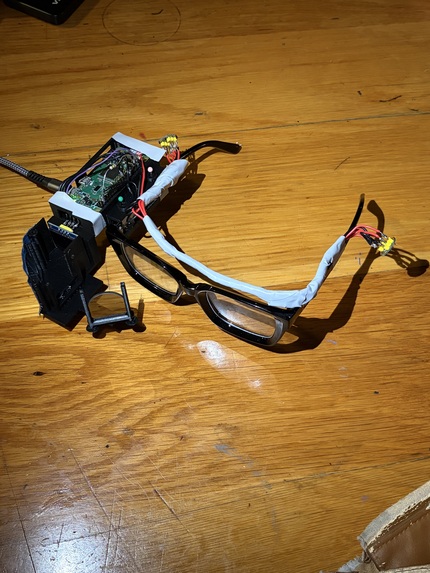
Glasses Final Build
-
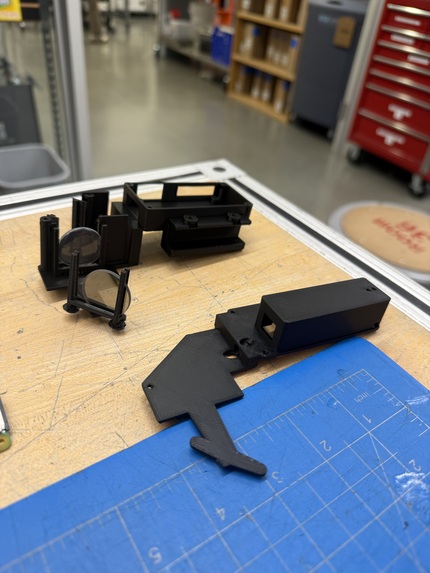
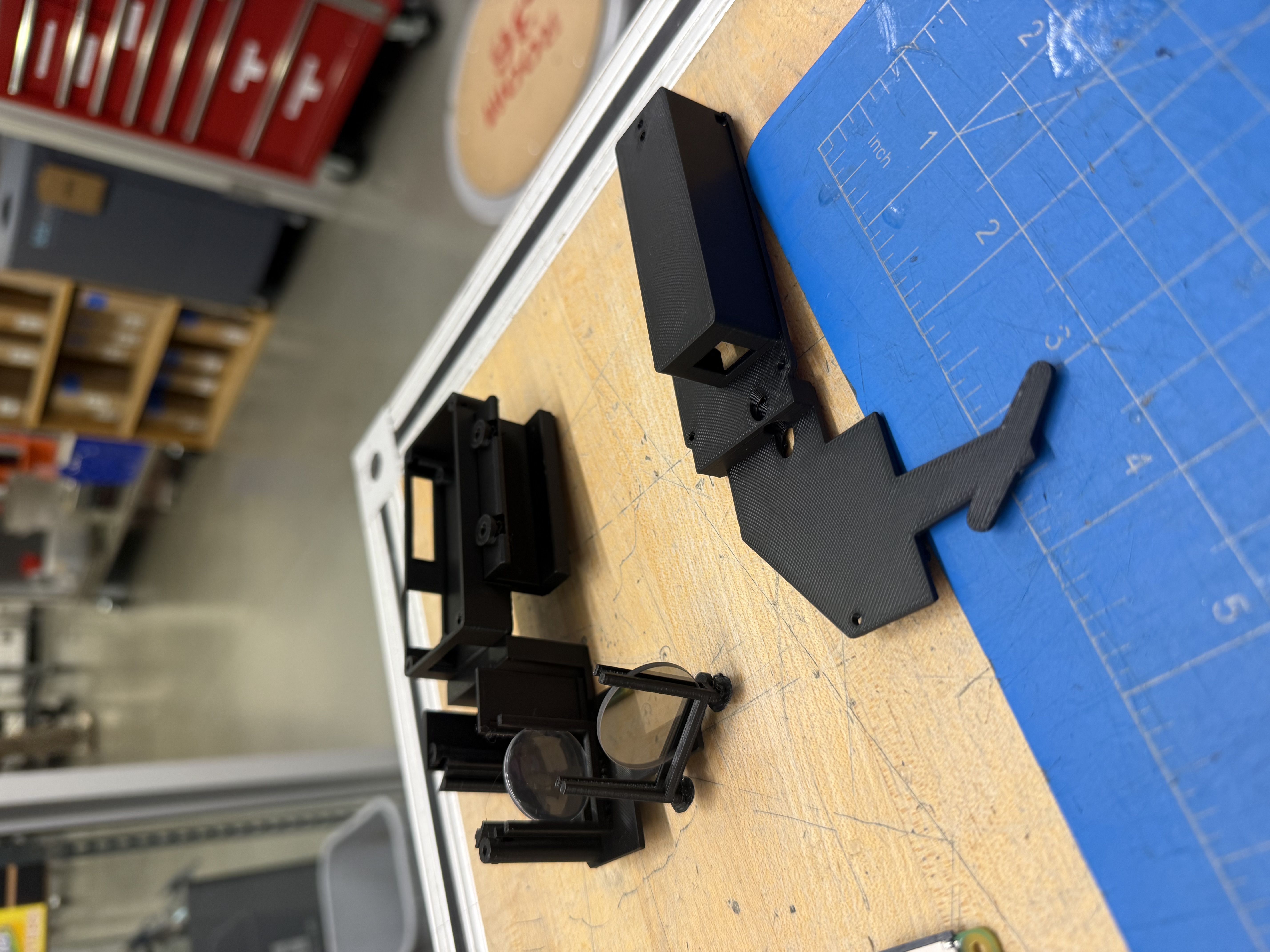
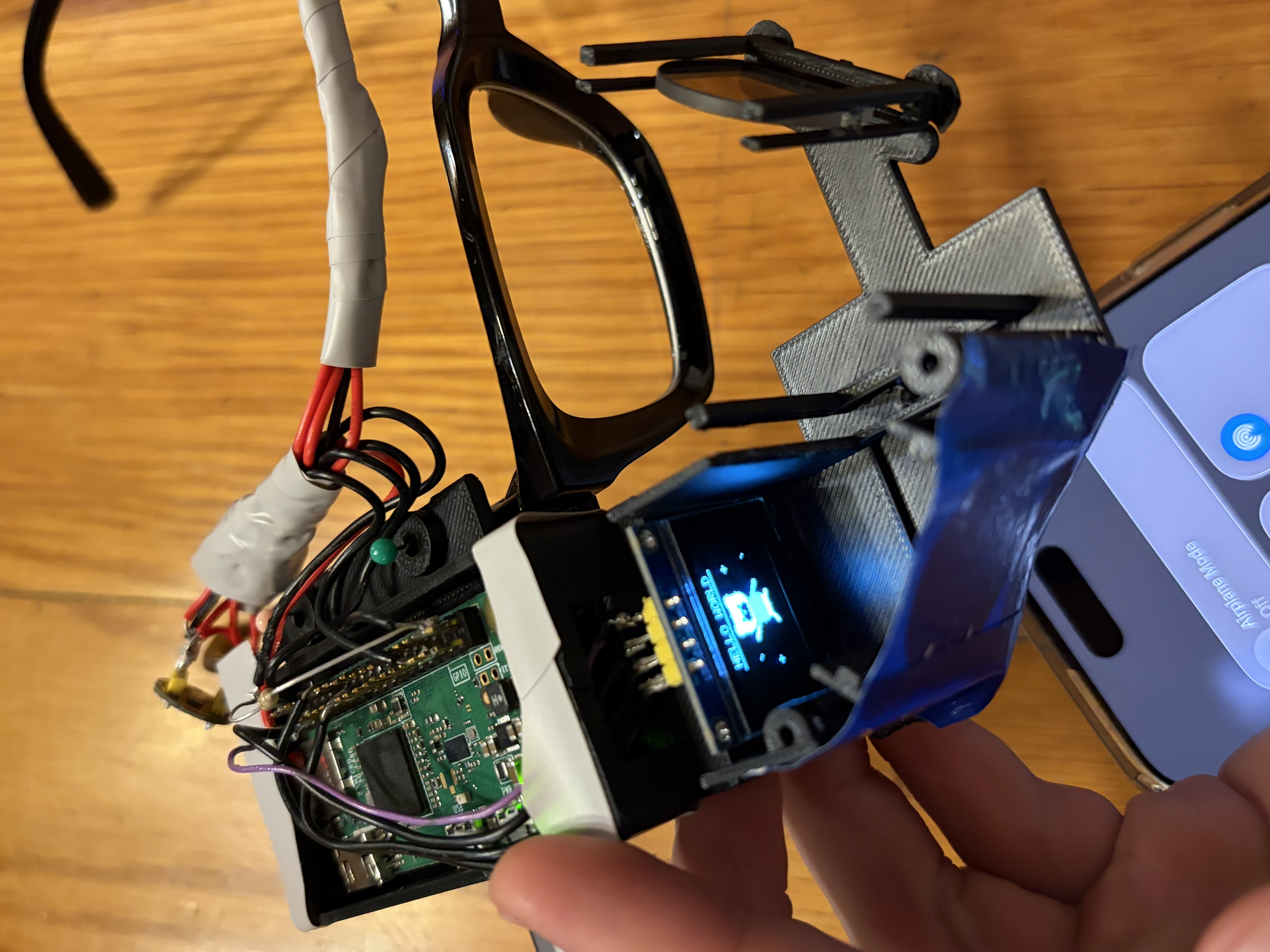
Printing Frame
-
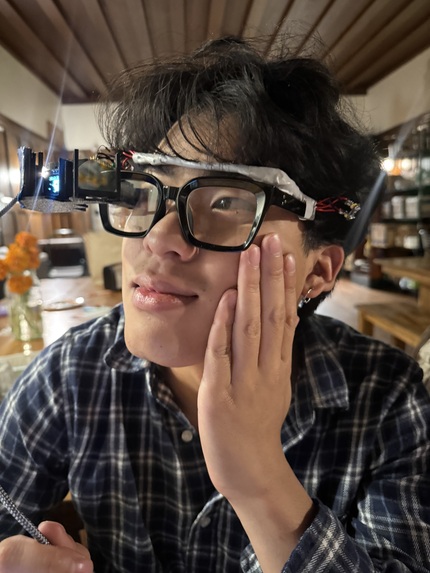
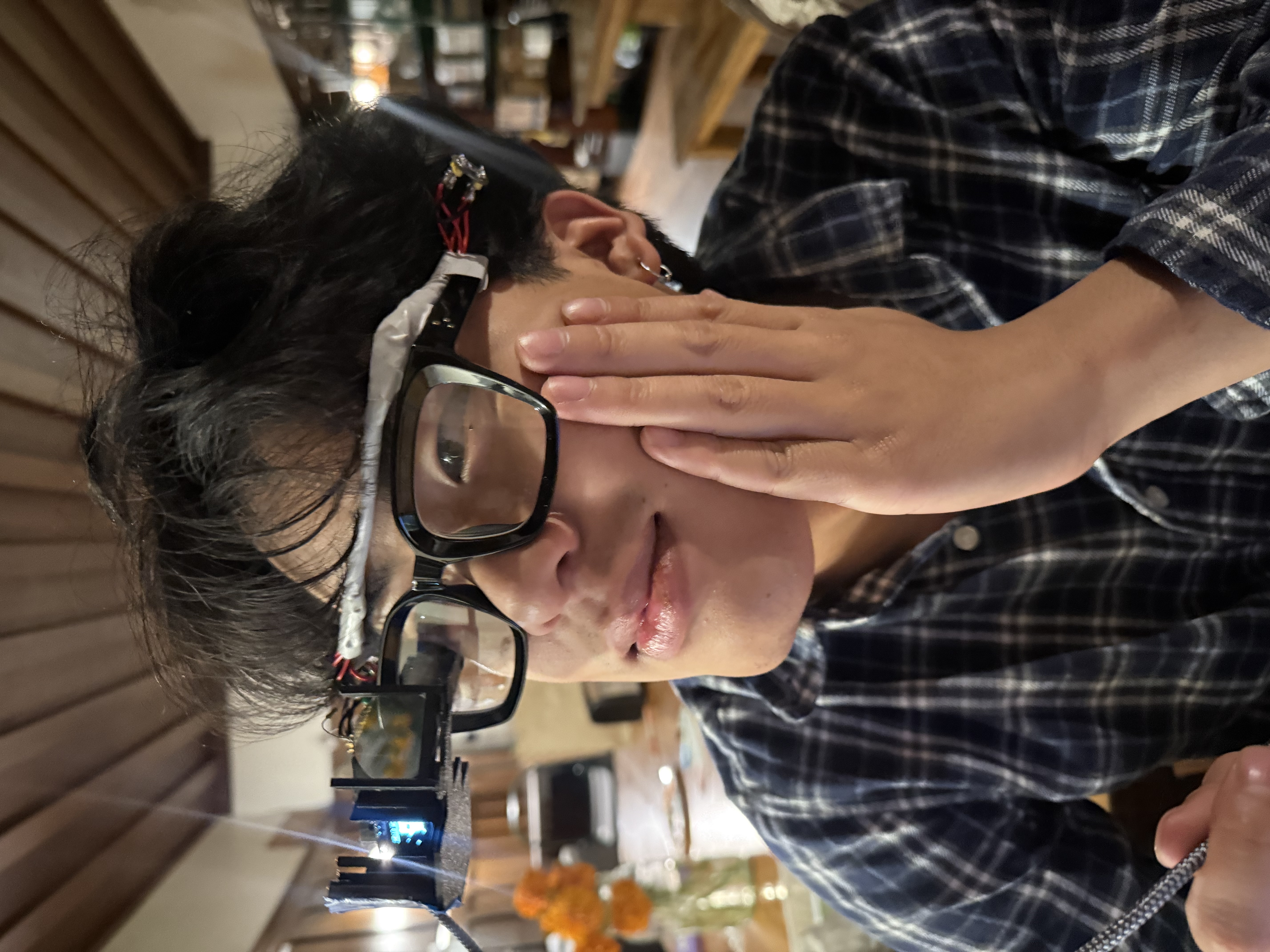
Beautiful model with glasses
-
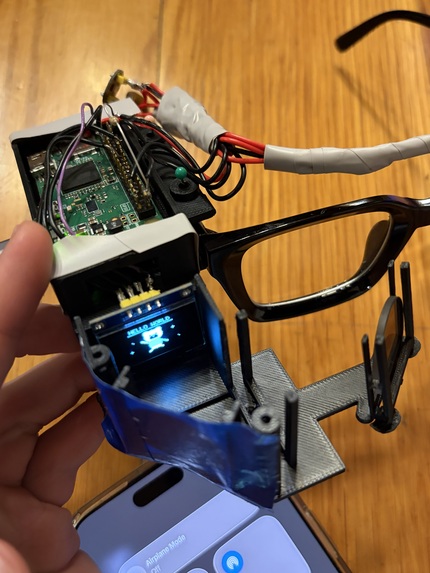
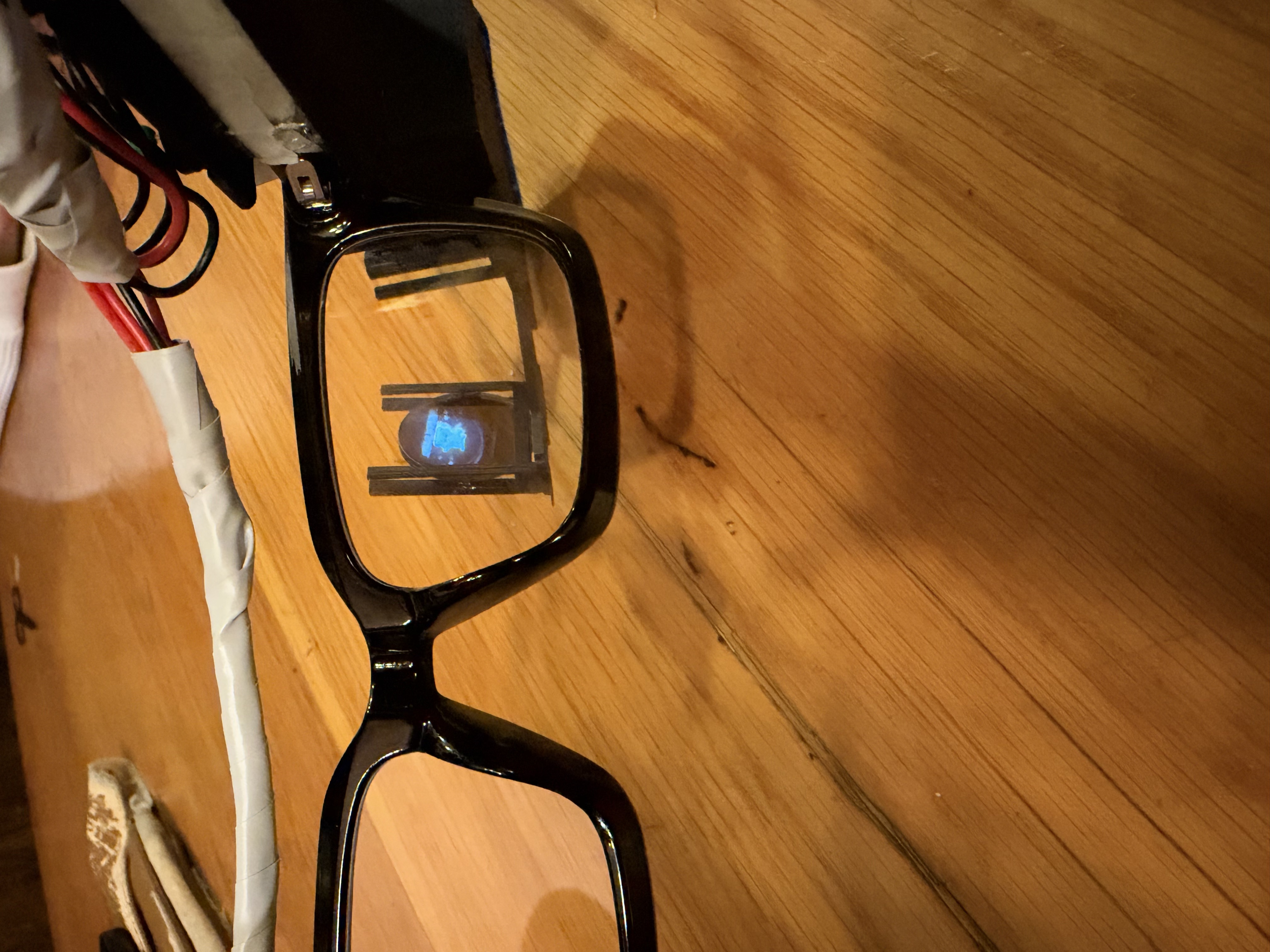
Image projected on glasses
-
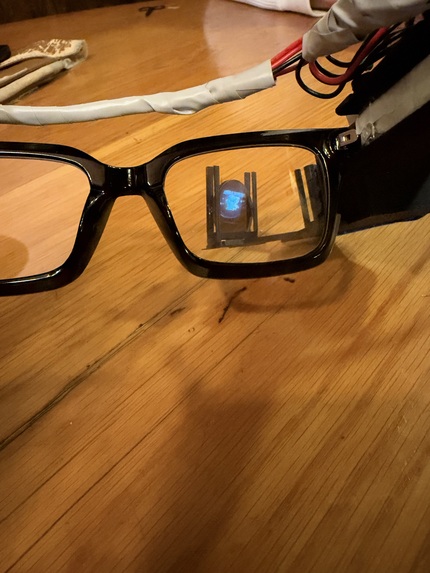
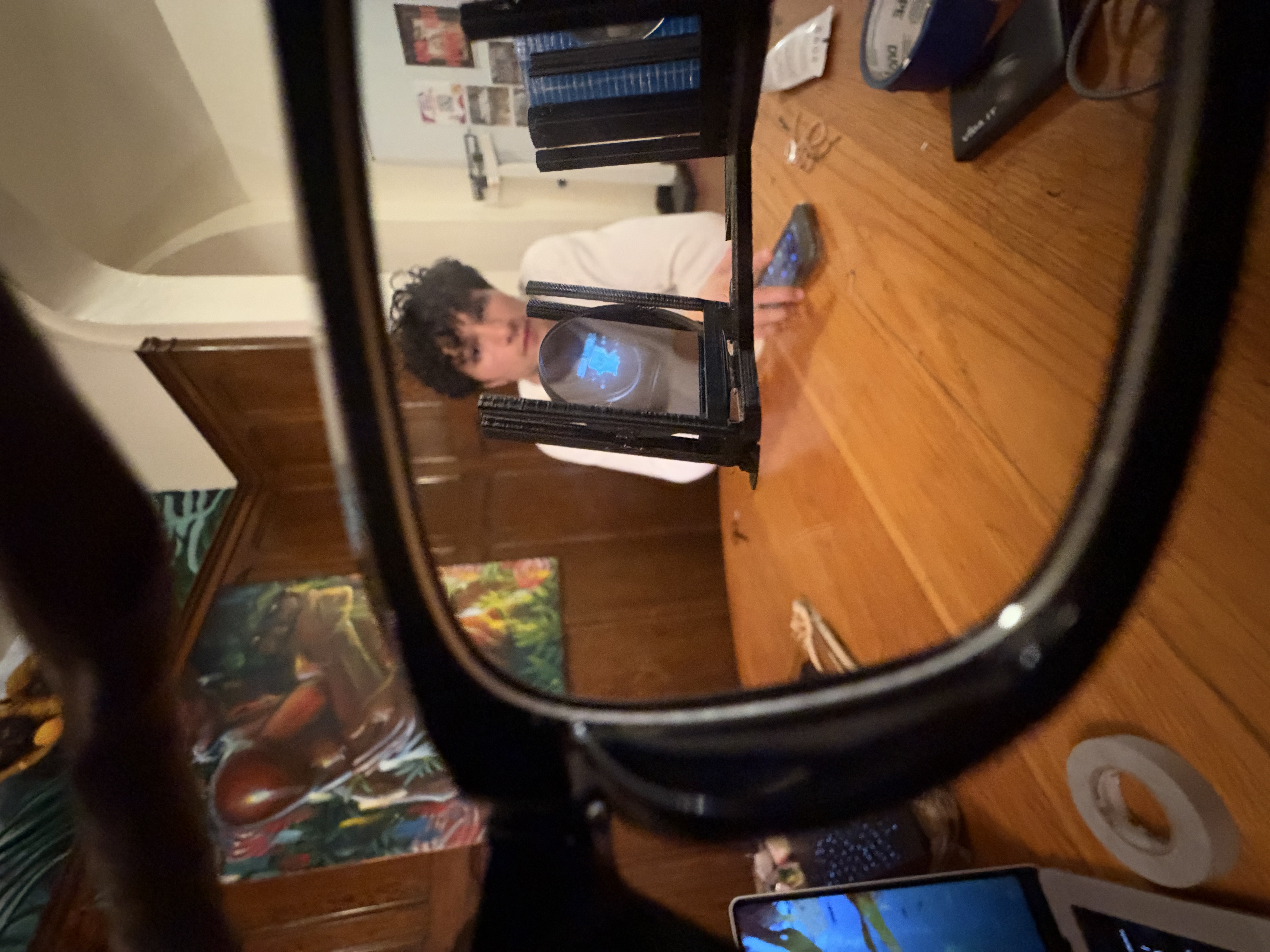
User POV of projected image no background
-
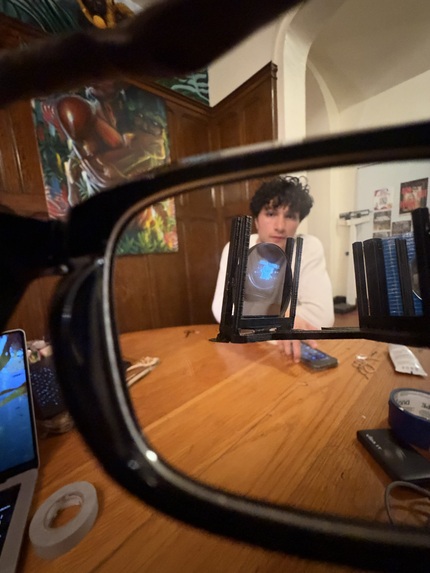
User POV of projected image with background
Spidey Sense
Visual cues for the sounds around you.
Inspiration
Yameen's aunt is hard of hearing, and growing up so close to her, he witnessed firsthand the challenges she faced during evacuations, finding people in crowds, or interacting with strangers in public. In one University of Washington study, about half of deaf and hard-of-hearing participants reported missing an important sound every day (Bragg et al., ASSETS 2016). In a survey of 201 deaf and hard-of-hearing people, safety sounds like alarms and sirens topped the list of sounds they wanted to know about, followed by someone calling their name or knocking (Findlater et al., CHI 2019).
Existing solutions are expensive. Prescription hearing aids average $3,432 per pair and don't help many profoundly deaf people, while assistive glasses cost $499 to $5,000 and focus mostly on captions. We wanted to build an affordable wearable that alerts users to the important sounds around them.
What it does
Spidey Sense creates visual cues for auditory inputs from the user's surroundings, depicting what a sound is and what direction it is coming from.
- Name alerts: notifies the user when someone calls their name or nickname
- Environmental sound alerts: recognizes 527 types of everyday sounds, from smoke alarms to dog barks
- Custom sounds: lets users teach the glasses sounds unique to their home, such as their own doorbell
- Direction finding: shows which direction each sound is coming from
- Priority modes: Work and Do-not-disturb modes hold back lower-priority sounds, while urgent alerts like smoke alarms always come through
How we built it
Hardware
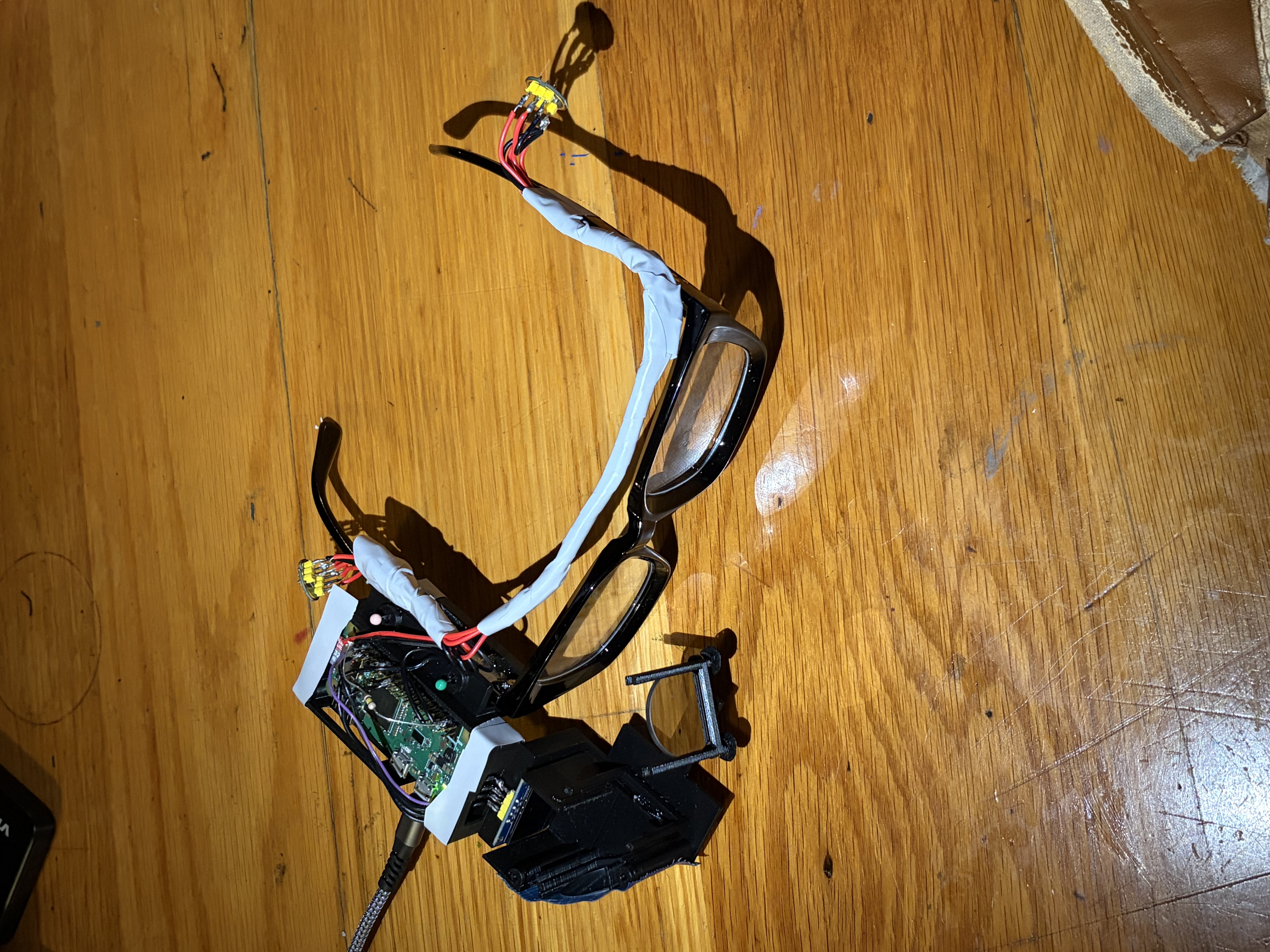
We 3D printed a mount that attaches to a pair of glasses and holds a $10 Raspberry Pi Zero W and a $2 OLED display. A mirror and optical lens project the display onto a translucent beam splitter in front of the user's eyes. Two INMP441 microphones, one on each arm of the glasses, constantly stream audio to the Pi. Total parts cost: $35.70.
Name Detection
We run a streaming keyword spotter, a 3.3-million-parameter speech model from the sherpa-onnx Zipformer family. Rather than transcribing everything around the user, which would be slow, power-hungry, and a privacy concern, it listens only for the user's name and nicknames, processing audio in 0.2-second chunks so alerts appear as the name finishes being spoken.
Because the model spells words using about 500 word fragments, it often hears uncommon names differently than they are written. For example, it hears "Yameen" as "YEMY." To solve this issue, the user has a friend say their name a few times, and we add what the model heard as extra keywords. Spellings that are common English words, such as "why" for Wei, are rejected to prevent constant false alerts.
Sound Classification
For environmental sounds, we use Zipformer Small, an audio-tagging model trained on Google's AudioSet that recognizes 527 sound types. Every second, it analyzes the last two seconds of audio, and per-sound thresholds, cooldowns, and suppression rules convert its scores into alerts. For example, a fading alarm is not reported again as a "bell."
Since every home sounds different, users can also teach the system their own sounds. We extract the model's internal 256-number "fingerprint" of each sound and train a small classifier on about five recordings, compared against a bank of background noise. Training takes about a second, and the new sound works immediately. Every alert then passes through a priority engine, which decides what reaches the glasses.
Direction Finding
Two microphones locate a sound by measuring the difference in when it reaches each one, but a sound in front of the user and its mirror image behind them produce the same delay. We first considered using the user's head rotation to break this ambiguity, but without an IMU, we could not tell which way the head turned. Thus, we use the user's phone microphone as a third microphone, which breaks the front-back symmetry and lets us verify the direction of a sound.
Challenges we ran into
- Determining sound direction with only two microphones
- Recognizing uncommon names that the speech model spelled differently
- Fine-tuning signal inputs to be readable and classifiable
- Creating an ergonomic product while maintaining functionality
- Fitting the electrical layout into a small glasses mount
Accomplishments that we're proud of
- Building a working heads-up display for under $36 in parts
- Running both speech and sound classification models on a $10 Raspberry Pi Zero W
- Letting users teach the glasses a new sound in about a second from only five recordings
- Resolving front-back ambiguity using the phone the user already carries
What we learned
- Communicating between two I2S microphones through hardware
- Training a custom classifier on top of a pretrained sound classification model
- Using resistors to clean audio data
What's next for Spidey Sense
- Adding an IMU so head rotation can resolve sound direction without the phone
- Testing with deaf and hard-of-hearing users to measure alert accuracy, latency, and comfort
- Designing a custom PCB to make the mount slimmer and compatible with hearing aids and cochlear implants
- Expanding name alerts into optional live captions
References
- Bragg et al., "A Personalizable Mobile Sound Detector App Design for Deaf and Hard-of-Hearing Users," ASSETS 2016.
- Findlater et al., "Deaf and Hard-of-hearing Individuals' Preferences for Wearable and Mobile Sound Awareness Technologies," CHI 2019. Link
- Jain et al., "Exploring Sound Awareness in the Home for People Who are Deaf or Hard of Hearing," CHI 2019. Link
- HearingTracker, hearing aid and assistive glasses pricing, 2025.
Built With
- claude
- codex
- mana
- raspberry-pi
- zipformer


Log in or sign up for Devpost to join the conversation.