-
-
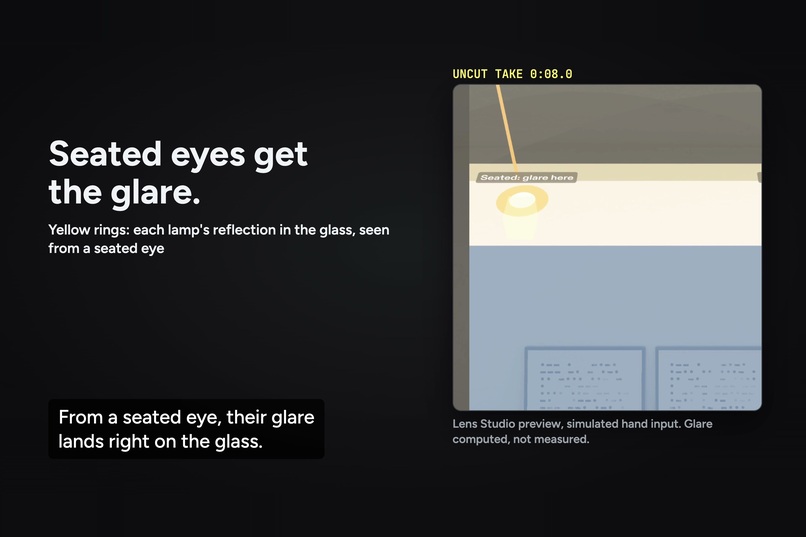
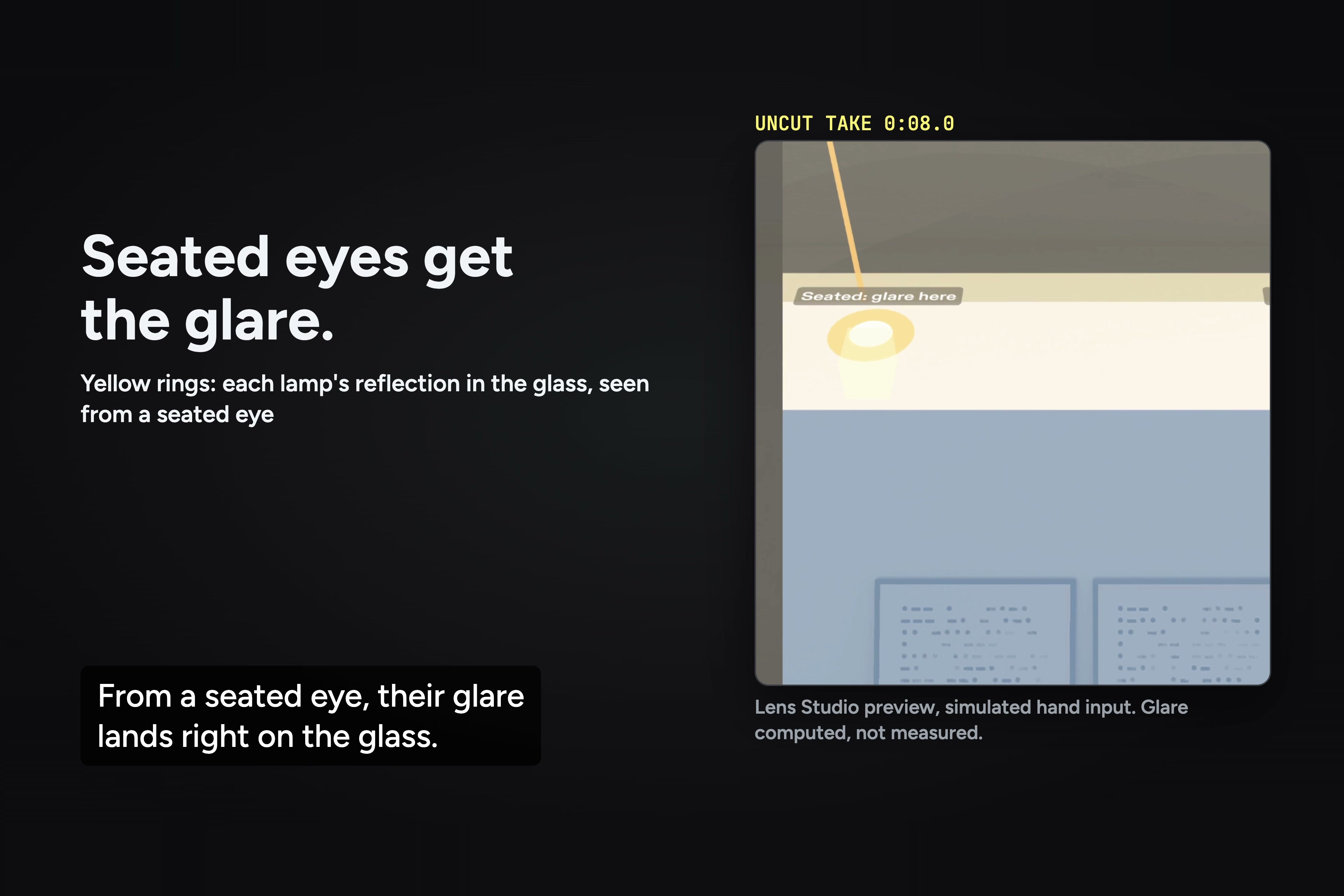
Yellow rings: each lamp's reflection in the glass, seen from a seated eye (Lens Studio preview).
-
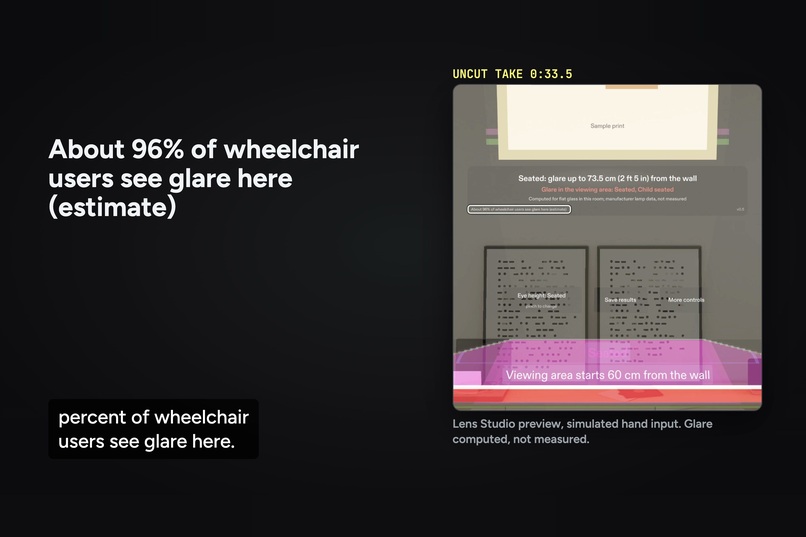
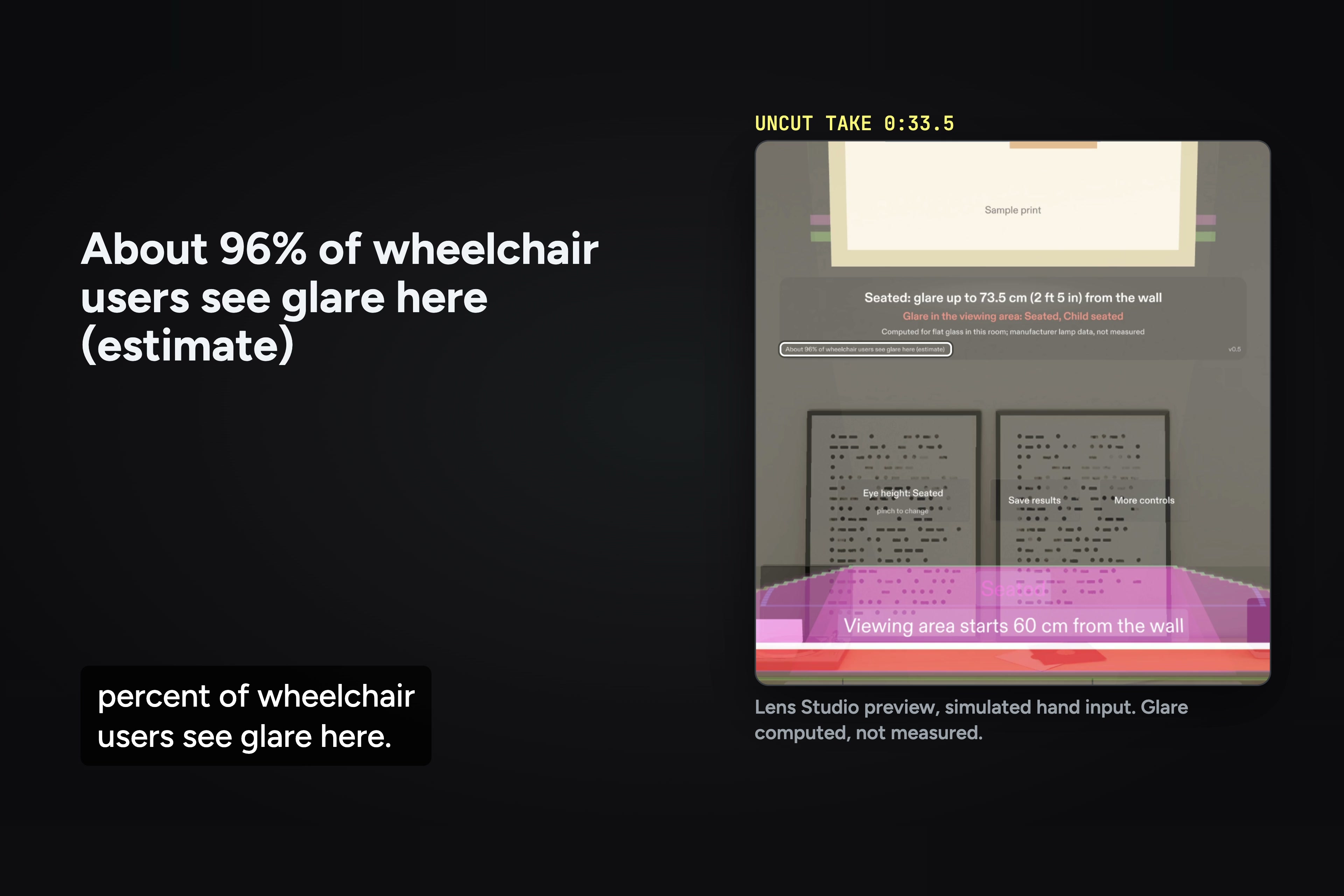
With lights where the usual rule puts them, the card estimates about 96% of wheelchair users see glare.
-
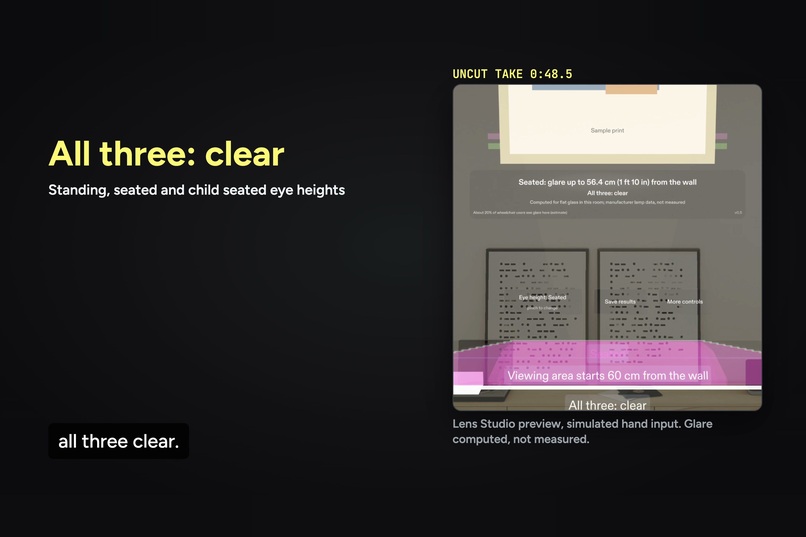
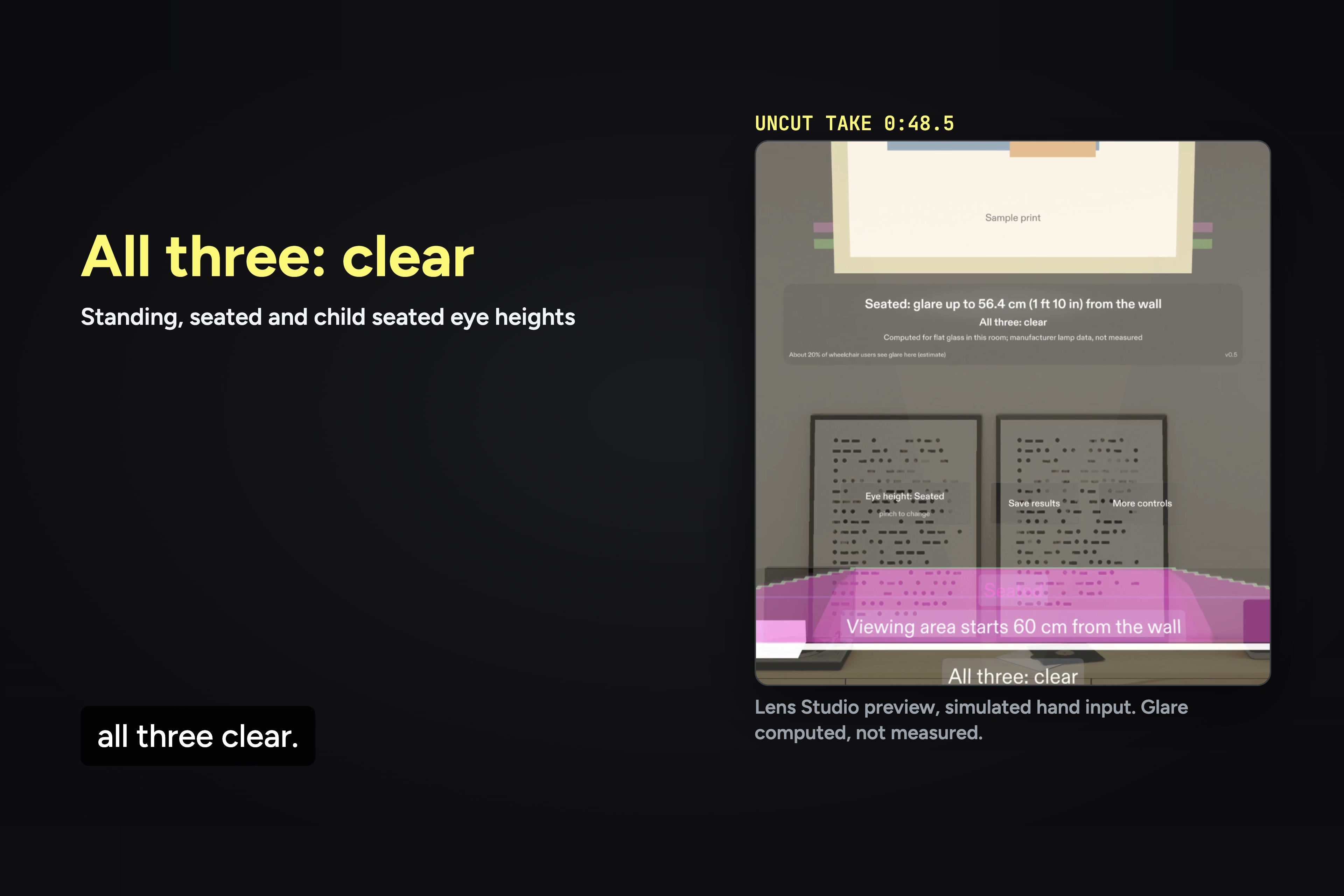
Both lights slide in to 62 cm from the wall, and standing, seated and child seated eye heights all clear.
-
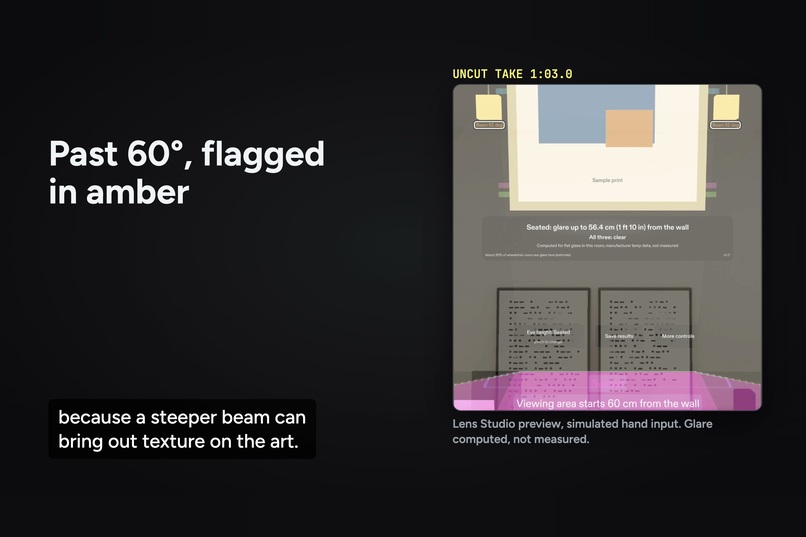
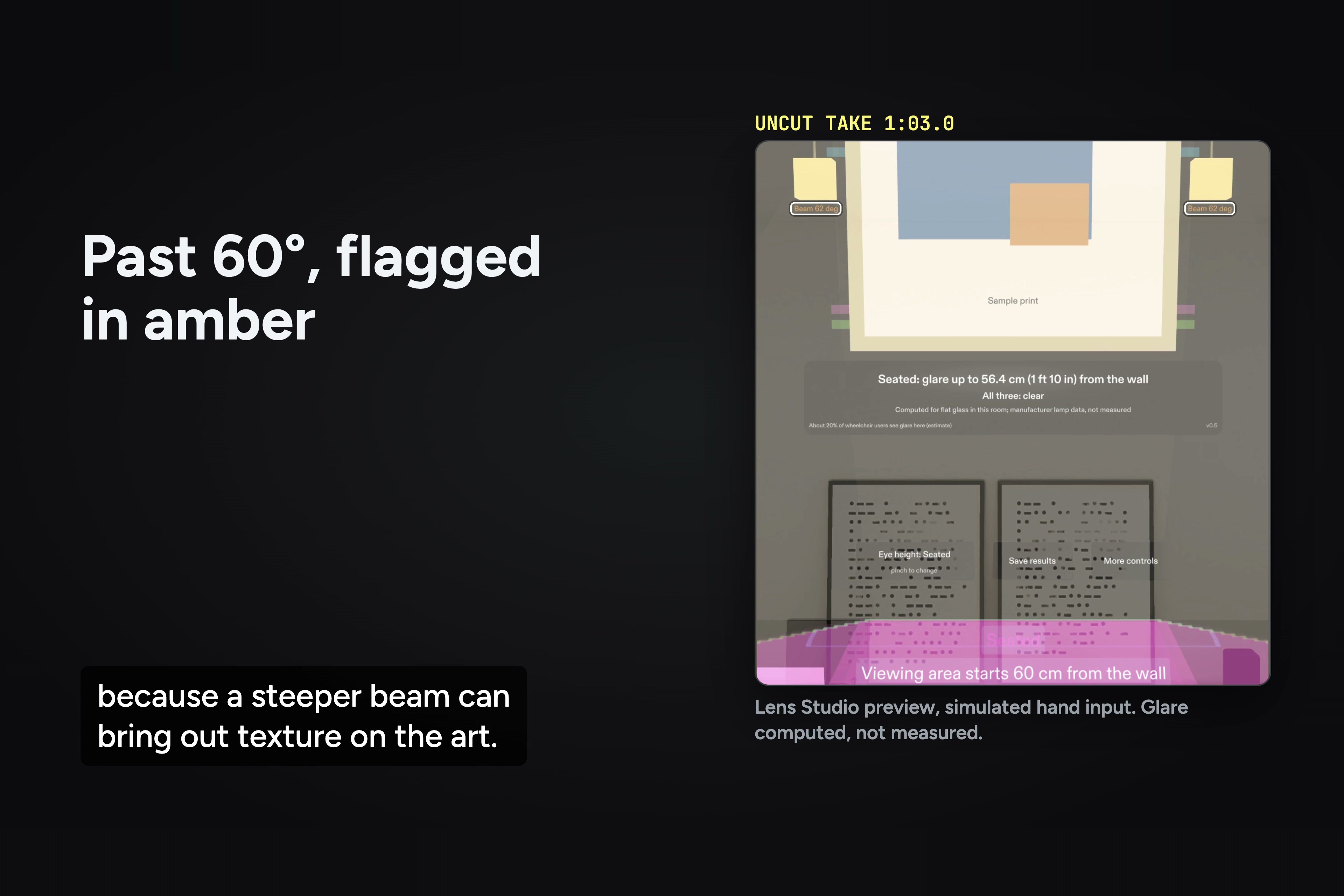
The cost: re-aimed at the print, the beam goes from 58 to 62 degrees, and the Lens flags it in amber.
-
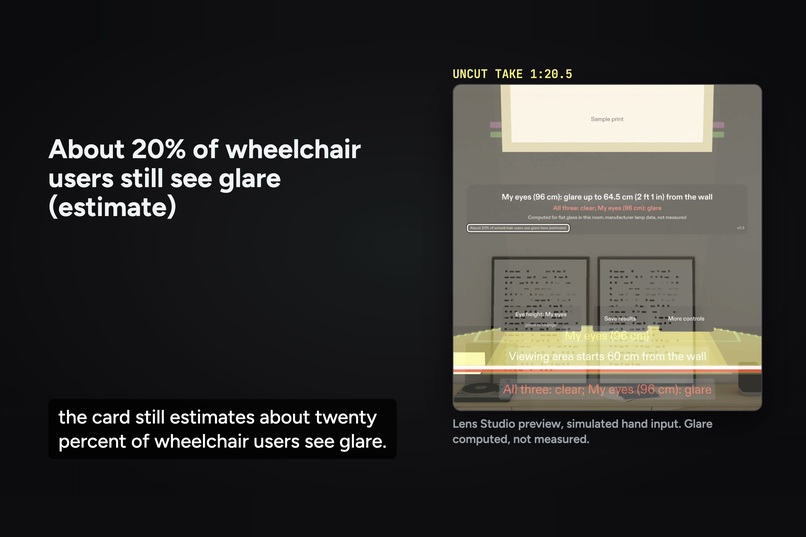
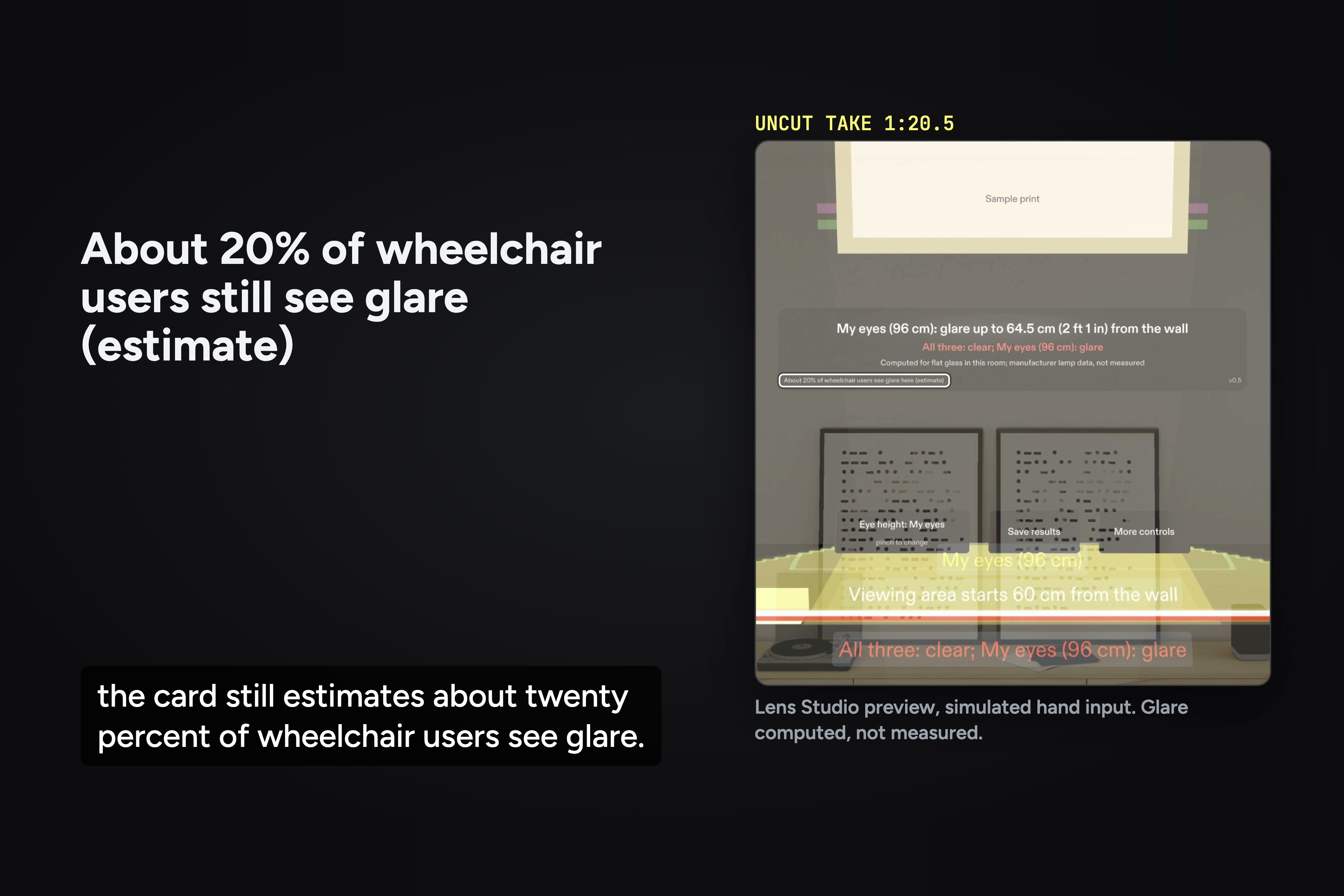
The three heights are examples. At 62 cm the card still estimates about 20% of wheelchair users see glare.
-
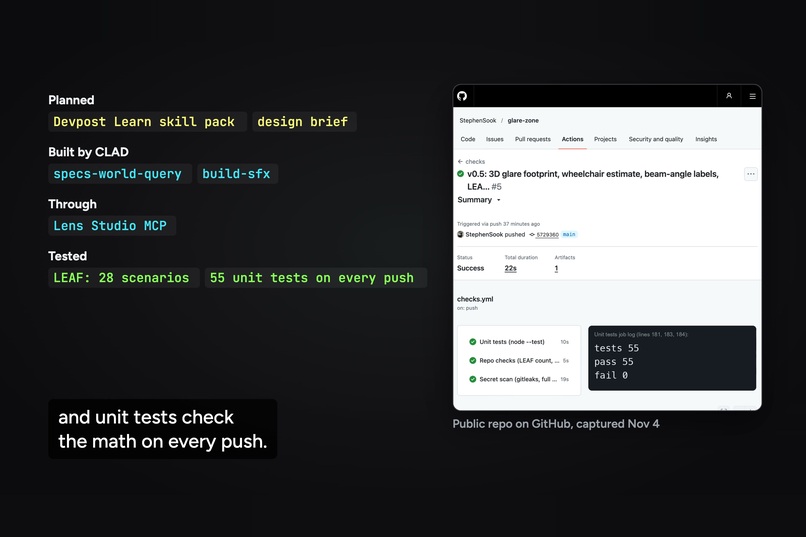
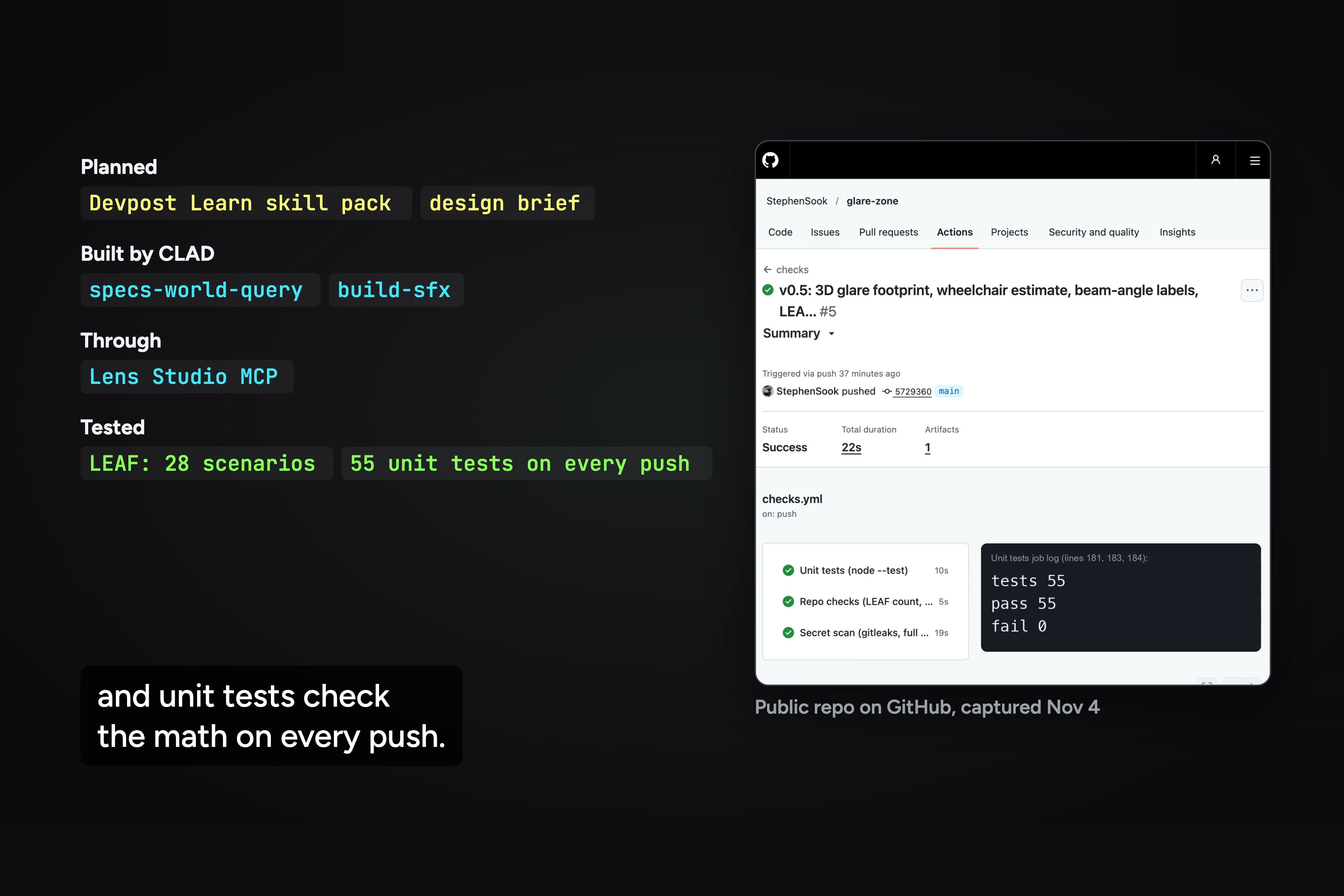
Planned with the Devpost Learn skill pack, built by CLAD through the Lens Studio MCP, 28 LEAF scenarios, 55 unit tests.
Inspiration
I built Glare Zone for the people who hang and light museum shows, so they can see where glare lands for seated visitors before anything goes on the wall. A common rule for aiming gallery lights assumes one person: a standing adult with eyes about 160 cm up (Canadian Conservation Institute). But about 5.5 million US adults used a wheelchair in 2014 (US Census), and the lighting section of the Smithsonian's accessibility guidelines says: "The elimination of glare from cases and on labels must be considered for those visitors who are seated as well as for those who are standing." A museum professional who uses a wheelchair put it another way: "different heights of visitors experience glare differently."
It shows up on real visits too. Ben Baker, an experiential designer who's used a wheelchair since 2005, told Grid Magazine in 2018: "The world was never made for people who are sitting down full time." The same article names "the glare from a glass frame that only a seated patron would see." A 2022 Japanese government guide to universal design in museums quotes a visitor with a mobility impairment who said lighting reflected off the exhibits and was "probably angled to suit standing height" (my translation). And for kids, Glasgow Museums' display guidelines say to "take special care to eliminate glare at child height (between 800mm and 1060mm)." Glare Zone's child seated eye height is 104 cm, inside that band. I couldn't find a tool that shows all of those visitors at once, so I made one.
What it does
Glare Zone is made for the real gallery. Pinch "Place on a wall", aim at the wall where the work will hang, and pinch again: the practice wall, with its print and two track lights, lands there at real size before anything goes up. The Lens Studio preview has no real room, so the video uses the practice wall on its own. In that sample room the lights hang from a 3 m ceiling and the top of the glass is 2 m up. On the floor it draws where each light's reflection in the glass can be seen, for three eye heights: standing (160 cm), seated in a wheelchair (109 cm) and a child wheelchair user (104 cm).
The viewing area is the strip of floor where people stand to look. It starts 60 cm from the wall, and you can move it.
With the lights where the standard rule puts them, the seated zone reaches 73.5 cm from the wall, so it runs into the viewing area and turns red. Step into that zone and you see the glare spot on the glass from that height. Then you fix it. Slide both lights in to 62 cm and all three zones end before the viewing area starts. The card only says "All three: clear" when that's true for all three heights.
Those three heights are examples, though. The card also estimates how many wheelchair users would see glare, from the UK government's figures for wheelchair users' eye heights (960 mm at the 5th percentile, 1250 mm at the 95th, with a normal curve fitted to those two numbers). With the lights where the rule puts them, it says about 96%. At 62 cm it still says about 20%. Set "My eyes" to 96 cm, the 5th percentile, and the card shows glare out to 64.5 cm, so the light would have to come in closer still.
There's a catch, and I'd rather say it than hide it. Moving the lights in makes the beam steeper. Re-aimed at the print from 62 cm, it goes from 58 to 62 degrees, and the Lens turns that label amber past 60, because a steeper beam can bring out surface texture and cast frame shadows on the art. Anti-reflective glass is the other common fix.
The reflection is computed from the geometry and a real fixture's published data, not measured, and the card says so.
Who it's for
Exhibit designers, preparators and lighting designers at museums and galleries, and the visitors they light for. About 5.5 million US adults used a wheelchair in 2014, and every one of them looks at the art from below the eye height the aiming rule was written for.
How it's different
A lighting plan usually checks how bright the art is. Glare Zone checks where the lamp's reflection lands in the glass, for three eye heights at once, and you can stand in each one. In 1999, before the National Archives rebuilt the cases that hold the Constitution, it had 11 volunteers, three of them in wheelchairs, score a mock-up for visibility, glare and comfort. Glare Zone runs the geometry part of a check like that before anything is built. It doesn't replace asking real visitors.
Why glasses
You have to stand where the glare is to see it, and the zones are drawn on the floor at real size, so you can walk into one. Your hands stay free to move the light. "My eyes" uses your own eye height (the camera's, in the preview) and puts your zone next to the standing, seated and child ones. The Lens only uses where the glasses are, your hands, and the depth view if you place the wall. Each light move writes one line to the log with the numbers on the card.
How I built it
- I planned it with the Devpost Learn skill pack first. The plan-lens interview turned my answers into a design brief with five done criteria. The brief is in the repo's devpost folder.
- CLAD built and tested it on my Windows PC across 42 sessions and about 2,700 tool calls (the build log counts each one), working through the Lens Studio MCP to build the scene, run the preview and take screenshots. CLAD's skills did parts of it too: specs-world-query for placing the wall on a real surface, and build-sfx for the soft sound when the card turns "All three: clear".
- One change from the agent was better than my plan. I'd said to start 2 m from the wall, but at 2 m the view can't fit the print and the answer together, so it starts at 3 m.
- 28 LEAF scenarios test it in the preview. One checks that the red overlap ends within 0.1 cm of 73.51 cm, a number worked out from the geometry outside the Lens. Another measures the wall, the print, the lights and the eye heights in the running Lens.
- 55 unit tests (51 for the glare math, 4 for placing the wall) run on every push, so a change that breaks the math fails the check.
- The lamp numbers come from a real fixture's published sheet (TSLight RXT13), not made-up sample values.
What I learned
The usual aiming rule only has one eye in it. When I worked through the geometry, a light 65 cm from the wall still put the child's glare in the viewing area, so the demo moved it to 62. I also had tilt wrong at first. Tilting a light doesn't move the reflection by itself, and a Codex review caught that before it went out. And fixing glare isn't free, because moving the light in changes how the light falls on the art.
What's next
Getting it in front of the people who light real shows, and people who use wheelchairs. I've emailed people who design or hang exhibits at museums in Georgia and a spinal cord injury group in Atlanta, and one has replied offering to help. After that: anchoring it to a real gallery wall, and testing on real Specs.
Limits, plainly
Every Lens shot in the video runs in the Lens Studio preview, driven by LEAF's simulated hand. It hasn't run on Specs hardware yet. The glare is computed from the geometry, not measured with a light meter, and how strong it looks on real glass still needs a real light and frame. The wheelchair numbers are estimates from two published percentiles.
Video and code
- Demo video: https://youtu.be/TMuU6nUypQo
- Code, with the Lens Studio project and the devpost folder: https://github.com/StephenSook/glare-zone
Built With
- clad
- github-actions
- leaf
- lens-studio
- node.js
- snap-spectacles
- spectacles-interaction-kit
- typescript



Log in or sign up for Devpost to join the conversation.