Inspiration
We often found ourselves juggling multiple tools—Slack for quick questions, email for async discussions, and GitHub for code reviews—only to lose conversational context across platforms. Gitwhisper was born from the idea that your chat history should live right alongside your code. By leveraging Git commits as a messaging medium, you keep discussions versioned, discoverable, and inseparable from the work they reference.
What it does
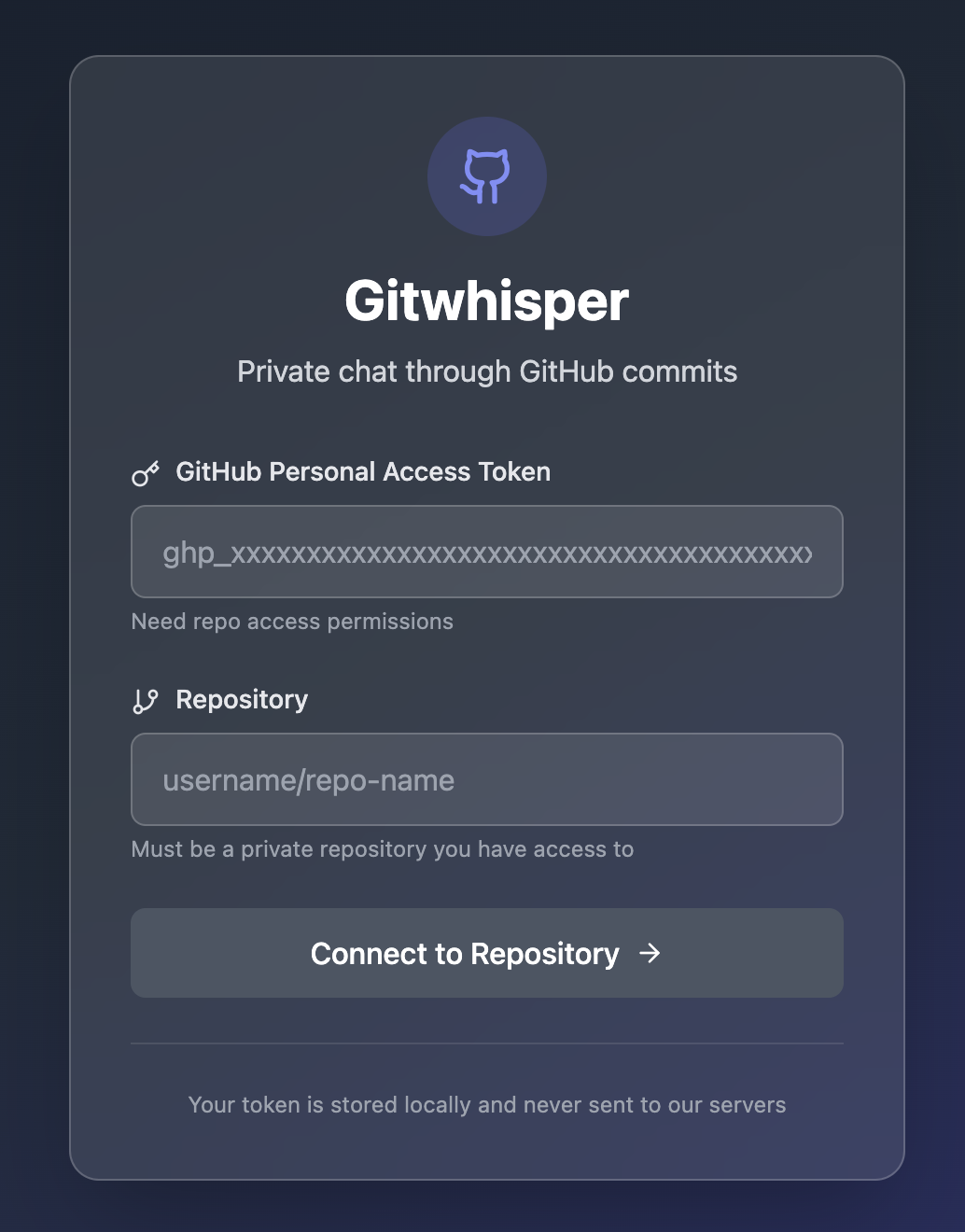
Gitwhisper transforms any GitHub repository into a private, real-time chat room by:
- Connecting via Personal Access Token: Securely authenticates without routing your token through any server.
- Polling for Presence & Messages: Continuously checks for collaborator “online” status files and new commit-based messages.
- Commit-Based Chat: Sends each message as a standardized Git commit on a dedicated
chatbranch, preserving a full history alongside your code. - Rich Formatting: Renders bold, italic, and
inline codein the chat bubbles, distinguishing your messages from others. - Clear UI States: Guides you through connection setup, waiting for collaborators, and using the chat interface—all styled with Tailwind CSS and Lucide icons.
- Privacy by Design: Stores your GitHub token locally; no credentials ever leave your browser.
How we built it
- Frontend: React with functional components, styled using Tailwind CSS for rapid utility-first styling, and Lucide React for crisp, lightweight icons.
- GitHub API: Interacts directly with the REST API to validate tokens, read/write commits, and manage the chat branch.
- Polling Logic: Uses
setIntervalhooks to fetch new commits and presence files at configurable intervals, then updates React state to re-render the chat view. - Commit Strategy: Messages are committed under
chat/mainwith a format likechat: "Your message here", and presence is indicated by a JSON file (.gitwhisper/presence.json) that’s created or updated whenever you join or leave.
Challenges we ran into
- Commit Conflicts: Multiple users sending messages simultaneously occasionally caused Git merge conflicts. We mitigated this by always pulling the latest chat branch head before committing and retrying failed writes.
- Latency Trade-offs: Short polling intervals increased responsiveness but risked hitting GitHub rate limits. We tuned intervals to balance near-real-time UX with API quotas.
- Presence Detection: Distinguishing between “user offline” and network hiccups required robust error handling and timestamp checks in the presence file.
Accomplishments that we’re proud of
- Seamless Integration: Users can install and start chatting in under a minute—no servers to configure or services to trust.
- Persistent, Versioned Chat: Unlike disappearing messages, every exchange is preserved in your repo’s history, making it easy to trace conversations related to a specific pull request or feature branch.
- Privacy-First Design: By never transmitting tokens externally and isolating chat commits on a dedicated branch, we kept both code and credentials secure.
What we learned
- Git as a Data Store: We discovered the power and limitations of using Git commits for structured data—especially when it comes to handling concurrent writes and merge conflicts.
- UX with Polling: Designing around polling introduced lessons in balancing update frequency, user expectations, and API governance.
- Local-First Security: Storing sensitive data locally can simplify architecture and improve user trust, but demands clear UI signals about where data lives.
What’s next for Gitwhisper
- WebSocket Support: Explore GitHub’s GraphQL Subscriptions (or a lightweight proxy) for push-based message delivery and instant updates.
- Threaded Conversations: Allow users to reply to specific messages with nested threads and collapsing UI panels.
- End-to-End Encryption: Implement client-side encryption so that even repository collaborators can’t read messages without the app.
- Polling Optimization: Dynamically adjust polling intervals based on activity levels to reduce API calls during idle periods.
- Mobile-Friendly UI: Enhance the layout and touch interactions for seamless use on phones and tablets.
Built With
- and-css.-frameworks/libraries:-react-for-the-user-interface
- and-tailwind-css-for-styling.-build-tool:-vite-is-used-as-the-build-tool-and-development-server.-apis:-the-github-api-is-utilized-for-all-data-storage-and-communication
- api
- css
- effectively-using-a-github-repository-as-the-backend.-cloud-services/platforms:-github-serves-as-the-data-store-and-communication-medium
- github
- html
- leveraging-several-key-technologies:-languages:-typescript
- lucide
- lucide-react-for-icons
- netlify
- react
- tailwind
- typescript
- vite

Log in or sign up for Devpost to join the conversation.