-
-
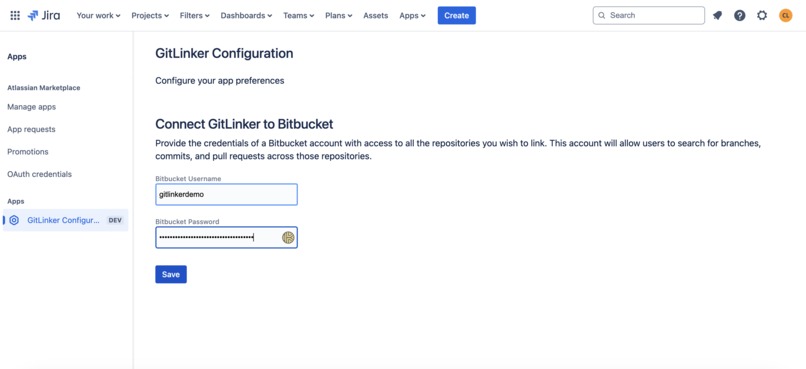
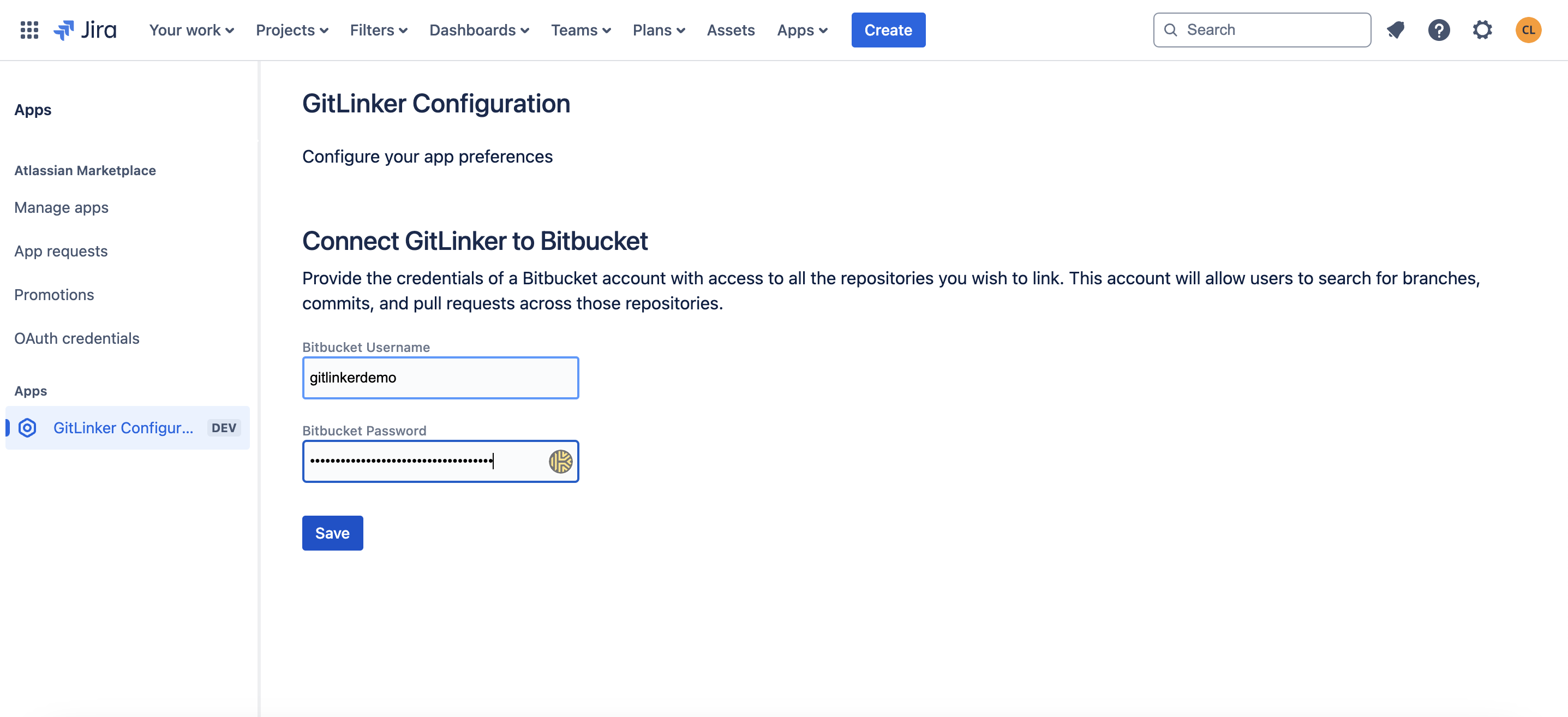
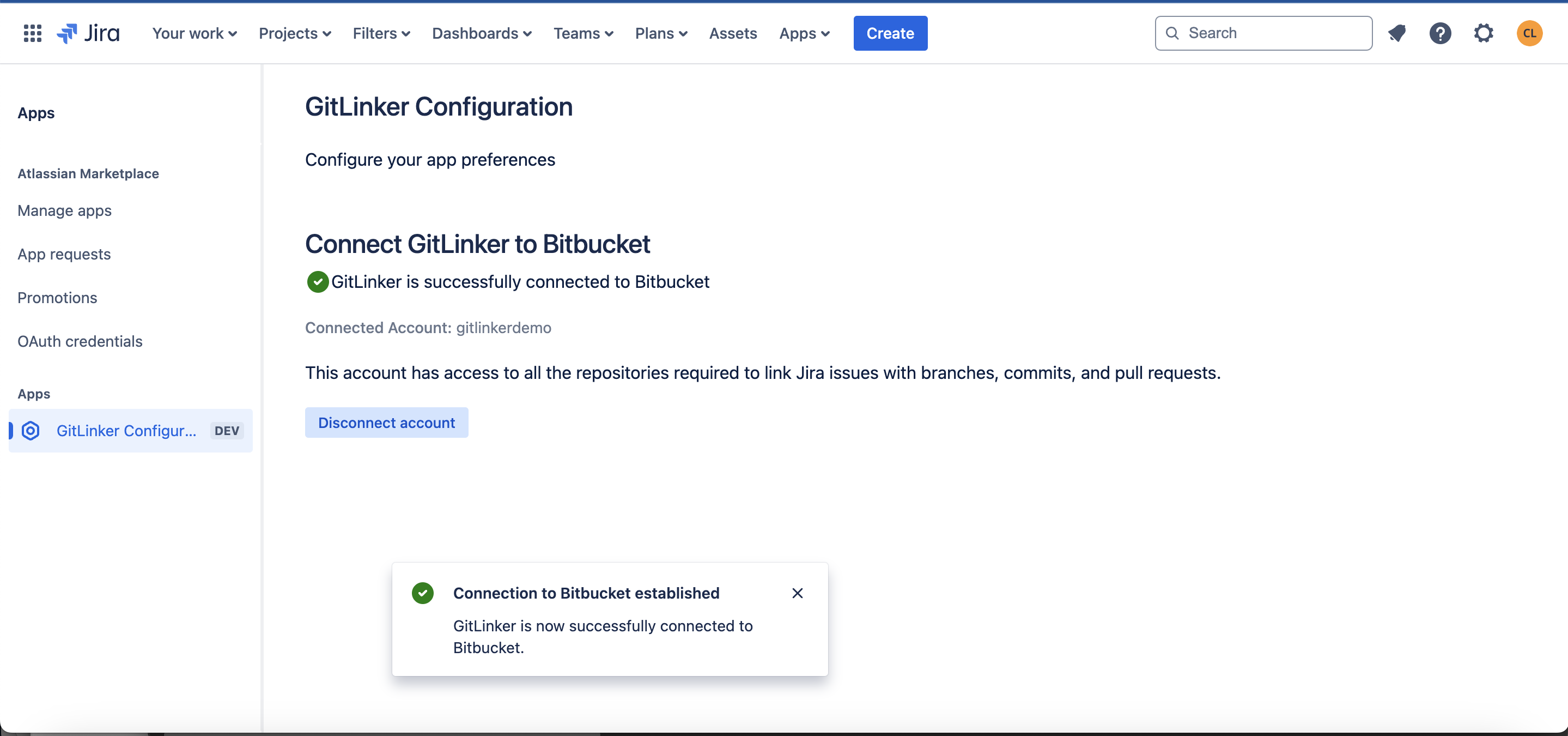
GitLinker configuration
-
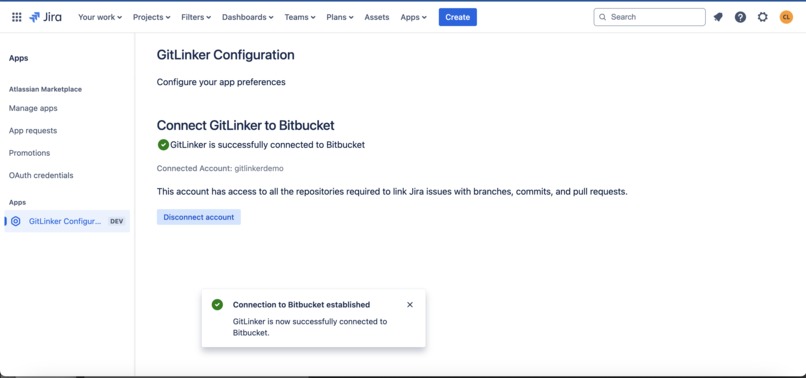
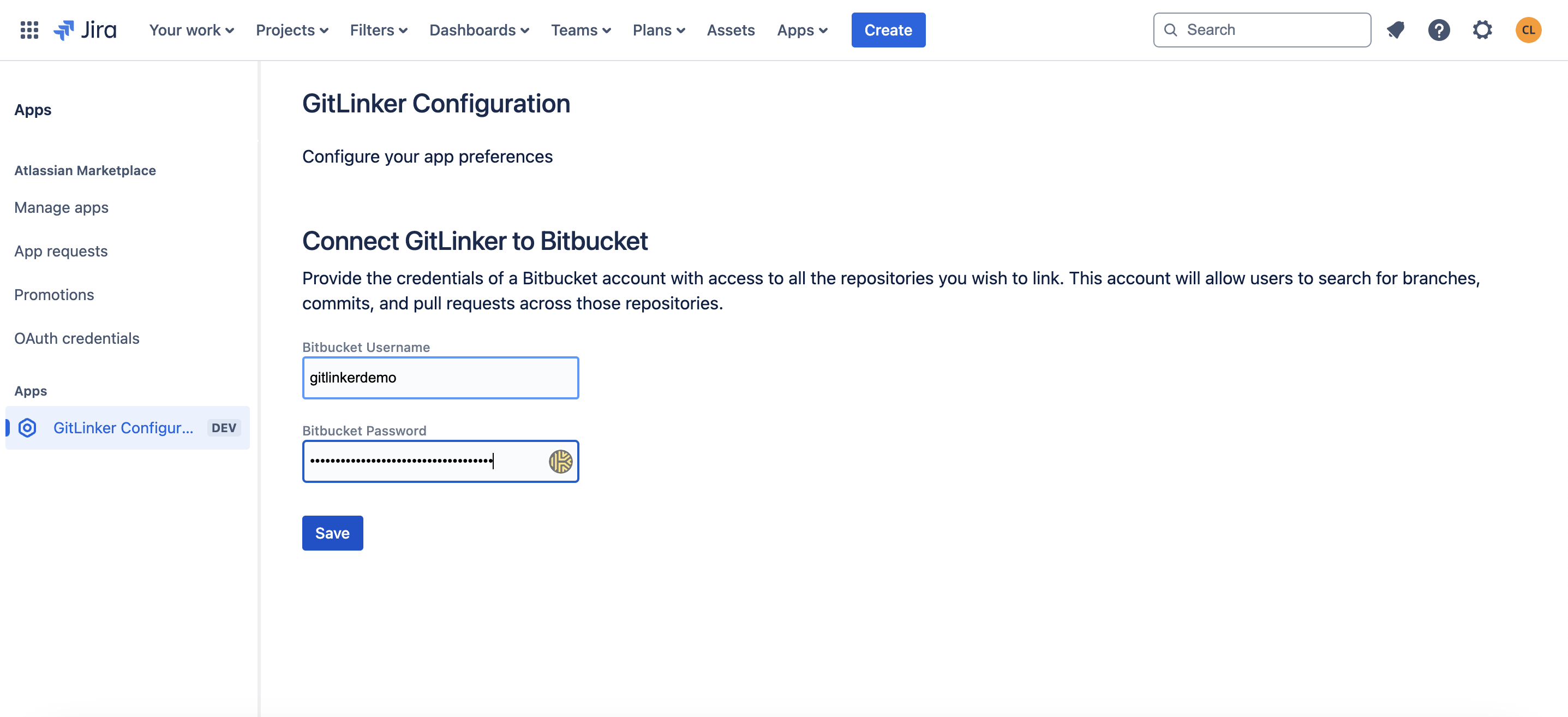
GitLinker configuration - After connecting to Bitbucket
-
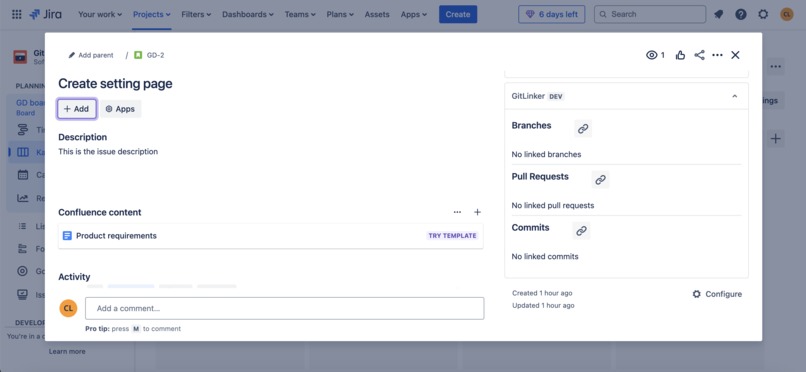
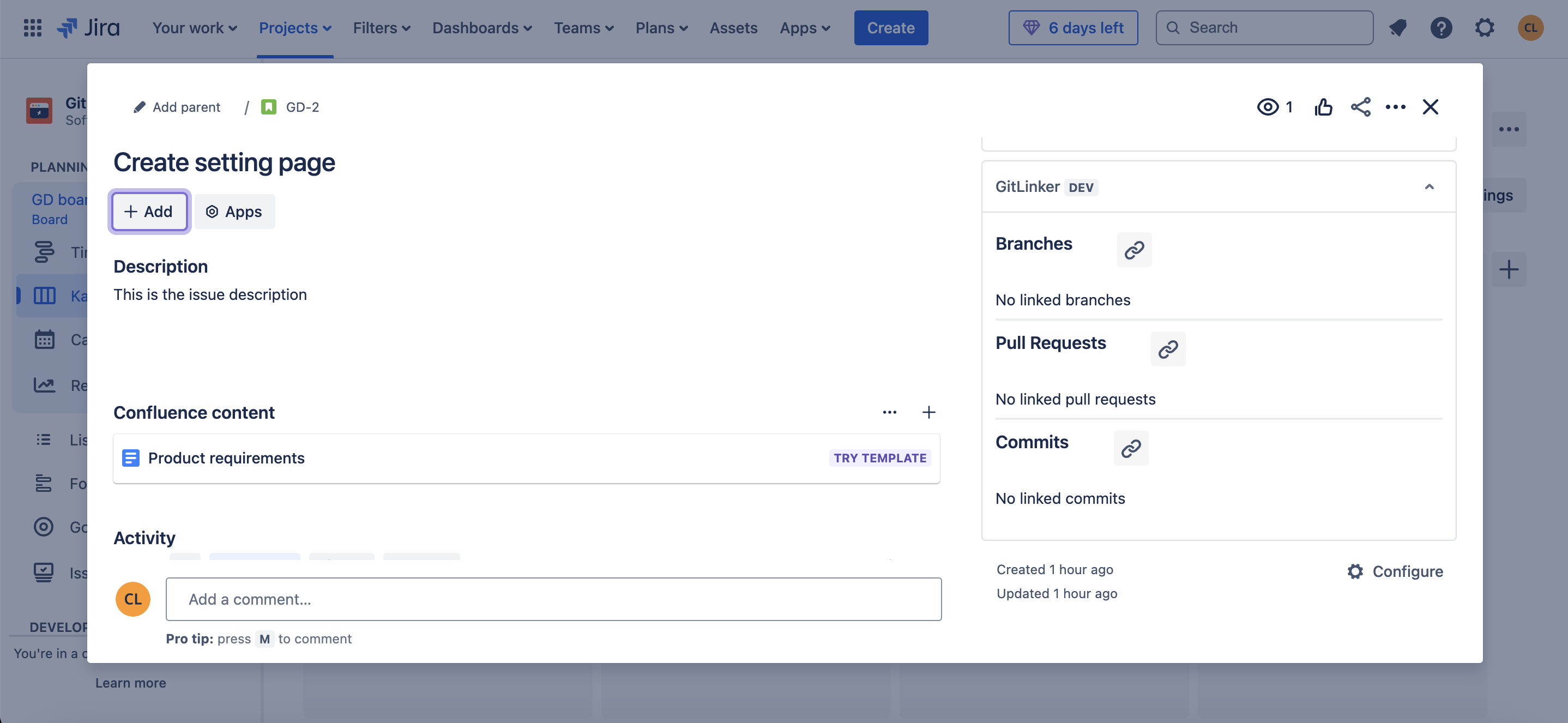
App section inside Jira issue - No linked items yet
-
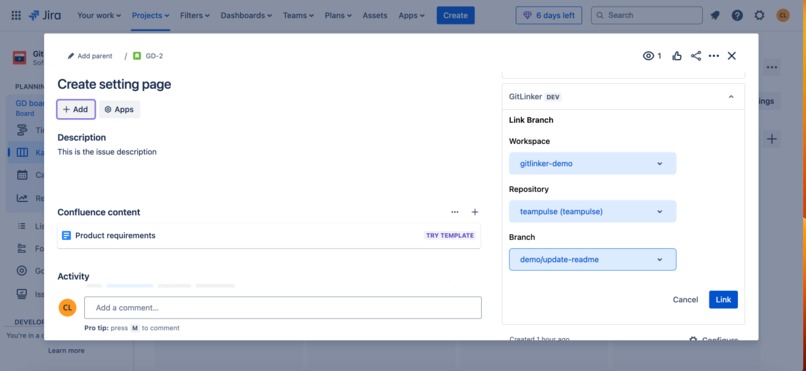
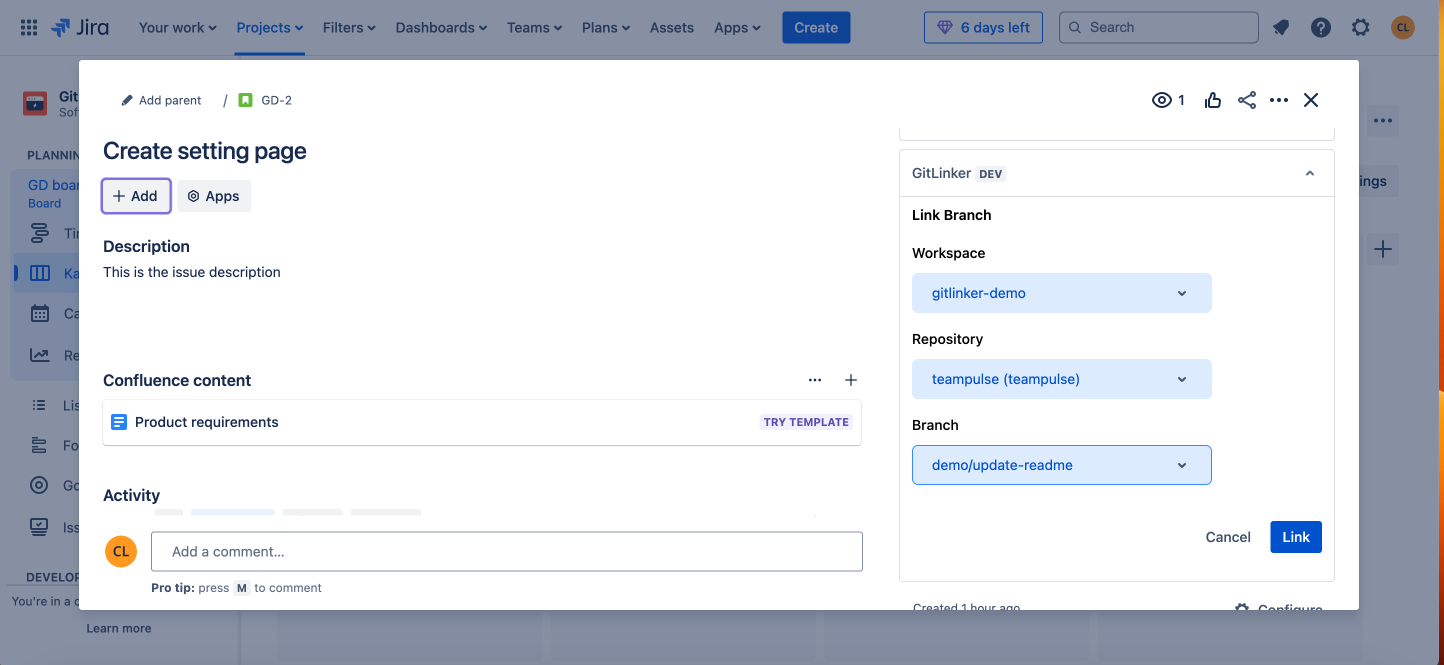
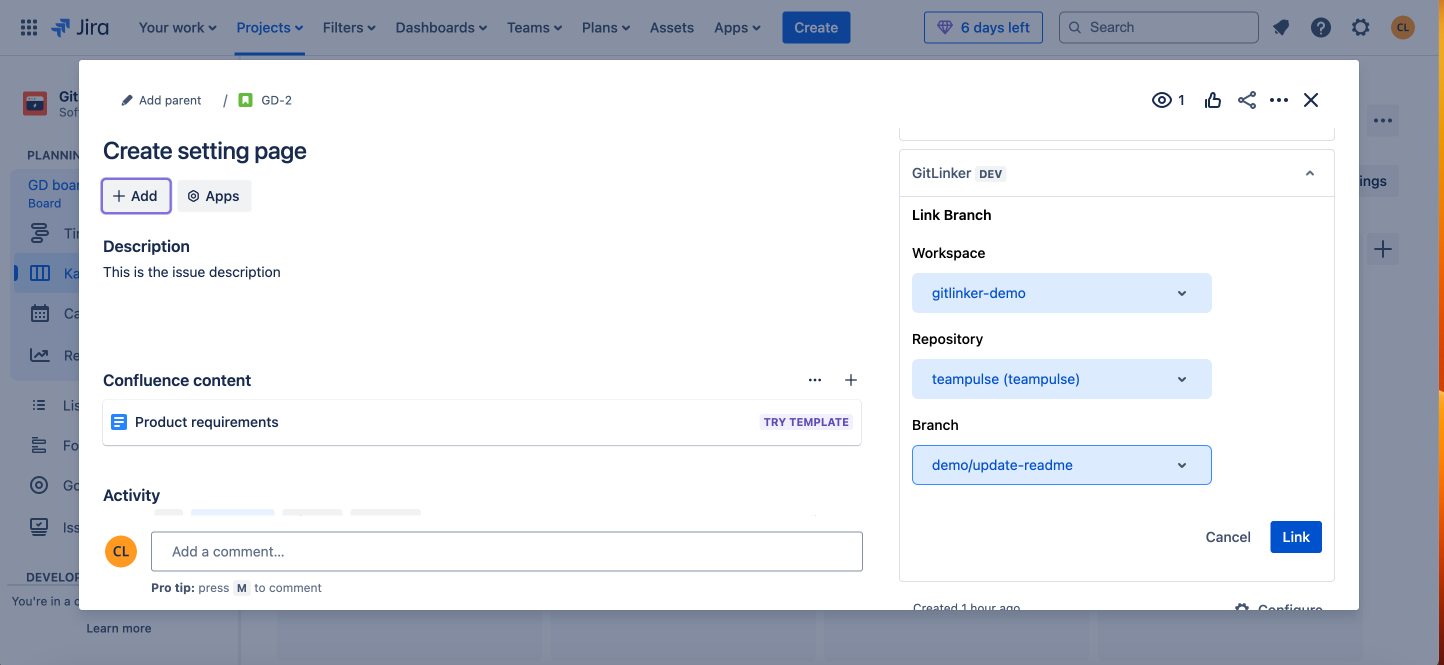
Linking a branch to the Jira issue. Selected a Bitbucket workspace, repository and branch
-
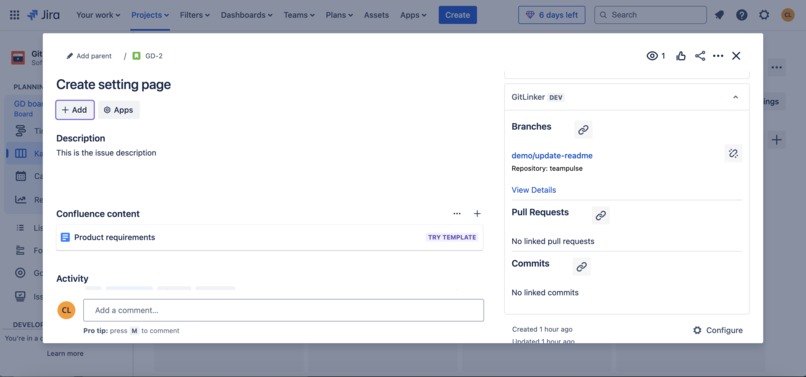
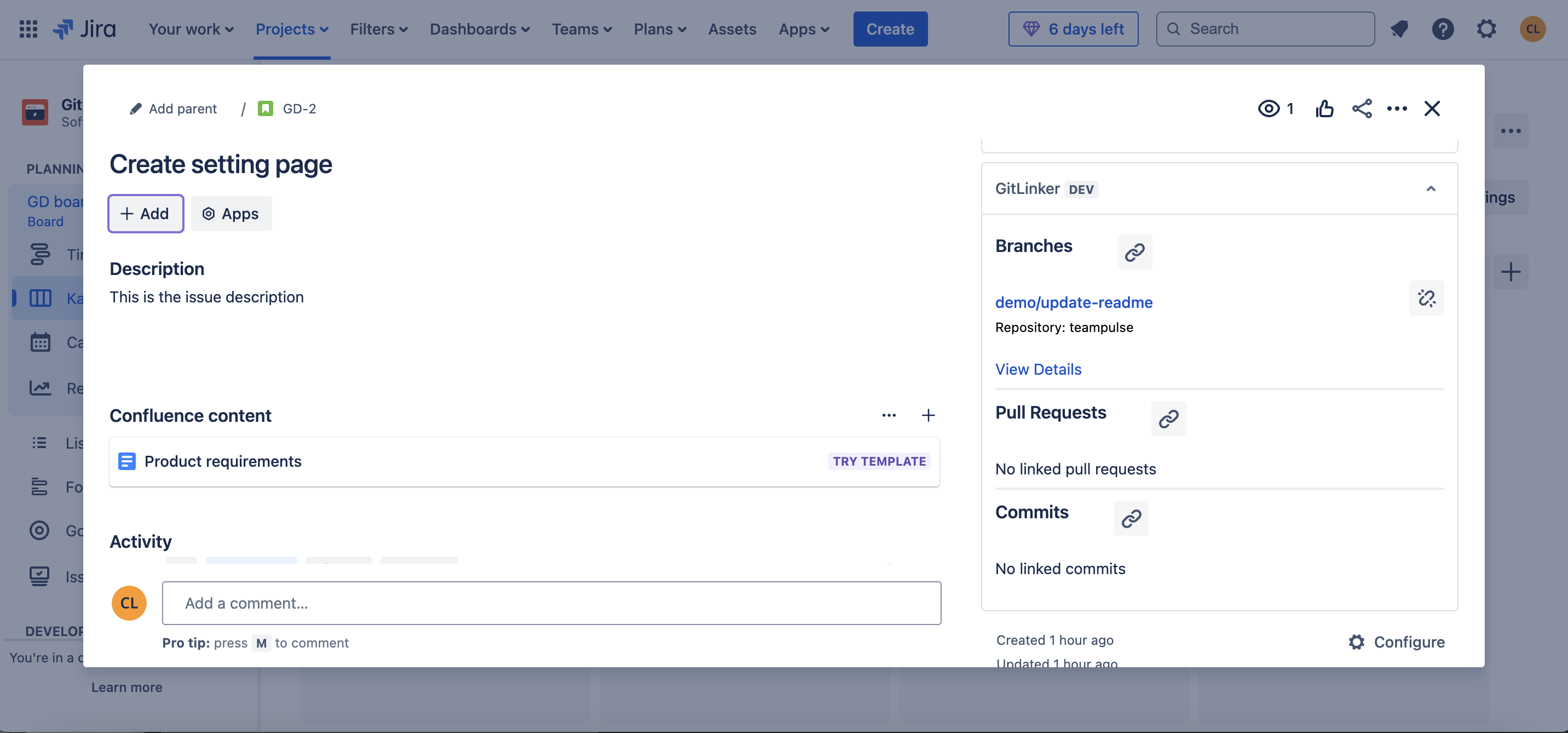
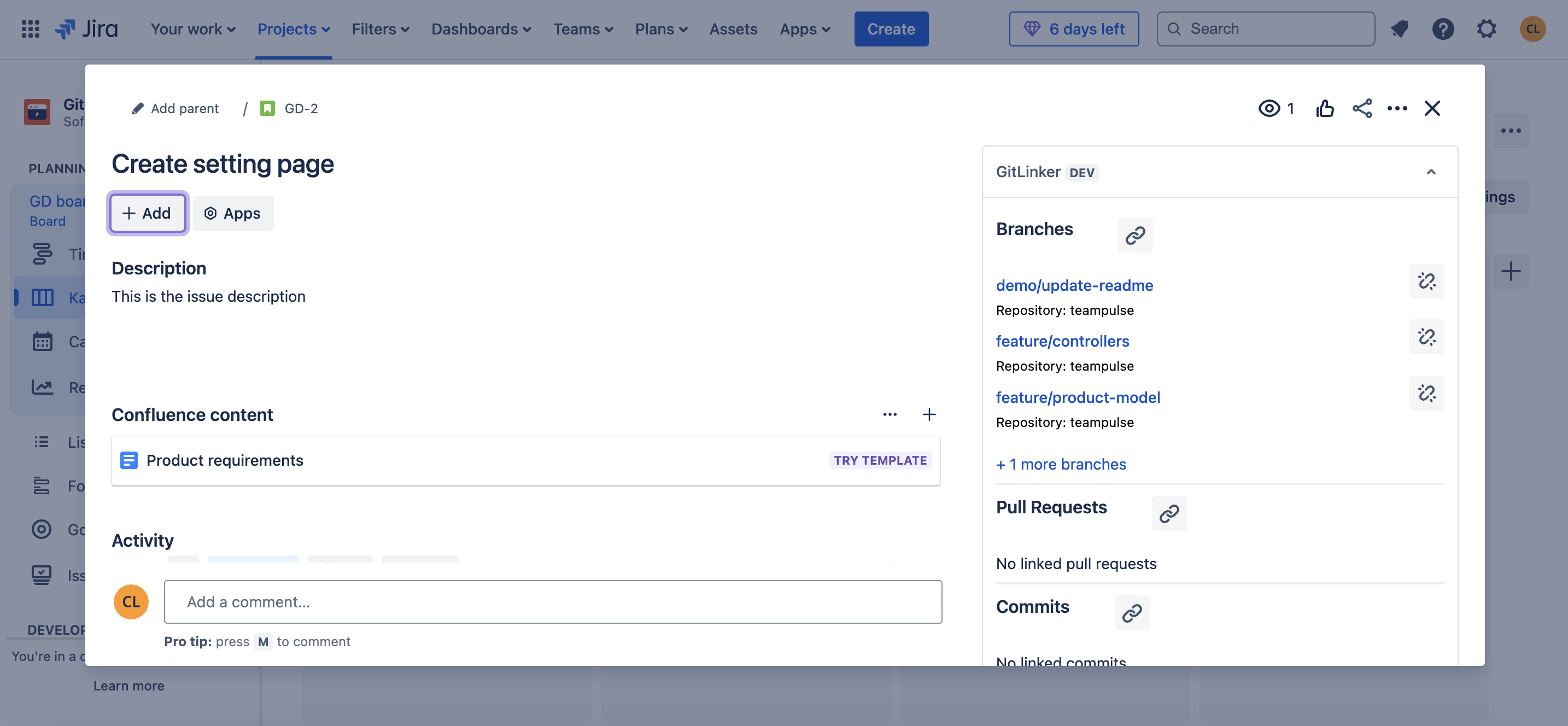
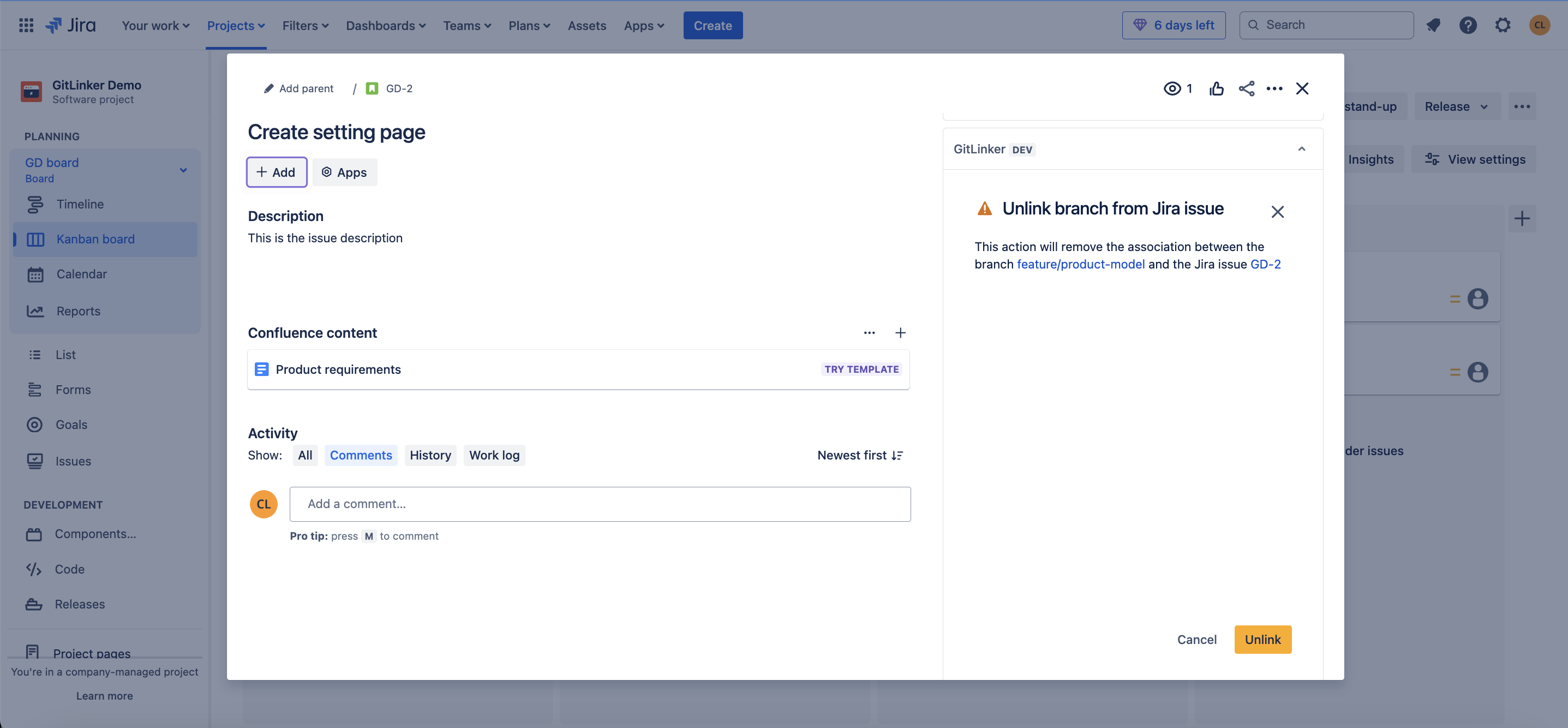
A branch has been linked to the Jira issue
-
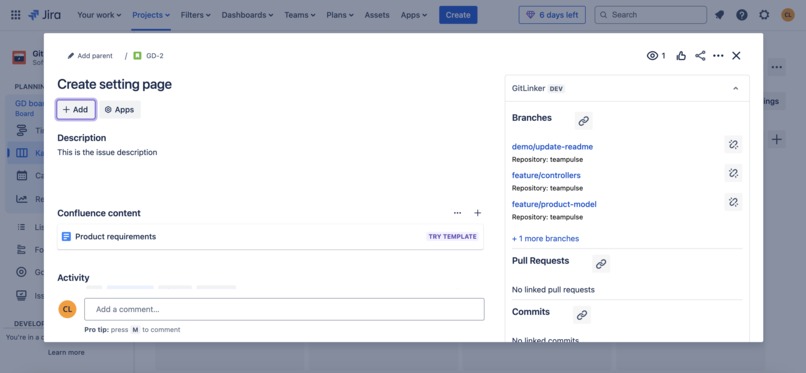
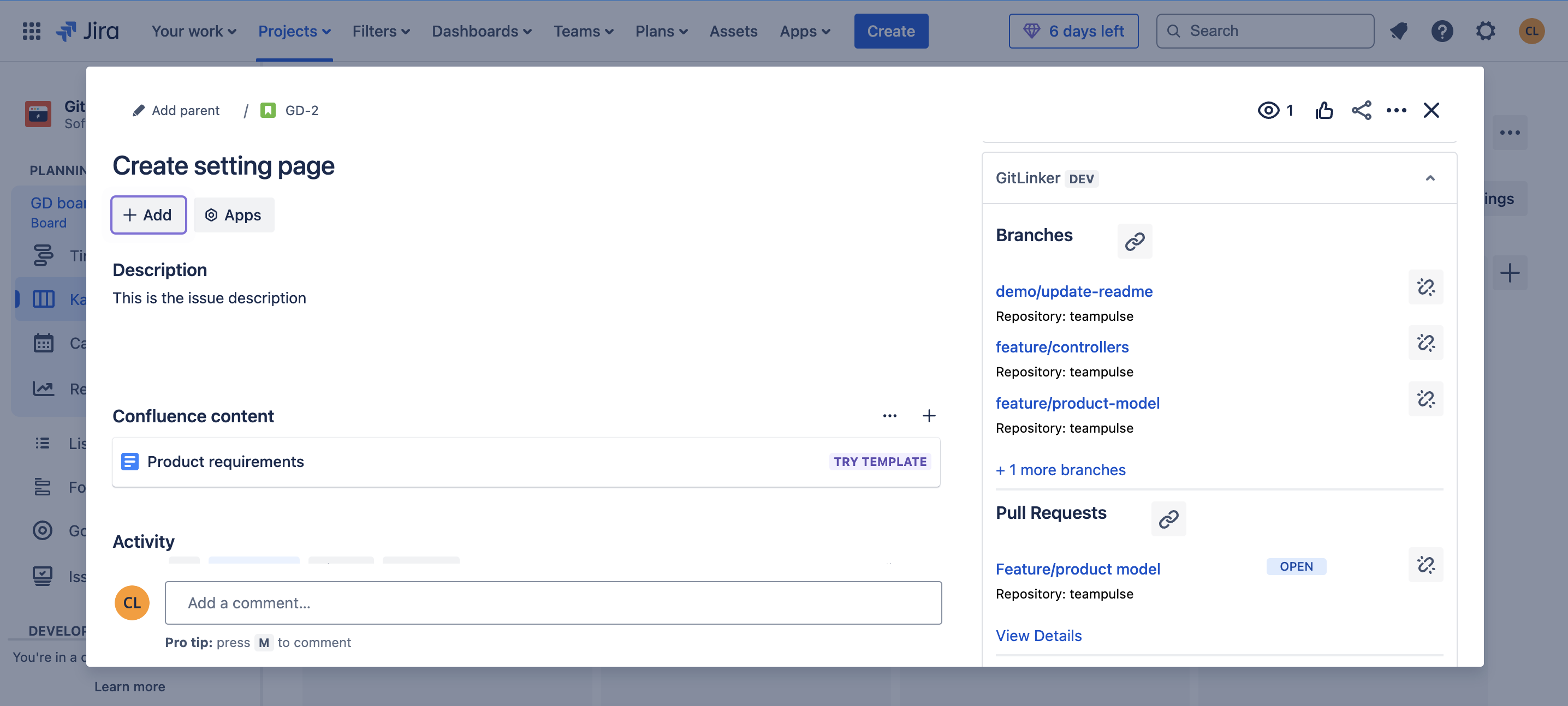
Multiple branches have been linked to a Jira issue
-
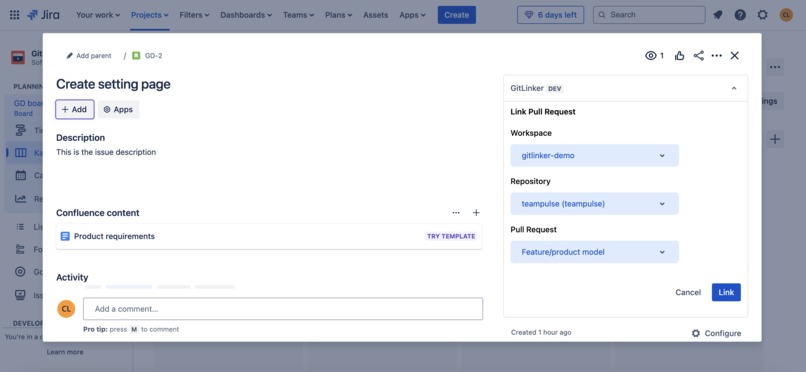
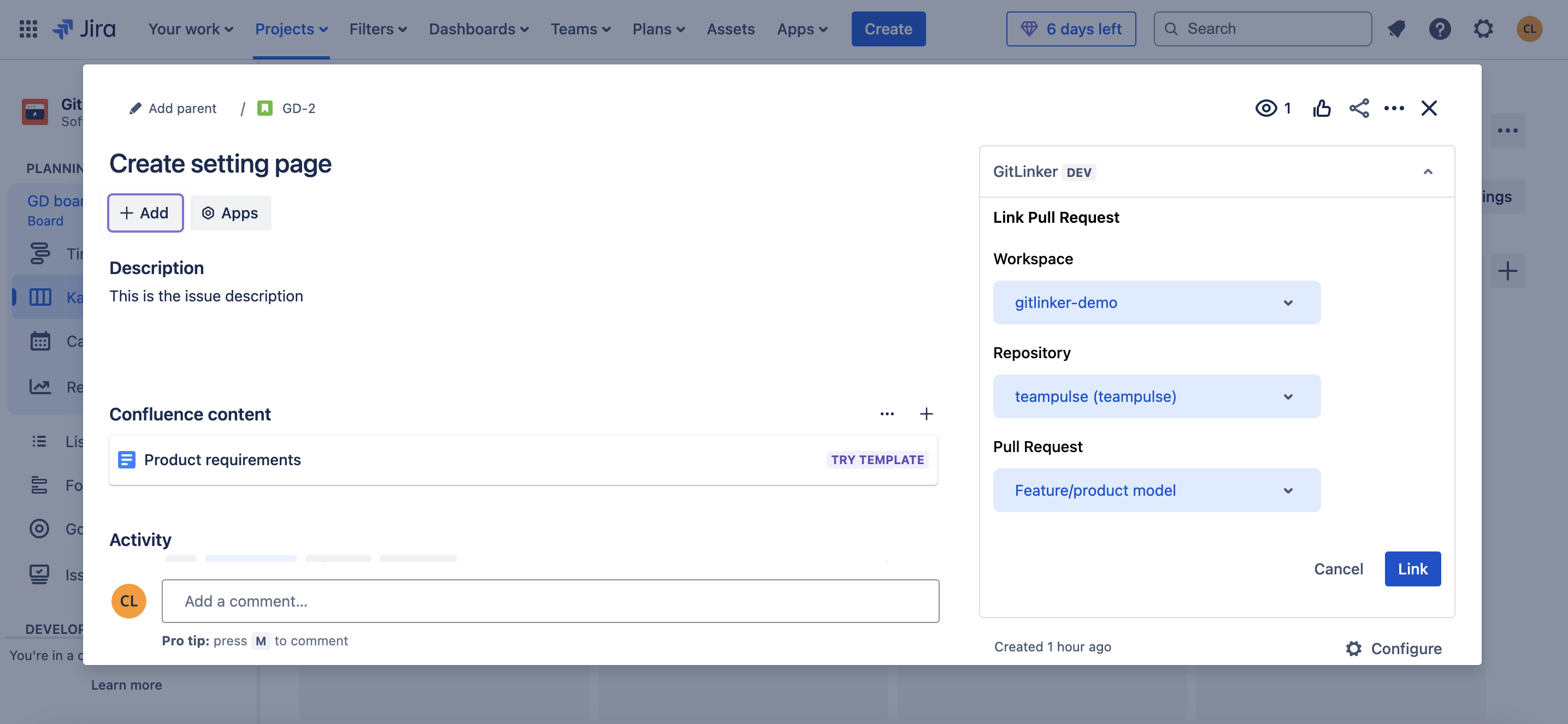
Linking a pull request to the Jira issue
-
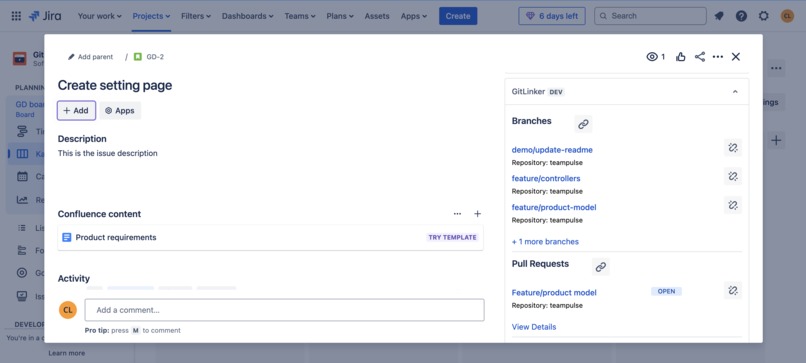
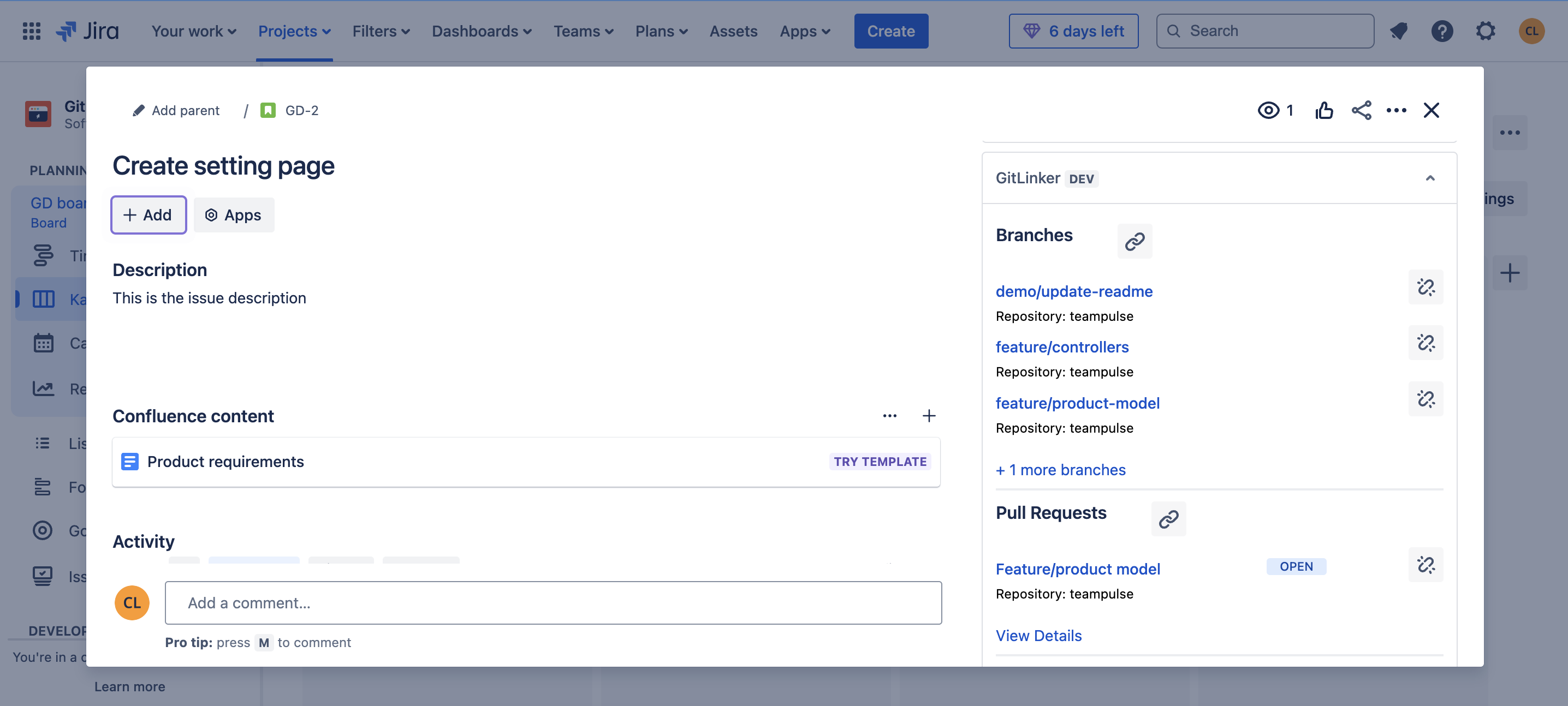
A pull request is now linked to the Jira issue
-
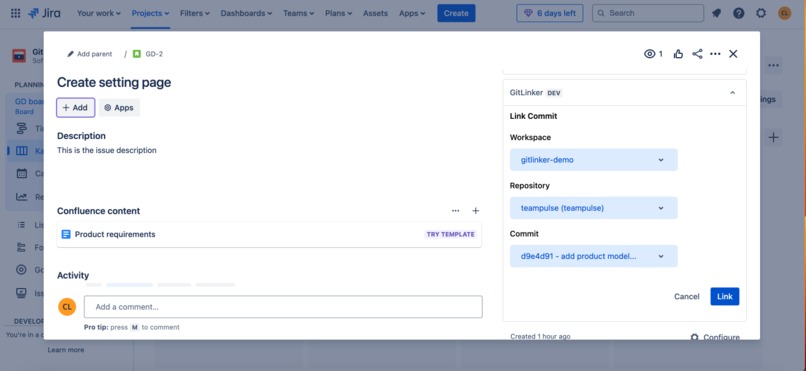
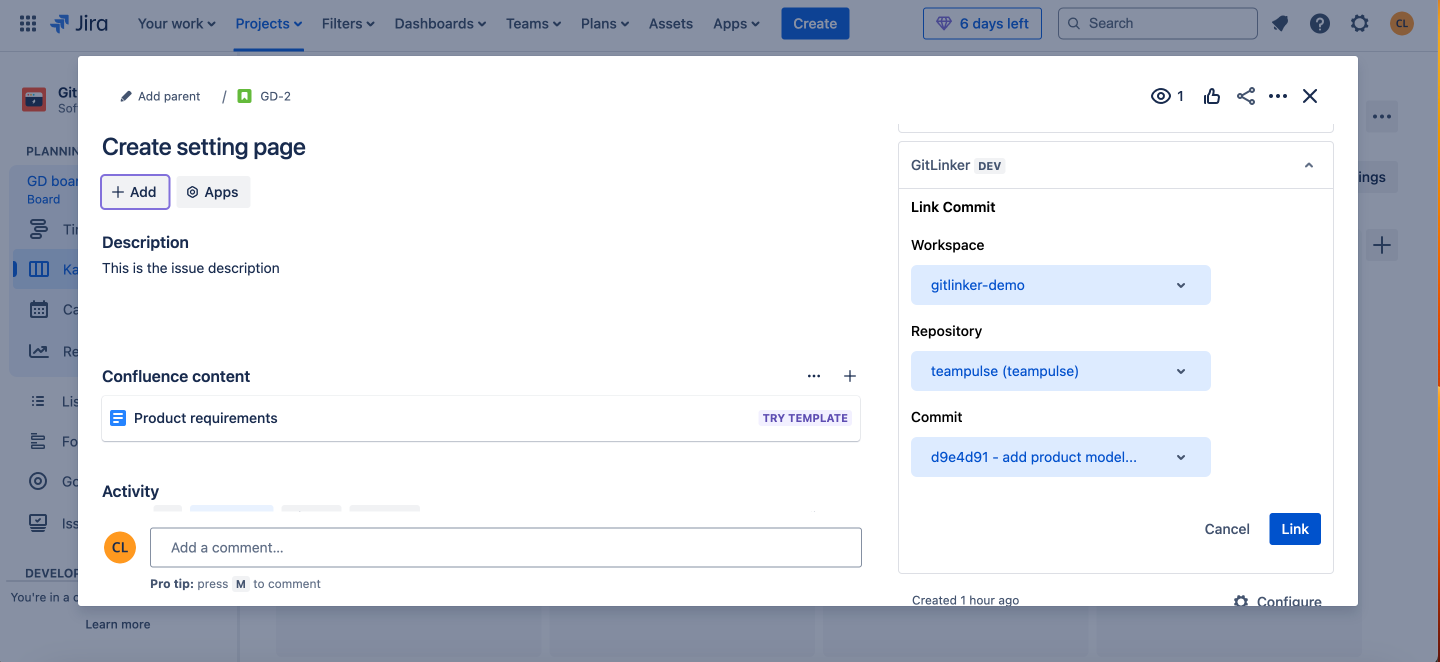
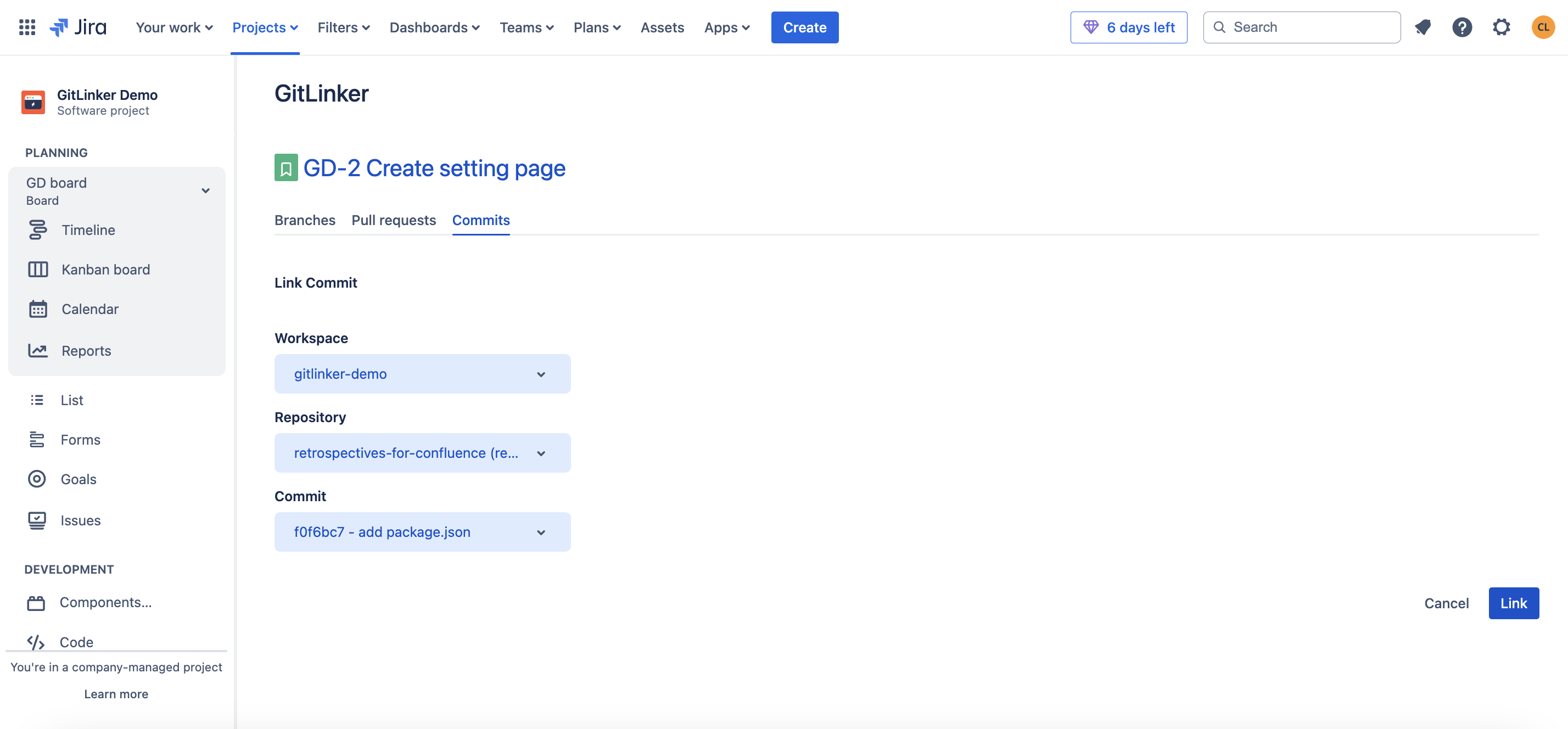
Linking a commit to the Jira issue
-
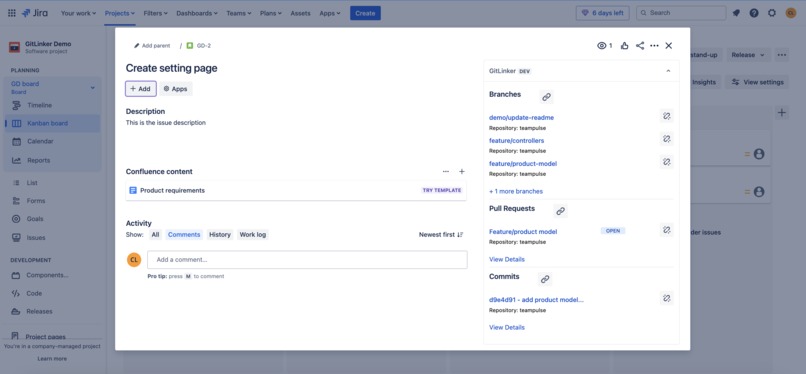
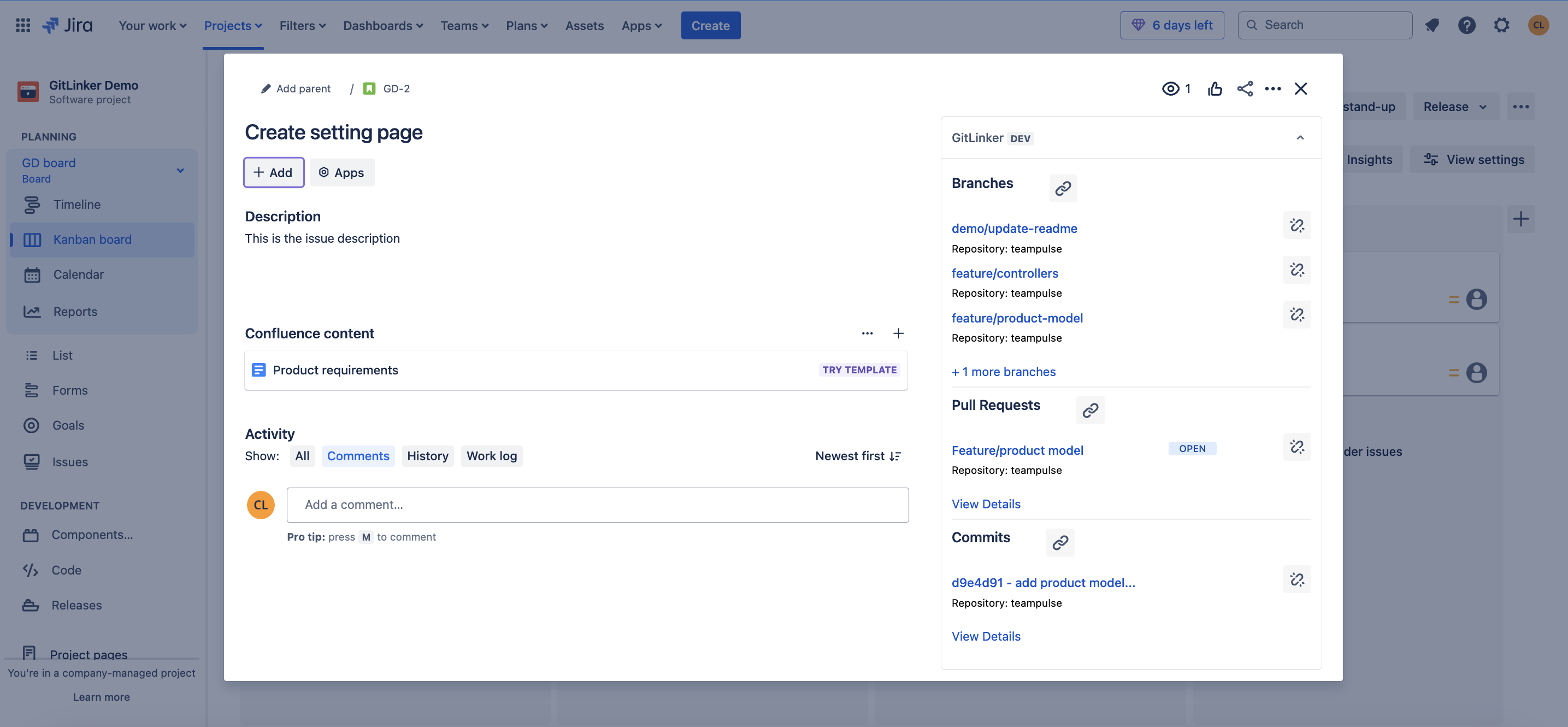
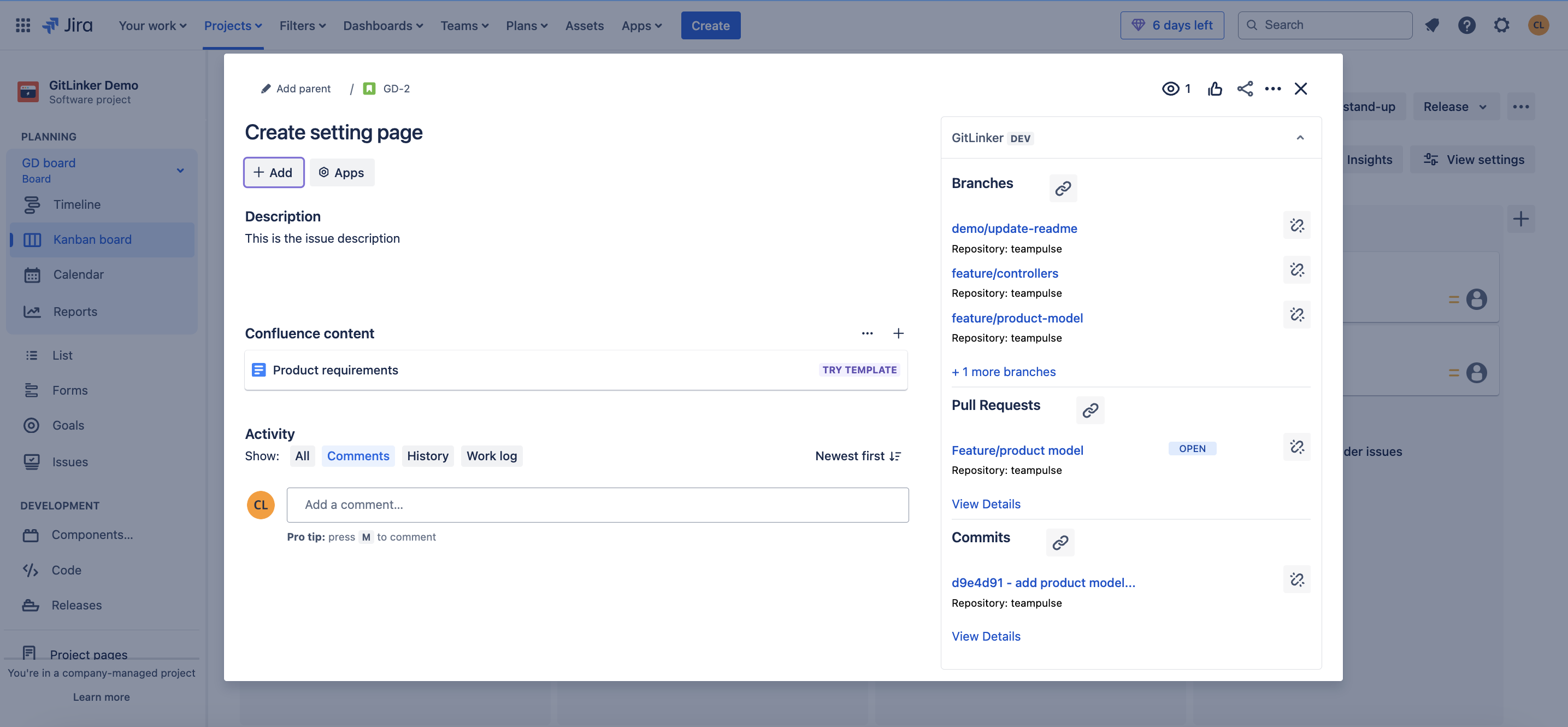
The Jira issue has been linked to several branches, pull requests and commits
-
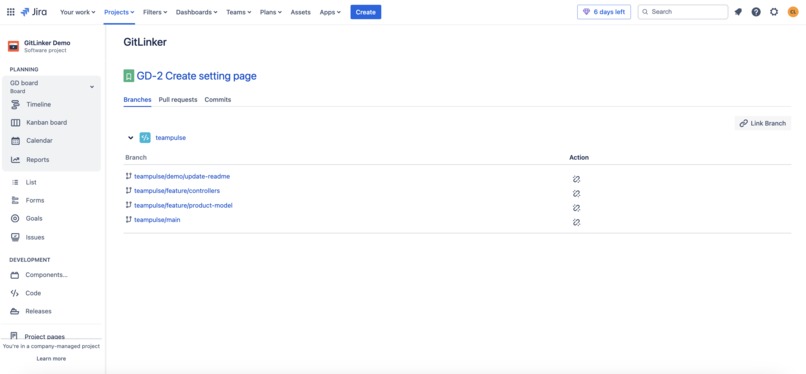
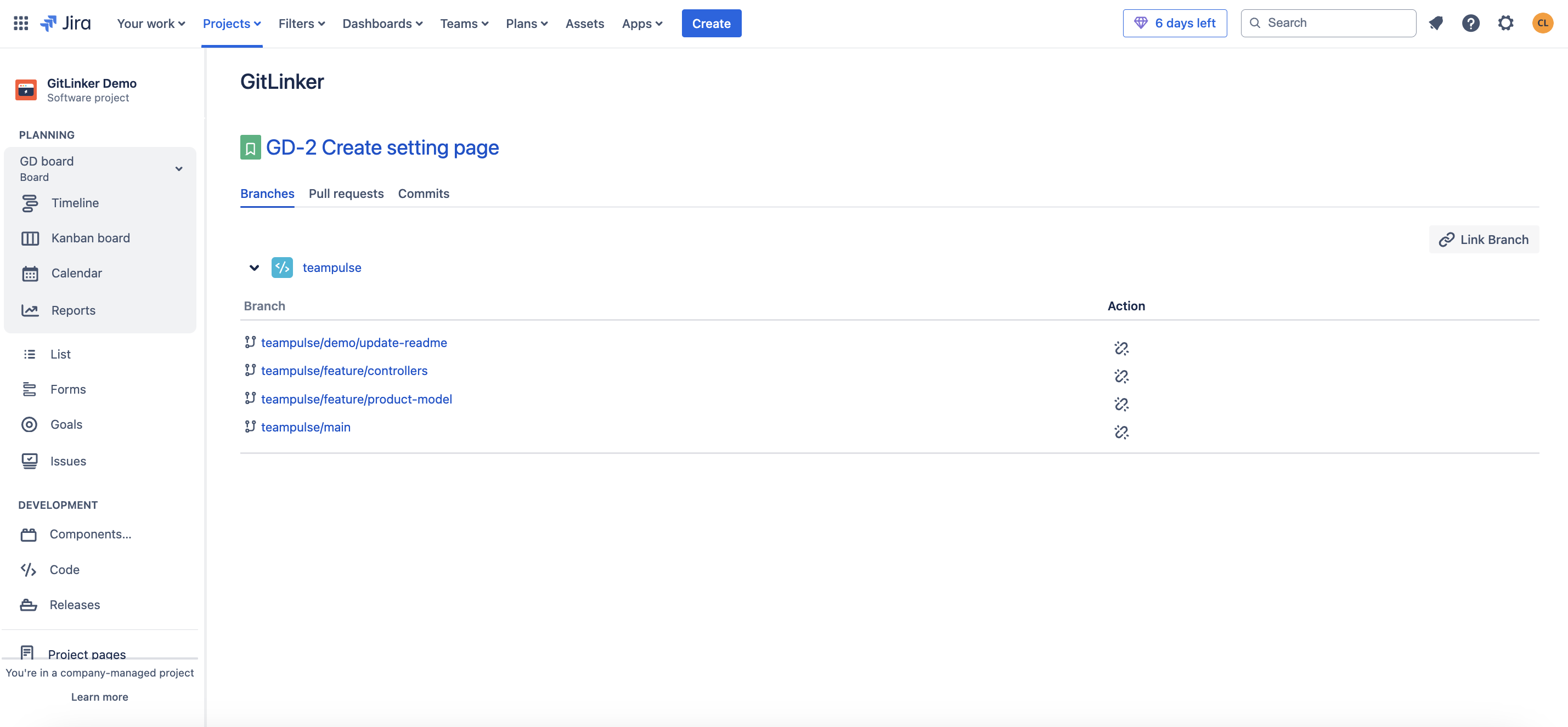
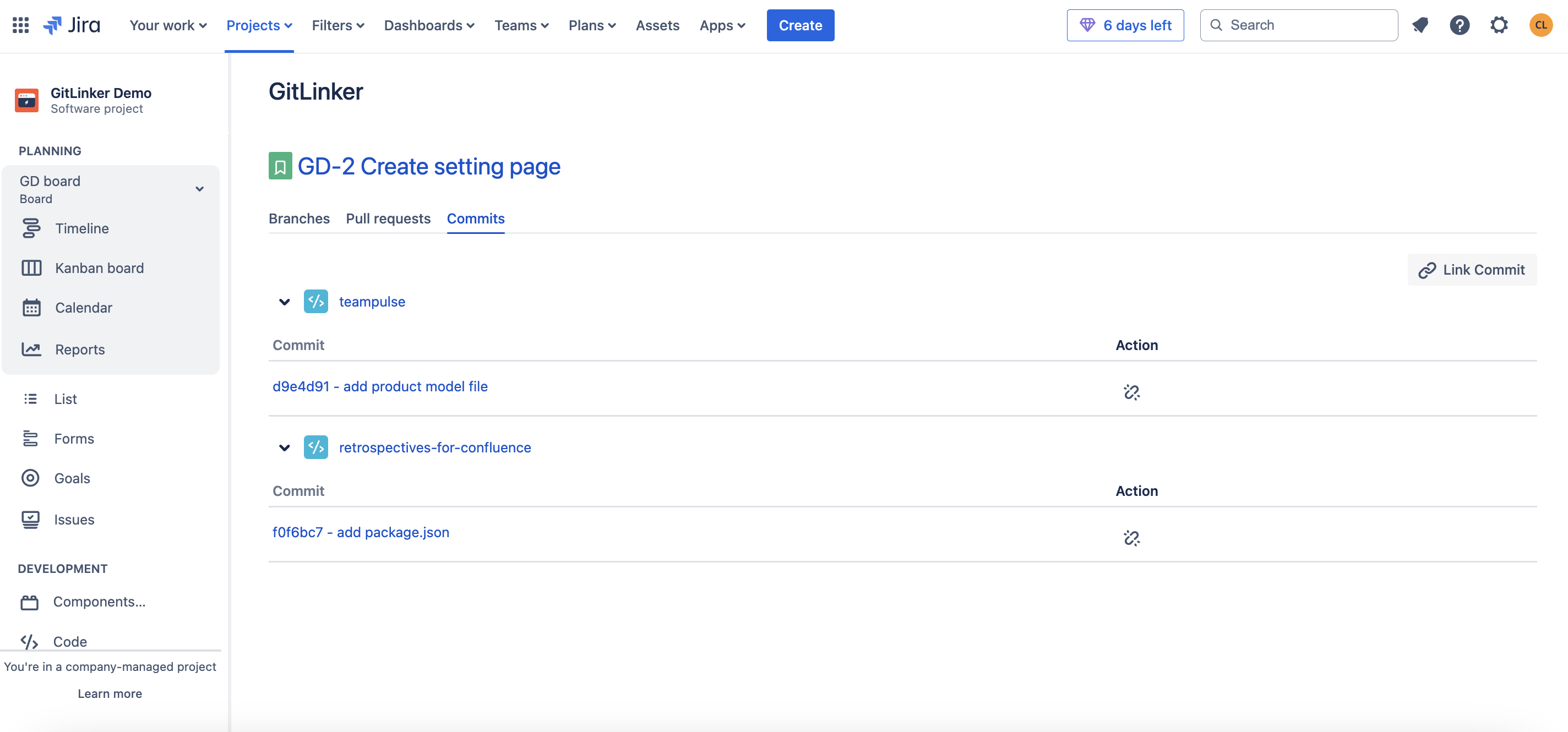
Detailed view of the linked branches to the issue
-
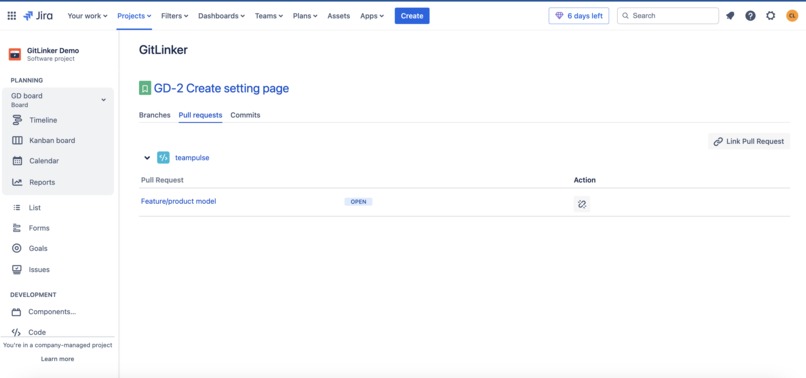
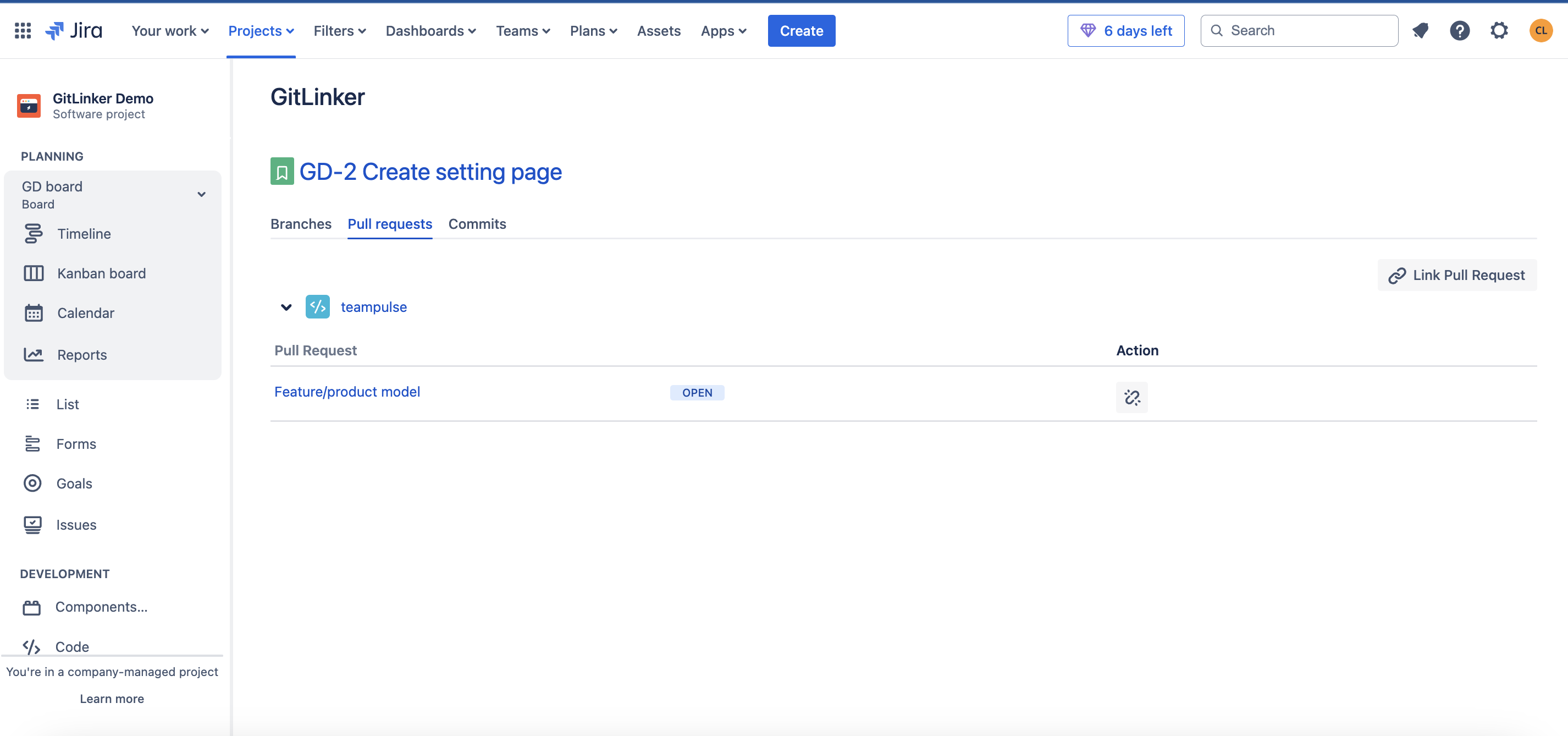
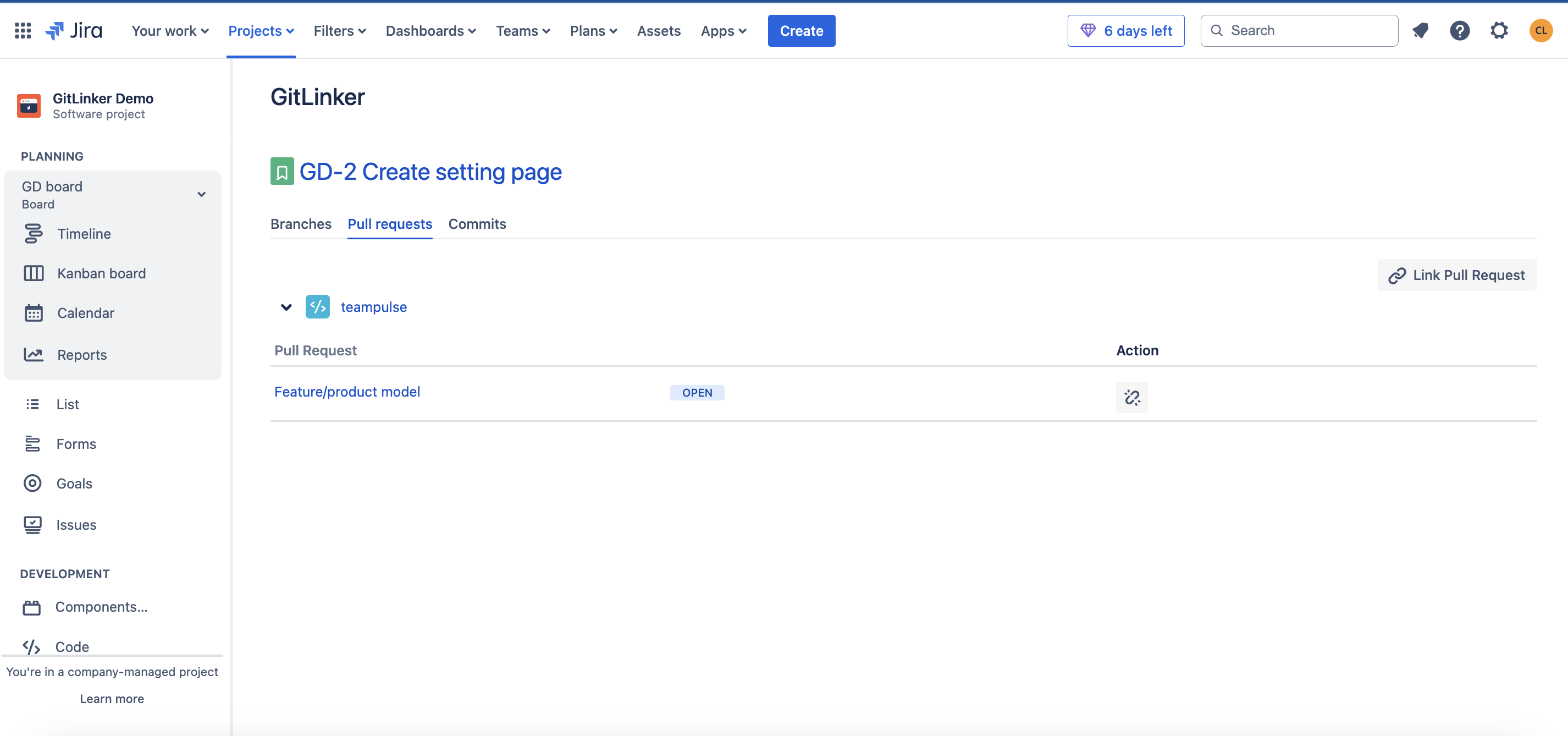
Detailed view of the linked pull requests
-
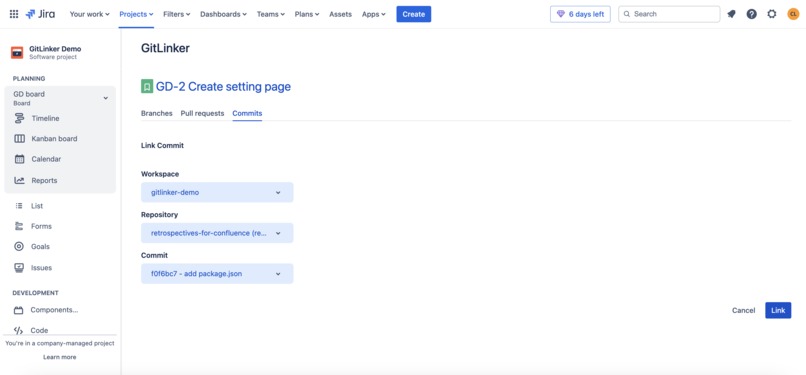
Linking a commit from the Detailed view project page
-
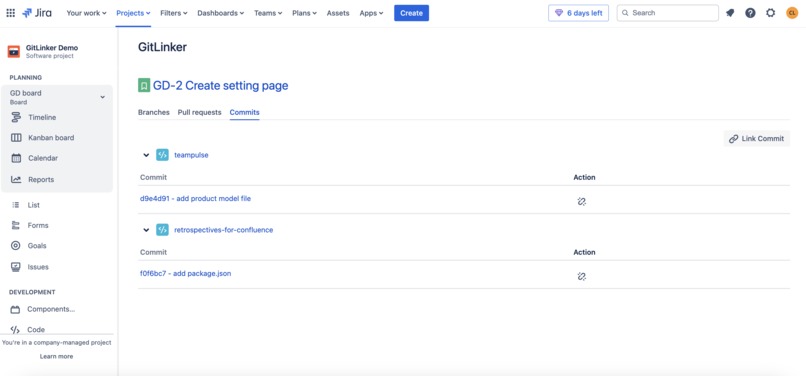
Detailed view of all linked commits to the Jira issue
-
Inspiration
We are a small team that relies on Jira every day to track our progress across different apps. While working on projects, we noticed a frustrating gap: Jira’s native functionality for managing branches, commits, and pull requests (PRs) is very limited. Specifically, it requires the Jira issue key to be included in branch, commit, and pull request names to create links. This restriction makes it impossible to associate branches, commits, or PRs with Jira issues if the naming doesn’t follow these strict rules.
Our curiosity led us to explore Atlassian’s community forums and feature requests, where we found that we weren’t alone. Developers from various teams had shared similar frustrations, and these specific requests stood out to us:
- Allow linking a BitBucket branch with a Jira ticket without having to include the ticket key in the branch name.
- Add ability to link previous commits to existing JIRA issues
These are some of the requests in the forums that stood out to us and let us know that we had found a interesting problem to tackle:
- "As a developer, I would like to be able to associate any BitBucket branch with one or more Jira tickets. I cannot do this at this time because the branch name must include the ticket's key."
- "It would be great if I could associate any branch, regardless of the branch's name with any Jira ticket(s)."
- "This feature is absolutely needed. In my workflow branch is created with a milestone name and almost always does not map to a single issue. We fudge it by creating Epic issues to match the branch name but this in itself creates additional challenges. There must be a clean way in Jira to just link ANY commit without need to use the Jira issue key in the commit name. Please put some priority into this and thank you."
- "I needed the ability to add existing pull requests to tickets imported into Jira."
- "Smart commits is an excellent feature to link BitBucket commits - and the code changes - to JIRA issues. However, if a user forgets to add the issue key to the commit and then pushes upstream, it's very hard (without breaking the git repo for others) to add the issue key to the commit message. It would therefore be very useful to be able to manually link an earlier commit - and its code - to an existing JIRA issue, as if the issue key had been included in the commit message."
These conversations made it clear: this wasn’t just an interesting problem to solve—it was an opportunity to address a real pain point experienced by teams like ours.
What it does
Our app makes linking Bitbucket branches, commits, and pull requests to Jira issues easy by removing the usual naming restrictions. You no longer need to worry about including the Jira issue key in branch, commit, or pull request names to make the connection.
App Features
Linking Branches, Commits, and PRs to a Jira issue
We added a section inside Jira issues where you will be able to link as many Bitbucket branches, commits, and pull requests as needed without needing to name them with the Jira issue key. To enable the connection between Bitbucket and Jira, an admin must set up an app password, and once it's configured any user will be able to start linking their work to Jira issues.
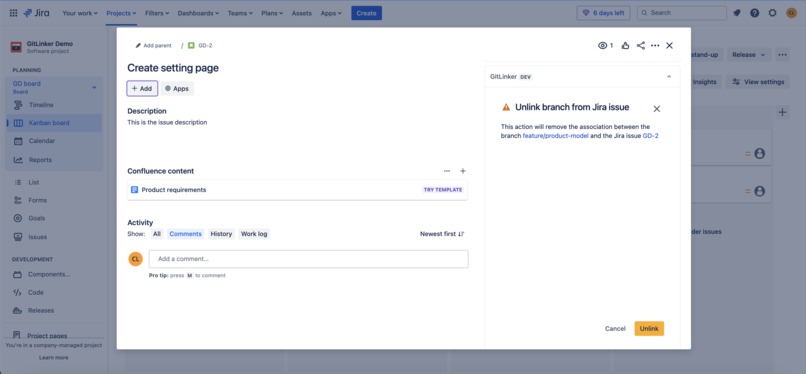
This section inside the Jira issue will display an overview of any items linked to it. We also provide the option to unlink branches, commits, and pull requests from the Jira issue.
Detailed view of all items linked to the Jira issue
Users will also be able to open a detailed view of the items linked to the Jira issue. Here they will be able to see more information about the branches, commits, and PRs linked.
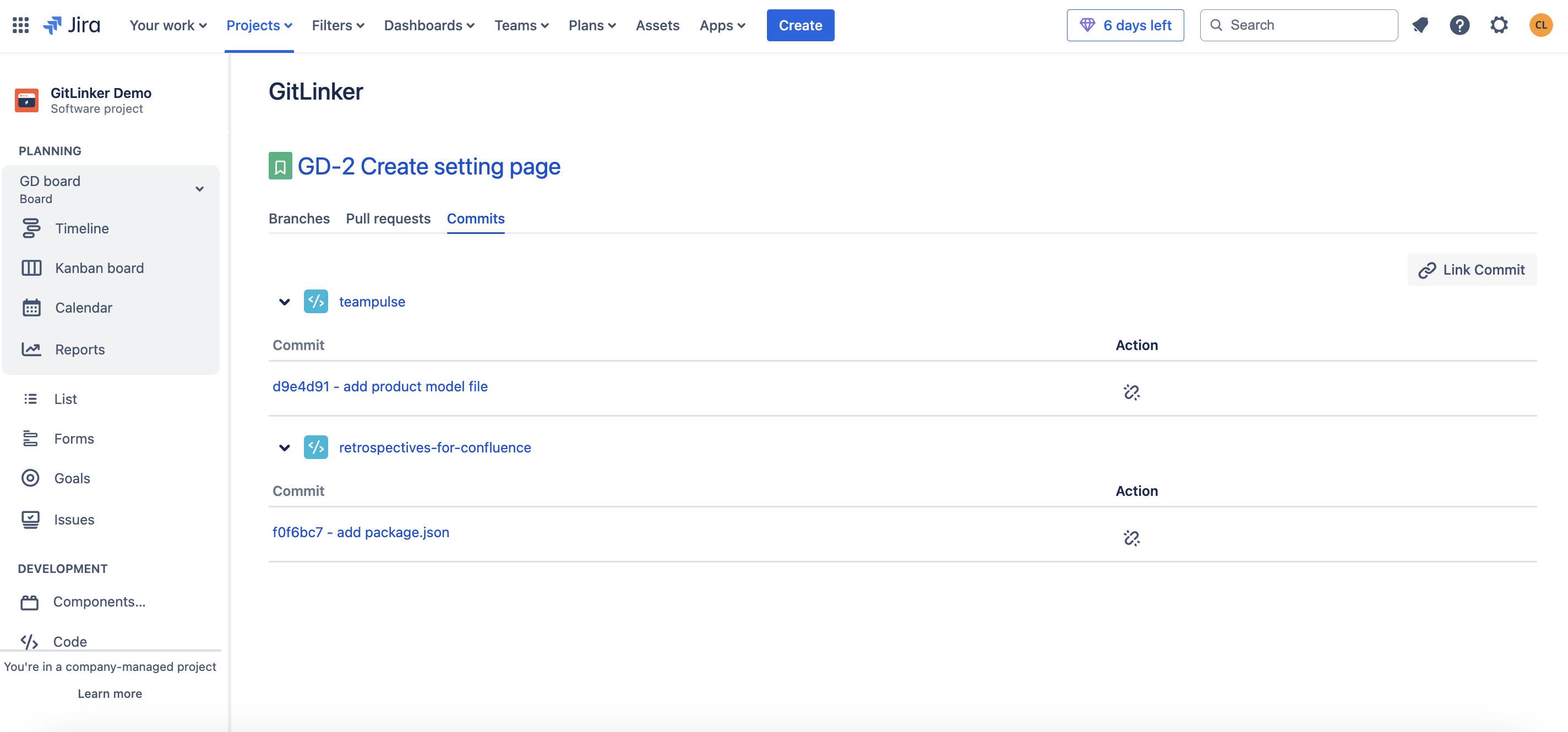
In the future we will expand this section to include even more information about the status of pull requests and other linked items.
Benefits of our app
Flexible Linking Across Branches, Commits, and PRs
Unlike Jira's default requirement, which ties issue keys to branch names, our app lets you link branches, commits, and PRs to Jira issues—without needing those specific keys in the names. This makes it easier to stick to your team’s natural branch naming conventions while keeping everything properly linked in Jira. It helps reduce errors and keeps your workflow smooth and uninterrupted.
Centralized Tracking for Development Activities
With our app, you get a single, clear view inside Jira that shows all the branches, commits, and PRs linked to an issue. No more flipping between tools or trying to manually track which branch or commit is connected to which issue. Everything you need is right there in one place, making it easy to see how development is progressing in real time.
Enhanced Collaboration with Multi-Commit, Multi-PR Support
On larger projects, it’s common to have a single Jira issue tied to many branches, commits, and PRs. Our app lets you link them all together under one Jira issue, so no work goes untracked. This is especially helpful for teams collaborating on different parts of a bigger feature. You’ll be able to keep everything aligned, minimizing miscommunication and confusion.
In short, our app takes the hassle out of linking branches, commits, and PRs to Jira issues. By removing naming restrictions, centralizing tracking, and enhancing collaboration, we’ve created a more flexible, efficient, and error-free way to manage your development work directly in Jira.
How we built it
To build GitLinker we used Forge's custom UI, Forge storage, the Bitbucket API, and Atlaskit components.
We create three Forge modules:
Issue context module
Here we display the relationships between the Jira issue and pull requests, commits, and branches. We enable users to create new relationships, as well as delete them if no longer needed.
Project page module
We use it to display Jira issue relationships wit branches, commits, and pull requests, while providing more details about them. We also let you create new relationships or delete them.
Admin page module
Here the Jira admins can configure the Bitbucket credentials to ensure a relationship between the Jira instance and Bitbucket.
We also created three resolvers:
Issue context resolver and Project page resolver
These are in charge of getting stored relations from Forge storage and also sending Bitbucket data that is being linked to the Jira issue to the frontend.
Admin page resolver
This resolver is charge of validating, getting, and storing Bitbucket credentials to allow the app to retrieve data from Bitbucket.
Challenges we ran into
These are some of the challenges and difficulties we ran into while building GitLinker:
Connection to Bitbucket
The idea was to get Bitbucket data using manifest permissions with requestBitbucket module within Jira. Unfortunately, the manifest cannot have multiple Atlassian product permissions in a single app, which is why we had to ask for Bitbucket credentials in order to get access to the API.
Using only Forge storage
Currently, SQL database in Forge is only available in Atlassian's Early Access Program, so we decided to use key-value storage. The challenge here was to define the right way to manage the keys to store the data, so we can later retrieve it in an easier way.
Forge modules limitations
Our app section inside the Jira issue displays all the relationships between the issue and Bitbucket branches, commits, and pull requests. There we have a "View details" button, and the initial idea was to open a modal displaying more information and details about the relationships; however, we ran into some limitations with Forge modules that prevented us from doing so. We found out that Forge modules can not invoke each other, so we couldn't open a full page modal dialog from the issue context module. The workaround we found was to create a Jira project page for the app and redirect to it with the Forge router sending the issue id on params to know where the request came from.
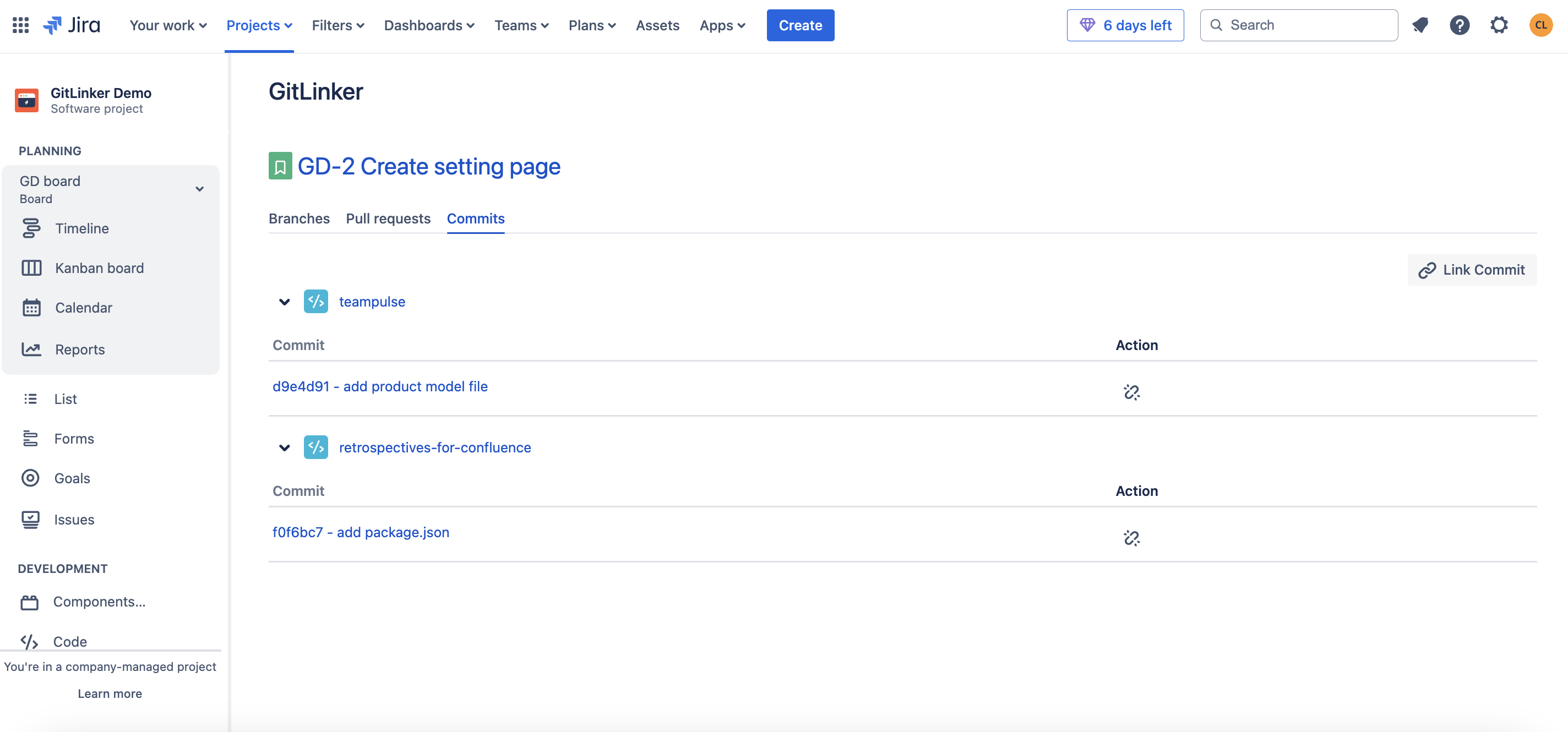
The downside is that this Jira project page is always displayed in the Jira project sidebar, which could cause users to visit it; in which case there wouldn't be any information to display as there wouldn't be an issue selected to view its details.
Time constraint
Being a small team, we had to dedicate all of our focus on this app in order to submit on time, while also juggling tasks related to supporting our other products. In the end everything turned out alright :)
Accomplishments that we're proud of
We are happy with the progress we made with the time that we had. At first we expected to only enable linking branches for this hackathon submission, but we were able to also add the ability to link commits, and pull requests before the due date. We feel like we were able to build all of the core features that we had identified for this app that solve users' pain points.
We are also proud of how we managed the connection with Bitbucket. The app only requires that one user with "Read permissions" connects Bitbucket; which then enables all users in the instance to link their work in Bitbucket to Jira issues without having to set anything up themselves.
The development team also went overboard in this project, working during the weekends and unusual hours in order to have everything ready and QA tested, in order to submit in time :)
What we learned
There are three major things we learned while building this app:
- Using multiple Forge modules
We learned how to create an app composed of three modules. even though all three modules access the same information, each one requires its own resolve because they operate in different contexts. This was something that we had never done, and that is how we learned that we can have multiple resolvers accessing the same information.
- Forge APIs
We had never used Forge's router and bridge to redirect to different pages inside of Jira and also external ones (only Bitbucket). Also, Forge's requestJira API to query information from Jira asApp.
- Forge limitations
As we mentioned already, we learned that Forge modules can not invoke each other dynamically, which made us rethink how we wanted to display information.
Also, we learned that the manifest cannot have multiple Atlassian product permissions in a single app, so we had to change how we managed the connection to Bitbucket.
What's next for GitLinker - Branch, Commit & Pull Request Manager for Jira
After submitting the app to this Hackathon we still have a long way to go. Here are our next steps:
1) Fix UI details
Due to the time constraints of this hackathon we prioritized building the app's core features over focusing in polishing our UI. Therefore, we have some details regarding spacing, font size, etc that we need to polish before submitting the app to the Atlassian Marketplace to ensure it's user friendly.
2) Publish app in the Atlassian Marketplace
Once we feel the app is ready to go, we will submit it to the Altassian Marketplace. It's very important for us to obtain feedback as soon as possible, as this will let us know if we're on the right track and will help us decide which features we need to build next. We hope to publish by January and start receiving feedback from the Atlassian community forums where we found lots of users asking for this functionality :)
3) Launch more features and improvements
These are some of the features that we already have in mind for future releases:
We want to display more details about the branches, commits, and pull requests linked to the Jira issues in our app's Jira project page (Jira project sidebar). We want to display the author of each commit and the date they were updated, the author and ID of pull requests, as well as their status, and the date when they were last updated. We also plan on adding information about deployments, builds, and feature flags.
Create Bitbucket webhooks and a web trigger to update storage data in case a change is made. (For example, a Bitbucket branch name that has been updated.)
In Bitbucket, we want to create an app to display information about the Jira issues linked to each commit, branch, and pull request; as well as links to these items, so users can directly click on them to open them in a new tab, without having to go to Jira and looking for the relationship. Initially we wanted to add an app section in the branches, commits, and pull requests pages, but we found out that Forge only has a pull requests modules, so we will have to do everything through there.
Migrating to SQL database in Forge: As we mentioned, this is not currently available; only for Early Access Program participants, so we couldn't implement it. Once it's released to the general public and our data models scale, we will dedicate some time to migrating our current database to Forge SQL database.


Log in or sign up for Devpost to join the conversation.