-
-
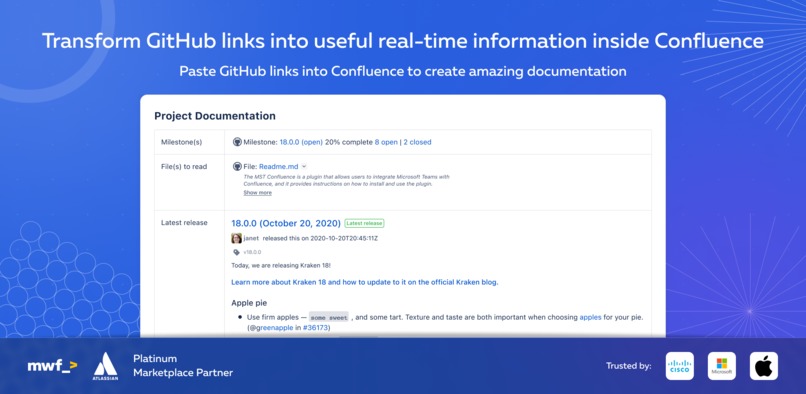
Transform GitHub links into useful real-time information inside Confluence
-
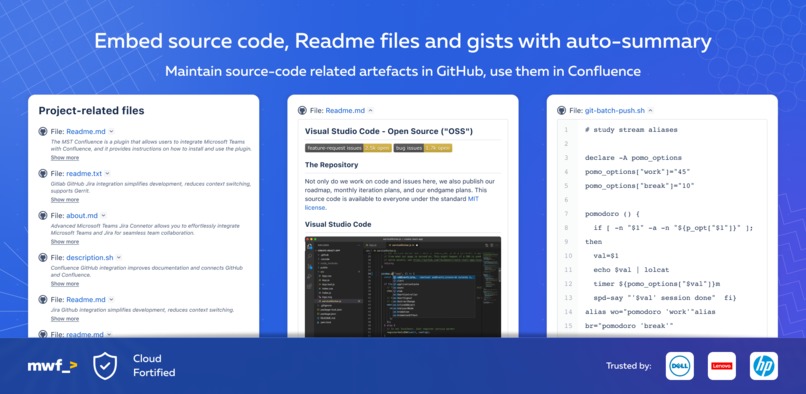
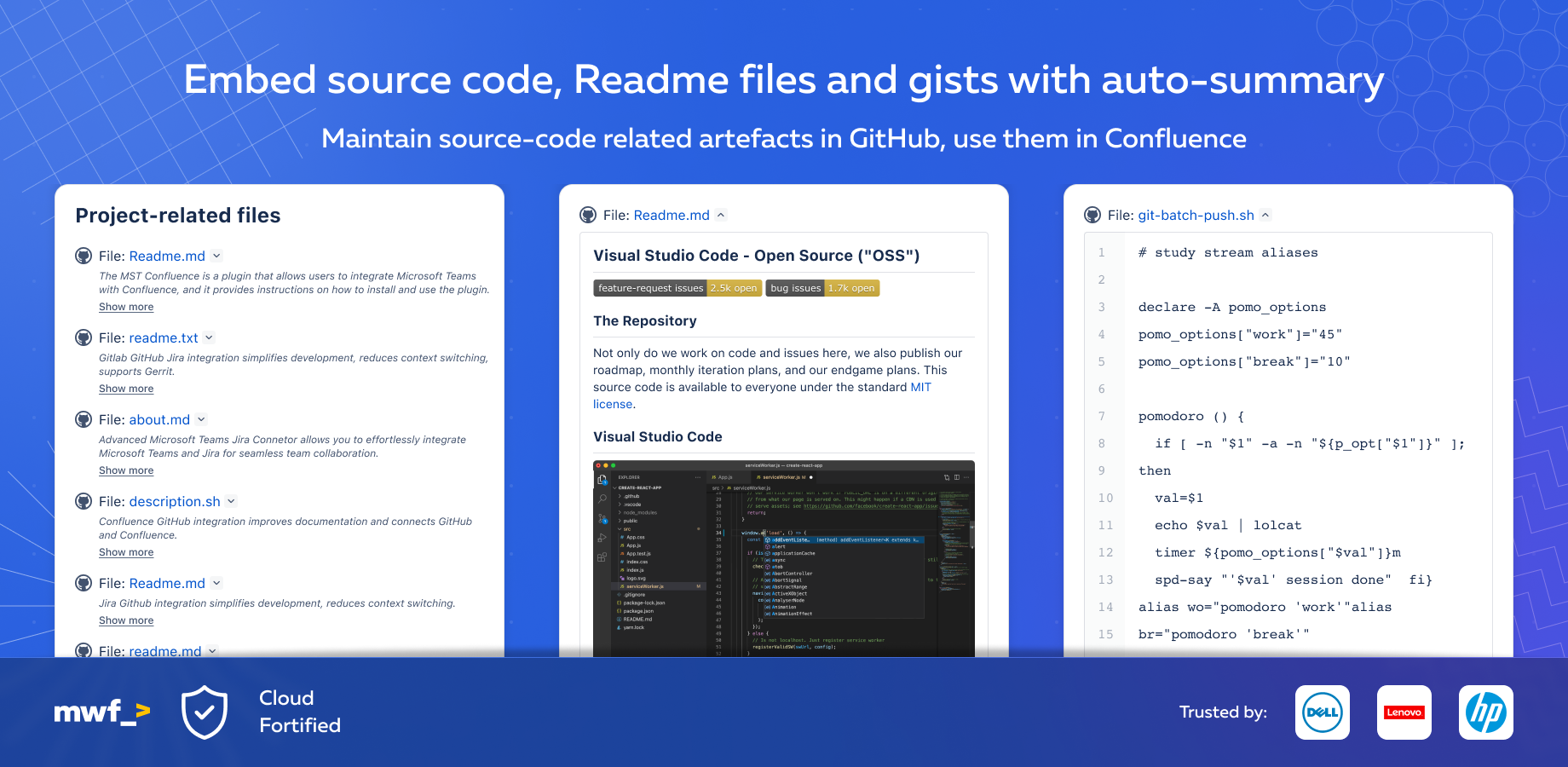
Embed source code, gists and readme files with auto-summaries
-
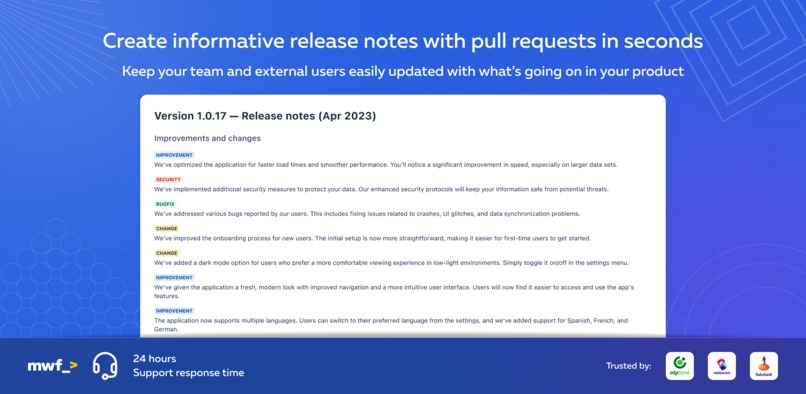
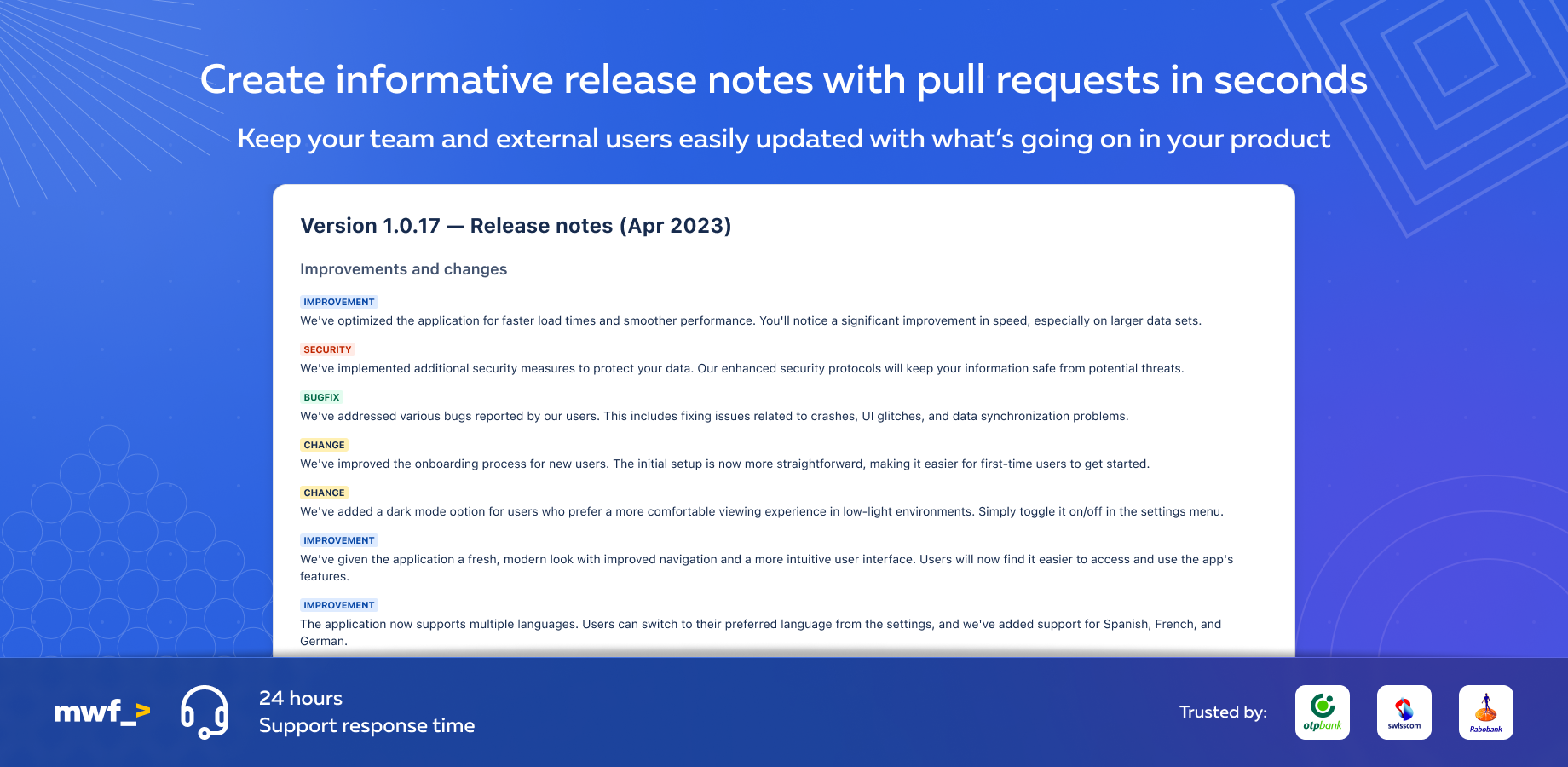
Informative auto generate release notes from pull requests in seconds
-
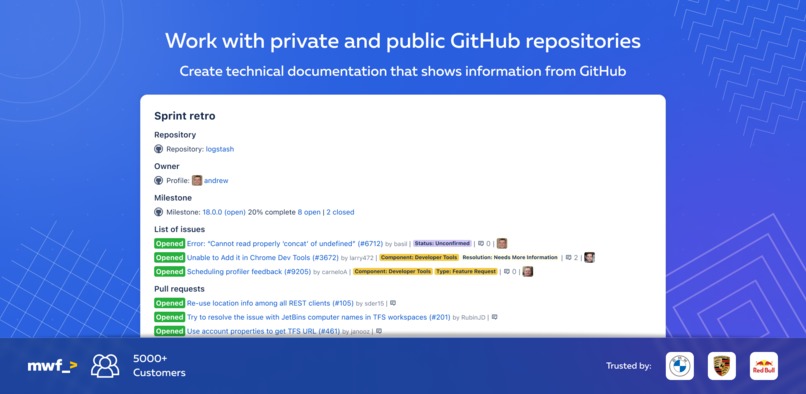
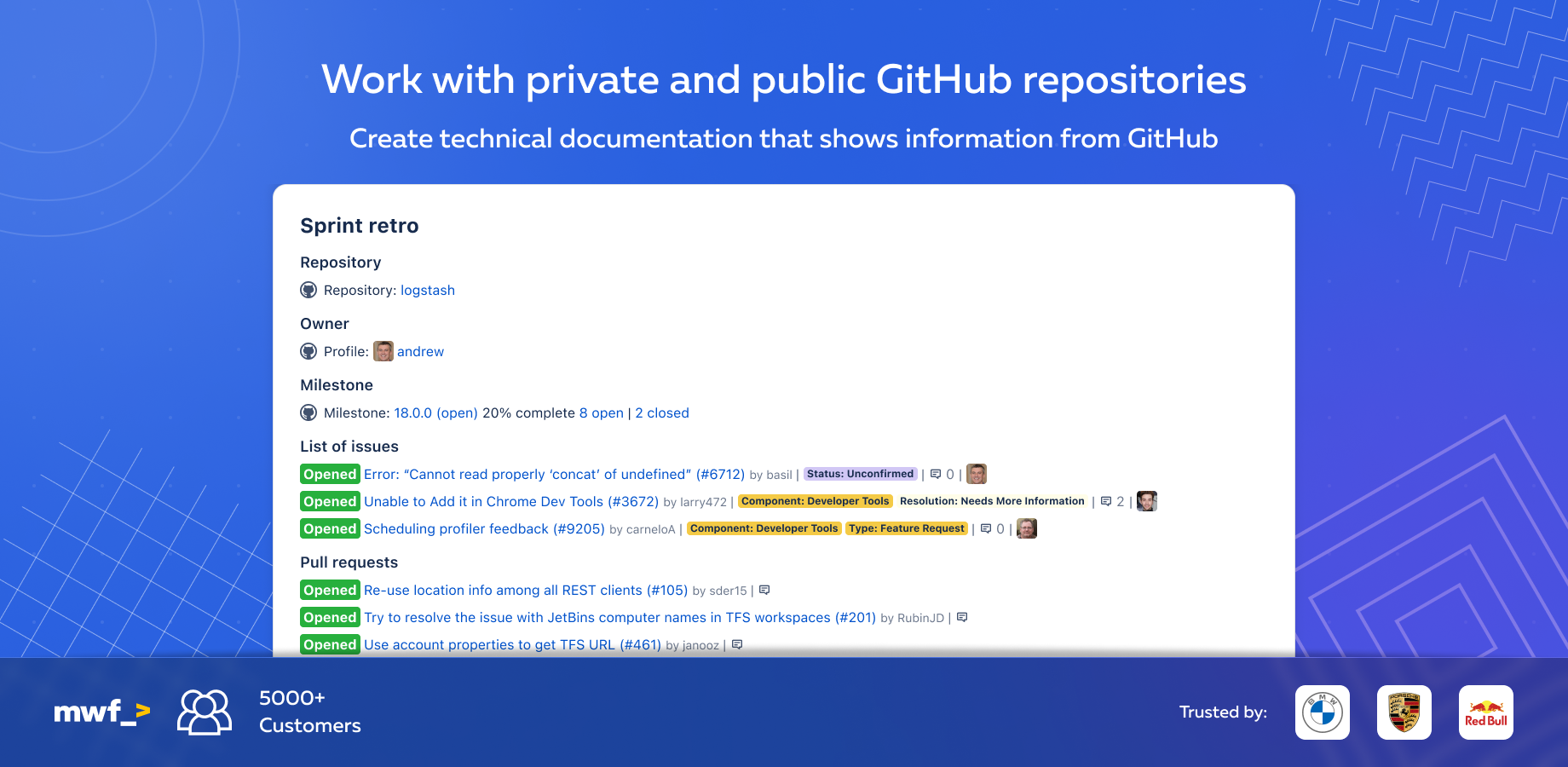
Works with private and public GitHub repositories
-
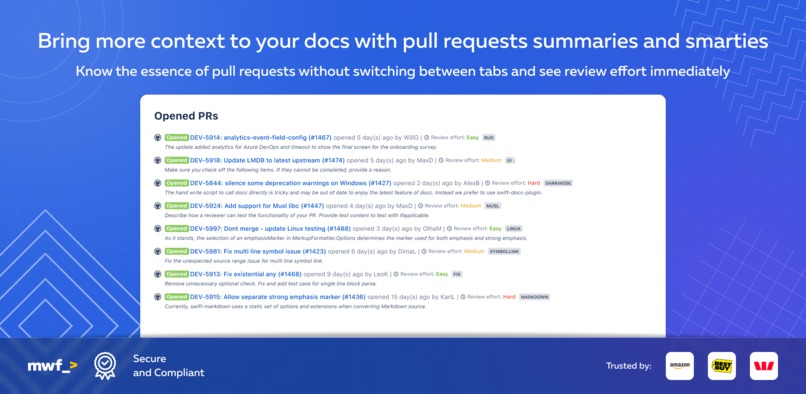
Pull requests information, summaries and smarties


Inspiration
We have an app on Atlassian Marketplace that is used by 850+ companies and us -> https://marketplace.atlassian.com/apps/1216106/github-links-for-confluence?hosting=cloud&tab=overview
We've been documenting project and technical specifications, release documentation and other internal and external docs. GitHub links in Confluence saved us from jumping between GitHub and Confluence, bringing additional context to the Confluence docs.
We saw an opportunity to save even more time by enhancing pull request information with automated summaries, review time estimates and labels. You can decide whether to review the code now or later when you got more time.
We have multiple products and create release notes multiple times per week. It is time-consuming and we decided to help us and others automate release notes creation based on the pull requests and GitHub issues involved in the release.
What it does
Confluence GitHub integration improves documentation and connects GitHub and Confluence. Centralize information and improve collaboration. Bring your GitHub documentation, requirements, and source code together in a Confluence document, making it easy for your team to stay on top of the latest developments and track progress.
Better visibility, traceability, and collaboration Stop wasting precious time and energy searching for important GitHub information scattered across multiple repositories. Create amazing documentation with embedded GitHub data. Use smart features to simplify code-related processes. Works with private and public data.
Display in Confluence Github gists and source code Simplify the way you work with code, with Confluence and GitHub integration. Display Gists and source files and summaries from private and public repositories directly on Confluence pages with just a link.
How we built it
We woke up, and it was built already. Magic! Haa... We wish... We started migrating our existing Atlassian Connect application to Forge when the Hackathon started. It took us a couple of weeks to learn Forge (again) and build a custom ReactJS UI. In a few weeks, we managed to migrate our existing codebase and functionality from old JavaScript to modern TypeScript.
Life is short, Forge is power, and as Mandalorians say "This is the Way".
Our app was pretty outdated and we decided to enhance it further by adding smarts - summaries of the GitHub issues, pull requests and source files.
At several points during development, we collected feedback from our users and tweaked the UI and functionality until all feedback had been taken into account and ended with a round of user acceptance testing.
Challenges we ran into
We did face many challenges interacting with 3rd party tools like GitHub, Mixpanel, and ChatGPT APIs, but using the above motto we overcame to struggle and got this amazing app running in no time (joke, in tons of time).
Another big issue for us is to migrate existing customers from our production AWS account to the Forge environment. We hope to find a solution to this issue later.
Accomplishments that we're proud of
- It works with private and public GitHub repositories
- Supports multiple GitHub links, such as issues, pull requests, gists, source files, milestones, etc.
- Smart features sped up code-related processes (reviews, release notes creation, etc)
- We saved so much time with our app that we managed to squeeze an offsite in Spain

What we learned
- How to build complex Confluence Forge apps
- How to make the custom UI using ReactJS and TypeScript
- How to develop a Forge app as a team and use multiple app IDs to work in parallel
- How to test a Forge app with PDVs (post-deployment verifications)
What's next for GitHub Links for Confluence
- Primary: Migrate 850+ organizations from the old Atlassian Connect application to this modern smart life-enhancer.
- Secondary: add support for GitHub Enterprise and make the macros more configurable




Log in or sign up for Devpost to join the conversation.